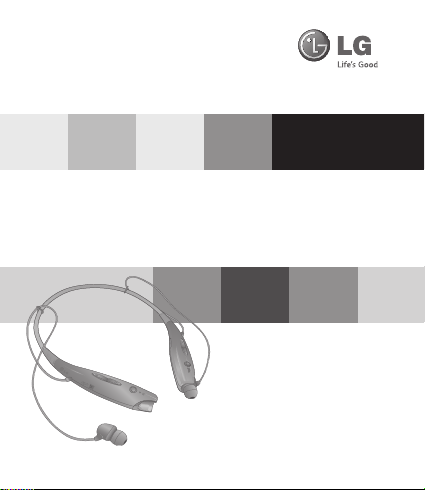
LG HBS-730 Manuale utente

Rev 1.0 RU
LG Electronics
BLUETOOTH®Stereo Headset
HBS-730 User Manual
English
Рyccкий
Қазақша
Українська
www.lg.com


English
All rights reserved.
LG Electronics Inc., 2014
Note: For the best performance and
to prevent any damage to, or misuse of the
HBS-730, please read all of the information
carefully prior to using the HBS-730.
Any modications or changes to this manual due to
typographical errors or inaccuracies of stated information
shall only be made by LG Electronics Inc.
LG Electronics
BLUETOOTH®Stereo Headset
HBS-730 User Manual

2
ENG
Included in the Package
Earbuds (2 Sets) User Manual
VOLUME UP Button
REW Button
Power Switch
FF Button
PLAY / PAUSE Button
Earphone (R)
Charging Port
VOLUME DOWN Button
CALL Button /
LED Indicator
Earphone (L)
Microphone
Specication
Item Description
Bluetooth® specication 3.0 (Headset / Hands-Free / A2DP Proles)
Battery Battery 3.7V / 195mAh Li-Polymer
Standby time / Talk time Up to 500Hrs / Up to 15Hrs
Music play time Up to 10 Hrs
Charging time < 2.0Hrs
Operation temperature -10°C ~ 60°C
Dimension / Weight 135.6mm(W) X 167.3mm(L) X 16.9mm(T) / 32g
Description of parts
USB Charging Cable WEEE Card

3
ENG
Pairing
- Before using the headset for the rst time, you must pair it with a Bluetooth-enabled
handset.
- To pair your headset with an additional handset, the headset must be placed in
Pairing Mode.
- There are 2 Pairing Mode Methods with the HBS-730.
Easy Pairing (First Time Pairing)
1. Move the Power switch to the ‘ON’ side to turn on the HBS-730. When the headset
enters Pairing Mode, the LED indicator will show a solid blue light.
2. Using your handset, nd the Bluetooth Menu and “search for” or “add” new
devices.
• Select “LG HBS730” from the list of devices and pair it with your handset.
3. If asked for the Pass/PIN code please enter “0000” (4 Zeros).
* Note : If your handset supports Secure Simple Pairing (SSP), you will not need to
enter Pass/PIN code.
• Once pairing has completed successfully, you will hear “Your headset paired.”.
4. Some handsets might ask for permission to access the phone’s contact list. If you
receive a message from your handset, please select “OK” or “Allow access”
• The HBS-730 will automatically turn off if not paired within 3 minutes.
Manual Pairing (Pairing with another phone or re-pairing)
• With the power off, press the CALL button and move the Power switch to the ‘ON’
side at the same time for 1 second.
• When the headset enters Pairing Mode, the LED indicator will show a solid blue
light. After the procedure repeat Easy Pairing steps 2 through 4.
Multi-connection
Advanced Multipoint
The HBS-730 is capable of having two devices connected to the headset at the same
time. This will give you the freedom of using call waiting between calls on both of your
connected phones.
How to Use

4
ENG
Connection
- Pair the headset with one of your Bluetooth-enabled handsets. (per the pairing
instructions on page 2).
- Turn off the headset.
- With the power off, press the CALL button and move the Power switch to the ‘ON’
side at the same time for 1 second to enter Manual Pairing mode.
- Now, pair and connect the headset with your other Bluetooth-enabled handset. (this
will be your primary handset).
- Once this handset is paired and connected, go back and connect the originally
paired handset to the headset. This will now be your secondary handset.
* NOTE: When the HBS-730 is connected to two handsets at the same
time(Multipoint), the headset calling functions will work with the primary handset.
* NOTE: In case of failure to connect to the primary phone through Easy Pairing,
HBS-730 will enter pairing mode.
Calling Function
- Voice Dialing and Last Number Redial features work with the primary handset (or
handset which made the last outgoing call).
Call Waiting
- While speaking on an active call, press the CALL button for 1 second to switch to
an incoming call.
- To switch between 2 active calls, press the CALL button for 1 second.
- To terminate the active call or both calls at once, briey press the CALL button.
- If both handsets are receiving an incoming call, the headset will default to the
primary device.
Auto Reconnect
- If the HBS-730 is turned off (either accidentally or intentionally) while connected to
a handset, the headset and handset will disconnect. The headset and handset will
automatically reconnect when the HBS-730 is turned back on while in range.
- Secondary handset need to be connected via selecting “LG HBS730” from the list of
devices at Bluetooth menu.
How to Use

5
ENG
Controls
Power on / Power off
- Move the Power switch to the ‘ON’ or ‘OFF’ side.
Volume Control
- Briey press the VOLUME button.
Charging
- When the charger is connected, with the power on or off, the headset will turn off.
- While charging, the LED indicator will show a solid red light.
- When charging is complete, the LED indicator will turn off.
Battery status check
- Press and hold the VOLUME DOWN button for 1 second.
- There are 3 levels of battery status
Battery status High Medium Low
Voice Prompt Battery High Battery Medium Battery Low
- HBS-730 battery status indicator will appear on the iPhone screen.
Low battery
- An announcement will be made once every 2 minutes.
- If the battery is not charged, the headset will turn off.
Answering a call / Ending a call
- When there is an incoming call, the headset will ring and vibrate.
- Briey press the VOLUME DOWN button to stop vibration.
- Briey press the CALL button.
Out of range
- If the paired devices are separated by a range of 10 meters(33 feet) or more, the
headset and handset will disconnect and HBS-730 will vibrate to alert.
- If the headset and handset do not automatically reconnect when they are back
within the required range, briey press the CALL button on the HBS-730 to
reconnect manually.
* It is possible to use these functions only when your handset supports them. For
further information about using these features, please consult your handset’s user
manual.
- While in multi-connection and streaming, the inactive paired device, which is out
of range, will be disconnected. The HBS-730 will alert once with no attempt to
reconnect.
How to Use

6
ENG
Last number redial
- Press and hold the CALL button for 1second to activate “Last Number Redial”.
The headset will beep, and call the last number dialed.
Making a call
- If you make a call from the handset, the call will (subject to phone settings)
automatically transfer to the headset. If the call is not automatically transferred, you
can manually transfer the call by press and hold VOLUME UP button for 3 seconds.
Voice dialing
- Briey press the CALL button to activate “Voice Command”.
Note: If the handset does not support Voice Dialing, it is possible that performing
this action will activate Last Number Redial.
Transferring a call
- While on a call on your handset, press and hold VOLUME UP button for 3 seconds
to transfer the audio either from headset to handset or from handset to headset.
Call waiting
- Answer a second call without hanging up the rst call by pressing the CALL button
for 1 second (you will hear a beep). Press the CALL button for 1second to turn to
the original call.
- Briey press the CALL button to terminate the active call or both calls at once.
(subject to handset’s support)
Call Reject
- Press the CALL button for 1second when the handset rings.
Mic Mute
- Press and hold the VOLUME UP and VOLUME DOWN buttons simultaneously for 1
second to mute/unmute the Mic during conversation.
Audio streaming
- PLAY : Briey press the PLAY/PAUSE button.
- PAUSE : Briey press the PLAY/PAUSE button.
- STOP : Press and hold the PLAY/PAUSE button.
- NEXT SONG : Briey press the FF button.
- PREVIOUS SONG : Briey press the REW button.
- FAST FORWARD : Press and hold the FF button.
- REWIND : Press and hold the REW button.
How to Use

7
ENG
Equalizer
- While playing music, press and hold VOLUME UP and VOLUME DOWN buttons
simultaneously for 1 second to switch between EQ’s (Bass Boost(Default) g
Normal g Treble Boost).
- EQ is not changed if your handset supports aptX®codec and is enabled.
- The bass coming from the speakers can vary as a result of the size of the Earbud
that is being used.
SMS Reader
The HBS-730 Bluetooth headset supports SMS reading on
Android TM based devices.
In Google Play™ Store search for the LG ‘BT Reader’
application and install on your device to use this function.
* The 2D barcode shown below helps you download the LG
‘BT Reader’ application from Google Play™ Store. Google
Play is a trademark of Google, Inc.
aptX®
- HBS-730 features aptX® technology that ensures audio content transmitted over
Bluetooth is instant and crystal-clear.
- aptX® is automatically enabled as long as the source device supports it.
How to Use

8
ENG
LED indication
Issue Possible problem Resolution
Does not turn on
Check whether the battery
of the HBS-730 is fully
charged.
Charge the battery.
Unable to
communicate with
the LG Bluetooth®
Headset HBS-730
Check whether the
handset supports the
headset or hands-free
Bluetooth proles.
Determine whether your
handset supports the headset
or hands-free Bluetooth
proles.
Check whether the battery
of the HBS-730 is low.
Charge the battery.
Unable to pair the
HBS-730 with the
Bluetooth®device
Check and make sure the
headset is on.
Slide the Power switch to
the ‘ON’ side to turn on the
headset.
Check and make sure
the headset is placed in
pairing mode.
With the power off, press the
CALL button and move the
Power switch to the ‘ON’ side
at the same time for 1 second
to manually place the headset
in pairing mode.
Low sound
(speaker) Check the speaker
volume. lncrease the volume level.
Function HBS-730 Status Action
Operating
Power on The blue LED light ickers 4 times.
Power off
The blue LED light ickers 4 times and then
turns off.
Pairing mode The blue LED light stays on.
Headset / hands-free
prole connected
The blue LED light ickers 2 times every 5
seconds.
Call connected The blue LED light ickers 2 times every 5
seconds.
Charging Charging The red LED stays on.
Charging complete
LED turns off.
Troubleshooting
Altri manuali per HBS-730
6
Indice
Lingue:
Altri manuali LG Cuffia

LG
LG HBS-800 Manuale utente

LG
LG Tone Free TONE-T60Q.AUSACBK Manuale utente

LG
LG TONE Active HBS-850 Manuale utente

LG
LG Tone Free TONE-T60Q Manuale utente

LG
LG TONE FREE Manuale utente

LG
LG HBM-210 Manuale utente

LG
LG TONE-FP5 Manuale utente

LG
LG Tone Free Fit TONE-DTF7Q Manuale utente

LG
LG LG TONE PRO HBS-780 Manuale utente

LG
LG TONE-NP3 Manuale utente

LG
LG HBS-730 Manuale utente


LG
LG HBM-750 Manuale utente

LG
LG ToneFree Manuale utente

LG
LG TONE ULTRA HBS-810 Manuale utente

LG
LG BLUETOOTH HBS-250 Manuale utente

LG
LG HBM-905 Manuale utente

LG
LG TONE Free HBS-FN6 Manuale utente

LG
LG FORCE HBS-S80 Manuale utente

LG
LG TONE-FP6 Manuale utente

LG
LG HBS-800 Manuale utente