LG 60LS5750 Manuale utente

DRAWN CHECKED APPROVED
Baetaeho
12.01.27
Jeong s. j.
12.01.27
KIM J. O.
12.01.27
1. Model Description
Model LS5700 BRAND
Suffix LGEUS Product Name
2. Printing Specification
3. Printing Specification
4. Changes
Apr./24/2012 Jeong Su Jin EKLC401487
Mar./15/2012 Jeong Su Jin EKLC300913
Jan./18/2012 Bae taeho EKLC101786
Rev. No. MM/DD/YY Signature Change No.
1. Trim Size (Format) : 182mm x 257 mm (B5)
2 Printing Colors
• Cover : 1 COLOR (BLACK)
• Inside : 1 COLOR (BLACK)
3. Stock (Paper)
• Cover : Coated paper , S/White 150 g/㎡
• Inside : Uncoated paper , Wood-Free Paper (백상지) 60 g/㎡
4. Printing Method : Off set
5. Bindery : Saddle stitch
6. Language : English (1)
7. Number of pages : 40
LG
Part No.
MFL67468102
LS5700-UA
(1205-REV03)
Change Contents
“This part contains Eco-hazardous substances (Pb, Cd, Hg, Cr6+, PBB, PBDE, etc.) within LG standard level,
Details should be followed Eco-SCM management standard[LG(56)-A-2524].
Especially, Part should be followed and controlled the following specification.
(1)Eco-hazardous substances test report should be submitted when Part certification test and First Mass Production.
(2) Especially, Don’t use or contain lead(Pb) and cadmium(Cd) in ink.
(1) Origin Notification
* LGERS : Printed in Mexico * LGEND : Printed in China * LGEVN : Printed in Vietnam * LGEMA : Printed in Poland
* LGEAZ : Printed in Brazil * LGEIL : Printed in India * LGEEG : Printed in Egypt * LGEWR : Printed in Poland
* LGESP : Printed in Brazil * LGEIN : Printed in Indonesia * LGERA : Printed in Russia
* LGESY : Printed in China * LGETH : Printed in Thailand * LGEAK : Printed in Kazakhstan
To delete a 3D setting on initial settings by request from
R&D Plan Gr.
To add 'Warning' about US proposition65 regulation
for all US models
Divided the LM6200 seires by changing the stand type.
Owner's Manual Specification
1
2
3
4
5
6
7
8
9
N
O
T
E

P/No.: MFL67468102
Total Pages : 40 pages
Front Cover Rear Cover
Pagination sheet
LG(EN)
P/NO. 2... ... ... 38
CEA
Card
LG

www.lg.com
Please read this manual carefully before operating your set
and retain it for future reference.
P/NO : MFL67468102 (1205-REV03)
OWNER’S MANUAL
LED LCD TV
LS5700 series
LS5750 series
LM6200 series
LM6250 series

LICENSES
Supported licenses may differ by model. For more information about licenses, visit www.lg.com.
Manufactured under license from Dolby Laboratories. “Dolby” and the double-D
symbol are trademarks of Dolby Laboratories.
HDMI, the HDMI logo and High-Definition Multimedia Interface are trademarks or
registered trademarks of HDMI Licensing LLC.
ABOUT DIVX VIDEO: DivX® is a digital video format created by DivX, LLC, a
subsidiary of Rovi Corporation. This is an official DivX Certified® device that plays
DivX video. Visit divx.com for more information and software tools to convert your
files into DivX video.
ABOUT DIVX VIDEO-ON-DEMAND: This DivX Certified® device must be registered
in order to play purchased DivX Video-on-Demand (VOD) movies. To obtain your
registration code, locate the DivX VOD section in your device setup menu. Go to
vod.divx.com for more information on how to complete your registration.
“DivX Certified® to play DivX® video up to HD 1080p, including premium content.”
“DivX®, DivX Certified® and associated logos are trademarks of Rovi Corporation
or its subsidiaries and are used under license.”
“Covered by one or more of the following U.S. patents:
7,295,673; 7,460,668; 7,515,710; 7,519,274”
Manufactured under license under U.S. Patent Nos: 5,956,674; 5,974,380;
6,487,535 & other U.S. and worldwide patents issued & pending. DTS, the Symbol
& DTS and the Symbol together are registered trademarks & DTS 2.0+Digital
Out is a trademark of DTS, Inc. Product includes software. © DTS, Inc. All Rights
Reserved.
OPEN SOURCE SOFTWARE NOTICE
To obtain the source code under GPL, LGPL, MPL and other open source licenses, that is contained in this
product, please visit http://opensource.lge.com.
In addition to the source code, all referred license terms, warranty disclaimers and copyright notices are
available for download.
LG Electronics will also provide open source code to you on CD-ROM for a charge covering the cost of
performing such distribution (such as the cost of media, shipping and handling) upon email request to
[email protected]. This offer is valid for three (3) years from the date on which you purchased the
product.
ENGLISH
2LICENSES / OPEN SOURCE SOFTWARE NOTICE

WARNING/CAUTION
RISK OF ELECTRIC SHOCK
DO NOT OPEN
TO REDUCE THE RISK OF ELECTRIC SHOCK
DO NOT REMOVE COVER (OR BACK). NO
USER SERVICEABLE PARTS INSIDE. REFER
TO QUALIFIED SERVICE PERSONNEL.
WARNING/CAUTION
RISK OF ELECTRIC SHOCK
DO NOT OPEN
The lightning flash with arrowhead
symbol, within an equilateral triangle,
is intended to alert the user to the
presence of uninsulated “dangerous voltage”
within the product’s enclosure that may be of
sufficient magnitude to constitute a risk of
electric shock to persons.
WARNING/CAUTION
RISK OF ELECTRIC SHOCK
DO NOT OPEN
The exclamation point within an
equilateral triangle is intended to alert
the user to the presence of important
operating and maintenance (servicing)
instructions in the literature accompanying
the appliance.
WARNING/CAUTION
- TO REDUCE THE RISK OF FIRE AND
ELECTRIC SHOCK, DO NOT EXPOSE THIS
PRODUCT TO RAIN OR MOISTURE.
Do not use this apparatus near water.
Short-circuit
Breaker
Power Supply
Clean only with a dry cloth.
Short-circuit
Breaker
Power Supply
Do not block any ventilation openings. Install
in accordance with the manufacturer’s
instructions.
Short-circuit
Breaker
Power Supply
Do not install near any heat sources such
as radiators, heat registers, stoves, or other
apparatus (including amplifiers) that produce
heat.
Short-circuit
Breaker
Power Supply
Do not defeat the safety purpose of the
polarized or grounding-type plug. A polarized
plug has two blades with one wider than the
other. A grounding type plug has two blades
and a third grounding prong. The wide blade
or the third prong are provided for your safety.
If the provided plug does not fit into your
outlet, consult an electrician for replacement
of the obsolete outlet (Can differ by country).
Short-circuit
Breaker
Power Supply
IMPORTANT SAFETY INSTRUCTIONS
Always comply with the following precautions to avoid dangerous situations and ensure peak performance
of your product.
Read these instructions.
Keep these instructions.
Heed all warnings.
Follow all instructions.
Short-circuit
Breaker
Power Supply
ENGLISH
3
IMPORTANT SAFETY INSTRUCTIONS

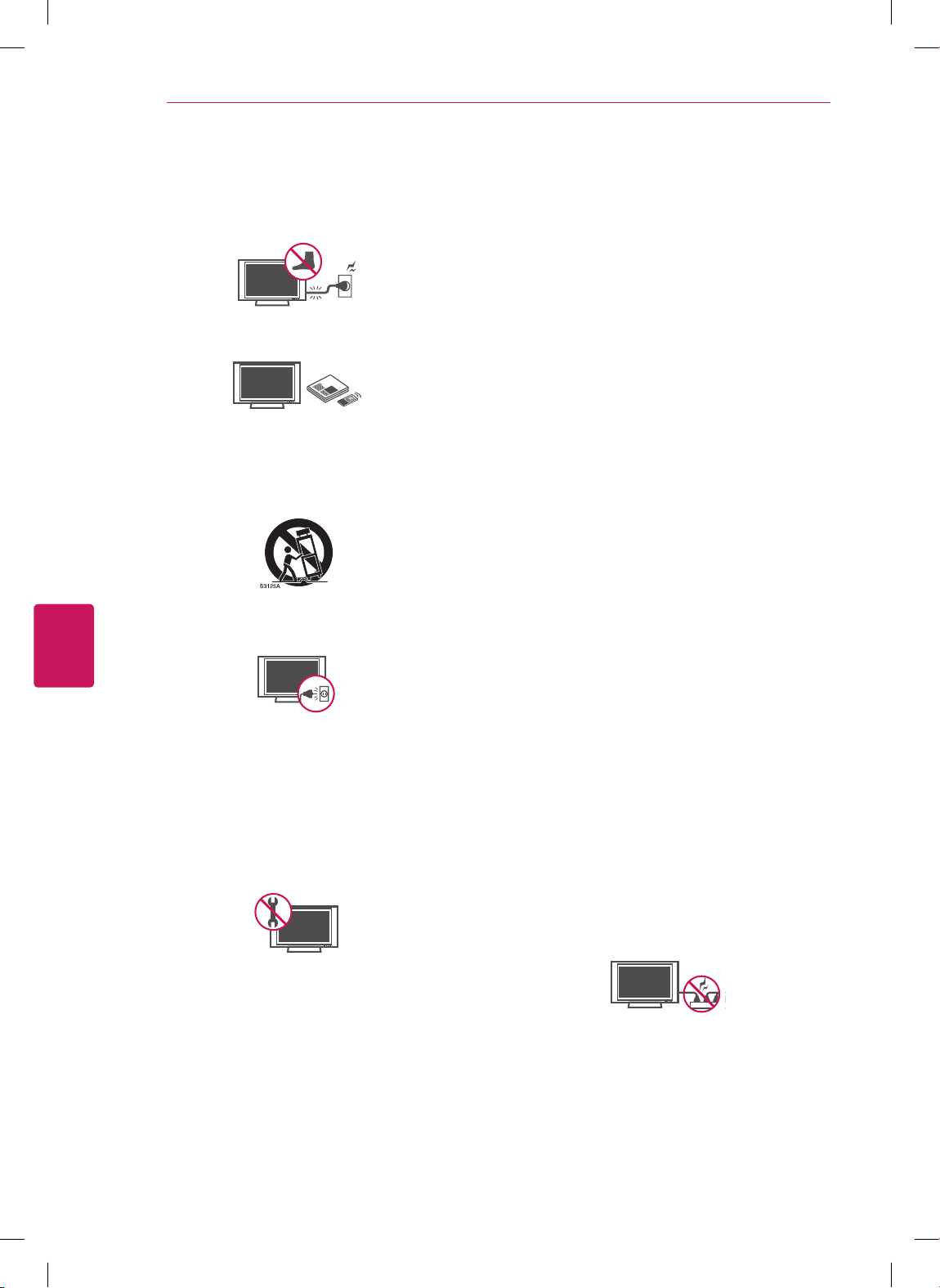
Protect the power cord from being walked on
or pinched particularly at plugs, convenience
receptacles, and the point where they exit
from the apparatus.
Short-circuit
Breaker
Power Supply
Only use attachments/accessories specified
by the manufacturer.
Short-circuit
Breaker
Power Supply
Use only with a cart, stand, tripod, bracket,
or table specified by the manufacturer, or
sold with the apparatus. When a cart is used,
use caution when moving the cart/apparatus
combination to avoid injury from tip-over.
Short-circuit
Breaker
Power Supply
Unplug this apparatus during lightning
storms or when unused for long periods of
time.
Short-circuit
Breaker
Power Supply
Refer all servicing to qualified service
personnel. Servicing is required when
the apparatus has been damaged in any
way, such as power-supply cord or plug is
damaged, liquid has been spilled or objects
have fallen into the apparatus, the apparatus
has been exposed to rain or moisture, does
not operate normally, or has been dropped.
Short-circuit
Breaker
Power Supply
Do not stick metal objects or any other
conductive material into the power cord. Do
not touch the end of the power cord while it
is plugged in.
Keep the packing anti-moisture material or
vinyl packing out of the reach of children.
Anti-moisture material is harmful if
swallowed. If swallowed by mistake, force
the patient to vomit and visit the nearest
hospital. Additionally, vinyl packing can
cause suffocation. Keep it out of the reach of
children.
CAUTION concerning the Power Cord
(Can differ by country):
It is recommended that appliances be
placed upon a dedicated circuit; that is, a
single outlet circuit which powers only that
appliance and has no additional outlets or
branch circuits. Check the specification page
of this owner’s manual to be certain. Do not
connect too many appliances to the same
AC power outlet as this could result in fire or
electric shock. Do not overload wall outlets.
Overloaded wall outlets, loose or damaged
wall outlets, extension cords, frayed power
cords, or damaged or cracked wire insulation
are dangerous. Any of these conditions could
result in electric shock or fire. Periodically
examine the cord of your appliance, and
if its appearance indicates damage or
deterioration, unplug it, discontinue use of
the appliance, and have the cord replaced
with an exact replacement part by an
authorized service. Protect the power cord
from physical or mechanical abuse, such as
being twisted, kinked, pinched, closed in a
door, or walked upon. Pay particular attention
to plugs, wall outlets, and the point where
the cord exits the appliance. Do not move
the TV with the power cord plugged in. Do
not use a damaged or loose power cord. Be
sure do grasp the plug when unplugging the
power cord. Do not pull on the power cord
to unplug the TV.
Short-circuit
Breaker
Power Supply
ENGLISH
4IMPORTANT SAFETY INSTRUCTIONS

Warning - To reduce the risk of fire or
electrical shock, do not expose this product
to rain, moisture or other liquids. Do not
touch the TV with wet hands. Do not install
this product near flammable objects such
as gasoline or candles, or expose the TV to
direct air conditioning.
Short-circuit
Breaker
Power Supply
Do not expose to dripping or splashing and
do not place objects filled with liquids, such
as vases, cups, etc. on or over the apparatus
(e.g. on shelves above the unit).
Short-circuit
Breaker
Power Supply
Grounding
(Except for devices which are not grounded.)
Ensure that you connect the earth ground
wire to prevent possible electric shock
(i.e. a TV with a three-prong grounded AC
plug must be connected to a three-prong
grounded AC outlet). If grounding methods
are not possible, have a qualified electrician
install a separate circuit breaker. Do not try to
ground the unit by connecting it to telephone
wires, lightening rods, or gas pipes.
Short-circuit
Breaker
Power Supply
DISCONNECTING DEVICE FROM THE MAIN
POWER
Mains plug is the disconnecting device. The
plug must remain readily operable.
As long as this unit is connected to the AC
wall outlet, it is not disconnected from the
AC power source even if the unit is turned
off.
Do not attempt to modify this product in any
way without written authorization from LG
Electronics. Unauthorized modification could
void the user’s authority to operate this
product.
ANTENNAS Outdoor antenna grounding
(Can differ by country):
If an outdoor antenna is installed, follow
the precautions below. An outdoor antenna
system should not be located in the vicinity
of overhead power lines or other electric light
or power circuits, or where it can come in
contact with such power lines or circuits as
death or serious injury can occur. Be sure the
antenna system is grounded so as to provide
some protection against voltage surges
and built-up static charges. Section 810 of
the National Electrical Code (NEC) in the
U.S.A. provides information with respect to
proper grounding of the mast and supporting
structure, grounding of the lead-in wire to
an antenna discharge unit, size of grounding
conductors, location of antenna discharge
unit, connection to grounding electrodes and
requirements for the grounding electrode.
Antenna grounding according to the National
Electrical Code, ANSI/NFPA 70
Short-circuit
Breaker
Power Supply
NEC: National Electrical Code
Ground Clamp
Antenna Lead in Wire
Antenna Discharge Unit
(NEC Section 810-20)
Grounding Conductor
(NEC Section 810-21)
Power Service Grounding
Electrode System
(NEC Art 250, Part H)
Electric Service
Equipment
Ground Clamp
ENGLISH
5
IMPORTANT SAFETY INSTRUCTIONS

Cleaning
When cleaning, unplug the power cord and
wipe gently with a soft cloth to prevent
scratching. Do not spray water or other
liquids directly on the TV as electric shock
may occur. Do not clean with chemicals
such as alcohol, thinners or benzine.
Moving
Make sure the product is turned off,
unplugged and all cables have been
removed. It may take 2 or more people to
carry larger TVs. Do not press or put stress
on the front panel of the TV.
Ventilation
Install your TV where there is proper
ventilation. Do not install in a confined
space such as a bookcase. Do not cover the
product with cloth or other materials while
plugged. Do not install in excessively dusty
places.
If you smell smoke or other odors coming
from the TV, unplug the power cord and
contact an authorized service center.
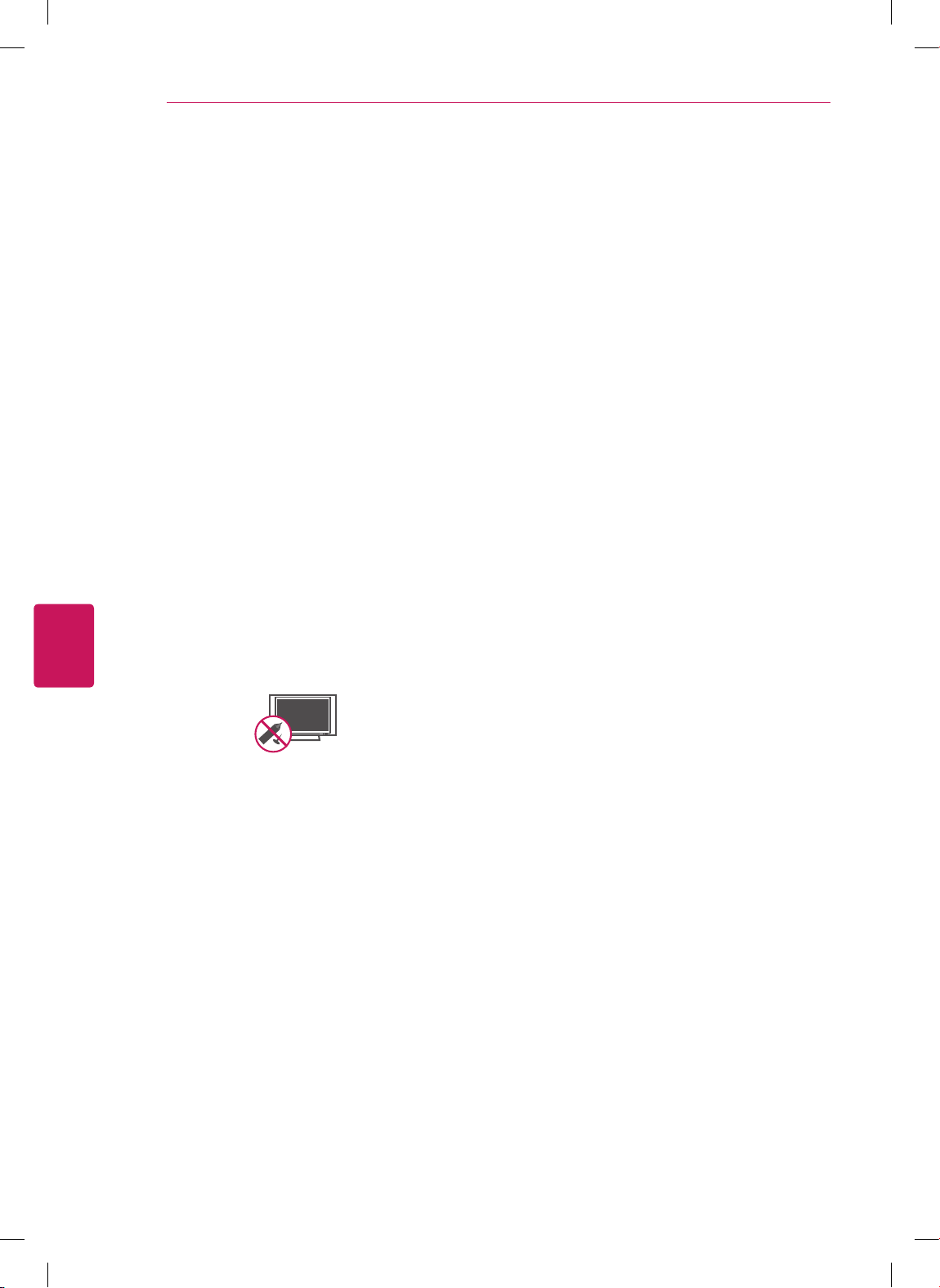
Do not press strongly upon the panel with a
hand or a sharp object such as a nail, pencil
or pen, or make a scratch on it.
Keep the product away from direct sunlight.
Short-circuit
Breaker
Power Supply
Never touch this apparatus or antenna during
a thunder or lightning storm.
When mounting a TV on the wall, make sure
not to install the TV by hanging the power
and signal cables on the back of the TV.
Do not allow an impact shock or any objects
to fall into the product, and do not drop
anything onto the screen.
Dot Defect
The Plasma or LCD panel is a high
technology product with resolution of two
million to six million pixels. In a very few
cases, you could see fine dots on the screen
while you’re viewing the TV. Those dots
are deactivated pixels and do not affect the
performance and reliability of the TV.
Generated Sound
“Cracking” noise: A cracking noise that
occurs when watching or turning off the TV
is generated by plastic thermal contraction
due to temperature and humidity. This noise
is common for products where thermal
deformation is required.
Electrical circuit humming/panel buzzing: A
low level noise is generated from a high-
speed switching circuit, which supplies a
large amount of current to operate a product.
It varies depending on the product.
This generated sound does not affect the
performance and reliability of the product.
Take care not to touch the ventilation
openings. When watching the TV for a long
period, the ventilation openings may become
hot. This does not affect the performance of
the product or cause defects in the product.
If the TV feels cold to the touch, there may
be a small “flicker” when it is turned on. This
is normal, there is nothing wrong with TV.
Some minute dot defects may be visible on
the screen, appearing as tiny red, green, or
blue spots. However, they have no adverse
effect on the TV’s performance. Avoid
touching the LCD screen or holding your
finger(s) against it for long periods of time.
Doing so may produce some temporary
distortion effects on the screen.
ENGLISH
6IMPORTANT SAFETY INSTRUCTIONS

DISPOSAL (Hg lamp only used in LCD TVs)
The fluorescent lamp used in this product contains
a small amount of mercury. Do not dispose of this
product with general household waste. Disposal of
this product must be carried out in accordance to
the regulations of your local authority.
Preventing “Image burn” or “Burn-in” on your TV screen
If a fixed image displays on the TV screen
for a long period of time, it will be imprinted
and become a permanent disfigurement on
the screen. This is “image burn” or “burn-in”
and not covered by the warranty.
If the aspect ratio of the TV is set to 4:3 for
a long period of time, image burn may occur
on the letterboxed area of the screen.
Avoid displaying a fixed image on the TV
screen for a long period of time (2 or more
hours for LCD, 1 or more hours for the
Plasma TV) to prevent image burn.
For USA and Canada
NOTE TO CABLE/TV INSTALLER
This reminder is provided to call the CATV system
installer’s attention to Article 820-40 of the
National Electric Code (U.S.A.). The code provides
guidelines for proper grounding and, in particular,
specifies that the cable ground shall be connected
to the grounding system of the building, as close
to the point of the cable entry as practical.
ENGLISH
7
IMPORTANT SAFETY INSTRUCTIONS

Viewing 3D Imaging (For 3D models)
WARNING
Viewing Environment
Viewing Time
- When watching 3D contents, take 5 - 15 minute breaks every hour. Viewing 3D contents for a long
period of time may cause headache, dizziness, fatigue or eye strain.
Those that have a photosensitive seizure or chronic illness
Some users may experience a seizure or other abnormal symptoms when they are exposed to a
flashing light or particular pattern from 3D contents.
Do not watch 3D videos if you feel nausea, are pregnant and/ or have a chronic illness such as
epilepsy, cardiac disorder, or blood pressure disease, etc.
3D Contents are not recommended to those who suffer from stereo blindness or stereo anomaly.
Double images or discomfort in viewing may be experienced.
If you have strabismus (cross-eyed), amblyopia (weak eyesight) or astigmatism, you may have trouble
sensing depth and easily feel fatigue due to double images. It is advised to take frequent breaks than
the average adult.
If your eyesight varies between your right and left eye, revise your eyesight prior to watching 3D
contents.
Symptoms which require discontinuation or refraining from watching 3D contents
Do not watch 3D contents when you feel fatigue from lack of sleep, overwork or drinking.
When these symptoms are experienced, stop using/watching 3D contents and get enough rest until
the symptom subsides.
- Consult your doctor when the symptoms persist. Symptoms may include headache, eyeball pain,
dizziness, nausea, palpitation, blurriness, discomfort, double image, visual inconvenience or fatigue.
ENGLISH
8IMPORTANT SAFETY INSTRUCTIONS
Altri manuali per 60LS5750
2
Questo manuale è adatto per i seguenti modelli
5
Indice
Altri manuali LG TV LCD

LG
LG 323DCH - 32In Wide Lcd Hdtv Spk 1366X768 Hospital... Manuale utente

LG
LG 26LB7 Series Manuale utente

LG
LG 32LD350 Manuale utente

LG
LG 42LK450 Manuale utente

LG
LG 42CS530-UB Manuale utente

LG
LG 60PZ570T Manuale utente

LG
LG 32LS3300.ATR Manuale utente

LG
LG 19LV2500 Manuale utente

LG
LG 32LK310 Manuale utente

LG
LG 42LG60 Series Manuale utente

LG
LG 19LS4D-ZB Manuale utente

LG
LG CS47 Series Manuale utente

LG
LG 32LG60 Series Manuale utente

LG
LG LD420N Manuale utente

LG
LG 26LX1D - - 26" LCD TV Manuale utente

LG
LG 32LE5400 Manuale utente

LG
LG RU-13LA60 Manuale utente

LG
LG M227WD Manuale utente

LG
LG 39LF56 Series Manuale utente

LG
LG 47LM960V Manuale utente