B
B-5
11
12
B-5
11
12
B-5
11
12
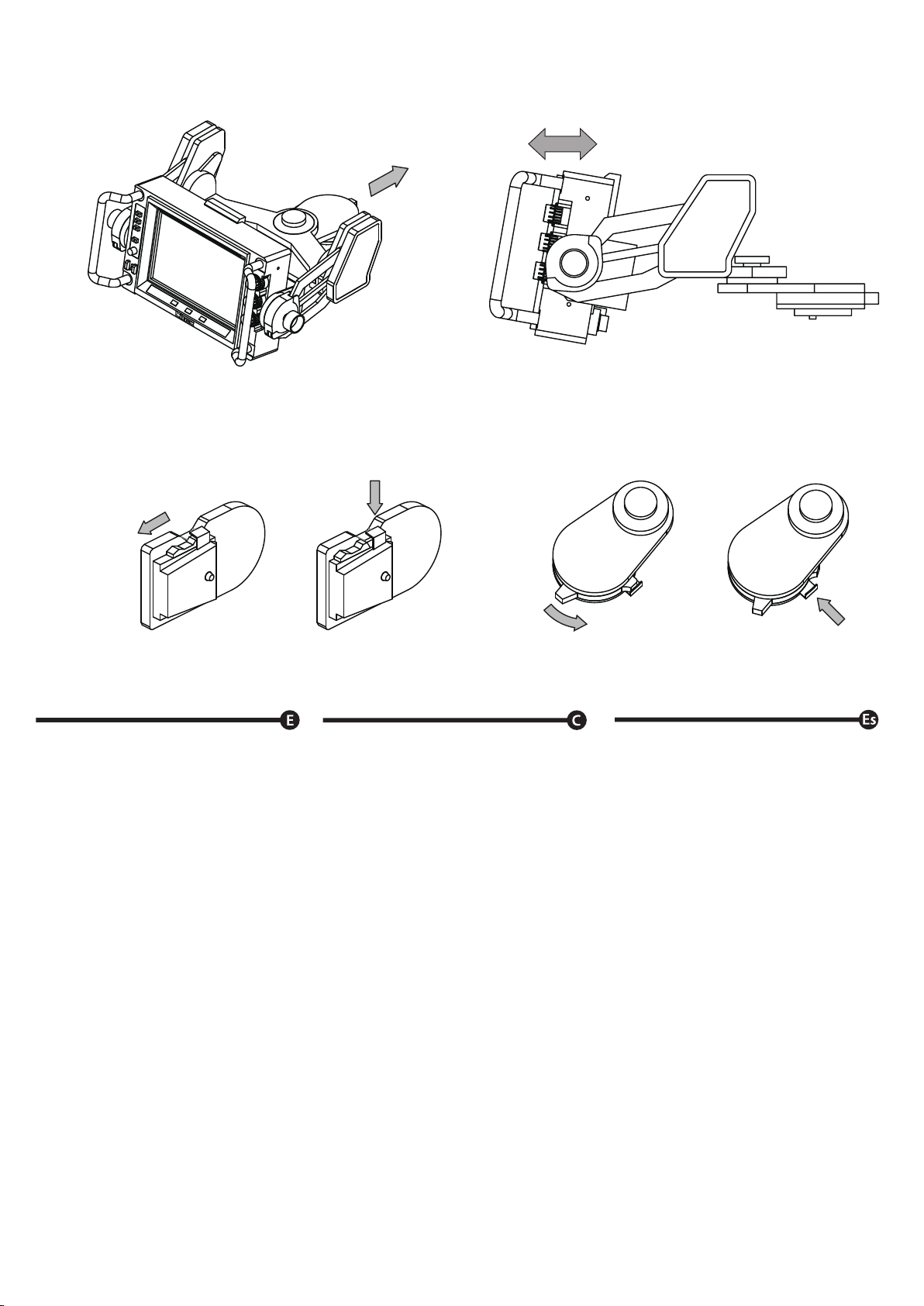
Afloje los tornillos de ajuste/fijación del ángulo
de inclinación ubicados a ambos lados del soporte
Apriete firmemente el tornillo de ajuste del ángulo
de inclinación y el tornillo de ajuste horizontal
para ajustar el visor.
Desconecte la alimentación de cada equipo antes
de conectarlo.
Conecte el conector "CAMERA IN" del SVF-7Pro
al conector VF de la cámara con el cable
(se vende por separado).
Utilice el cable incluido en el CA-7S
(se vende por separado)
Utilice el cable incluido en el CA-7I
(se vende por separado)
Utilice el cable incluido en el CA-7H
(se vende por separado)
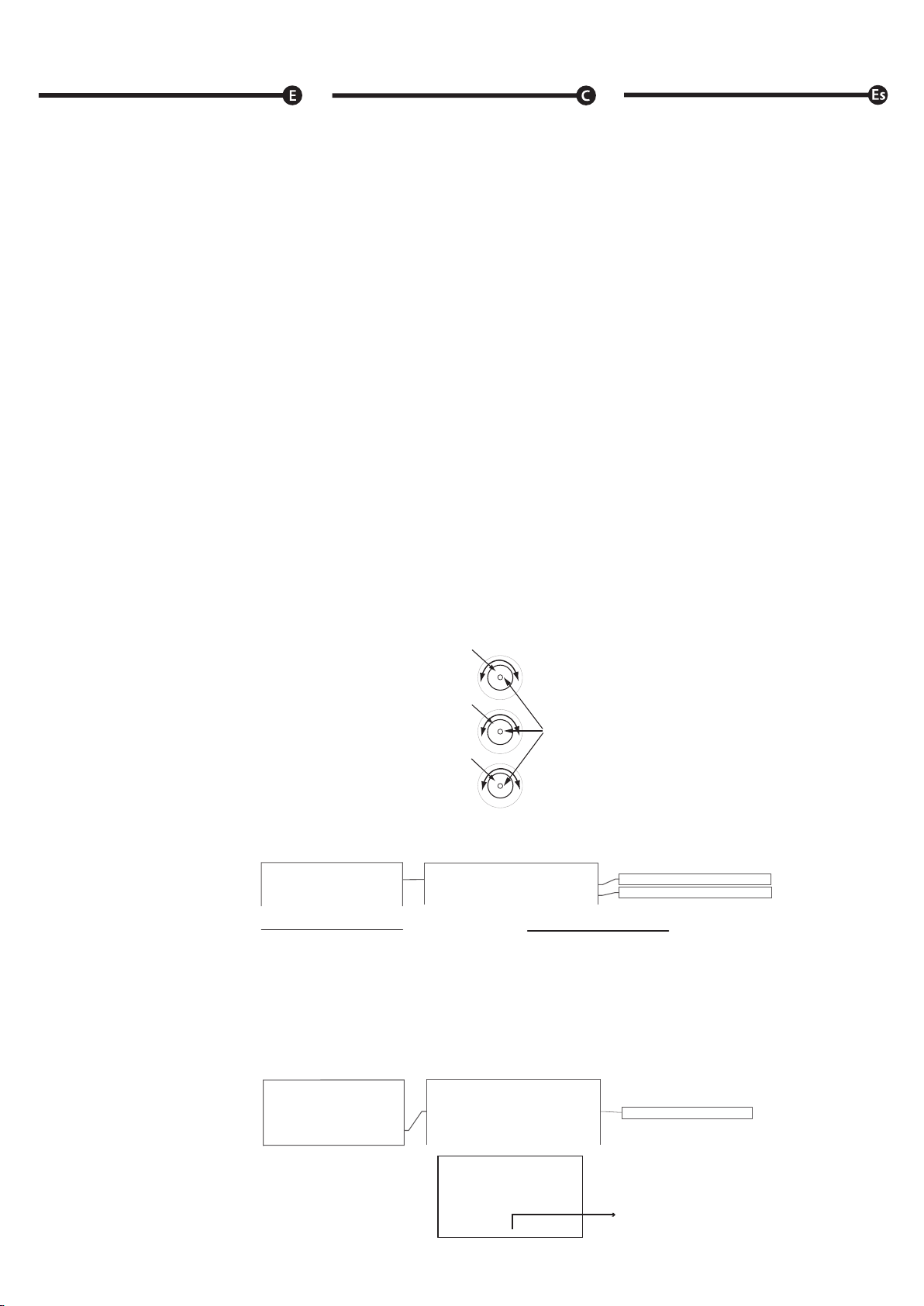
Presione el interruptor de selección INPUT para
configurar el modo CAMERA.
Solo conecte la cámara a CAMERA IN del
SVF-7Pro con el cable, el TALLY está listo
para usar.
Conecte la cámara al SDI-IN del SVF-7Pro con
un cable BNC.
Cuando se usa solo iluminación TALLY RED
Conecte la señal TALLY OUT del conmutador
CCU al terminal TALLY1 del visor con un
cable BNC.
Cuando se usa la iluminación
TALLY RED y GREEN
Conecte la señal del circuito convertidor de voltaje
al terminal TALLY2 del visor con un cable BNC.
Precaución: tenga cuidado de no pillarse los
dedos con las piezas giratorias/móviles.
Como conectar
El cable de conexión y el accesorio de zapata
para cámaras no están incluidos, asegúrese de
comprar el CA-7S, el CA-7I o el CA-7H.
Al conectarse a cámaras SONY
Al conectarse a cámaras Ikegami
Al conectarse a cámaras Hitachi
Cómo usar TALLY
Cuando se conecta a cámaras sin salida de
componente analógico de 20 pines o se usa el
visor como monitor secundario
Cuando se utilizan cámaras Hitachi, Ikegami,
SONY con salida de componente analógico
de 20 pines.
Cuando mueva la cámara con el visor acoplado,
asegúrese de bloquear el visor en su posición
más baja.
Ajuste de la posición
将寻像器支架左右两侧的俯仰角度调节
螺丝转松。
确实转紧水平与俯仰的角度调整旋钮与螺丝。
连接前,务必将摄像机的电源调为Off。
使用选配另购的讯号线来连接寻像器的
「CAMERA IN」端子与摄像机的VF 端子。
使用另购的CA-7S套件当中所包含的讯号线。
使用另购的CA-7I套件当中所包含的讯号线。
使用另购的CA-7H套件当中所包含的讯号线。
按压「INPUT」钮以选择摄像机模式。
只需连接摄像机至寻像器的CAMERA IN,
即可使TALLY亮灯。
使用 BNC讯号线将摄像机连至寻像器本体的
SDI-IN 端子
当只使用TALLY RED亮灯功能时
使用 BNC讯号线将CCU 的 TALLY OUT 讯号
连至寻像器本体的TALLY端子
当同时使用TALLY RED亮灯与GREEN亮灯的
功能时
使用 BNC讯号线将电压变换电路的信号连接
至寻像器的TALLY2端子。
调整位置
如果要在寻像器安装在摄像机上的时候
移动摄像机,请务必将寻像器屏幕降至最低。
请小心不要因旋转部或可动部而夹伤手指。
与摄像机的连接方法。
本产品并不包含讯号线。请依所使用的
摄像机选购正确的讯号线。
连接至SONY/索尼摄像机时
连接至Ikegami/池上摄像机时
连接至Hitachi/日立摄像机时
如何使用TALLY
当使用索尼、池上或日立的摄像机,
并配有20pin模拟输出端子时
当使用的摄像机没有20pin模拟输出端子、
或是将寻像器当作副屏幕所使用时
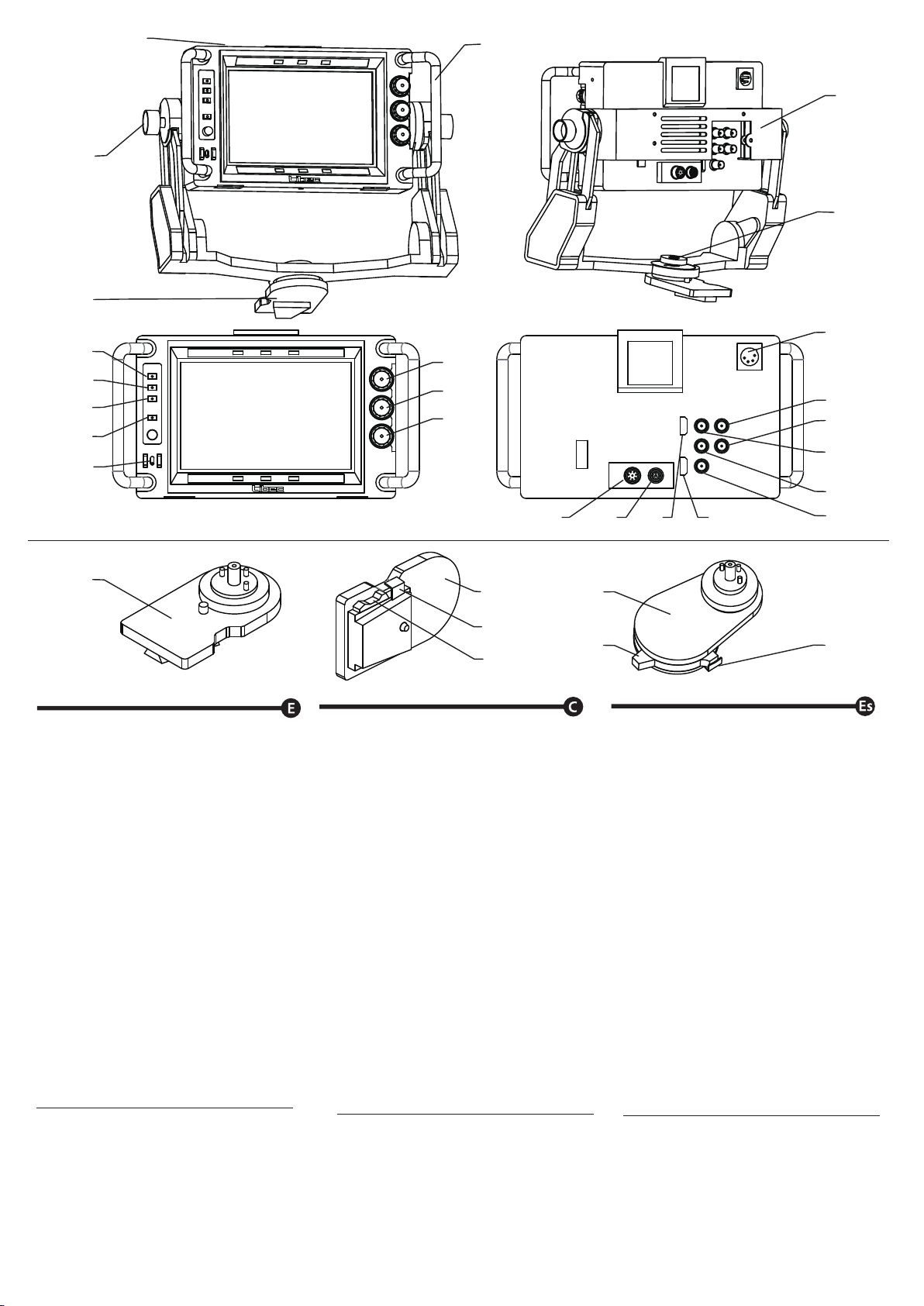
Connect the signal from the voltage converter
circuit to the viewfinder's TALLY2 terminal
with a BNC cable.
Turn off the power on each equipment before
connecting.
Use the cable included in the CA-7S
(sold separately)
Press INPUT select switch to set the CAMERA
mode.
Connect the SVF-7Pro "CAMERA IN"
connector to camera's VF connector with the
cable (sold separately).
Use the cable included in the CA-7I
(sold separately)
Only connect the camera to the SVF-7Pro's
CAMERA IN with the cable, the TALLY is
ready for use.
Use the cable included in the CA-7H
(sold separately)
Connect the camera to the SVF-7Pro's SDI-IN
with a BNC cable.
When using only TALLY RED lighting
Connect the TALLY OUT signal from the CCU
switcher to the viewfinder's TALLY1 terminal
with a BNC cable.
When using both TALLY RED and GREEN
lighting
Firmly tighten the tilt angle adjustment /fixing
screw and the horizontal adjustment /fixing
screw to adjust the viewfinder.
Loosen the tilt angle adjustment/fixing screws
located at both sides of the bracket.
Caution: be careful not to catch your finger
in rotating/moving parts.
Adjusting the position
When connecting to cameras with no 20pin
Analog component output or using the
viewfinder as sub monitor
When using Hitachi, Ikegami, SONY cameras
with 20pin Analog component output.
How to use TALLY
When connecting to Hitachi cameras
When connecting to Ikegami cameras
When connecting to SONY cameras
Connection cable and shoe attachment for
cameras not included, please be sure to
purchase either the CA-7S, the CA-7I, or
the CA-7H.
How to connect
When moving the camera with the viewfinder
attached, be sure to lock the viewfinder on its
lowest position.
・
・
・
・
・
・
・
・
・
・
・
・
・
・
・
・
・
・
・
・
・
・
・
・
・
・
・
・
・
・
※
※
※
※
※
※
※
※
※※※
※
※
※
※
11
12
B-5
9
。
。