* Bluetooth and the Bluetooth logos are trademarks owned by Bluetooth SIG, Inc., U.S.A. and licensed to LinTech
GmbH, Berlin Germany. 2
CONTENTS
1.INTRODUCTION........................................................................................................................3
1.1. General Description...............................................................................................................................3
1.2. Package Contents.................................................................................................................................4
2. PREPARING FOR USE..............................................................................................................4
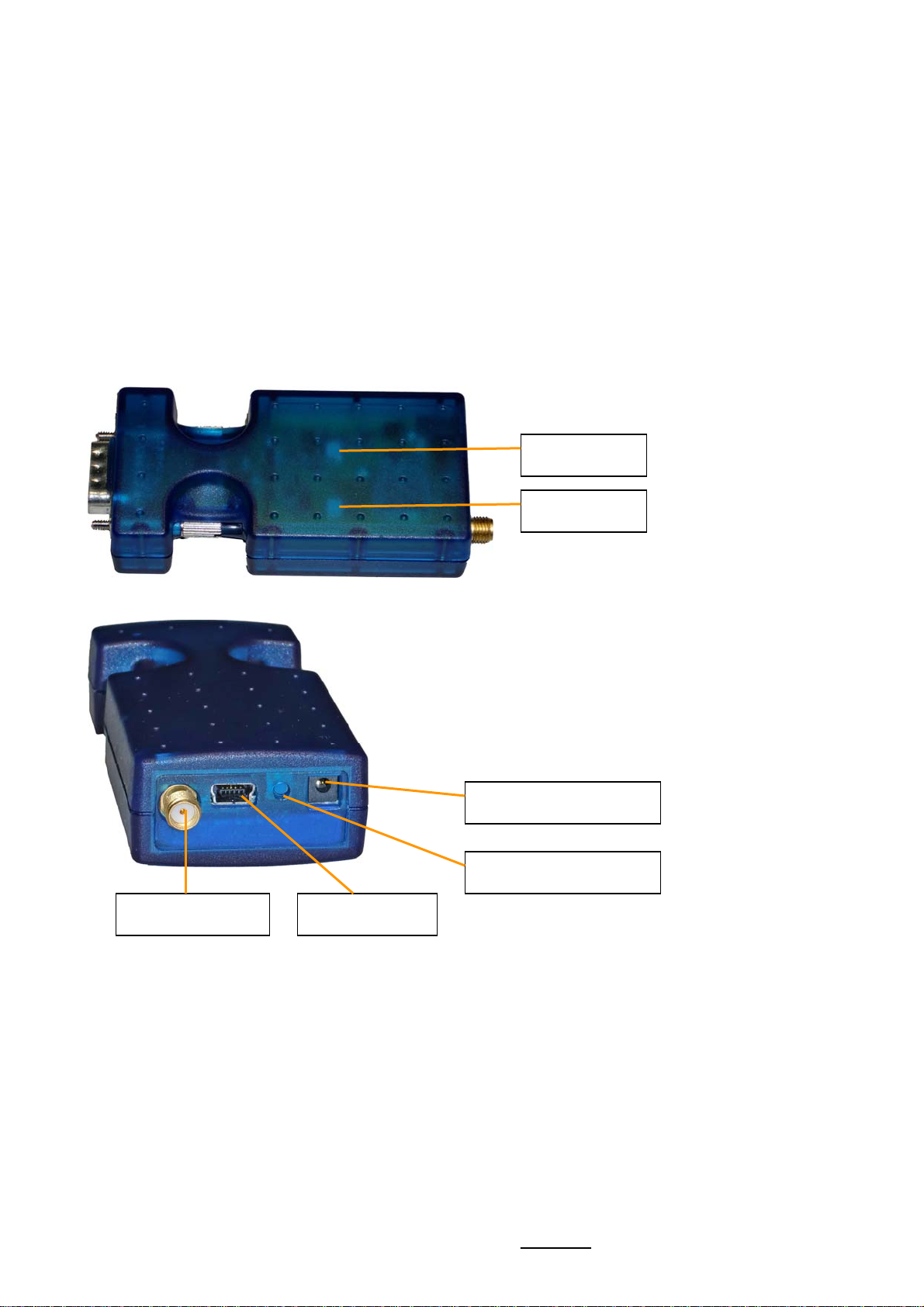
2.1 View of adapter......................................................................................................................................4
2.2. Switching on.........................................................................................................................................5
2.3. Charging the battery...............................................................................................................................5
2.4. Switching on for the first time ...................................................................................................................6
2.5. The coupling process for setting up a Bluetooth data connection......................................................................6
2.6. Setting up a connection ..........................................................................................................................8
3. CONFIGURATION.....................................................................................................................8
3.1. Standard settings ..................................................................................................................................9
3.2. Changing between configuration mode and normal operation..........................................................................9
3.3. Connecting to the configuration service ....................................................................................................10
3.4. Connecting to the serial interface of the adapter – configuration using a physical serial interface...........................10
3.5. Configuration using the LinTech BlueTool configuration programme ..............................................................10
3.6. Configuration using AT commands..........................................................................................................11
4. MEANING OF LED2 ................................................................................................................12
5. FIRMWARE UPDATE ..............................................................................................................12
5.1. UpToDate – Software Update Tool for LinTech Bluetooth devices ..................................................................12
5.2. Switching the Bluetooth Adapter to Firmware Download mode.......................................................................13
6. OVERVIEW OF TECHNICAL DATA............................................................................................14
7. AGENCY AND REGULATORY BODY APPROVALS......................................................................15
7.1. Exposure to Radio Frequency Radiation...................................................................................................15
7.2. FCC Part 15 Radio Frequency Interference Statement.................................................................................15
7.3. Industry Canada ICES-003 Emission Compliance Statement.........................................................................15
7.4. European Radio Approval Information......................................................................................................16
7.5. Europe – EU Declaration of Conformity ....................................................................................................16
7.6. Rest of World .....................................................................................................................................16
8. BATTERY STATEMENT – FOR YOUR SAFETY............................................................................17
LIST OF ILLUSTRATIONS
Illustration 1 View of Bluetooth RS232 Mini Adapter/S.....................................................................................4
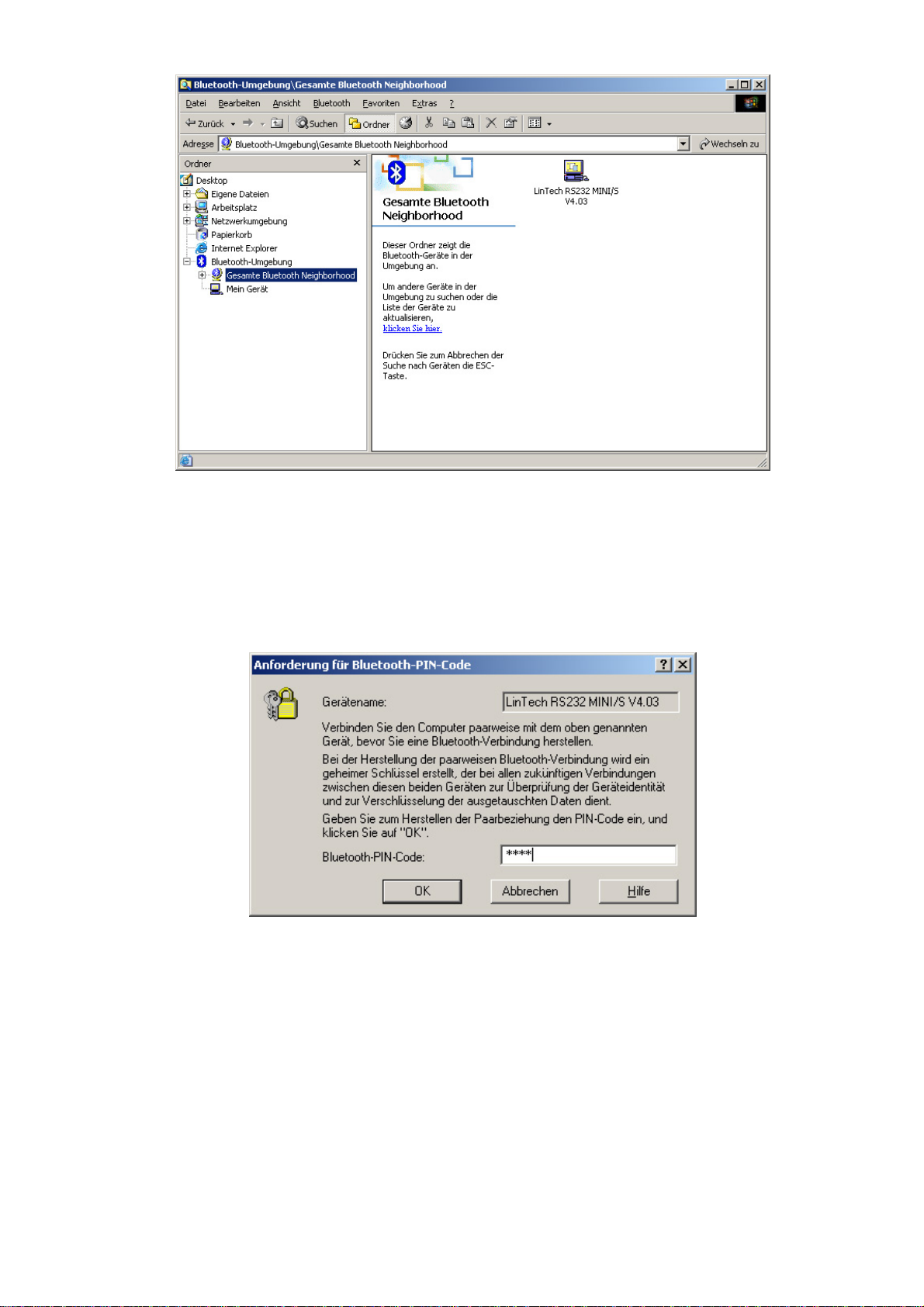
Illustration 2 Searching for device in the Bluetooth Manager.............................................................................7
Illustration 3 Requesting Bluetooth PIN code..................................................................................................7
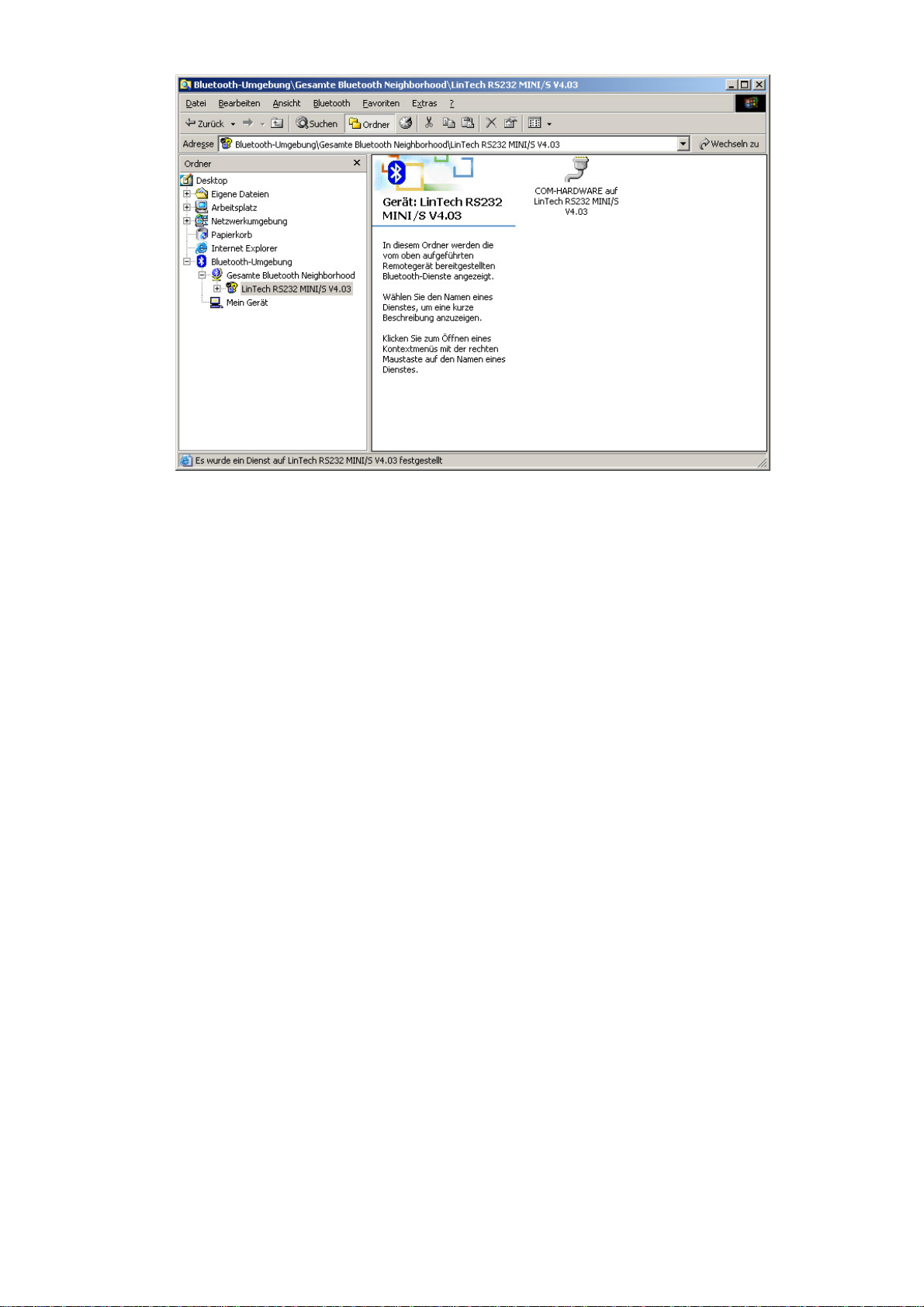
Illustration 4 Searching for device ( service COM-HARDWARE).......................................................................8
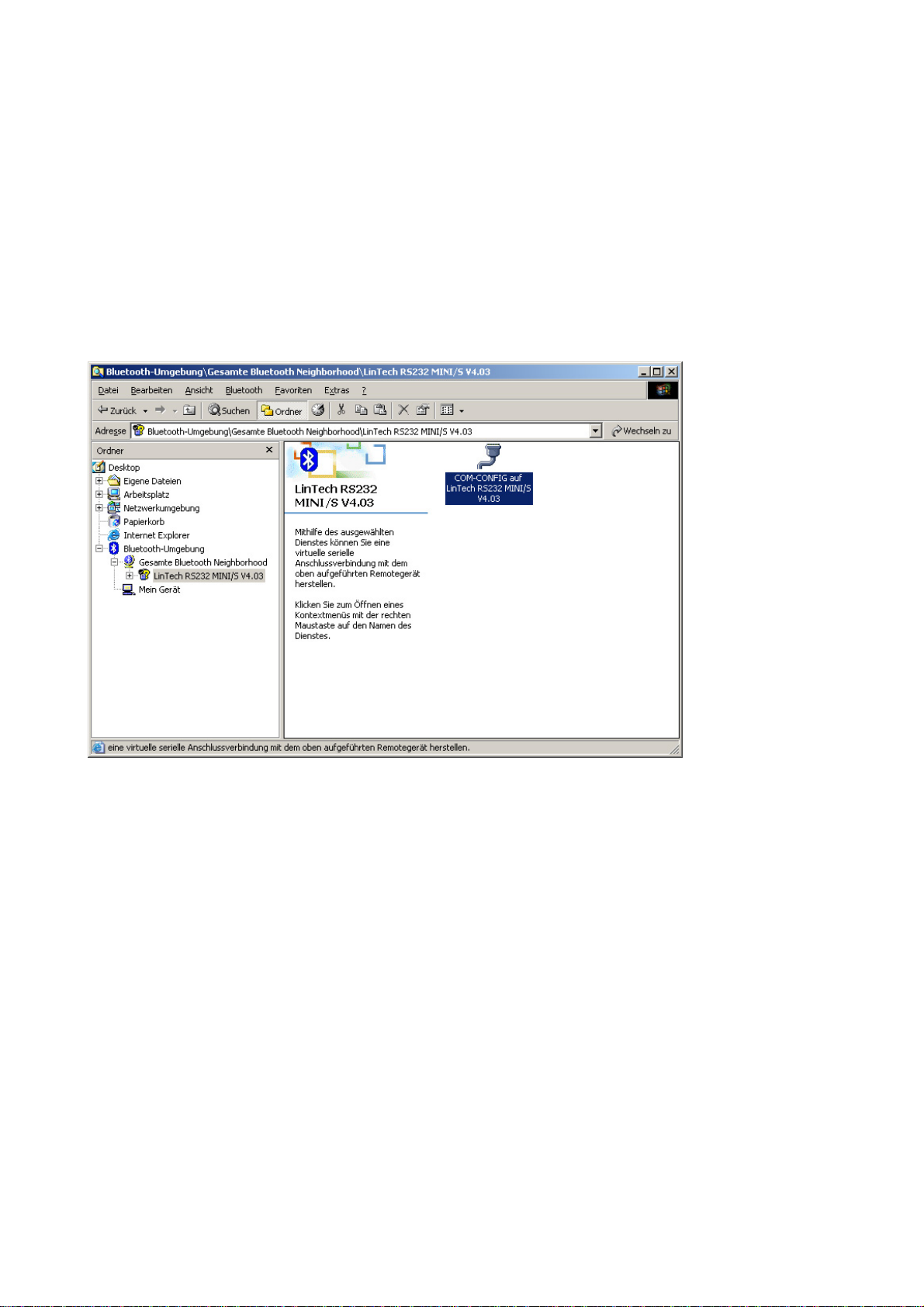
Illustration 5 Searching for device with the service-ID: COM-CONFIG.............................................................10