
Macrom M-DVD4660R Manuale utente
$/',1(763$
9,$/(&&2/20%2
75(==$12610,
,7$/<
%QJOLVK
1
Safety Precautions
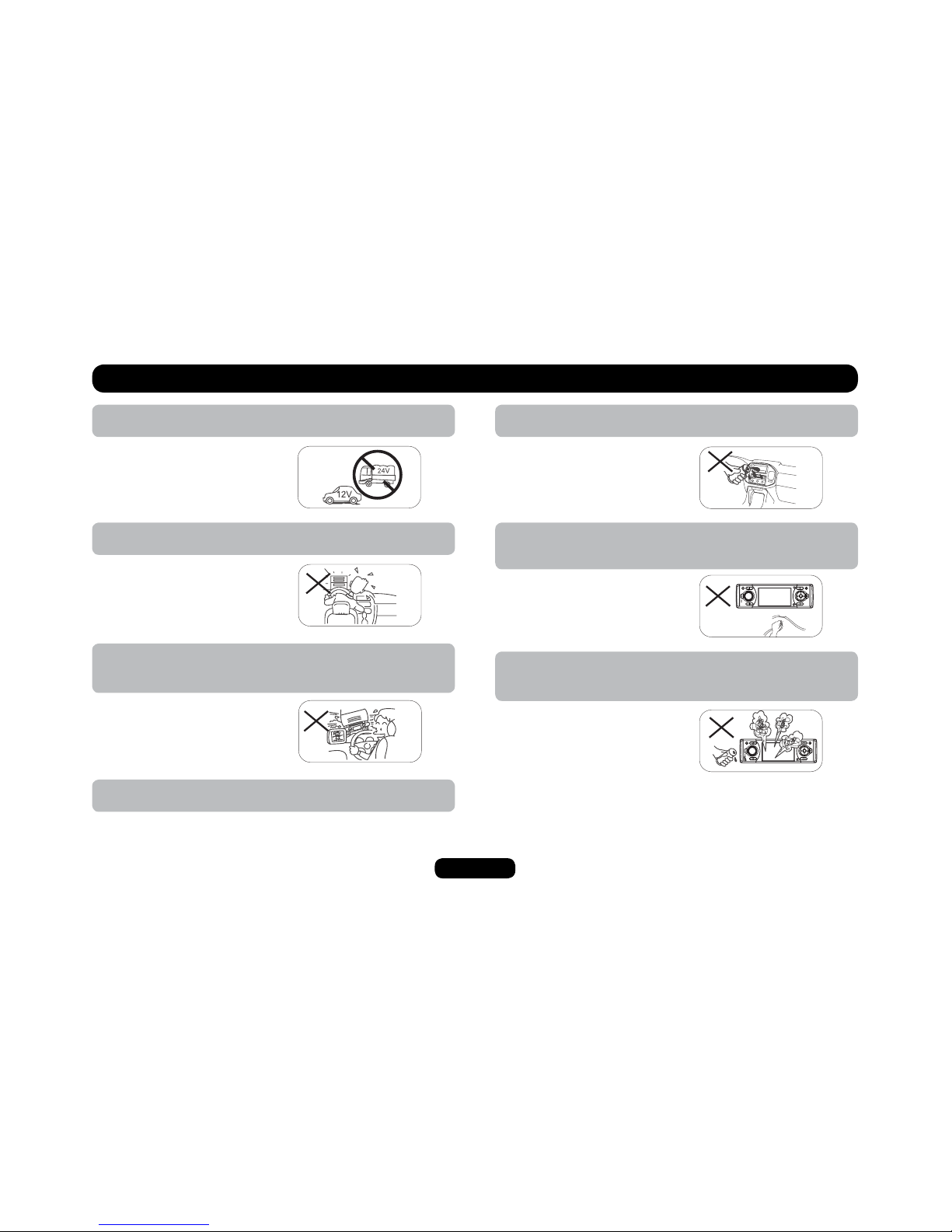
4. To ensure safe driving, please adjust the volume to a safe
& comfort level in case of emergency situations.
5. Never expose this unit, amplifier, and speakers to moisture or
water for preventing electric sparks or fires.
6. Please don't change the fuse on the power cord without profe-
ssional guidance, using improper fuse may cause damage to
this unit or even cause fire.
7. Please power off this unit at once and send it back to the after-
sales service center or the dealer /distributor you purchased
from if one of the following symptoms is found:
(a). No audio output;
(b). No image output;
(c). Water or other obstacle
enters the unit;
(d). Smoking;
(e). Peculiar smell.
1. Only connect the unit to a 12-volt power supply with negative
grounding.
2. Never install this unit where the operation & condition for safety
driving is restrained.
3. Never use the video display function in the front when driving to
prevent the violation of laws & regulations and also to reduce the
risk of traffic accident except using for rear view video camera.
MUTE
OK
MUTE
OK
2
Safety Information
WARNING
Operate the unit correctly according to the manual instruction to prevent
unnecessary problem.
CAUTION
This product is a CLASS 1 LASER PRODUCT. Use of controls or adjustments
or performance of procedures other than those specified herein may result in
hazardous radiation exposure. Do not open covers and do not repair yourself.
4GHGTUGTXKEKPIVQSWCNKſGFRGTUQPPGN
TWO LASER PRODUCTS
Wave length: CD:780nm DVD:650nm
Laser power: No hazardous radiation is emitted with safety protection.
6QTGFWEGVJGTKUMQHſTGGNGEVTKEUJQEMCPFCPPQ[KPIKPVGTHGTGPEGWUGQPN[VJG
included components.
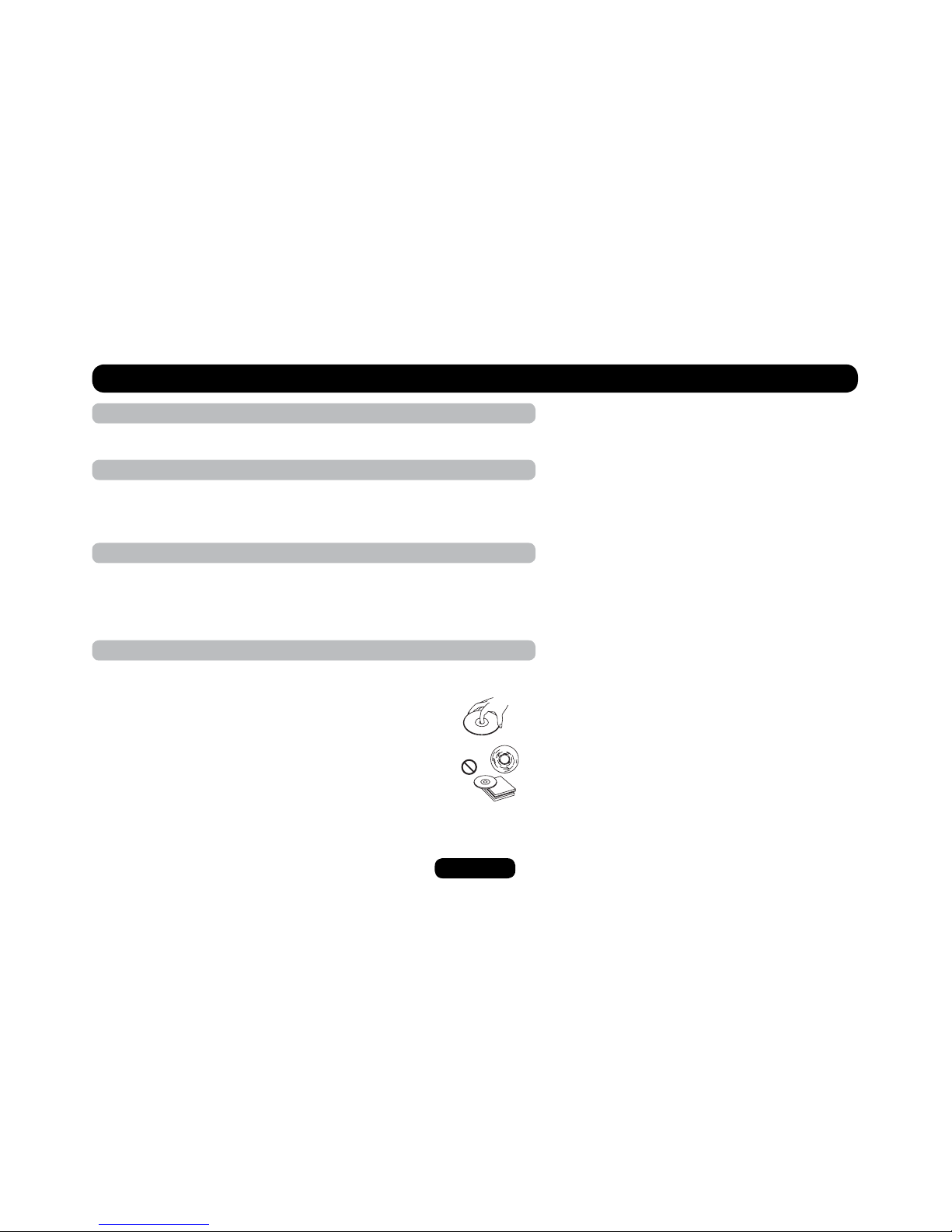
CD NOTES
• Playing a defective or dusty CD can cause dropouts in sound.
• Hold CDs as illustrated.
• Do not touch the unlabeled side.
Ŗ &QPQVCVVCEJCP[UGCNNCDGNQTFCVCRTQVGEVKQPUJGGVVQGKVJGT
side of a disc.
• Do not expose a CD to direct sunlight or excessive heat.
• Wipe a dirty CD from the center outward with a cleaning cloth.
• Never use solvents such as benzine or alcohol.
• This unit cannot play 3-inch ( 8cm ) CDs.
• Never insert a 3-inch CD contained in the adapter or an irregularly
shaped CD. The unit may not be able to eject it.
Contents
Safety Precautions.................................................1
Safety Information..................................................2
Panel Controls .......................................................3
Remote Controls................................................ 4-5
Getting Started.......................................................6
USB/SD/MMC MP3 Playback................................7
General Operation .................................................8
Rotary Knob Menu........................................... 9-12
Radio ...................................................................13
DVD & AV IN Mode .............................................14
Radio and Clock ..................................................14
RDS ( Radio Data System )........................... 15-16
Disc Playback ......................................................17
Disc Playable.......................................................17
Audio/Video/Picture File Playback.......................18
Track Playback .............................................. 19-20
DVD Playback......................................................21
DVD Setup...........................................................22
DVD System Setup........................................ 22-23
DVD Language Setup..........................................24
DVD Audio Setup.................................................25
DVD Video Setup.................................................26
DVD Digital Setup................................................27
Electrical Connections ................................... 28-29
Installation Guide.................................................30
Anti-Theft System ................................................31
Troubleshooting...................................................32
5RGEKſECVKQPU.......................................................33
3
Panel Controls
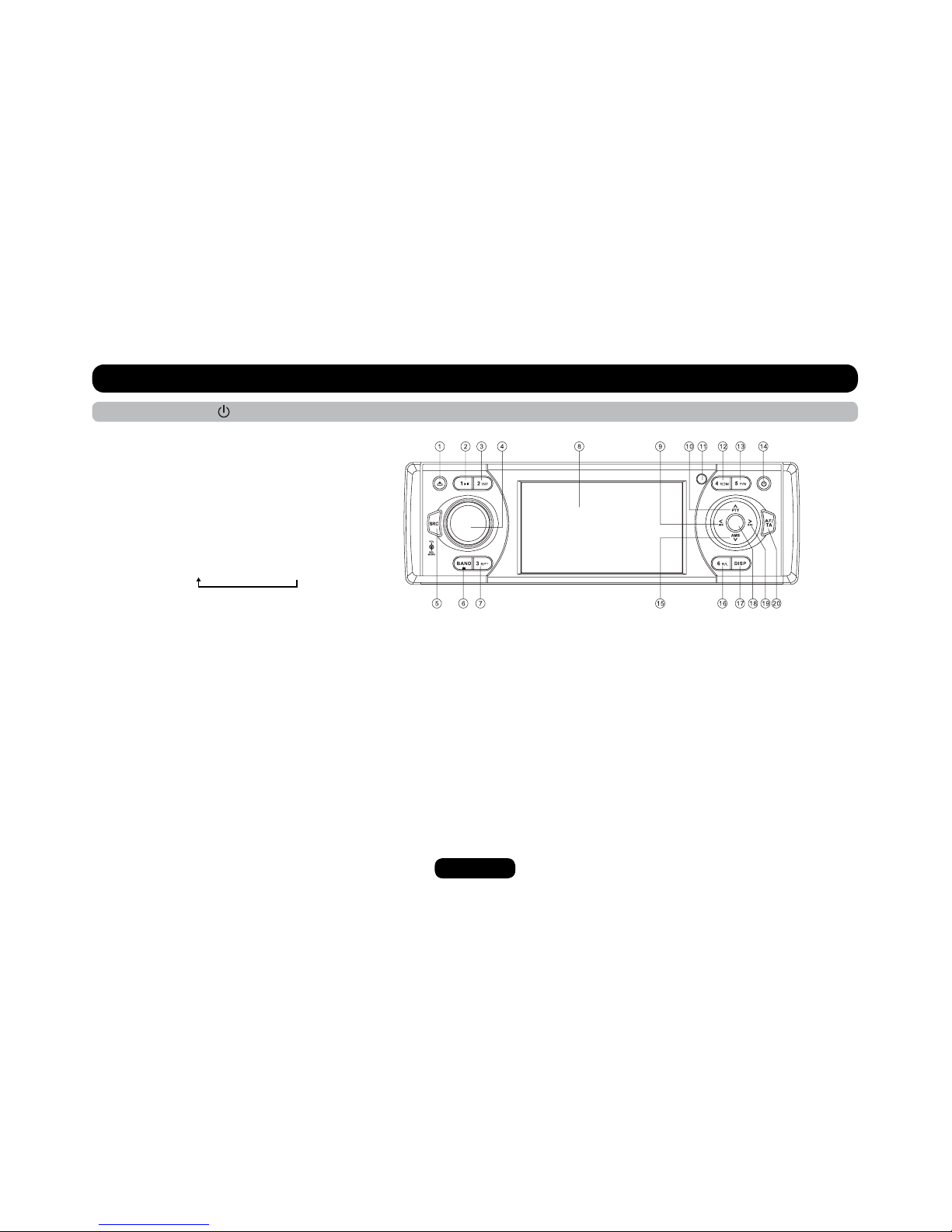
16 Button 6: - DVD Audio Channel
- VCD Audio Channel L/R/ST
- Folder Down (USB/SD/MP3/Disc)
* Button 1~6: Radio Preset: Press to listen to a preset station.
Hold for more than 2 seconds to store station.
17 Display Switch/Time Adjust
&RQ¿UP2SHUDWLRQLQVHWWLQJVPRGH
19 - Radio Tune
- Track Skip/Seek
- Next Track (DVD/CD mode)
- Fast Forward (DVD/CD mode)
0DQXDO7XQLQJ)RUZDUGV5DGLRPRGH
0HQX&XUVRUULJKW03PRGH
$OWHUQDWLYH)UHTXHQF\2Q2II
7UDI¿F$QQRXQFHPHQWV3UHVVPRUHWKDQVHFRQGVWRWXUQRQRII
Power On/Off: Press to turn On/Off the unit.
MUTE
OK
3DQHO2SHQ
2 Button 1: Play/Pause
3 Button 2: Intro Play
4 - Rotate the knob to adjust volume level.
3XVKWRVHOHFW%$675(%$/)$'%5,&216$7
Rotate the knob to adjust level.
5 - Radio
- Disc Play (When disc inserted)
- USB (When USB inserted)
- Card (When SD/MMC inserted)
- AV-in
6-Band Switch: FM1-FM2-FM3-AM1-AM2
- CT On/Off (press more than 2 seconds when in Radio
FM1/FM2/FM3 mode)
- Stop
7 Button 3: Track Repeat play
8 3.5 inch TFT Display
9 - Radio Tune
- Track Skip/Seek
- Last Track (DVD/CD mode)
- Fast Rewind (DVD/CD mode)
0DQXDO7XQLQJ%DFNZDUGV5DGLRPRGH
- Menu Cursor left (MP3 mode)
5'63URJUDP7\SH
- Menu Cursor up (MP3 mode)
11 Remote Sensor
12 Button 4: Track Random Play
13 Button 5: -Video System PAL/NTSC/AUTO
- Folder Up (USB/SD/MP3/Disc)
14 -Power On/Off (press more than 2 seconds)
- Mute On/Off
15 - AMS: Radio Auto Preset/Radio Preset Scan
- Menu Cursor down (MP3 mode)

4
14 - Radio
- Disc Play (when disc inserted)
- USB (when USB inserted)
- Card (when SD/MMC inserted)
- AV-in
15 REPEAT
16 AĺB Repeat
17 Stop/Return
18 Play/Pause
19 Goto Search
20 - DVD MENU
- PBC (For VCD 2.0 or up)
21 On Screen Display
22 - DVD Audio
- VCD Audio L/R/ST
23 On Panel Display
24 Angle (DVD only)
25 - Video System PAL/NTSC/AUTO
- Radio Band
Remote Controls
Power On/Off: Press to turn on/off the unit.
1 Zoom (DVD/VCD only)
2 Title (DVD only)
3 Power On/Off
4 Setup
5 Menu Cursor
6 Enter
7 Program
8 Digit Area
9 - Audio Mode Select Bas/Tre/Bal/Fad/Bri/Con/Sat
- Push more than 2 seconds to Menu mode
10 Volume
11 Mute
12 - Radio Tune
- Track Skip/Seek
13 Subtitle (DVD only)
5
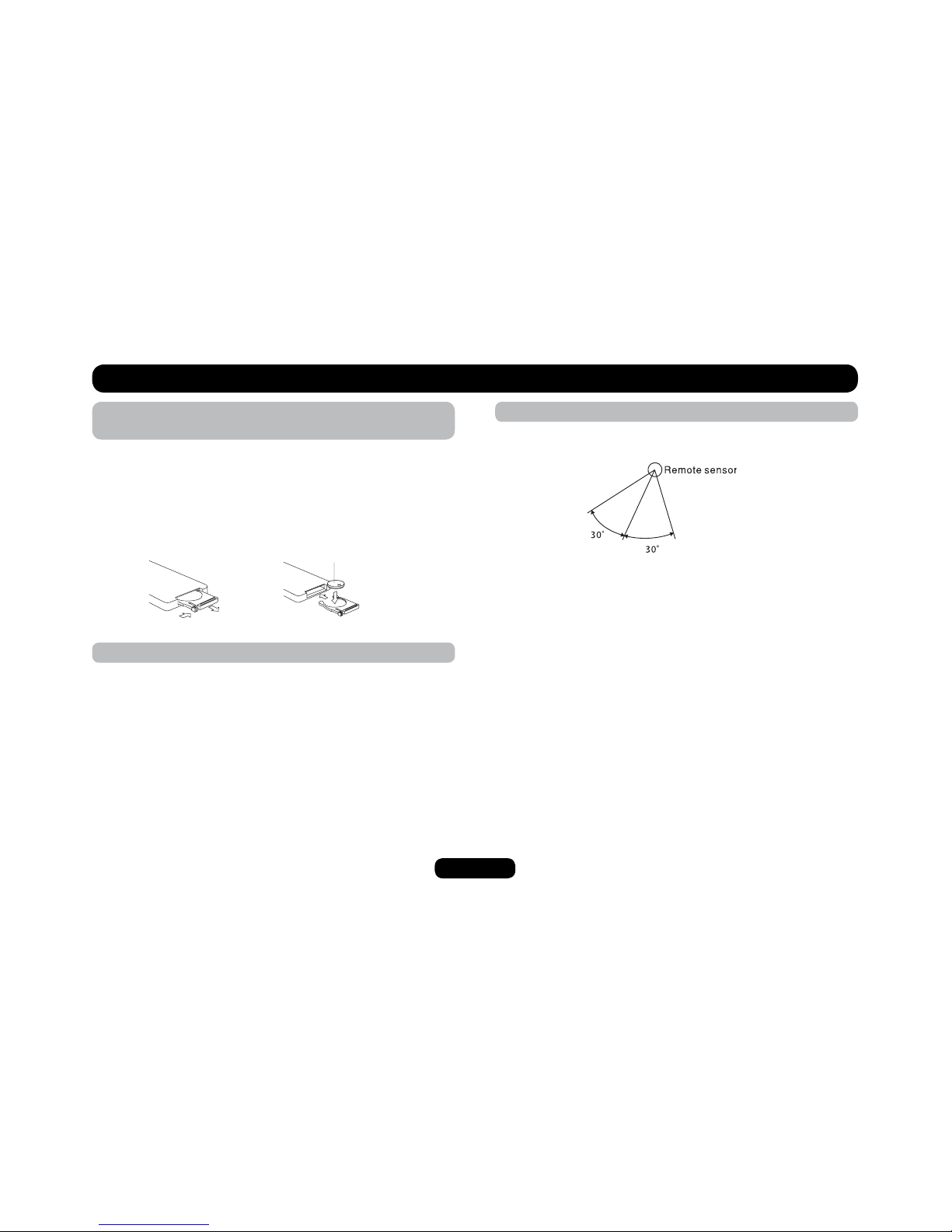
Remote control operating range
The remote control can operate within a distance of 3~5m.
1
(CR 2025)
2
Remote Controls
Replacing the lithium battery of remote control
unit.
When the range of the operation of the card remote control
DGEQOGUUJQTVQTPQHWPEVKQPUYJKNGQRGTCVKPITGRNCEGVJG
battery with a new lithium battery. Make sure the battery polarity
replacement is correct.
1. Pull out the battery holder while pressing the stopper.
2. Insert the button-type battery with the stamped(+) mark facing
upward. Insert the battery holder into the remote control.
WARNING :
• Store the battery where children cannot reach. If a child
CEEKFGPVCNN[UYCNNQYUVJGDCVVGT[EQPUWNVCFQEVQTKOOGFKCVGN[
Ŗ &QPQVTGEJCTIGUJQTVFKUCUUGODNGQTJGCVVJGDCVVGT[QT
FKURQUGKVKPCſTG
• Do not expose or bring into contact the battery with other metallic
materials.
Ŗ 9JGPVJTQYKPICYC[QTUCXKPIVJGDCVVGT[YTCRKVKPVCRGCPF
KPUWNCVGQVJGTYKUGVJGDCVVGT[OC[IKXGQHHJGCVETCEMQTGXGP
ECWUGCſTG
6
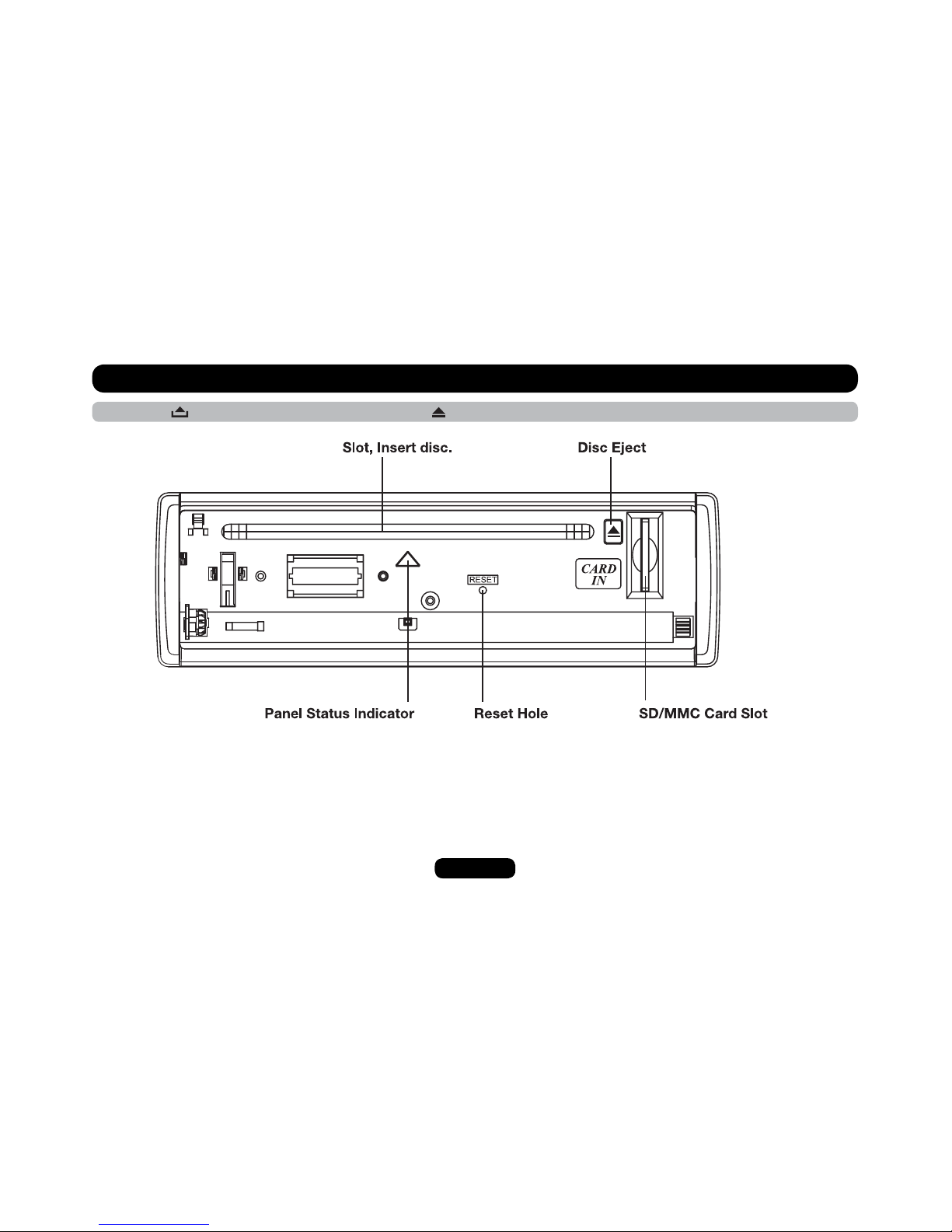
Press the button to open the panel and press to eject the disc.
Light up when you slide the
panel down; flashes when
you remove the panel.
Note: Pressing the RESET button
by inserting a pointed tool such as
the end of an unbent paper clip.
Getting Started
7
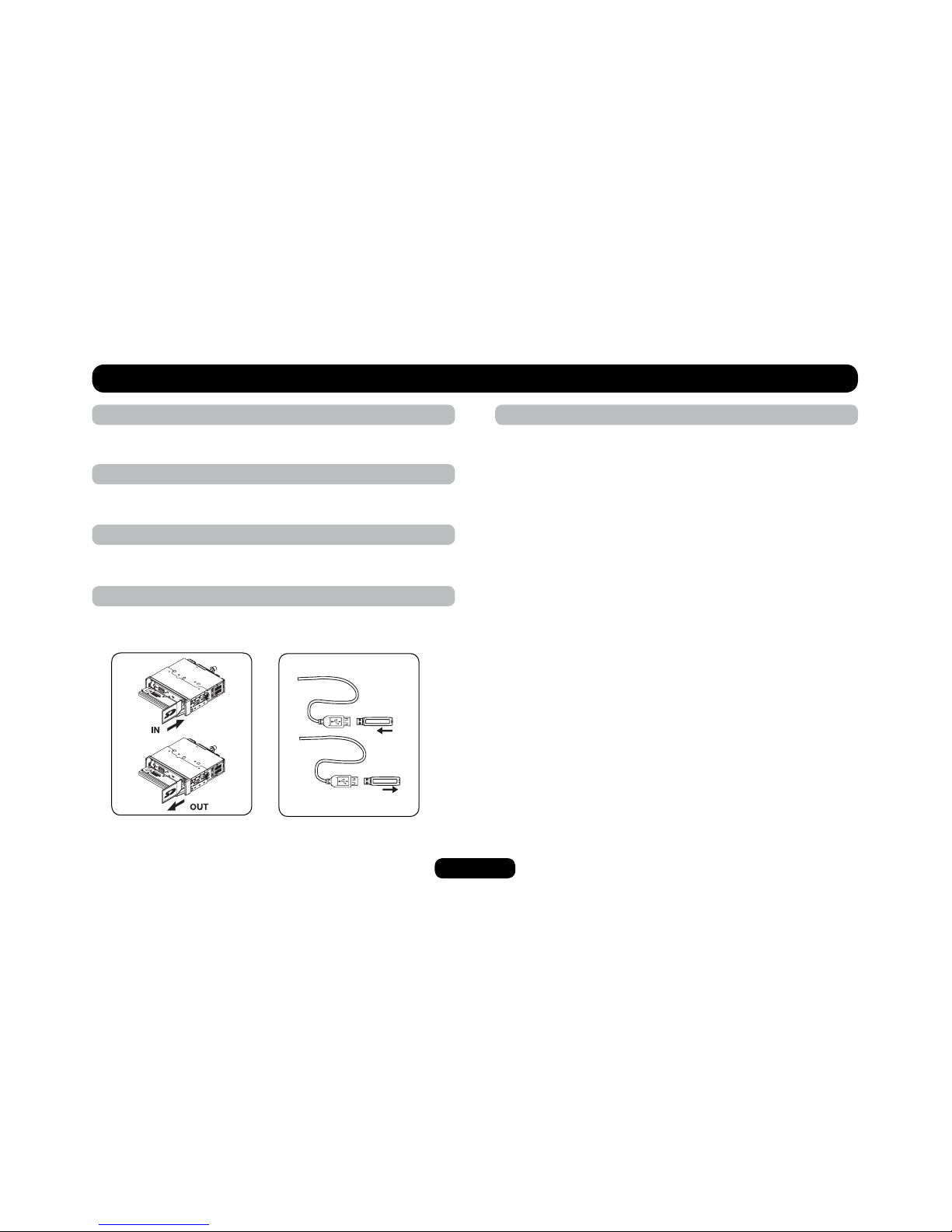
1. Loading SD/MMC card
USB/SD/MMC MP3 Playback
Press the SRC button to non-USB mode and take out the USB
device from the USB jack.
USB/SD/MMC Notes
75$HWPEVKQPUƀCUJOGOQT[V[RG/2OWUKERNC[
1. SD/MMC card support
75$ƀCUJOGOQT[KP5&//%UWRRQTV
3. Support FAT 16 & FAT 32
4. File name: 32 byte/dir name: 32 byte/tag name: 32 byte
5. Tag (id3 tag ver 2.0)
- title/artist/album: 32 byte support
6. Multi card reader not support
7. USB 1.1 support
Open the panel and insert the SD/MMC card into the slot. Close the
RCPGNVJGWPKVYKNNTGCFVJGſNGQHVJGECTFCWVQOCVKECNN[
2. Take out SD/MMC card
Push SRCDWVVQPVQPQP5&OQFGRTGUUVJG5&//%ECTFVQRQR
out. Take out the card.
3. Loading USB device
+PUGTV75$FGXKEGKPVQVJG75$LCEM6JGWPKVYKNNTGCFVJGſNGKP
the USB device automatically.
4. Take out USB device
8
Switching On and Off
1. Press to turn on the unit.
2. Press SRCQPEGQTOQTGVQUGNGEV[QWTFGUKTGFHWPEVKQP&+5%6WPGT4CFKQ75$5&//%#8KP
3. Press to power off (press more than 2 seconds).
9JGP[QWUYKVEJQHHVJGU[UVGOQTECTKIPKVKQPVJGUGVVKPIUVWPGTRTGUGVUCPFVJGXQNWOGNGXGNYKNNDGTGVCKPGFKPVJGWPKVUOGOQT[
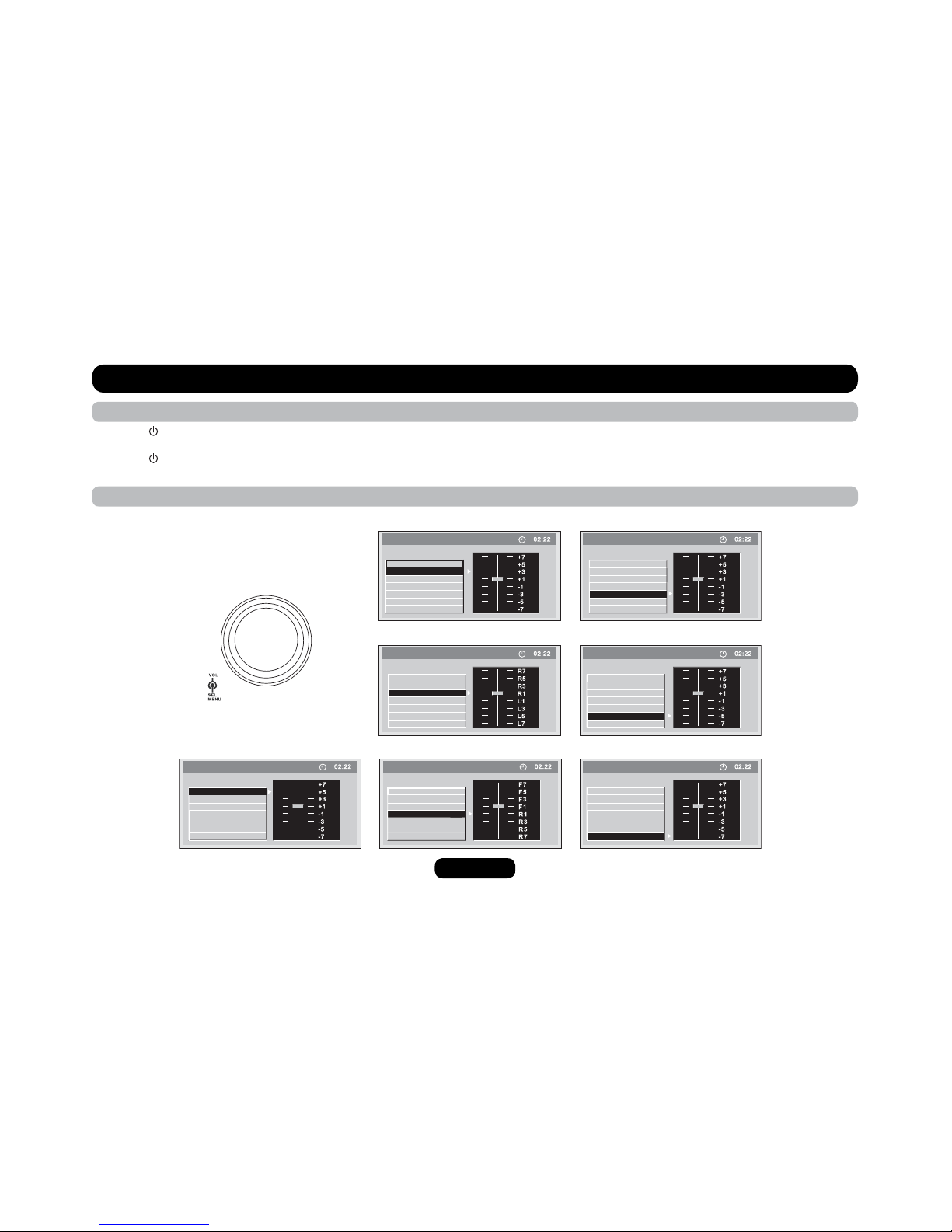
VOL Knob Function
2TGUUVJGMPQDQPEGVQUGNGEV$#5564'$.'$#.#0%'(#&'4$4+)*60'55%1064#565#674#6+10TQVCVGVJGMPQDVQCFLWUV
General Operation
BASS
TREBLE
BALANCE
FADER
BRIGHTNESS
CONTRAST
SATURATION
SETTING
BASS
TREBLE
BALANCE
FADER
BRIGHTNESS
CONTRAST
SATURATION
SETTING
SETTING
BASS
TREBLE
BALANCE
FADER
BRIGHTNESS
CONTRAST
SATURATION
SETTING
BASS
TREBLE
BALANCE
FADER
BRIGHTNESS
CONTRAST
SATURATION
BASS
TREBLE
BALANCE
FADER
BRIGHTNESS
CONTRAST
SATURATION
SETTING
BASS
TREBLE
BALANCE
FADER
BRIGHTNESS
CONTRAST
SATURATION
SETTING
BASS
TREBLE
BALANCE
FADER
BRIGHTNESS
CONTRAST
SATURATION
SETTING

9
Rotary Knob Menu
EQ mode
Rotate the knob to select EQ sound effect:
ROCK - POP - CLASSIC - FLAT - EQ OFF
LOUD mode
Rotate the knob to choose loud on or off.
2TGUUVJGMPQDOQTGVJCPUGEQPFUVQGPVGTOGPWOQFGVJGP
each press changes the mode as follows:
EQ MODE LOUD BEEP 12 /24 MODE TA MODE
RETUNE PARKING TA-VOL VOL-MODE A-VOL
SUBWOOFER SUBW-VOL
Altri manuali per M-DVD4660R
1
Indice
Altri manuali Macrom Ricevitore per auto


