MAGINON SU 100129 Manuale utente

Instruction Manual
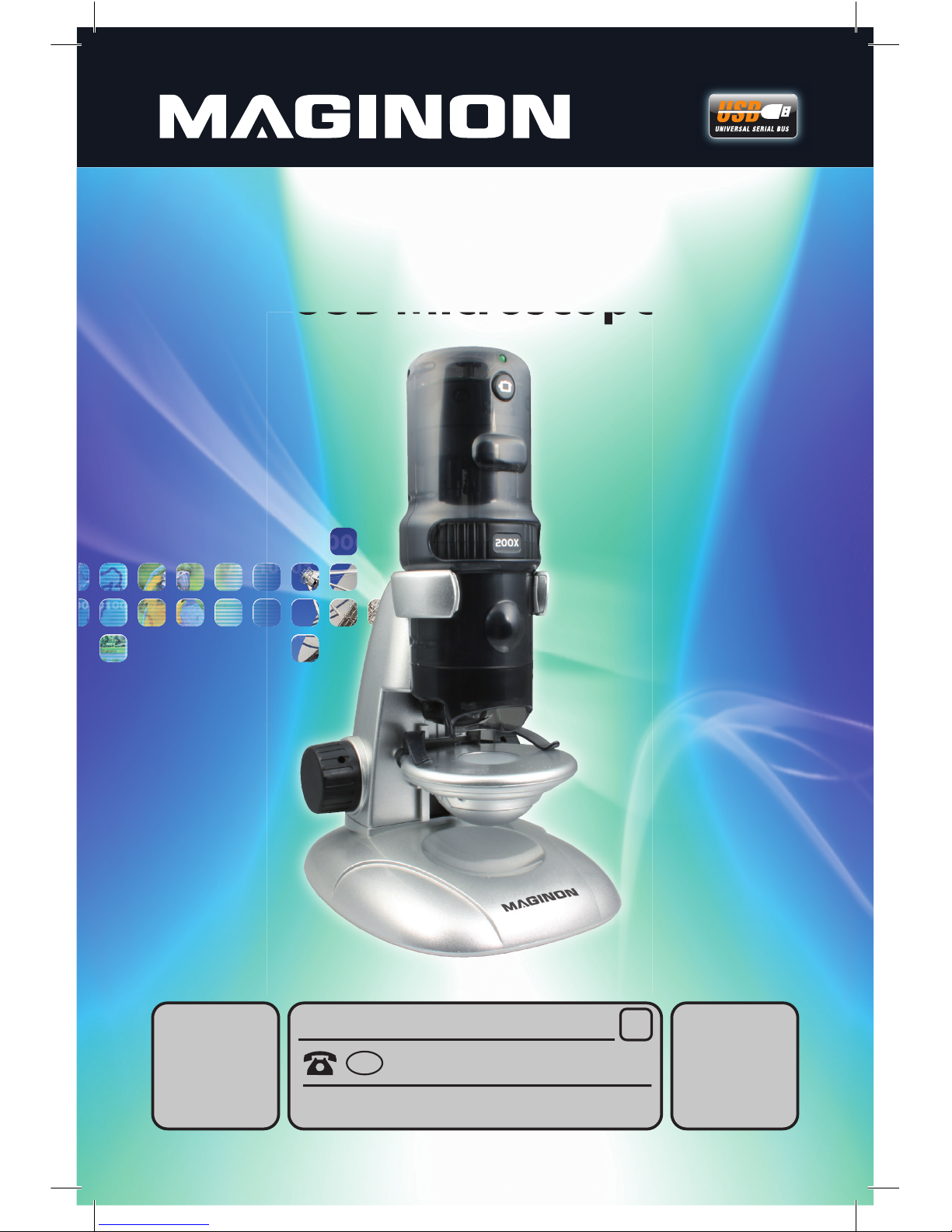
USB Microscope
CONTENTS
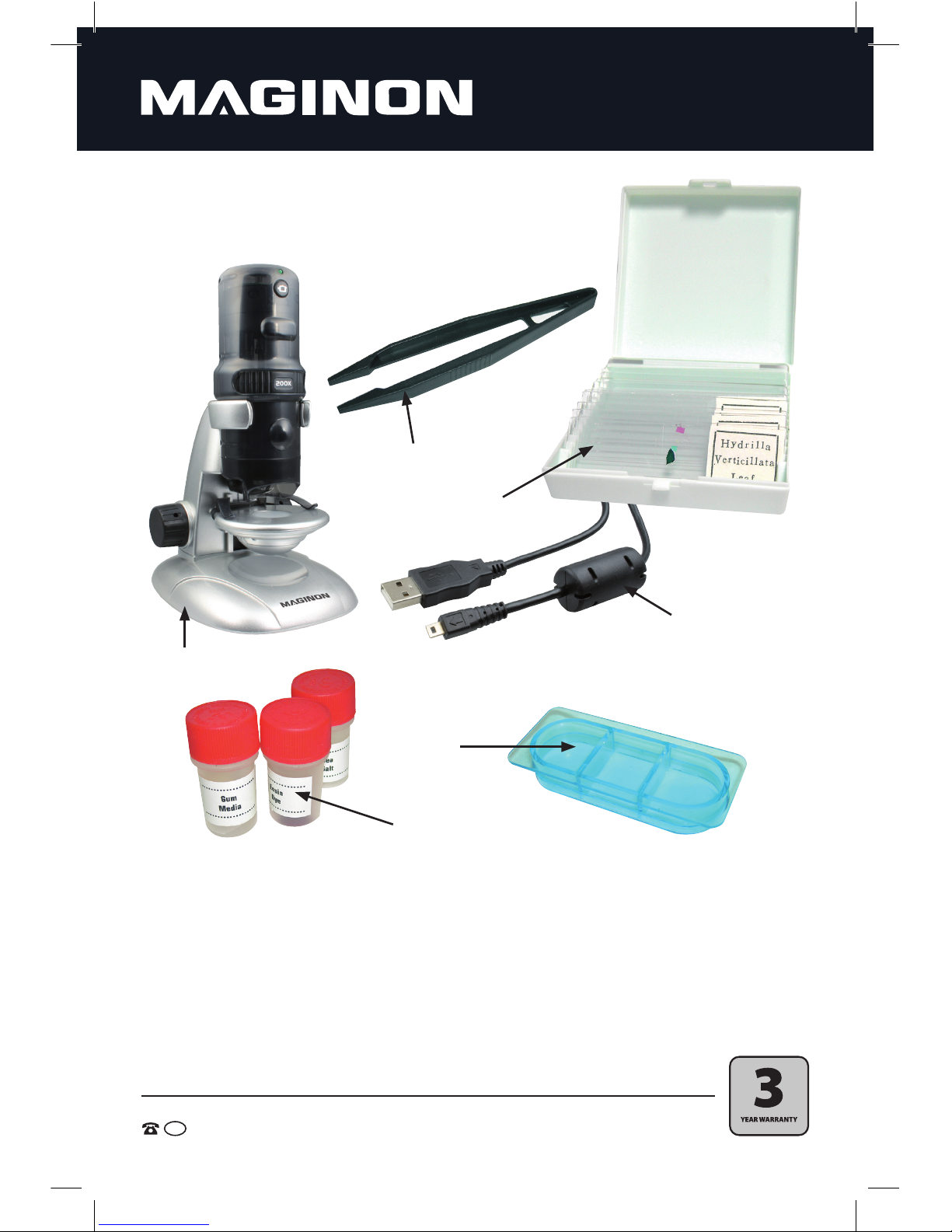
• USB Microscope
• USB cable
• 1x Box with 12 slides
• 3x Sample flasks
• Culture dish
• Plastic tweezers
• Picture editing software YEAR WARRANTY
3
2
AFTER SALES SUPPORT
1800 623 432
MODEL: SU 100129 PRODUCT CODE: 46456 08/2015
AUS
W
2


Warranty Details
USB Microscope
The product is guaranteed to be free from defects in workmanship and parts for a period
of 36 months from the date of purchase. Defects that occur within this warranty period, under
normal use and care, will be repaired, replaced or refunded at our discretion.
The benets conferred by this warranty are in addition to all rights and remedies in respect of
the product that the consumer has under the Competition and Consumer Act 2010 and similar
state and territory laws.
Our goods come with guarantees that cannot be excluded under the Australian Consumer Law.
You are entitled to a replacement or refund for a major failure and for compensation
for any other reasonably foreseeable loss or damage.You are also entitled to have the goods
repaired or replaced if the goods fail to be of acceptable quality and the failure
does not amount to a major failure.
AFTER SALES SUPPORT
MODEL: SU 100129 PRODUCT CODE: 46456 08/2015
1800 623 432
AUS
YEAR WARRANTY
3

1
AFTER SALES SUPPORT
AUS 1800 623 432 MODEL:SU 100129 PRODUCT CODE: 46456 08/2015
Dear customer,
Congratulations on purchasing a high quality Maginon product. You have chosen a modern
USB Microscope with excellent technical features and respective accessory, which is particularly
easy to use. Please study all information in detail, observing, in particular, the safety information.
The USB Microscope comes with a 3 year warranty. In case of a defect you will need
the enclosed warranty card and your till receipt.
Keep these in a safe place together with the Operating Instructions.
Include the Operating Instructions when passing on the device to third parties.
1. Contents of box
Carefully unpack the USB Microscope and check that the box contains all parts listed
below:
1. MAGINON USB Microscope
2. USB cable
3. 1x Box with 12 slides (5 prepared, 7 empty slides)
4. 3x Sample flasks (adhesive, eosin dye and sea salt)
5. Culture dish
6. Plastic tweezers
7. Picture editing software
8. Warranty certificate
9. Instruction manual
Note:
• Caution! Keep plastic foil and bags out of reach of babies and small children to avoid risk of suffocation.

2
AFTER SALES SUPPORT
AUS 1800 623 432 MODEL:SU 100129 PRODUCT CODE: 46456 08/2015
1. CONTENTS OF BOX 1
2. CONTENTS 2
3. HAZARD, SAFETY AND WARNING NOTICES 3
4. YOUR USB MICROSCOPE 6
4.1. Designation of parts 6
4.2. Description of device 7
5. PREPARATION FOR USE 8
5.1. Installation of software Ulead VideoStudio 7 SE VCD 8
5.2. Installation of device drivers 10
6. USING THE ACCESSORIES 12
6.1. Ready made preparations 12
6.2. Making your own preparations 12
7. USING THE MICROSCOPE 13
7.1. Adjusting the lighting 13
7.2. Setting the factor of magnication 13
7.3. First observation 13
8. RECORDING AND STORING IMAGES AND VIDEOS 15
8.1. Snapshot function 15
8.2. Creating digital images with Ulead VideoStudio 7 SE VCD 16
8.3. Producing digital videos with Ulead VideoStudio 7 SE VCD 17
8.4. Viewing digital videos with Ulead VideoStudio 7 SE VCD 18
9. TECHNICAL SPECIFICATION 19
10. SYSTEM REQUIREMENTS FOR PC 19
11. CLEANING THE DEVICE 20
12. DISPOSAL 20
13. WARRANTY AND SERVICE 21
14. CONFORMITY 22
2. Contents

3
AFTER SALES SUPPORT
AUS 1800 623 432 MODEL:SU 100129 PRODUCT CODE: 46456 08/2015
3. Hazard, Safety and Warning notices
Intended use
This USB Microscope has been designed for private use and is not suitable to be
used for commercial purposes.
Hazards for children and persons with limited ability to operate
electronic equipment
The USB Microscope, accessories and packaging are not toys for children to play
with and should be kept away from children. There could be a risk of electrocution,
poisoning and suocation.
The device may not be used by persons (including children) with a limited
physical, sensory or mental ability or persons not being able to operate the device
due to a lack of experience and/or knowhow, unless they are supervised by a person
responsible for safety or have received instructions on how to operate the device.
Children should be supervised, to ensure that they are not playing with the device.
Electrocution hazard in wet and humid conditions
Do not expose USB Microscope and its components to dripping or spray water.
Also do not place any containers filled with liquid, such as vases or glasses on top
or immediately next to the device. Danger of fire and electrocution. Protect the USB
Microscope in particular in case of rain, snow, at the beach or near water against
moisture and humidity.
Do not use the USB Microscope and its components in areas exposed to high
humidity, a lot of steam, smoke or dust. Danger of fire and electrocution.
Electrical hazard
Switch o device if foreign bodies or uid has entered the USB Microscope,
disconnect from mains. Leave all parts to dry thoroughly, danger of re and
electrocution.
If the USB Microscope has been dropped or its housing has been damaged, switch
o device, disconnect from mains, danger of re and electrocution.
The USB Microscope may not be dismantled, modied or repaired, there is a
danger of re and electrocution.

4
AFTER SALES SUPPORT
AUS 1800 623 432 MODEL:SU 100129 PRODUCT CODE: 46456 08/2015
Damage from heat – re hazard
Do not leave the USB Microscope in places that are susceptible to considerable
increases in temperature (e.g. in a vehicle). The housing and internal parts may be
damaged, which in turn could cause a fire.
Do not wrap up USB Microscope or place on textiles. This could produce a build
up of heat in the device that could cause deformation of the housing and may
represent a fire hazard.
The microscope may only be connected to computers with USB interface version 1.1
or later. In case of faults, operation via a USB 1.0 interface may cause a short circuit
and may represent a fire hazard.
Injuries and material damage
Only place the USB Microscope on sturdy surfaces. The USB Microscope could
otherwise fall or topple over, causing damage or injury.
Do not operate the USB Microscope whilst running or driving. You could fall or
cause a traffic accident.
Only use the USB cable supplied. Install the cable in such a way that nobody can trip
over it.
Remove the USB cable from the USB port of the computer:
• If you do not use the microscope.
• Prior to any cleaning work.
Regularly check all cables and electrical components for any defects or wear.
Damaged cables, plugs or other components represent a safety hazard.
Ensure adequate ventilation and do not cover the power supply (not supplied) to
prevent overheating.
Do not place any open ignition sources, such as lit candles onto or close to the
device.
Do not use the supplied experimenting materials with objects coming in contact
with food.
Do not eat, drink or smoke at the place were experiments are carried out.
The supplied eosin dye can cause irritation when coming into contact with the
eyes (R36). Do not inhale the dust. If agent comes into contact with the eyes,
rinse thoroughly with water and consult a doctor!
Take care when handling dye. Can cause discolouration of textiles, furniture and
other surfaces.

5
AFTER SALES SUPPORT
AUS 1800 623 432 MODEL:SU 100129 PRODUCT CODE: 46456 08/2015
Damage to the electronics or lens caused by external influences, such as electric
shocks, falls or others are not covered by the warranty and shall thus be charged for.
Do not drop or bump the USB Microscope and always handle with due care as the
USB Microscope could otherwise be damaged.

6
AFTER SALES SUPPORT
AUS 1800 623 432 MODEL:SU 100129 PRODUCT CODE: 46456 08/2015
4. Your USB Microscope
4.1. Designation of parts
1. MAGINON USB Microscope
2. USB cable
3. 1x Box with 12 slides
(5 prepared, 7 empty slides)
4. 3x Sample flasks
(adhesive, eosin dye and sea salt)
5. Culture dish
6. Plastic tweezers
7. Picture editing software (not shown)
8. Warranty certificate (not shown)
9. Instruction manual (not shown)
1.
2.
6.
3.
4.
5.

7
AFTER SALES SUPPORT
AUS 1800 623 432 MODEL:SU 100129 PRODUCT CODE: 46456 08/2015
4.2. Description of device
1. Microscope unit
2. Light button
3. Ready light
4. Control card with image converter
5. Snapshot button
6. Magnification dial
7. Lens changer
8. Light: Unit up lighter
9. Slide retaining clamps
10. Microscope stage
11. Light: Unit back lighting
12. Microscope base including stand
13. Focus dial
14. USB cable
15. Port for USB cable (rear)
Indice