
Memoq MR-710 Manuale utente

Owner's Manual
MODELS : MR-710 / MR-720 / MR-740,
EVR-710/EVR-720/EVR-740
Before connecting, operating or adjusting this product,
please read this owner's manual carefully and completely.
Designs and specifications are subject to change without notice for improvement.
www.esonic.co.kr
Made in Korea
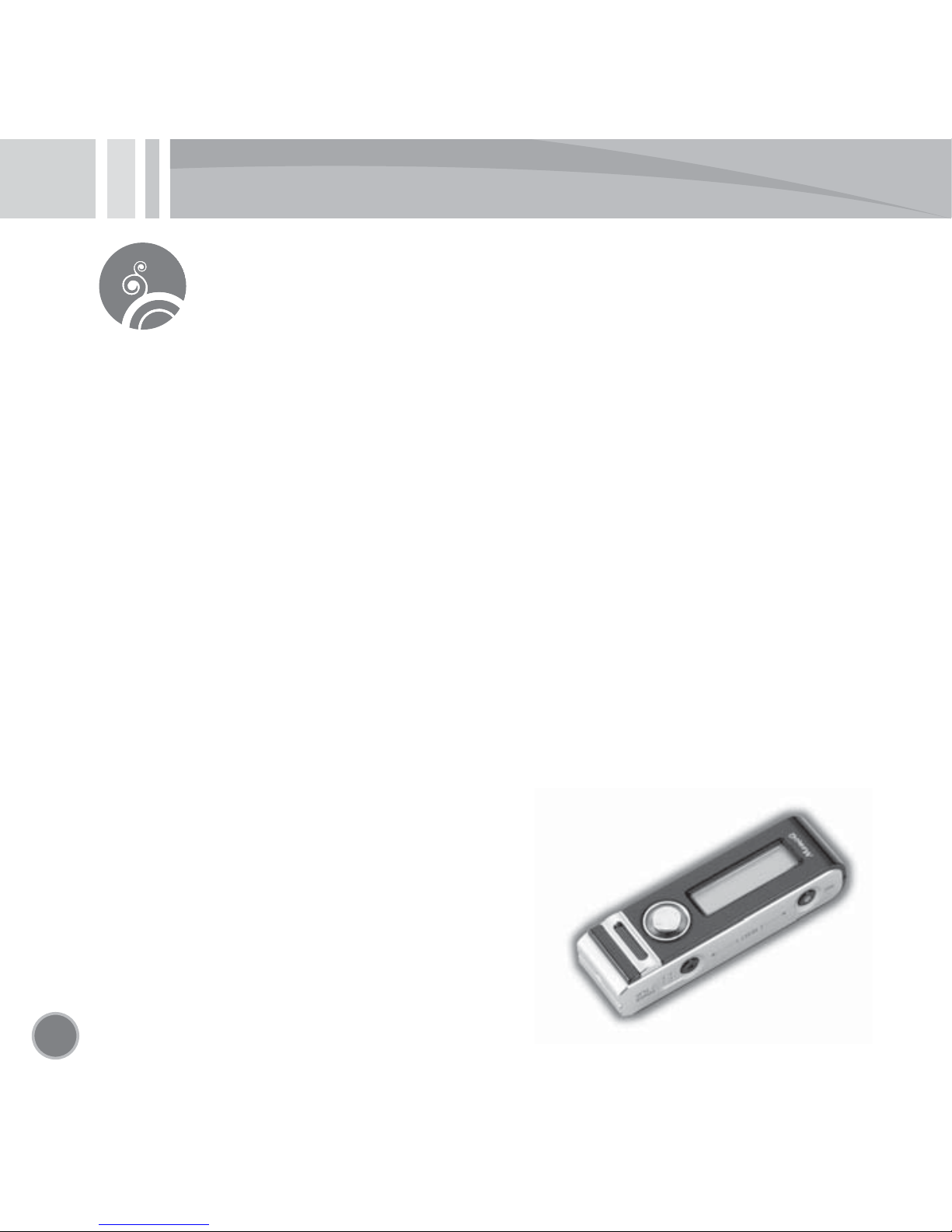
Digital Voice Recorder
2
Features
*Smallest micro recorder in the world (made in Korea)
*Recording the mobile or wired phone call (no auxiliary tool needed)
*
Combined use of both charging and normal battery (compact battery pack)
*Continuous recording for 3 days (unified battery pack with no wire)
*
Continuous recording for 23 days (via the USB adapter, MR-740/EVR-740 Model)
*Built-in graphic LCD (possible to display the title of the recorded file)
*File browsing (built-in navigation)
*USB 2.0 memory disc automatically recognized (Auto Plug-in & Play)
*Music recording XHQ mode (frequency characteristics 120Hz~10kHz)
*MP3 encoded recording (best compatibility)
*
Setting the microphone sensibility (1m for interview, 4m for meeting, 8m for long distance)
*
Powerful automatic level control (ALC, long-distance recording within 8m)
*Built-in Voice Operation System (VOS)
*Built-in hi-fidelity micro speaker
*Repeated play (OFF, 1, ALL, FOLDER) essential for language learning
*Play speed control (5 steps: ±20%, ±10%, Standard)
*
Powerful equalizer (EQ: ROCK, HOUSE, DANCE,
JAZZ, BALLAD, R&B, CLASSIC, FLAT)

3
Table of Contents
Safety note.............................................4
Denomination of each part...........5
Explanation of LCD screens........6
Preparation (charging)...................6
Using the auxiliary battery pack......7
Initialization (RESET)...........................7
Using the DC power supply...........8
Turning on/off the power.............9
Selecting the play mode
(VOICE/MUSIC)...................................9
Recording..............................................10
Checking the recording time....10
Setting the microphone
sensitivity..............................................11
Playing the recorded file..........12
Controlling the play speed......12
Volume control.................................13
Uploading/downloading files..13
Browsing folder/file.....................14
Setting the mode...............................15
ERASE (deleting the file)...............16
Setting the EQ
(playing characteristics)............16
Setting the REP
(repeated playing)............................17
Setting the MIC (microphone)
sensitivity..............................................17
Setting the (recording) mode...18
Setting the automatic level
control (ALC).......................................18
Selecting the LCD..............................19
Setting the voice operation
system (VOS).......................................20
Setting the REC (recording)
operation..............................................20
Selecting the recording folder....21
Formatting............................................21
Exiting from the mode setting.........22
Assembling/disassembling
the clip..................................................22
Connecting the strap....................22
Recording the mobile phone call......23
Recording the normal phone call....23
Specifications......................................24

4
Safety note
• This manual is for preventing the user and his/her property from being
damaged, so please read it thoroughly before using.
• We are not responsible for the loss from using this product and the
claim by the third party.
• We are not responsible for the damage from the loss of the recorded
contents due to failure, repair and other reasons.
• We recommend you to save the important recorded contents at the
computer immediately.
• The illegal usage is prohibited.
Caution and warning for the main body
Warning
•
Do not disassemble or modify the main body, which causes fire or failure.
• Listening via the earphone for a long time may hurt your hearing ability.
• Do not use this product at too low/high temperature. The condensation
by the electric leakage may cause fire or failure.
• Do not leave this product at the location exposed to water or oil. It may
cause fire or failure.
Caution
• Shocking or dropping the product may cause the failure.
•
Do not use alcohol, benzene or thinner to clean the surface of the product.
• Do not use the earphone to listen to music or operate the product while
driving or walking. It may cause the traffic accident.

5
Denomination of each part
1. Record button
2. Power/Play button
3. LCD
4
.
Jog (mode) button
5. Built-in speaker
6. Microphone
7. USB port
8
. Earphone connector
9. Clip
10. Main body
11. Strap
12. Battery pack

6
Explanation of LCD screens
Preparation (charging)
• The charging battery is built in this product.
•
This product should be charged by connecting the USB cable to the PC USB port or the USB
DC adapter. (about 2 hours for the full charge)
•
It may be charged by the auxiliary battery pack. Four “AAA type” batteries should be used for the pack.
•
When connecting the auxiliary battery pack, playing and recording can be simultaneously
performed while charging the batteries.
•
The charging status can be checked by the LCD display with the power turned on.
•
When the USB is not recognized, it is necessary to reset the product.
Caution – When the batteries are discharged, the power is not turned on. So, it is necessary to charge.
When recording VOICE ready display When playing
MUSIC ready display When playing music
Search mode (1) Search mode (2)
Fully
charged
Partially
discharged
Almost
discharged
Completely
discharged
Recording display Recording time
Music file name
Folder level Folder leverFolder Music file
Music playing Playing time
MUSIC Mode
Folder name Music file name
Record/Play Playing time
Microphone sensitivity
Folder
Recorded file name Remaining battery

7
Caution
• When removing the auxiliary batteries, hold the speaker of the product, and then remove them slightly.
Using the auxiliary battery pack
•
The auxiliary battery pack is useful when it is not possible to use the external power supply due
to business trip or travel.
•
After inserting batteries into the auxiliary battery pack, connect the product to charge.
•
The charging status can be checked on the LCD with the power turned on.
•
Playing and recording can be simultaneously performed while charging the auxiliary battery pack.
•
The auxiliary battery pack can be used to perform the long-time recording (continuously about 3
days/HQ mode).
Initialization (RESET)
•
It can be initialized by pressing ‘PLAY’ button and ‘REC’ button at once.
•
It should be initialized when it is not possible to recognize the USB, to charge or to operate.
•
When initializing is completed, the power is turned off. So, press and hold the PLAY button for 3
seconds or longer to turn on.
Caution
•
When it is initialized while recording, the recording contents is not saved and lost.
<After connecting the pack> <After connecting the batteries>
Disassemble
Disassemble
Assemble
Assemble

8
Using the DC power supply
•
The product can be continuously operated while charging with the external power supply (DC
adapter).
1. Using the PC USB port power supply
•
Connect the PC USB port and the product via the USB cable.
•
With the USB port connected, is displayed.
At this time, perform ‘Safely disconnecting the H/W’.
It is changed to after a while.
•
Press and hold the PLAY button for 3 seconds or longer to switch to the
OPERATION mode, and it is possible to perform playing or recording
while charging.
•
It is not possible to upload/download files while being operated via the PC USB power.
•
After disconnecting and then connecting the USB cable to the product, it is switched to the USB
connection mode to upload/download files.
2. Using the USB DC adapter (5V) power
•
Connect the USB DC adapter connector to the product via the USB cable.
•
After pressing and holding the PLAY button for 3 seconds or longer to switch to the operation
mode, it goes to the ready (stopped) state which enables playing or recording while charging.
<‘Safely disconnecting the H/W’ screen>
Safely disconnecting the H/W

9
Turning on/off the power
•
When you press and hold the PLAY button for 3 seconds or longer, “MemoQ” is displayed at
the LCD and then disappears, and it moves to the finally played file at the folder and gets
being ready.
•
Pressing and holding the PLAY button for 3 seconds or longer while playing turns off the power.
•
When it lasts 3 minutes or longer at the ready state, the power is automatically turned off.
Selecting the play mode (VOICE/MUSIC)
•
At the ready state, pushing and holding the job button for about 3 seconds switches from
MUSIC mode to VOICE mode or from VOICE mode to MUSIC mode.
•
At the MUSIC mode, it plays the music
file within the “MUSIC” folder.
•
At the VOICE mode, it plays the recorded
file within the “VOICE” folder.
Caution
1) It is possible to play the files within “MUSIC”, “VOICE” folder or the subfolder only.
2) “MUSIC” or “VOICE” folder is not displayed at the LCD of the product, but it displays the folder at
the lower level.
<Initial folder tree>
10
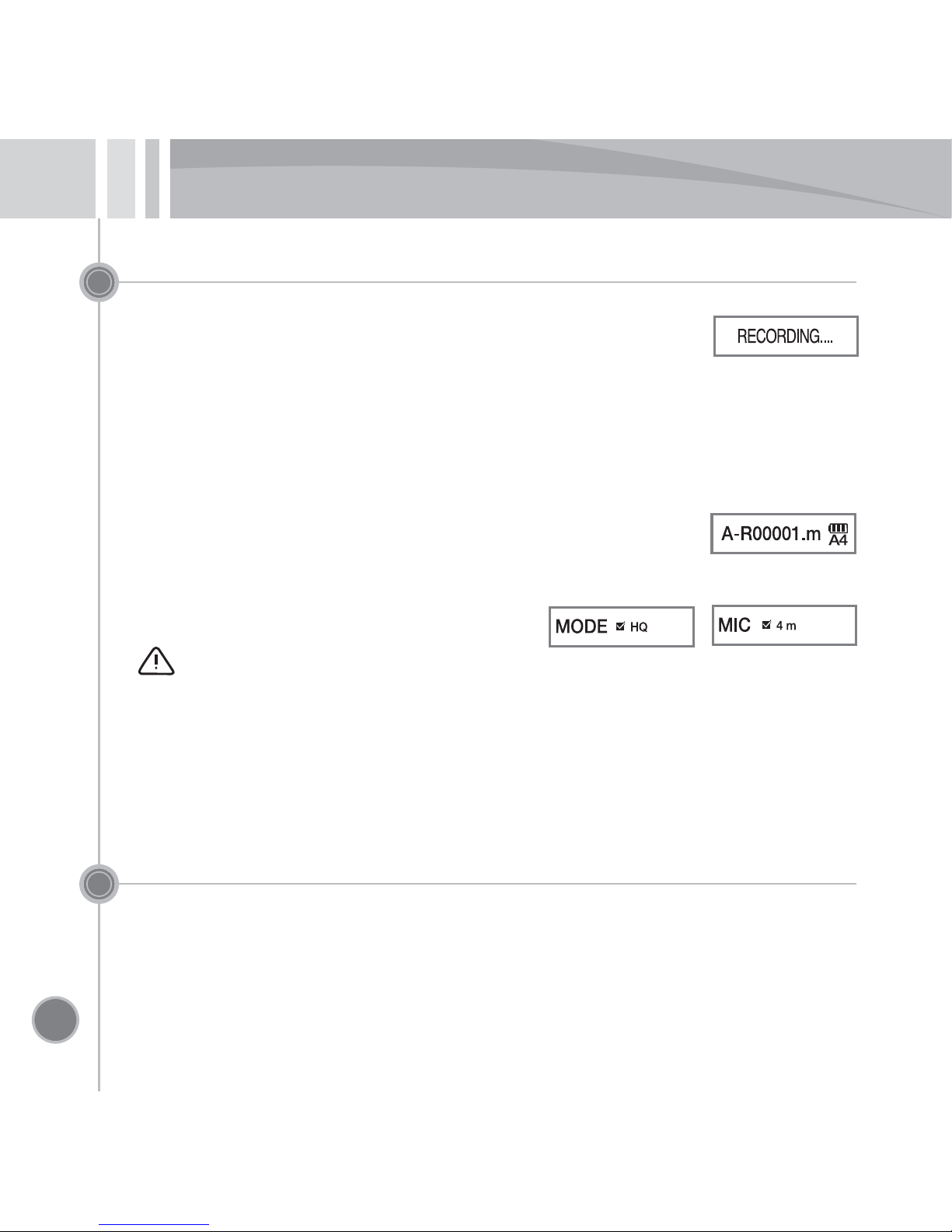
Recording
•
When pressing the REC button for 3 seconds or longer with the power turned off,
the power is turned on and recording starts immediately.
•
With the power turned on, pressing the REC button starts recording.
Pressing the REC button while recording pause recording.
•
The recorded file type is “mp3” and the file is saved at the selected folder.
•
The files are sequentially saved at the selected folder starting from A-R001.mp3.
(Pausing within 3 seconds after recording does not save the recorded contents and stops.)
•
At the initial recording mode (see “Mode setting”), it is set as “Microphone sensitivity 4m”.
Caution
1) Long-time recording is automatically split and saved by 10-hour, which makes it easy
to upload / download, play, search and manage files.
2) After 999 files are created at one folder, the next file is automatically moved to and saved
at the next folder.
Checking the recording time
.
•
At the stopped state, pushing and holding the button to (+) direction for 3 seconds or
longer displays the recording time of the selected file at the LCD for 3 seconds.
Questo manuale è adatto per i seguenti modelli
5
Indice
Altri manuali Memoq Registratore vocale


