
Memory-map Bike 270 Pro Manuale utente
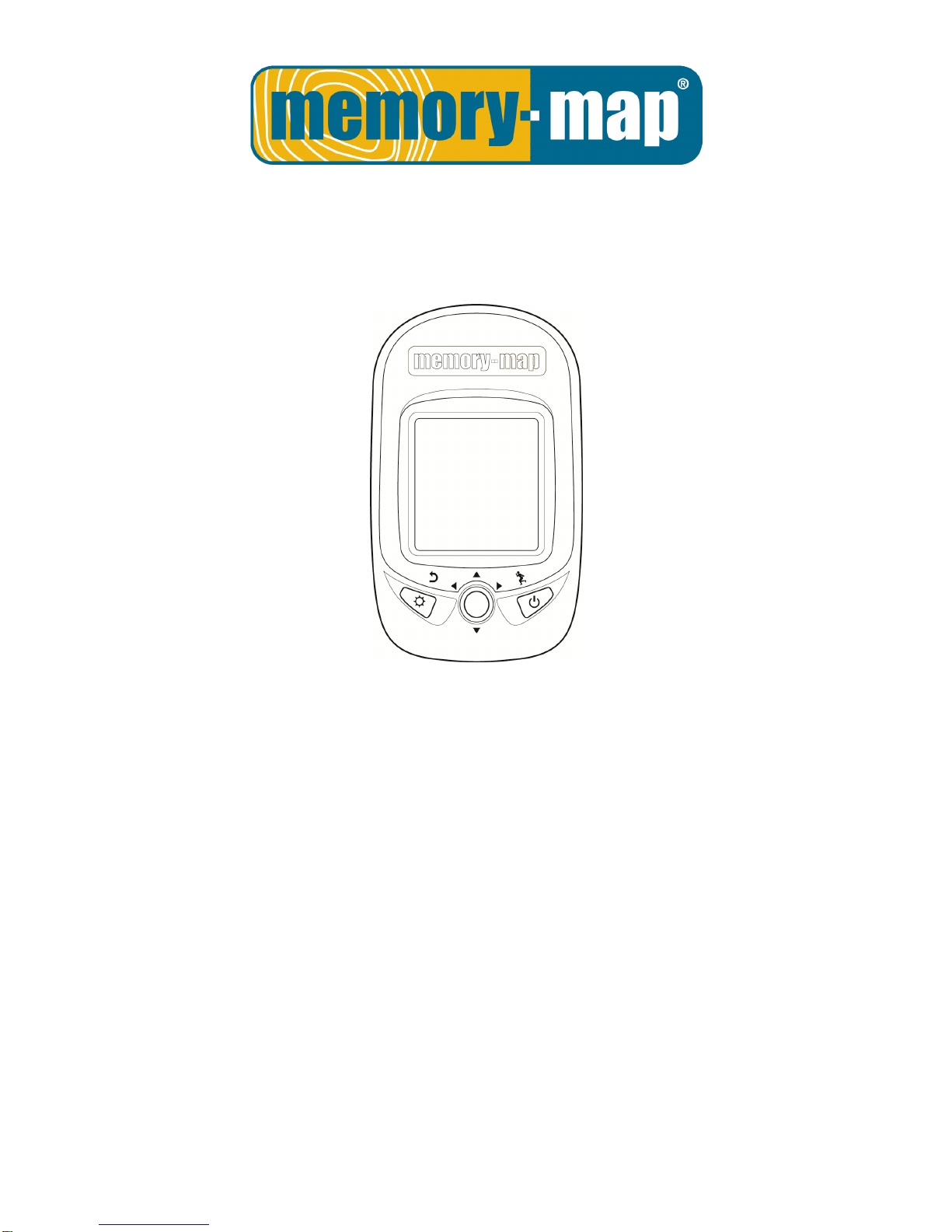
Bike 270 Pro
User Guide.

- 1 -
Safety Precautions.
Use the power adapter included with the package, using power adapters other than the one provided will result in
malfunction and could prove dangerous.
Battery replacement should not be performed by consumers, only professionally trained maintenance personnel
should do the removal of the cover and the internal components. Note: It may cause explosion if the battery is not
properly replaced with the same or equivalent model. Please contact the original professional service personnel to
replace the battery.
Do not use the power adapter in a wet environment. When hands and feet are wet, do not touch the power adapter.
While using the power adaptor ensure that the area is well ventilated. Do not let paper or other material cover the
power adaptor, as this will interfere with cooling. Do not use the power adaptor whilst it is in a bag.
Do not attempt to repair the device. If this device is damaged or is in a wet environment, replace the device
immediately.
This device is waterproof (meets IPX 7 standard) but not protected against water immersion.
Warranty Information.
The Memory-Map Bike 270 Pro is warranted to be free from defects in material and functions for a period of one year
from the date of purchase. If there is a product failure of within this period (under normal conditions), a replacement will
be provided at no charge to the customer. For more warranty information please see the back of this user manual.
Copyright Information.
No part of this manual, including the products and software described in it, may be reproduced, transmitted, transcribed,
stored in a retrieval system, or translated into any language in any form or by any mean, without the express written
permission of Snooper.
Copyright, All Rights Reserved.
RF Exposure Warning.
This equipment must be installed and operated in accordance with provided instructions and the antenna(s) used for this
transmitter must be installed to End-users and installers must be provided with antenna installation instructions and
transmitter operating conditions for satisfying RF exposure compliance.

- 2 -
Table of Contents.
Introduction.....................................................................................................................................................................5
F
EATURES
............................................................................................6
P
ARTS AND
F
UNCTIONS
.........................................................................7
S
TANDARD
A
CCESSORIES
.....................................................................8
O
PTIONAL
A
CCESSORIES
. .....................................................................8
C
HARGING THE
B
ATTERY
.......................................................................9
Using the AC Charger......................................................................9
I
NSTALLING
B
IKE
M
OUNT
.......................................................................9
D
OWNLOADING
T
RACK
L
OGS
..............................................................11
Installing ezPlanner Plus................................................................11
Starting ezPlanner Plus .................................................................13
Starting ezPlanner Plus .................................................................13
Connecting to a PC........................................................................14
Introduction of 9 Function Modes...............................................................................................................................15
M
AIN
M
ENU
........................................................................................15
S
PORT
M
ODE
. ....................................................................................15
P
LOT
M
ODE
........................................................................................19
F
OLLOW
C
OURSE
M
ODE
.....................................................................22
T
RAINING
............................................................................................26
Training - HRM...............................................................................26
Training – Cadence........................................................................26
Training Time .................................................................................27
Start Training..................................................................................28
M
ULTI
F
INDER
M
ODE
. .........................................................................31
P
EDOMETER
M
ODE
.............................................................................33
C
OMPASS
M
ODE
.................................................................................34
S
ETTING
M
ODE
...................................................................................35
H
ISTORY
M
ODE
. .................................................................................37
Getting Started..............................................................................................................................................................39
T
URNING
O
N
M
EMORY
-M
AP
B
IKE
270
P
RO
..........................................39
T
URNING
O
FF
M
EMORY
-M
AP
B
IKE
270
P
RO
........................................39
I
NITIAL
S
ETUP
.....................................................................................39
T
URNING
O
N
/O
FF
B
ACKLIGHT
. ............................................................39
S
TARTING
/S
TOPPING
L
OGGING
. ..........................................................40
Auto-Start Logging.........................................................................40
B
ASIC
O
PERATION
. .............................................................................41
Quick Menu....................................................................................41

- 3 -
Basic Operation without Setting.....................................................42
Speed Meter ..................................................................................42
S
TATUS
I
CONS
....................................................................................43
Setting Up Memory-Map Bike 270 Pro....................................................................................................................... 44
Q
UICK
S
ETUP
. ....................................................................................44
Sport Mode ....................................................................................44
A
LERT
. ...............................................................................................45
To Set Alerts...................................................................................45
To Set Time Alert............................................................................46
To Set Speed Alert.........................................................................46
To Set Distance Alert......................................................................46
To Set Altitude Alert........................................................................47
Reset Alert .....................................................................................47
C
ALIBRATION
......................................................................................47
Altimeter Calibration.......................................................................48
Compass Calibration......................................................................49
L
OG
...................................................................................................50
Interval...........................................................................................50
Auto-Start (Logging).......................................................................51
Pause (Logging).............................................................................51
W
IRELESS
L
INK
. .................................................................................52
Activate Wireless Link....................................................................52
Scan...............................................................................................52
Connect and Detect.......................................................................53
About Wheel Size ..........................................................................54
Setting Wheel Size.........................................................................54
G
ENERAL
(S
ETTING
)...........................................................................56
User Profile....................................................................................56
Set Backlight..................................................................................56
Auto Flip Page ...............................................................................57
Memory Mode................................................................................57
Auto Power Off...............................................................................57
S
YSTEM
S
ETTING
. ..............................................................................58
Delete all log..................................................................................58
Time Format...................................................................................58
Time Zone......................................................................................58
Unit.................................................................................................59
Language.......................................................................................59
LCD Contrast .................................................................................60

- 4 -
Odometer.......................................................................................60
GPS ...............................................................................................60
Signal.............................................................................................60
Cold Start.......................................................................................61
Reset Device..................................................................................61
About ezPlanner Plus and ezPlanner...........................................................................................................................62
F
UNCTIONS OF EZ
P
LANNER
.................................................................62
F
EATURES OF EZ
P
LANNER
P
LUS
. ........................................................62
Normal Care and Maintenance....................................................................................................................................63
Specifications.................................................................................................................................................................64

- 5 -
Introduction.
Thank you for purchasing the Memory-Map Bike 270 Pro. The Memory-Map Bike 270 Pro comes with a sturdy
feel and shape and is packed with great features. In addition, it is compatible with an optional ANT+ heart rate
monitor straps, ANT+ bike cadence sensors and ANT+ bike speed sensors for anyone who wants to have
in-depth analysis on their rides and accordingly sharpen their outdoor performance.
Memory-Map Bike 270 Pro works as a GPS data logger with internal memory, plus, it also serves the
purpose of a speed meter that shows immediate sport information including speed, distance, time, and pace
while users are exercising. Plus, the built-in 3D compass and barometer sensors make it a perfect gadget for
outdoor lovers to find their direction and altitude. One of its simplest functions is to work as a pedometer for
everyday exercise measurer and motivator.
Bike 270 Pro is bundled with a set of powerful software called ezPlanner Plus and ezPlanner. The former
helps users with their health fitness management, while the latter enables users to plan their course prior to
their outdoor adventure.
The device plays the role of outdoor best companion and in the meantime reminds users how they can
contribute to the environment by calculating and showing the amount of CO2emissions reduced and the
amount of calories consumed when users are walking/hiking/cycling instead of driving.

- 6 -
Features.
● GPS positioning
● Follow course: Allow users to plan routes at home and download routes to the device!
● BMI calculation
● Automatic page flipping
● Auto power off after a specified interval with no signal
● Multi Finder can record up to 20 locations and supports return-to -starting-point
● TripStart automatically records the first GPS fixed location when power on
● Can simulate an analog speedometer and use a large-font display
● 3 sport modes for calorie calculations
● Track Log function can start recording after satellite fix
● Generate QR code for current coordination
● Supports metric, imperial, and nautical measurements
● Supports 12-hour or 24-hour and time zone
● Pedometer
● Designed to work with leading wireless sport and fitness sensors, including ANT+ heart rate monitor
straps, ANT+ bike cadence sensors and ANT+ bike speed sensors.
- 7 -
Parts and Functions.
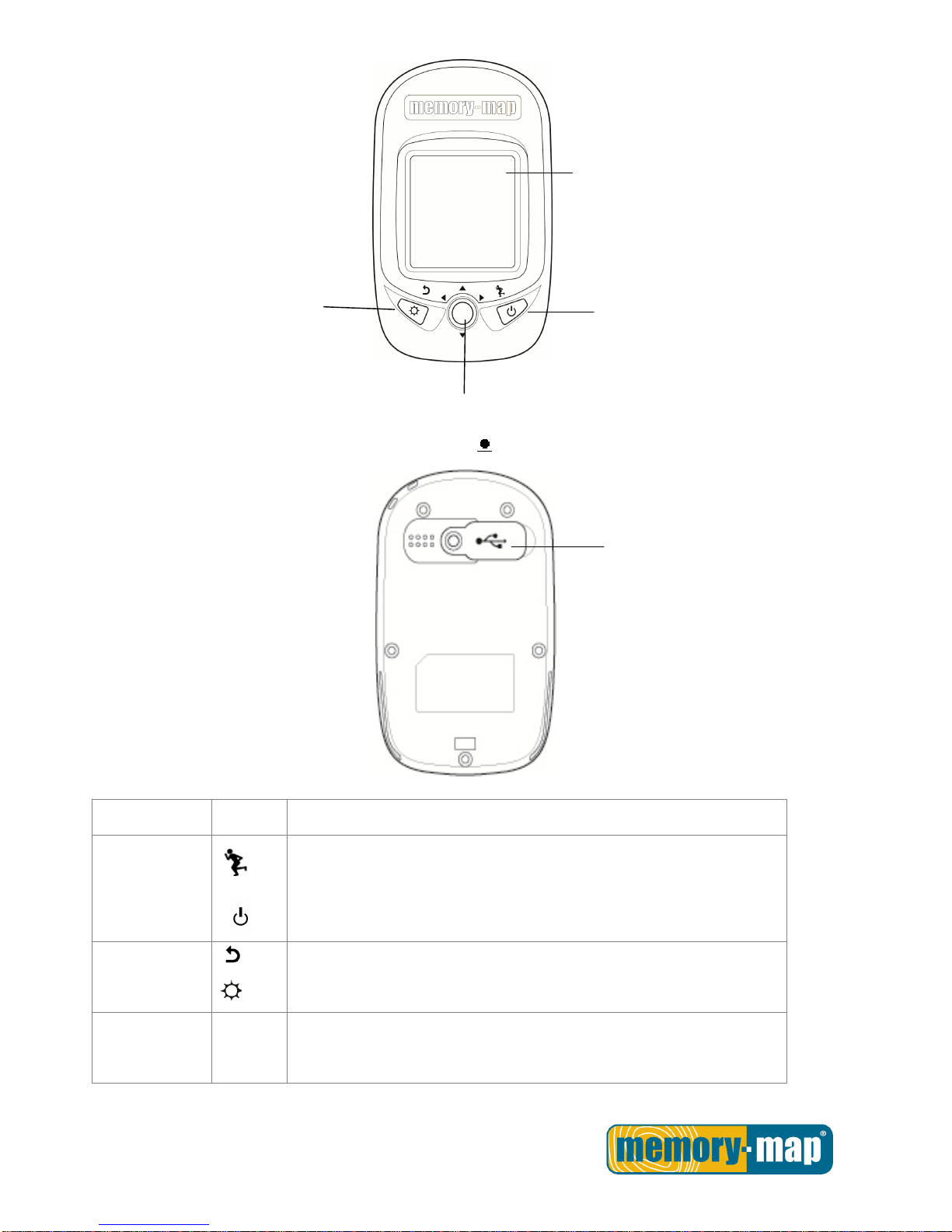
Front View
Rear View
Button
Name Icon Function
Power button
Press to pause/ resume log when the device is turned on.
Press for 3 seconds to power on/off the unit.
Exit
Backlight
Exit to previous level of menu
Press for 3 seconds to turn on/off the backlight.
5-Direction
OK
Use Left, Up, Right, and Down to select an option.
Press the OK button in the middle to confirm selection.
1.5’’ LCD screen
OK/Up/ Down/ Right/ Left
button
Backlight
Exit
Power/
Start/Pause
Mini USB Port
- 8 -
Standard Accessories.
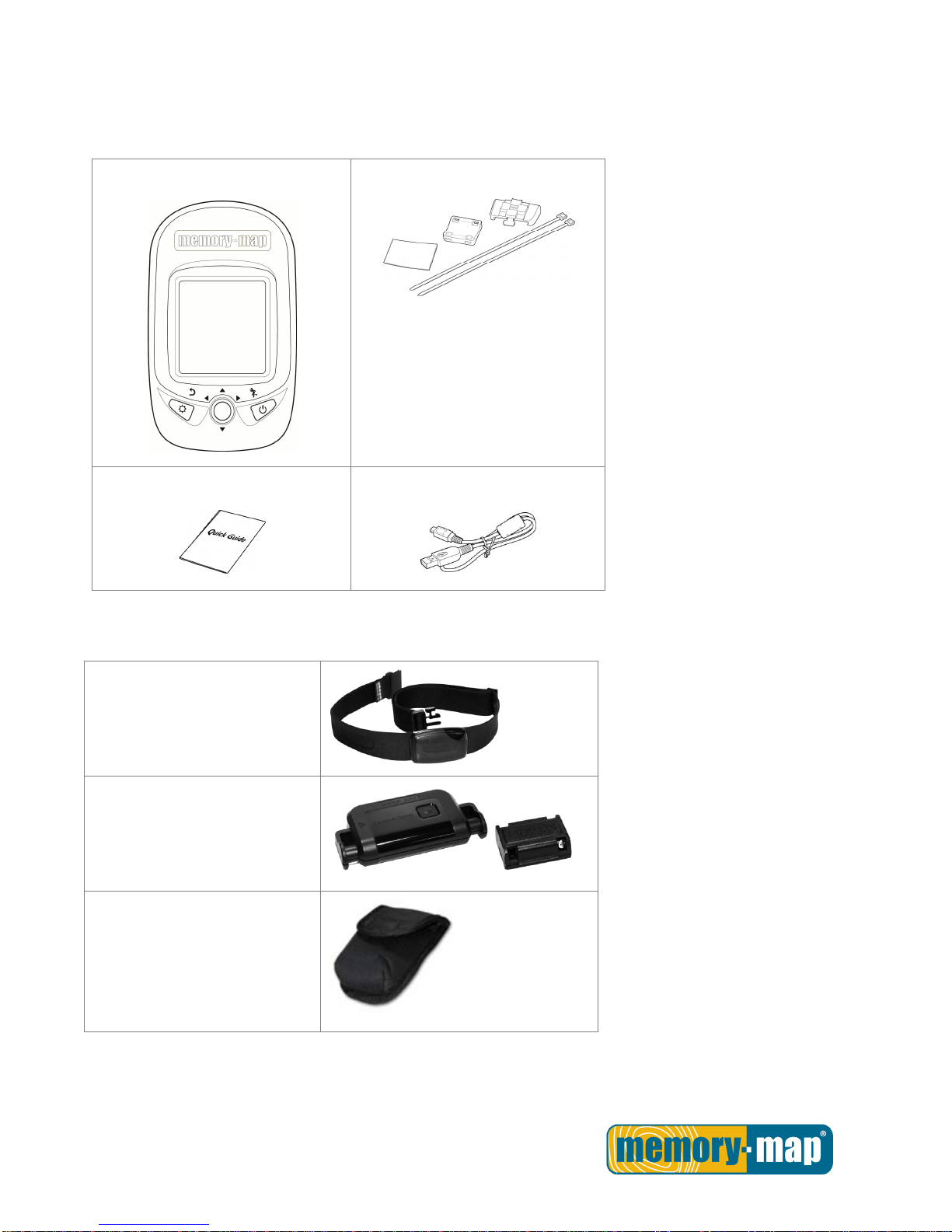
Please make sure the following accessories are included in the box. Please contact your supplier
immediately if there are any missing items.
Memory-Map Bike 270 Pro
Bicycle Mounting Kit
Quick Guide
USB cable
Optional Accessories.
ANT+ Heart Rate Monitor
(HRM) set
ANT+ Bike combination Speed
& Cadence Sensor
Pouch
- 9 -
Charging the Battery.
Using the AC Charger
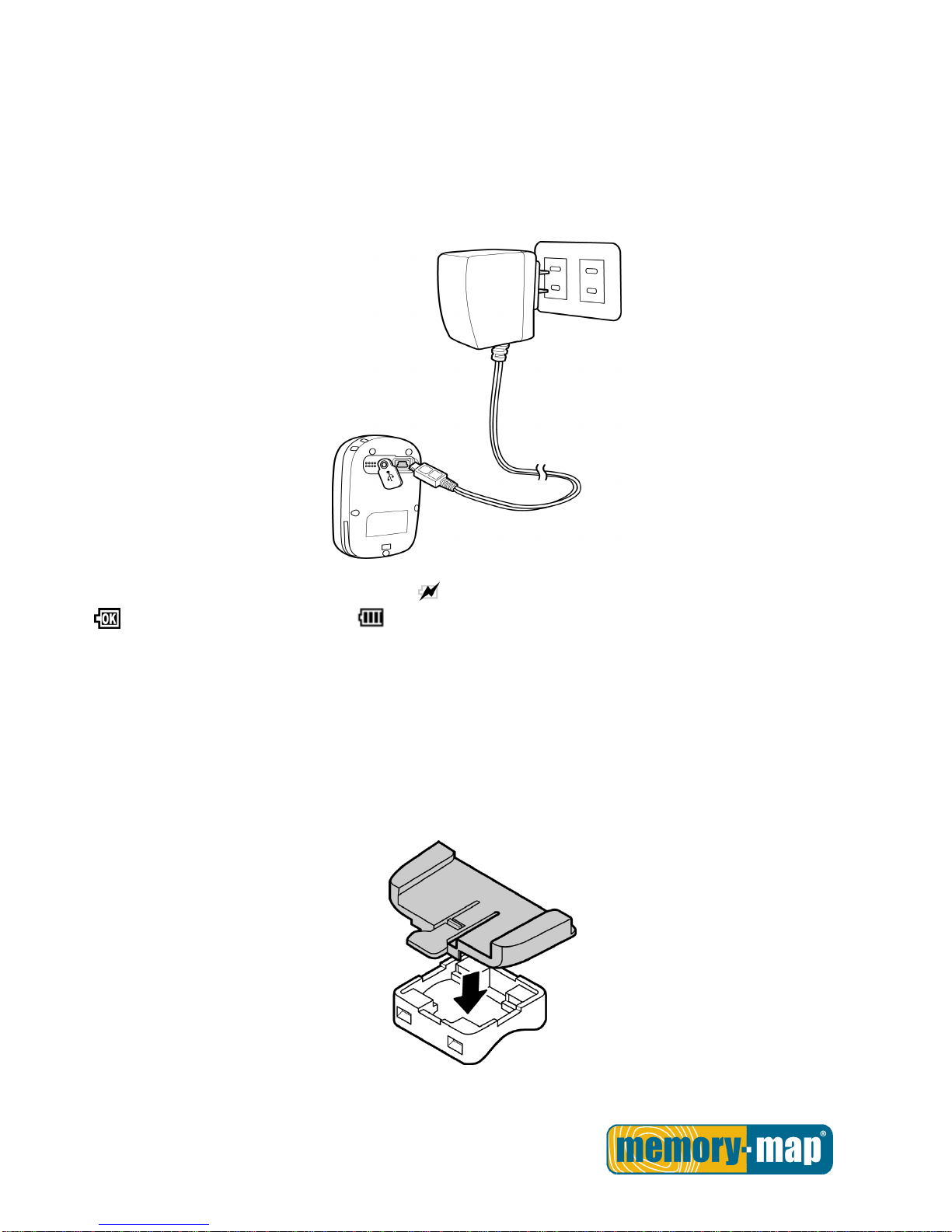
1. Plug the mini USB plug of the AC charger into the mini USB port at the back of the Memory-Map Bike
270 Pro.
2. Plug the AC charger into a wall outlet.
When charging, the Power indicator shows . After charging is completed, the Power indicator shows
. If the power indicator shows while charging, it means the charging is automatically disabled
because of circuit protection at high temperature.
Note: Do not charge the device at high temperature otherwise the charging may not be performed or the
lithium battery cannot be fully charged.
Installing Bike Mount
You can install the bike mount and the GPS on the left or right side of the handlebar or on the stem.
1. Attach the bracket to the bracket holder.
2. Thread the two cable ties through the slots of the bracket holder.
Indice
Altri manuali Memory-map GPS


