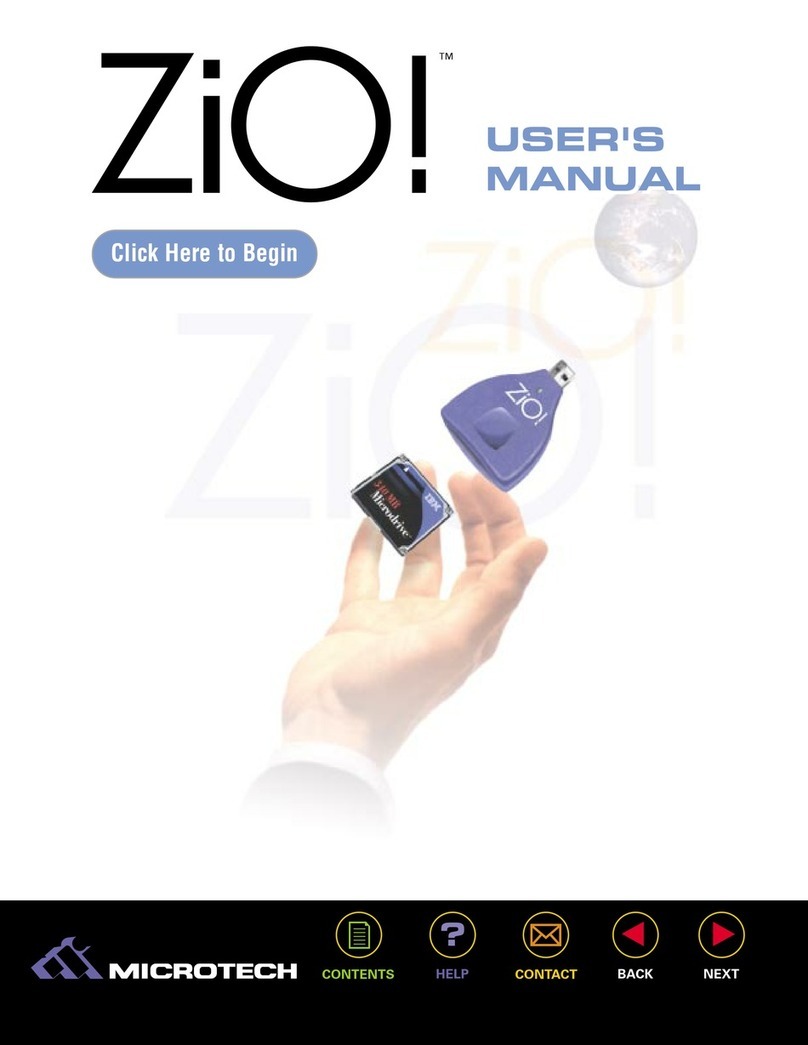
Microtech USB CameraMate Manuale utente
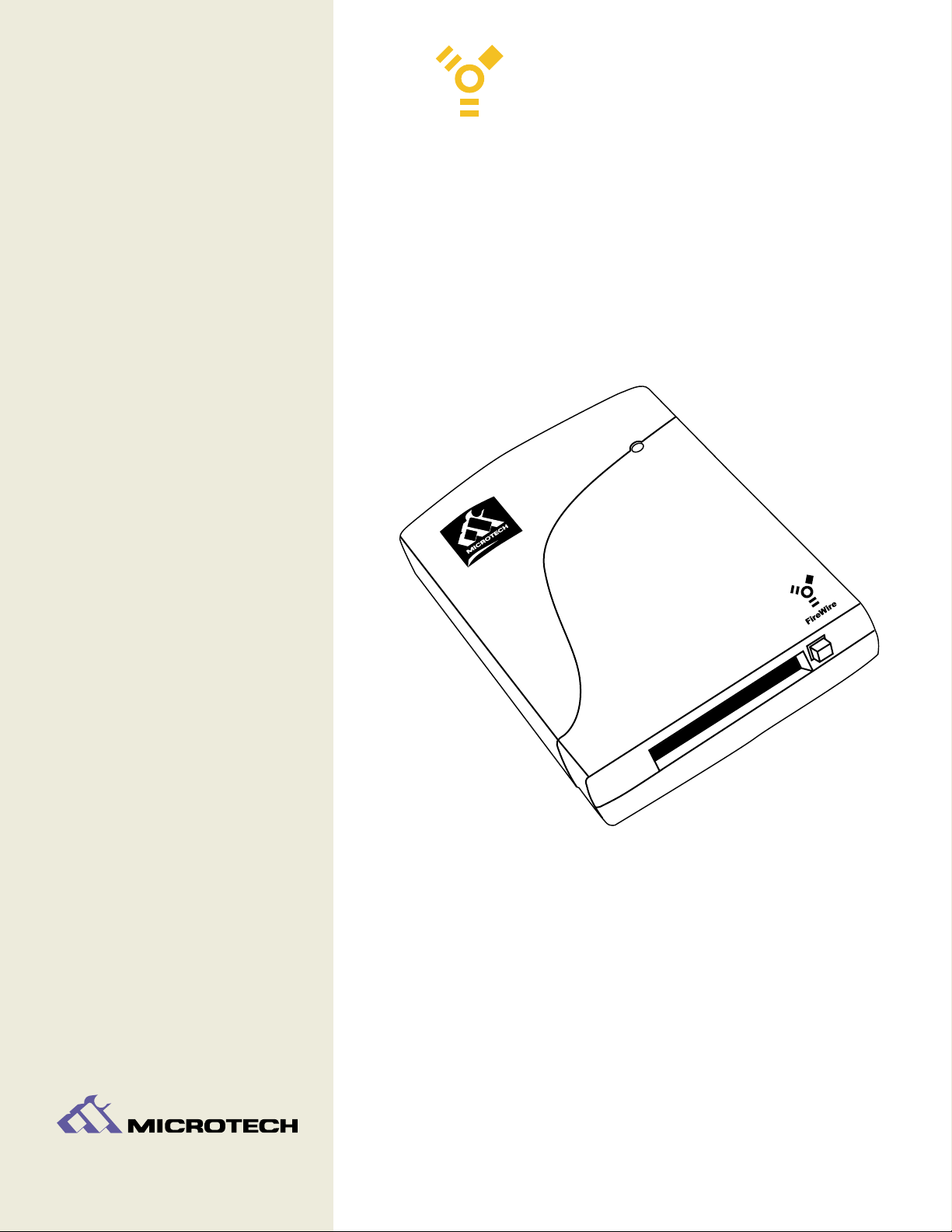
CameraMate
Digital Film Reader
USER'S
MANUAL
USER'S
MANUAL
Version 1.0
FireWire
USER'S
MANUAL
USER'S
MANUAL
FireWire CameraMate CONTENTS
Home
Getting Started
Connecting to a Macintosh
Connecting to a PC Compatible
How to Use the FireWire CameraMate
Troubleshooting Your Microtech FireWire
CameraMate
Obtaining Technical Support
Contacting Microtech
2

USER'S
MANUAL
USER'S
MANUAL
3
1
Introduction
What's included with the
FireWire CameraMate
System Requirements
Parts of the FireWire CameraMate
Registering the FireWire CameraMate
GETTING
STARTED
FireWire CameraMate
Introduction:
Thank you for purchasing the FireWire CameraMate from Microtech.
The FireWire CameraMate is a CompactFlash digital media reader/writer for new FireWire
(IEEE 1394) equipped Apple Macintosh (iMac, iBook, G3/G4, Cube, etc.) and PC Compatible own-
ers who wish to read and write CompactFlash cards. The FireWire CameraMate is easy to use and
provides transfer rates of up to 5MB/sec (40Mb/sec).
What's included with the FireWire CameraMate:
The FireWire CameraMate includes the following package contents:
■FireWire CameraMate Digital Film Reader
■Microtech Installer CD (includes this User's Guide, Microsoft supplemental
FireWire (IEEE 1394) drivers for Windows 98 SE, and free software)
■Mounting Software Installer CD (for use wih Macintosh only)
■Quick-Start Guide
■Warranty Registration Card
System Requirements:
PC Compatible:
■Desktop or laptop PC Compatible with an available 6 pin FireWire (IEEE 1394) port
■Windows 98 SE, Me, 2000, XP
■CD-ROM Drive (for driver software installation on Windows 98 SE)
■Pentium (or equivalent) 200MHz laptop or desktop PC
Macintosh:
■Apple iMac, G3, G4, System with an available 6 pin FireWire (IEEE 1394) port
■Mac OS 8.6 or greater
■CD-ROM Drive (for software installation)
■FireWire Manager 2.3.3 or greater
USER'S
MANUAL
USER'S
MANUAL
4
FireWire CameraMate
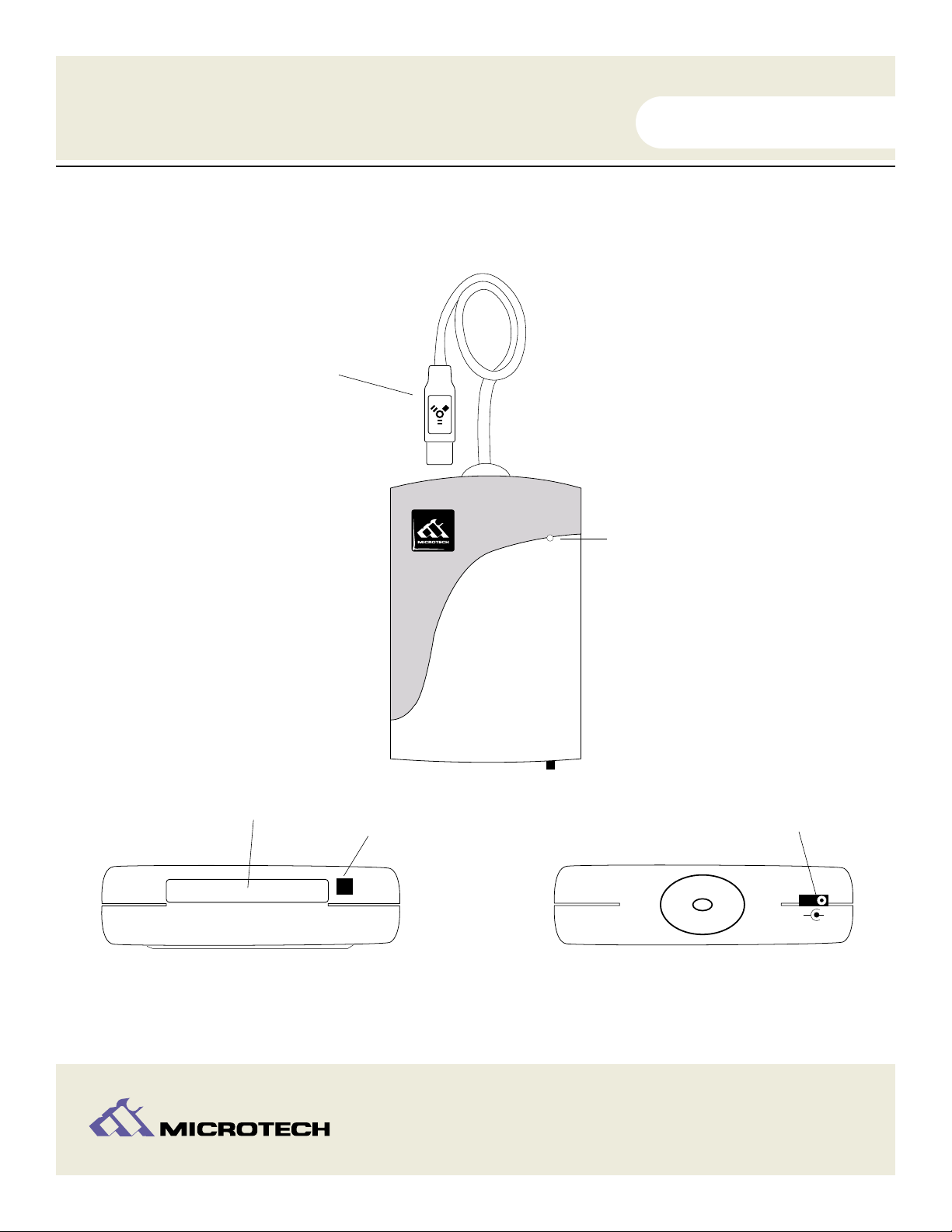
Parts of the FireWire CameraMate:
USER'S
MANUAL
USER'S
MANUAL
5
-
+
DC 5V
Media Recognition/Access LED indicator
Integrated FireWire Cable
CompactFlash eject
button
CompactFlash slot
Top View
Rear View
Front View
Optional Power Adapter*
*WARNING: Permanent damage will result when
used with a standard power adapter. Use only with the
Microtech Optional Power Adapter (if power required).
FireWire CameraMate
Registering the FireWire CameraMate
Thank you again for purchasing the Microtech FireWire CameraMate. In order for us to better
serve you, we encourage you to register your FireWire CameraMate as soon as possible.
There are several benefits to registering the FireWire CameraMate:
Registering your FireWire CameraMate entitles you to free periodic driver software
updates when available.
Registering your FireWire CameraMate entitles you to toll free technical assistance
from Microtech.
There are three options for you to register the FireWire CameraMate:
Register online at http://www.microtechint.com/register for instant
registration.
Complete and mail the included Warranty Registration Card to Microtech.
Complete and fax the included Warranty Registration Card to Microtech.
USER'S
MANUAL
USER'S
MANUAL
6
1.
2.
1.
2.
3.
FireWire CameraMate
USER'S
MANUAL
USER'S
MANUAL
7
2
Connecting to the FireWire Port
Installing the Driver Software
CONNECTING
to a Macintosh
FireWire CameraMate
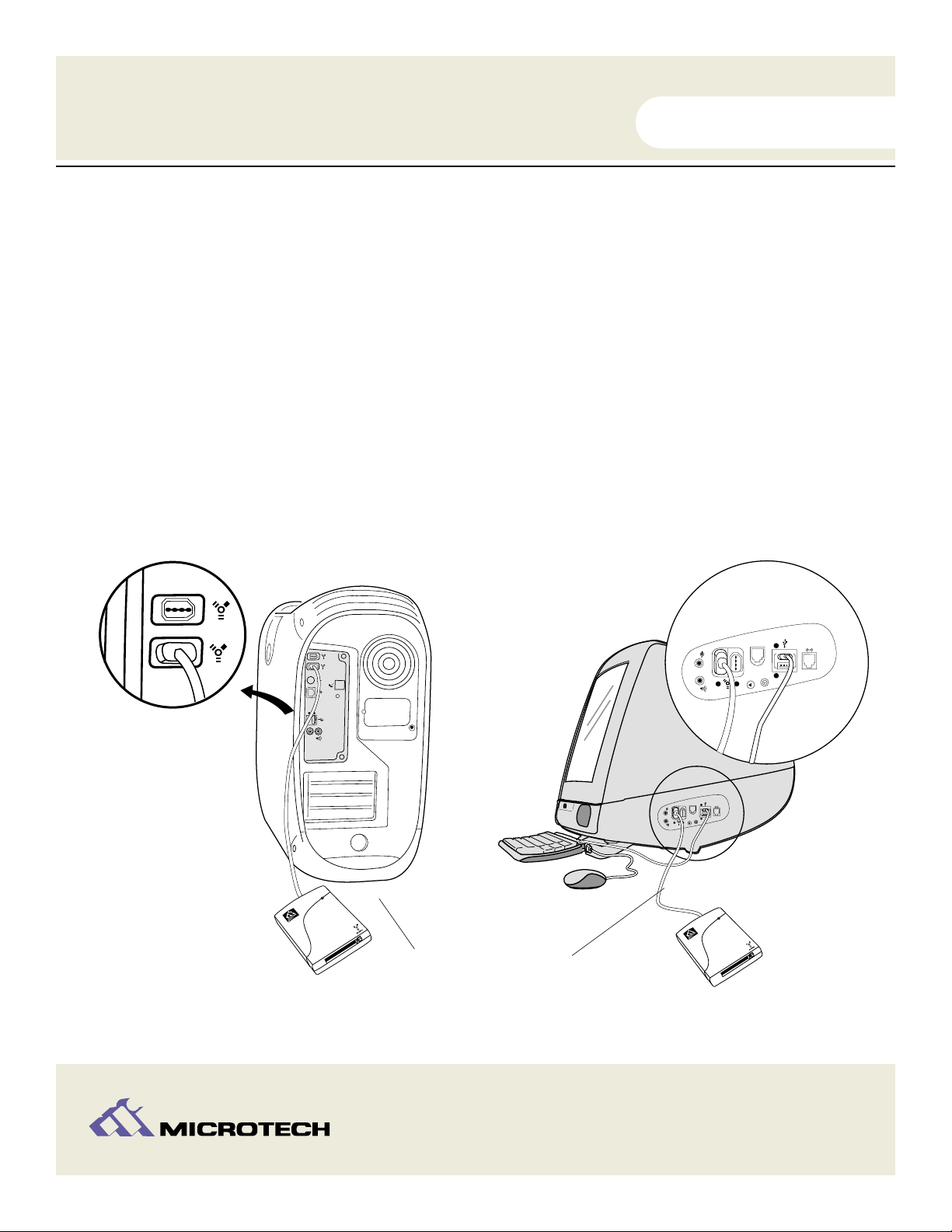
Connecting to the FireWire port
Connect the FireWire connector of the FireWire CameraMate to the FireWire port
located at the back of the computer. In the case of the Apple iMac or iBook, use the
FireWire ports located on the side of the computer. Refer to the illustrations below.
Make sure the cable ends are firmly connected. Be careful not to confuse the insertion
of the connector as it will only insert in one direction. Do not force connections, as this
may damage the computer or the FireWire CameraMate.
NOTE:The FireWire cable may be plugged into the computer while the computer is
running.
USER'S
MANUAL
USER'S
MANUAL
8
12
1
2
12
1
2
1.
2.
Attach the FireWire connector from
the FireWire CameraMate to the
FireWire port on your Macintosh.
Enlarged view
Enlarged view
FireWire CameraMate
Installation Overview
The FireWire CameraMate is relatively easy to install and operate. To avoid complications
during the installation process, please follow the steps in order as described in this chapter.
INSTALLATION NOTE: FireWire CameraMate driver software installation is not required on Mac OS
9.1 and above, driver software is required on Mac OS 8.6 - 9.0.4
Installing the driver software
Start your computer and close all open applications.
Connect the FireWire CameraMate to your computers FireWire Port.
Insert the “HARD DISK TOOLKIT•PE” Installer CD-ROM.
Double-click on the "HDT•PE™4.5 Installer" folder icon and then on the “Hard disk
ToolKit•PE™Installer” icon in the next window.
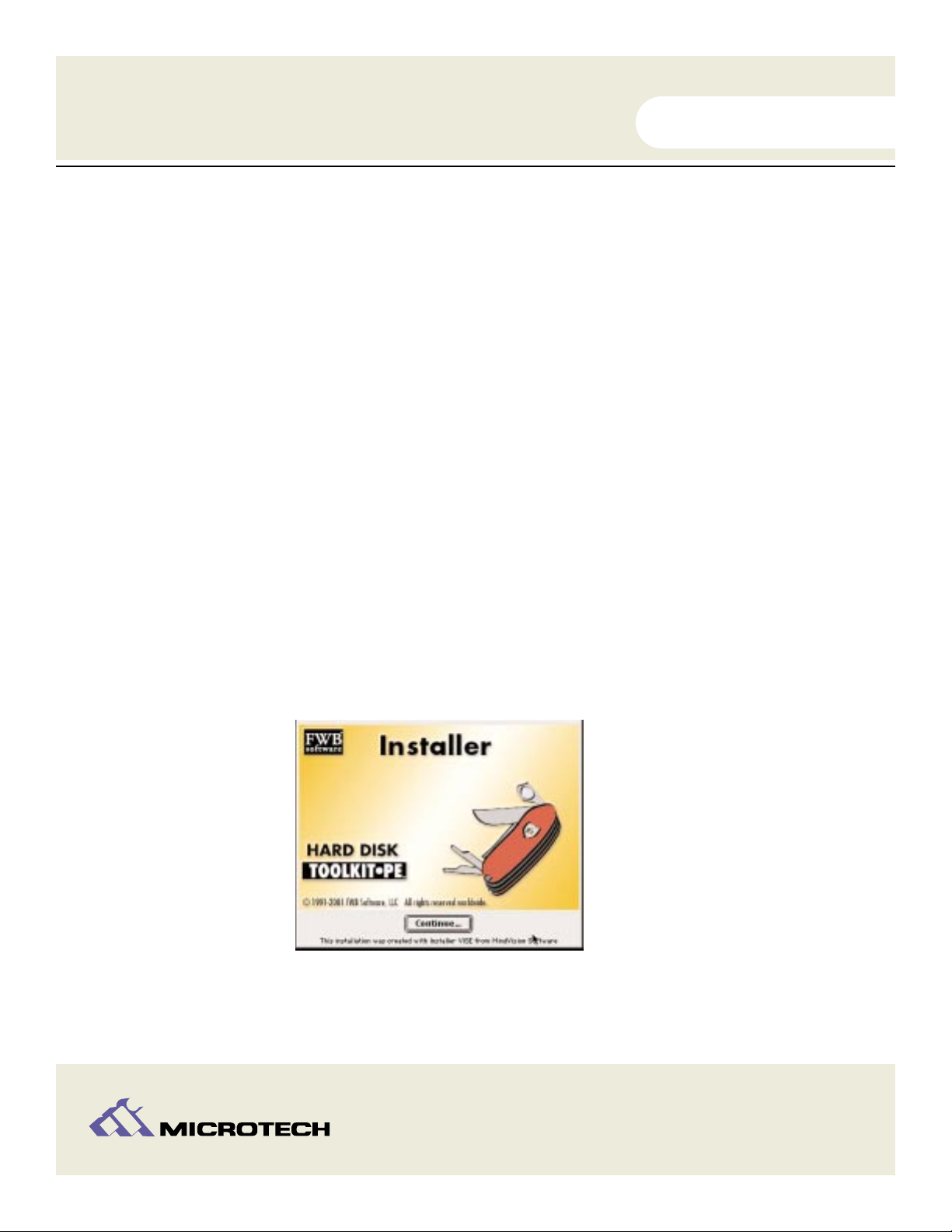
The following splash screen will appear. Click "Continue."
Another screen will appear containing the installer information.
Click “Install” to continue.
USER'S
MANUAL
USER'S
MANUAL
9
1.
2.
3.
4.
FireWire CameraMate
5.
6.
A pop-up window will appear requesting your name, organization, and serial number.
Enter this information and click “OK”.
A progress bar will appear, followed by a pop-up window with registration selections.
Select a registration option to continue.
A final dialog box will appear advising that the software was installed successfully.
Click “Quit” to complete the installation process.
Now, double-click on the “FWB FireWire Loader” icon in the “Hard Disk ToolKit•PE”
folder. This will display the “FWB FireWire loader” application.
Click on “Just Driverless Devices” to load the FireWire driver that will enable you to
mount your media on your Macintosh desktop. Restart when prompted.
Congratulations! Driver software installation is now complete.
INSTALLATION NOTE: If you attempt to attach the FireWire connector of the FireWire
CameraMate to the computer prior to installing the driver software, you will be unable to mount
or access your CompactFlash media.
USER'S
MANUAL
USER'S
MANUAL
10
7.
FireWire CameraMate
8.
9.
10.
11.
Altri manuali per USB CameraMate
1
Indice
Altri manuali Microtech Lettore di schede