
MOB MO9671 Manuale utente

USER MANUAL
(2014/53/EU art. 10-8)
(a) Frequency Range; 2402-2480 MHz
(b) Maximum radio-frequency power; 100mW (EIRP)
(2014/53/EU art. 10-9 Simplified Declaration of Conformity)
Hereby, MOB, declares that item MO9671 complies with the essential requirements and
other relevant conditions of directive 2014/53/EU. The full text of the EU declaration of
conformity is available at the following internet address: www.momanual.com
MOB, PO BOX 644, 6710 BP (NL).
PO: 41-XXXXXX
Made in China
MO9671
EN
Anti lost with luggage tag ( Silicone cover)
Product Size: 95*40*8mm
Silicone Strap Length:100mm
Material: ABS+Silicone
Wireless Distance:10m
Battery:1*CR2032
Step1
APP: iSearching
Get the free app on Google Play Store or App Store
Step 2
Switch on
Press and hold the button of luggage Tag for 3 seconds until
beeps twice.
Step3
Connection
1. Turn on the wireless device on smart phone.
2. Click the button”MO9761” on iSearching to find luggage Tag
devices.
3. Luggage Tag will automatically connect to the smart phone. If
the App shows”disconnected”, please click”Connect” button
again.
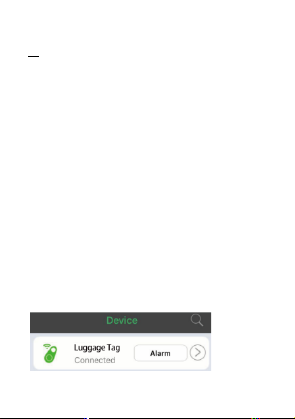
(Note: Click the arrow icon will run to submenu for edit; such as
adding photo for luggage tag, rename and set the ring tone etc.)
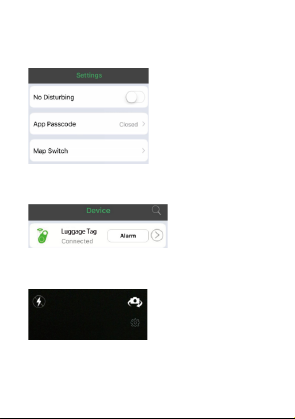
To remove the item from the device list; simply the item to left.
No Disturbing Mode
On the “Setting” interface, switch on “No Disturbing”. The alert
function of all devices will be shut down.
Setting for Alert
1. Click the “Alert” button on the APP to trigger the alert.
2. To stop the alert, click the button on Luggage Tag; or
click”Stop alert” on the App.
Photograph
1. Press the”Photograph”button, it will run to camera mode.
2. Press top left and right icon to change the flashlight and
camera mode.
3. Press the setting button””under photography to set up the burst
shooting and interval timer.Press the button on Luggage Tag
to remote the smart phone and take the phone.

Location
Location list:
1. After parking your car, press the button on Luggage Tag to
mark your current location on the map.
2. Press”Location list” and you will find where your car is with
easy tracking.
Lost history:
1. If the luggage Tag is lost, a pin-drop will be marked
automatically on Map to tell you the site it was lost, just press
“lost history” to find the record.
2. Remark; To delete the list, just scroll left the list and press the
“Delete” menu.

Settings:
In order to experience the functions of Luggage Tag better, enter
into the setting menu to set for your Luggage Tag.
APP Passcode setting to set up the password. Map switch: to
choose Google map or Baidu map.
Double click setting for alarm or voice recording.
Record History:
1. When you select”voice recording” under “Double clock setting”,
simply double click iTag to record the voice.
2. To listen the recorded voice, go to “record history” and select
the file.
3. To delete the recorded voice, simply scroll let the list.Simply
press play button to play/pause and scroll the list to delete it.
Step 4
Switch off
Press and hold the button of Luggage Tag until beeps
DE
Wireless Gepäckanhänger Anti-Lost (Silikon Cover)

Produktabmessungen: 95x40x8mm
Länge Silikon Band:100mm
Material: ABS + Silikon
Wireless Entfernung:10m
Batterie: 1 x CR2032
Schritt 1
APP: iSearching
Laden Sie die kostenlose App im Google Play Store oder App
Store herunter.
Schritt 2
Einschalten
Halten Sie die Taste des Gepäckanhängers 3 Sekunden lang
gedrückt, bis das Signal zweimal ertönt. Das Gerät ist
eingeschaltet.
Schritt 3
Wireless Kopplung
1. Schalten Sie die Wireless-Funktion auf Ihrem Smartphone ein.
2. Wählen Sie in der App iSearching "MO9761" aus, um sich mit
dem Gepäckanhänger zu koppeln.
3. Der Gepäckanhänger verbindet sich automatisch mit dem
Smartphone. Wenn die App "disconnected" anzeigt, klicken
Sie bitte erneut auf die Taste "Connect".
(Hinweis: Klicken Sie auf das Pfeilsymbol, um das Untermenü
für die Bearbeitung aufzurufen, z.B. Foto für Gepäckanhänger
hinzufügen, umbenennen und den Klingelton einstellen, usw.).
Um das Produkt aus der Geräteliste zu entfernen, einfach nach
links wischen.
“Nicht stören” Modus
Schalten Sie auf der Programmoberfläche "Settings" "No

Disturbing" ein. Die Alarmfunktion aller Geräte wird abgeschaltet.
Einstellen des Alarms
1. Klicken Sie auf die "Alarm" Taste in der APP, um den Alarm
auszulösen.
2. Um den Alarm zu stoppen, klicken Sie auf die Taste des
Gepäckanhängers; oder klicken Sie auf "Stop Alert" in der
App.
Fotografieren
1. Drücken Sie die Taste "Photograph", und sie wechseln in den
Kameramodus.
2. Drücken Sie das obere linke bzw. rechte Symbol, um den Blitz
zuzuschalten oder den Kameramodus zu ändern.
3. Drücken Sie die Taste unter der Fotografie, um die
Serienbildaufnahme und die Intervallaufnahme einzurichten.
Durch Drücken der Taste am Gepäckanhänger können Sie
das Smartphone fernbedienen und ein Foto aufnehmen

Lokalisierung
Lokalisierungs-Liste:
1. Nachdem Sie Ihr Auto geparkt haben, drücken Sie die Taste
auf dem Gepäckanhänger, um Ihren aktuellen Standort auf der
Karte zu markieren.
2. Klicken Sie auf "Standortliste" und Sie werden einfach
nachverfolgen können, wo sich Ihr Auto befindet.
Lost Historie:
1. Sollte der Gepäckanhänger verloren gehen, wird Ihnen
automatisch per symbolischer Stecknadel der Ort auf der Karte
markiert, wo sich der Anhänger aktuell befindet. Drücken Sie
einfach "lost history", um diese Daten aufzurufen.
2. Hinweis: Um die Liste zu löschen, scrollen Sie einfach nach

links in der Liste und drücken Sie "Delete".
APP Passcode Einstellung, um das Passwort einzurichten.
Map Switch: Wählen Sie zwischen Google Maps oder Baidu
Maps.
Double Click Setting: Wählen Sie für den Doppelklick Alarm-
oder Sprachaufzeichnung.
Aufnahme Historie:
1. Wenn Sie unter " Double Click Setting" „Voice
recording“ wählen, doppelklicken Sie einfach auf iTag, um ein
Audio aufzunehmen.
2. Um das Audio anzuhören, gehen Sie zu "record history " und
wählen Sie die Datei aus.
3. Um das aufgenommene Audio zu löschen, scrollen Sie einfach
durch die Liste, drücken Sie die Wiedergabetaste, um es
abzuspielen/anzuhalten, und scrollen Sie durch die Liste, um
es zu löschen.
Schritt 4
Abschalten
Halten Sie die Taste des Gepäckanhängers gedrückt, bis ein
Signalton ertönt.

FR
Etiquette de bagage anti-perte (en silicone)
Taille du Produit : 95 * 40 * 8mm
Longueur du bracelet en silicone : 100mm
Matériel : ABS + Silicone
Distance du Wireless : 10m
Pile : 1 x CR2032
Etape 1
APP: iSearching
Téléchargez l'application gratuite sur Google Play Store ou App
Store
Etape 2
Allumer
Appuyez sur le bouton de l’étiquette à bagage et maintenez-le
enfoncé pendant 3 secondes jusqu'à ce que deux bips
retentissent.
Etape 3
Connection
1. Allumez le Wireless sur le smartphone.
2. Cliquez sur le bouton ”MO9761” sur iSearching pour connecter
l’étiquette à bagages.
3. L'étiquette à bagage se connectera automatiquement au
smartphone. Si l'application indique « déconnecté », cliquez à
nouveau sur le bouton « Connecter ».
(Remarque : cliquez sur l'icône en forme de flèche pour accéder
au sous-menu pour modification ; par exemple, ajouter une photo
pour une étiquette à bagages, renommer et définir la sonnerie,
etc.)
Indice
Lingue:
Altri manuali MOB Accessori per fotocamere


