Con
fi
guration
Before establishing the connection ith your Wireless USB Adapter
to your net ork:
1. Be sure that the ireless indication light in your
Router or Access point is on.
2. Check that you have the net ork name (SSID)
and the net ork key so, that connection can be
established. This information can be found in the sticker situa-
ted on the bottom panel of the router or, in case they ere
changed, in the router configuration.
Once previous steps are passed, in the follo ing lines is described,
in 2 different ays, ho to connect your adapter to the ireless
net ork of your router, by ireless easy configuration method
(WPS) or by the utility of the adapter’s configuration.
To connect by WPS
Press WPS button of your router during
10 seconds around.
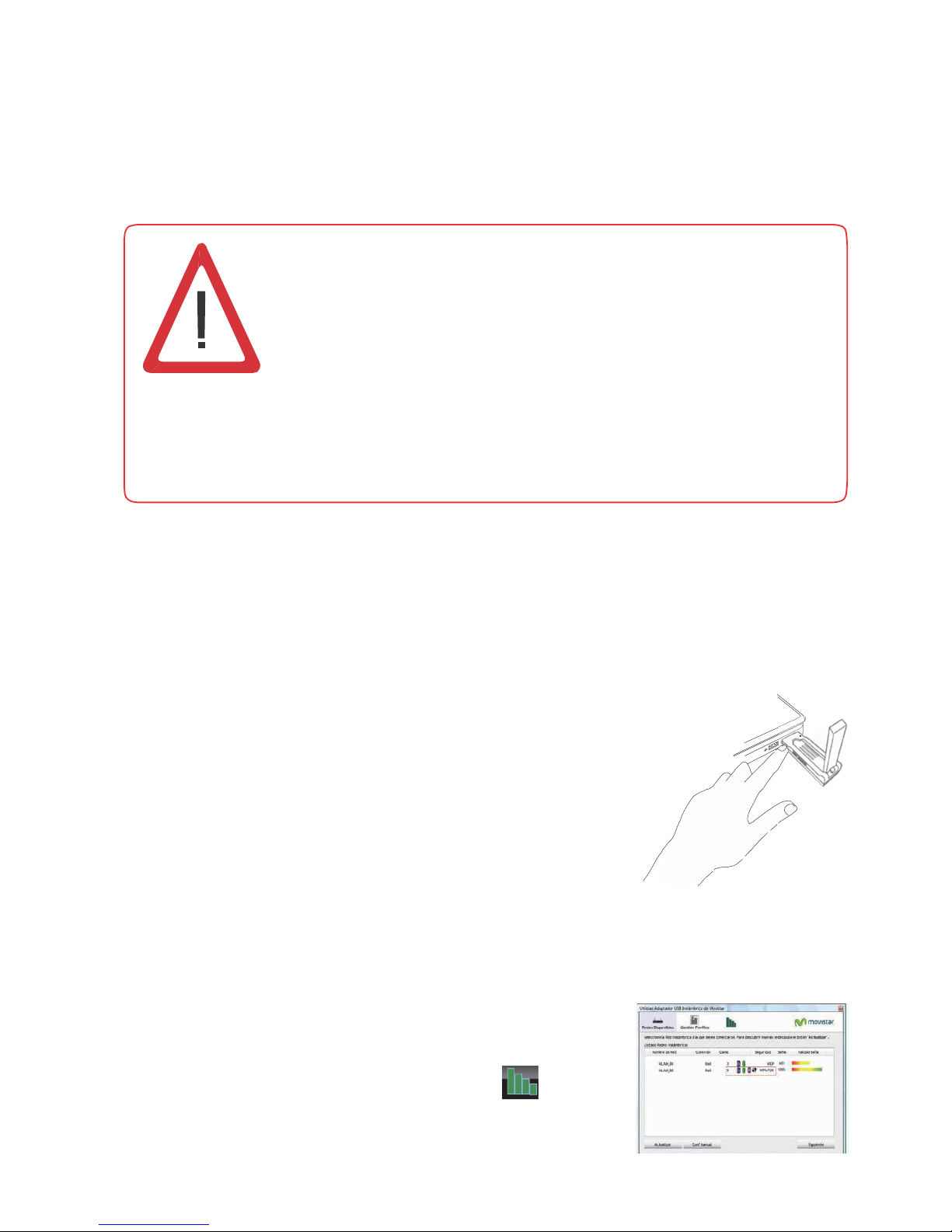
After that press WPS button of your
Wireless USB Adapter during 3 seconds.
You ill have 2 minutes maximum to get the
connection, successfully.
To connect by the utility
Follo the follo ing steps:
1.
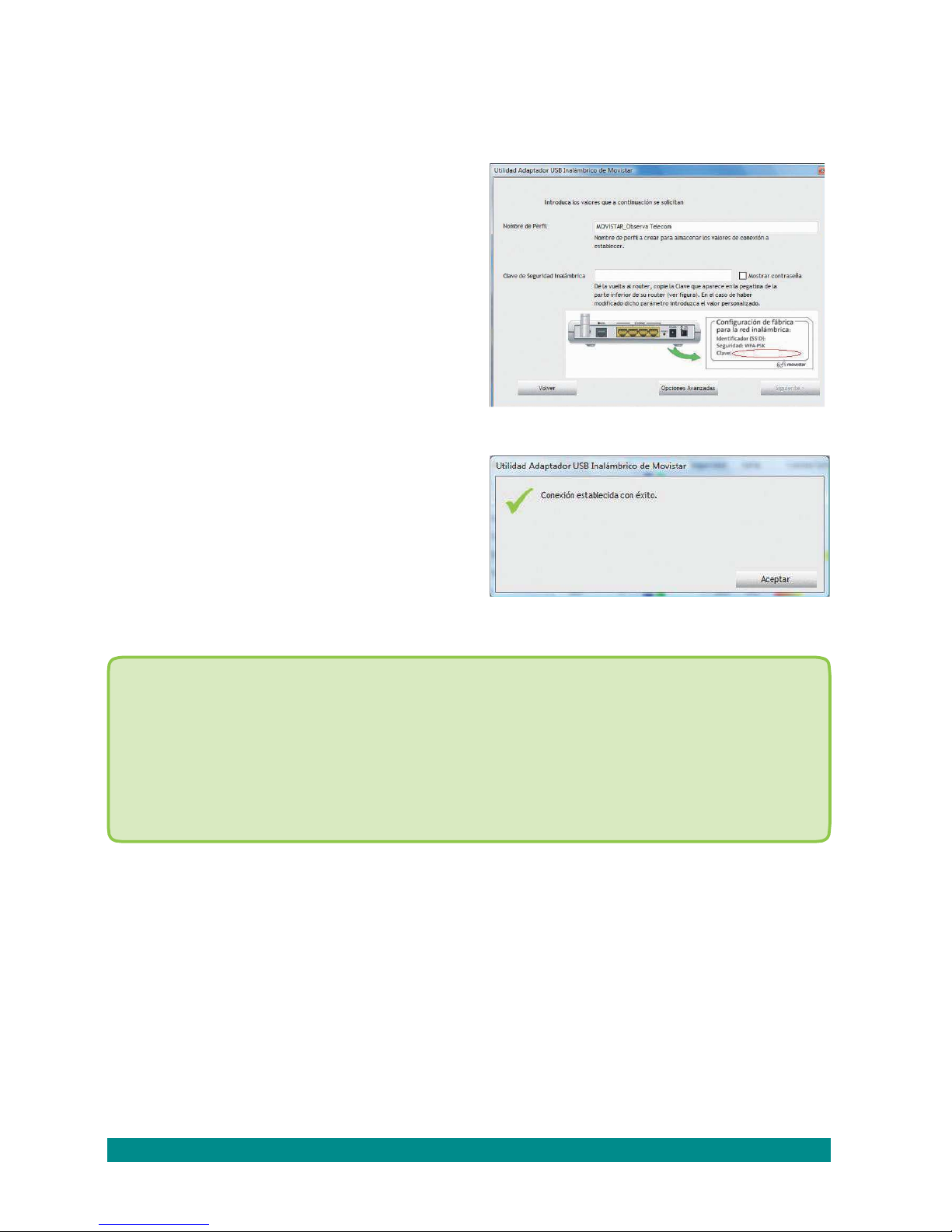
Run Movistar’s Wireless USB Adapter
utility clicking in Start/Programs/ Movistar
Wireless USB or click in the icon in the
ido s task bar. Then the follo ing screen
is sho n: