
MRMC MRMC-1166-02 Manuale utente
ii
SFH-50 Quick Start Guide
QSG Product Code: MRMC-1166-02
Products Covered: MRMC-1483-00, MRMC-1132-01
Modification Date: 4 June 2020
© 2020 Mark Roberts Motion Control Ltd. All rights reserved.
No part of this publication may be reproduced, transmitted, or translated
by any means — graphical, electronic, or mechanical — including
photocopying, recording, taping, or storage in an information retrieval
system, without the express written permission of Mark Roberts Motion
Control.
Although every care has been taken to ensure that the information in this
document is accurate and up to date, Mark Roberts Motion Control
continuously strives to improve their products and may make changes to
the hardware, firmware, and software described in this document. Mark
Roberts Motion Control therefore cannot be held responsible for any
error or omission in this document.
All product names mentioned herein are the trademarks or registered
trademarks of their respective owners.
Contact information
Mark Roberts Motion Control Ltd.
Unit 3, South East Studios
Blindley Heath
Surrey
RH7 6JP
United Kingdom
Telephone: +44 (0) 1342 838000
Web: www.mrmoco.com
www.mrmocorentals.com

SFH-50 Quick Start Guide
iii
SFH-50 Quick Start GuideSFH-50Quick Start Guide
Contents
Chapter 1 Quick Start..................................................................... 1
Safety........................................................................................1
Overview ................................................................................. 1
Setting up the hardware ........................................................2
Connecting the cables .........................................................10
Quad-box example, for an SFH-50 head with
stepper motors.............................................................10
Ulti-box example, for an SFH-50 head with
servo motors................................................................12
Your first session ..................................................................14
Subsequent sessions.............................................................17
Appendix 1 Troubleshooting........................................................... 18
Typical symptoms, causes, and actions .............................18
Working with Local Area Networks..................................19
Introduction to LAN addresses ................................19
Managing LAN addresses with Flair........................21
Appendix 2 SFH-50 Panel ............................................................... 25
Introduction to SFH-50 connections ................................25
Interface boxes ............................................................25
Notes on head-controller communication
methods........................................................................25
Quad-box and Octo-box connector summary ................26
Quad-box and Octo-box connector pin-out
information...........................................................................29
Stepper motor connector...........................................29
Power 18-36 Volts connector ....................................29
Serial RS232 connector ..............................................30
Trigger connector (trigger out and in).....................30
Data In connector.......................................................31
Data Out connector....................................................31
Ulti-box connector summary.............................................32
Ulti-box connector pin-out information ..........................34
Servo motor connector ..............................................34
Program serial connector ..........................................34
Power connector .........................................................35
Camera Accessory connector....................................35
Data In connector.......................................................36


SFH-50 Quick Start Guide
1
SFH-50 Quick Start GuideSFH-50Quick Start Guide
Chapter 1 Quick Start
Safety
•Do not use around flammable gas. All electrical equipment can
generate sparks that can ignite flammable gas.
•The head has powerful motors that can pinch, so take care not to get
your hands trapped in the head or cabling.
•Keep the equipment dry. The system has not been made
weatherproof. Do not use with wet hands.
•Keep cables tidy. Use cable ties to keep them out of harm’s way. If
you have a head with slip rings then make use of them; avoid
running any cables between the base and the rotating head or
camera.
Overview
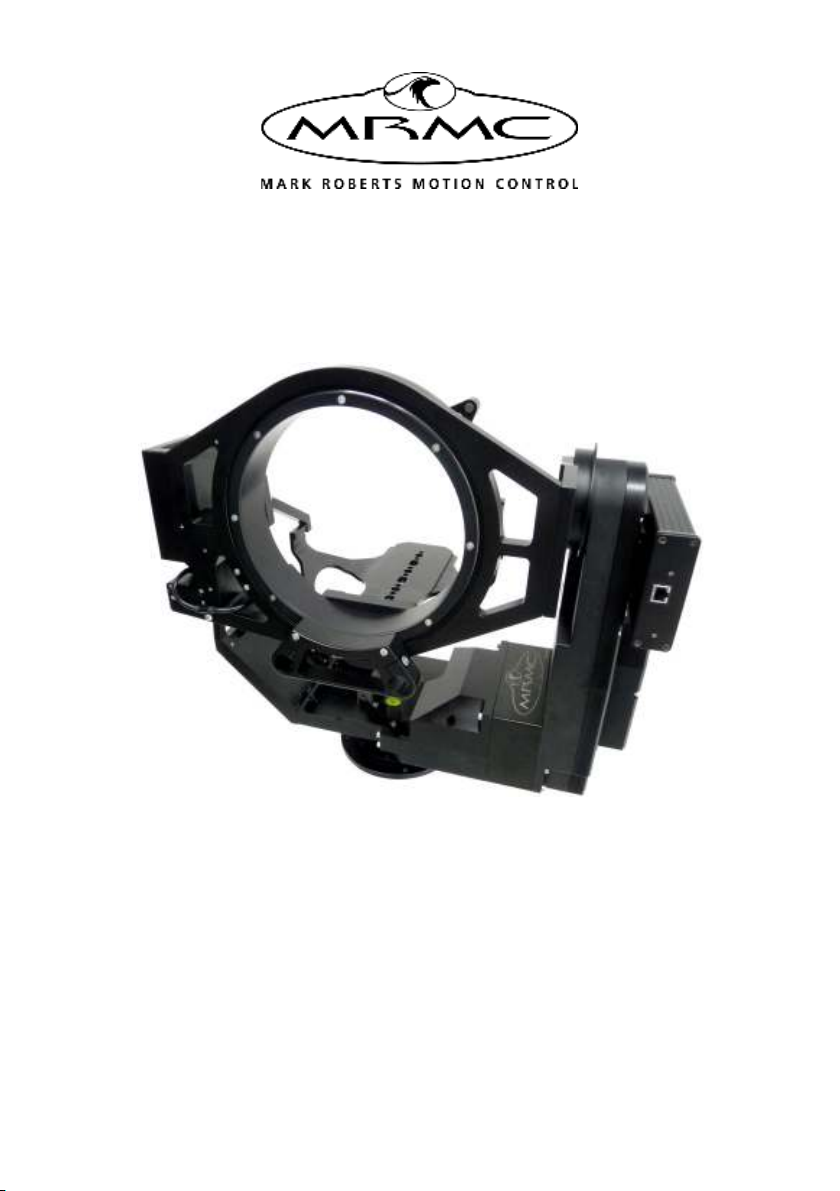
Thank you for using the SFH-50 robotic camera head from Mark Roberts
Motion Control (MRMC). The SFH-50 head is designed for reliable
day-in, day-out use in professional studio environments. The versatility of
the SFH-50 makes it suitable for live action, stills, and time-lapse
applications.
You can connect your SFH-50 to any MRMC controller, such as a PC
running Flair Motion Control Software or one of the MSA-based
controllers such the Large Flat Panel (LFP), MSA-20 Handwheels,
Joystick Controller, or Mini MSA.
SFH-50 Quick Start Guide
2
Setting up the hardware
1. Mount the SFH-50 head onto your choice of support, such as a
heavy-duty tripod or metal plate. The head can be over-slung
(sitting on a tripod or platform) or under-slung (hanging from its
mount).
Further details about mounting specifications are described in
Appendix 3 Specifications.
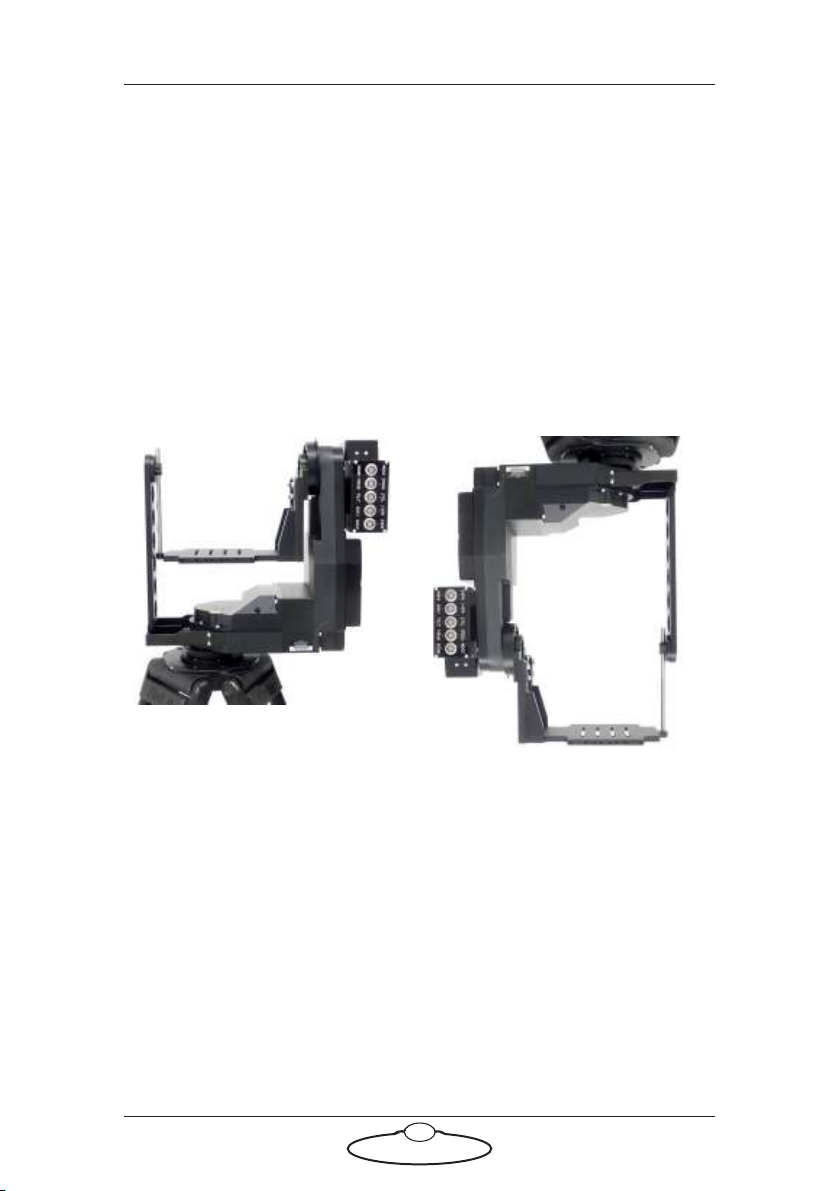
SFH-50 with Support Arm:
Over-slung Under-slung
SFH-50 Quick Start Guide
3
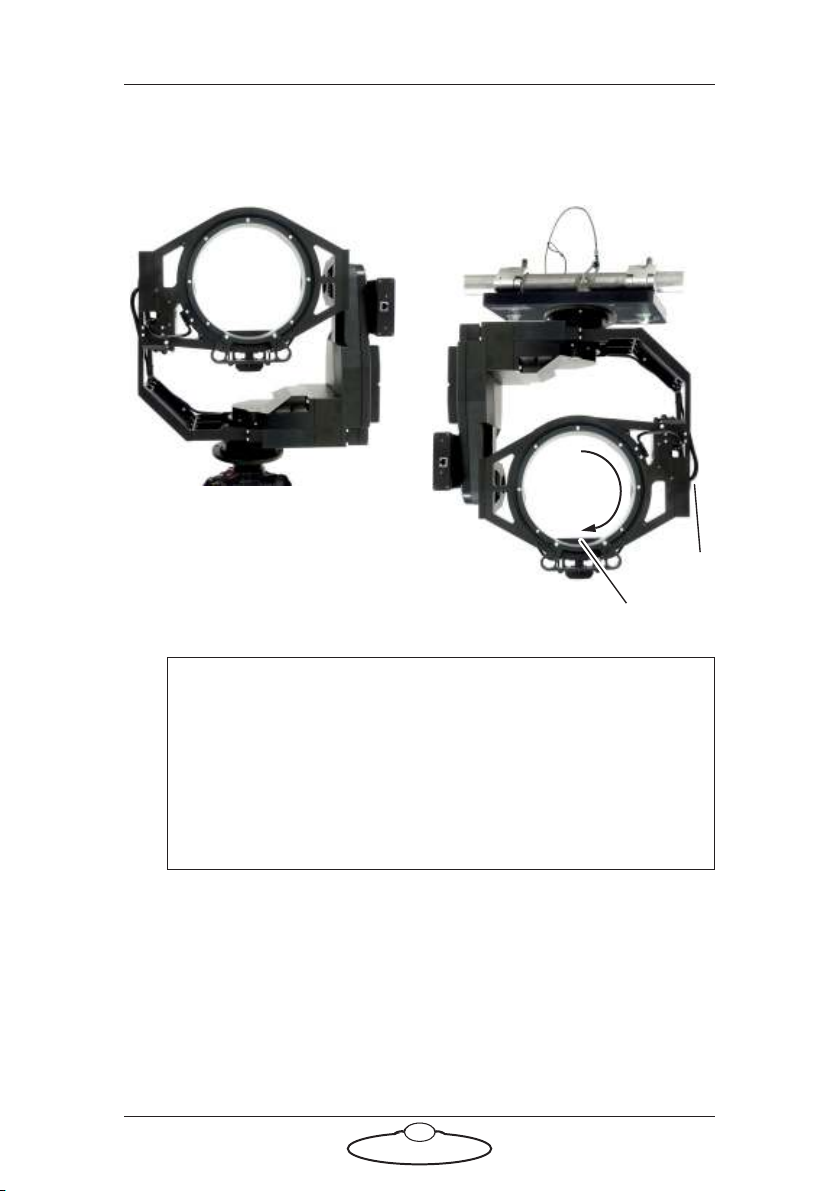
SFH-50 with Roll Ring:
Hint
If your SFH-50 has a Roll Ring and you use under-slung
mounting, move the camera platform to the bottom
(lowermost) position by manually rotating the Roll Ring 180°.
Do not move the camera platform to the bottom by inverting
the Tilt, as doing this will twist the Roll motor cable that goes
through the Tilt axle.
Over-slung on a tripod
Roll
Cable
Platform
180°
Under-slung from a scaffolding
plate. For details see page 45.
SFH-50 Quick Start Guide
4
2. Adjust the height of the camera platform relative to the head, so that
the camera lens will be at the same height as the Tilt axis (and
centred in the optional Roll Ring) when the camera is mounted later.
Do not adjust the platform height when a camera is mounted.
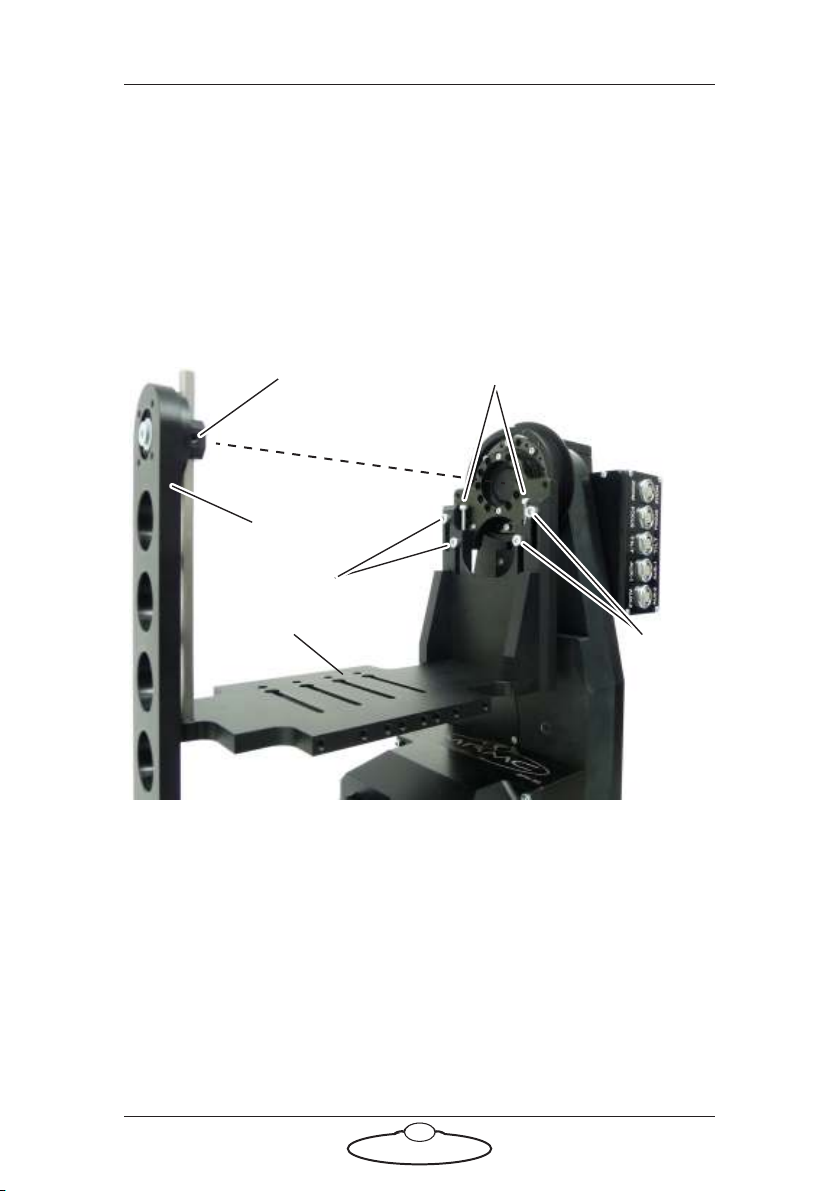
To adjust the height on an SFH-50 with a Support Arm, loosen the
five retaining bolts that hold the camera platform in place (one on
the Support Arm, then four on the main platform arm), turn the
two height adjustment bolts to achieve the platform height you
want, then re-tighten the five retaining bolts.
Loosen
Loosen
Platform
Loosen this one first,
tighten last
Height adjustment bolts
Tilt axis
Support Arm
Platform
SFH-50 Quick Start Guide
5
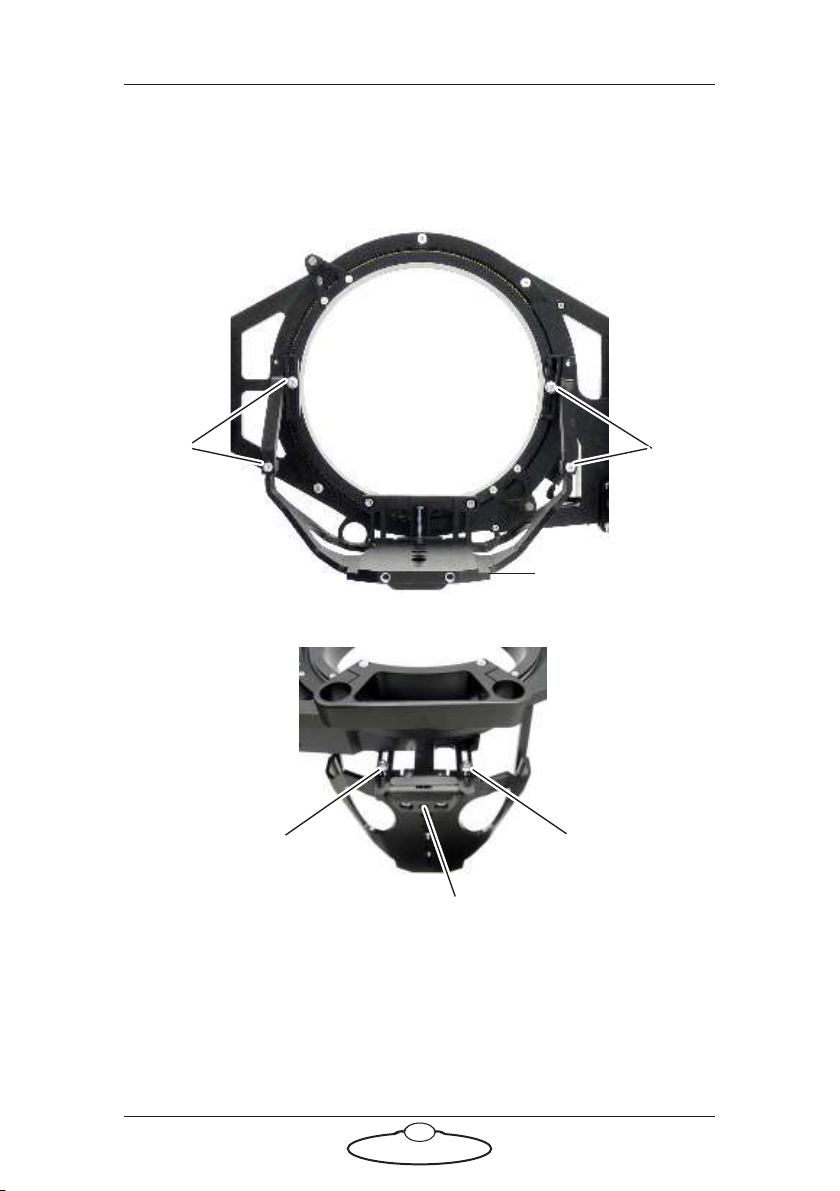
To adjust the height on an SFH-50 with a Roll Ring, loosen the six
retaining bolts that hold the camera platform in place (four in the
rear, two in the front), turn the height adjustment bolt to achieve the
platform height you want, then re-tighten the six retaining bolts.
Loosen Loosen
Rear view:
Loosen Loosen
Height adjustment bolt
Front view:
Platform
SFH-50 Quick Start Guide
6
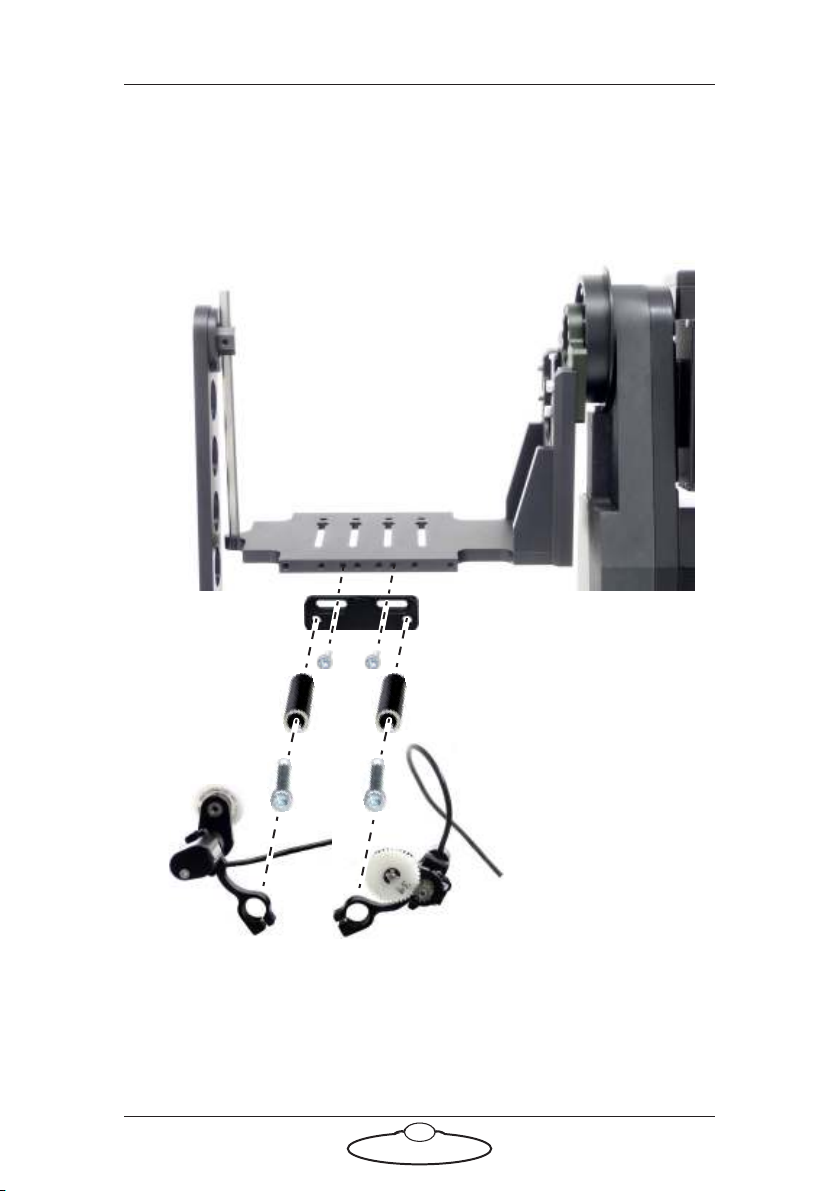
3. If you are using external Lens Control Motors (LCMs) mounted on
the head, bolt the mounting rods onto the head, then mount the
LCMs onto the rods in approximately the correct position. You can
fine-tune the position later.
SFH-50 with Support Arm:
Mounting
rods
LCM: Zoom
LCM: Focus
Questo manuale è adatto per i seguenti modelli
3
Indice
Altri manuali MRMC Accessori per fotocamere

MRMC
MRMC Robotic Pod Manuale utente

MRMC
MRMC NUCLEUS-M LENS MOTOR Manuale utente

MRMC
MRMC Pan Bars Manuale utente

MRMC
MRMC SFH-50 Manuale utente

MRMC
MRMC Robotic Pod Manuale utente

MRMC
MRMC MRMC-1488-00 Manuale utente

MRMC
MRMC MRMC-1502-04 Manuale utente

MRMC
MRMC MRMC-2318-00 Manuale utente

MRMC
MRMC MRMC-1096-00 Manuale utente

MRMC
MRMC MRMC-1167-02 Manuale utente


