Mustek PL736 Manuale utente

Playable Disk Format:
DVD/VCD/Audio CD/CD-R/CD-RW/Kodak Picture CD/JPEG Picture CD
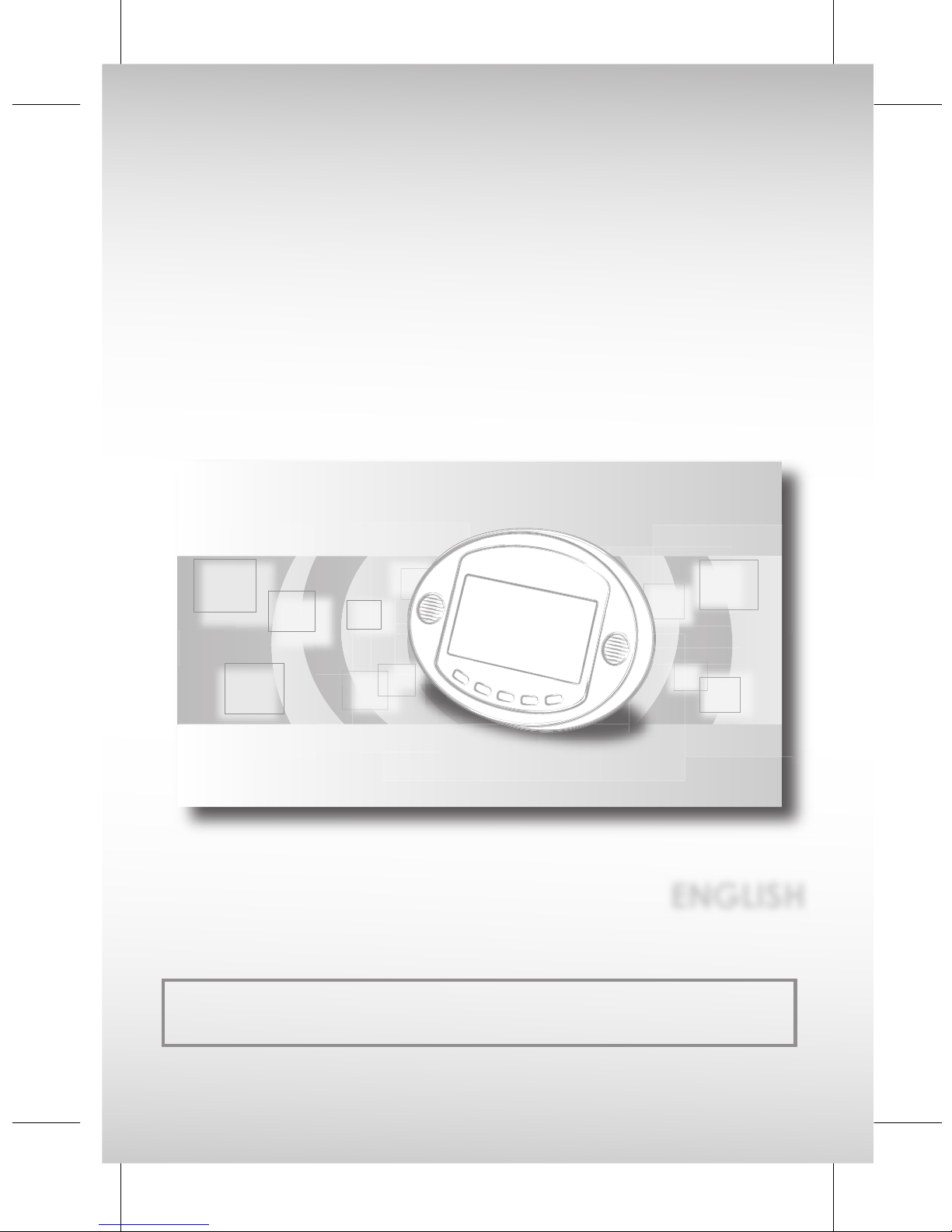
Portable DVD Player
User Guide
ENGLISH
82-183-00090

02

02
1
1
Portable DVD Player
Portable DVD Player
FCC and Safety Informantion................................................................................... 3
Important Safety Instructions....................................................................................5
Precautions..............................................................................................................7
Selecting the type of disc for the type of TV connected.........................................7
Chapter 1. DVD
1-1 DVD Playback....................................................................................................9
Basic Playback..........................................................................................................9
Stopping Playback...................................................................................................9
Stopping Playback and Returning to The Menu Screen (If a Menu Is Available
on The Disc)...............................................................................................................10
Rapid Advance and Rapid Reverse.......................................................................10
Skipping Ahead or Back to Chapters.....................................................................11
Still Picture (PAUSE)...................................................................................................11
Repeat Viewing........................................................................................................12
1-2 Convenient Func tions.......................................................................................13
Displaying Scene Information.................................................................................13
Changing Audio Soundtrack Language...............................................................13
Clearing/Displaying Subtitles (A)............................................................................14
Changing Subtitle Language (B)............................................................................14
Viewing From Another An gle..................................................................................15
Mute the DVD Player................................................................................................15
Using DVD Menu.......................................................................................................16
Using the Menu Function..........................................................................................16
Chapter 2. Audio CD
2-1 Audio CD Playback...........................................................................................17
Basic Playback..........................................................................................................17
Stopping Playback...................................................................................................17
Rapid Advance and Rapid Reverse.......................................................................17
Skipping Tracks: Going Forward or Reverse.........................................................18
Pause.........................................................................................................................18
2-2 Information [Audio CDs]...................................................................................19
Displaying Track Information...................................................................................19
Chapter 3. Special Functions
3-1 Playing Kodak Picture CDs...............................................................................20
Basic Playback.........................................................................................................20
Slide Show.................................................................................................................21
Rotate Mode........................................................... .................................................22
Program Mode..........................................................................................................23
Thumbnail Mode.......................................................................................................24
I Table of Contents I

02
2
2
Portable DVD Player
Portable DVD Player
02
3-2 Playing JPEG picture CDs.................................................................................25
Basic Playback.......................................................................................................25
File Manager.............................................................................................................26
Playing Mode............................................................................................................26
Program Mode..........................................................................................................27
Thumbnail Mode.......................................................................................................28
3-3 Playing a CD containing JPEG pictures and MP3 music.................................29
Basic Playback.........................................................................................................29
Playing Mode............................................................................................................30
Thumbnail Mode.......................................................................................................30
Program Mode.......................................................................................................31
Chapter 4. Setup
4-1 Language Setup................................................................................................32
On Screen Display (OSD) Language Setting..........................................................32
DVD MENU Language Setting.................................................................................33
Audio Soundtrack Language Selection [DVD]......................................................34
Subtitle Language Selection [DVD]........................................................................35
4-2 Screen Setup......................................................................................................36
TV Type Setting..........................................................................................................36
TV System Setting......................................................................................................38
Screen Saver Setting.................................................................................................39
Video Out Setting.....................................................................................................40
4-3 Custom Setup....................................................................................................42
Parental Control Setting................................................................................42
Password Setting...............................................................................43
Angle Mark Setting [DVD]........................................................................................44
Default Setting..........................................................................................................45
4-4 LCD Setup...........................................................................................................46
Color Setting.............................................................................................................46
Brightness Setting......................................................................................................46
LCD On/Off Setting..................................................................................................47
Mode Setting...........................................................................................................47
Chapter 5.For Your Reference
5-1 Troubleshooting.................................................................................................48
5-2 Disc Handling and Maintenance.....................................................................50
5-3 De nition of Terms.............................................................................................52
I Table of Contents-continued I

02
02
3
3
Portable DVD Player
Portable DVD Player
CAUTION:
This unit employs a laser. Due to possible eye injury, only quali ed service
personnel should remove the cover or attempt to service this de vice. Use
of controls or ad just ments or per for mance of procedures other than those
spec i ed herein may result in hazardous radiation exposure.
I FCC and Safety Information I
NOTE:
This equipment has been tested and found to comply with the lim its for a
Class B digital device pursuant to part 15 of the FCC Rules. These lim its are
designed to provide rea son able protection against harmful in ter fer ence
in a residential in stal la tion. This equipment generates, uses and can radi-
ate radio fre quen cy energy and, if not in stalled and used in ac cor dance
with the in struc tions, may cause harmful interference to radio com mu ni c-
a tions. However, there is no guarantee that interference will not occur in
a par tic u lar in stal la tion. If this equipment does cause harmful interference
to radio or tele vi sion reception, which can be determined by turn ing the
equipment off and on, the user is encouraged to try to correct the inter-
ference by one or more of the following measures:
– Reorient or relocate the receiving an ten na.
– Increase the separation between the equip ment and receiver.
– Connect the equipment into an outlet on a cir cuit different from that to
which the re ceiv er is connected.
– Consult the dealer or an experienced ra dio/TV technician for help.
This product incorporates copyright pro tec tion tech nol o gy that is pro-
tected by method claims of certain U.S. patents and other intellectual
property rights owned by Macrovision Corporation and other rights own-
ers. Use of this copyright protection technology must be authorized by
Macrovision Corporation, and is intended for home and other limited
viewing uses only unless otherwise au tho rized by Macrovision Corporation.
Reverse en gi neer ing or dis as sem bly is prohibited.
For DVD Players with 525p, but not 625p, progressive scan output:
CONSUMERS SHOULD NOTE THAT NOT ALL HIGH DEFINITION TELE VI SION
SETS ARE FULLY COMPATIBLE WITH THIS PROD UCT AND MAY CAUSE AR-
TIFACTS TO BE DISPLAYED IN THE PICTURE. IN CASE OF 525 PROGRESSIVE
SCAN PICTURE PROB LEMS, IT IS REC OM MEND ED THAT THE USER SWITCH THE
CON NEC TION TO THE ‘STAN DARD DEF I NI TION’ OUTPUT. IF THERE ARE QUES-
TIONS RE GARD ING YOUR TV SET COMPATIBILITY WITH THIS MODEL 525p
DVD PLAY ER, PLEASE CON TACT OUR CUS TOM ER SERVICE CENTER.’

02
4
4
Portable DVD Player
Portable DVD Player
02
Since it is usual for DVD movies to be released at dif fer ent times in different
regions of the world, all players have region codes and disc can have an
op tion al region code. If you load a disc of a different region code to your
player, you will see the region code notice on the screen. The disc will not
play, and should be unloaded.
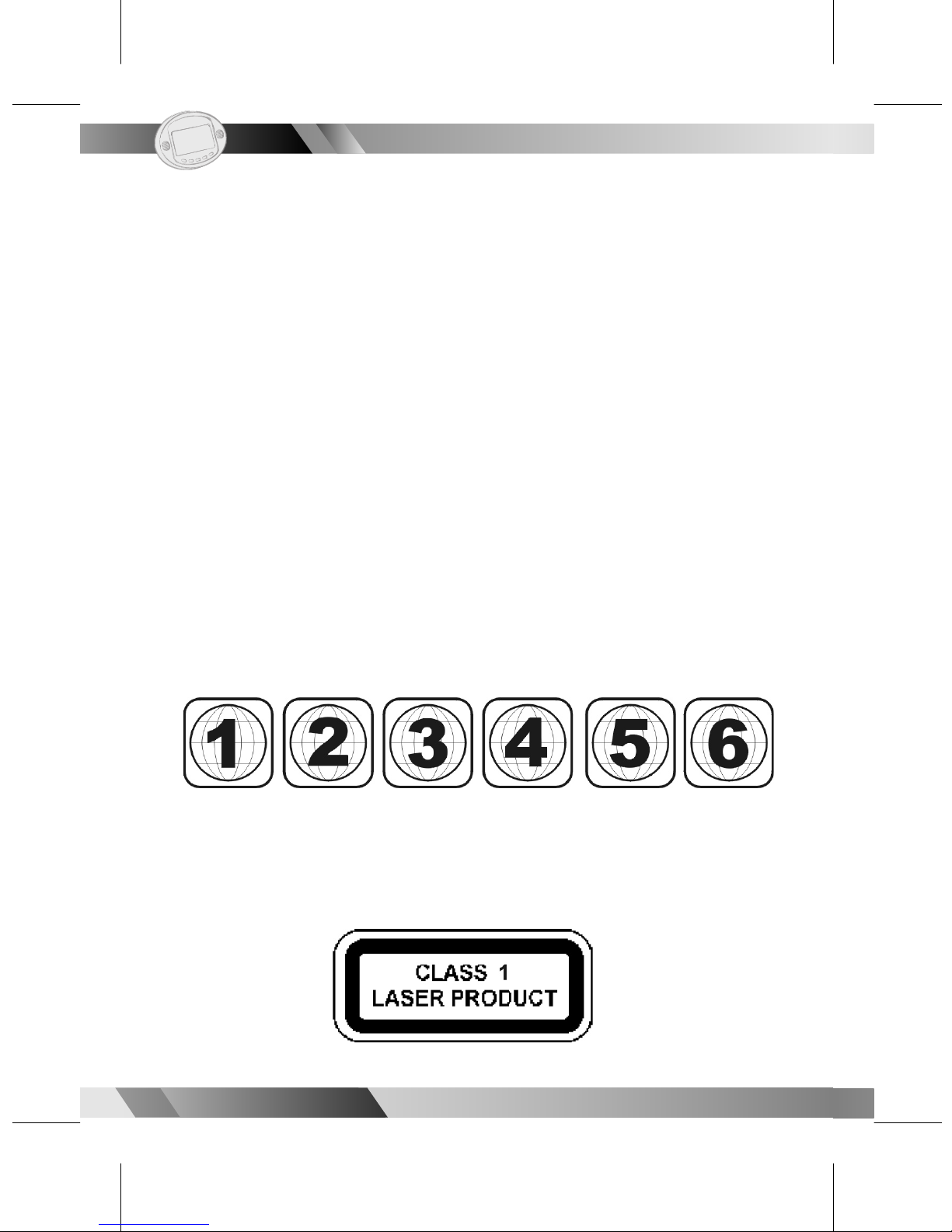
(Possible region codes:)
There are 6 regions (also called “locals”). Each DVD play er and disc will be
played in one region ONLY.
1: Canada, U.S., U.S. Territories
2: Japan, Europe, South Africa, Middle East (including Egypt)
3: Southeast Asia, East Asia (including Hong Kong)
4: Australia, New Zealand, Paci c Islands, Central America, Mexico, South
America, Car ib be an
5: Former Soviet Union, Indian Subcontinent, Africa (also North Korea,
Mongolia)
6:China
Never make or change connections with the power switched on.
CAUTION VISIBLE AND INVISIBLE LASER RADIATION WHEN OPEN. AVOID
EXPOSURE TO BEAM (WARNING LOCATION: INSIDE ON LASER COVERSHIELD).
I FCC and Safety Information I

02
02
5
5
Portable DVD Player
Portable DVD Player
1. Read these instructions.
2. Keep these instructions
3. Heed all warnings
4. Follow all instructions.
5. Do not use this apparatus near water.
6. Clean only with a damp cloth.
7. Do not block any of the ventilation openings. Install in accordance
with the man u fac tur er’s instructions.
8. Do not install near any heat sources such as radiators, heat register,
stoves, or other apparatus (including am pli ers) that produce heat.
9. Do not defeat the safety purpose of the polarized-type plug. A
polarized plug has two blades with one wider than the other. The
wide blade is provided for your safety. When the provided plug does
not t into your outlet, consult an electrician for replacement of the
obsolete outlet.
10. Protect the power cord from being walked on or pinched particularly
at plug, con ve nience receptacles, and the point where they exit from
the apparatus.
11. Only use attachments/accessories speci ed by the manufacturer.
12. Unplug this apparatus during lighting storms or when unused for long
periods of time.
13. Refer all servicing to quali ed service personnel. Servicing is required
when the ap pa ra tus has been damaged in any way; such as when
the power-supply cord or plug is damaged, liquid has been spilled or
objects have fallen into the apparatus, the apparatus has been
exposed to rain or moisture, does not operate normally, or has been
dropped.
I Important Safety Instructions I

02
6
6
Portable DVD Player
Portable DVD Player
02
Outdoor use or wet location applications:
An apparatus that does not comply with the requirements in Appendix A#
(Outdoor Use and Wet Location Ap pa ra tus) shall be marked or the instruction
manual packed with the word “WARNING” and the following or equiv a lent:
To reduce the risk of re or electric shock, do not expose this apparatus to rain
or moisture.
A Class II APPARATUS shall be permanently marked with the words “DOUBLE
INSULATION” or “Double in su lat ed” and “When servicing use only identical
replacement parts.”
WARNING: To reduce the risk of re or electric shock, do not expose this
apparatus to rain or moisture. The apparatus shall not be exposed to
dripping or splashing and that no objects lled with liquids, such as vases, shall
be placed on the apparatus.
I Important Safety Instructions I

02
02
7
7
Portable DVD Player
Portable DVD Player
Please read these precautions before op er at ing this unit.
nPower cord protection: To avoid any malfunctions of the unit, and to
protect against electric shock, re or personal injury, please observe
the fol low ing.
lHold the plug rmly when con nect ing or dis con nect ing the AC power
cord.
lKeep the AC power cord away from heating appliances.
lNever put any heavy object on the AC power cord.
lDo not attempt to repair or reconstruct the AC power cord in anway.
nPlacement: Avoid placing the unit in areas of:
lDirect sunlight or heating radiators, or closed automobiles.
lHigh temperature (over 350C) or high humidity (over 90%).
lMuch dust as the internal parts may be seriously damaged.
nNon-use periods:When the unit is not being used, turn it off. When left
unused for a long period of time, the unit should be unplugged from
the AC outlet.
nNo ngers or other objects inside
lTouching internal parts of this unit is dan ger ous, and may cause seri-
ous damage to the unit. Do not attempt to disassemble the unit.
lDo not put any foreign object on the disc tray.
nKeep away from water/magnet
lKeep the unit away from ower vases, tubs, sinks, etc. If liquids are
spilled into the unit, serious damage could occur.
lNever bring a magnet or magnetized object near the unit.
nStacking: place the unit in a horizontal position, and do not place
anything heavy on it.
nCondensation: moisture may form on the lens in the following
conditions:
lImmediately after a heater has been turned on.
lIn a steamy or very humid room.
lWhen the unit is suddenly moved from a cold environment to a warm
one.If moisture forms inside this unit, it may not operate properly. In this
case, turn on the power and wait about one hour for the moisture to
evaporate.
nIf there is noise interference on the TV while a broadcast is being
receivedDepending on the reception condition of the TV, interference
may appear on the TV monitor while you watch a TV broadcast and
the unit is left on. This is not a malfunction of the unit or the TV. To
watch a TV broadcast, turn off the unit.
I Precautions I

02
8
8
Portable DVD Player
Portable DVD Player
02
I Selecting the type of disc
for the type of TV con nect edI
DVDs are recorded in PAL or NTSC formats. Please refer to the table below to
nd the apporiate format for your region.
n Connecting to a multi-system TV
n Connecting to a NTSC TV
n Connecting to a PAL TV
Indice
Altri manuali Mustek Lettore DVD portatile

Mustek
Mustek MP80B Manuale utente

Mustek
Mustek MP70B Manuale utente

Mustek
Mustek PL407 Manuale utente

Mustek
Mustek PL408 Manuale utente

Mustek
Mustek MP102ATV Manuale utente

Mustek
Mustek PL607 Manuale utente

Mustek
Mustek PL510T Manuale utente

Mustek
Mustek MVP1020B Manuale utente

Mustek
Mustek PL408H Manuale utente

Mustek
Mustek PL510T Manuale utente

Mustek
Mustek PL510 Manuale utente

Mustek
Mustek MP100A Manuale utente

Mustek
Mustek PL408T Manuale utente

Mustek
Mustek DTV-MP80D Manuale utente

Mustek
Mustek MP76ATV Manuale utente

Mustek
Mustek PL8A90 Manuale utente

Mustek
Mustek MP90 Manuale utente

Mustek
Mustek P400H Manuale utente

Mustek
Mustek MVP700B Manuale utente

Mustek
Mustek PL8A90T Manuale utente