
NCI 7815 Manuale utente

User’s Manual
Model 7815
Parcel Bench Scale

Model 7815 Parcel Bench Scale User’s Manual
2
CAUTION
Risk of electrical shock. Do not remove cover.
No user serviceable parts inside. Refer servicing to
qualified service personnel.
Weigh-Tronix reserves the right to change
specifications at any time.
09/09/05 7815_U.P65 PN 7424-16728E

Model 7815 Parcel Bench Scale User’s Manual 3
Table of Contents
Description -------------------------------------------------- 4
Specifications ----------------------------------------------- 4
Initial Setup -------------------------------------------------- 7
Operation ---------------------------------------------------- 8
Entering Setup Mode ------------------------------------- 9
Diagnostics Mode ----------------------------------------- 9
Configuration Mode -------------------------------------- 12
Calibration Mode ------------------------------------------ 14
Re-Calibration Mode ------------------------------------- 16
Review/Test Scale Settings---------------------------- 17
Error Codes ------------------------------------------------ 18
Communication ------------------------------------------- 18
Troubleshooting ------------------------------------------- 20
Spare Parts Listing --------------------------------------- 22

Model 7815 Parcel Bench Scale User’s Manual
4
Description
The NCI Model 7815 is a digital electronic parcel
bench scale specifically designed for shipping
applications and is “Legal-for-Trade.”
The NCI Model 7815 has a standard RS-232
serial interface that enables it to be easily con-
nected to a computer or other data-processing
device.
Specifications
Capacity/Resolution
Power Supply
Model Capacity (lb) Capacity (kg) n(max)
7815-75 150 x 0.1 lb 75 x 0.05 kg 1500, 1500 (1)
7815-75 150 x 0.05 lb 75 x 0.02 kg 3000, 3750 (2)
(1) FACTORY SET (TYPE APPROVED) (2) SELECTABLE (NOT TYPE APPROVED)
United States: NTEP #00-096. For use as a
Class III Device from +5º to +40ºC.
If unit is to be used as a commercial device, all
local reporting and registration requirements
must be followed.
14"L x 12.5"W x 4.2"H
UL/CSA approved. In-line power supply with 6’
cord.
INPUT: 120 VAC + 10%-15%, Standard 3 wire w/
ground
OUTPUT: 15VDC @ .3 Amps DC
60 Hz Standard
0.1 amp maximum
42° to 104°F (+5º to +40ºC)
Dimensions
Agency Approvals
Operating Temperature
Frequency
Power Requirements

Model 7815 Parcel Bench Scale User’s Manual 5
Over Capacity Limits
Scale Leveling
Die cast aluminum base with an ABS plastic
weight platter. Built-in overload protection.
Adjustable center stop, fixed corner stops.
1/2” high, six-digit LCD
Key panel with ZERO and TEST keys.
Optional remote display with 7 ft. cable.
A level bubble is mounted on the load bridge.
Leveling is accomplished by adjusting the four
feet on the bottom of the scale.
Initial automatic zero setting is ±10% of maxi-
mum capacity—active at power on. Manual zero
setting range is ±2% of maximum capacity—
active using the ZERO key.
Under capacity indication will be given with
dashes appearing on the bottom line of the
display whenever the display is below zero.
Over capacity indication will be given with dashes
appearing on the top line of the display whenever
the weighed item exceeds 9 divisions over the
rated capacity of the unit. The scale will use the
initial zero value for reference for over capacity
determination.
Access to the calibration switch can be secured
with a lead-wire or pressure sensitive security
seal. The remote and primary indicators have no
metrological features that require the use of a
security seal.
The scale has 65,000 internal counts.
Sealing
Internal Counts
Construction
Under Capacity Limits
Display
Zero Window

Model 7815 Parcel Bench Scale User’s Manual
6
Communications
Dynamic Response The time from when weight is applied to the scale
to the time when stable weight is displayed:
0-1000d, 1.5 seconds
maximum mean average
1000d+, 2 seconds
maximum mean average
Factory default settings: 9600 baud, 7 data bits,
even parity, 1 stop bit.
Standard 9-pin pass through RS-232 interface
cable included. Not a null modem.
RS-232 bidirectional, configurable 1200 to 19.K
baud. Transmits weight and scale status when-
ever ASCII “W”<CR> is sent by a remote device

Model 7815 Parcel Bench Scale User’s Manual 7
Check container for any obvious evidence of
damage. Inspect the unit for shipping damage.
Immediately report any damage to the shipper.
1. Mount the unit on a stable, level surface that
is free from air currents and vibration. Be
sure the weigh platter does not touch any
adjacent surfaces.
2. To install the weigh platter flush with a
countertop, use the dimensions below to
guide your construction.
7815 Platform Minimum Cutout
Dimensions Dimensions
14" W 14.75" W
12.5" D 13.25" D
4.2" Min. Ht.
3. Loosen the collars on the leveling feet. Level
the unit by using the level bubble under the
platter as a guide. Be sure all four feet are in
firm contact with the counter, then tighten all
collars.
4. Make sure all power cords, remote display
cables, etc. are not touching the live weighing
surface.
5. Plug the unit into an appropriate voltage
outlet, properly grounded.
Initial Setup
Installing the Scale
Unpacking the Scale
Model 7815 Parcel Bench Scale User’s Manual
8
After the NCI Model 7815 is properly installed
and power is applied, the display will perform a
countdown test to insure all display segments are
functional.
After this test is completed, the display should
show zero (0.0).
If the display indicates a slightly “off” zero condi-
tion (either a number in the display or dashes at
the bottom of the display), press the ZERO key.
When the display shows 0.0, it is ready to weigh.
Place item or parcel on the weigh platter and the
weight will be displayed. This information can be
transmitted when requested by the computer.
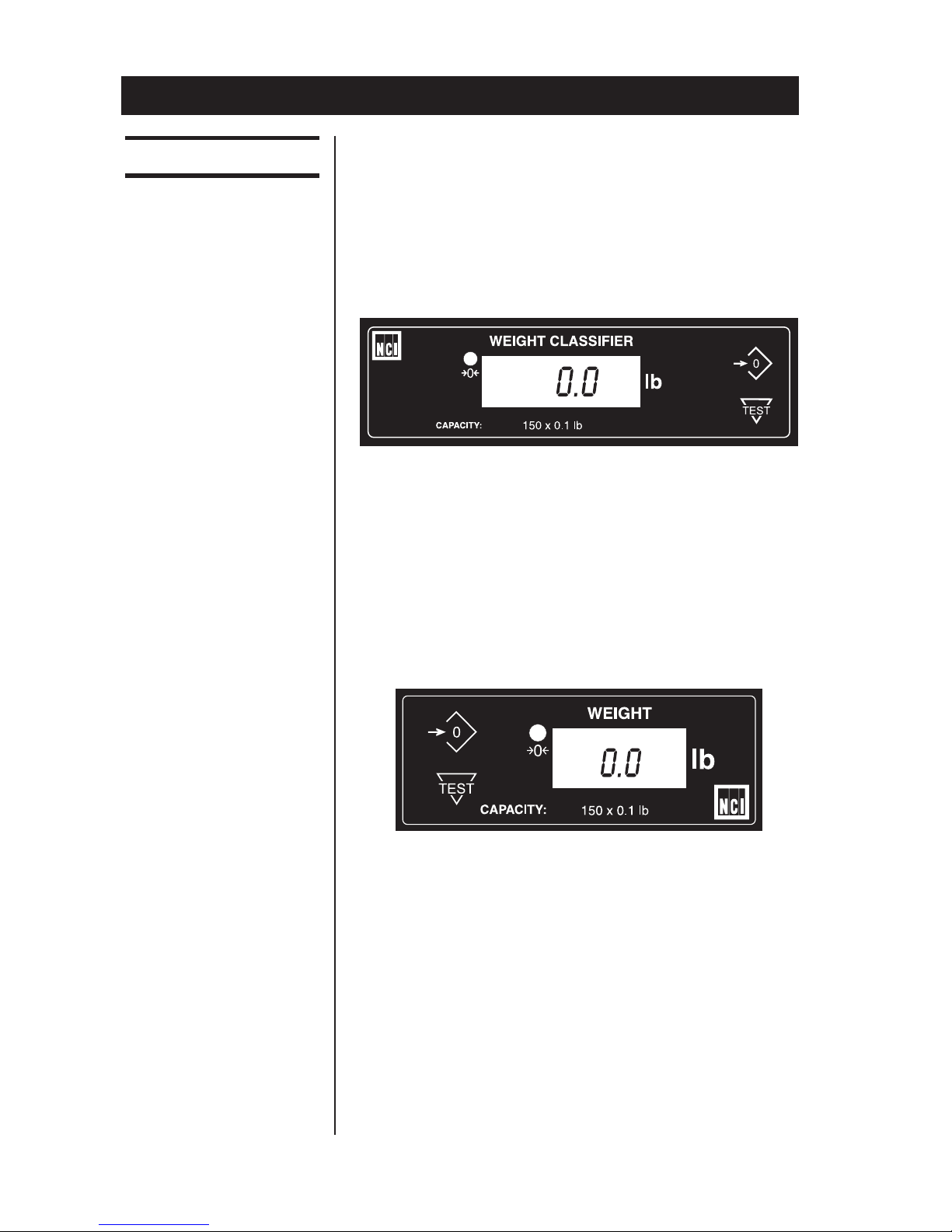
Model 7815 scales can have an optional remote
display (shown above). The remote display has a
keyboard and can be used in place of the resi-
dent display. To activate the remote display,
power down the scale, plug the remote display
cable end into the marked socket on the back of
the unit. Reapply power and weight data will
appear on both the resident and remote displays.
The control keys (i.e., ZERO and TEST) are
active on both displays in the Model 7815.
Operation
Operating Instructions
NCI Model 7815
Resident Display
Remote Displays

Model 7815 Parcel Bench Scale User’s Manual 9
Entering Setup Mode
You can access the MENU Mode by pressing
switch 1 shown in Figure 1.
In the Menu Mode, there are four modes avail-
able. They are as follows:
Diagnostic Mode (DIAG) – Used to test areas of
the scale’s function.
Configuration Mode (CONF) – Used to config-
ure the scale for your application.
Calibration Mode (CAL) – Used when calibrat-
ing the scale.
Recalibration Mode (RE-CAL) – Used to
change resolution and rounding-type.
The structure for these menus is shown in Figure
2. Following that are the step-by-step instructions
for accessing the items within each menu.
Accessing the
Menu Mode
Figure 1
Switch Diagram
Diagnostics Mode
Diagnostic DIAG Mode The diagnostic (DIAG) mode menu lets you test
specific areas of the unit’s function. These areas
are:
Display (DISP) – Shows the version and revision
of the software, followed by a display segment
test.

Model 7815 Parcel Bench Scale User’s Manual
10
Figure 2
Menu Structure
Altri manuali per 7815
1
Indice
Altri manuali NCI Scala


