
NCR 4072 Manuale utente

NCR 4072
500–1400 VA
Uninterruptible Power Systems (UPS)
Site Preparation,
Installation, and Operation Manual

Class B EMC Statements
FCC Part 15
NOTE This equipment has been tested and found to comply with the limits for a Class B digital device,
pursuant to part 15 of the FCC Rules. These limits are designed to provide reasonable protection against
harmful interference in a residential installation. This equipment generates, uses and can radiate radio
frequency energy and, if not installed and used in accordance with the instructions, may cause harmful
interference to radio communications. However, there is no guarantee that interference will not occur in
a particular installation. If this equipment does cause harmful interference to radio or television
reception, which can be determined by turning the equipment off and on, the user is encouraged to try to
correct the interference by one or more of the following measures:
쑺Reorient or relocate the receiving antenna.
쑺Increase the separation between the equipment and the receiver.
쑺Connect the equipment into an outlet on a circuit different from that to which the receiver is
connected.
쑺Consult the dealer or an experienced radio/TV technician for help.
ICES-003
This Class B Interference Causing Equipment meets all requirements of the Canadian Interference
Causing Equipment Regulations ICES-003.
Cet appareil numérique de la classe B respecte toutes les exigences du Reglement sur le matériel
brouilleur du Canada.
ECopyright 2001–2005 NCR Corporation, Dayton, Ohio. All rights reserved. No part of this document may
be reproduced in any way without the express written approval of NCR Corporation.

Requesting a Declaration of Conformity
Units that are labeled with a CE mark comply with the following harmonized standards and EU
directives:
쑺Harmonized Standards: IEC 62040-1-1 and IEC 62040-2; IEC 60950 Third Edition
쑺EU Directives: 73/23/EEC, Council Directive on equipment designed for use within certain voltage
limits
93/68/EEC, Amending Directive 73/23/EEC
89/336/EEC, Council Directive relating to electromagnetic compatibility
92/31/EEC, Amending Directive 89/336/EEC relating to EMC
The EC Declaration of Conformity is available upon request for products with a CE mark. For copies of
the EC Declaration of Conformity, contact:
Loren Schide
NCR
1611 South Main Street
Dayton, OH 45479
Phone: 937-445-5305

Special Symbols
The following are examples of symbols used on the UPS to alert you to important
information:
Risk of Electric Shock
Do Not Open Cover
CAUTION
CAUTION To reduce the risk of electric shock,
Do not remove cover (or back)
No user-serviceable parts inside
Refer servicing to the factory
RISK OF ELECTRIC SHOCK - Indicates that a risk of electric shock is present and the
associated warning should be observed.
CAUTION: REFER TO OPERATOR’S MANUAL - Refer to your operator’s manual
for additional information, such as important operating and maintenance instructions.
SAFETY EARTHING TERMINAL - Indicates the primary safety ground.
LOAD ON/OFF - Press the button with this symbol to energize the output receptacles
(µindicator illuminates) or to de-energize the output receptacles (µindicator is
off).
RJ-45 RECEPTACLE - For 230V units only: this receptacle provides network interface
connections. Do not plug telephone or telecommunications equipment into this
receptacle.
This symbol indicates that you should not discard the UPS or the UPS batteries in the
trash. The UPS may contain sealed, lead-acid batteries. Batteries must be recycled.

i
NCR 4072 UPS Site Preparation, Installation, and Operation Manual S05147374 Rev C Uncontrolled Copy
Table of Contents
1 NCR 4072 – One of the Best! 1.................................
2 Safety Warnings 3............................................
3 Installation 17.................................................
Inspecting the Equipment 17.................................................
UPS Internal Battery Connection 18...........................................
Installing the UPS 20........................................................
UPS Rear Panels 22.........................................................
4Operation 27..................................................
Turning the UPS On 27......................................................
Starting the UPS on Battery 27.............................................
Turning the UPS Off 27.....................................................
Standby Mode 28..........................................................
UPS Front Panel 28.........................................................
Initiating the Self-Test 28....................................................
5 Additional UPS Features 29.....................................
Voltage Configuration 29....................................................
Communication Options 30..................................................
USB Port 30.............................................................
DB-9 Communication Port 31..............................................
Network Transient Protector 32..............................................
6 UPS Maintenance 33...........................................
UPS and Battery Care 33....................................................
Storing the UPS and Batteries 33...........................................
Replacing Batteries 34......................................................
Testing New Batteries 37....................................................
Recycling the Used Battery 38................................................

Table of Contents
ii NCR 4072 UPS Site Preparation, Installation, and Operation Manual S05147374 Rev C Uncontrolled Copy
7 Specifications 39..............................................
8 Troubleshooting 43............................................
Audible Alarms and UPS Conditions 43........................................
Silencing an Audible Alarm 44.............................................
Site Wiring Fault (120V Models Only) 44.....................................
Service and Support 47.....................................................
1
NCR 4072 UPS Site Preparation, Installation, and Operation Manual S05147374 Rev C Uncontrolled Copy
Chapter 1 NCR 4072 – One of the Best!
The NCR 4072 uninterruptible power system (UPS) protects your
sensitive electronic equipment from basic power problems such as power
failures, power sags, power surges, brownouts, and line noise.
Power outages can occur when you least expect it and power quality can
be erratic. These power problems have the potential to corrupt critical
data, destroy unsaved work sessions, and damage hardware — causing
hours of lost productivity and expensive repairs.
With the NCR 4072 UPS, you can safely eliminate the effects of power
disturbances and guard the integrity of your equipment. The NCR 4072
UPS’s flexibility to handle an array of network devices makes it the
perfect choice to protect your LANs, servers, workstations, and other
electrical equipment.
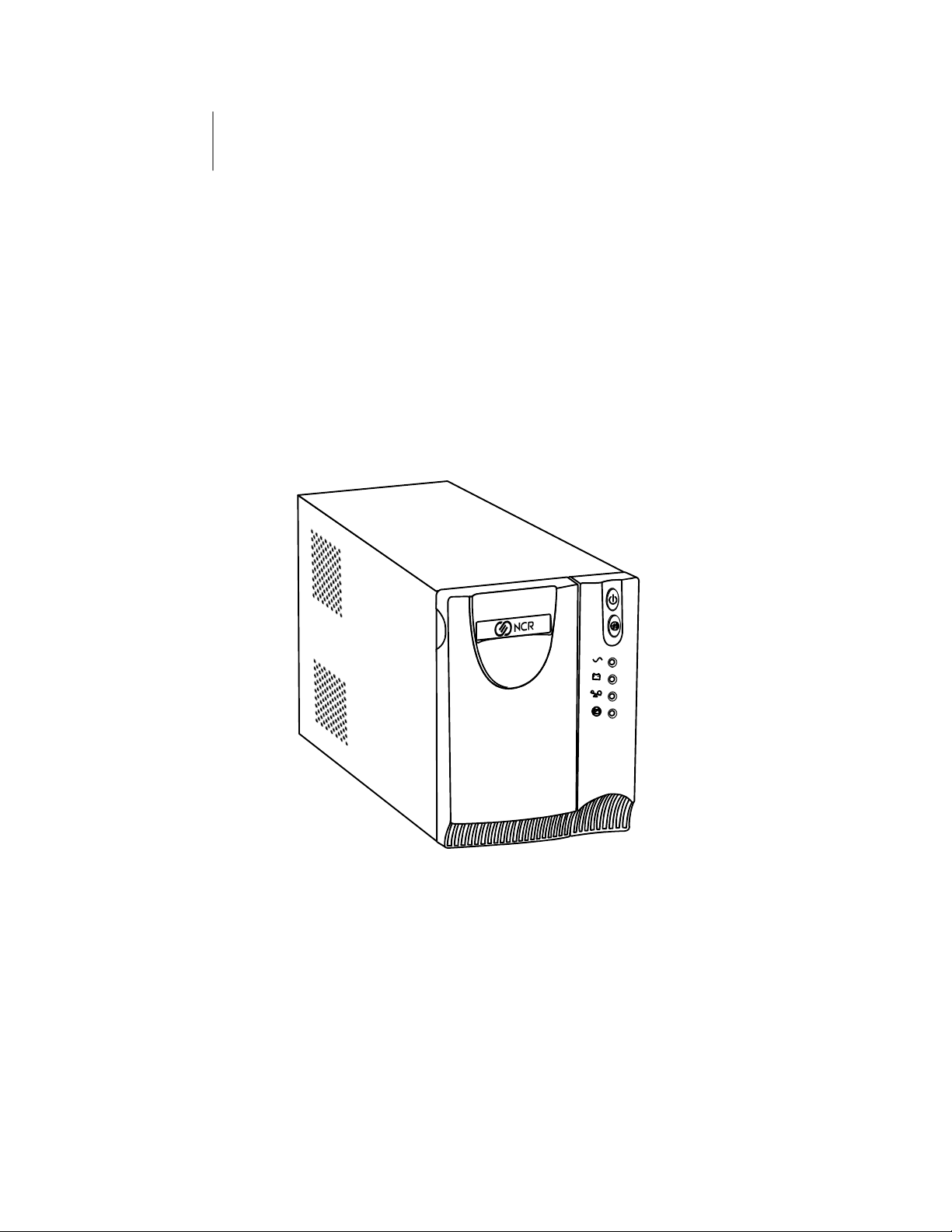
Figure 1. The NCR 4072 UPS

NCR 4072 – One of the Best!
2NCR 4072 UPS Site Preparation, Installation, and Operation Manual S05147374 Rev C Uncontrolled Copy
Providing outstanding performance and reliability, the NCR 4072 UPS’s
unique benefits include the following:
쑺Battery Save technology doubles battery service life, optimizes
recharge time, and provides a warning before the end of useful
battery life.
쑺Buck and Boost voltage regulation ensures consistent voltage to your
load by correcting voltage fluctuations.
쑺Hot-swappable batteries simplify maintenance by allowing you to
replace batteries safely without powering down the critical load.
쑺Start-on-battery capability allows you to power up the UPS even if
utility power is not available.
쑺Two standard communication options with a USB port and DB-9 serial
port.
쑺Network Transient Protector guards your network communications
equipment from surges. Low voltage models can also protect
modems, fax machines, or other telecommunications equipment.
쑺The NCR 4072 UPS is backed by worldwide agency approvals.

3
NCR 4072 UPS Site Preparation, Installation, and Operation Manual S05147374 Rev C Uncontrolled Copy
Chapter 2 Safety Warnings
Read the following precautions before you install the UPS.
IMPORTANT SAFETY INSTRUCTIONS
SAVE THESE INSTRUCTIONS
This manual contains important instructions that you should follow during
installation and maintenance of the UPS and batteries. Please read all
instructions before operating the equipment and save this manual for future
reference.
DANGER
This UPS contains LETHAL VOLTAGES. All repairs and service should be
performed by AUTHORIZED SERVICE PERSONNEL ONLY.ThereareNO USER
SERVICEABLE PARTS inside the UPS.
WARNING
쑺This UPS contains its own energy source (batteries). The output receptacles
may carry live voltage even when the UPS is not connected to an AC supply.
쑺For 220–240V models, the output receptacles may remain electrically live. If
the input power source in your application is wired line-to-neutral (as in
most European applications), the voltage to the output receptacles is 0V.
With line-to-line input wiring, the voltage to the output receptacles is
110–120V (measured from line-to-ground or line-to-neutral, depending on
the UPS wiring).
쑺Do not remove or unplug the input cord when the UPS is turned on. This
removes the safety ground from the UPS and the equipment connected to
the UPS.
쑺To reduce the risk of fire or electric shock, install this UPS in a temperature
and humidity controlled, indoor environment, free of conductive
contaminants. Ambient temperature must not exceed 40°C (104°F). Do not
operate near water or excessive humidity (95% max).
쑺To comply with international standards and wiring regulations, the total
equipment connected to the output of this UPS must not have an earth
leakage current greater than 1.5 milliamperes.

Safety Warnings
4NCR 4072 UPS Site Preparation, Installation, and Operation Manual S05147374 Rev C Uncontrolled Copy
CAUTION
쑺The wall outlet must be within 2 meters of the equipment and accessible to
the operator.
쑺Batteries can present a risk of electrical shock or burn from high
short-circuit current. The following precautions should be observed:
1) Remove watches, rings, or other metal objects; 2) Use tools with insulated
handles; 3) Do not lay tools or metal parts on top of batteries; 4) Disconnect
charging source prior to connecting or disconnecting battery terminals.
쑺Proper disposal of batteries is required. Refer to your local codes for
disposal requirements.
쑺Never dispose of batteries in a fire. Batteries may explode when exposed to
flame.
쑺Never open or mutilate batteries. Released electrolyte is harmful to the skin
and eyes, and may be extremely toxic.
쑺Replace batteries with the same number and type of batteries as originally
installed in the UPS.
Indice
Manuali UPS popolari di altre marche

Pylontech
Pylontech Victron & Pylontech US5000 Manuale utente

Tecnoware
Tecnoware EVO DSP PLUS MM 6.8 Manuale utente

Mecer
Mecer ME-1000-WTU Manuale utente

Mustek
Mustek PowerMust 530(B) Plus Manuale di installazione e funzionamento

Emerson
Emerson Liebert NXL series Manuale utente

MAKELSAN
MAKELSAN BOXER SERIES Manuale utente


