
Nera WorldCommunicator Manuale utente


4Nera WorldCommunicator
GETTING STARTED
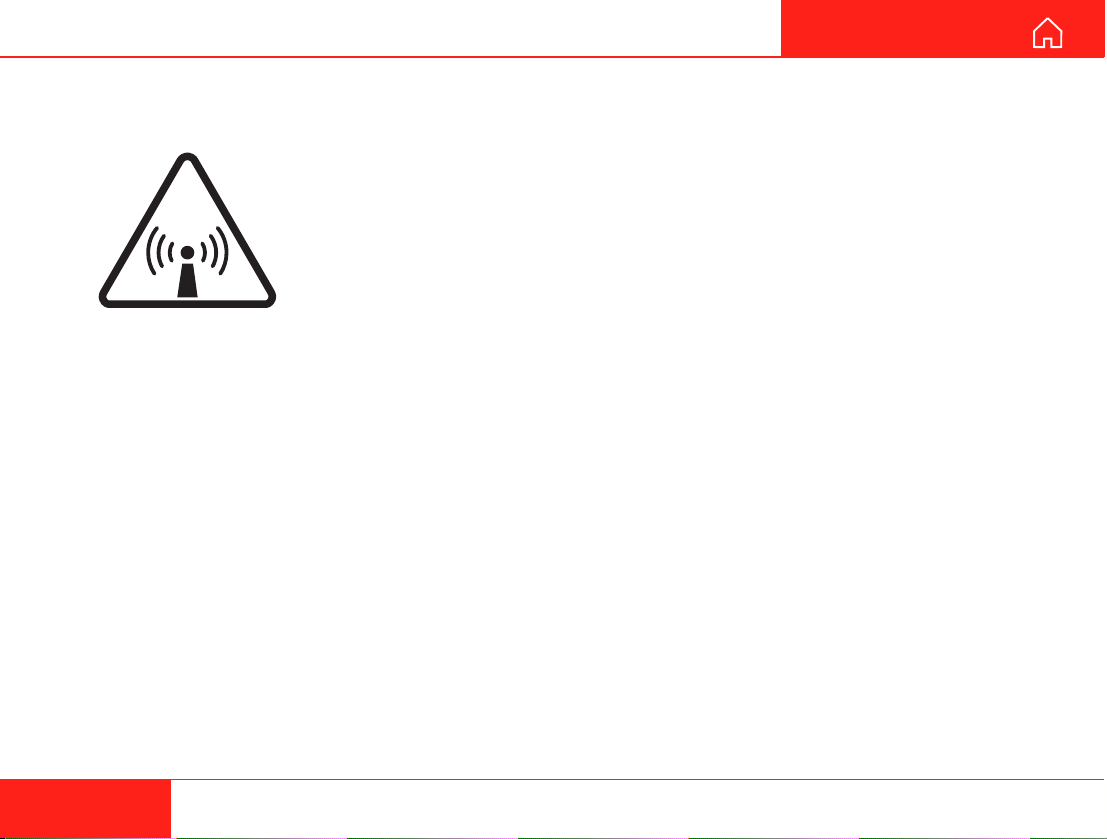
RADIATION WARNING
High levels of radio frequency radiation are considered health hazardous.
Although no single value of “safe radiation level” has been agreed upon by all
countries, the American National Standards Institute (ANSI/LEEE C95.1-1992)
recommends that people should not be exposed to radiation stronger than
1 milliwatt per square centimetre at the frequencies used in the
WORLDCOMMUNICATOR terminal. Accordingly, the operator of the terminal
should ensure that the area extending 2 metres from the front of the antenna be
kept clear of personnel when the terminal is transmitting.
OBTAINING LICENSING FOR INMARSAT TERMINALS
Under rights given under ITU Radio Regulations, local telecommunications administrations establish and enforce
national rules and regulations governing types of emissions, power levels, and other parameters that effect the
purity of signal, which may be radiated in the various frequency bands of the radio spectrum.
To legally operate an Inmarsat terminal, it is necessary to obtain permission from the local telecommunications
regulatory authorities of the country you are operating within. Using your terminal in any country without
permission causes you to run the risk of confiscation of the terminal or legal action from local authorities. Normal
practice for taking telecommunications into another country is to apply for a license before travel. If a license has
not been obtained before travel, the equipment may be put into storage by local authorities until such time as a
license is obtained.
All specifications are subject to change without notice.
RADIO FREQUENCY RADIATION
HAZARD - KEEP CLEAR
2 METRES MINIMUM

5
Nera WorldCommunicator
GETTING STARTED CONTENTS
SATELLITE COMMUNICATION ............................. 6
APPLICATIONS EXAMPLE .................................... 7
EQUIPMENT DESCRIPTION ................................. 8
General .............................................................. 8
Communication services .................................... 8
WorldCommunicator with fixed antenna .......... 10
Connections ..................................................... 11
Internal battery ................................................. 12
Charging .......................................................... 12
External power ................................................. 12
SIM card ........................................................... 13
PIN code .......................................................... 13
SETTING UP ......................................................... 14
Satellite search ................................................ 14
Connecting the first ISDN device ..................... 17
Linking the first DECT handset to the
WorldCommunicator DECT base station ......... 18
Selecting default Net service provider ............. 19
Making a call .................................................... 20
To call the WorldCommunicator ....................... 21
ADDITIONAL DEVICES ........................................ 22
Services ........................................................... 22
Routing of incoming calls ................................. 23
Connecting additional ISDN devices ................ 24
Linking additional DECT handsets ................... 24
Installing the PC program ................................ 25
ISDN MSN configuration .................................. 26
DECT MSN configuration ................................. 27
DISPLAY FUNCTIONS ......................................... 28
Overview .......................................................... 28
Information ....................................................... 29
Configure DTE ................................................. 30
Enabling/disabling the DECT base station ....... 31
ISDN EFFICIENCY ............................................... 32
BATTERY HANDLING .......................................... 33
MOUNTING FIXED ANTENNA ............................. 34
TROUBLESHOOTING .......................................... 35
LIST OF TERMS ................................................... 37
TO UNPLUG ANTENNA RF CONNECTOR ......... 38
6Nera WorldCommunicator
GETTING STARTED
Equator
WorldCommunicator coverage
AOR-W IOR
AOR-E POR
POR
NNE
S
IOR
AOR-E
AOR-W
POR
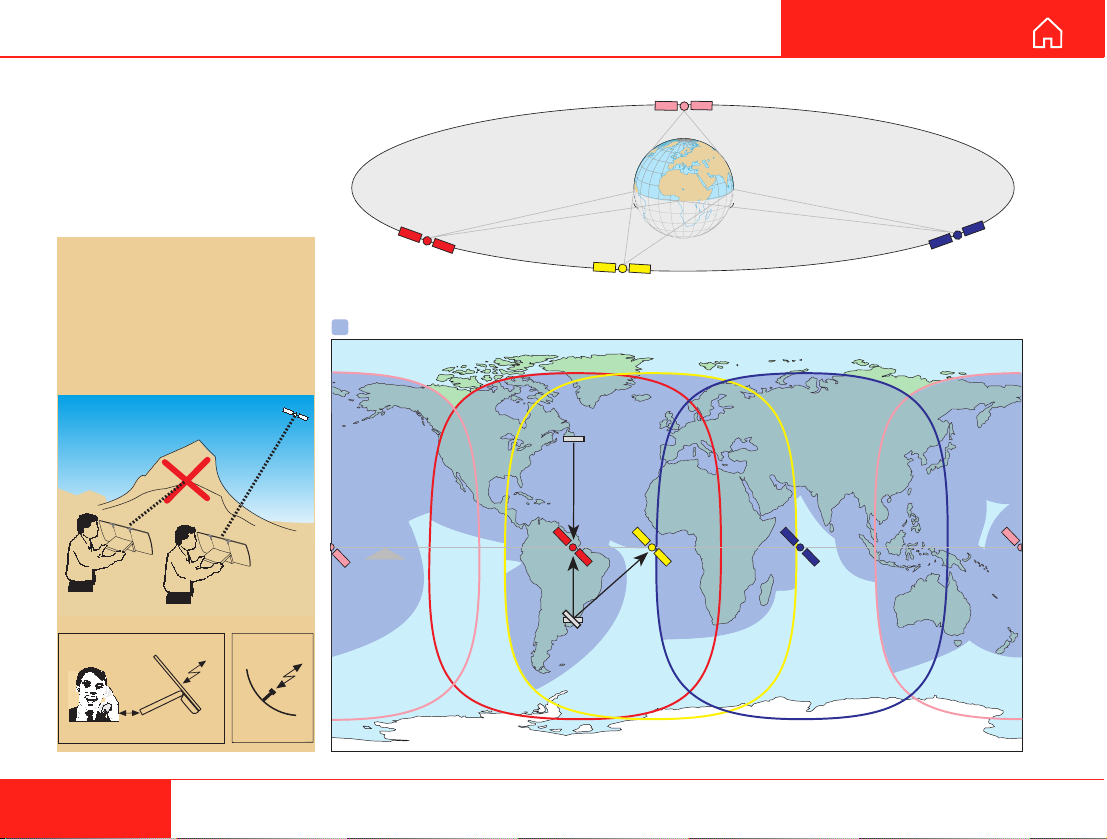
SATELLITE COMMUNICATION
The WorldCommunicator
provides communication
with the public telephone
network via satellite; which
requires free line of sight.
The antenna is flat, but
works as a parabolic dish.
WorldCommunicator
antenna
Parabolic
antenna
Four satellites are positioned
stationary above equator.
The satellites provide the
coverage shown on the map.
The WorldCommunicator
searches all satellites as
default.
7
Nera WorldCommunicator
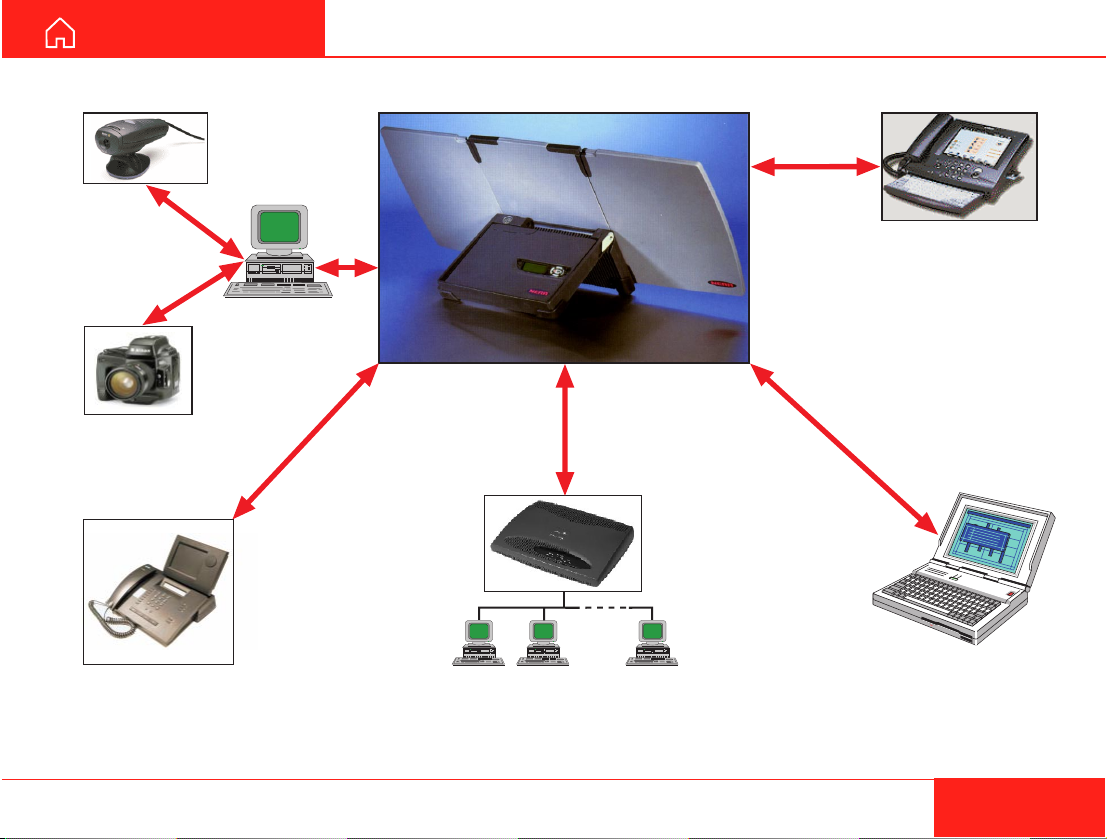
GETTING STARTED APPLICATIONS EXAMPLE
Video
cameras
Digital
cameras
Videophone Remote network Dial-up networking
Internet screen
phone

8Nera WorldCommunicator
GETTING STARTED
General
The WorldCommunicator satellite terminal provides
64 kbps voice and data, and 4.8 kbps low cost voice
for transmission via Inmarsat’s Global Area Network
service (M4). It offers full portable ISDN functionality.
The WorldCommunicator consists of two main units
housed in a lightweight and portable carrying case:
• The 3-panel antenna with RF transceiver.
• The Modem Unit (and battery pack).
The WorldCommunicator uses a coax cable to link
the two units together. A cordura bag is supplied with
the equipment for easy transport.
The total weight of the WorldCommunicator is
4.2 kgs (including battery).
Communication services
The WorldCommunicator provides the following
services:
•ISDN:
- 64 kbps data service (UDI)
- 56 kbps data service
- 4.8 kbps speech
- 64 kbps speech
- 3.1 kHz audio (64 kbps)
•DECT:
- 4.8 kbps speech
- 64 kbps speech
EQUIPMENT DESCRIPTION
•USB (not yet implemented)
•IPDS (not yet implemented)
Internal communication
Equipment connected to the various interfaces may
communicate with each other via an internal MSN
(Mobile Subscriber Number) assigned to each unit.
Control interface
An RS-232 port allows connection of a PC for
programming of the WorldCommunicator.
A PC program that provides the software to operate
and configure the WorldCommunicator is supplied
on the enclosed CD (requires at least Windows 95).
CD
The CD ROM supplied with the WorldCommunicator
contains:
• program for control from PC (vtLite)
• manuals
• application notes
• and other useful information.


10 Nera WorldCommunicator
GETTING STARTED
EQUIPMENT DESCRIPTION CONT’D
WorldCommunicator with fixed antenna
For installation, see
“MOUNTING FIXED ANTENNA”
MODEM UNIT
Built-in DECT
base station
LCD
display
Multibutton
switch
Connector panel
See “Connections”
and “External power“
Antenna coax cable
Standard:
QRPM 911091-10000
Length 10 m
FIXED
ANTENNA
Altri manuali per WorldCommunicator
4
Indice
Altri manuali Nera Modem


