10. When using rechargeable batteries, please use the correct voltage and
current listed on the product. If you are not sure about the standard voltage,
please ask your distributor or query the local electricity company.
11. Use the factory-provided RoboVac battery and charger.
12. When your hands are wet, do not touch the battery charger, plug or power
cord.
13. When you need to clean this product, turn it off; unplug the charger, and
remove the battery.
1. This product is a robotic vacuum cleaner that utilizes high vacuum suction, a
roller brush on the bottom, a side brush for cleaning along walls and other
objects, an ultraviolet light to help with disinfection, and even a
compartment for adding fragrance to the air as it cleans. All of these features
make this unit perfect for cleaning a wide variety of floor types, including
ceramic tile, hardwood, vinyl and most carpets. As long as you have the
Robotic Vacuum Cleaner, you have the most helpful house cleaning mate.
2. The compact shape enables this unit to clean under beds, tables and other
furniture that standard upright vacuums cannot get to.
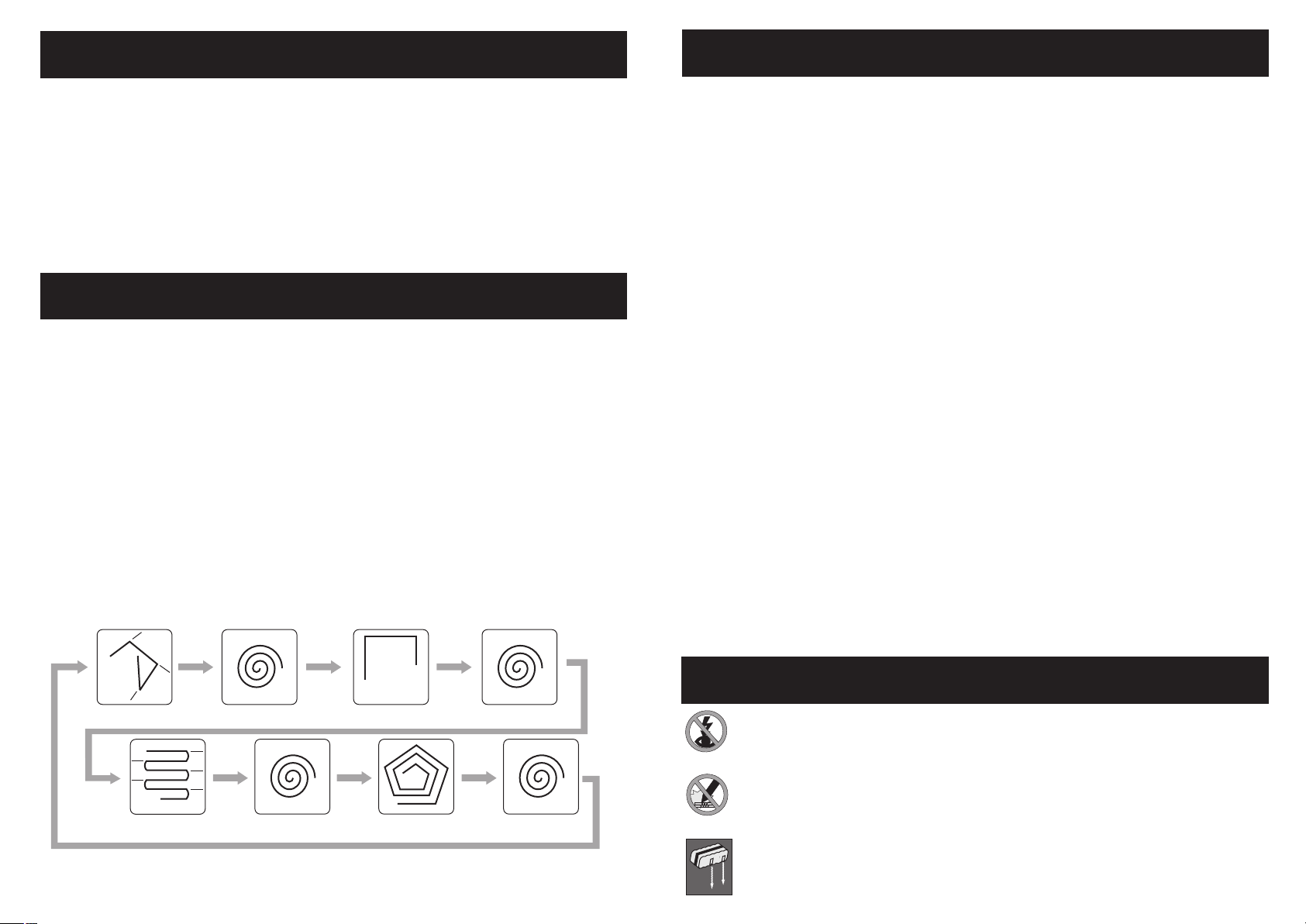
3. Once the RoboVac is turned on, it will follow a five step repetitive movement:
Special bounce, Spiral, Along Wall, "S" shape, and Polygonal Spiral. This
wide variety of movement helps to ensure that the unit completely cleans a
room.
2
Clean Mate 365
QQ-1
Special Features
"S" Shape
Special Bounce Spiral Al on g Wa ll Spiral
Spiral Polygonal Spi r al Spiral
Safety Instructions
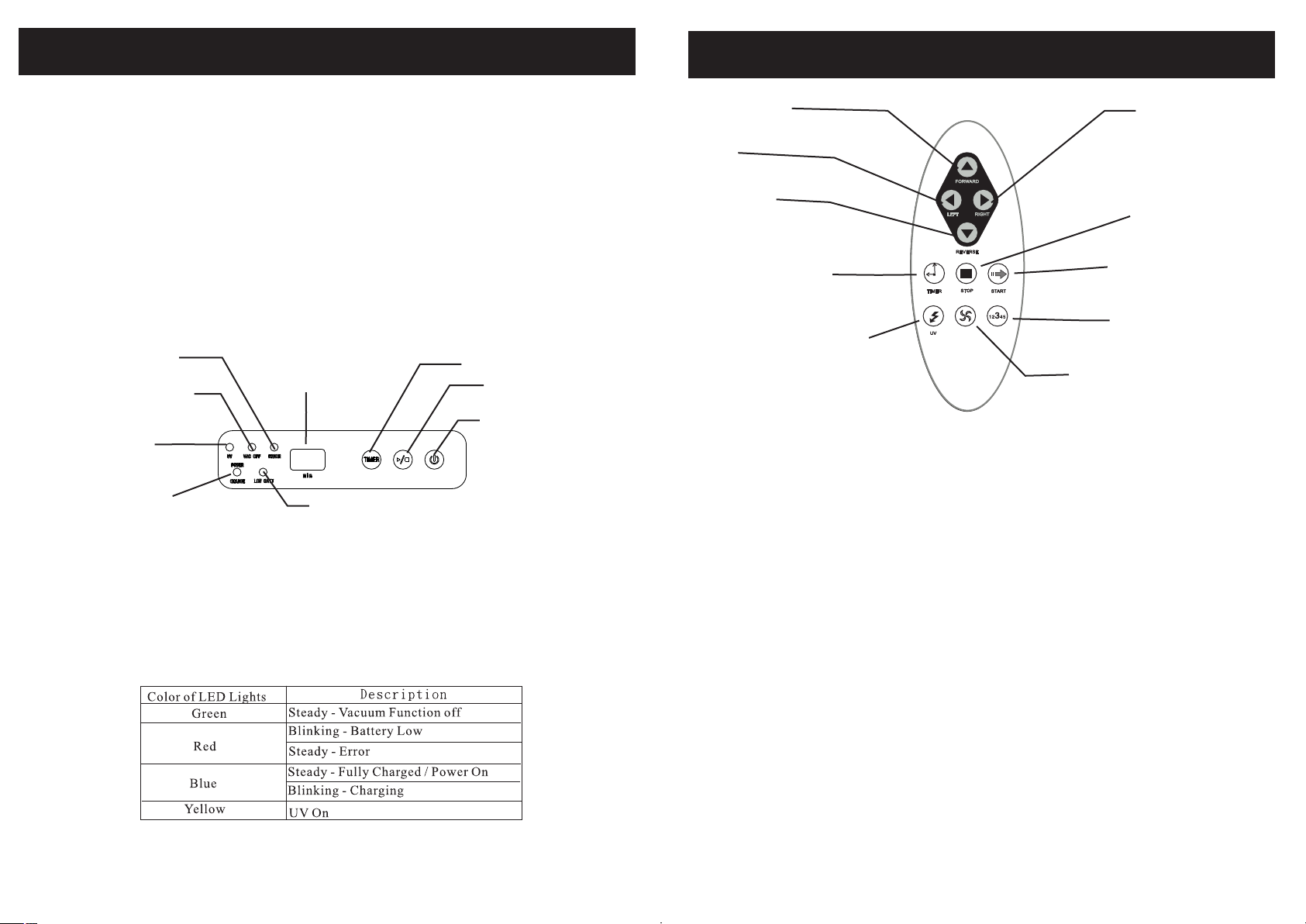
4."MODE"button on the remote control allows you to select a specific
cleaning pattern for the RoboVac. By default the unit operate in Automatic
Mode (switches between all 5 patterns), but by using the "MODE" button on
the remote, you can select a specific pattern in the following sequence:
1.Spiral 2.Special Bounce 3.Along Wall 4.'S' Shape 5.Polygonal Spiral and
back to A.Automatic.
Note: when mode 4 "S" shape in use, if the RoboVac in 45 degree angle get
into 90 degree wall corner and stuck in the corner, please use remote control
to switch other mode ( in auto mode the RoboVac will change to another
mode automatically in 30 sec).
5. Sensors at the front of the unit tell the RoboVac when it comes in contact
with a wall or other obstacle, to back up, turn and clean around the object.
6. The RoboVac is equipped with a light sensor. When the battery is low, or the
cleaning time is completed, the unit will automatically move toward
brighter areas of the room before it stops. This helps prevent the unit from
stopping under furniture and makes it easier for you to find.
If the RoboVac can not find the brighten areas in 10 minutes, the RoboVac
will stop and turn into "sleep" mode automatically which is to prevent
battery run out.
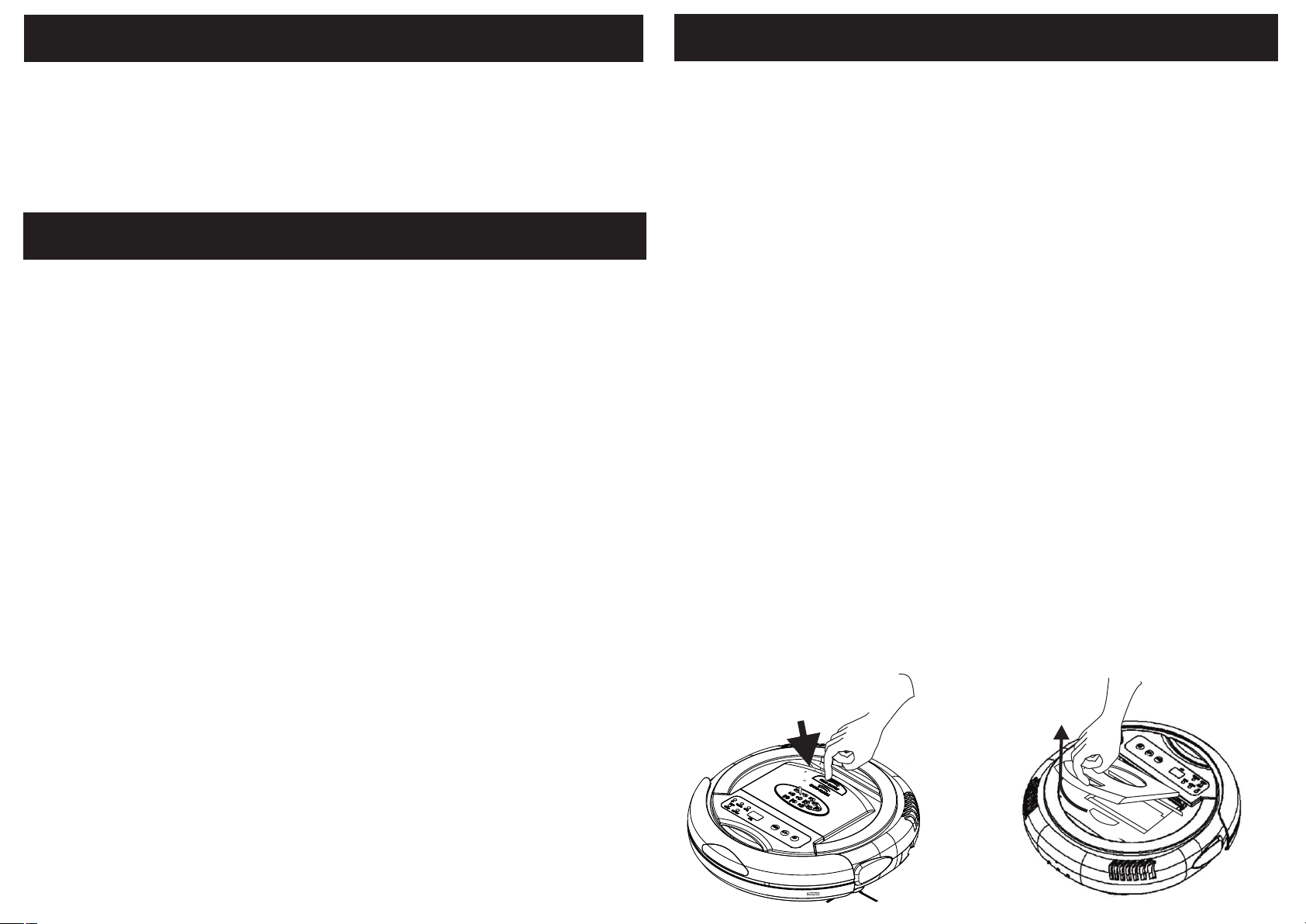
7. There is a transparent window on top of the dust bin. This allows you to
easily see how full the dust bin is, so you can clean it out when it is needed.
This window also serves as a holder for the remote control to help prevent
misplacing or losing the remote control.
8. Photo sensors on the underside of the front of the unit detect stairs, and other
drop offs, to keep it from falling off the edge and damaging the unit or
anything else.
9. A handle is built-in to the unit to make it easy to pick up and move the unit to
a different room.
Special Features
Do not look directly at the UV light.
Do not touch the UV light bulb with bare hands. Natural skin oils will
cause premature failure.
Do not attempt to remove or replace the UV light. This light is a
permanent fixture and is not user-replaceable.
Make sure the battery is installed correctly.
3
Cautions
RoboVac 200
RoboVac 200
RoboVac 200
RoboVac 200
RoboVac 200