Nokia Body+ Manuale utente

EN-1
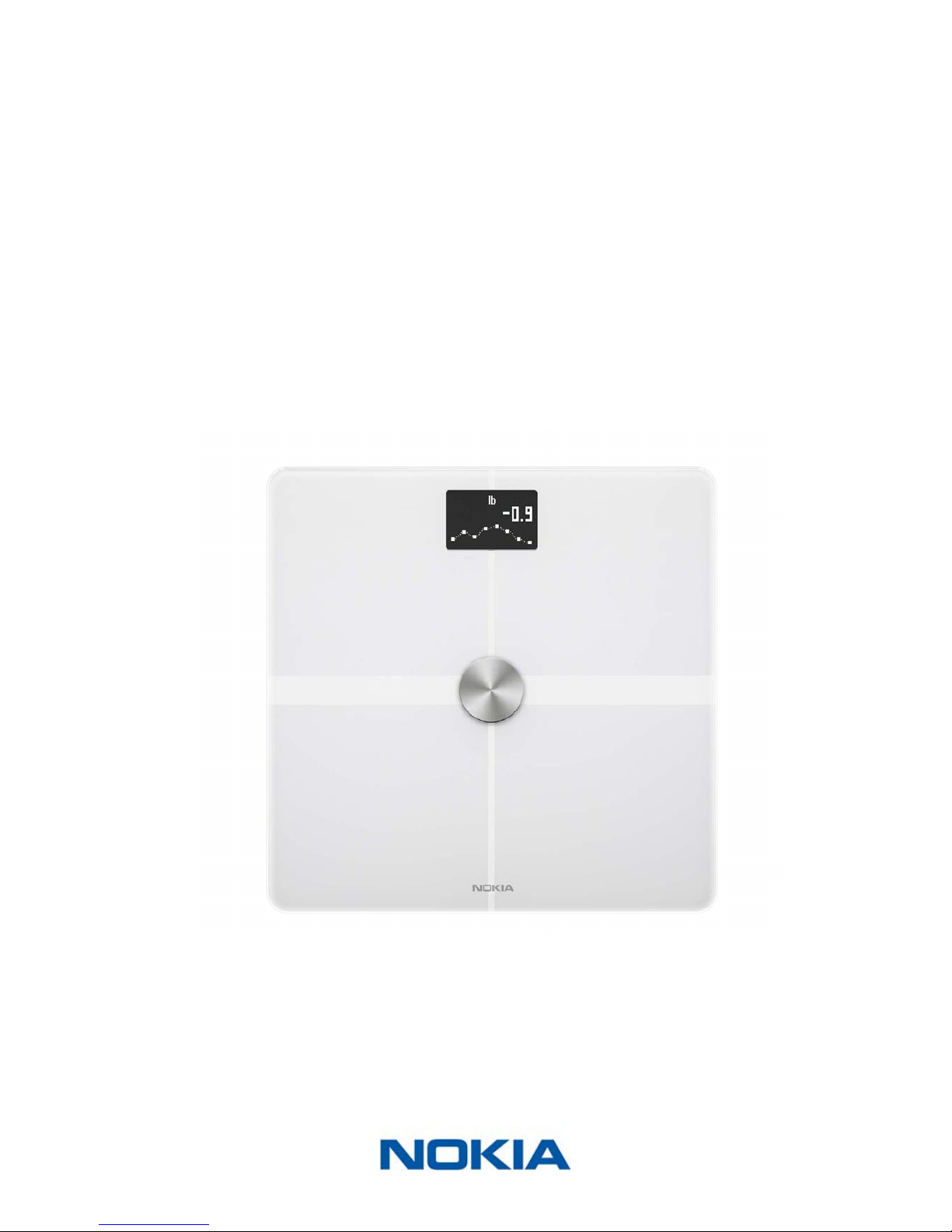
Nokia Body+
v3.0 | August 2017
Nokia Body+
Weight & Body Composition - Daily Report
Installation and Operating Instructions

EN-2
Nokia Body+
v3.0 | August 2017
Table of Contents
Minimum Requirements�������������������������������������������������������������������������������������� 4
Internet access ������������������������������������������������������������������������������������������������������������������� 4
Smartphone or device�������������������������������������������������������������������������������������������������������� 4
OS version��������������������������������������������������������������������������������������������������������������������������� 4
Nokia Health Mate® app version ��������������������������������������������������������������������������������������� 4
Nokia Body+ Description �������������������������������������������������������������������������������������5
Overview ����������������������������������������������������������������������������������������������������������������������������� 5
Box contents����������������������������������������������������������������������������������������������������������������������� 5
Product description ������������������������������������������������������������������������������������������������������������ 6
Scales screens description������������������������������������������������������������������������������������������������� 6
Setting Up the Nokia Body+������������������������������������������������������������������������������ 8
Installing the Nokia Health Mate® app������������������������������������������������������������������������������ 8
Installing your Nokia Body+ ����������������������������������������������������������������������������������������������� 8
Customizing Your Nokia Body+����������������������������������������������������������������������� 21
Changing the conguration of your Nokia Body+����������������������������������������������������������� 21
Changing the settings of your Nokia Body+�������������������������������������������������������������������� 24
Using Your Nokia Body+�������������������������������������������������������������������������������������31
Tracking your weight and body composition������������������������������������������������������������������� 31
Checking the weather������������������������������������������������������������������������������������������������������� 39
Using Baby mode�������������������������������������������������������������������������������������������������������������� 40
Using Pregnancy Tracker �������������������������������������������������������������������������������������������������� 42
Linking Your Account to Partner Apps ����������������������������������������������������������44
Linking your account to MyFitnessPal ����������������������������������������������������������������������������� 44
Linking your account to Nike+ ����������������������������������������������������������������������������������������� 45
Syncing Your Data�����������������������������������������������������������������������������������������������48
Dissociating Your Nokia Body+ �����������������������������������������������������������������������49
Performing a Factory Reset of Your Nokia Body+��������������������������������������51
Cleaning and Maintenance ������������������������������������������������������������������������������� 52
Cleaning your Nokia Body+ ���������������������������������������������������������������������������������������������� 52

EN-3
Nokia Body+
v3.0 | August 2017
Changing the batteries����������������������������������������������������������������������������������������������������� 52
Installing the carpet feet�������������������������������������������������������������������������������������������������� 53
Updating your Nokia Body+ ��������������������������������������������������������������������������������������������� 53
Technology Description������������������������������������������������������������������������������������� 56
Weight ������������������������������������������������������������������������������������������������������������������������������� 56
Body Composition ������������������������������������������������������������������������������������������������������������ 56
Specications������������������������������������������������������������������������������������������������������� 57
User Guide Copyright ���������������������������������������������������������������������������������������� 59
Legal Notice���������������������������������������������������������������������������������������������������������� 59
Personal Data�������������������������������������������������������������������������������������������������������������������� 59
Safety Instructions ��������������������������������������������������������������������������������������������� 61
Use and Storage ��������������������������������������������������������������������������������������������������������������� 61
Location ���������������������������������������������������������������������������������������������������������������������������� 61
Service and Maintenance ������������������������������������������������������������������������������������������������� 61
Document Release Overview���������������������������������������������������������������������������62
Warranty ����������������������������������������������������������������������������������������������������������������63
Regulatory Statements �������������������������������������������������������������������������������������64

EN-4
Nokia Body+
v3.0 | August 2017
Minimum Requirements
Internet access
Access to the Internet is required to:
• Download the Nokia Health Mate® app,
• Set up your Nokia Body+,
• Upgrade your product whenever an update is available.
For more details, refer to “Specications” on page57. We recommend using the app on
a device connected to the Internet to enjoy all features.
Smartphone or device
An iOS device or an Android device (with operational Bluetooth and Wi-Fi or 3G/4G) is
required to:
• Set up your Nokia Body+,
• Retrieve data from your Nokia Body+,
• Access specic functions of your Nokia Body+.
Bluetooth Low Energy (BLE) compatibility is recommended to install your Nokia Body
Cardio.For more details, refer to “Specications” on page57.
OS version
You need iOS 8 or above to install and run the Nokia Health Mate® App on an iOS device.
You need Android 2.3.3 or above to install and run the Nokia Health Mate® App on an
Android device.
Nokia Health Mate® app version
We recommend that you use the latest available version of the Nokia Health Mate® app to
have all the latest features available.

EN-5
Nokia Body+
v3.0 | August 2017
Nokia Body+ Description
Overview
The Nokia Body+ allows you to easily track your weight and monitor your progress.
Additionally, it calculates your fat mass, muscle mass, bone mass and water mass by
bioelectric impedance to inform you about your body composition.
Of course that’s not all your Nokia Body+ does. If you activate the Weather screen, you
also get your daily weather report everytime you weigh in.
Because the Nokia Body+ is a connected scale, its true potential is achieved when you use
it along with the Nokia Health Mate® app. Beside allowing you to install your scale, the
Nokia Health Mate® app allows you to customize its display, to set a weight goal, and to
check the entire history of your weight data.
Thanks to its in-app activity tracking feature and the numerous partner apps you can
connect it to, the Nokia Health Mate® app helps you reach your health goals faster by
helping you track your activity and check your calorie balance.
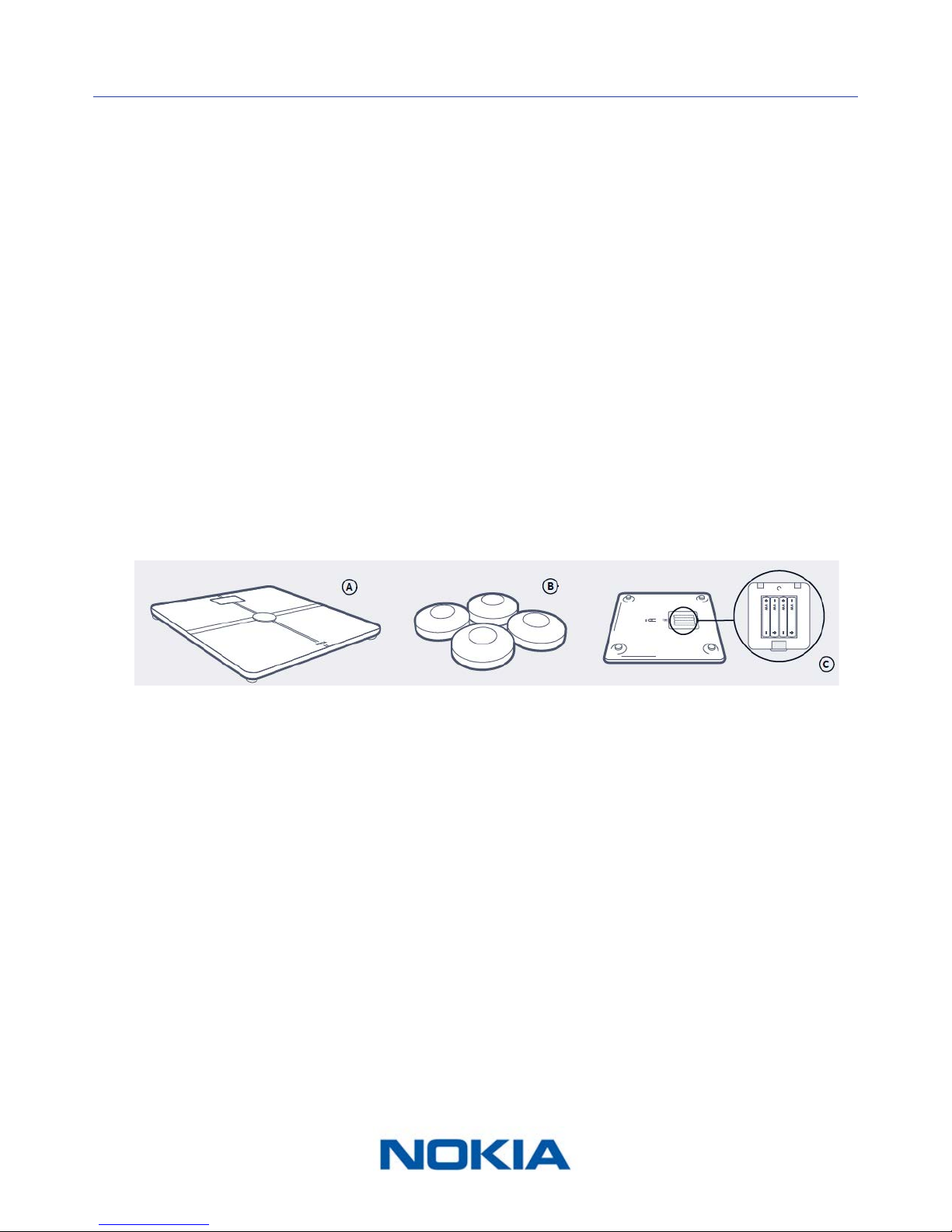
Box contents
(A)Nokia Body+
(C) Alcaline cells already inserted
(B)Carpet feet

EN-6
Nokia Body+
v3.0 | August 2017
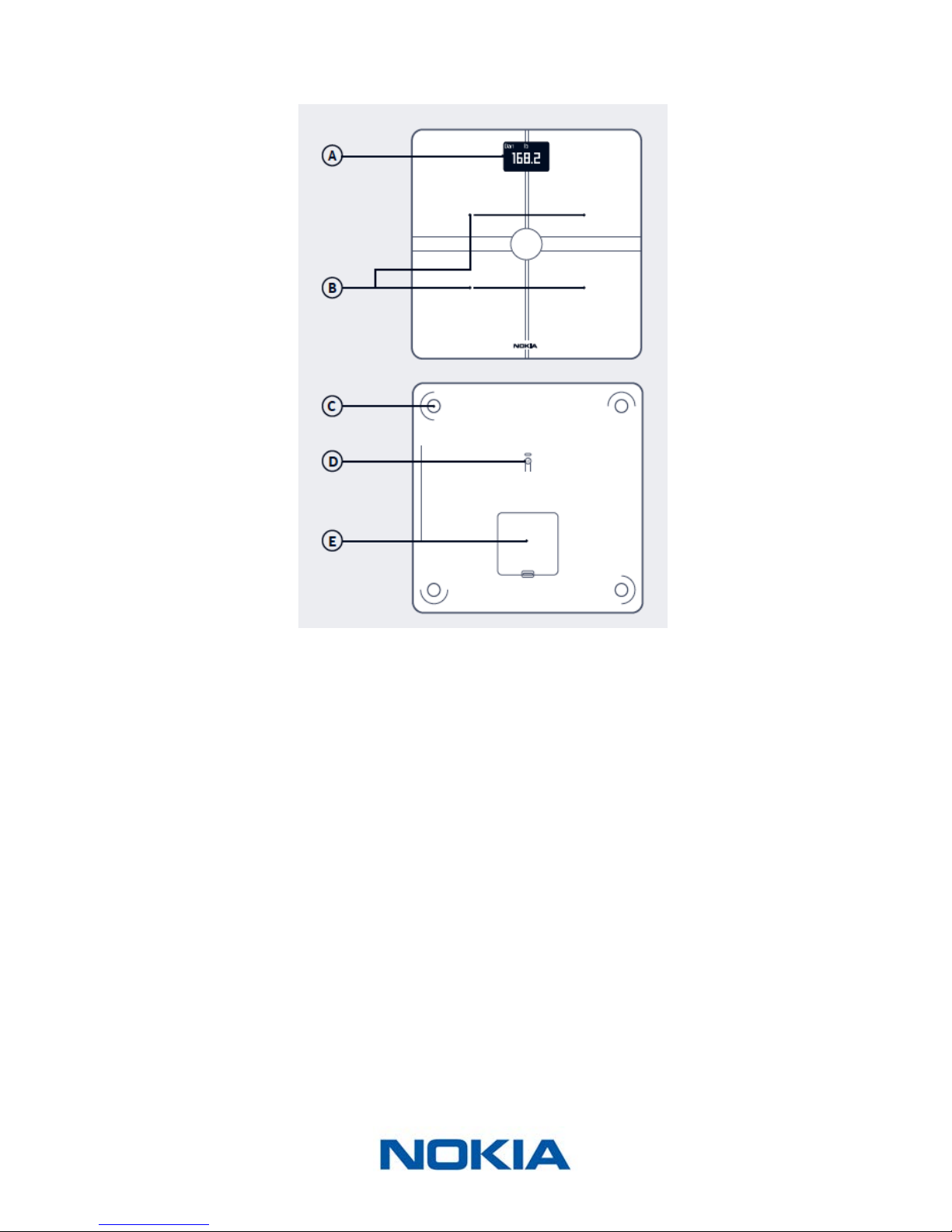
Product description
(A)Display
(D)Pairing and units button
(B)Electrodes
(E)Battery compartment
(C)Feet
Scales screens description
You can select a number of screens to be displayed on your Nokia Body+:
• Weight: Displays your weight. This screen cannot be disabled.
• Fat mass: Displays your percentage of fat mass.
• Water: Displays your percentage of water.
• Bone mass: Displays the weight of your bones.
• Muscle mass: Displays the weight of your muscles.
• Weather1: Displays the weather for the day.
• Weight Trend1: Displays a graph with your last 8 weight measurements.
• Steps1, 2: Displays the number of steps you did the previous day.
• NikeFuel1, 3: Displays the amount of NikeFuel you earned the previous day.

EN-7
Nokia Body+
v3.0 | August 2017
You can disable or change the order of these screens as you like after you install your
Nokia Body+. Otherwise, they will appear in the default order. Refer to “Changing the
screen order” on page25 for more information.
1 This screen can only be used if you set up your Nokia Body+ in Wi-Fi.
2 You either need to own a Nokia® tracker, or to use the in-app tracking of the
Nokia Health Mate® app to display your number of steps on this screen. If you don’t have
a Nokia® tracker, tap on Activity in your Dashboard in the Nokia Health Mate® app and tap
Activate now. Your mobile device will then start tracking your steps.
3You need to have a Nike+ account to see the amount of NikeFuel you have on this screen.

EN-8
Nokia Body+
v3.0 | August 2017
Setting Up the Nokia Body+
Installing the Nokia Health Mate® app
If the Nokia Health Mate® app is not already installed on your device, perform the
following steps:
1. Type healthapp.nokia.com in your device’s web browser.
2. Tap Download on the App Store.
3. Tap GET.
The installation process starts.
Installing your Nokia Body+
Overview
Installing your Nokia Body+ in Wi-Fi gives you access to all the features and screens
available. Installing your Nokia Body+ in Bluetooth limits the features and screens available.
For example, you can’t use the Weather screen and the Steps screen, as they require
access to the Internet.
You can change the conguration of your Nokia Body+ anytime you want. Refer to
“Changing the conguration of your Nokia Body+” on page21 for more information.
Note that once you’ve installed your Nokia Body+ on your account, all the users of the
account can use it. You are also free to install it on various account. There is, however, a
limit of eight users per scale at the moment.

EN-9
Nokia Body+
v3.0 | August 2017
Installing your Nokia Body+ without an existing account
Refer to “Installing your Nokia Body+ with an existing account” on page15 if you already
have a Nokia® account.
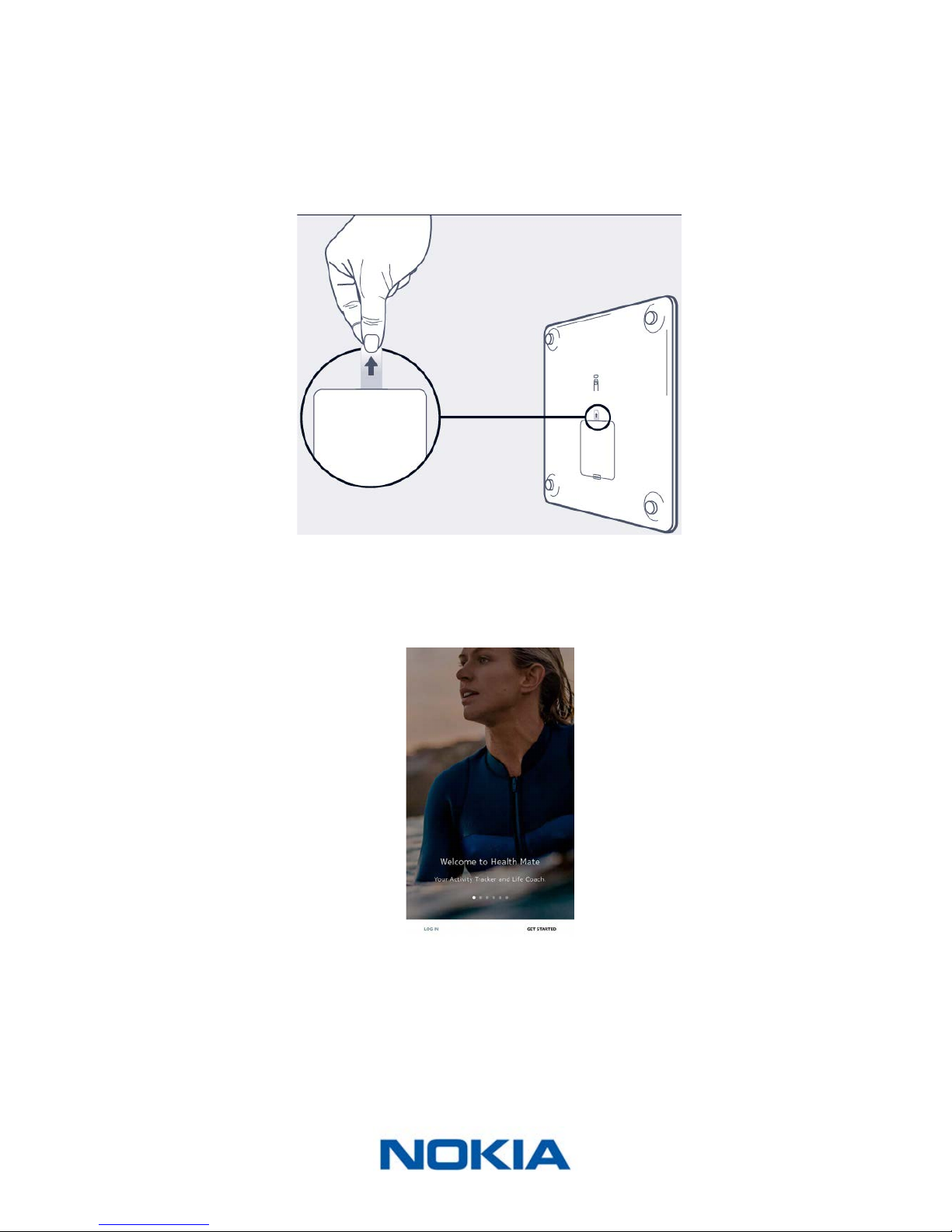
1. Pull the tab out of the battery compartment if it’s the rst time you install
your Nokia Body+.
2. Press and hold the side button for three seconds.
The scale displays healthapp.nokia.com.
3. Open the Nokia Health Mate® app.
4. Tap Get started.

EN-10
Nokia Body+
v3.0 | August 2017
5. Tap I’m setting up my device.
6. Tap Scales.
Altri manuali per Body+
3
Indice
Manuali Prodotto per la cura personale popolari di altre marche

HiB
HiB Spectre 50 Manuale utente

Carex
Carex SunLite Manuale utente

Roper Rhodes
Roper Rhodes Intense Manuale elenco delle parti

Interacoustics
Interacoustics Titan IMP440 Istruzioni operative e di sicurezza

ReTrak
ReTrak VS001 Manuale utente

LED Technologies
LED Technologies dpl PAIN RELIEF Joint Wrap Manuale utente