
Noontec Giga Link N5 Manuale utente

Giga Link N5
Manual

Statement
Dear customers, thank you for your choice to buy and use the product.
In order that you can better use all the features of this product, please
carefully read the manual before using the product, which contains
precautions and detailed functional instructions of the products during use.
The product components described in this manual have been
registered as state patents, infringement of any counterfeit are to bear the
legal liability involved. The product components are in line with national
safety standards for low-voltage electronic products.
The exclusive serial number labels on the product and sales package
are important certificates for warranty. When the product needs warranty,
users are required to present the product serial number bar code labels.
Not all environments are suitable for the use of this product; The
Company only provides after-sales services for the quality of the product
itself in accordance with the warranty terms committed by the Company,
and the Company is not liable for the data loss due to use of this product or
other related responsibilities.
For the changes in the design specifications of the product due to
technical or other external factors, the Company will no longer issue a
separate notice.
Obligation exemption terms
The Company shall not be liable for the losses caused by natural
disasters such as earthquake, lightning, or fire not caused by the Company,
third-party operations, theft, damage, accident, etc., or use in unusual
circumstances (such as abnormal operation, misuse or other problems).
This product is not used for commercial purposes, and the Company
shall not be commercially liable for the commercial use of the product.
The Company shall not be liable for any loss due to non-compliance
with this manual.
This product will be upgraded from time to time; the actual content and

function of the product will be subject to the real product.
The Company shall not be liable for any failure due to use in
combination of other facilities or software that has no connection with the
Company.
This product will be upgraded from time to time, the actual content and
function of the product will be subject to the real product.
For the firmware update, there may be some external risks, such as
power supply instability, power outage, file corruption and other accidents,
and the Company doesn't regard the firmware modification failures as
human damage, and they are not within the warranty responsibility. If the
firmware upgrade is necessary, the authorized distributor of the Company
deals with it.
Trademark
NOONTEC is the exclusive trademark of the Company. All other
trademarks or product names within this operation manual are the
trademarks or registered trademarks of the Company.
Safety Precautions
1. This product is designed and manufactured to fully consider the use
convenience and human safety, any improper use may lead to
unnecessary troubles and losses. Please read this user manual and all
precautions and safety instructions marked on the accessories, and
keep properly for future reference.
2. The components of this product are in line with national safety
standards for low-voltage electronic products, and first of all you can
use it.
3. The power used by the product must match the type indicated on the

nameplate. If you don't understand the indoor mains supply, contact
your dealer or the power company. For components using battery or
other power, please refer to the relevant operating instructions.
4. To make our products reliable and avoid risk of fire and electrical
shock, please keep the product away from heat and damp
environment, and maintain good ventilation.
5. Special frequency electromagnetic fields may affect the data read and
write operation and data transmission of the product.
6. Keep the product in a stable place, and do not place any device on the
product when in use.
7. Please do not stuff the product with additional items, and in general do
not remove the product so as to avoid accidents.
8. To prevent lightning and electrical surge from damaging the product,
please suspend the use of the product during a lightning storm or when
the mains supply is unstable
9. When a foreign material or liquid enters the inside of the product,
immediately disconnect the product with the power supply and
computer, so as to prevent short-circuit from damaging the human
body.
10. Do not physically remove or exit the product from your computer when
it is under normal read and write status. This will lead to the physical
disk damage and data loss.

1
TABLE OF CONTENTS
PRODUCT INTRODUCTION………………………………………1
PRODUCT SPECIFICATIONS AND MODE FEATURES…………………………………3
INSTRUCTION FOR PRODUCT BUTTON AND INTERFACE……………………………5
PRODUCT PACKING LIST AND INSTRUCTION FOR MAIN ACCESSORIES……………6
HARD DRIVE PREPARATION AND INSTALLATION…………………………7
NOONTEC NAS SOFTWARE………………………………………………………9
INSTRUCTION BEFORE USING THE PRODUCT………………………………………9
USAGE OF NOONTEC NAS SOFTWARE……………………………………………9
WEB MANAGEMENT AND INSTRUCTION………………………………13
ENTER PRODUCT’S HOMEPAGE……………………………………………………13
SYSTEM STATUS……………………………………………………………………15
NETWORK SETTINGS………………………………………………………………18
USER MANAGEMENT…………………………………………………………………22
SYSTEM TOOL………………………………………………………………………24
APPLICATION SERVICE………………………………………………………………26
EXIT…………………………………………………………………………………33
THROUGH USB DEVICE INTERFACE TO CONNECT WITH PC………………………33
MAINTENANCE ATTENTIONS……………………………………………………33
FAQ……………………………………………………………………………………34
ADDITIONAL EXPLANATION……………………………………………………37
1
Product Introduction
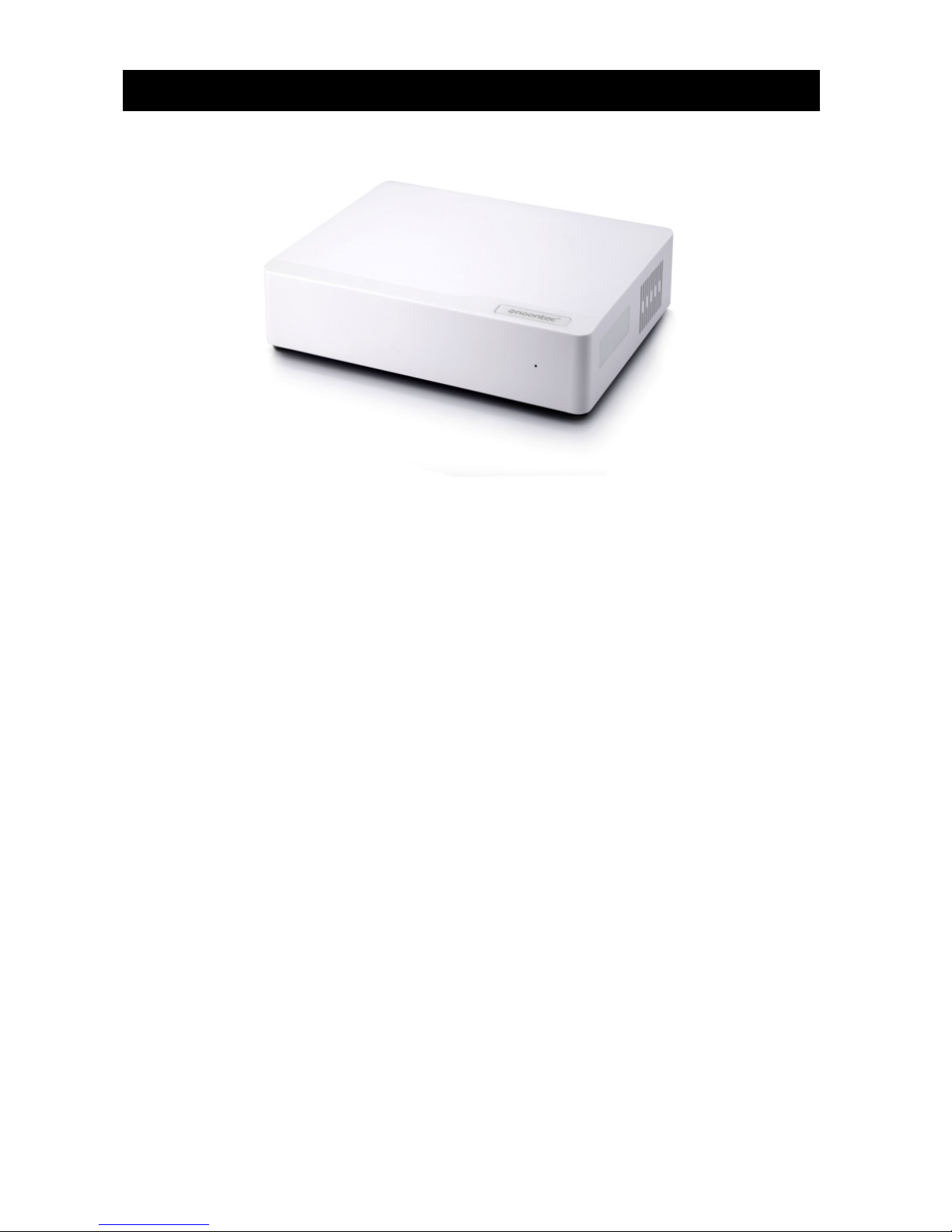
Welcome to use GIGALINK N5 new generation network storage device.
This device adopts the newest network subsidiary storing techniques,
which supports WEBDAV service to let you remote access through
network browser or WEBDAB application software installed in mobile
devices or upload your photos and other multimedia files to this network
device at anytime and anywhere. It supports DHCP, FTP & SMB service,
and has sharing management function. It supports BT download
function which makes it convenient to download material directly from
network, and based on WEB figure user interface, which make it easier
for management and convenient for system maintenance. It adopts one
3.5 inch SATA hard drive as data storage, which make data storage
faster and safer. It supports large capacity hard drive, and single hard
drive can reach 3TB. The product has USB Device interface, through
this interface you can connect it with PC for data transfer as fast speed
hard drive box. This product with complete function and easy to operate,
is the best choice for your network storage management.
GIGALINK N5 network storage has the following features:

2
1、10M/100M/1000M Auto-adjustment Ethernet high speed
transfer.
2、Easy to install, some settings steps make you easy to use this
system.
3、Completely supports large capacity SATA hard drive, single hard
drive can reach to 3TB.
4、Supports PPPoE and DDNS.
5、GIGALINK N5 supports as many as 16 users set up.
6、SAMBA, FTP and other servers support as many as 8 users
simultaneously online accessing.
7、WebDAV supports as many as 4 users simultaneously accessing.
8. Built-in BT client side is convenient for directly download material
from the network.
9、It supports UPnP network multimedia technique, which is for you to
enjoy sharing home video and audio multimedia.
10、Built-in media server, supports DLNA compatible digital multimedia
devices.
11、User management allows only read or read/write to access to the
folder.
12、Through Web browser to do the safe management access.
13、It supports all the Windows, MAC OS and Linux operating system.
14、Low power consumption design.
15、Plug and play, it supports various network protocol for be used in
different client side network situations.
16. It supports USB Device interface, by which to connect with PC for
data transfer as a high speed hard drive box.
17、It supports real time Email and short message notification. Such as
BT download finished notification, whenever and wherever to know NAS
newest status.

3
Product specifications and mode features
Model GIGALINK N5 Gigabit network storage
Interface
LAN Standard
Package
10/100/1000Mbps network
adaptively
Speed Read can up to 50MB/S, while
Write can up to 30MB/S
USB Device USB2.0 Immense amounts of read/write
storage interface( which can be
configured with USB 3.0)
Hard Drive SATA
interface
Support single SATA hard drive,
maximum capacity support 3TB
Software
Network Dynamic IP/Static IP/PPPoE/DDNS
Mobile Sharing
Server
1. Mostly set up 16 users, and support four users
online at the same time
2. Compatible with Win7/Vista/XP/MAC/Linux and
WebDAV software
FTP Server 1. Mostly set up 16 users, and support 8 users
online at the same time
2. Support UTF8 language coding
SMB Server 1. Mostly set up 16 users, and support 8 users
online at the same time
2. Compatible with Win7/XP/Vista/Linux
BT/PT Download 1. Built-in BT download client end, compatible with
BT and PT seed at the same time
2. Download status email notification function

4
Multimedia Server iTunes Server 1. Support iTune music
player
2. Support ID3 tag
v1/v2MP3/WAV/AAC
Support
UPnP/DLNA
digital multimedia
server
1. Compatible with XBOX
360/PS3/WMP12/DLNA
DMP
2. Support
image/music/video
System Tool Disk tool, network firmware updating, reboot
system, reset factory default settings, hard drive
format and hard drive hibernate function
Support
Operating System Support XP(SP3), Vista(SP2), Windows 7
Support advanced than MAC OS X(10.5.x),
advanced than Linux(samba 3.x)
File System SATA hard drive
format
exFAT (single file maximum
supports 127GB)
Maximum
Capacity
3TB
Power Consumption Working Consumption: lower than 11W
Standby Consumption: lower than 0.3W
Power AC input: 100V~240V, 50/60HZ
DC output: 12V/2A
Size Machine Size: 206 x 160 x 46mm
Package Size: 250 x 200 x 150mm
Weight Net weight: about 538g( without hard drive)
Gross weight: about 1024g (without hard drive)

5
Instruction for product button and interface
Single disk mobile storage box outline diagram:
Product front view:
LED light definition
Interface
definition Operating instructions
LED indicator
light
After shortly press power button, bicolor LED simultaneously
light blue that means normal power supply.
Long press the power button about 3 seconds, the blue LED
light glimmer 5 times then goes out
Product Back View:
Indice
Manuali Hardware di rete popolari di altre marche

Matrix Switch Corporation
Matrix Switch Corporation MSC-HD161DEL Manuale utente

B&B Electronics
B&B Electronics ZXT9-IO-222R2 Manuale utente

Yudor
Yudor YDS-16 Manuale utente

D-Link
D-Link ShareCenter DNS-320L Manuale utente

Samsung
Samsung ES1642dc Istruzioni per l’uso

Honeywell Home
Honeywell Home LTEM-PV Istruzioni per il montaggio


