Nortek NDVX2105 Manuale utente

User Manual
NDVX2105
DVD PLAYER

GB-1
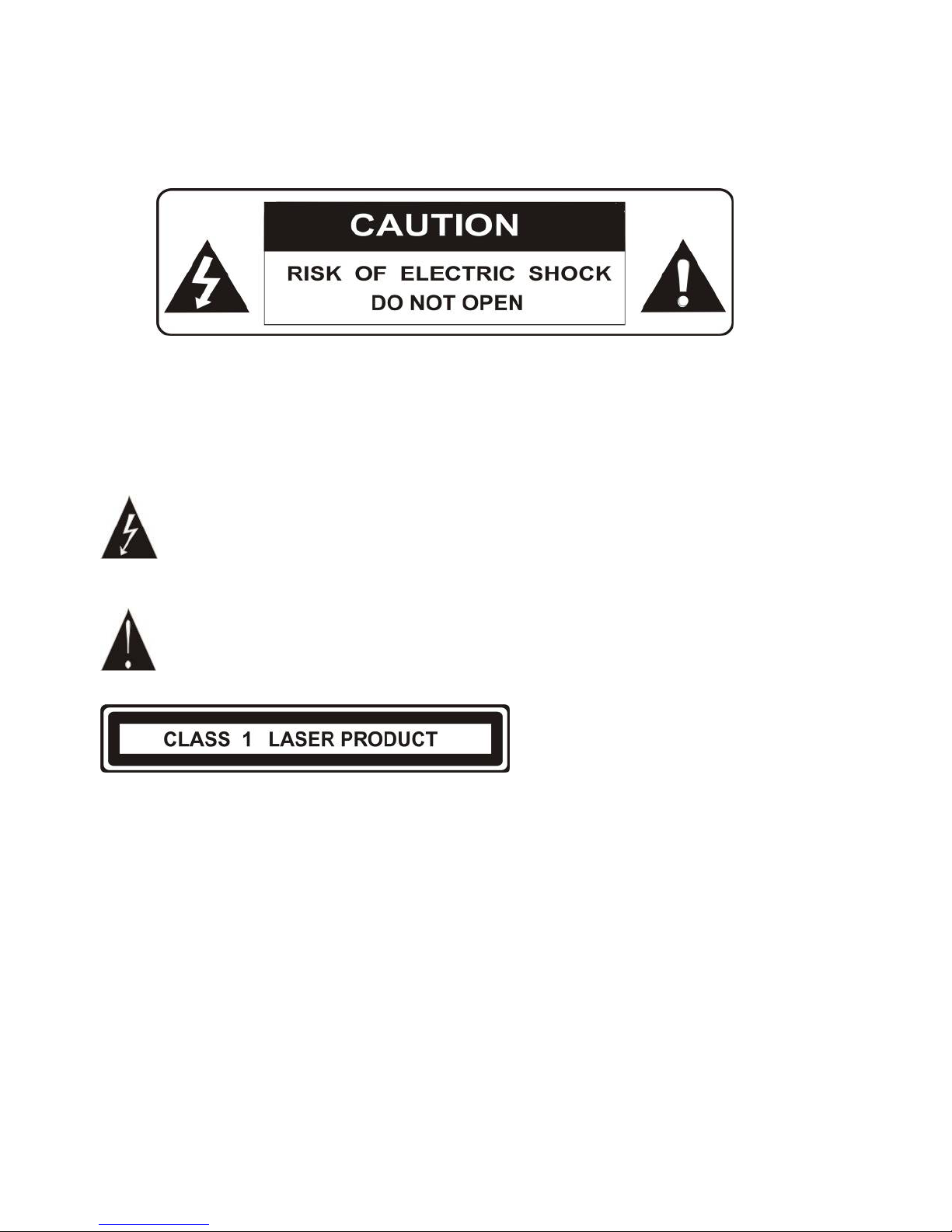
WARNING: TO REDUCE THE RISK OF FIRE OR ELECTRIC SHOCK, DO NOT
EXPOSE THIS APPLIANCE TO RAIN OR MOISTURE.
CAUTION: TO REDUCE THE RISK OF ELECTRIC SHOCK, DO NOT REMOVE COVER
(OR BACK). NO USER SERVICEABLE PARTS INSIDE. REFER SERVICING TO
QUALIFIED SERVICE PERSONNEL.
The lightening flash with arrowhead symbol, within an equilateral triangle, is
intended the alert the user to the presence of uninsulated dangerous voltage within
the products enclosure that may be of sufficient magnitude to constitute a risk of
electric shock to persons.
The exclamation point within an equilateral triangle is intended to alert user to the
presence of important operating and maintenance (servicing) instructions in the
literature accompanying the appliance.
Laser product symbol: located on the rear panel of the unit, indicate this player is a class
laser product, only use weak laser and no hazardous radiation outside of the unit.
1.Read through this instruction manual before installation and use.
2.Do not touch the power plug with wet hand.
3.Switch off the main power when the unit is not in use. (Disconnect the power plug from the
power outlet when you do not intend to use the unit for a prolonged period of time.) Before
moving the unit, remove the disc from the unit/ tray first.
4.Do not open the cover or touch any of the components exposed out of the unit, only for
qualified technicians.
5.Do not expose the unit under direct sunlight or nearby objects that radiate heat to avoid
damage the unit.
6.Do not place the unit in moist and humid conditions, which effect the pick-up of the unit
lead to out of work.
7.Place the unit on a flat surface and ventilative condition. Please ensure the ventilation

GB-2
holes are not covered to avoid overheating and malfunction.
8.Clear the panel and case with soft dry cloth only, do not apply any kind of thinner, alcohol
orsprays.
9. The apparatus shall not be exposed to dripping or splashing and that no objects filled with
liquids, such as vases, shall be placed on the apparatus
10. unplug the apparatus when not using for a long time oriented to disconnect from the
Mains power
Macrovision:
This product incorporates copyright protection technology that is protected by method
claims of certain U.S patents and other intellectual property rights owned by Macrovision
Corporation, and is intended for home and other limited viewing uses only unless otherwise
authorized by Macrovision Corporation. Reverse engineering or disassembly is prohibited.
DOLBY PROLOGIC:
Manufactured under license from Dolby Laboratories.
"Dolby", "Pro Logic", and the double-D symbol are trademarks of Dolby Laboratories.

GB-3
Contents
1. Precautions-----------------------------------------------------------------------------------------4
2. Front Panel and Rear Panel Illustration ------------------------------------------------------------5
3. Remote Control------------------------------------------------------------------------6
4. Connections------------------------------------------------------------------------------------8
5. Function Operation-------------------------------------------------------------------------------------11
6. MP3/WMA/MPEG4 Playing ------------------------------------------------------------------------15
7. Kodak Picture CD Playback--------------------------------------------------------------------------17
8. System Setup--------------------------------------------------------------------------------------------18
9. Troubleshooting-----------------------------------------------------------------------------------------22
10. Technical Specification--------------------------------------------------------------------------------24

GB-4
1. PRECAUTIONS
Before using this unit, be sure to read the applicable items of the operating instructions and
these safety suggestions carefully.
Afterwards keep them handy for future reference.
Take special care to follow the warnings indicated on the unit itself as well as in the
operating instructions.
Safety
Power Source-The unit should be connected to power supply only of the type described in
the operating instructions or as marked on the unit.
Environment
1. Water and moisture do not use this unit near water.
For example, near a bathtub, wash bowl, swimming pool, or the like, Damp basements
should also be avoided.
2. Condensation-moisture may form on the lens in the following conditions.
Immediately after a heater has been turned on.
In a steamy or very humid room.
When the unit is suddenly moved from a cold environment to a warm one, if moisture
forms inside this unit, it may not operate properly, to correct this problem wait about one
hour for the moisture to evaporate.
3. Heat never use or place this unit near a heat source.
Do not leave it in an automobile exposed to direct sun light for a long time with the doors
and windows closed as this may deform the cabinet.

GB-5
2. FRONT PANEL AND REAR PANEL ILLUSTRATION
Front panel
①Disc Tray ②Play /Pause ③STOP ④Power ⑤Open/Close ⑥Sensor
Rear panel
①Component Video Output ② Composite Video Output ③ Downmix Left/Right
④Coaxial Output ⑤S-video Output ⑥SCART Output

GB-6
3. REMOTE CONTROL
1. Power
2. Repeat
3. N/P
4.Subtitle
5.Angle
6. Language
7.Setup
8.Upbutton
9. Left button
10.Enterbutton
11.PBC
12.Volume-
13.Zoom
14.Return
15.L/R
16.Program
17.Clear
18.PREV
19.Next
20.V-Mode
21.Stop
22.Open/Close
23.A-B
24.NumericButton
25.Time
26.Title
27.Right Button
28.Menu
29.DownButton
30.Volume+
31.Slow
32.Step
33.Display
34.Mute
35.FWD
36.REV
37.Play/Pause

GB-7
Using the Remote Control
Unless stated other wise, the remote control can operate all the features of the DVD Player,
Always point the remote control directly at the remote sensor on the front of the DVD Player,
not the TV.
Battery Installation
Remove the battery compartment lid on the rear of the remote control by sliding the lid down,
then off.
Place two AAA batteries inside the battery compartment with their + and ends aligned as
indicated.
Do not mix old and new batteries or different types of batteries
Replace the battery compartment lid. Slide the lid until you hear it click into place.
Important:
When replacing batteries, please take care to waste them in accordance with current
regulation. For this matter please put them in the right assigned place, in order to ensure
they are surely recycled while respecting environment.
Do not burn them or burry them.

GB-8
4.CONNECTIONS
● Turn off the power before connection.
● Turn on the power after finishing connection.
Wires must be firmly connected; especially the plug shall be fully inserted.
DVD+TV
Notes:
There are the following ways of connecting the player AV output to the TV set:
zS-video cable and left/right audio cable (set the video type to S-VIDEO)
zComposite video cable and left/right audio cable
zComponent video cable and left/right audio cable (set the video type to component, if
you connecting a progressive scan TV set, please set the video type to P-Scan)
zScart cable (press V-MODE button to switch the video mode to and set the video type
to RGB)

GB-9
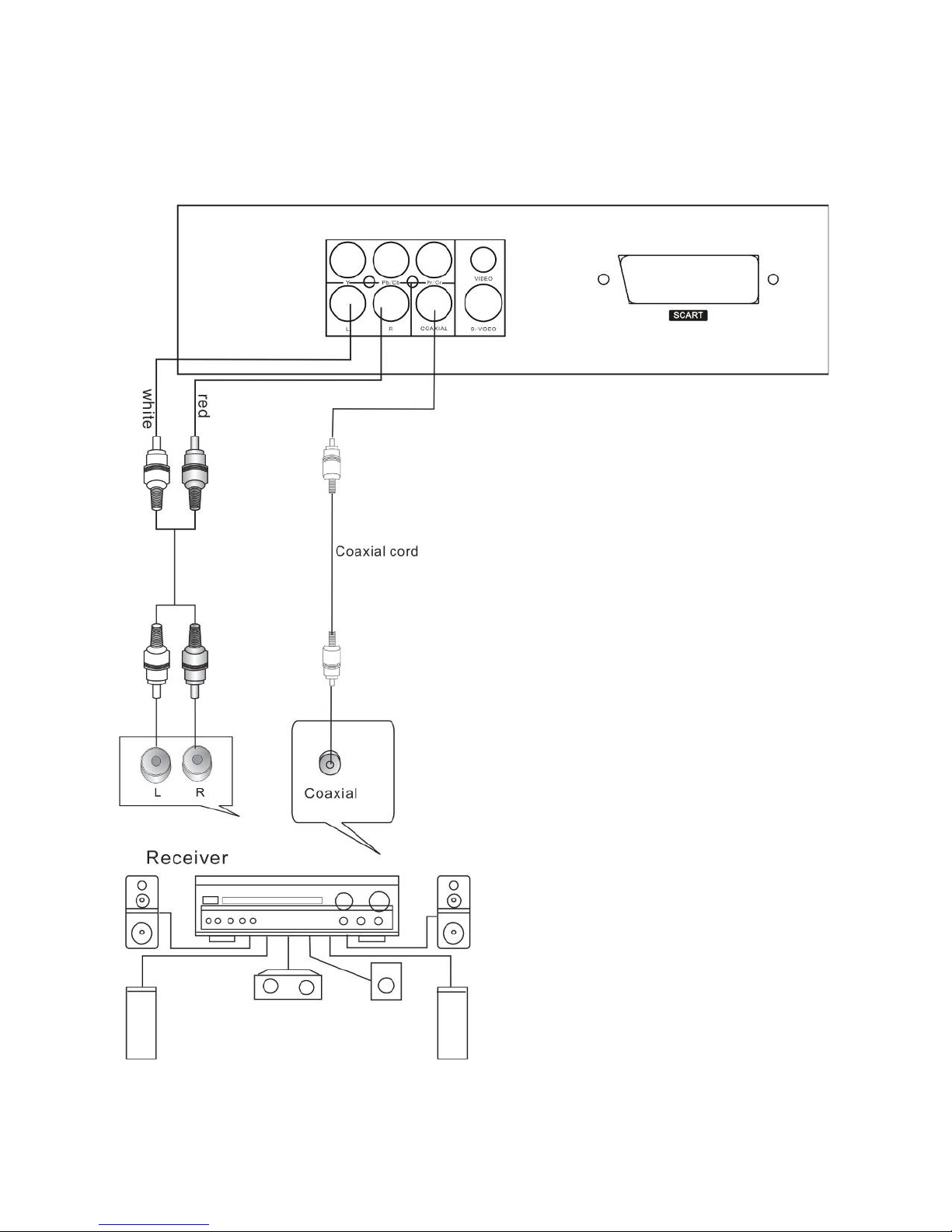
DVD+ AV Amplifier:
Notes:
There are the following ways of connecting the player with amplifier:
zLeft/Right audio output
zCoaxial audio output
Indice
Altri manuali Nortek Lettore DVD