Contents
Contents-------------------------------------------------------------------------------------------------------------------------------------------------- 2
COMPANY PROFILE------------------------------------------------------------------------------------------------------------------------------ 4
1. INTRODUCTION------------------------------------------------------------------------------------------------------------------------------- 5
1.1 Prefix-------------------------------------------------------------------------------------------------------------------------------------5
1.2 Standards Compliance---------------------------------------------------------------------------------------------------------------5
1.3 How to Use This Manual------------------------------------------------------------------------------------------------------------ 5
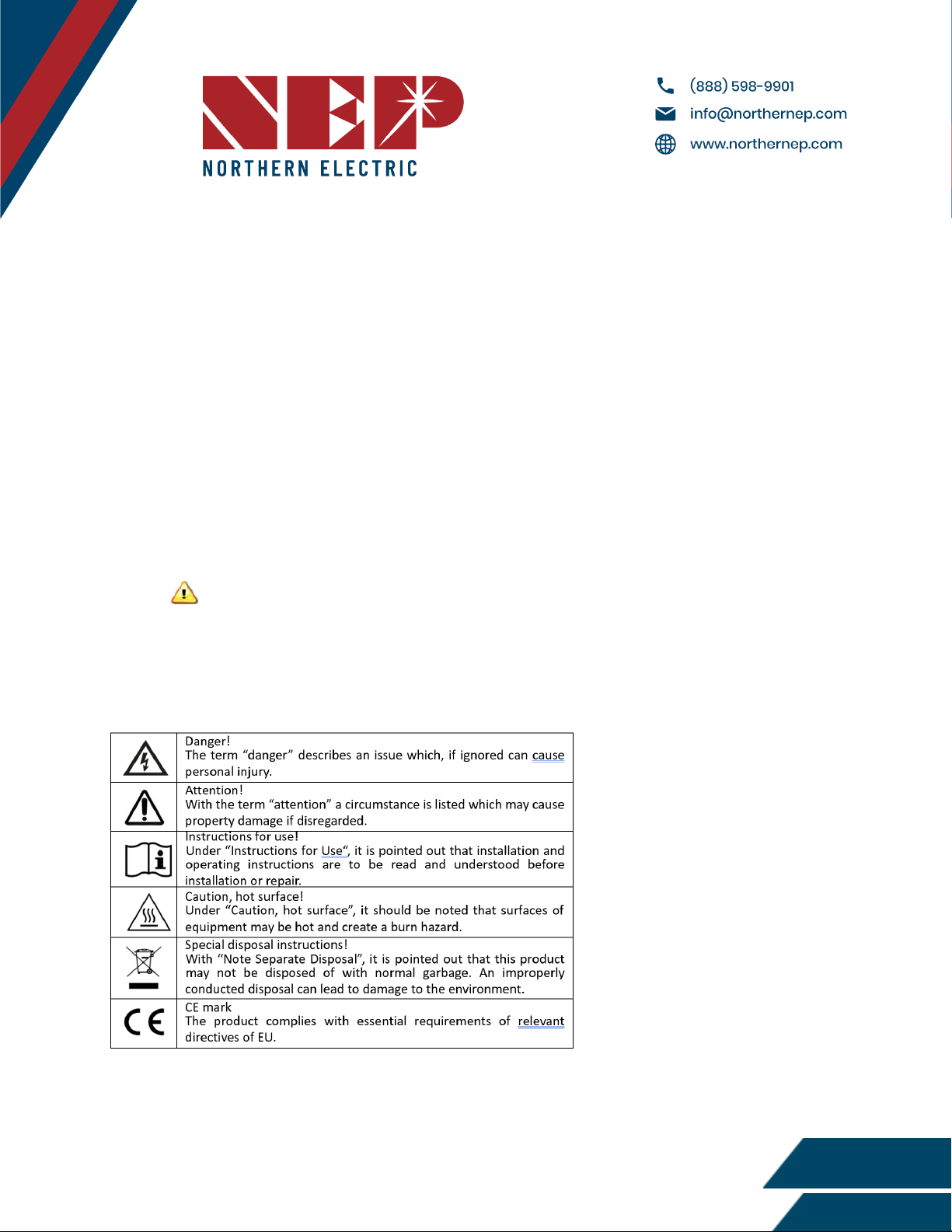
1.4 Label------------------------------------------------------------------------------------------------------------------------------------- 5
2. SAFETY INSTRUCTION------------------------------------------------------------------------------------------------------------------------6
3. FCC COMPLIANCE-----------------------------------------------------------------------------------------------------------------------------7
4. INSTALLATION----------------------------------------------------------------------------------------------------------------------------------8
4.1 Check the BDG-256/BDG-256P3 shipping box for the following items:------------------------------------------------- 8
4.2 Other Parts and Tools---------------------------------------------------------------------------------------------------------------- 8
4.3 Outdoor Installation------------------------------------------------------------------------------------------------------------------9
4.4 Indoor Installation-------------------------------------------------------------------------------------------------------------------- 9
5. Connecting to Internet---------------------------------------------------------------------------------------------------------------------11
5.1 Using Included Wi-Fi Booster---------------------------------------------------------------------------------------------------- 11
5.2 Connecting to Router via WPS--------------------------------------------------------------------------------------------------- 12
5.3 Connecting to Router Without WPS--------------------------------------------------------------------------------------------13
5.4 Using Smart Movile Devices------------------------------------------------------------------------------------------------------ 14
5.5 Using AP (Access Point) Mode--------------------------------------------------------------------------------------------------- 15
5.6 Using Cell Modem------------------------------------------------------------------------------------------------------------------ 16
5.7 Test Internet Connection--------------------------------------------------------------------------------------------------------- 16
5.8 Mobile App--------------------------------------------------------------------------------------------------------------------------- 16
6. Commissioning-------------------------------------------------------------------------------------------------------------------------------17
6.1 Inverter/RSD Serial Input----------------------------------------------------------------------------------------------------------17
6.1.A Manually on Device------------------------------------------------------------------------------------------------------- 17
6.1.B Using USB Barcode Scanner--------------------------------------------------------------------------------------------- 18
6.1.C Using Web Browser--------------------------------------------------------------------------------------------------------18
6.2 Installer Registration--------------------------------------------------------------------------------------------------------------- 19
6.3 Homeowner Registration----------------------------------------------------------------------------------------------------------20
6.4 Pre-Commissioning Setup---------------------------------------------------------------------------------------------------------20
6.4 Create a Site on NEP Website---------------------------------------------------------------------------------------------------- 20
6.5 Verify and Map Site-----------------------------------------------------------------------------------------------------------------21
6.6 Commission the Gateway and Confirm Site Setup-------------------------------------------------------------------------- 21
6.7 Grant Homeowner Access to Module View (Optional)-------------------------------------------------------------------- 21
7. User Interface-------------------------------------------------------------------------------------------------------------------------------- 22
7.1 Main Interface----------------------------------------------------------------------------------------------------------------------- 22
7.2 Interface Overview----------------------------------------------------------------------------------------------------------------- 23
Modified 04/13/2023 by JMB
2