Olin PD08 Manuale utente


TABLE OF CONTENTS
To ensure proper use of this product, please read this owner's manual carefully and retain for future
reference.
This manual provides information on the operation and maintenance of your DVD player. Should the
unit require service, contact an authorized service location.
SAFETY PRECAUTIONS ------------------------------------------------------------------------------ 01
IMPORTANT SAFETY INSTRUCTIONS -------------------------------------------------------- 02-03
NOTICES and DISC PROTECTION ------------------------------------------------------------------ 04
PLAYABLE DISCS AND ACCESSORIES ---------------------------------------------------------- 05
VIEW OF MAIN UNIT ------------------------------------------------------------------------------------ 06
BASIC CONNECTION ----------------------------------------------------------------------------------- 07
REMOTE CONTROL ------------------------------------------------------------------------------------- 08
BASIC PLAYBACK --------------------------------------------------------------------------------------- 09
ADVANCED PLAYBACK --------------------------------------------------------------------------- 10-11
SPECIAL FUNCTION PLAYBACK ------------------------------------------------------------------ 12
SYSTEM SETUP ------------------------------------------------------------------------------------ 13-14
TROUBLE SHOOTING -------------------------------------------------------------------------------- 15
SPECIAL FUNCTION OF DVD ---------------------------------------------------------------------- 16
SPECIFICATIONS --------------------------------------------------------------------------------------- 17

Manufactured under license from Dolby Laboratories. " Dolby " and the double-D symbol
are trademarks of Dolby Laboratories. Confidential unpublished works.
Copyright 1992-1997 Dolby Laboratories. All rights reserved.
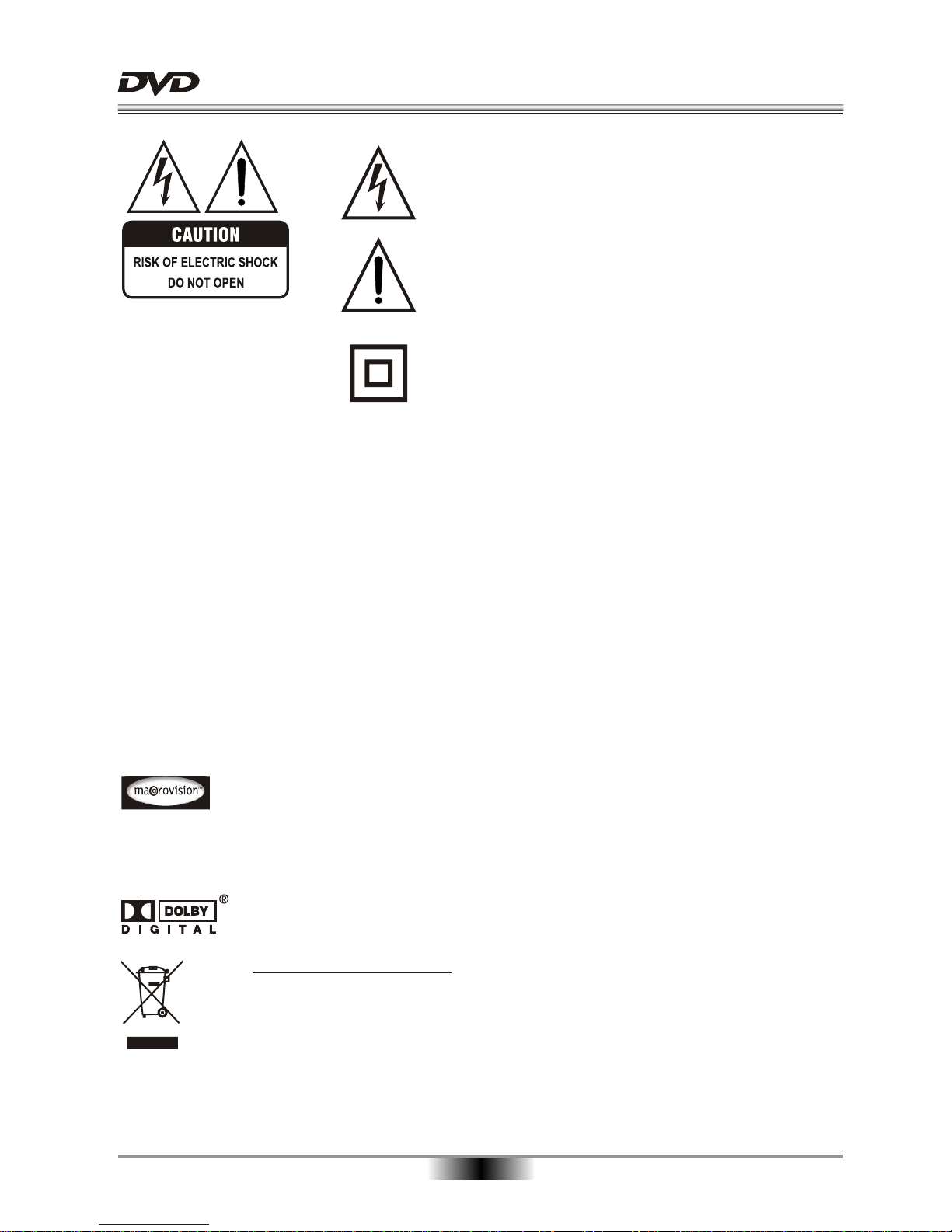
The symbol for CLASS II (Double Insulation).
The lightning flash with arrowhead symbol, within an equila-
teral triangle, is intended to alert the user to the presence
of uninsulated "dangerous voltage " within the product's en-
closure that may be of sufficient magnitude to constitute a
risk of electric shock to persons.
SAFETY PRECAUTIONS
01
WARNING:
The exclamation point within an equilateral triangle is
intended to alert the user to the presence of important
operating and maintenance (servicing) instructions in the
literature accompanying the appliance.
TO REDUCE THE RISK OF FIRE OR ELECTRIC SHOCK, DO NOT EXPOSE THIS
APPLIANCE TO RAIN OR MOISTURE, DANGEROUS HIGH VOLTAGES ARE PRESENT
INSIDE THE ENCLOSURE. DO NOT OPEN THE CABINET, REFER SERVICING TO
QUALIFIED PERSONNEL ONLY.
CAUTION: When replacing the unit's plug or power cord, the replacement must be exactly the same;
or one recommended by the manufacturer.
This Digital Video Disc player employs a laser system.
Use of controls, adjustments or the performance of procedures other than those specified
may result in hazardous exposure to radiation. To prevent direct exposure to laser beam,
do not try to open the enclosure.
DO NOT STARE INTO BEAM.
This product incorporates copyright protection technology that is protected by methods
claim in certain U. S. Patents and other intellectual property rights owned by Macrovision
Corporation and other rights owners. Use of this copyright protection technology must be
authorized by Macrovision Corporation, and is intended for home and other limited
viewing uses only unless otherwise authorized by Macrovision Corporation. Reverse
engineering or disassembly is prohibited.
Disposal of your old appliance
1. When this crossed-out wheeled bin symbol is attached to a product, it means the
product is covered by the European Directive 2002/96/EC.
2. All electrical and electronic products should be disposed of separately from the
municipal waste stream via designated collection facilities appointed by the government
or the local authorities.
3. The correct disposal of your old appliance will help prevent potential negative
consequences for the environment and human health.
4. For more detailed information about disposal of your old appliance, please contact your
city office, waste disposal service or the shop where you purchased the product.

02
CAUTION: PLEASE READ AND OBSERVE ALL WARNINGS AND INSTRUCTIONS GIVEN IN THIS MANUAL AND
THOSE MARKED ON THE UNIT. RETAIN THIS BOOKLET FOR FUTURE REFERENCE.
This set has been designed and manufactured to assure personal safety. Improper use can result in electric shock or fire
hazard. The safeguards incorporated in this unit will protect you if you observe the following procedures for installation,
use and servicing. This unit is fully transistorized and does not contain any parts that can be repaired by the user.
DO NOT REMOVE THE CABINET COVER OR YOU MAY BE EXPOSED TO DANGEROUS VOLTAGE. REFER
SERVICING TO QUALIFIED SERVICE PERSONNEL ONLY.
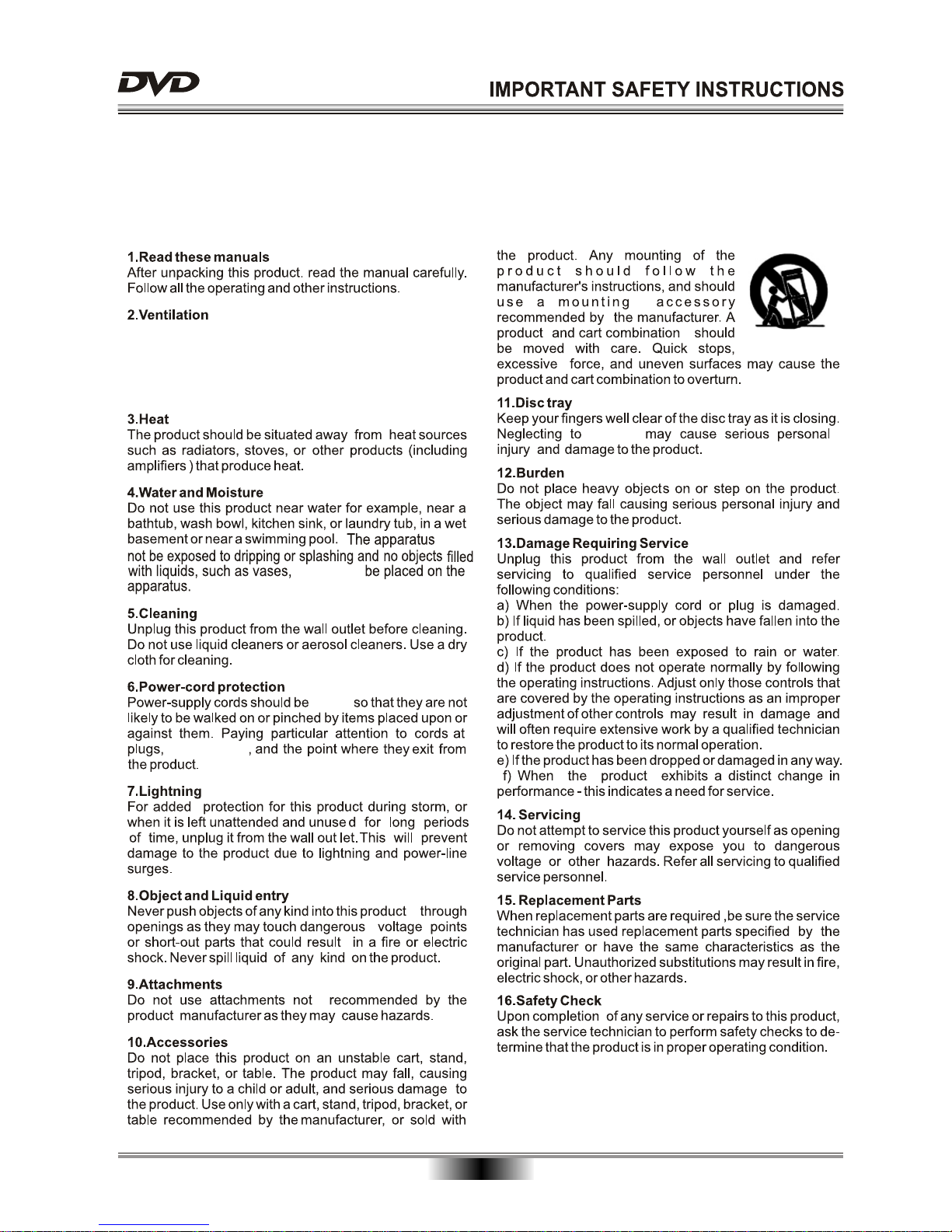
Slots and openings in the cabinet are provided for ventila-
tion and to ensure correct operation of the product. These
protect it from overheating. These open ings must not be
blocked or covered. The openings shou ld never be blocked
by placing the product on a bed, sofa, rug or other.
must
must ever
placed
power boards
do this

Notes on discs
Do not play discs that are damaged or warped, including discs with cracks, scratches or parts missing discs
with burns; poor quality discs.
Route all cords so that they do not interfere with driving or with entering or exiting the
car
Run the cords so tat they do not wrap around the steering wheel, brake pedal etc. or around your feet. Secure
all the cords together
Use the product at the proper volume setting
Driving while you are unable to hear sounds around you or from outside the car can cause accidents.
Do not touch the color TFT LCD screen
Do not place any heavy objects on the product
Never put any heavy objects on the product. Doing so may cause damage to product.
Do not damage the cords.
Broken wires and short circuits can cause electrical shock or fire. Run the cords so that they do not get tangled
in moving parts. Do not damage, tighten up, twist or work on the cords. Do not place the cords near heat
sources or put heavy objects on the cords.
Do not play discs in the wrong format
For instance, if you add the ".cda" extension to a file that is not formatted as a CD file, a loud noise may be
heard through the speakers. possibly damaging them and hurting your eardrums.
Do not swing from the product or pull it
This may cause an accident. injury and/or malfunction. Be particularly careful that children follow this rule.
Cutting the power only when plug of apparatus is pulled out, so please make sure the plug can be pulled out
from the socket easily.
03

04
NOTICES and DISC PROTECTION
an vehicle.
Electrical DISTURBANCE
suffer from condensation
will ensure

05
ACCESSORIES
Compatible Disk Type:
The Player does not support discs types which are not listed above.
Non-standardized discs, even if they may be labeled as above can not be played.
The performance of recorded disc is depend on the method and quality of disc-burning. In some cases,
the disc may not be played.
TM
Designed for
TM
Windows
Media
DVD-RW
DVD+RW
RW
KODAK
PICTURE CD
MPEG4
DivX
DVD play manual
DVD PLAYER
MANUAL
Warranty Certificate x 1
DVD play manual x
Adapter x 1
Audio/Video cable x 1
Car charger x 1
1
Remote control x 1
Bag x 1
Warranty Certificate
WARRANTY
CERTIFICATE
Adapter
Bag
VOLUME
SUBTITLE
4 5 6
1 2 3
7 8 9
SEARCH
0
10+
TFT ON/OFF
SETUP
OSDMODESTANDBY
TITLE/PBC
MENU
PROG
ZOOM ANGLE
PREV
NEXTF.FW DF.REV
STOP SLOW
MUTE REPEAT A-B RPT AUDIO
PD08
Car charger

06
VIEW OF MAIN UNIT
1. TFT SCREEN
2. SPEAKERS
3. DISC LID
4. INDICATOR
5. OPEN
6. STOP
7. SETUP
8. REMOTE CONTROL SENSOR
9. POWER INDICATOR
10. MODE
11. VOLUME +
BATTERY
12. VOLUME -
13. DC IN
14. POWER SWITCH
15. EARPHONE-IN
16. AUDIO/VIDEO OUT
17. NEXT/CURSOR(UP),
PREVIOUS/CURSOR(DOWN)
18. PLAY/PAUSE/ENTER
19. FAST REVERSE/CURSOR(LEFT),
FAST FORWARD/CURSOR(RIGHT)
1
2
3
4
5
6
7
8
10
11
12
13
14
15
16
17
18
2
19
9
O
THE 7’’ TFT PANEL CAN ONLY ROTATE 270

07
BASIC CONNECTION
BASIC CONNECTION
Note: When the player is connected to TV, to enhance TV's audio quality, please turn down the volume
of the DVD player's loud-speaker.
To save battery power and prolong battery life, you may press TFT ON/OFF key on the remote control
to turn off TFT display when you do not intend to use it.
Connection of the power supply to unit
Connect the power with the 9V adaptor like the picture below.
Connecting to a TV with Audio/Video cable
Connect to earphone
You can avoid disturbing others while enjoy the pleasure this unit brings to you
Note: Never set the volume of your earphone too high.
Long wearing of earphone may result in some
discomfort.
Please turn the volume down before you power
off your device.
Be careful or stop to use if there has any potential
danger.
Your earphone is designed in open style, which
allows you to hear the surrounding sound. However,
extremely high volume may block the surrounding sound.
Adapter
Red WhiteYellow
To video input(yellow)
To audio input (red, white)
EARPHONEAV OUT OFF - ON
DC IN 9V
POWER
EARPHONEAV OUT OFF - ON
DC IN 9V
POWER
EARPHONEAV OUT OFF - ON
DC IN 9V
POWER
Connect the device to a TV as illustrated below:

REMOTE CONTROL
REMOTE CONTROL
08
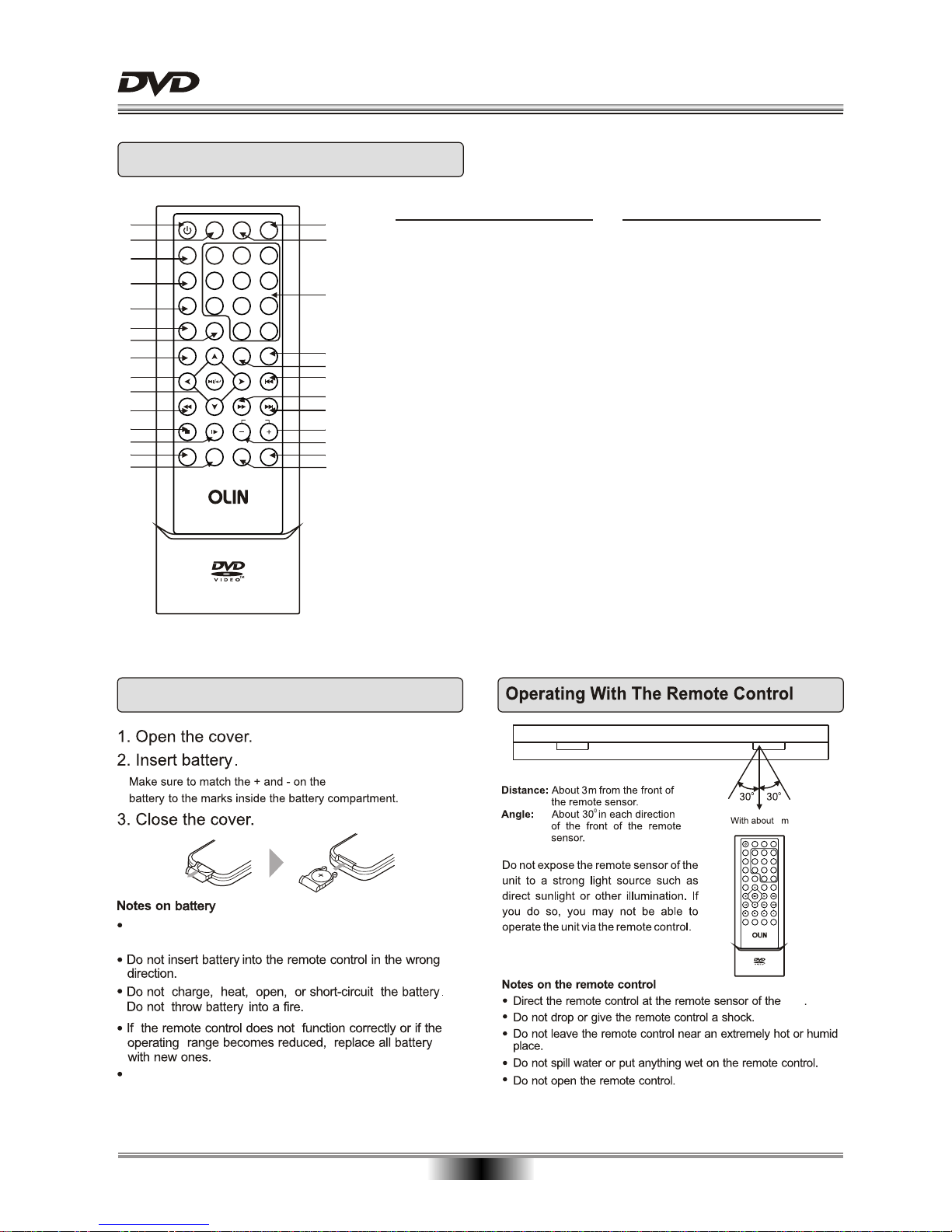
1. STANDBY/ON
2. MODE
3. SUBTITLE
4. TITLE/PBC
5. MENU
6. PROGRAM
7. SEARCH
8. SETUP
9. CURSOR
10. PLAY/PAUSE/ENTER
11. FAST REVERSE
12. STOP
13. SLOW
14. MUTE
Function
15. REPEAT
16. TFT ON/OFF
17. OSD(On Screen Display)
18. DIGITS AND 10+ BUTTONS
19. ANGLE
20. ZOOM
21. PREVIOUS
22. FAST FORWARD
23. NEXT
24. VOLUME+(Volume Control)
25. VOLUME-(Volume Control)
26. AUDIO
27. A-B REPEAT
Function
1
2
3
4
5
7
6
8
10
11
17
18
9
19
20
21
22
23
12
13 25
24
14
15
16
26
27
unit
Loading Battery
Improper replacement of battery may result in explosive
hazard. It will be replaced only by battery with the same
or equivalent type.
Please take out the insulated plastic piece, when you
use the remote for first time.
3
POWER
VOLUME
SUBTITLE
4 5 6
1 2 3
7 8 9
SEARCH
0
10+
TFT ON/OFF
SETUP
OSDMODESTANDBY
TITLE/PBC
MENU
PROG
ZOOM ANGLE
PREV
NEXTF.FWDF.REV
STOP SLOW
MUTE REPEAT A-B RPT AUDIO
VOLUME
SUBTITLE
4 5 6
1 2 3
7 8 9
SEARCH
0
10+
TFT ON/OFF
SETUP
OSDMODESTANDBY
TITLE/PBC
MENU
PROG
ZOOM ANGLE
PREV
NEXTF.FW DF.REV
STOP SLOW
MUTE REPEAT A-B RPT AUDIO
PD08
PD08
Questo manuale è adatto per i seguenti modelli
1
Indice
Altri manuali Olin Lettore DVD portatile