
Omega OMG-USB-SER-2 Manuale utente
www.omega.com
e-mail: [email protected]
User’s Guide
OMG-USB-SER-2
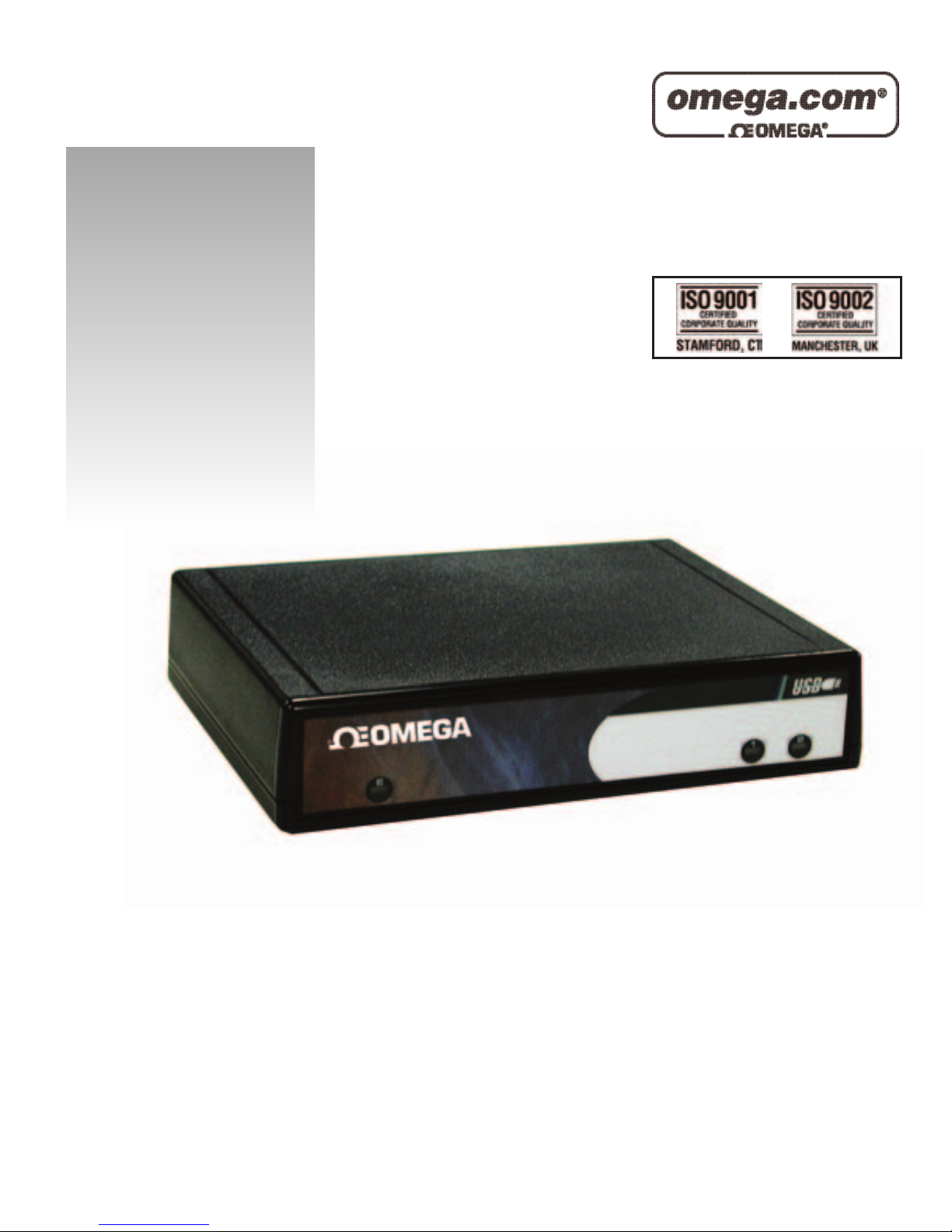
Two Port RS-232/422/485 to USB Adaptor
Shop online at

Contents
INTRODUCTION..........................................................................1
OVERVIEW................................................................................................1
WHAT’S INCLUDED................................................................................1
INSTALLATION ..........................................................................2
OPERATING SYSTEM INSTALLATION.................................................2
SYSTEM INSTALLATION........................................................................2
CONFIGURATION........................................................................4
ORIGINAL CONFIGURATION..................................................................4
ELECTRICAL INTERFACE SELECTION.................................................4
SWITCH EXAMPLES................................................................................6
SWITCH EXAMPLES CONTINUED........................................................7
TECHNICAL DESCRIPTION.........................................................8
FEATURES................................................................................................8
CONNECTOR PIN ASSIGNMENTS..........................................................8
RS-422/485 (DB 9 Male)................................................................8
RS-232 (DB-9 Male)........................................................................8
SPECIFICATIONS ........................................................................9
ENVIRONMENTAL SPECIFICATIONS....................................................9
MANUFACTURING..................................................................................9
POWER CONSUMPTION..........................................................................9
MEAN TIME BETWEEN FAILURES (MTBF).......................................9
PHYSICAL DIMENSIONS..........................................................................9
APPENDIX A -TROUBLESHOOTING.........................................10
APPENDIX B -HOW TO GET ASSISTANCE..............................11
APPENDIX C -ELECTRICAL INTERFACE...................................12
RS-232.....................................................................................................12
RS-422.....................................................................................................12
RS-485.....................................................................................................13
Manual No. M-3899

APPENDIX D -ASYNCHRONOUS COMMUNICATIONS ...............14
APPENDIX E -COMPLIANCE NOTICES .....................................15
FEDERAL COMMUNICATIONS COMMISSION STATEMENT............15
CANADIAN RADIO INTERFERENCE REGULATIONS.........................15
EMC DIRECTIVE STATEMENT...........................................................16
Figures:
Figure 1: Switch SW2...........................................................................................5
Figure 2: RS422/485 Interface Configuration................................................6
Figure 3: Electrical Interface Configuration....................................................7
Figure 4 -Asynchronous Communications Bit Diagram.............................14

Introduction
OMG-USB-SER-2Page 1
Introduction
Overview
The OMG-USB-SER-2equips the PC with 2 USB to RS-232/422/485
Asynchronous serial ports providing a versatile interface for common serial
needs. The advantage of this product over more traditional approaches is that it
does not require opening the computer case, nor does it require resources such
as I/O ports or IRQ’s. It does require a system that supports USB both in terms
of hardware and operating system.
What’s Included
The OMG-USB-SER-2 is shipped with the following items. If any of these items
is missing or damaged, contact the supplier.
•OMG-USB-SER-2 USB to RS-232/422/485 Serial I/O Adapter
•USB Cable Part Number CA179 for Connecting to Upstream
Host/Hub
•Software

Installation
OMG-USB-SER-2Page 2
Installation
Operating System Installation
Choose Install Software at the beginning of the CD and install SeaCOM.
System Installation
The screen captures below are taken from a Windows 98 installation. Your
particular operating system may differ slightly from what is shown based on your
version of Windows.
The OMG-USB-SER-2 can be connected to any upstream type “A” port either at
the PC host or an upstream hub. The OMG-USB-SER-2 is hot pluggable,
meaning there is no need to power down your computer prior to installation.
Connect the OMG-USB-SER-2to an upstream host or hub.
The New Hardware Foundwizard will now proceed to locate the appropriate
drivers. These drivers were installed during the SeaCOM software setup
procedure. Once the drivers are found a new window will pop up indicating the
installation of each of the four new ports.
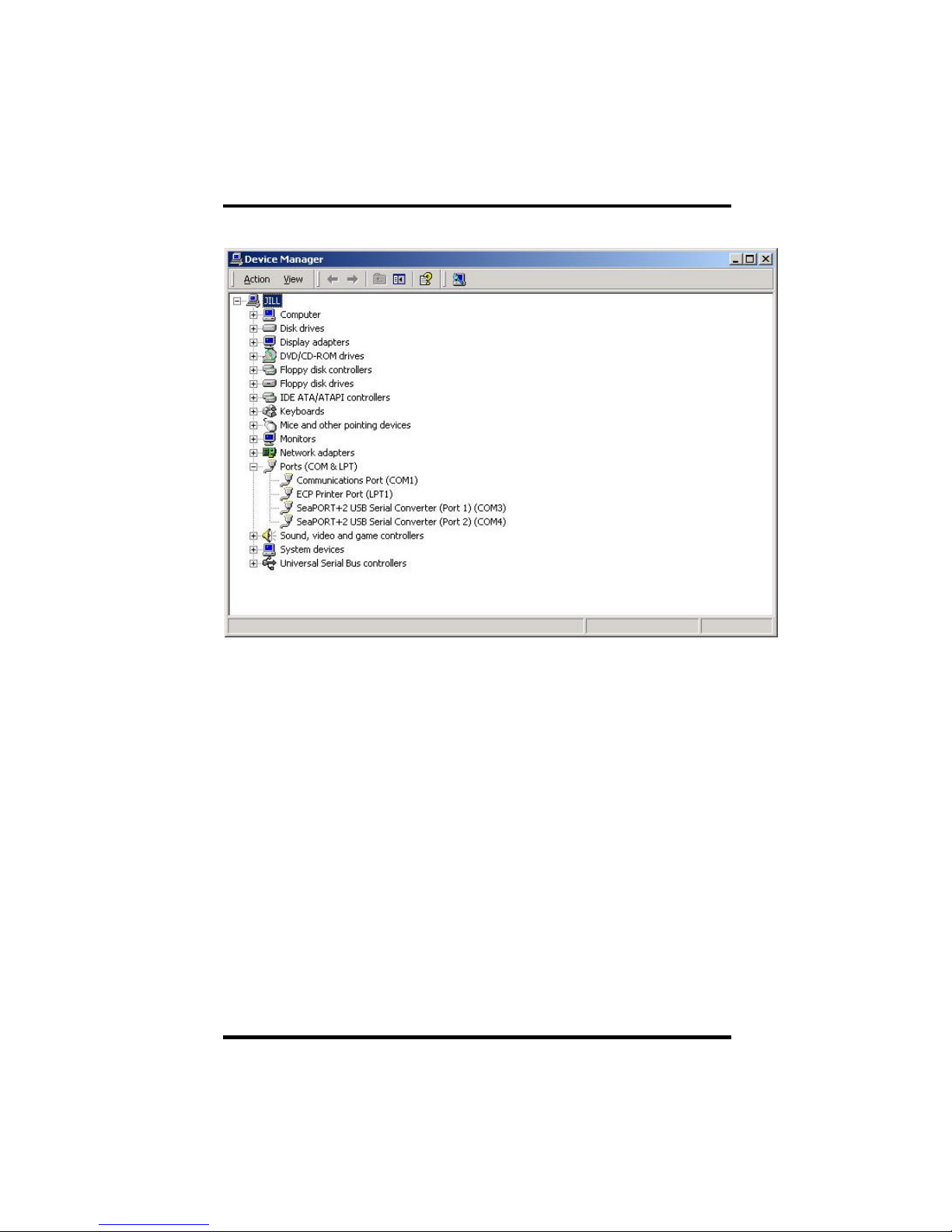
If you view the system’s Device Manager, you should have new “COM” ports in
the Ports (COM & LPT) Device Class. This is shown on the following page.
Installation
OMG-USB-SER-2Page 3
You can access your new COM: ports by using the assigned COM: identifiers as
shown above. In this case, it is COM 3 and 4. However, this assignment will vary
from system to system. At this point, the hardware is recognized and ready to
use.

Configuration
OMG-USB-SER-2Page 4
Configuration
Original configuration
This device ships with the following configuration.
422 mode,
120 ohm termination,
1K ohm pull up on RX+
1K ohm pull down on RX-
In order to change this configuration the box must be opened. Do this by
removing the four screws located on the bottom. When reassembling please note
that the top and bottom are keyed to fit in only one direction.
Electrical Interface Selection
Each of the two ports on the OMG-USB-SER-2 can be individually configured as
an RS-232, RS-422, or RS-485 interface. This is selectable via the DIP switches
and DIP shunts. Each of the switch positions is described on the following page.

Configuration
OMG-USB-SER-2Page 5
Switch Descriptions
Figure 1: Switch SW4
L485 option, OFF for 422.
OFF: No effect
ON : Connects TX+ to RX+ for two-wire operation
L485 option, OFF for 422.
OFF: No effect
ON : Connects TX-to RX-for two-wire operation
PU 485 option, OFF for 422.
OFF: No effect
ON : Adds a 1 K ohm pull-up resistor to RX+
PD 485 option, OFF for 422.
OFF: No effect
ON : Adds a 1 K ohm pull-down resistor to RX-
T422 and 485 option.
OFF: No effect
ON : Adds a 120 ohm termination resistor between RX+ and RX-
ON
1 2 3 4 5 6 7 8
OFF 9 10
Port 1
L
L
T
PU
PD
Port 2
L
L
T
PU
PD
SW4

Configuration
OMG-USB-SER-2Page 6
Switch Examples
Figure 2: RS422/485 Interface Configuration
485 Mode Selection
OFF : 422 Mode
The transmitter lines TX+ and TX-are always driven
ON : 485 Mode
The transmitter lines TX+ and TX-are switched to high
impedance when the device is not actively transmittingdata
NE 485 option, OFF for 422
OFF : The receiver is always enabled. In a two-wire setup the
receiver will echo back all transmitted data.
ON : The receiver is disabled when the transmitter is enabled. In a
two-wire setup the receiver will not echo back transmitted data.
Note: Switch positions 1 and 2 are for port 1 and switch positions 3 and 4 for port
2.
ON
1 2 3 4
OFF
485 1
NE 1
485 2
NE 2
SW3
Configuration
OMG-USB-SER-2Page 7
Switch Examples Continued
Port 2 Port 1
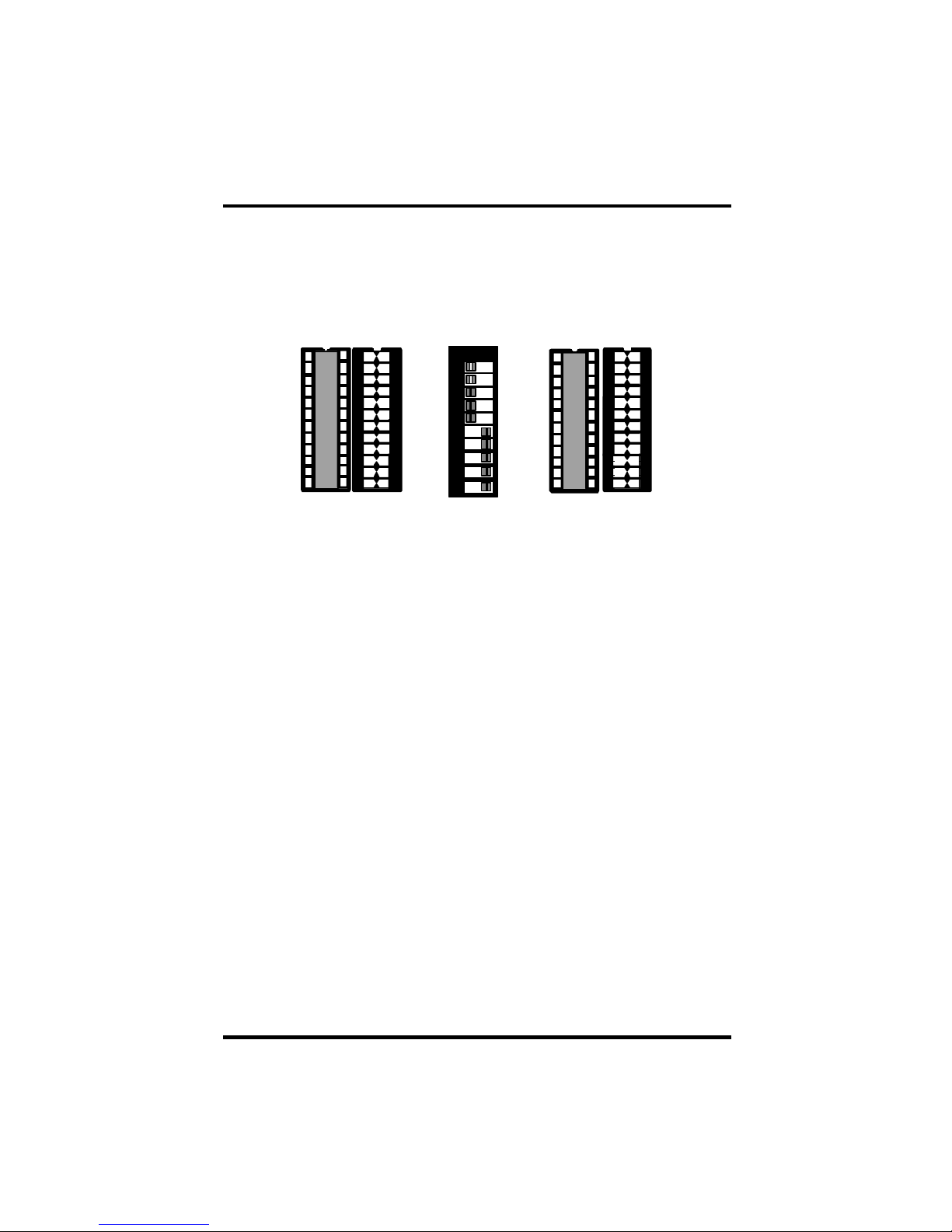
Figure 3: Electrical Interface Configuration
Port 1 : RS-232
The corresponding shunt is in the 232 position. The switches will have
no effect.
Port 2 : RS-485 two wire communication with no echo.
The corresponding shunt is in the 422/485 position. Switches 485 2,
NE 2, and Port 2 L, L, T, PU, and PD are all in the ON position.
RS 232 RS 232
RS 422/485 RS 422/485
ON
1 2 3 4 5 6 7 8
OFF 9 10
Port 1
L
L
T
PU
PD
Port 2
L
L
T
PU
PD
E5
E6 E7 E8
SW4
Indice
Altri manuali Omega Router wireless


