
Paradox R885S Manuale utente
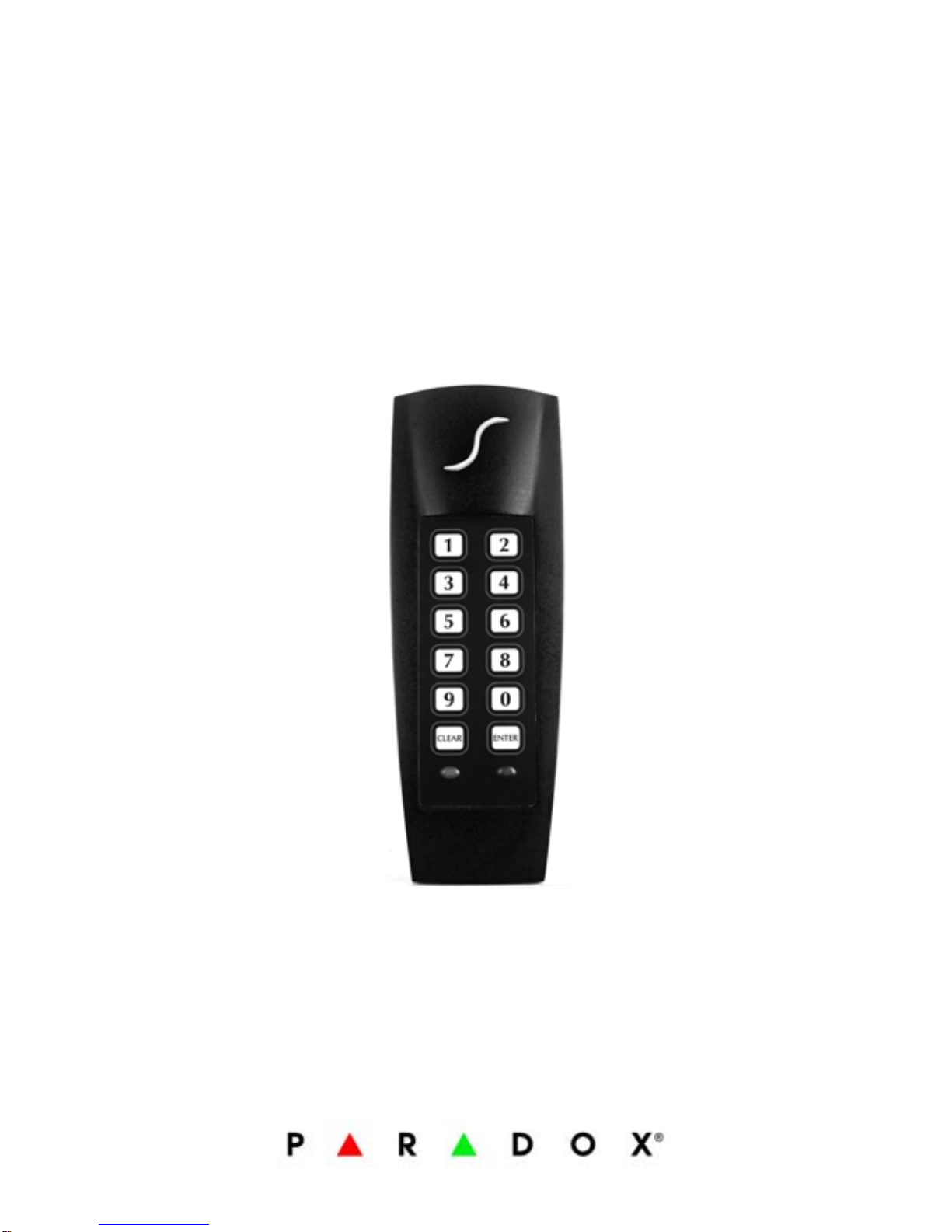
Indoor/Outdoor
Proximity Reader and
Keypad with 10cm (4in)
Read Range
Stand alone
R885S
Installation and Operating Instructions
V1.1


R885S 1
TABLE OF CONTENTS
Installation .............................................. 2
Mounting and Wiring ......................................... 2
Mounting on Metal Surfaces ............................... 3
Technical Specifications ..................................... 3
Feedback ......................................................... 7
Resetting to Default .......................................... 7
Card Presentation Test ...................................... 8
System Programming ............................... 9
Section [001] Card/Code Options ...................... 10
Section [002] Door Lock Control ......... .............. 10
Section [003] Access Granted Options ............... 11
Single Access Granted .................................. 11
Dual Access Granted .................................... 11
Dual Access Granted with Dual Panic Disarm ... 12
Section [004] Display on Card Read .................. 12
Section [005] Keypad Lockout .......... ................ 13
Section [101] Buzzer Setting ............................ 13
Section [102] Face Light Intensity ..................... 13
Section [103] Face Light Operation ........ ........... 14
Section [104] Face Light Colour ........ ................ 14
Section [200] Changing the Installer Code ......... 14
Resetting the Installer and Master Codes
to Default ................................................... 15
Master Programming ..............................16
Sections [201] and [202] Changing the
Master Codes .............................................. 16
Section [203] User Code Programming ... ........... 17
Deleting a User Code ....................................... 19
Section [204] User Code Reset ...... ................... 20
User Operation ........................................21
User Access ................................................... 21
Panic Alarm ................................................... 22
User Code Table ......................................24
Warranty .................................................26

2 Installation and Operating Instructions
INSTALLATION
To select an installation site:
• Avoid wiring the R885S’s cables in the same
conduit as AC power cables, lock power or
signal wiring.
• Reader wiring must remain a minimum of
30cm (12in) away from other wiring, such as
wiring for AC power, computer data,
telephones, electric locks, etc.
• Avoid sites within 1.1m (3.5ft) of computer
monitors or CRTs.
• Avoid sites near sources of broad spectrum
EMI noise, such as motors, pumps,
generators, DC to AC converters, AC
switching relays, power supplies and light
dimmers.
• Avoid sites near potential sources of RF
signals, such as cellular phones, two-way
radios, etc.
MOUNTING AND WIRING
Use the mounting plate as a guide to drill two
holes to secure the mounting plate and a hole for
the cable 0.95cm to 2.54cm (0.375in to 1in)
wide. Place a grommet around the edge of the
hole for the cable. Prepare the R885S’s cable by
cutting the cable jacket back 3.175cm (1.25in)
and stripping the wires back 0.635cm (0.25in).
Splice the R885S’s wires with a recommended
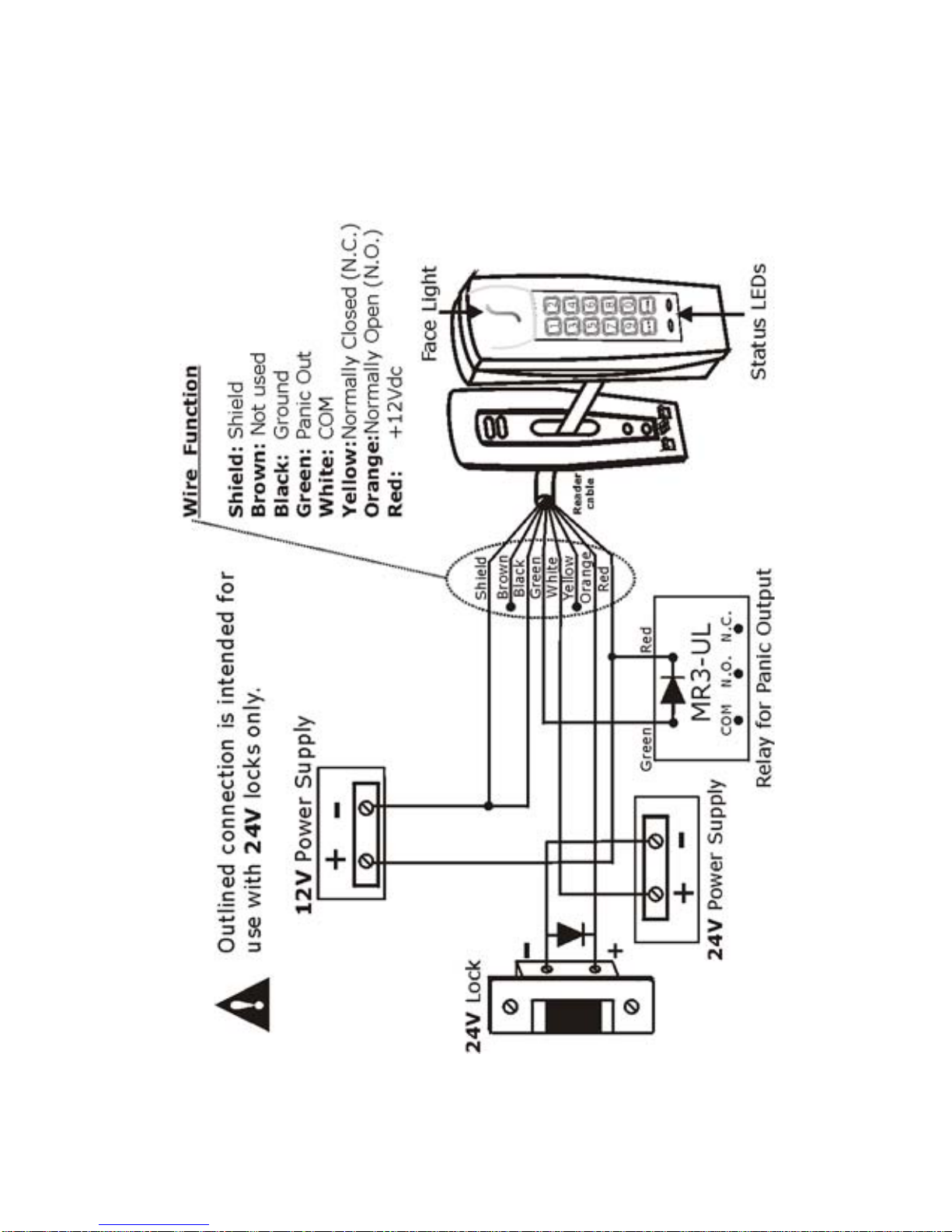
cable wire (see page 7) and connect as shown in
Figure 1 on page 5.

R885S 3
MOUNTING ON METAL SURFACES
Although the read range may decrease, the
R885S can be mounted on metal. However, do
not box in or surround the card reader with any
kind of metal. If the reader must be installed in a
metal enclosure, ensure that the face of the card
reader is not covered and that at least 1.6" (4cm)
remain between the card reader and the metal on
all sides of the card reader.
TECHNICAL SPECIFICATIONS
Input Voltage: Typical: 13.8Vdc, min.:
11.0Vdc, max: 14.5Vdc
Input Current: Typical: 65mA @ 12.5Vdc,
with card: 105mA
Consumption: Typical: 812mW @ 12.5Vdc,
with card 1.31mW
Frequency: Exciter Field: 125kHz Pulse
Modulated, receive low:
12.5kHz, Receive high:
15.625KHz
Operating Temp: -25°C (-13°F) to +65°C
(+149°F)
Cable Distance: 152.4m (500ft)
Suggested Cables: 22AWG, 0.8mm, Multi-
conductor, Alpha 5196, 5198
18AWG, 1.2mm, Multi-
conductor, Alpha 5386, 5388
Belden 9553, 18AWG, 6-
conductor, stranded w/overall
shield
Indicators: Beeper, red LED and green
LED

4 Installation and Operating Instructions
For CR-R885-S: red and
green Face Light
For R885S: blue and green
Face Light
Weight: 280g (9.8 oz.)
Material: Black, UV resistant, ABS
plastic
Dimensions: 99.5mm (5.75") x 118.5mm
(2") x 19.5mm (1")
Wire Function: Brown: Not used
Black: G round
Green: Pan ic Out
White: COM
Yellow: N ormally Closed
(N.C.)
Orange: Normally Open
(N.O.)
Red: +12 Vdc

R885S 5
Figure 1: Connection drawing (12V Locks)
6 Installation and Operating Instructions
Figure 2: Connection Drawing (24V Locks)

R885S 7
FEEDBACK
Depending on the programming mode chosen,
the feedback will differ. In the section System
Programming on page 9 and Master Programming
on page 16, the combinations of visual feedback
and beep tones are specified step by step.
Visual Feedback: When information is entered
on the reader’s keypad, the red and/or green
LEDs will flash, turn ON or turn OFF depending on
the step reached in programming.
Confirmation Beep: When an operation is
successfully entered, the reader emits a rapid
series of beep tones (“beep-beep-beep-beep-
beep”).
Rejection Beep: When the system reverts to a
previous status or an operation is incorrectly
entered, the reader emits one long beep tone
(“beeeeeeeeeep”).
RESETTING TO DEFAULT
To reset all sections to factory defaults,
disconnect reader’s power supply. Press and hold
the [1] and [2] keys simultaneously while re-
connecting its power supply. The reader will emit
a confirmation beep. Repeat this procedure a
second time holding the [3] and [4] keys.
Sections are reset when the reader emits the
second confirmation beep.

8 Installation and Operating Instructions
CARD PRESENTATION TEST
Place the card parallel to the
R885S reader (as shown in
the figure) and move it
toward the reader until the
reader provides audio or
visual feedback.
Indice
Manuali Portale popolari di altre marche

LST
LST M500RFE-AS Manuale utente

Kinnex
Kinnex Media Gateway Manuale utente

2N Telekomunikace
2N Telekomunikace 2N StarGate Manuale utente

Mitsubishi Heavy Industries
Mitsubishi Heavy Industries Superlink SC-WBGW256 Manuale utente

ZyXEL Communications
ZyXEL Communications ZYWALL2 ET 2WE Manuale utente

Telsey
Telsey CPVA 500 - SIP Manuale utente


