
Patlite NE- N-USB Series Manuale di istruzioni
USB Controlled Multi-color Signal Beacon User Manual
1
USB Controlled Multi-color Signal Beacon
TYPE:
NE-□N-USB
General Instruction Manual
[WEB version]
Notice to customer
Thank you very much for your purchase of the PATLITE product.
To ensure correct use of the product, read this manual carefully before use, And, keep this
manual safely for future reference.
Be sure to read this manual again before you perform maintenance, inspection or repair. If you
have any questions, contact our technical/repair service helpdesk shown in the back of this
manual.
To installers or Contractors
Read this manual thoroughly before using this product to ensure correct use.
If you have any questions, contact our technical helpdesk shown in the back of this manual.
Be sure to return this manual to the customer.
GA0007806_02

USB Controlled Multi-color Signal Beacon User Manual
2
■ Contents
Notice to customer .................................................................................................................................1
To installers or Contractors ...................................................................................................................1
1
Getting started .......................................................................................................................................4
1.1
Safety signs......................................................................................................................................4
1.2
Safety precautions ...........................................................................................................................5
2
Model Number Configuration ...............................................................................................................8
2.1
About model labeling.......................................................................................................................8
3
Package contents....................................................................................................................................9
3.1
About package contents ..................................................................................................................9
(1)
N -SN-USB..................................................................................................................................9
(2)
N -WN-USB ................................................................................................................................9
4
Names and dimensions of parts ..........................................................................................................10
4.1
Names and dimensions of parts....................................................................................................10
(1)
N -SN-USB................................................................................................................................10
(2)
N -WN-USB .............................................................................................................................. 11
5
Operation Overview .............................................................................................................................12
5.1
What is a USB Controlled Multi-color Signal Beacon? ...............................................................12
5.2
Device Configuration.....................................................................................................................12
(1)
Glossary of Key Terms ...............................................................................................................12
(2)
Device Configuration .................................................................................................................12
5.3
Function List..................................................................................................................................13
(1)
Function Overview.....................................................................................................................13
(2)
Function details .........................................................................................................................14
5.4
Control method ..............................................................................................................................16
6
Device setup and installation..............................................................................................................17
6.1
Mounting directions ......................................................................................................................17
(1)
N -SN-USB(direct mount / magnetic mount).....................................................................18
(2)
N -SN-USB(screw mounting)..............................................................................................18
(3)
N -WN-USB ..............................................................................................................................19
6.2
Mounting Surface Dimensions......................................................................................................20
6.3
Wireing Method .............................................................................................................................21
7
How to Control the USB Controlled Multi-color Signal Beacon........................................................22
7.1
Purpose and Precautions ..............................................................................................................22
(1)
Purpose .......................................................................................................................................22
(2)
Precautions.................................................................................................................................22
7.2
Before Design.................................................................................................................................23
7.3
Control Using Software Library (DLL) ........................................................................................24
(1)
Overview.....................................................................................................................................24

USB Controlled Multi-color Signal Beacon User Manual
3
(2)
Development nvironment........................................................................................................24
(3)
API List.......................................................................................................................................25
(4)
API Details .................................................................................................................................26
(5)
Parameters .................................................................................................................................33
(6)
rror ...........................................................................................................................................36
7.4
Controlling According to Protocol Specifications .........................................................................37
(1)
Overview.....................................................................................................................................37
(2)
USB Communication Settings...................................................................................................37
(3)
USB Communication Protocol...................................................................................................38
8
Replacement and Optional Parts ........................................................................................................42
9
Specifications........................................................................................................................................43
◇ About Trademarks and Registered Trademarks
Windows®, Microsoft®, Visual Studio®, and Visual C#® are registered trademarks or trademarks of
Microsoft Corporation in the United States, Japan, and other countries.
Company names and product names mentioned in this manual are trademarks or registered
trademarks of their respective owners.
USB Controlled Multi-color Signal Beacon User Manual
4
1Getting started
1.1 Safety signs
Be sure to follow the instructions below that are provided to prevent injury to you and others or property
damage.
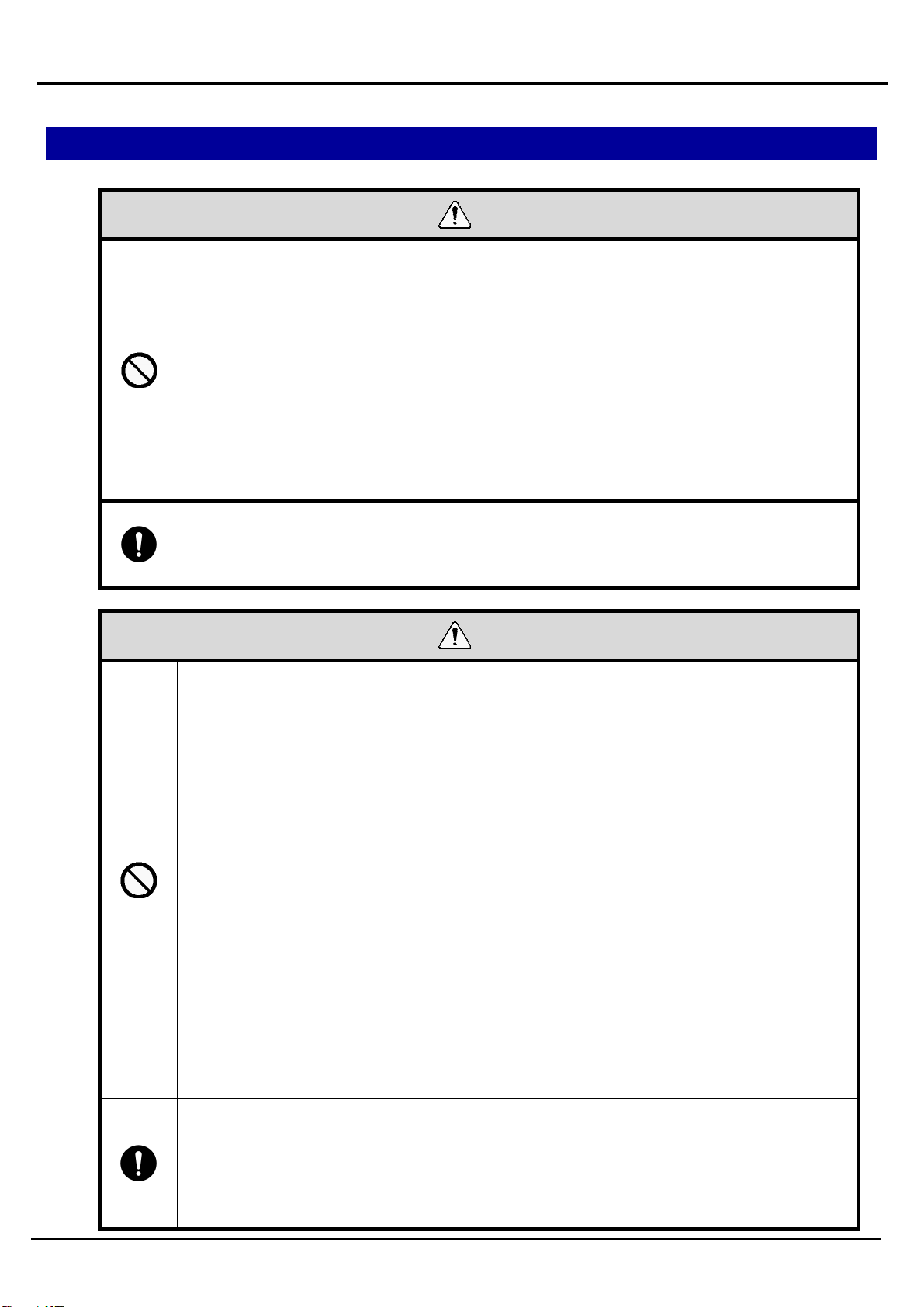
◇ The following signs are used to classify and explain the degrees of possible harm and damage that may
occur if the product is used incorrectly by the neglect of given signs and instructions.
Warning
Indicates a “hazardous situation which, if not avoided, could result in death or serious
injury.”
Caution
Indicates a “hazardous situation which, if not avoided, could result in minor or
moderate injury or property damage.”
◇ The safety instructions are classified with the following pictograms.
This pictogram is used for “don’ts” that you must not do.
This pictogram is used for “do’s” that you must do.
This pictogram is used for general cautions that is not specific.
USB Controlled Multi-color Signal Beacon User Manual
5
1.2 Safety precautions
Warning
◇ To prevent electric shock, short circuit or damage, follow the instructions below.
◇ Be sure to turn off the USB power feed before you perform cabling, assembly or
removal. Failure to follow this instruction may cause a short resulting in a burn on
the internal circuit or electric shock injury.
◇ Use the product in the appropriate condition.
◇ Be sure to ask a specialist to install the product if construction is required. Failure to
follow this instruction may result in electric shock, fire, falling, etc.
◇ Do not use or get near the product if you have an implanted medical electronic
device such as a cardiac pacemaker. Failure to follow this instruction may affect the
device by the magnetic force of the product.
◇ To prevent lethal or serious property effects caused by the breakdown or
malfunction of the product, secure sufficient safety by the combined use of other
devices.
Caution
◇ Do not allow the alarm to sound unreasonably close to you. Failure to follow this
instruction may damage your hearing.
◇ Do not operate this product without the O-ring. Failure to comply will result in lower
waterproofing performance, possibly causing failure.
◇ Do not use the product near a flame or in a hot and humid or a corrosive or
flammable atmosphere. Failure to follow this instruction may cause a breakdown or
malfunction.
◇ When you attach/detach the glove, do not touch the internal connector terminal.
Failure to follow this instruction may cause a breakdown.
◇ After the product has been mounted on a device, do not grab it to climb up on top of
the device. Failure to follow this instruction may cause damage to the product and
result in toppling or fall accidents.
◇ Do not use this product near equipment that generates strong electrical or magnetic
fields (such as magnetic cards, medical equipment, electric devices, speakers).
Failure to follow this instruction could result in product damage and product
malfunctions such as data loss.
◇ When using a tripod with this product, do not try to move or transport the product
with the tripod attached. Failure to follow this instruction could result in equipment
damage if the product falls over.
◇ In order to maintain protection against dust and waterproofing performance for this
product, be sure to use the glove in the condition that it was originally attached.
◇ When you remove packing or wrapping materials from the device on which the
product is mounted, take care not to get the materials snagged on the product.
Failure to follow this instruction may cause damage to the product.
USB Controlled Multi-color Signal Beacon User Manual
6
◇ Ensure that the product is securely installed, making sure that the product does not
lost balance or fall over from the weight of the USB cable. Also, install so that there
are no risks of people tripping over the USB cable. Failure to follow these
instructions may result in injury or product damage.
◇ Install the product on a stable, flat surface free from vibration or impact. Note that
the sufficient force to hold the product may not be obtained depending on the
conditions of the mounting surface (material, environment, steel plate thickness,
coating thickness, etc,).
◇ Before installing the product, clean any dust, stains, oil or iron leavings off the
mounting surface and the product’s bottom. Failure to follow this instruction may
scratch the mounting surface or lose the force to hold the product.
◇ When removing the product from a tripod, be sure to unscrew from the screws of the
tripod, instead of trying to unscrew the product off directly from the tripod. Failure to
follow this instruction may result in injury or product damage.
USB Controlled Multi-color Signal Beacon User Manual
7
Note
◇ Where the product is used for the primary purpose of safety maintenance, be sure to perform
daily maintenance.
◇ Before handing the product, remove static buildup from your body to prevent damage by
electrostatic discharge (To remove static charges, touch other grounded metallic area with
your bare hands).
◇ For the handling of the parts of the product, follow the instructions below.
Do not disassemble the parts that are not designed as removable.
Do not add any modification to the product.
For repair parts, be sure to use only those specified in this manual.
PATLITE cannot be held responsible for any damages caused from misuse of this product in a way
that violates the warnings and instructions noted on this manual. Do not use this product in a way that
is not outlined in this manual. Additionally, PATLITE also cannot be held responsible for any damages
caused from careless or improper use and maintenance of this product.
FCC notation requirements
This equipment has been tested and found to comply with the limits for a Class B digital device, pursuant to
Part 15 of FCC Rules and RSS-Gen of IC Rules. These limits are designed to provide reasonable protection
against harmful interference in a residential installation.
USB Controlled Multi-color Signal Beacon User Manual
8
2Model Number Configuration
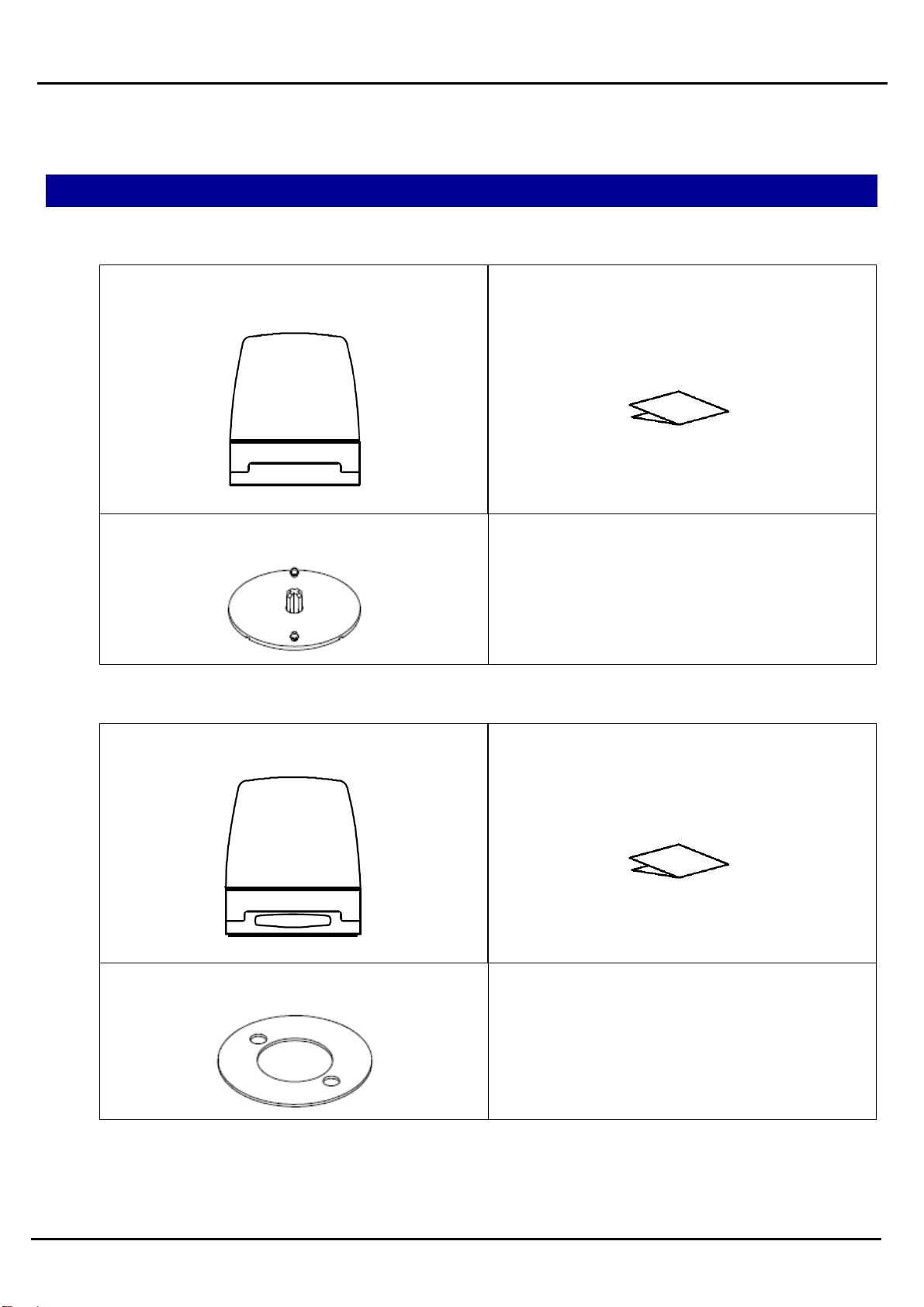
2.1 About model labeling
W:Two-hole screw mounting
N
E
-
□
N
B
U
S
S:Direct, magnetic or inch-screw mounting
Installation
-
USB Controlled Multi-color Signal Beacon User Manual
9
3Package contents
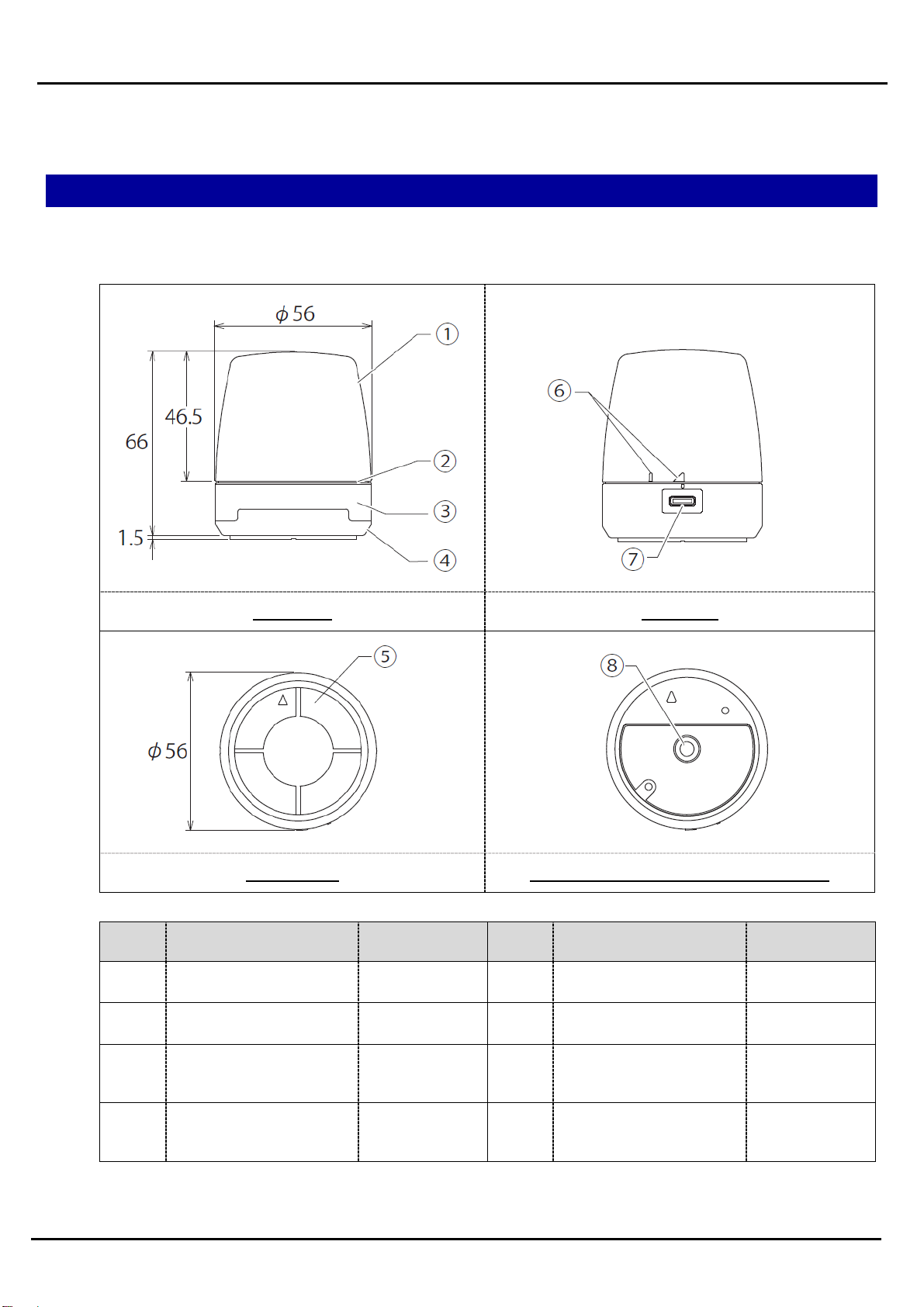
3.1 About package contents
(1) NE-SN-USB
NE-SN-USB unit : 1Instruction Manual : 1
Slip-proof sheet : 1
(2) NE-WN-USB
NE-WN-USB unit : 1 Instruction Manual : 1
Waterproof sheet : 1
*USB cable not included, please prepare your own.
USB Controlled Multi-color Signal Beacon User Manual
10
4Names and dimensions of parts
4.1 Names and dimensions of parts
(1) NE-SN-USB
Front view Back view
Bottom view Bottom view (Slip-proof sheet removed)
No. Name Material No. Name Material
①Glove PC ⑤Slip-proof sheet silicon
②O-ring silicon ⑥Positioning indicator -
③Product label -⑦USB 2.0 Connector
(Type-C) -
④Outer housing PC ⑧Tripod screw hole
(1/4-20UNC) -
Questo manuale è adatto per i seguenti modelli
2
Indice
Altri manuali Patlite Sistema di sicurezza


Manuali Sistema di sicurezza popolari di altre marche


EDM
EDM Solution 6+6 Wireless-AE Manuale utente

Highway Safety Group
Highway Safety Group EA401 Manuale utente

Siren
Siren LED GSM Manuale utente

Detection Systems
Detection Systems 7090i Istruzioni per il montaggio

Se-Kure Controls
Se-Kure Controls MicroMini SK-4841 Manuale utente

Siemens
Siemens FDM273 Manuale utente