
Pixel Liber Manuale utente

E-mail:
Add:
Building 2 No. 871, Dalang section Guanzhang Road, Dalang
Town, Dongguan, China
Y2553 01.01
Prolinx GmbH Brehmstr. 56, 40239
Duesseldorf Germany
Prolinx Global LTD 27 Old Gloucester
Street London, WC1N 3AX, UK
EC REP
UK REP
Gebrauchsanleitung
User Manual Manual de Usuario
取扱説明書 使用说明书
USER MANUAL
PORTABLE RGB VIDEO LIGHT

INDEX
P1 ~ 14
.......................................................
English
P15 ~ P29
.......................................................
Deutsch
P30 ~ P44
.......................................................
Español
P45 ~ P59
.......................................................
日本語
P60 ~ P75
.......................................................
中文

English
English
01 02
INTRODUCTION
Thank you for purchasing our product!
Adopt OLED display, it is easy for digital dimming.
Magnetic adsorption design enables to be adsorbed on
ironwork.
Built-in 3.7V 3000mAh high-capacity lithium battery,
can be charged through the Type-C port.
Built-in professional LED driver chip, avoid visible
flickering while shooting. It is especially suitable for
creative shooting, live streaming, camping photography,
selfie, object photography, microfilm, and video
recording, etc.
The LED color rendering index is ≥95, which gives
the most accurate colors. Adjustable brightness from
0~100%, and color temperature from 2500K to 8500K.
Portable RGB LED
Video Light
WARNING
PRECAUTION
1. Please keep the product dry, do not touch the product
with wet hands, and do not immerse the product in water
or expose it to rain.
1. Unplug the power cord once fully charged.
2. If the product has not been used for a long time,
please charge it first.
3. This product has a built-in lithium battery. The battery
life will be shortened after using for a period of time,
which is normal.
2. Do not use it in a closed environment with high
temperatures or direct sunlight.
3. The built-in lithium battery is forbidden to be
disassembled, impacted, squeezed, or put into the fire.
Please strictly follow the corresponding operating rules,
otherwise, it may cause an explosion or fire.

English
03 04
PART NAME
1 2
3 4
5 6
LED Lamp Beads 1/4 Screw Hole
1/4 Screw Hole OLED Display
Adjustment Dial Wheel
Type-C Charging Port
Power Switch
7
6
7
2
5
4
3
1
English
LIST OF ITEMS
The following items are included in the package
Light Body *1
Metal Plate Sticker *4 1/4" Cold Shoe Mount
Adapter *1
Silicone Light Diffuser *1
Type-C Charging Cable *1 User Manual *1

English
05 06
English
Once turning on, the OLED display shows the memorized
parameters of the previous use, and the light works based
on these parameters.
Note:
USAGE
Push up to[ON], the LED light is turned on according
to the relevant parameter values shown on the OLED
display. Push down to [OFF], the OLED screen and the
light will turn off.
1. Turn on The Power
2. Working Mode Setting
Press the adjustment dial wheel[OK]for 1 second
to cycle through CCT color temperature mode/HSI
mode/RGB mode/Scene mode.
USAGE
3. Color Temperature Mode Regulation (CCT)
4. Full-Color Gamut Mode Adjustment(HSI)
8500K
100%
CCT
8500K
100%
CCT
765
H
S
0%
100%
HSI
Short press the adjustment dial wheel[OK]to set
the brightness or color temperature. Then rotate the
adjustment dial[][ ]to adjust brightness from 0%
to 100% (The light is off when 0% is displayed), or color
temperature from 2500K to 8500K.
Short press adjustment dial wheel[OK]to choose from
hue adjustment /brightness adjustment/ saturation
adjustment. H-Hue: support the setting of each color in
0-765 tones. Brightness: support 0~100%. S-Saturation:
support 0~100%.

07 08
English
English
USAGE
5. RGB Color Mode Adjustment (RGB)
255
R
G
B
0
0
RGB
0
R
G
B
255
0
RGB
0
R
G
B
0
255
RGB
765
H
S
10%
100%
HSI
765
H
S
100%
100%
HSI
Short press the adjustment dial wheel[OK]to set the
R/G/B colors from 0 to 255, and achieve different effects
through the combinations of different colors, which is up
to 16 million combinations of colors.
USAGE
6. Scene Effect Mode Adjustment
0%
SCENE 1
Lightning1
100%
SCENE 10
Candlelight
No. Scene Effect Mode
Lightning1
Lightning2
Lightning1
Lightning2
Cinema Simulation
Police Van Simulation
Ambulance Simulation
Cinema
Police Van
Ambulance
Effect
Fire Truck
Fast RGB
Fire Truck Simulation
RGB Cycle Fast Speed
RGB Cycle Low Speed
SOS
Candlelight Simulation
Slow RGB
SOS
Candlelight
1
2
3
4
5
6
7
8
9
10
Support 10 kinds of scene effect modes. Short press the
adjustment dial wheel [OK] to switch in cycle. Rotate the
adjustment dial wheel [ ] [ ] to set the brightness.

09 10
English
English
USAGE
7. Factory Default Setting
The charging interface is a Type-C socket. Connect the
Type-C to USB cable with the USB charger. (sold separate-
ly) to charge the product. It will be fully charged with a
5V2A charger in around two hours.
9. USB Charging
When the current brightness is not adjusted, the power
of each cell decreases. When the last cell is used up,
it will automatically shut down after about 5 minutes.
Please charge it in time.
8. About Battery Icon
8500K
100%
CCT
Press and hold the adjustment dial wheel[OK]button
for 5 seconds back to the factory default setting (CCT
mode, color temperature is 5500K, brightness is 0%).
USAGE
The built-in magnet design on the back of the light
enables the light to be adsorbed on ironwork.
10. Magnetism

11 12
English
English
USAGE
You can download the Pixel Link app from the iOS App
Store or scan the QR code below to get the app to enhance
the light's functionality. Please visit https://www.pixelh-
k.com for more details of your Pixel lights.
11. Using the Pixel Link APP
Get Pixel Link App Pixel official website
SPECIFICATIONS
Name Portable RGB LED Video Light
Model Liber
CRI Ra: ≥95
TLCI Qa: ≥98
CCT Color
Temperature 2500~8500K(
±
100K)
Lamp Beads
Number
66 pcs (24 pcs of warm white light + 24
pcs of cold white light +18 pcs of RGB)
RGB Hue
(HSI) 0~765 Full color
RGB Comb
ination Mode
Support(up to 16 million combinations
of colors)
Scene Mode Support(10 kinds of scene effect)
Brightness
Adjustment 0~100%

13 14
English
English
SPECIFICATIONS
Power 7W
Built-in Battery
Capacity 3.7V/3000mAh
Battery
Duration
It can work for about 90 minutes under
100% brightness
Input Port Type-C
Charging
Power Supply 5V 2A
Fixed
Interface 1/4 Screw holes x2
Display OLED 0.96 inch
Material Aluminum alloy
Size 100x60x15mm (3.94*2.36*0.59 inch)
Weight Approx. 130g (4.73oz)
Note:
SPECIFICATIONS
100%
Power
Illuminance
Lumen (LM)
0.3M 1780
Lux
2000
Lux
387 Lux 765 Lux 165 Lux
0.5M 719Lux 781Lux 130 Lux 251 Lux 58 Lux
1M 204Lux
604LM
229Lux 42 Lux 75 Lux 22Lux
678LM 99LM 210LM 45LM
Distance Warm
White
Cool
White R(Red) B(Blue)G(Green)
The specifications of this product are tested according to the
samples from the company's laboratory. The finished product
possibly has a slight difference, which will not affect regular use.
Design and specifications are subject to change without prior
notice.

15 16
Deutsch
Deutsch
BENUTZERHANDBUCH
TRAGBARE RGB-VIDEOLEUCHTE
EINLEITUNG
Wir danken Ihnen für den Kauf unserer
Produkte!
Das OLED-Display lässt sich leicht digital dimmen.
Magnetische Befestigung ermöglicht die Befestigung an
metallischen Oberflächen
Eingebauter 3,7V 3000mAh Lithium-Akku mit hoher
Kapazität, kann über den Typ-C-Anschluss geladen
werden.
Eingebauter professioneller LED-Treiber-Chip, vermeidet
Ripple, Strobe-Phänome während der Aufnahme. Es ist
besonders geeignet für kreative Aufnahmen, Live-Über-
tragung, Camping-Fotografie, Selfie, Objektfotografie,
Mikrokino und Videoaufnahmen, etc.
Der LED-Farbwiedergabeindex ist ≥95, was die
genauesten Farben ergibt. Einstellbare Helligkeit von
0~100%, und Farbtemperatur von 2500K bis 8500K.
RGB-LED-Videoleuchte
Tragbare
Indice
Lingue:
Altri manuali Pixel Accessori per fotocamere

Pixel
Pixel ROOK Manuale utente
Pixel
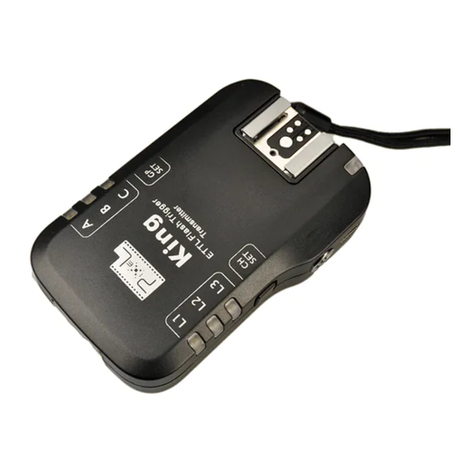
Pixel King Manuale utente

Pixel
Pixel D12 Manuale utente

Pixel
Pixel Pawn Manuale utente

Pixel
Pixel King Manuale utente

Pixel
Pixel KNIGHT TR-331 Manuale utente

Pixel
Pixel FC-311 Manuale utente

Pixel
Pixel Vertax D11 Manuale utente

Pixel
Pixel Vertax Manuale utente

Pixel
Pixel K90 Manuale utente


