PK LNS PK-190SN Manuale utente

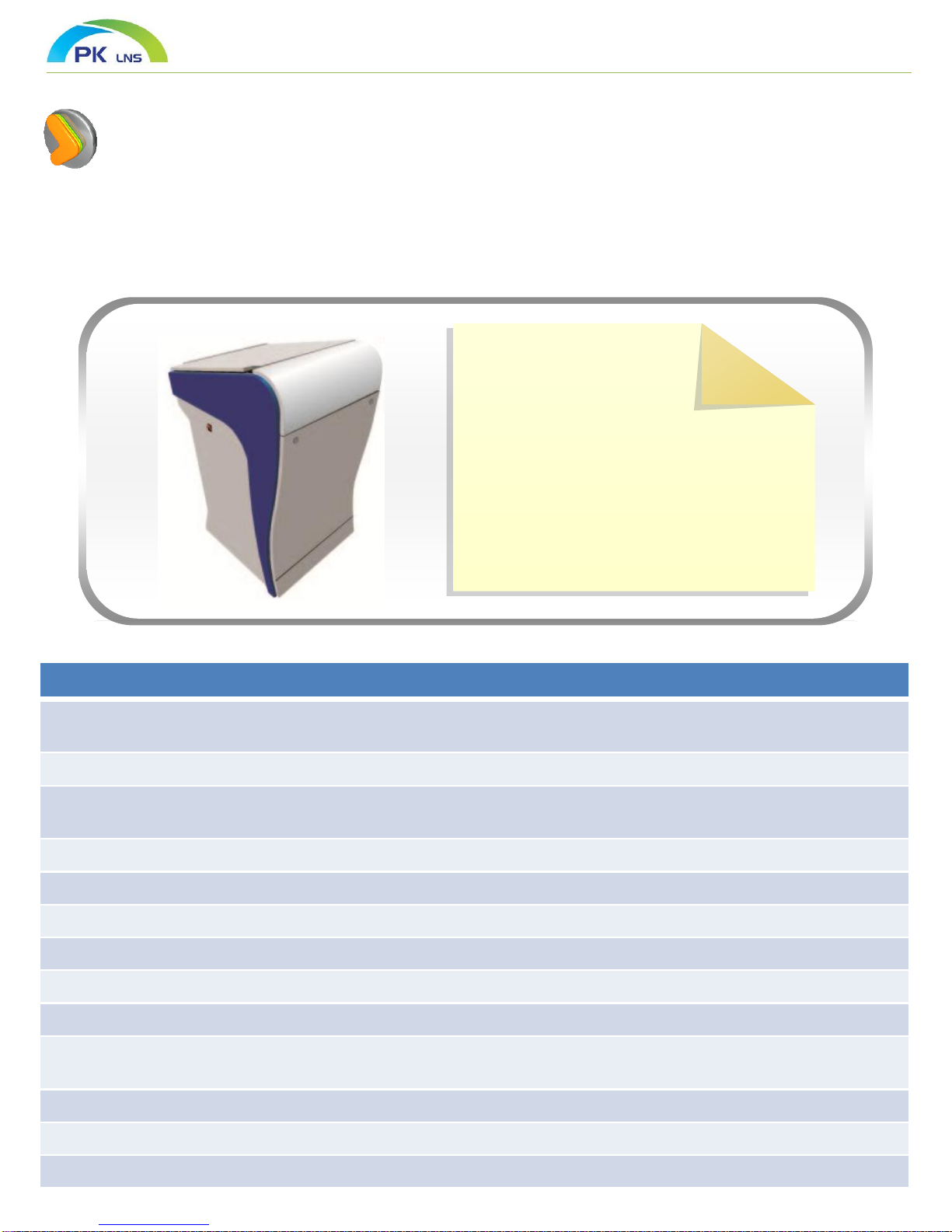
DIGITAL PODIUM
User Manual
PK-190SN

Introduction
Digital Podium is advanced high technology system which can easily interlock with
equipment in classroom and control them.
19 “ LCD available writing on the board and 19” sub monitor are equipped at substructure.
And it is easily connected and controlled by providing port for using antitheft PC and locking monitor
system.
- Material : MDF, Steel
Tempered glass
- Type : Stand –Up
-Monitor : 19” Tablet Monitor
-Controller : 7” LCD Keypad Type
- Multimedia System Available to
Connect with Other Equipment in
Classroom and Control
Various High Tech Function of Digital Podium
- Available to interlock with other equipment in classroom and control easily considering convenience of
teacher and user
- On/off all interlocked equipment in classroom by using one begin-end lecture button in Digital Podium
- Fast and accurate system equipped 19 inch Tablet monitor and implement same feeling of conventional
writing on the blackboard.
- Available to adjust high tone and low tone by internal digital amp
- Used Goose neck microphone and provide voice lecture
- Operate as Touch and writing on the board mode
- Available to save contents written on computer screen as image file
- Available to write on video or Flash file
- Provide background lesson plan template and background image
- Provide various background lesson template as squared manuscript paper, manuscript paper, English note,
Music note.
- Provide White/Black/Yellow/Blue/Green Board
- Available to save all contents on the screen as video file
- Have a function to save written contents of lesson and voice of teacher at the same time


Accessory Parts
Writing program
soft ware
Cable parts
(Connected to Podium)
Accessory parts
Thanks for purchasing digital podium.
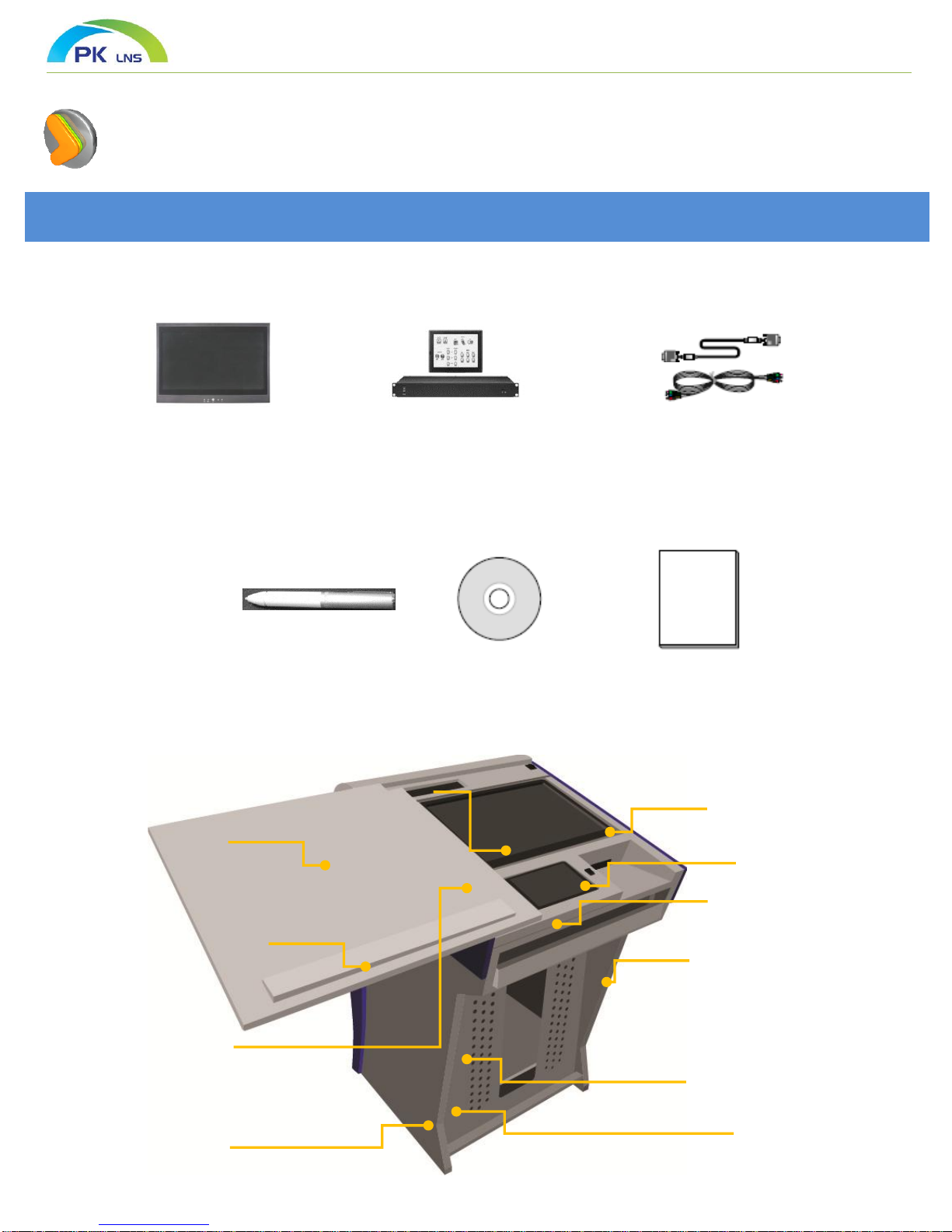
Please check following accessory parts.
Manual
19” Tablet monitor Controller
Tablet electronic pen
Tablet monitor
Goose neck
microphone
19”
Rack equipment
Cabinet
Rack for
laptop
computer
7” LCD KeyPad
Cabinet PC and
equipment
Sliding plate
Manual adjustment device
of monitor angle as shock
absorber.
Locking
(Sliding, Locking Front and Back )
Mouse Pad
Keyboard Tray


Digital Podium Housing
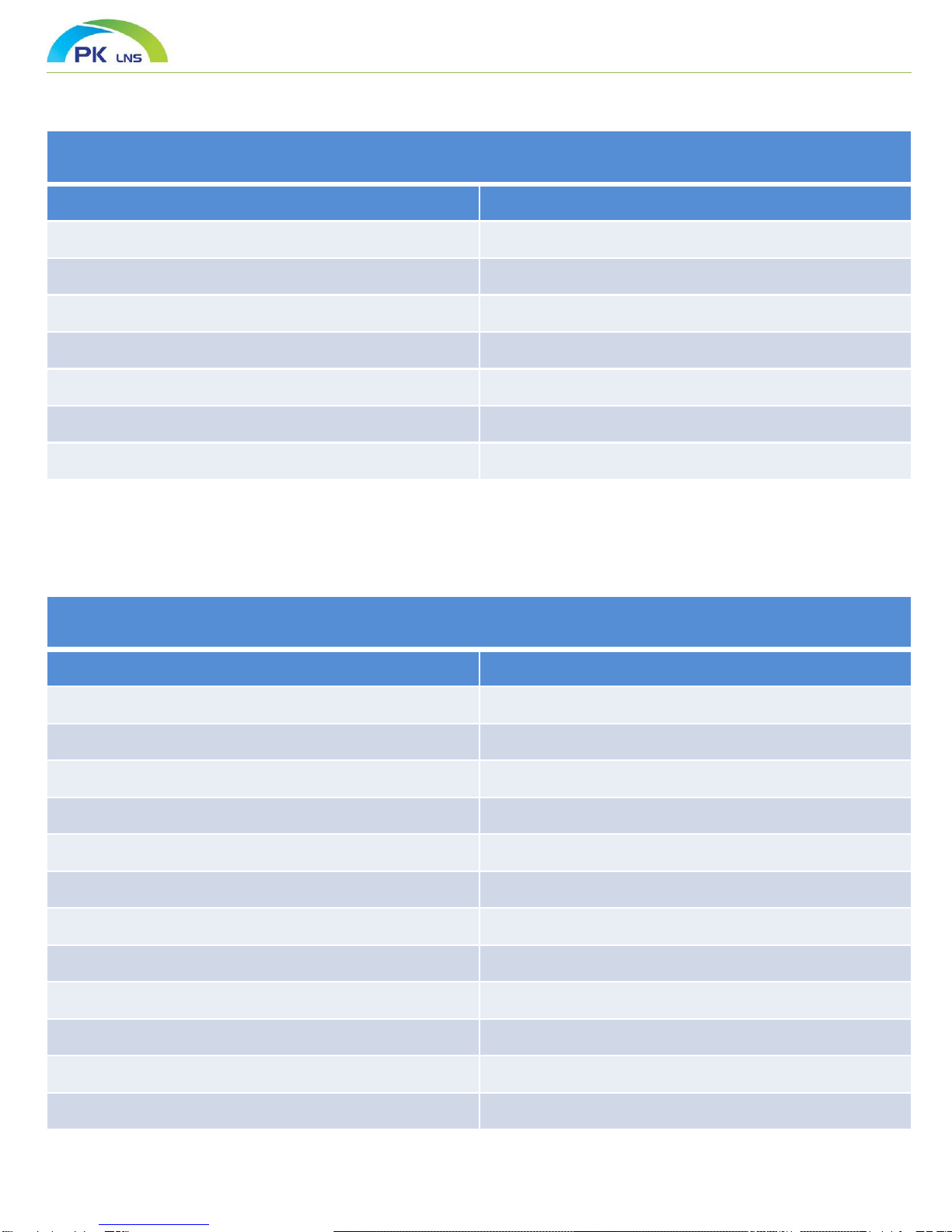
Item Specification
Size of Podium 1803(W) x 840 x 800(D)
Material of Podium MDF & Other
Podium Top Slide Top Sliding System
Monitor Angle Adjustment Passive Absorber
Podium Locking Mechanism 19” Rack, Door Top Sliding Lockable
External Connection Terminal AC Socket, RGB, MIC, USB, Video, Audio
Manufacturer PKLNS Co. Ltd
Tablet Monitor
Item Specification
Screen Size 48.1cm (19” WIDE)
LED Type LED BACKLIGHT
Resolution 1440 x 900
PC Connection USB Port
Luminosity 250 cd/m^2
Input Signal RGB Input Signal, DVI
Outer Dimensions 454mm(W) x 320mm(h) x 62mm(D)
O/S Windows 98, XP, Vista, 7 More than
Input Voltage, Ampere DC12V, 4A
Sensor Method Electromagnetic
Power Supply 100 ~ 250V AC
Manufacturer PKLNS Co. Ltd
Specifications

Controller (PKS-7000S)
Item Specification
Item Separation Specification Quantity
VGA Distributor
VGA IN PC IN 1
Note IN 1
VGA OUT Projector 1
Monitor 1
Audio
Sound IN
Gooseneck MIC 1
Wireless MIC 1
PC 1
Note 1
RCA Audio 2
Sound OUT RCA Audio 1
Amplifier OUTPUT 100 Watt / 8Ω-
Video Video IN RCA Video 2
LAN LAN LAN Port 3
Control
Projector Control - 1
Motor Control Screen 1
IR Control IR Receiver 1
7” LCD Control Interface RS-232 1
Program Input Control Firmware input ( RS-232 ) 1
Protocol Input ( RS-232 ) 1
Power Power 12v / 3.5A 1
Remark Manufacturer PKLNS Co. Ltd
Specifications

Gooseneck Microphone
Item Specification
Cartridge 20mm Condenser
Frequency Response 40 ~ 20,000 Hz
Polar Pattern Cardioids
Power 220Ω
Connectors 3-PIN XLR
Manufacturer PKLNS Co. Ltd
Wireless Microphone
Item Specification
Frequency Band UHF 700 MHz ~
Number of Channels 34 Channels
Oscillation Method PLL Approach
Squelch Way Step 8 Digital Variable Squelch Control Method
Frequency Stability ±10ppm
Receive Mode Super Heterodyne True Diversity
Audio Response 40 Hz ~ 20 KHz
Power 12V / 1A
Manufacturer PKLNS Co. Ltd
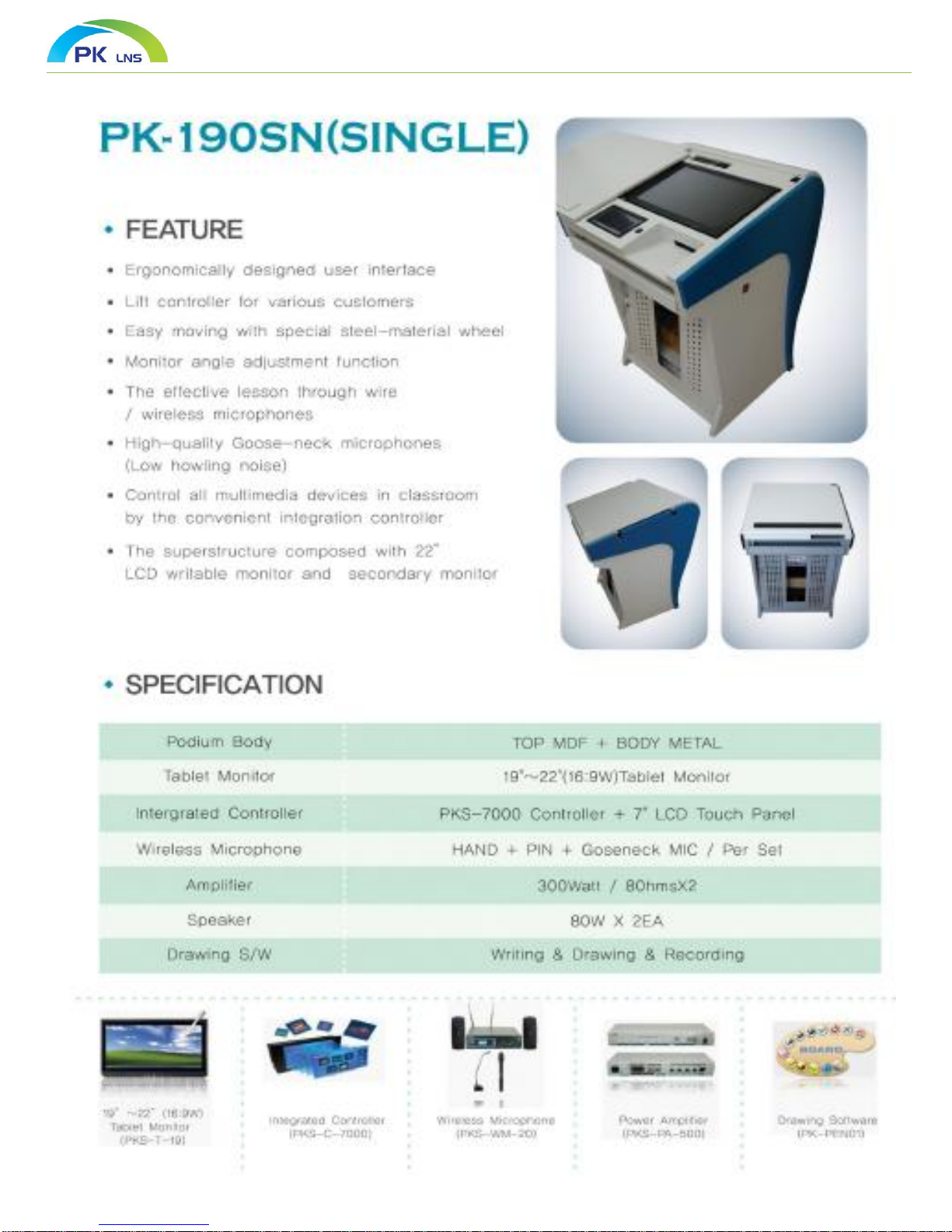
PK –190SN (STAND SINGLE)
Item Specification
Podium Body TOP + BODY WOOD
Tablet Monitor 19” ~ 22” (16:9 Wide) Tablet Monitor
Integrated Controller PKS-7000C Controller + 7” LCD Touch Panel
Wireless Microphone HAND + PIN + Gooseneck MIC / Set
Amplifier 300 Watt / 8Ωx 2
Drawing S/W Writing & Drawing & Recording
Specifications

Main Screen
Use LCD Touch Controller
*Available to change main display
window.
Calibration ( Touch Setting )
After input secret number, main screen is displayed
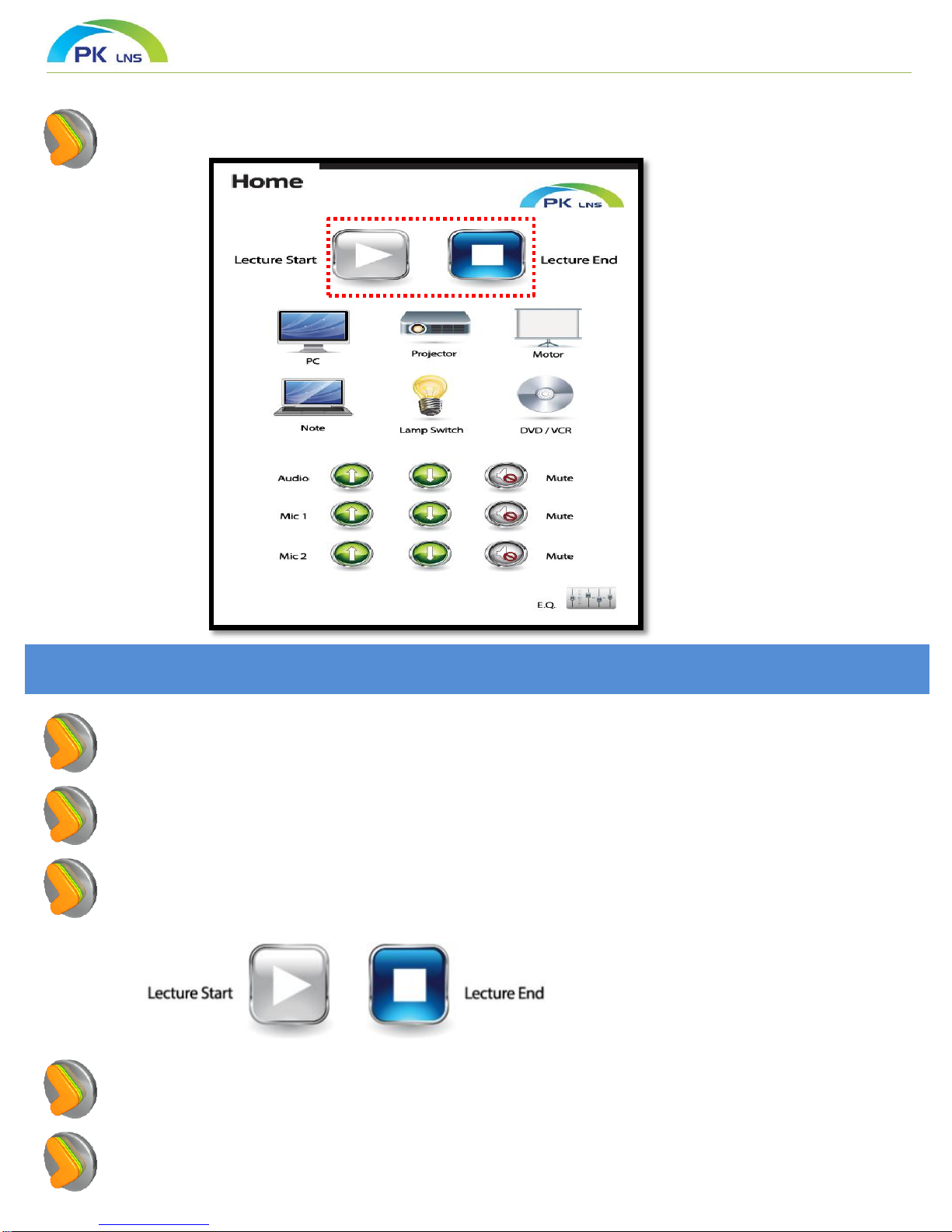
Composition of main menu
Begin lesson and end lesson button icon ( When Interlock with Projector and
Screen Control)
If you push begin lesson button icon. Project is turned on and screen and
elevation are operated as DOWN status
If you push the end lesson button icon, Project is turned off. Screen and elevation
are operated as UP status

Main Screen
Use LCD Touch Controller
Calibration ( Touch Setting )
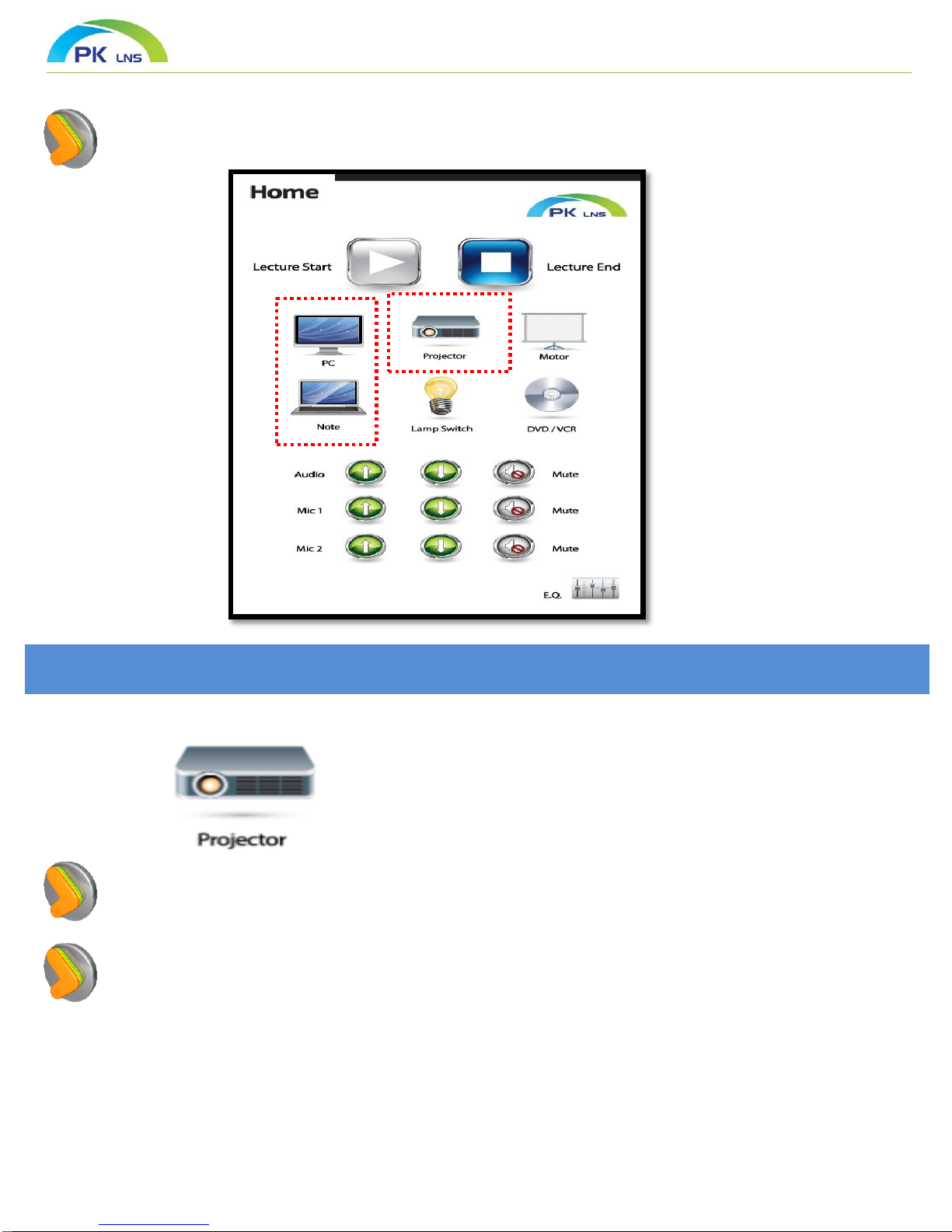
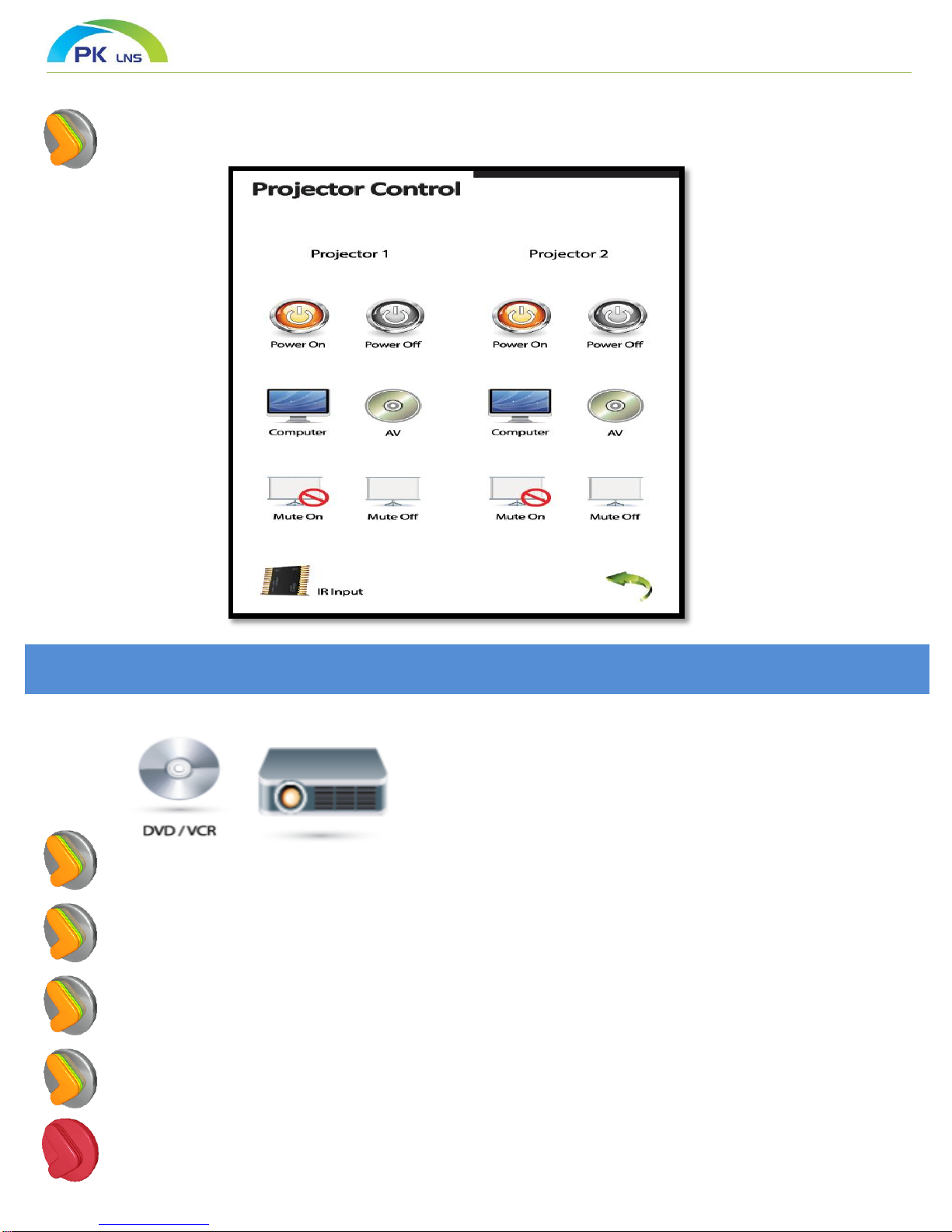
Projector : Go to window of projector control
(Control No.1 and No.2 project separately)
Screen & Elevation : Go to window of control for screen and elevation
(Screen : Operate large inch screen and small inch elevation screen)

PPROJECT Control
Use LCD Touch Controller
PROJECT Control
Turn ON and OFF the project power
Select projector video source
Turn on and off “MUTE” function of projector screen
When you select No.2 projector, go to No.2 projector from main projector and
control ( Move No.1 and No.2 project and control by red box button)
Silver color icon does not work as inactivated icon
Indice