Page 3of 20
Brief Introduction.......................................................................................................................................... 4
Chapter I: Functions & Installation of LDU3000 (A)...................................................................................... 5
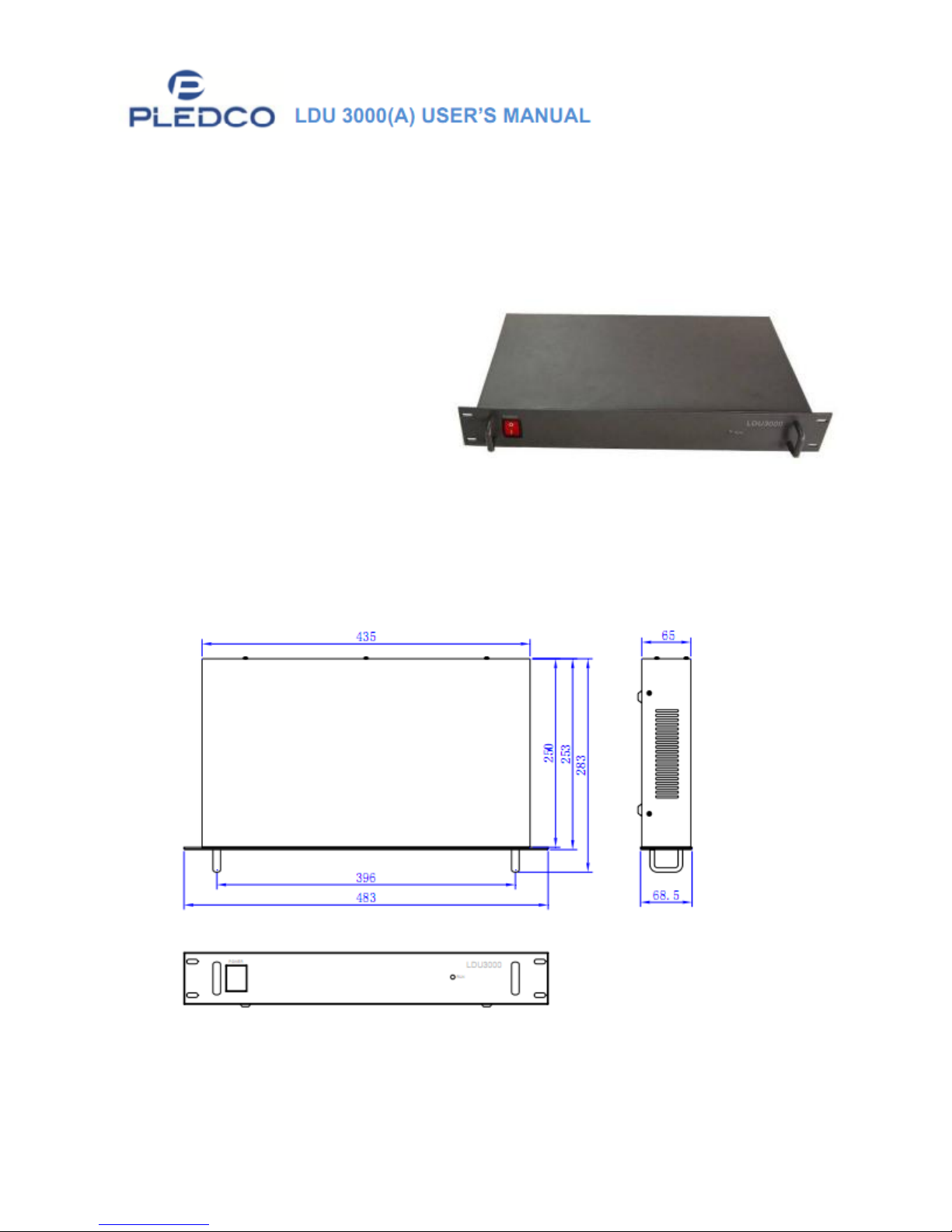
1. Functions of LDU3000 (A) ................................................................................................................. 5
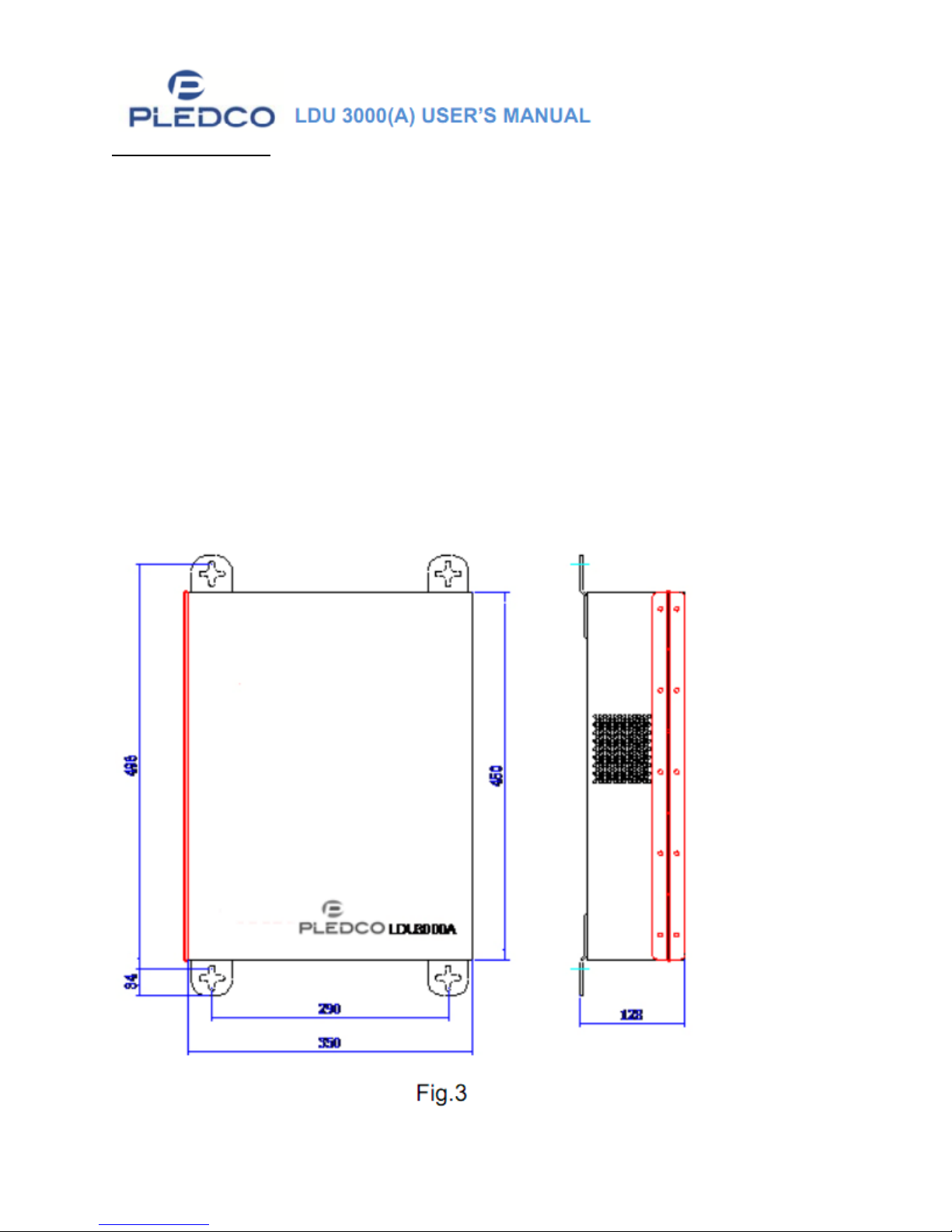
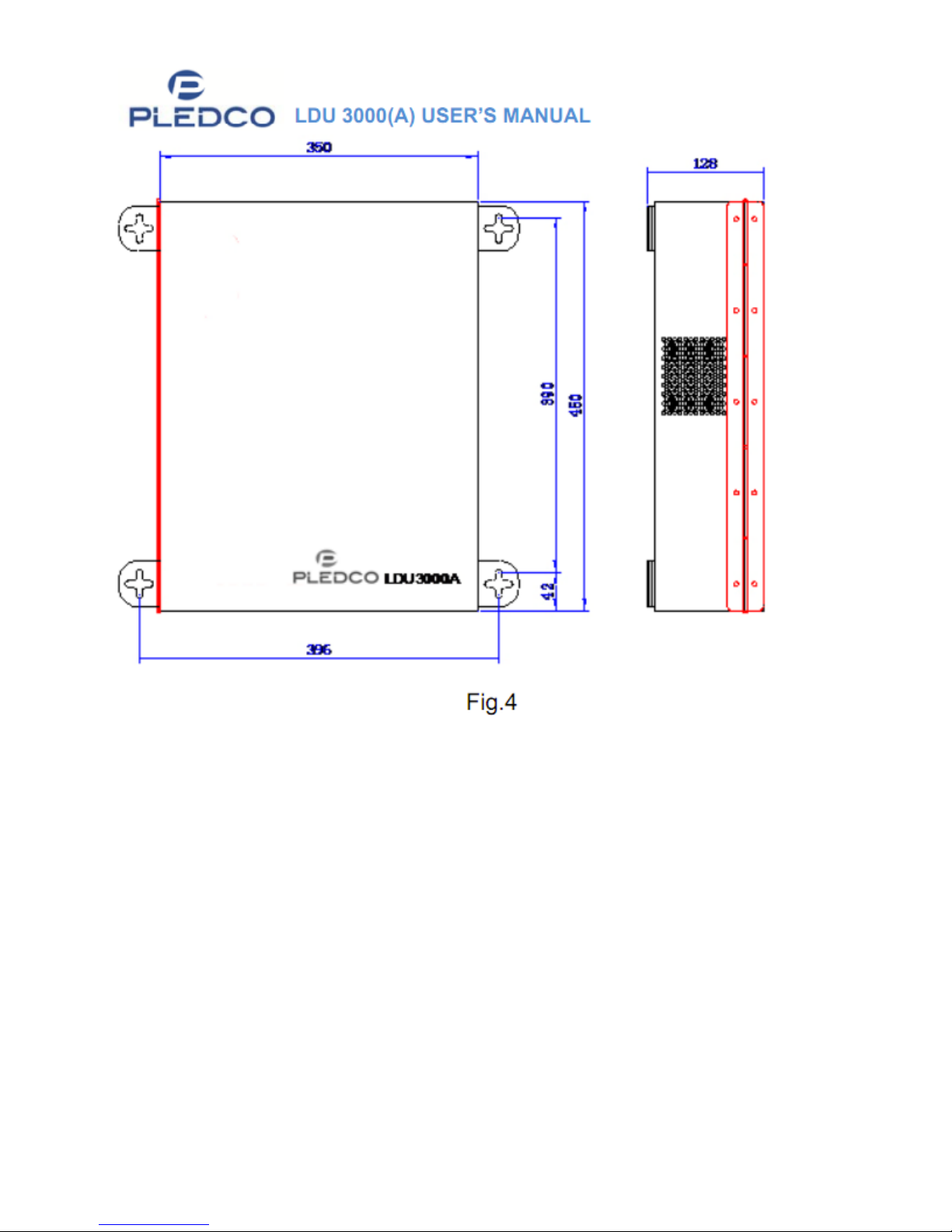
2. Installation of LDU3000A .................................................................................................................. 7
Chapter II: Wiring & Application of LDU3000 (A) ......................................................................................... 9
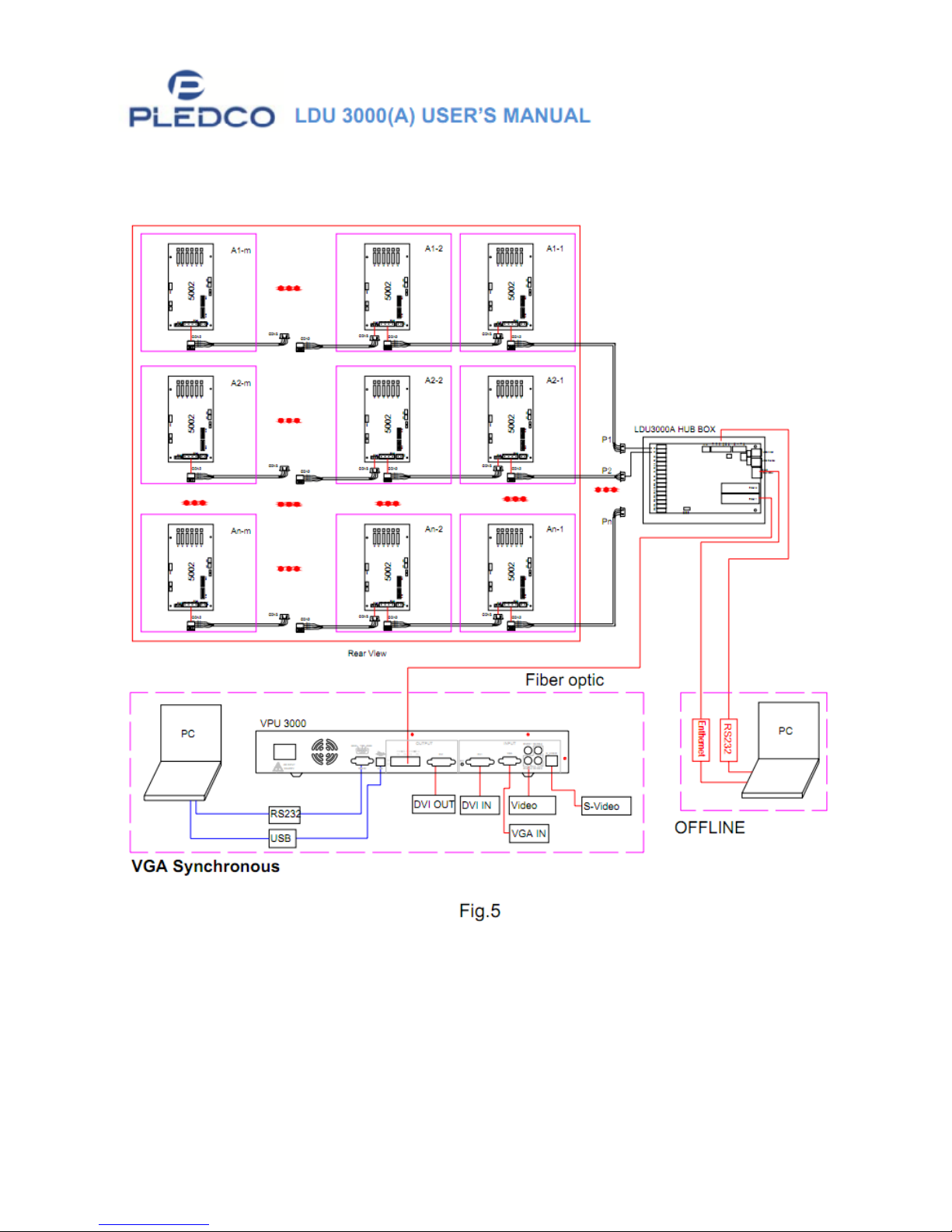
1. Signal Diagram of PLEDCO Screen system ........................................................................................ 9
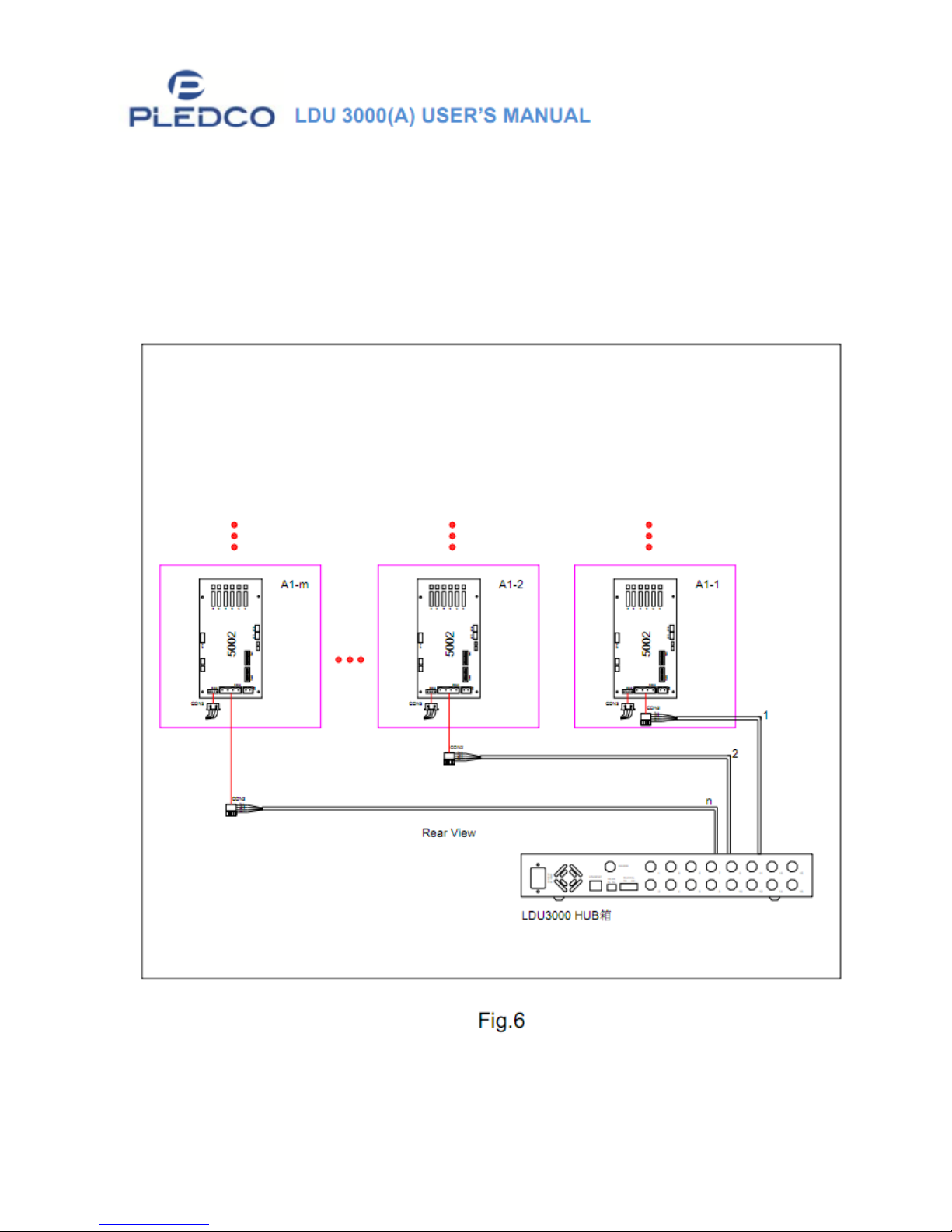
2. LDU3000/LDU3000A | Connect via receiving card......................................................................... 10
3. LUD3000/LDU3000A - Connection to Light Sensor.........................................................................12
4. LDU3000/A-Connection and Communication to Computer...........................................................13
4.1 RS232 ......................................................................................................................................14
4.2 Communication via RS485 ......................................................................................................15
4.3 Communication via Ethernet ..................................................................................................15
5. Connecting VPU3000 and LDU3000 via Optical Fiber..................................................................... 15
Chapter III: Maintenance of LDU3000 (A)...................................................................................................16
1. Backup LDU3000 to computer ........................................................................................................ 16
2. Restoration and Maintenance ........................................................................................................16
2.1.1 Replacement of LDU3000 ...................................................................................................16
2.1.2 Replace mainboard inside LDU. .......................................................................................... 16
2.1.3 Configure Parameters .........................................................................................................16
2.1.4 Press Restore....................................................................................................................... 16
2.1.5 Switch off and restart the power supply of LDU................................................................. 16
2.1.6 Check if screen is working normally.................................................................................... 16
3. Replacement of Optical Fiber and Optical Fiber Plug ................................................................. 17
Appendix .....................................................................................................................................................19
1. Explanation for QS5800 in LDU3000HUB........................................................................................19
1.1 Layout of QS5800.................................................................................................................... 19
1.2 Functions of Interfaces............................................................................................................19
1.3 Functions of Dip Switch SW1 .................................................................................................. 20
2. Device and Parts..............................................................................................................................20