Polaroid TimeZero ZGPPWAB307PR001 Manuale utente

0 811 380 340
Or visit us at :
www.polaroid-me.com
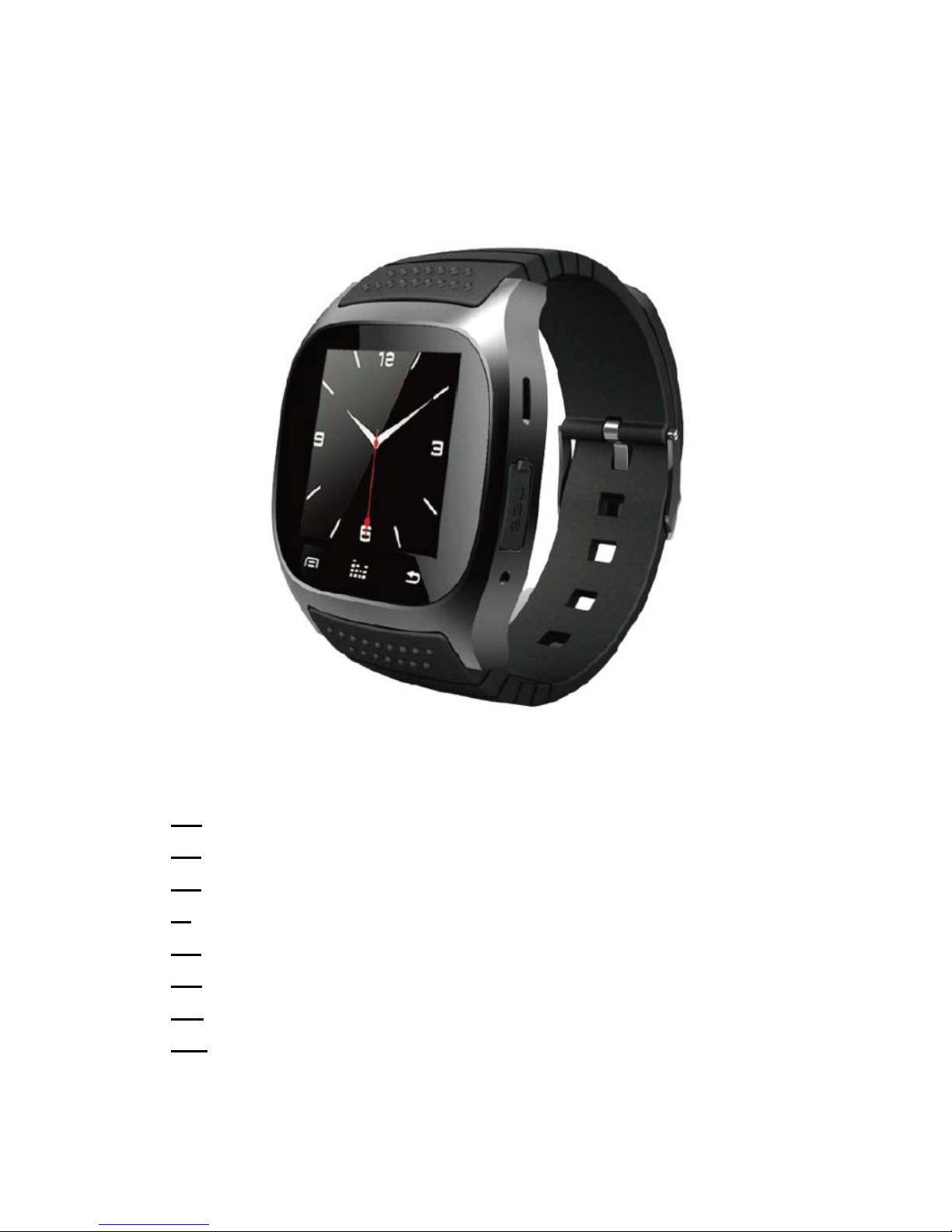
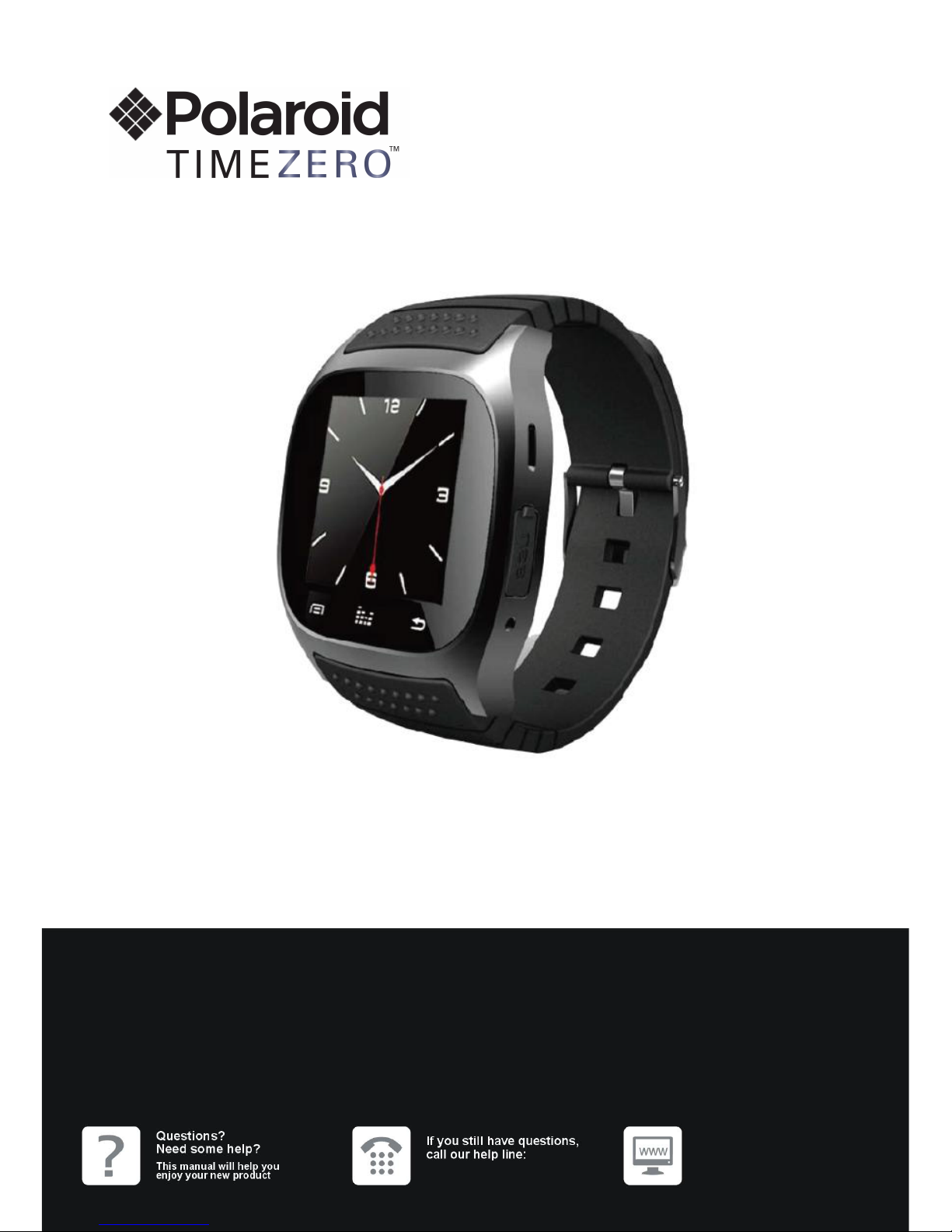
Connected watch
ZGPPWAB307PR001
USER MANUAL
Test model: BT307

1
Connected watch
ZGPPWAB307PR001 / SEC 71.06.18
EN USER INSTRUCTIONS
FR NOTICE D’UTILISATION
ES MANUAL DE INSTRUCCIONES
IT ISTRUZIONI PER L’USO
NL GEBRUIKSAANWIJZING
DE GEBRAUCHSANWEISUNG
DA BRUGSANVISNING
SW BRUKSANVISNING

2
Thank you for choose this Blue Tooth smart watch for sport & health. You
will understand the use of the watch, and enjoy its perfect functionality and
simple method of operation.
This watch is designed to pair with smart phones. It can sync phonebook
with smart phone and supply many useful functions, so you can use your
smart phone easily when working or relaxing. Functions as below:
Bluetooth phone function, Bluetooth message push(short message,
WeChat, QQ, etc, should install APK on your Android smart mobile),
Bluetooth Music Player, step counter, Calories, long-distance capture,
sleep monitor, anti-theft, etc…
Please install "Smile Notification" application or "Mediatek
SmartDevice" application into your Android smartphone. Then your watch
can read message from your smartphone.
"Smile Notification" and "Mediatek SmartDevice" can be downloaded in
Google PlayStore.
Mediatek Smart Device Smile Notification
Please to find below a link to video explanation
about how the watch operate.

3
https://youtu.be/2Uig63u0mnM
We reserve the rights to make some modifications or advance notices
about the product in this manual.
Safety Precautions
Read these safety instructions before using your device and store them for
possible future reference.
- The device is not intended for use by persons
(including children) with reduced physical, sensory or
mental capacity. Persons who have not read the
manual, unless they have received explanations by a
person responsible for their safety and supervision
should not use this unit.
- Children should be monitored to ensure that they do
not play with the device.

4
- The device should always be readily accessible.
- The device should not be exposed to dripping or
splashing water.
- No objects filled with liquids such as vases shall be
placed on the device.
- Always leave a minimum distance of 10 cm around
the unit to ensure sufficient ventilation.
- Open flame sources, such as candles, should not be
placed on top of the device.
- The device is intended for use only in a temperate
climate.
- At full volume, prolonged listening to the portable
audio device may damage the user’s hearing and
cause hearing troubles (temporary or permanent
deafness, hearing drone, tinnitus, hyperacusis).

5
- So we recommend not to listen to the portable audio
device at high audio volume and no more than one
hour per day at medium audio volume.
- The battery can’t be replaced by the user, but only by
the maker of this product, the after sales department
or a qualified person.
SWITCH OFF IN RESTRICTED AREAS
Switch the device off where the use of the device is not
allowed or where there is a risk of causing interference or
danger, for example on board an aircraft, near medical
equipment, fuel, chemicals or blasting sites.
ROAD SAFETY COMES FIRST
Check the current laws and regulations regarding the use
of this device in the areas where you drive.

6
•Do not handle the device when driving.
•Concentrate fully on the driving
• Leave the road and park up before making or receiving a
call, if the driving conditions allow.
• Radio signals could affect some of the car’s electronic
systems such as the audio stereo and alarm systems.
INTERFERENCE
All wireless devices are susceptible to interference which
may affect their performance.
AUTHORISED PERSONNEL
Only qualified people are authorized to install or repair this
product
ACCESSORIES

7
Only use batteries, chargers and other accessories which
are compatible with this equipment. Do not connect
incompatible products.
KEEP THE EQUIPMENT DRY
This equipment is not water proof. Keep it dry.
CHILDREN
Keep your headset in a safe place, out of the reach of
young children. The headset contains small parts that may
present a choking hazard.
Specifications :
Rated voltage : DC 5V 200mA
Max consumption : 1W
Battery Li-ion 230mAh
Radio frequency : 2,4GHz

8
Wearing and Operation
If the watch dysfunction press the reset button in the small hole on the back
of this watch
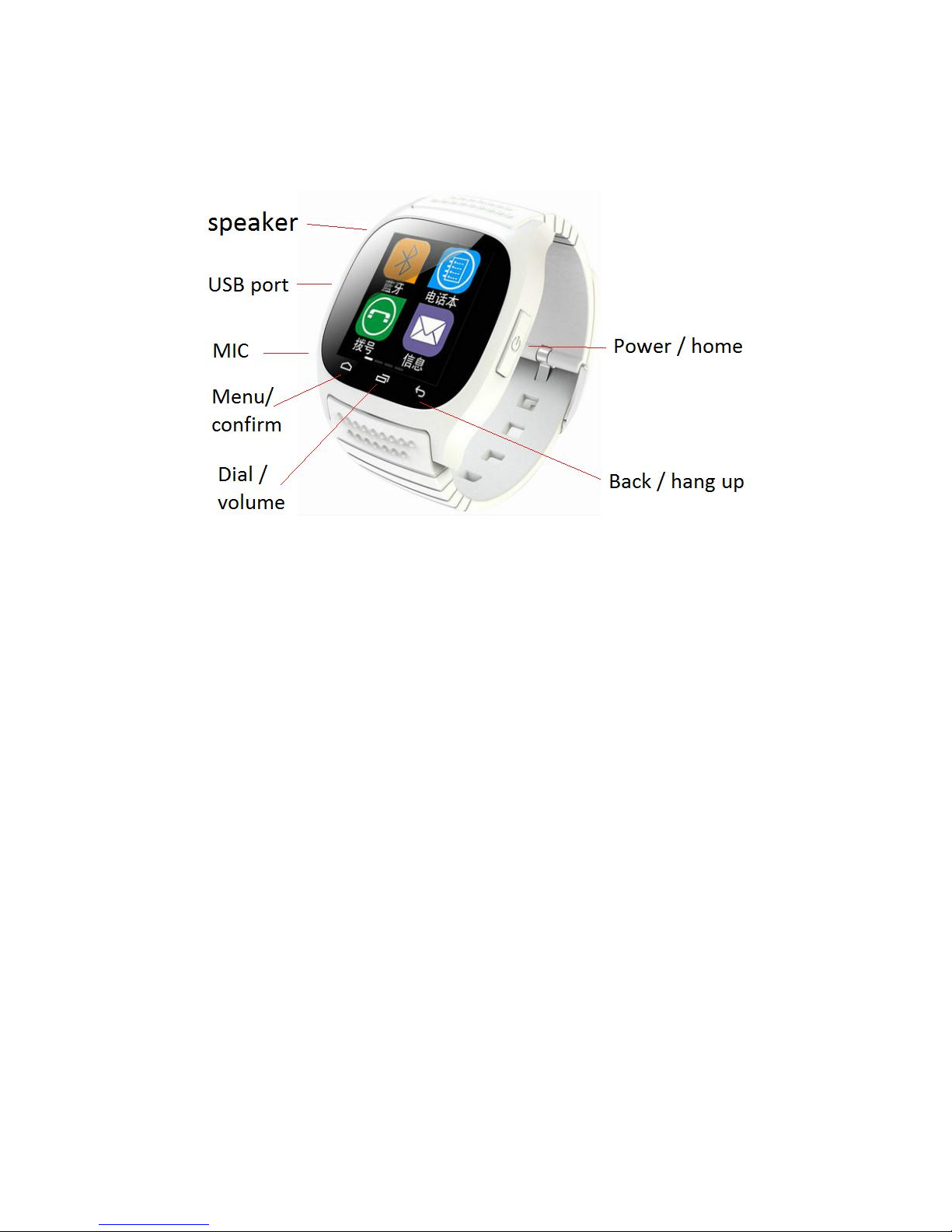
Please wear this Bluetooth Smart watch in the correct direction when
wearing the watch, ON/OFF key should be at right, and 3 touch keys
should be at bellow.
Power key,Long press for ON/OFF and short press for EXIT from
menu to clock. And short press at clock display to light on or off the
display;
Left touch key, menu/confirm key. Enter the menu from clock, or
“confirm” in menu operation.
Middle touch key, dial enter/page up key. Enter dial interface from
clock, or page up in menu operation, or volume up/down in music
and telephone.

9
Right touch key,return/hang up key. No use in clock, and return in
menu operation.
Otherwise, slide on the touch panel can do:
Slide left or right: menu page up/down.
Tap on the screen: Enter the menu.
Slide downward: Exit the menu.
2 Bluetooth Connect,Disconnect or Reconnect
Connect way1: Watch initiate a Bluetooth connection pairing information.
Connect way2: Smart phone initiate a Bluetooth connection pairing
information.
After connected, the watch will send a request to your device for reading
your phonebook and call history (Involving personal privacy, some smart
phones do not open this feature), please agree it, otherwise the function of
synchronizing the phone book and call history will not work normally.
When the distance between the watch and the smart phone is farther than
10M (nothing obstruct such as a wall, etc), they will disconnect
automatically. If near enough again in 5mins, connected automatically.
Otherwise, manual reconnection is necessary.
The Bluetooth Smart watch will ring when connect or disconnect.
3 Functions
Blue tooth search devices, connect/disconnect.
Dial dial number in dial interface or choose number from call history.
* Don’t cover the hole of MIC or Speaker when calling.
Short message sync short messages from smart phone.
Phone book sync phone numbers from smart phone.
Call history sync call history from smart phone, include “missed calls”,
“dialed calls”, “received calls”, “all calls”, each 30 items.
BT Notification can read QQ, WeChat messages.
Indice
Altri manuali Polaroid Orologio