
Precipoint iO:M8 Manuale utente



Quick
Start Guide
iO:M8

Table of Contents
The iO:M8 Microscopy System
1 – Unpacking p. 6
2 – Quick Setup p. 7
3 – Connection Diagram p. 8
Setting Up
4 – Start the Soware p. 9
5 – Insert Slide p. 10
In the MicroPoint Soware
6 – Selecting Slides p. 11
7 – Soware Overview p. 12
8 – Focus the Sample p. 14
9 – Illumination Correction p. 15
10 – Starting Over p. 16
11 – How Can We Help? p. 18

67
1 – Unpacking the iO:M8
Li microscope out of box Remove lateral foam
Li microscope from base
1
Overview of package contents
Package contents
1) Microscope
2) Quick Start Guide
3) Accessories box
a) USB 3.0 cable
b) Power cable iO:M8
c) Three magnetic trays
d) Multiple socket
e) Torx TX20 screwdriver
Remove accessories box
2
3 4
5
Remove metal xation
6
67
2 – Quick Setup
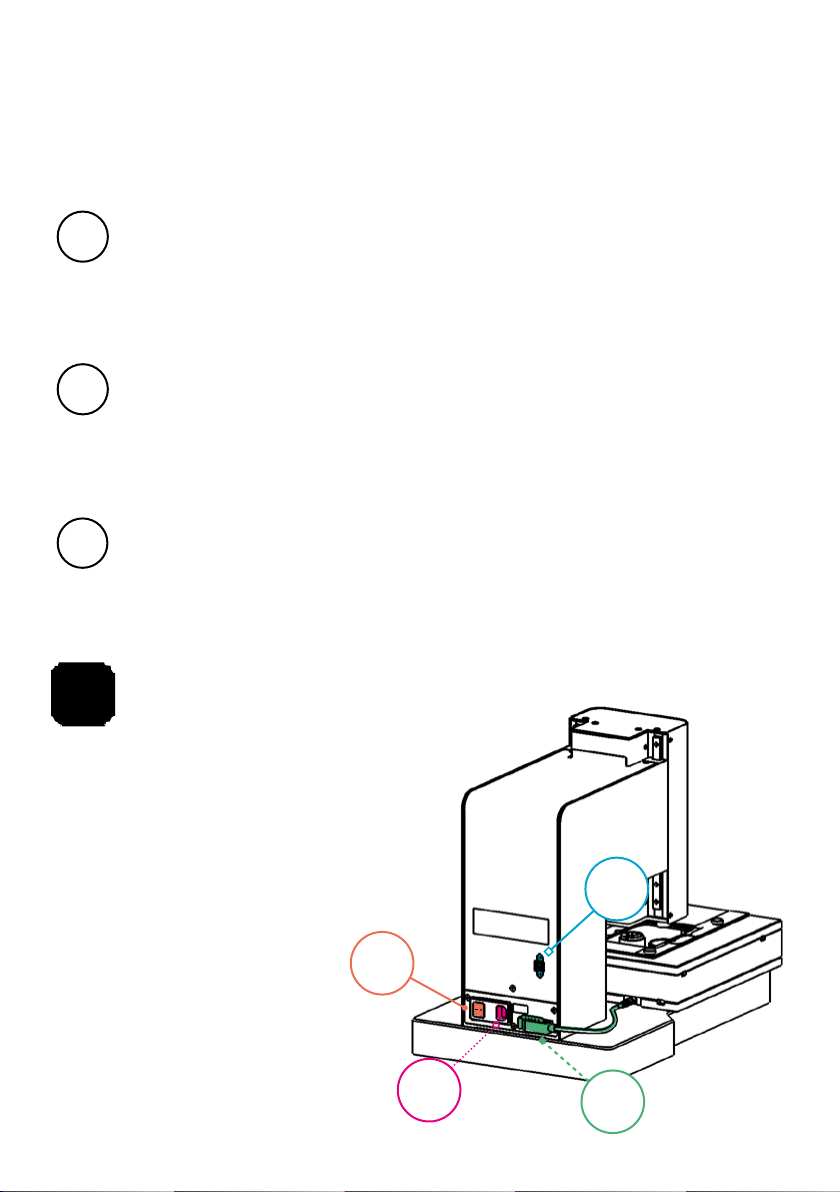
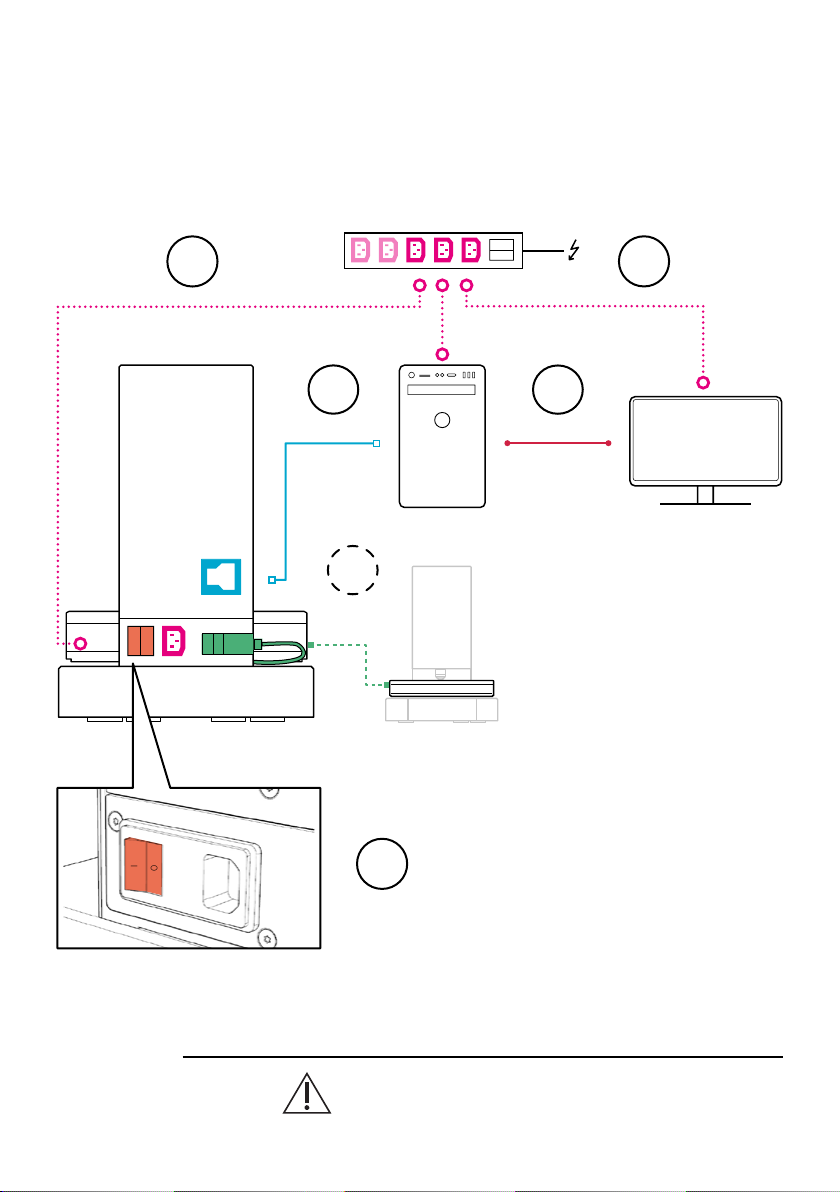
Connect all devices with each other:
a) Microscope to computer using USB 3.0 cable.
b) Monitor to computer using monitor cable.
c) Do not disconnect the stage cable. It comes preplugged.
Connect monitor, computer, and microscope to power using the
multisocket.
Turn on power in the following order (see connection diagram):
1) Computer
2) Monitor
3) Microscope
Power
Switch
USB 3.0
Stage
Plug
Power
Plug
The device and its connected components need time to adapt to
the ambient temperature. Use the device only aer
a waiting time of up to one day if the temperatures
in the transport and storage environment
strongly dier from the temperature in
the operating environment.
("Connection Diagram" on the next page)
1
2
3
89
Microscope – Front
USB 3.0
Microscope – Back
Computer
Multiple socket
Monitor
MDP/DP
Stage Cable
O
I
O
I
O
I
3 – Connection Diagram
The stage cable is delivered preplugged. Do not unplug the cable.
2
2
1
1
1
3
89
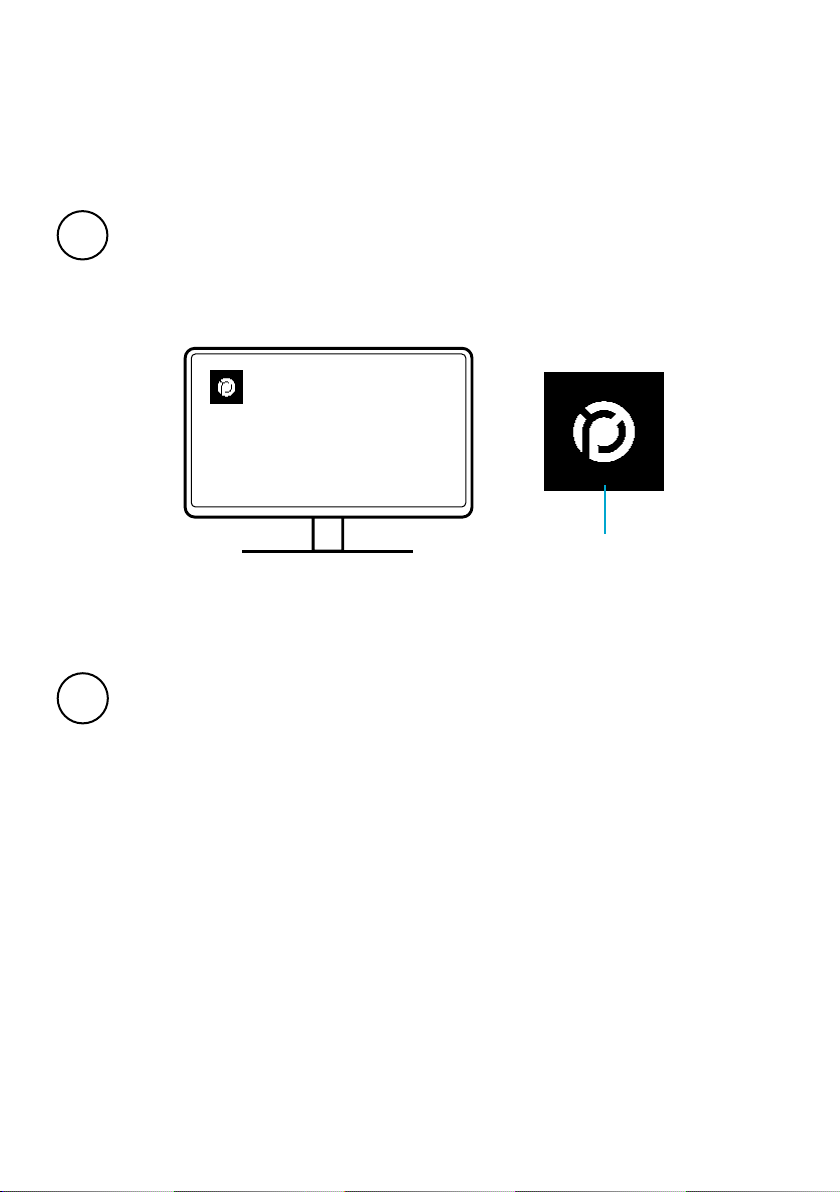
4 – Start the Soware
Aer logging in, start MicroPoint
Wait until hardware is initialized
MicroPoint desktop icon
1
2

10 11
5 – Insert Slides
Insert slides into tray – align white area with label
Place tray into XY-stage – note top right notch
Take care when using the slides and trays to prevent glass breakage.
Slides and trays should be free of contamination to ensure high image
quality.
1
2
1
2
Spring
Altri manuali per iO:M8
2
Indice
Lingue:
Altri manuali Precipoint Microscopio


