
PROLUPUS CR-DRS Manuale utente

CR-DRS
RADIO VOICE RECORDER
OPERATING MANUAL

Please read this manual first!
Dear Customer,
Thank you for preferring Idearge product. Manufactured with the highest quality
and the cutting-edge technology, our product aims to provide you the optimal
efficiency. Therefore, please read this entire manual and other supplied documents
carefully before using the product and keep it to serve you as further reference. If
you give the product to someone else, please provide the operating manual along
with it. Comply with the instructions, considering the entire information and
warnings in the operating manual.
©2022 İde İnovasyon Arge Yatırım Danışmanlık San. Tic. A.Ş. All rights reserved.
This operating manual has been drawn up for informational purposes only. The
entire information presented herein is subject to amendments without further
notice. Idearge is not responsible for any amendments, direct or indirect damages
arising from or related to the use of this operating manual.
İdearge, İdearge logo, Prolupus and Prolupus logo are the trademarks of İde İnovas-
yon Arge Yatırım Danışmanlık San. Tic. A.Ş.
The products described in this manual may contain copyrighted computer programs
stored in semiconductor memories or other media.
The laws of the European Union and other countries offer protection of certain
exclusive rights of Idearge, including any copying and reproduction of copyrighted
computer programs. Accordingly, any copyrighted computer program contained in
the products described in this manual may not be copied or reproduced in any way
without the express and written authorization of the respective right holders.
Moreover, the purchase of these products shall not confer any rights, directly or
indirectly, or otherwise, under the copyrights, patents, or patent applications of the
right holders, other than the right of normal use (without the title thereof), arising
out of the sale of a product.

CONTENTS
SAFETY AND REGULATORY INFORMATION .............................
HANDLING AND TRANSPORTATION ..........................................
DEVICE DESCRIPTION .....................................................
DEVICE INTERFACE OPERATING MANUAL..........................
THE INTERNET CONNECTION............................................
a-User Login .....................................................................
b-Wi-Fi Connection ...........................................................
CREATING NEW USER......................................................
DEVICE SETTINGS ...........................................................
CHANNEL STATUS MONITORING ......................................
LISTENING TO THE RECORD..............................................
LOG QUERY ....................................................................
GRAPHICS......................................................................
WEB INTERFACE OPERATING MANUAL .............................
CHANNEL STATUS ...........................................................
RECORD QUERY ............................................................
LIVE LISTENING...............................................................
STATISTICS.......................................................................
SETTINGS.........................................................................
LOG OUT.........................................................................
RECYCLING OF THE DEVICE.............................................
PACKAGING INFORMATION.............................................
3-4
6
5
7
8
8
9-10
11-12
13-15
16
17
19
20-21
22-23
24
25-28
29-30
31
32-37
38
39
39

3
SAFETY AND REGULATORY
INFORMATION
»» You are advised to follow the warnings and instructions on the
device and the explanations in the booklets supplied with the
device.
»» Before cleaning the device, disconnect the AC wall socket and/or
the ethernet socket. Do not use liquid or aerosol cleaning agents.
Use only a damp cloth for cleaning.
»» Do not place the device on an unstable vehicle, workbench or
table. It may fall and cause serious damage on the device.
»» The device should never be placed near or above a heat source
such as radiator, heater, air conditioner or ventilation duct.
»» Do not place heavy objects on the device.
»» Make sure that the power line you shall use for your device is
grounded and there is no mains voltage fluctuation. Otherwise, the
warranty scope shall be breached accordingly.
»» Do not unplug the device by holding the cable or do not touch
the plugs with wet hands.
»» Never spill liquid of any kind on or inside the device as it may
expose a risk of fire or electric shock by contacting with dangerous
voltage points.
»» Do not open the device covers as there is a risk of electric shock.
Consult with an authorized service technician for ant repair work to
be required. Opening or removing covers may expose you to dange-
rous voltages or other risks. Incorrect installation may cause electric
shock.

4
»» Disconnect the device from the ethernet socket and AC wall
socket in accordance with the following instructions and contact
authorized service personnel for service:
o When the power cables, plug or any part of the connecting cable
is damaged or worn.
o When liquid is spilled into the device.
o When the device has been exposed to rain or water.
o When the device does not operate properly despite following the
instructions.
o When the device has been dropped or the cabinet appears to be
damaged.
o When there is a sudden and significant alteration in the perfor-
mance of the device.
»» Perform the connections of your product as specified in the
operating manual. Failing to do so shall result in the breach of
warranty scope.
»» As there are ventilation perforations at the bottom of the
device, the device should not be placed in dusty environments.
»» The device should not be placed in a metal cabinet forming a
Faraday’s cage. Antennas should be removed out of the cabin in
cases where it is required to be placed in such a cabin.
»» The accessories that come with the device should not be repla-
ced and substituted. Any accessory that is not approved by Prolu-
pus should not be used with the device.
»» Always have the installation and repair works performed by the
authorized service. The manufacturer disclaims responsible for any
damages that may arise due to the operations performed by una-
uthorized persons.

5
HANDLING AND TRANSPORTATION
»» Products are required to be safeguarded against direct impacts
during transportation. Damages that may occur during handling
and transportation are the responsibility of the contractor, loader,
buyer, owner, and user.
6
DEVICE DESCRIPTION
1
2
3
4
5
6
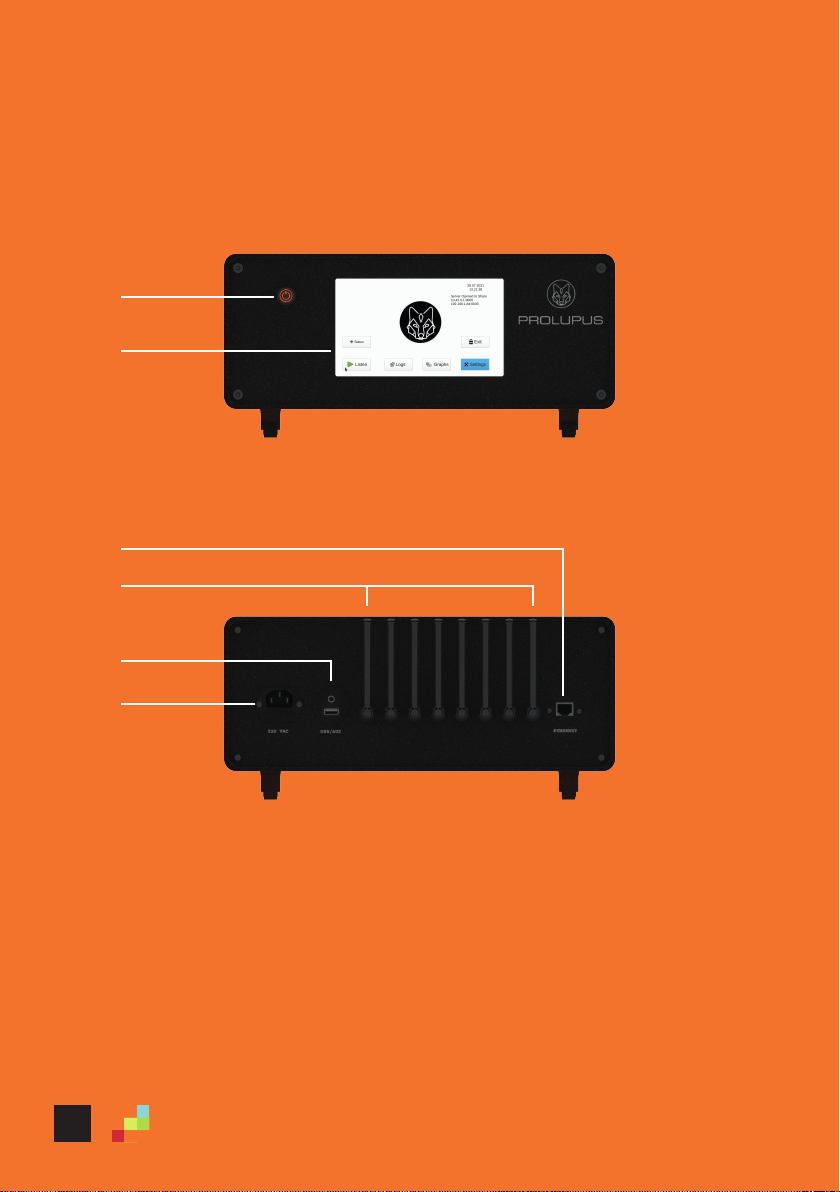
1. Reset button
2. TFT Touchscreen
3. Ethernet Port and Wi-fi antenna
4. Antennas
5. Audio and USB connection
6. Power cable port
Figure 1: Front view of the device
Figure 2: Rear view of the device

7
DEVICE INTERFACE OPERATING MANUAL
DEVICE INSTALLATION
Prior to the operation of the Prolupus CR-DRS Voice Recorder, it is
required to be placed on a flat surface. If possible, an ethernet
cable is required to be connected. The receiver antennas (as many
as the number of channels to be recorded) that come with the
device is required to be inserted by rotating into the receiver anten-
na outputs on the rear of the device. After the installation, the
antennas are required to be directed upwards and extended. The
Wi-fi antenna is required to be installed by rotating into the Wi-fi
antenna output on the ethernet input on the rear of the device and
directed upwards. Then the device is required to turned on by plug-
ging the power cable.
NOTE: Switching on the device takes around 2 minutes.
The main screen of the Prolupus CR-DRS 8-channel Voice recorder
is as shown in the picture. Since the screensaver is active, the
screen goes black after 15 minutes. If the screen appears to be off,
simply tap on the screen to enable the device.

8
THE INTERNET CONNECTION
The device is required to have Internet connection to be able to use
its certain functions. The device can be connected to the inter-
net/intranet either wired or wirelessly. For wired connection, the
ethernet cable that comes with the device is plugged into the port
on the rear of the device. For wireless connection, Wi-fi settings is
required to be performed through the program. The internet conne-
ction steps are explained in detail below.
a- User login
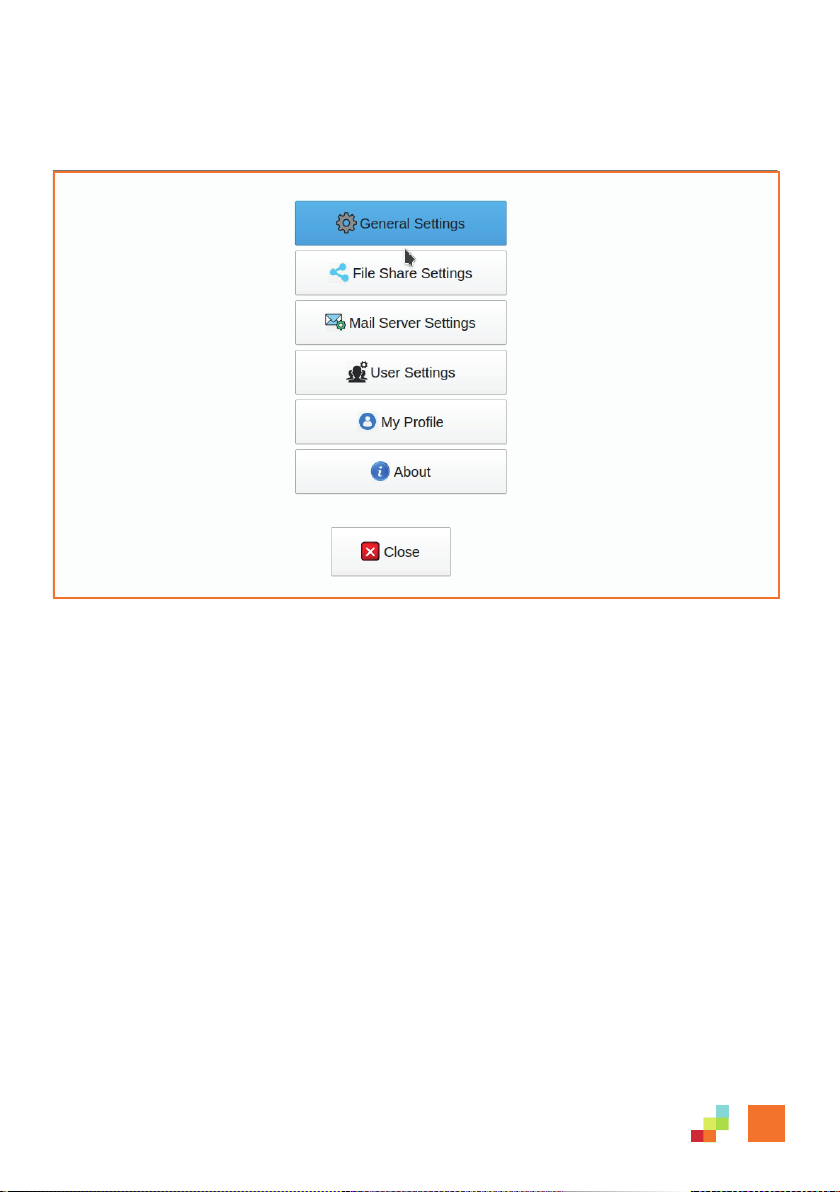
The device prompts you to create a username and password during
the initial installation of the Prolupus CR-DRS 108 Voice recorder.
To do that, click the "Login" button. On the screen displayed, you
can log in by typing "admin" on the username and "1111" in the
password domain. The virtual keyboard shall appear automatically
while typing the required information. If necessary, you can be type
by connecting an external keyboard to the USB port of the device.
9
b- The Wi-Fi connection
Indice


