
RCA Mobile Video Cassette Player Manuale utente
Mobile Video
Cassette
Player
User’s Guide
Changing Entertainment. Again.
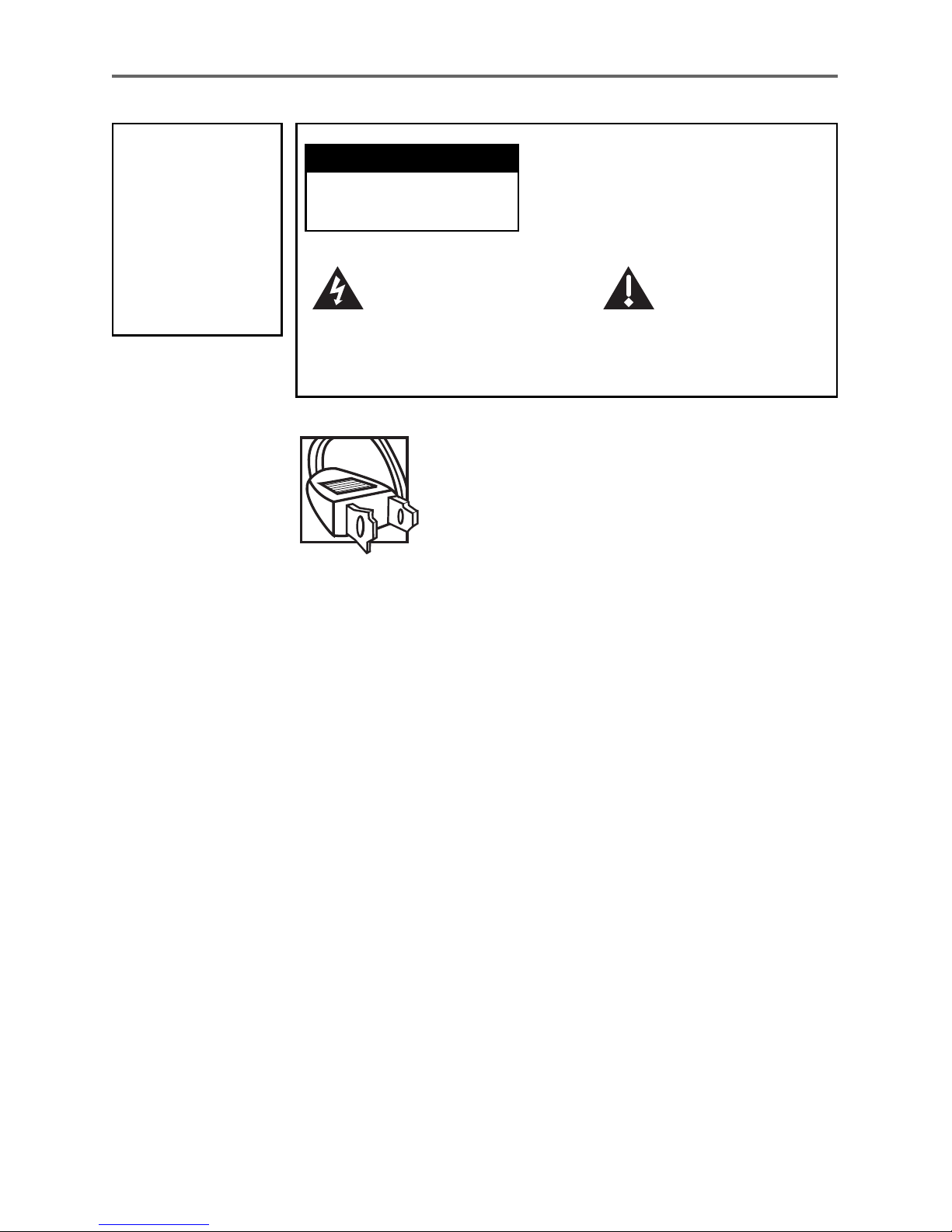
Caution: To prevent electric shock, match wide
blade of plug to wide slot, fully insert.
Attention: Pour éviter les chocs électriques,
introduire la lame la plus large de la fiche dans
la borne correspondante de la prise et pousser
jusqú au fond.
Refer to the identification/rating label located on the back panel
of your product for its proper operating voltage.
To reduce risk of injury, charge only rechargeable batteries
recommended by the manufacturer for this product. Other types
of batteries may burst causing damage and personal injury.
FCC Regulations state that unauthorized changes or
modifications to this equipment may void the user’s authority to
operate it.
This symbol indicates
"dangerous voltage"
inside the product that
presents a risk of electric
shock or personal injury.
WARNING
To reduce the risk
of fire or electric
shock, do not
expose this
product or AC
charger to rain or
moisture.
To reduce the risk of electric shock, do
not remove cover (or back). No user
serviceable parts inside. Refer servicing
to qualified service personnel.
This symbol
indicates important
instructions
accompanying the
product.
Important Information
CAUTION
RISK OF ELECTRIC
SHOCK. DO NOT OPEN.
Product Registration
Please fill out the product registration card (packed separately) and return it
immediately. Returning the card allows us to contact you if needed.
Product Information
Keep your sales receipt to obtain warranty parts and service and for proof of
purchase. Attach it here and record the serial and model numbers in case you
need them. These numbers are located on the product.
Model No. ________________________________________________________________
Serial No. _________________________________________________________________
Purchase Date: ____________________________________________________________
Dealer/Address/Phone: _____________________________________________________

1
Important Information
FCC and Industry Canada Information
This equipment has been tested and found to comply with the limits of a Class B
device, pursuant to Part 15 of the FCC rules. These limits are designed to
provide reasonable protection against harmful interference in a residential
installation. This equipment generates, uses and can radiate radio frequency
energy and, if not installed and used in accordance with the instructions, may
cause harmful interference to radio communications. However, there is no
guarantee that interference will not occur in a particular installation. If this
equipment does cause harmful interference to radio or television reception,
which can be determined by turning the equipment off and on, the user is
encouraged to try to correct the interference by one or more of the following
measures:
• Reorient or relocate the receiving antenna.
• Increase the separation between the equipment and receiver.
• Connect this equipment into an outlet on a circuit different from that to which
the receiver is connected.
• Consult the dealer or an experienced radio/ TV technician for help.
This Class B digital apparatus meets all requirements of the Canadian
Interference--Causing Equipment Regulations.
This Class B digital apparatus complies with Canadian ICES-003.
Cet appareil numérique de la classe B est conforme à la norme NMB-003 du
Canada.
2
Introduction
Your new mobile Video Cassette Player has been designed for use in vehicles,
hotels, offices, and your home and should provide years of trouble-free use.
Make sure to read the entire instruction manual to get the most out of your
video cassette player.
Your Video Player’s Features Include:
• 5.6 inch LCD Video Display Monitor
• A/V in/out jacks
• Twin Headphone Jacks
• AC and 12-volt DC Power
• Car Cigarette-lighter Converter
• Game Attachment Allowed
• Additional LCD Displays Allowed
• Easy clean design
• Lighted Front Control Panel
• Front Storage Compartment

3
Table of Contents
Table of Contents
Your Video Player’s Features ........................ 2
Installation ..................................................... 5
Befor eYouInstall .................................................... 6
InstallingthePlayerintheCar ................................... 7
Using the Player in a Hotel, Of fice, or Home ................ 8
Using the System ........................................... 9
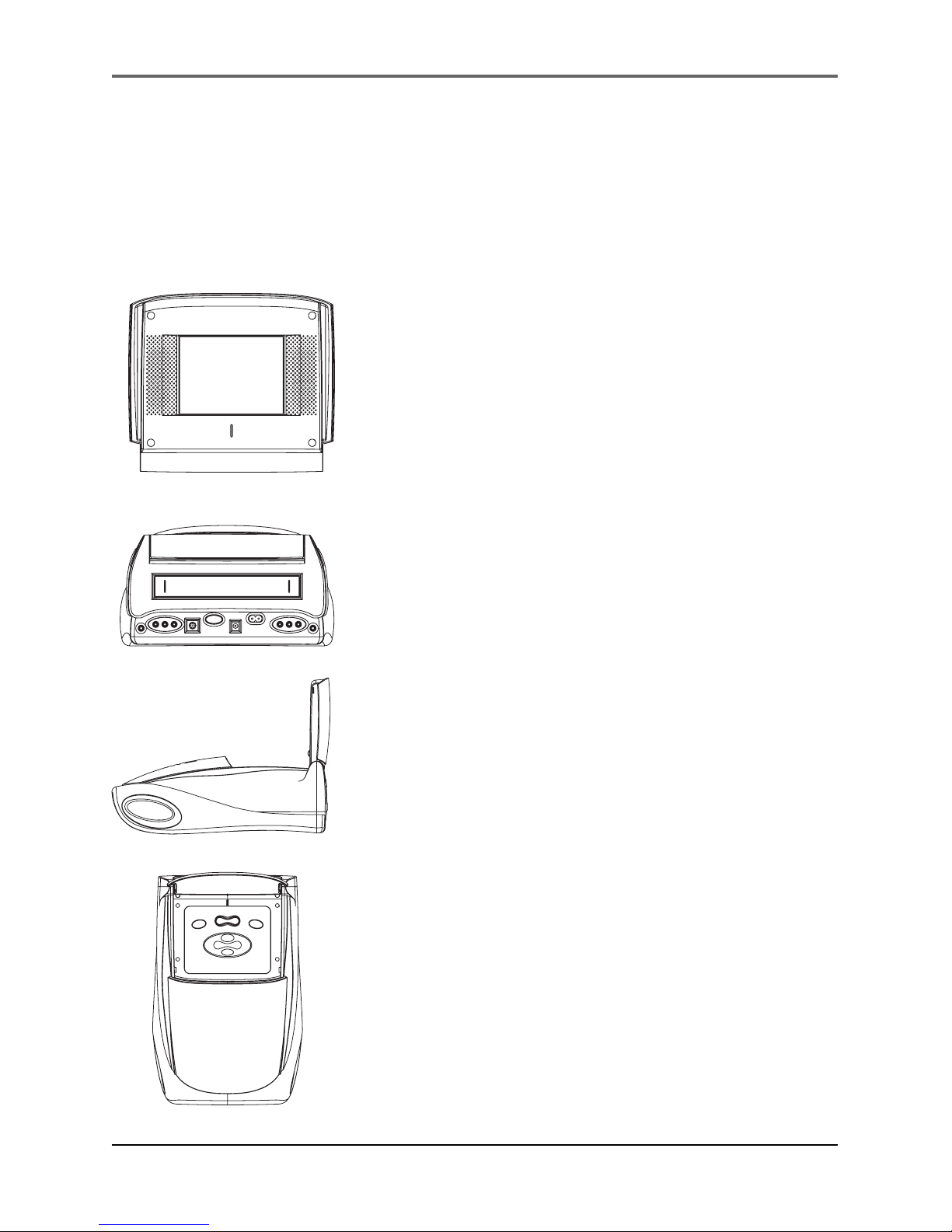
Controls,Indicators,andConnectors ......................... 10
WatchingT apes ...................................................... 11
Adjustingthe V ideo Player ...................................... 11
PlayingV ideoGames .............................................. 11
UsingAUXJacks ..................................................... 12
A/VJacks ........................................................... 12
UsinganExternalMonitor ....................................... 12
Other Information ....................................... 13
TroubleshootingT ips ............................................... 14
ProperCare and Storage ......................................... 15
Cleaningthe Player ................................................. 15
ThingstoA void ...................................................... 16
TravelT ips ............................................................. 16
WiredHeadphones ................................................. 16
StorageCompartment ............................................. 17
Specifications ......................................................... 18
Index .................................................................... 19
Warranty ............................................................... 20

This page left blank intentionally
5
Changing Entertainment. Again.
Chapter 1
Installation
Chapter Overview:
• Safety Information
• Installing the Player in a Car
• Using the Player in a Hotel, Office, or Home

Installation
6Chapter 1
Before You Install
This section of the manual will help you properly set up the
mobile video player for the best performance.
Before looking at the specifics of the mobile player’s system,
please take a moment to review the following precautions:
•When in a car, the player must be powered from the
“Accessory”switch setting (i.e. not directly from the
battery). The player’s power should only be turned on
when the car’s ignition is turned on.
Note: To prevent the car’s battery from discharging,
disconnect the player’s power cable from the lighter jack
when not in use.
•Make sure to install the player according to the instructions
in this manual.
•Use only the approved power adapter supplied with your
player. Always disconnect the adapter from the lighter
socket or wall outlet before disconnecting the power cord
from the player.
•Never plug or unplug the player with wet hands. Always
unplug the unit if you are not going to use it for an
extended period of time.
•Never use chemicals such as paint thinner, solvents,
ammonia, or any other harsh cleaners on any part of the
player. Remove dust and dirt using a damp cloth.
•AVOID ELECTRICAL SHOCKS- Never attempt to remove the
panel of the player’s LCD monitor.
•Always remove tapes from the player after use.
Installation
Chapter 1 7
Installing the Player in the Car
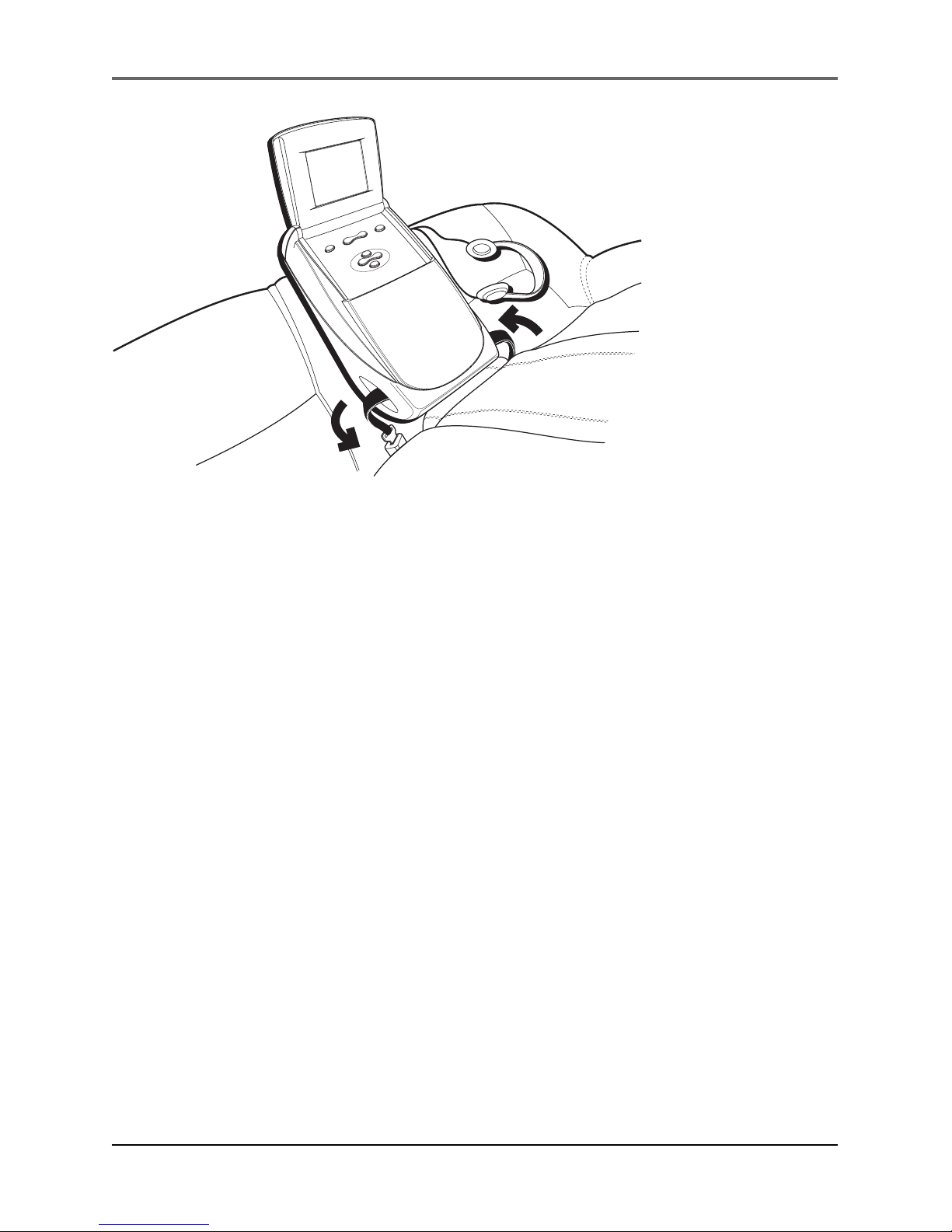
1. Rest the player in the center of the rear seat.
2. Insert the center seat’s safety belt through the player’s
retainer holes as shown.
IMPORTANT NOTE: Secure the player with as little slack in
the seatbelt as possible for safety. Tighten the seat belt
snugly so the player does not move out from the back of
the seat.
When the player is not in use the LCD screen should be
closed firmly. Do not place objects in the front storage
compartment other than the AC cord or the supplied car
cigarette lighter cord.
3. Fasten the safety belt strap by inserting and passing it
through the video player’s two end slot openings as shown.
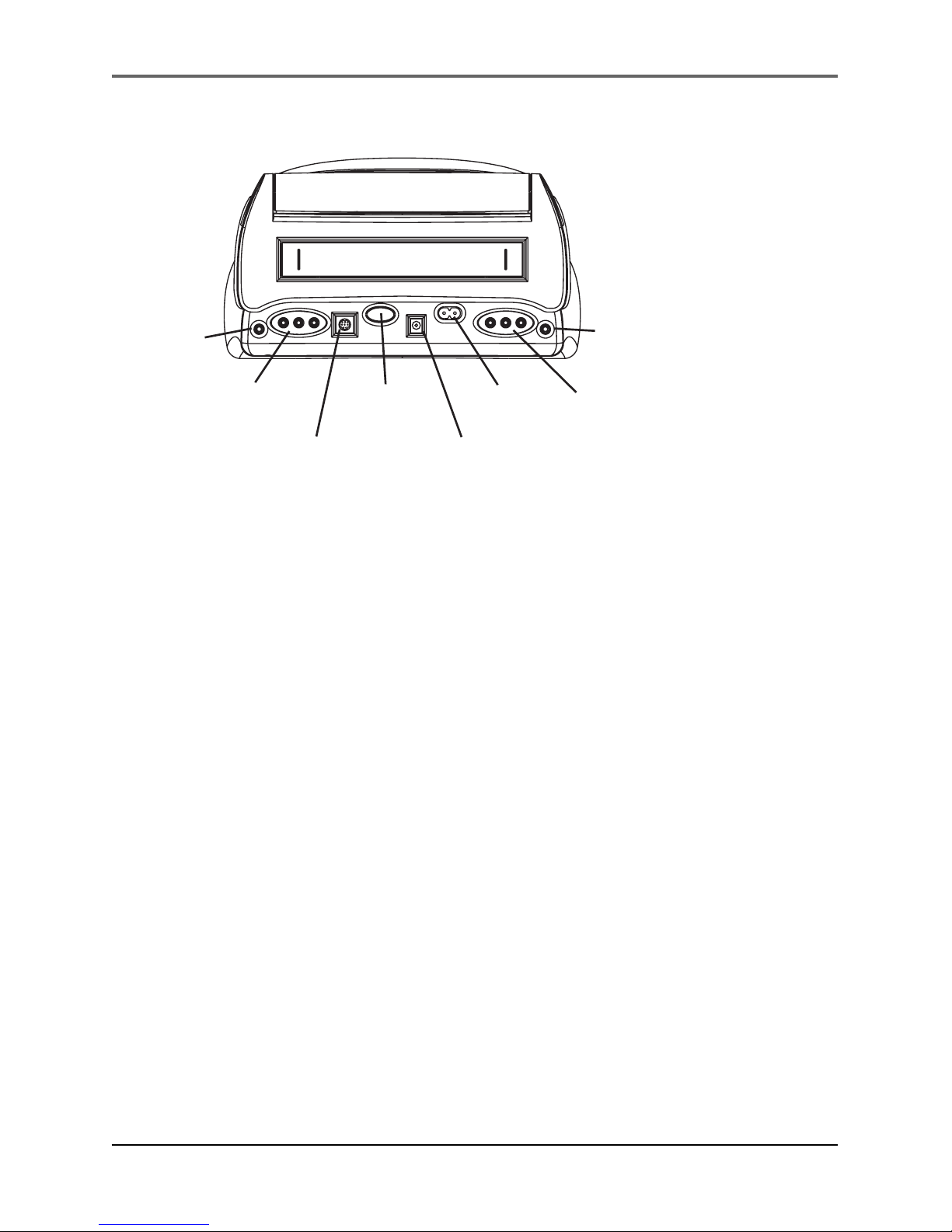
4. Plug the cigarette lighter adapter into the DC POWER (CAR)
jack on the back panel of the player. Attach the other end
of the power cord to the car’s cigarette lighter.
Note: Make sure the car’s ignition is on before plugging
the player’s adapter into the cigarette lighter socket.
5. Adjust the LCD monitor angle for desired viewing.
6. If desired, connect headphones to either of the two
headphone jacks on the back of the player.
Installation
8Chapter 1
Using the Player in a Hotel,
Office, or Home
1. Place the player carefully on a table or other resting surface
with the bottom of the unit facing down.
2. Plug the AC power cable into the AC POWER (HOME) jack
on the back panel of the player. Attach the other end of the
power cord to a standard wall outlet. Make sure to insert
the blades of the power cord fully into the outlet.
3. Adjust the LCD monitor’s angle for desired viewing.
4. If desired, connect headphones to either of the two
headphone jacks on the back of the player.
HEADPHONE
JACK #1
AUDIO/VIDEO
OUTPUT JACKS
EXTERNAL
PANEL
EJECT
DC POWER
(CAR)
AC POWER
(HOME)
AUDIO/VIDEO
INPUT JACKS
HEADPHONE
JACK #2
Indice
Altri manuali RCA Lettore di cassette


