
RCA VR525 Manuale utente

video cassette recorder
user's guide
VR525

Important Information
WARNING
To reduce the risk of fire or
shock hazard, do not expose
this product to rain or moisture.
Caution: To reduce the risk of electric shock, match
wide blade of plug to wide slot, fully insert.
Attention: Pour éviter les chocs électriques, introduire
la lame la plus large de la fiche dans la borne
correspondante de la prise et pousser jusqú au fond.
Refer to the identification/rating label located on the back panel of your
product for its proper operating voltage.
FCC Regulations state that unauthorized changes or modifications to this
equipment may void the user’s authority to operate it.
Cable TV Installer: This reminder is provided to call your attention to
Article 820-40 of the National Electrical Code (Section 54 of the Canadian
Electrical Code, Part 1) which provides guidelines for proper grounding
and, in particular, specifies that the cable ground shall be connected to the
grounding system of the building as close to the point of cable entry as
practical.
To reduce the risk of electric shock, do not remove
cover (or back). No user serviceable parts inside.
Refer servicing to qualified service personnel.
This symbol indicates
"dangerous voltage" inside
the product that presents a
risk of electric shock or
personal injury.
This symbol indicates
important instructions
accompanying the product.
WARNING
RISK OF ELECTRIC
SHOCK DO NOT OPEN
Product Registration
Please fill out the product registration card and return it immediately.
Returning this card allows us to contact you if needed.
Keep your sales receipt to obtain warranty parts and service and for
proof of purchase. Attach it here and record the serial and model
numbers in case you need them. The numbers are located on the back
of the product.
Model No. VR525
Serial No.
Purchase Date:
Dealer/Address/Phone:

TABLE OF CONTENTS
1
7
First Things First.............................................................. 3
Setting Up the VCR......................................................... 7
Using the Menu to Set up Features..................................................8
Language ..........................................................................................8
VCR Channels List.........................................................................8
ToAuto Channel Search........................................................9
To Change the SignalType .................................................10
ToAdd or Remove Channels .............................................10
Time and Date..............................................................................10
Set Daylight-SavingTime......................................................10
Set theTime and Date .........................................................11
VCR PLUS+ CHANNELS ..........................................................12
Additional Set-up Features in the Preferences Menu.................14
RemoteVCR1/VCR2 Option ....................................................14
Auto Play........................................................................................15
AutoTV/VCR................................................................................15
EnergySaver...................................................................................16
VCR Basics ..................................................................... 17
Remote Buttons..................................................................................18
Playing aTape ................................................................................19
Automatic Rewind..............................................................................20
Tape Eject .............................................................................................20
Recording .............................................................................................20
Check the SafetyTab...................................................................20
Recording ...................................................................... 21
Recording Features ............................................................................22
Express Recording (XPR) ..........................................................22
Timer Recording..........................................................................23
Timer Recording withVCR Plus+............................................24
Setting Up the Channel List................................................24
UsingVCR Plus+....................................................................24
Stopping aTimer Recording ......................................................26
Reviewing and Clearing Programs ...........................................26
UsingTwoVCRs for Copying and EditingTapes....................27
Other Features .............................................................. 29
Picture Search Options .....................................................................30
Forward and Reverse Search ....................................................30
Slow Motion..................................................................................30

TABLE OF CONTENTS
2
Commercial Scan (SEARCH BUTTON) ................................30
FrameAdvance .............................................................................31
Go-To Search................................................................................31
Index Search..................................................................................31
Pro-Tect Plus™ Locking Feature ....................................................32
Tracking.................................................................................................32
Time Counter......................................................................................33
On-Screen Displays............................................................................33
Connections .................................................................. 35
Things to Know Before Connecting Components.....................35
ConnectingYourVCR ........................................................................36
Jacks and Cables...........................................................................36
Choosing a VCR Connection..........................................................37
Advantages ofAudio/Video Cable Connections .........................37
Don’t Forget about theAUTOTV/VCR Feature.........................37
TV with RF jack only...................................................................38
TV withAudio/Video Jacks........................................................39
TV with audio/Video Jacks and Cable Box
to Unscramble Pay Channels Only ..........................................40
Appendix: Reference .................................................... 41
Front Panel...........................................................................................42
Indicator Panel.....................................................................................43
Back Panel ............................................................................................43
TroubleshootingTips..........................................................................44
Specifications .......................................................................................47
Cleaning theVCR................................................................................47
LimitedWarranty................................................................................48
Index.............................................................................. 49

First Things First
3
Hi, my name is Liz…
and I wrote this User’s Guide.It’s my job to see
that you have a rewarding user manual experience.
You’ll find that I’ve arranged this manual to clearly
explain all of yourVCR’s features.
Read the First Three sections
The first three sections of the manual introduce
you to yourVCR,and show you how to set theVCR
up and use the on-screen menus.Reading these
sections gives you the basic information you need
to use yourVCR.
What’s Left?
The rest of the book highlights playback and
recording information,contains a detailed
connections section,and a reference section that
includes troubleshooting tips,limited warranty,and
index. 5
READ ME!
These note boxes give you tips for
your new video cassette recorder.
➣➣
Setting Up the VCR
2
First things first
1
➣
recording
3VCR Basics
4
6Connections
➣
5
➣
5OTHER FEATURES

First Things First
4
Step 1: Unpack What’s in the Box
The following items come packed in the box:
• VCR
• Remote control
• RF coaxial cable
STEP 2: Install Batteries In the
Remote Control
Follow these steps whenever you need to install or change the
batteries in your VCR remote.
1. Remove the cover of the battery compartment.
2. Place the batteries in the remote, matching the + and – ends
of each battery to the diagram inside the compartment.
3. Replace the cover.
STEP 3: Connect your vcr
If you connect your VCR to your home antenna or cable system
and then to your TV, use the VCR’s ANT. IN and RF OUT jacks for a
good signal as shown.
If you have a TV with AUDIO/VIDEO jacks, use the jacks for a
better connection. Refer to the Connections section, toward the
back of the manual.
VCR
TV
CABLE/
ANTENNA
CABLE, CABLE BOX, OR ANTENNA
3 CH. 4
ANT. IN
RF OUT
VIDEO AUDIO
OUT
IN
First Things First
5
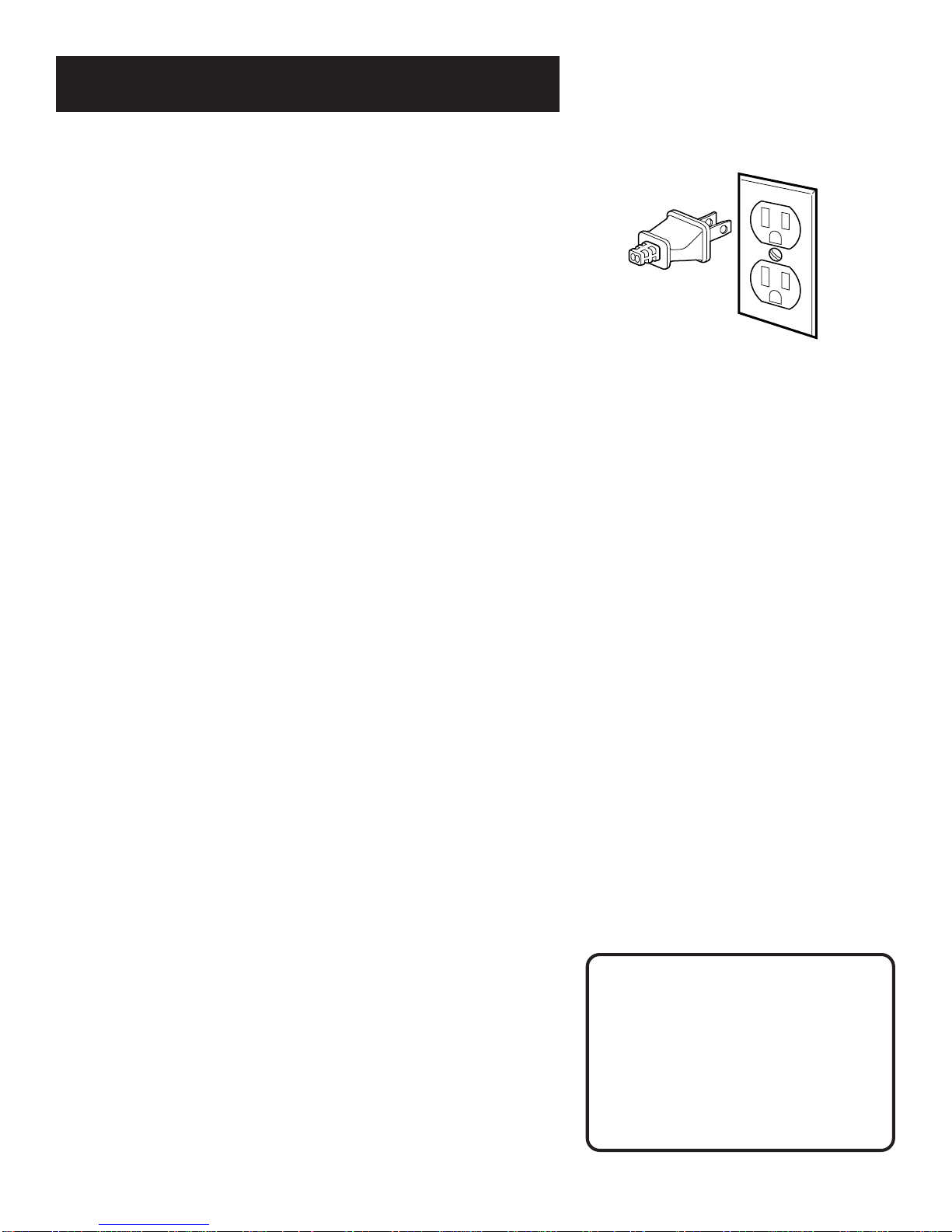
STEP 4: PLUG IN THE VCR
Match the wide blade of the plug with the wide slot in the
outlet. Be sure to insert the plug completely.
STEP 5: TUNe THE TV
Tune the TV to the VCR viewing channel. The VCR viewing
channel is channel 3 or 4 or the TV’s video input.
• If you connect your VCR using the ANTENNA connectors with
RF coaxial cable, set the 3 CH. 4 switch to channel 3 or
channel 4 — the channel you want to use on your TV.
• If you connect your VCR using the AUDIO/VIDEO jacks with
audio/video cables, select the TV’s video input to see the
signal. See the TV Owner’s Manual.
STEP 6: turn on the vcr
Press POWER to turn on the VCR.
STEP 7: Access the menus
The MENU and number buttons let you access, select and change
menu items. For example, to change the Auto Play setting, you
would do the following: VCR Viewing Channel
When using the ANT. IN and RF OUT
jacks to connect your VCR, tune your
TV to channel 3 or 4.
When using the AUDIO/VIDEO jacks
to connect your VCR, tune your TV
to the TV’s video input.

First Things First
6
1. Press MENU to display the VCR MAIN MENU.
VCR MAIN MENU
1 VCR Plus+
2 Timer Recordings
3 Time
4 Channels
5 Preferences
6 Language
0 Exit
2. Press 5 to display the PREFERENCES menu.
PREFERENCES
1 Remote Control: VCR1
2 Auto Play: ON
3 Auto TV/VCR: ON
4 EnergySaver: 2:00
0 Exit
3. Press 2 to switch Auto Play to ON or OFF.
PREFERENCES
1 Remote Control: VCR1
2 Auto Play: OFF
3 Auto TV/VCR: ON
4 EnergySaver: 2:00
0 Exit
See Additional Set-Up Features for detailed information
about the Auto Play feature.
STEP 8: SET UP THE VCR
Once you understand how to move around through the menus,
go to the next section to set up your VCR.

7
Setting Up the VCR
on-screen guide and Additional
Set-up features
Below is a list of set-up features that you may want
to set up before you begin using yourVCR for the
first time.
• Select a Language
• Set upVCR Channel List (Auto Channel
Search)
• SetTime and Date
• Set upVCR Plus+ Channels
• Set the RemoteVCR1/VCR2 feature
• Set theAuto Play feature
• Set theAuto TV/VCR feature
• Set the EnergySaver feature
5
➣➣
Setting Up the VCR
2
First things first
1
➣
recording
3VCR Basics
4
6Connections
➣
5
➣
5OTHER FEATURES

8
Setting Up the VCR
USING THE MENU to set up features
You can set up features by using the menu system. Each feature
is explained in this section.
language
Select your preferred language, and the on-screen displays will
appear in that language.
1. Press MENU to display the VCR MAIN MENU.
VCR MAIN MENU
1 VCR Plus+
2 Timer Recordings
3 Time
4 Channels
5 Preferences
6 Language
0 Exit
2. Press 6 to select the LANGUAGE menu.
LANGUAGE
Select a language.
1
6
English
2 Espanol
3 Francais
Press MENU to continue
˜
˜
3. Select English, Español (Spanish), or Français (French).
VCR CHANNELS LIST
If you use a cable box for all channels, this step is not necessary.
Your VCR may come with a channel list preset at the factory.
Even though your VCR may come with a list, it’s possible that
you may want to add or eliminate some channels depending on
whether they are active. On-Screen Menus
Not all the VCR screens are shown in this
manual when explaining the features.
Altri manuali per VR525
2
Indice
Altri manuali RCA Sistema VCR


