
Recom RC-ME100 Manuale utente
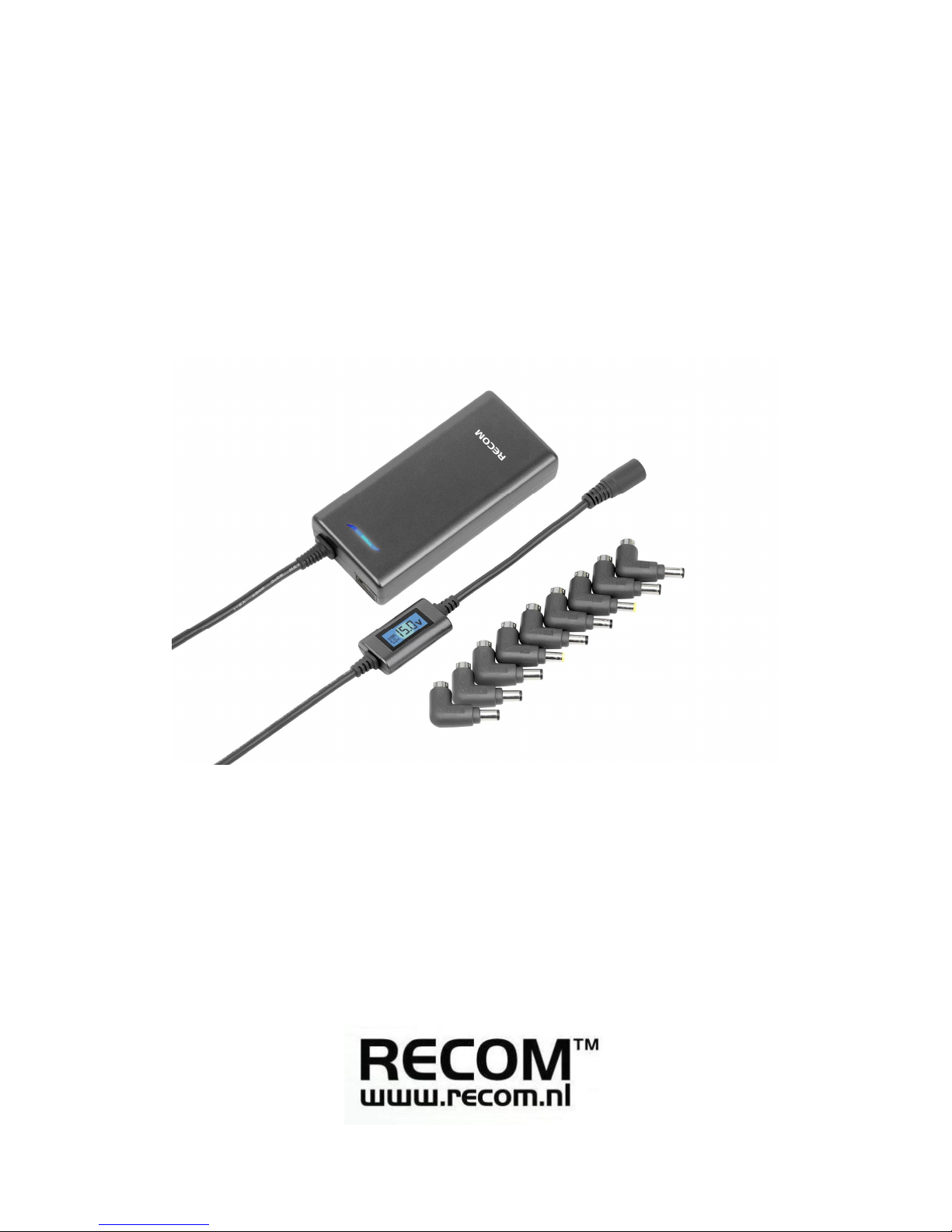
100W Slim Universal AC Adaptor
MOBILE ENGINE RC-ME100

User Manual
Firstly thank you for purchasing our new slim adaptor 100w for notebooks, netbooks and other
digital devices. This product is especially designed for charging and supplying power for (small)
notebooks and netbooks. Also the standard USB can charge iPhone, iPod, iPad, mobile
phones, MP3, MP4 and other digital devices. This product has acquired many patents and
certificates already and the max power can reach 100w. Also it adopts the widest output
voltage technology with LCD display and switch voltage automatically. With slim appearance
and fashion style, it will be one of the best choice for you and your family electronic devices.
Product Features :
1. Slim housing with blue LCD indicator, fashionable and smart appearance.
2. Charge or supply power to notebooks and netbooks. The standard USB connector can
charge iPhone, iPod, iPad, mobile phones, MP3, MP4 and other digital devices etc as well.
3. LCD screen on the DC cable indicates working voltage with blue backlight automatically
when different tips used, visual (even in the dark) and reliable.
4. 9 tips cover all brands of notebook & netbook.
5. Adopt SCM computer controlling technique to make sure working precision.
6. Adopt ABS & PC materials for the housing, generates safety and environmental friendly.
7. Automatic computer electrical overload and high temperature overload aging test before
shipment to ensure safety.
8. High efficiency: up to 90%.
9. Because of the AC Input 100 - 240V the adapter is worldwide compatible.
10. Widest output voltage: 5V to 24 V, with additional USB 5V.
11. Multi protection: over temperature, over voltage, over current, short circuit protection and
etc.
Product Specification:
AC Input: 100 ~ 240V , 1.8A 50-60Hz
DC Output: 5 ~ 24V 6A
(
MAX
)
100w
(
MAX
)
USB output: DC 5V 1A (MAX)
Size: 125 (L) * 59 (W) * 25 (H) mm

Product Components:
1. Adaptor Body
2. AC power cord
3. 9 pcs Notebook tips
4. Manual
1. When you want to charge or supply power to notebooks, connect the AC plug into the wall
socket (picture A), without any tip the display will be between 15.0 V and 15.6 V tolerance
(picture B). Choose the right tip, such as N20 for eeePc, join it with the DC output (picture C),
then the LCD displays the N20's tip voltage (18.8 - 19.3 V) (picture D). Connect the joint DC tip
to the notebook then it can be used. (Picture E)

2. When you use the 5V USB output, connect the USB cable to the digital product, then it can
be charged (as picture I and J) You can use a standard USB cable or the delivered one with
your digital device. No USB cable is delivered in the package.
Usage Notice:
Please read carefully the user manual from your notebook, netbook, iPhone, iPod, iPad,
mobile phones, MP3, MP4 and other digital devices to ensure the technical datasheet are
compatible with adapter before using. RECOM not responsible for any damage caused by
incorrect operation.
Safety Instructions:
1. Do not apply external force on the cord, or unplug pulling the cord.
2. Do not connect a banded cord to the power supply.
3. Do not place the cord or device near heating elements.
4. Do not bend the blade or Pins of the plug.
6. If there is any strange sound, smoke or odor, pull of the cable immediately.
7. Do not disassemble the adapter or put small/sharp objects in venting wholes.
8. Ensure not to use a damaged cable, or (un)plug the plugs with wet hands..
9. Do not place the product on a bed, bag or inside a closet that is not good for ventilation.
10. Always wipe off the product with soft fabric, not water mop. Keep the plugs clean.
11. Keep the product out of reach from children.
12. Unplug the power cord if you don't use the product for a long time.
Notes:
Please follow above guidelines, if not there is a risk of loose contacts, fire, electrical shock, fire
or overheating and it will void the warranty on your RECOM power supply.

Notebook DC Connectors Specification:
Tip Spec. Out
Volt Replacement
N04:
4.8×1.7×10.7mm 19V Compaq:18.5V1.1A,18.5V2.7A,18.5V3.8A,18.5V3.5A,As
us:19V2.64A,NEC:19V2.64A
N06:
6.0×4.4×10.7mm 16V
Panasonic:16V2.5A,15.1V2.6A,15.1V2.64A,
Fujitsu:16V2.5A,16V2.8A,16V3.36A,
16V3.75A, Sony:16V2.5A,16V2.1A,16V3.75A,16V4A
N07:
5.5×2.5×10.7mm 19V
BenQ:19V2.1A,
Dell:18V1.9A,19V2.4A,19V1.58A,19V3.16A
HP:18V2.3A,19V2.4A, 19V3.16A Compaq:
18V1.9A,18.5V1.1A,18.5V4.9A,19V4.9A
IBM: 19V2.4A,18V1.9A,19V3.16A,19V4.2A
Toshiba: 18V1.1A,18V1.7A, 19V1.58A,19V 3.42A,
19V4.74A
Gateway: 19V3.16A,19V3.68A,19V4.74A Acer:
19V3.42A,
NEC: 19V2.64A,19V3.16A, DELTA:
19V2.64A,19V3.42A,
Liteon :19V3.16A,19V3.42A,19V3.95A,19V4.74A,Epson
19V1.23A;
N09:
6.0×4.4×10.7mm 19.5V
Sony: 19.5V 2.15A,
19.5V2.3A,19.5V3A,19.5V4.1A,19.5V4.7A,
Fujitsu:19V3.16A,19V3.69A,19V4.22A
N13:
6.3×3.0×10.7mm 15V Toshiba :15V2A,15V2.7A,15V3A,15V4A,15V5A,15V6A
NEC: 15V4A
N14:
5.5×2.5×10.7mm 16V
Delta: 15V1A, IBM:
16V1.88A,16V2.2A,16V3.36A,16V3.5A,16V4.5A Acer
:16V3.75A
N18:φ5.5*2.1*10.7
mm 19V ACER:19V/3.16A,19V/3.42A,19V/4.74A;
LITEON:19V/3.16A,19V/3.42A; NEC:19V/3.16A
N19:
5.0×3.0×10.7mm 19V Samsung: 19V 3.16A, 19V 3.42A
,
19V3.75A,19V4.22A,19V4.74A
N20:
2.35×0.7×9MM 19V Asus
eeePC
:19V2.1A
Notes: all the above involved brands are owned by the original manufacturer
Indice


