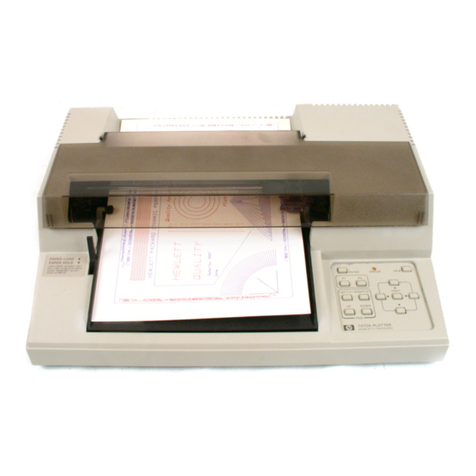
Ricoma RCP-6301 Manuale utente

RCP-6301
CUTTING PLOTTER
QUICK START GUIDE
RICOMA INTERNATIONAL CORPORATION
11555 NW 124th St, Miami, FL 33178
Telephone: (305) 418-4421 | Toll Free: 1-888-292-6282
ricoma.com Copyright ©2021 Ricoma
All rights reserved

Ricoma Quick Start Guide2
Warning. Any improper operation may result in a hazard of life or damage to
equipment.
A warning symbol for the possibility of electrical shock.
The symbol in the circle represents actions that are not allowed.
Do not use the power source that does not meet the voltage rating; otherwise,
If smoke or a strange odor is coming out of the machine, or it makes a loud
sound, this means the machine is not functioning properly and you should
shock.
Do not take out the plug when the power is on to avoid damage to the
machine.
Make sure your machine is grounded, otherwise you may experience an
electric shock or a mechanical failure.
or other life hazards may result.
Do not leak any liquid or drop metal into the machine, such things may result
knife head.
Do not damage or replace the supplied power cable on your own. Do not
excessively bend, pull, bundle or place weight on the power cable. Otherwise,
If you are not going to use the machine for a long time, please unplug the
occurring.
DEFINITION OF SYMBOLS

Ricoma Quick Start Guide 3
When operating the machine, do not place either of your hands on capstan to
Place the machine on a stable surface; otherwise, the machine may fall and get
damaged.
To unplug the power cable from the outlet, please grab the plug instead of the
cable. Pulling the cable with too much force may result in an electrical shock
Any operation is forbidden in case of storms or lightning to prevent damage of
the machine.
Do not pull the cartridge by hand to avoid damage to the mainboard when the
plotter is powered on.

Ricoma Quick Start Guide4
STANDARD ACCESSORIES
Item Part Quantity
1 Power cord 1
2 USB Cable 1
3 Blade holder
* In machine
1
4 Blade
* 1pc in machine
3
5 Pen and pen holder 1
6 Signmaster 1
7 User Manual 1

Ricoma Quick Start Guide 5
QUICK START
1
2
3
4
Step 1
Refer to File 1.1)
Step 2
Refer to le 1.2)
(Refer to File 1.3)
Step 3
Step 4
Basic cut: Design your work and cut in Signmaster (Refer to File 1.3)
Contour cut: Design your work and contour cut in Signmaster (Refer to File 1.4)
Refer to File 1.5)
Note:
please deactivate it before installing it in another computer.

Ricoma Quick Start Guide6
should display the following window:
After driver installation, windows will close
automatically. Computer will display the following
USB DRIVER INSTALLATION

Ricoma Quick Start Guide 7
Set up steps:
number.

Ricoma Quick Start Guide8
INSTALLATION
Make sure machine is grounded; otherwise, electric shock or mechanical failure
may occur.
Do not use a power source that does not meet the recommended voltage
Don’t pull out the plug when the power is on to avoid damage to the machine.
Place the machine on a stable surface; otherwise, the machine may fall and get
damaged.
the proper voltage.

Ricoma Quick Start Guide 9
3.2.2
Correct
Loosen Correct position for blade holder
Wrong: Blade out
too much
Wrong: Blade in
too much
Note: There are two options to install cutting software, one is Signmaster, the other is CorelDRAW plugin (or
dongle).
3.3A Signmaster software installation (Recommended)
activate.
in the Signmaster software.
what a basic cut and contour cut are.
Contour cut: Please refer to your Signmaster software manual.

Ricoma Quick Start Guide10
Basic Cut:
Indice
Altri manuali Ricoma Plotter