
RIP TUNES MP-1825 Manuale utente
DIGITAL MULTIMEDIA PLAYER
USER MANUAL
Manual de usuario (p.28) / Manuel D’utilisateur (p.57)
MP1872/MP1874

- 2 -
ENGLISH: TABLE OF CONTENTS
INTRODUCTION....................................................... 4
FEATURES ............................................................... 4
TIPS .......................................................................... 5
WARNING ................................................................. 6
Getting to know your MP3 Player.............................. 7
Appearance............................................... 7
Buttons and Controls................................. 7
Display ...................................................... 8
Battery....................................................... 8
Basic Functions......................................................... 9
Power ON/OFF.......................................... 9
Menu ......................................................... 9
Volume...................................................... 9
Recharging you battery ............................. 9
How to Add Media to your Digital Media Player ...... 10
Playing Music .......................................................... 12
Change Equalizer Setting........................ 12

- 3 -
RepeatMode........................................... 13
Playback Speed...................................... 14
Watching Video....................................................... 14
Voice Recording...................................................... 15
How to record.......................................... 15
Select a recording type............................ 16
Play back a recorded file........................ 16
FM Radio................................................................. 17
How to View Photos................................................ 18
System Settings....................................................... 19
E-book..................................................................... 21
Game....................................................................... 21
Other Settings......................................................... 22
Select a differentdirectory ...................... 22
Delete files.............................................. 23
Troubleshooting....................................................... 25
Specifications.......................................................... 26
This product represents a new generation of MP3
players supporting MP3, WMA, WAV/ACT, AVI, JPG

- 4 -
and TXT. You can transfer other format movies into
AMV.
INTRODUCTION
Congratulations on your purchase of the IMPECCA MP-
1825/1845 Digital Media Player. Before using your digital
media player, please read through this manual. The
manual will help you use many of the exciting and useful
features of the IMPECCA MP-1825/1845 Digital Media
Player.
Due to constant production improvement, the MP3
player that you have purchased might be slightly
different than the one described in this manual.

- 5 -
FEATURES
Supports virtually all audio file formats including: MP3,
WMA, WAV/ACT.
Also supports JPEG photos, and AVI video formats
High quality 1.8” full color display
Built-in FM radio
Built-in voice recording
Can be used as a removable USB disk.
Automatic power off and sleep mode
Disk encrypt and Disk partition
Supports firmware updates.
Rechargeable Li-battery
TIPSFollow these tips to keep your Digital Media Player
working for a long time:
1. Do not recharge for longer than 3 hours
2. Do not hang the player by its earphones

- 6 -
or cables
3. Do not allow young children to use your
player unsupervised
4. Never force any connectors into the
ports of your player or computer. Make sure your
connectors are identical shape and size before you
connect.
Warning
Do not use this player in extreme temperatures. Keep
away from extra-hot, extra-cold, and extra-dry areas.
Also keep away from water, fire, and radiation.
Do not disassemble your digital media player.
When disconnecting your digital media player from a
computer, use the Safely Remove Device function on
your computer. Do not disconnect your digital media
player while transmitting data.

- 7 -
Do not install foreign software onto your digital media
player. Additionally, the software for this player cannot
be used on other players.
Only use the enclosed adaptor to charge your battery.
Permanent hearing damage or hearing loss may
occur if earphones are used at a high volume. Hearing
experts advise against continuously listening to music at
a high volume. If you hear a “hiss” in your ears, lower the
volume, or stop listening.
- 8 -
Getting to know your MP3 Player
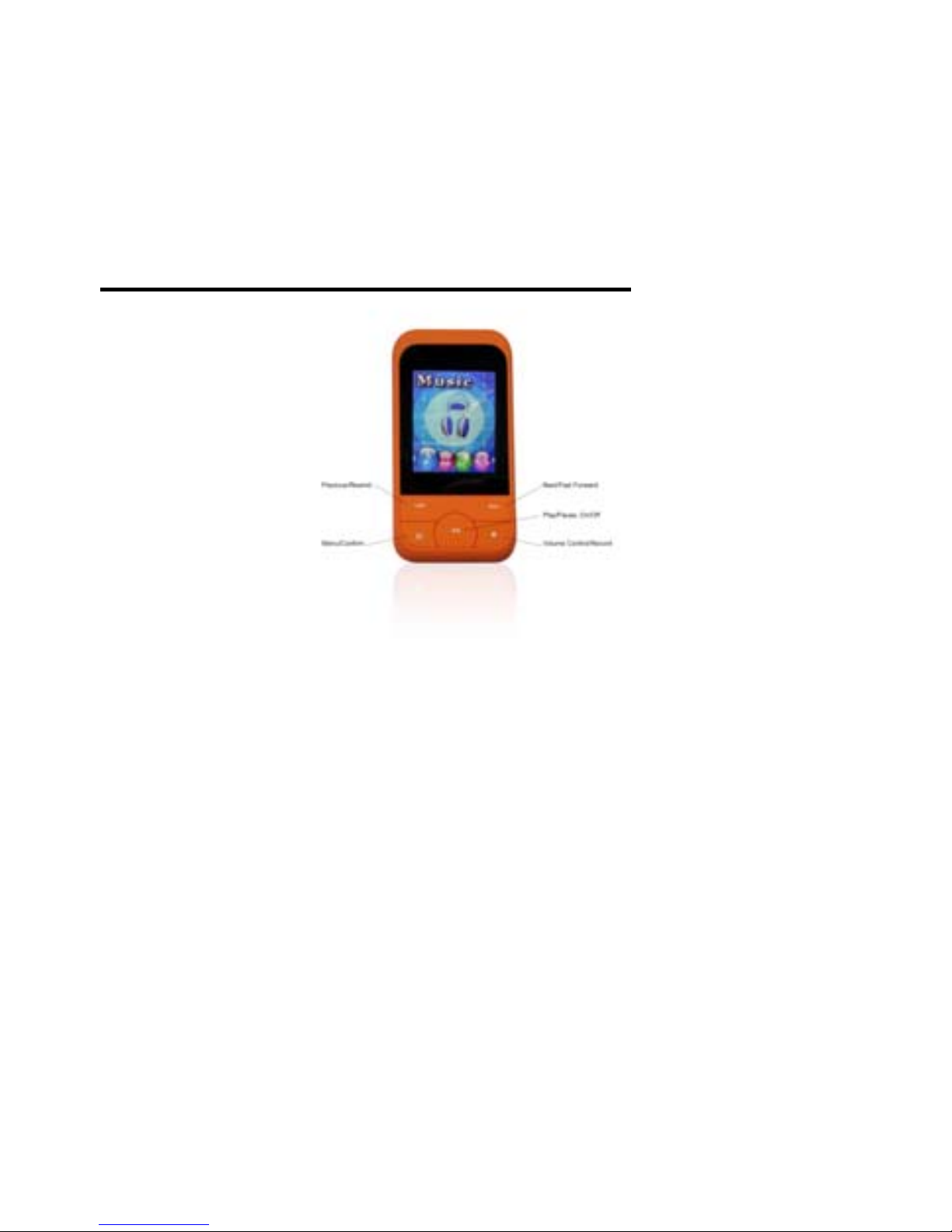
Appearance
Buttons and Controls
1 “
”: Power ON/OFF, PLAY/PAUSE
2 “M”: enter menu and exit from sub-menu, confirm
selection (while in any mode, press and hold “M” to
access the main menu)
3
-Next/Fast Forward
4
-Previous/Rewind
5 “”: Volume control/ Record button
- 9 -
6 “USB”: USB plug. (not shown)
7 “Earphone jack”: 3.5mm standard earphone
connector.(not shown)
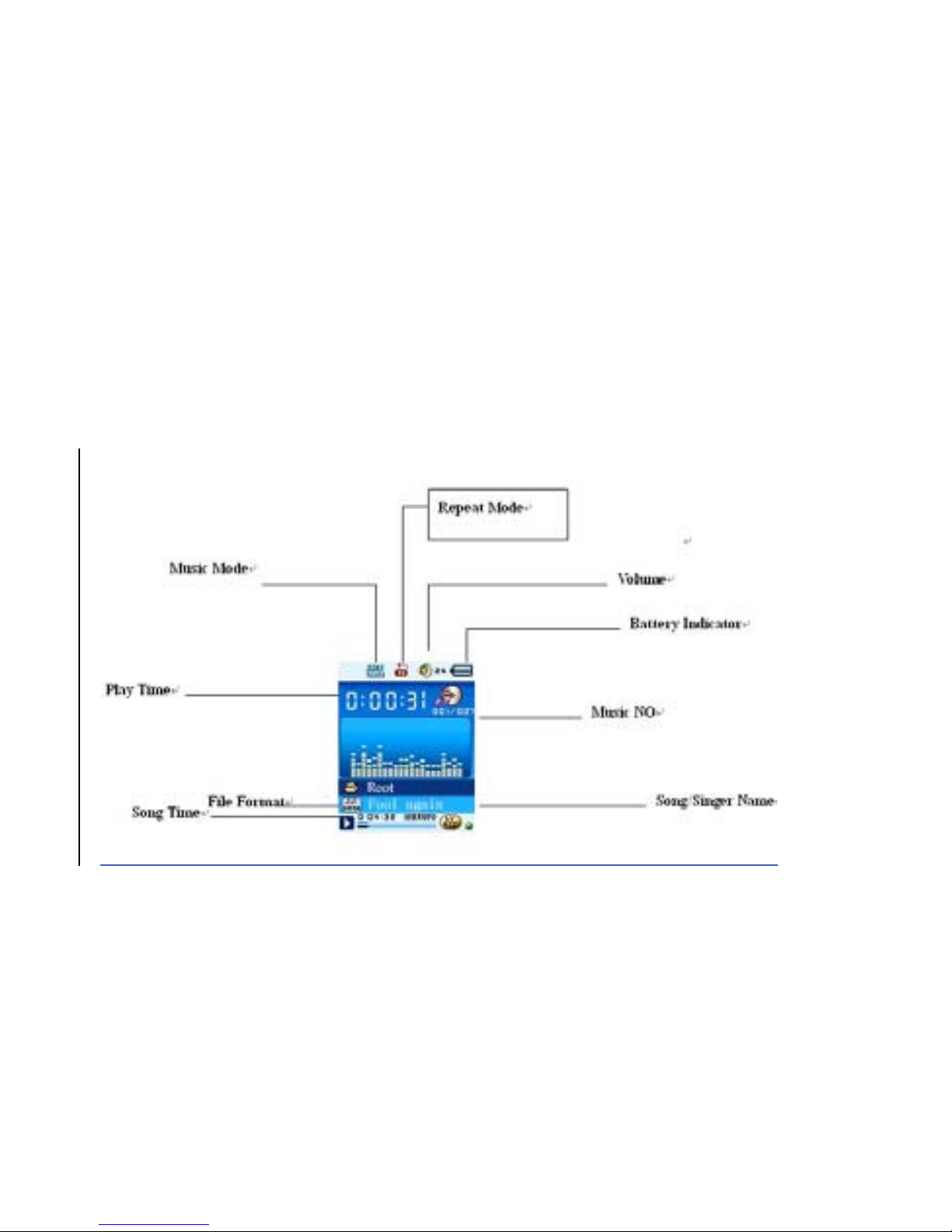
Screen
Display

- 10 -
Battery
When the battery is fully charged, the battery icon
will look like this.
When battery power is low, the battery icon will
look like this.
Basic Functions
Power ON/OFF
Press and hold “
” button to turn the MP3 player
on.
While the MP3 is playing, press and hold the “
”
button to turn the MP3 player off.
Menu
Press “Menu” to access the main menu.
Questo manuale è adatto per i seguenti modelli
3
Indice
Lingue:


