Page 5
For assistance, call RITRON at
800-872-1872, or go to www.ritron.com
OutPost Basic Owners Manual
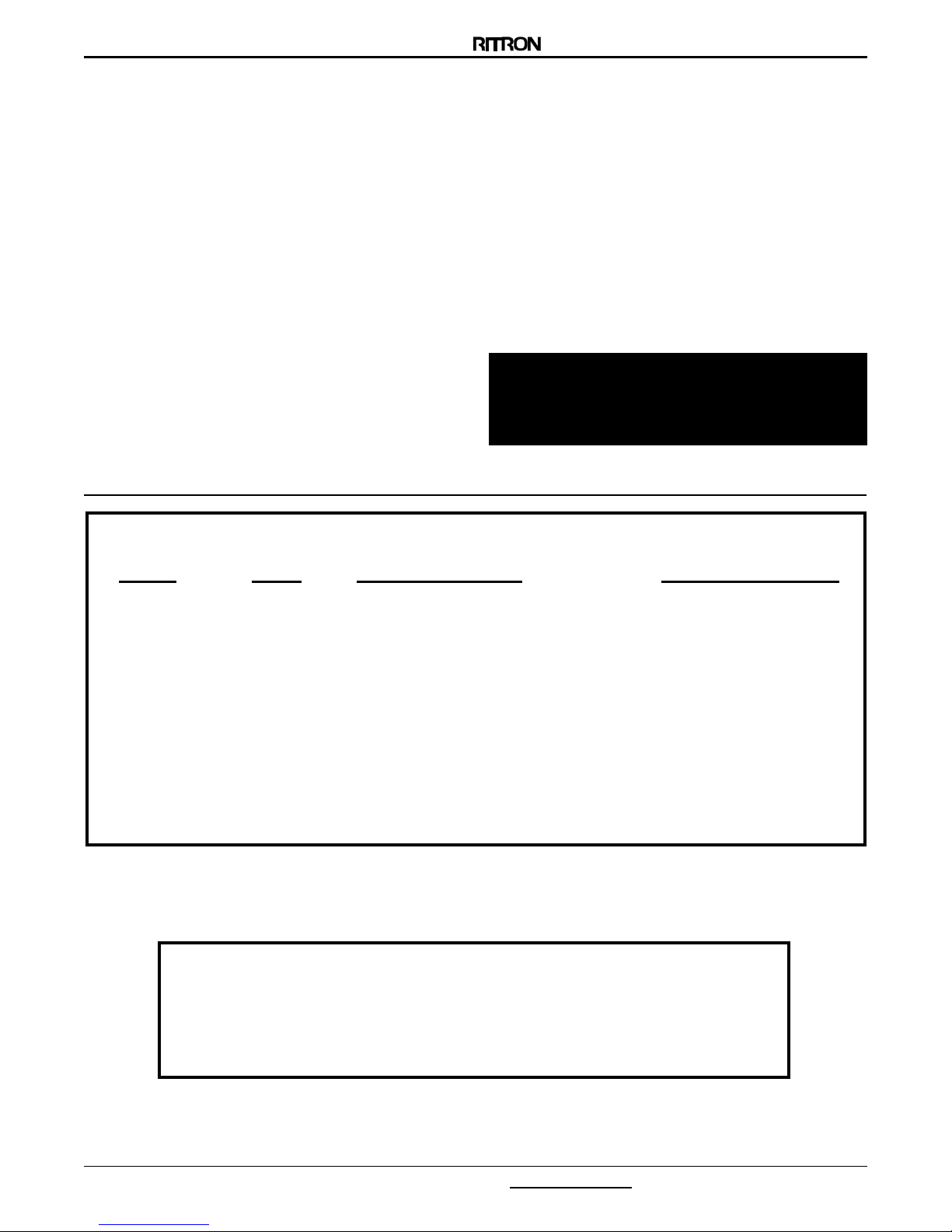
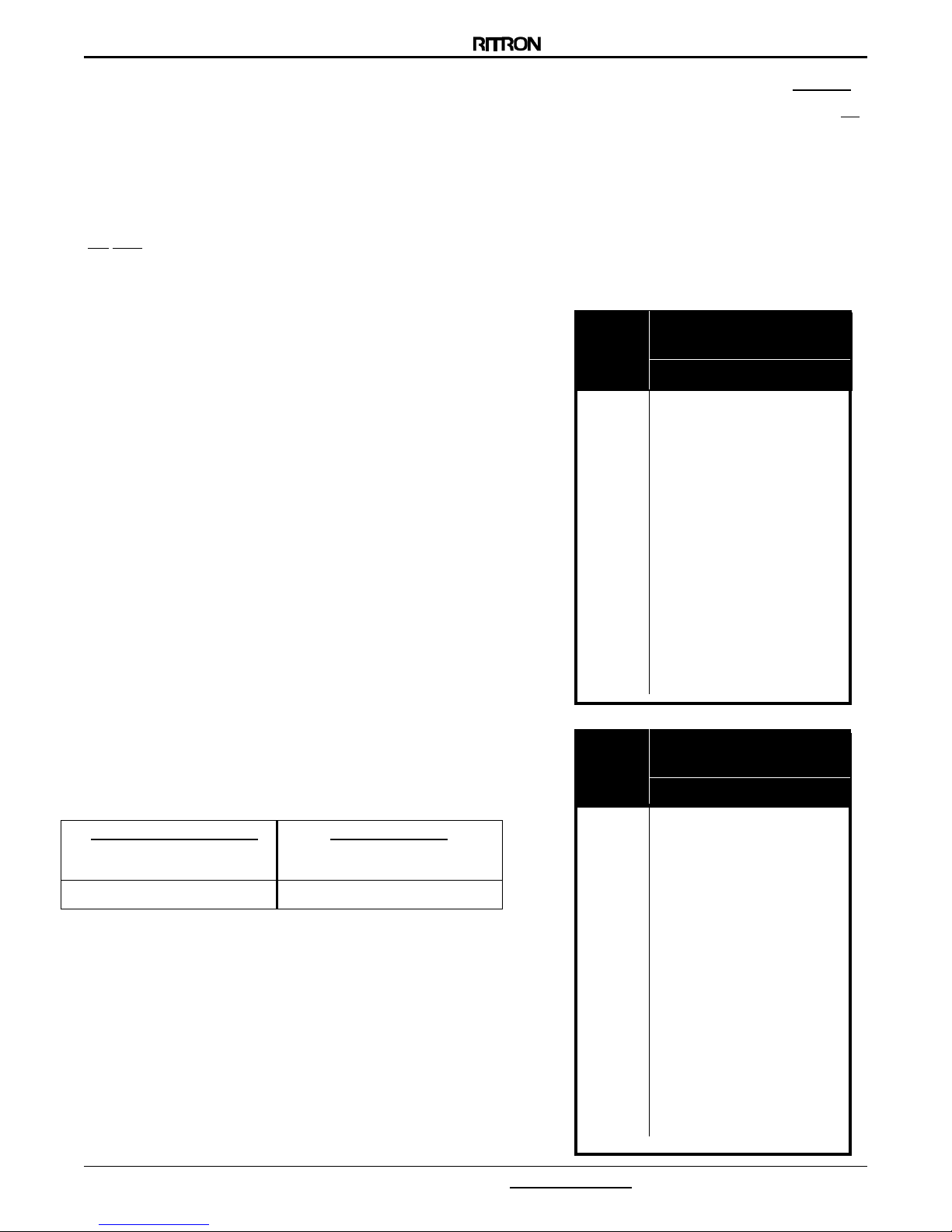
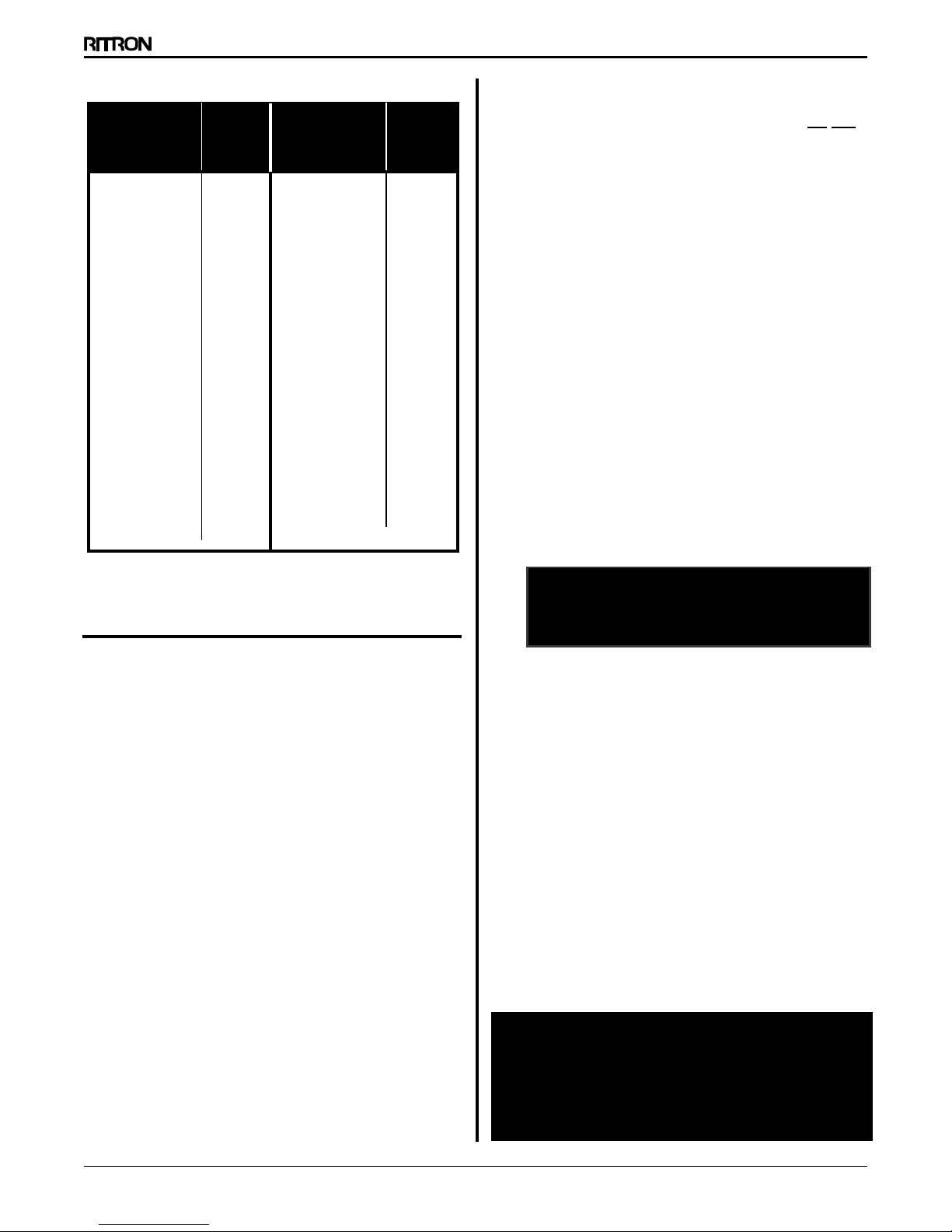
NOTES: Refer to Table 1 (Frequency Codes) and Table 2
(QC Tone Codes) when programming the UTP ST.
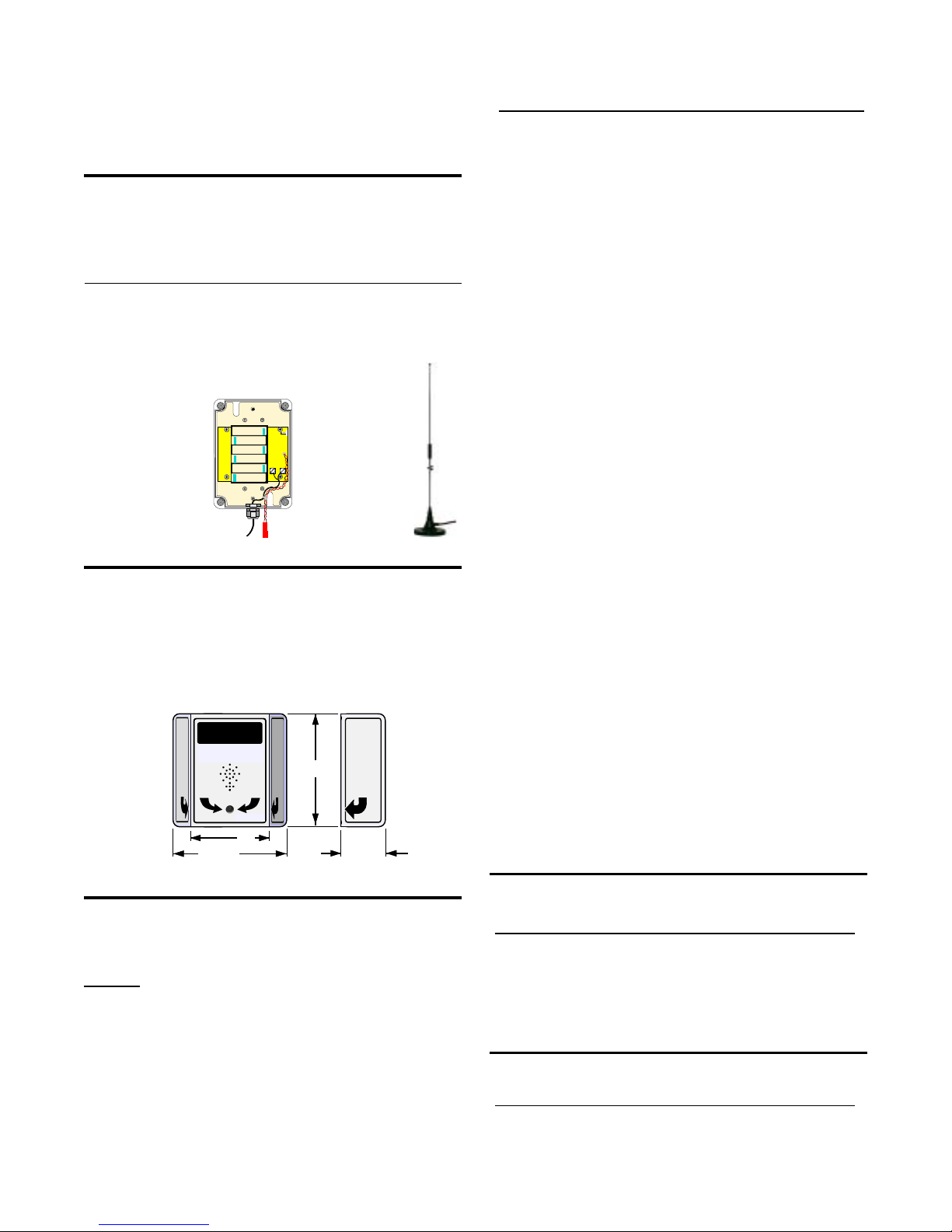
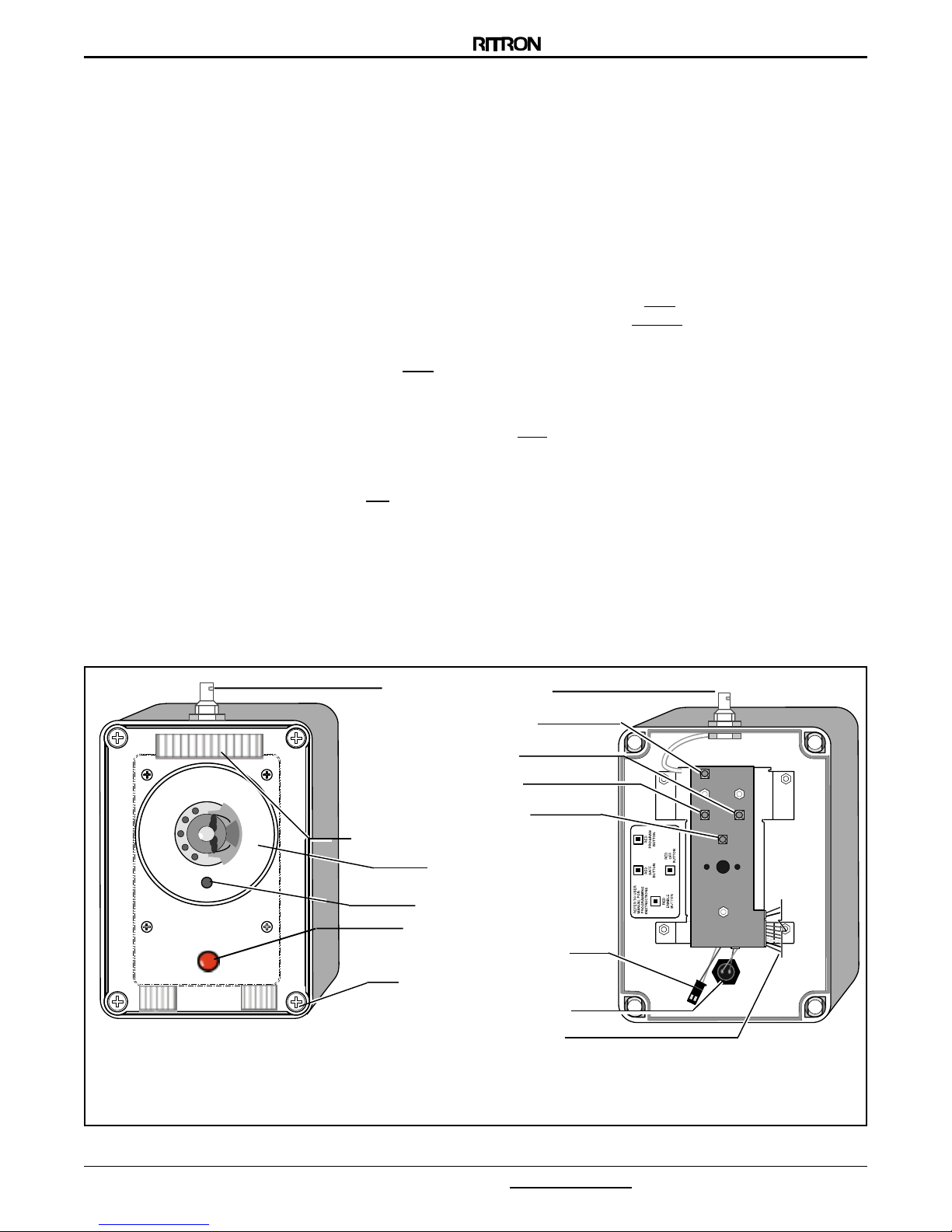
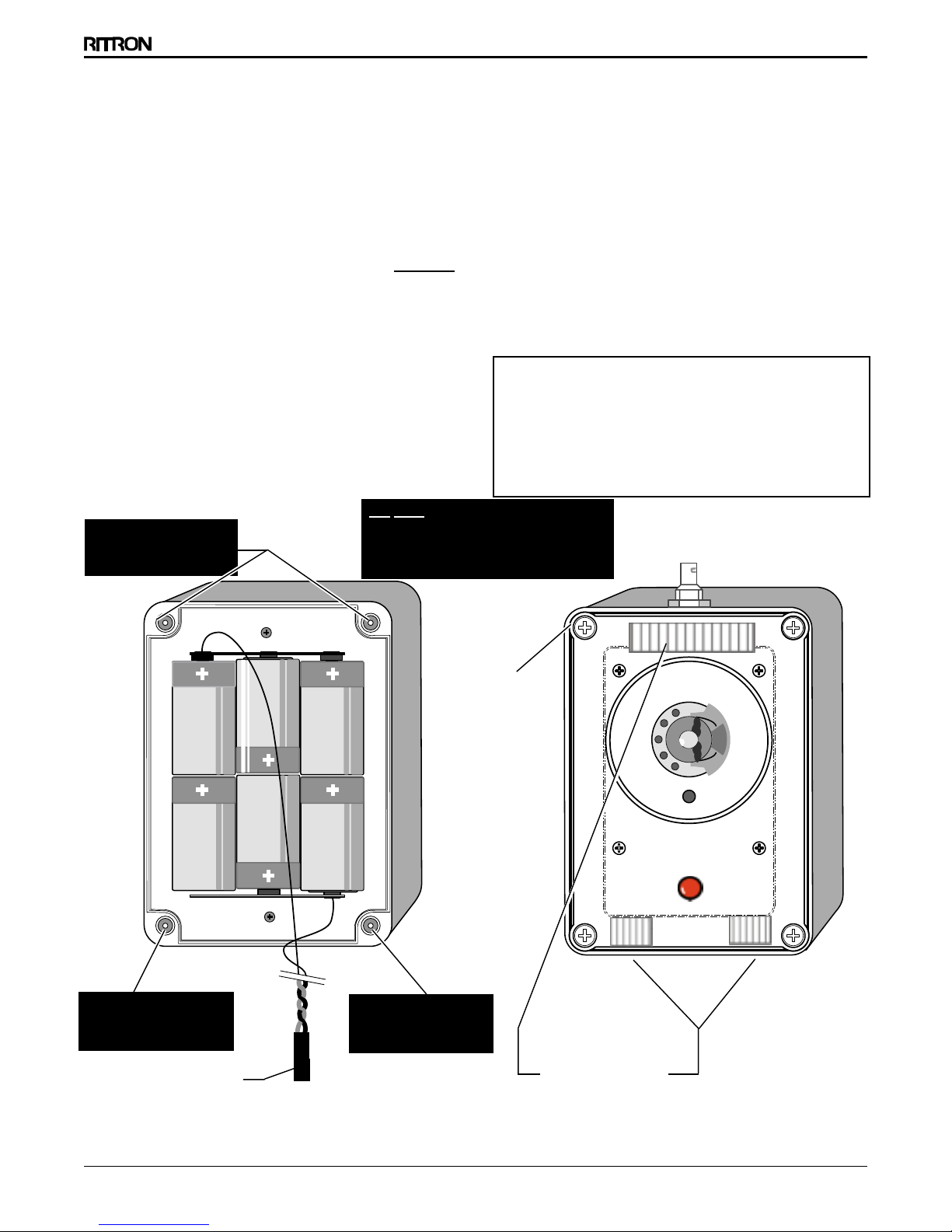
For PROGRAMMING BUTTON locations, refer to the Internal
View of the Front of the RF housing in FIG1, page 3.
To place the OUTPOST into Programming Mode:
1. Loosen the (4) captive screws in the corners of the unit. These
screws are captive to the housing; to prevent damaging them,
D N T remove the screws from the RF housing.
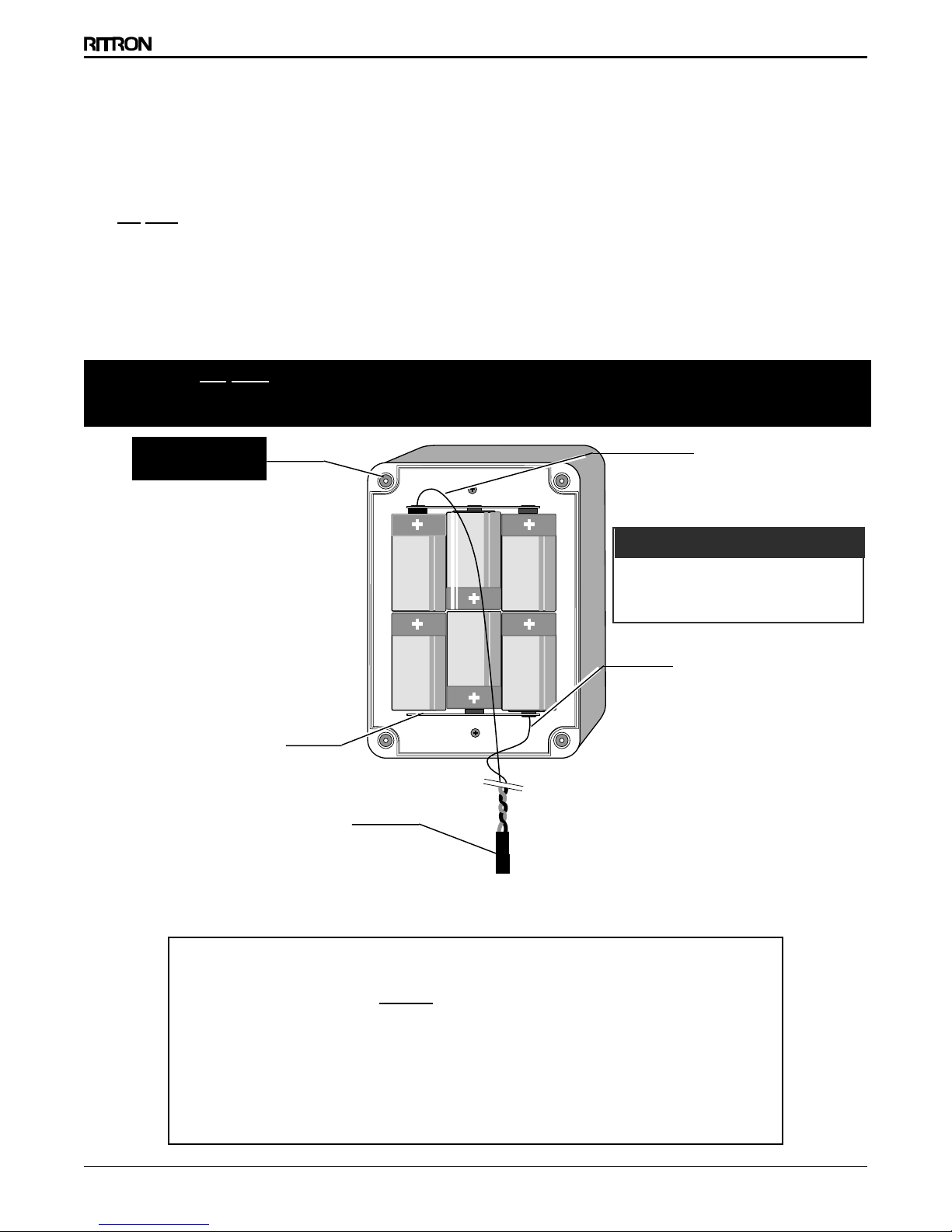
2. Make sure the unit has batteries installed.
NOTE: The voltage of the batteries must be greater than
6 VDC to program properly.
3. Press and release the N/PTT Button on the front of the unit.
4. Press and release the PROGRAM ENABLE BUTTON. An audible beep
will sound to confirm the unit is in programming mode.
To read out (beep out) Radio Channel content:
5. Press and release the Program Save Button. The radio will begin
to sound a series of beeps; each series of beeps is equal to one
digit of each 2-digit frequency code or Quiet Call Code (see chart
below) that is programmed into the radio. See Tables 1 and 2 on
this page.
6. After the beeps are completed, a triple tone will sound.
To Program requency and QC Tone Codes:
7. Choose a frequency code (Table 1) and, if desired, a QC tone
code (Table 2). If you are not using a QC tone, program 44
(No Tone) for the QC code.
8. Enter the codes in the sequence shown below by clicking the
PROGRAM BUTTON the number of times equal to each digit of the
codes.
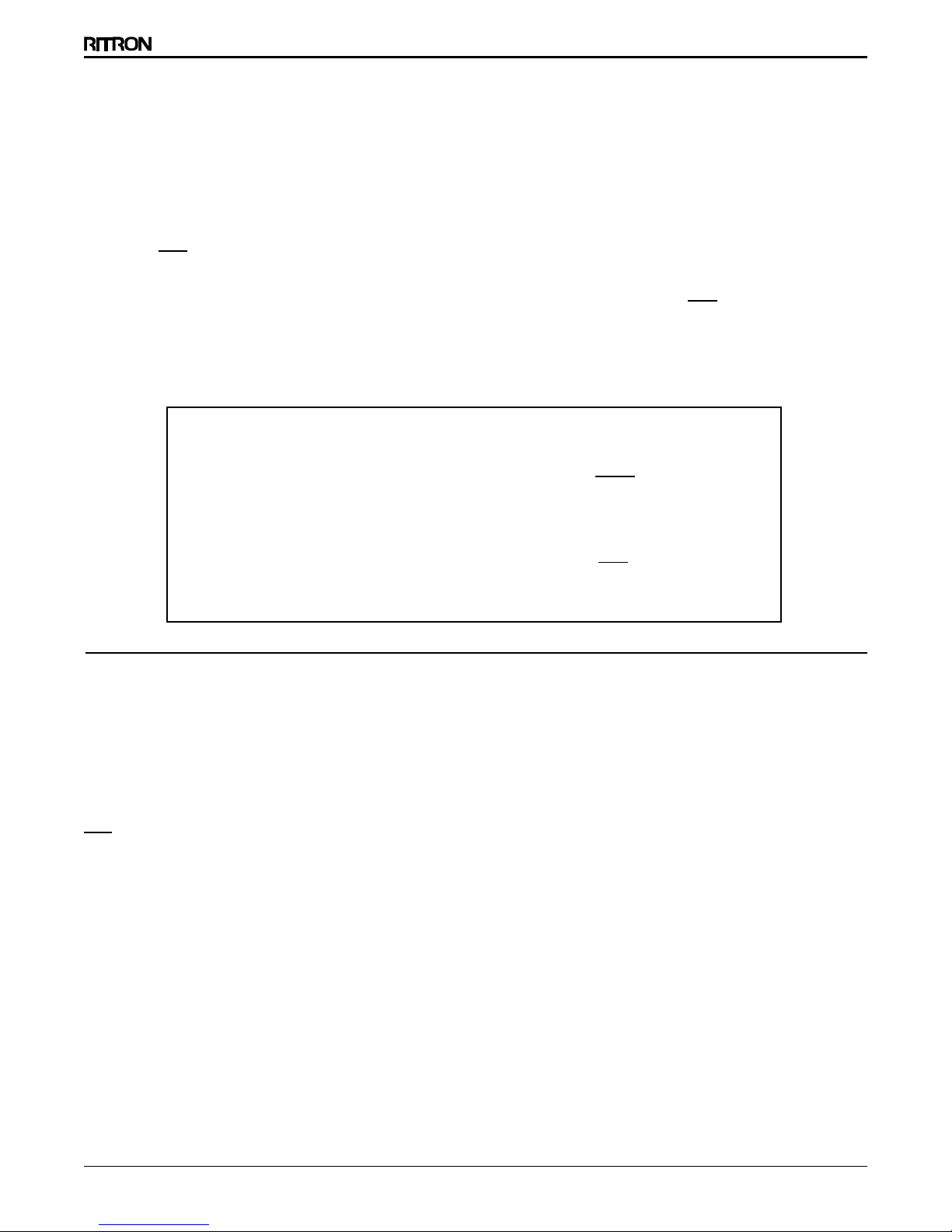
EXAMPLE:
Frequency Code 02, Tone Code 44
Click the PROGRAM BUTTON ten times to program 0, pause;
the unit sounds a beep.
Click the PROGRAM BUTTON two times to program 2, pause;
the unit sounds a beep.
Click the PROGRAM BUTTON four times to program 4, pause;
the unit sounds a beep.
Click the PROGRAM BUTTON four times to program 4, pause;
the unit sounds a beep.
9. When all four digits are programmed, press and release the
PROGRAM SAVE Button. The unit sounds a triple tone.
NOTE: An error tone sounds if you try to save an incorrect
digit. To correct the programming, press and release the
PROGRAM OFF BUTTON. When the unit sounds a low tone,
you may start over at Step #3.
10. Press and release the PROGRAM OFF BUTTON; the unit sounds a low
tone. The UTP ST is now ready for use.
NOTES: Ten (10) clicks = 0 (zero).
Program 44 to enter No Tone for Quiet Call. You must
enter 44 to match radios without tone codes.
If you make a programming click error, press and
HOW TO PTT PROGRAM THE OUTPOST ( MODELS RQX-150 450 446 ONLY )
TABLE 1: FREQUENCY CODES
(VHF Business Band)
01 154.600 ..... Green Dot
02 154.570 ..... Blue Dot
03 151.625 ..... Red Dot
04 151.955 ..... Purple Dot
05 151.925
06 154.540
07 154.515
08 154.655
09 151.685
10 151.715
11 151.775
12 151.805
13 151.835
14 151.895
15 154.490
16 151.655
17 151.745
18 151.865
VH Business Band
Model RQX-150
MHz Frequency Color
UH Business Band
Model RQX-450
MHz Frequency Color
QUICK
TALK
FREQ. CODE
01 467.7625 ..... J
02 467.8125 ..... K
03 464.5500 ..... Yellow Dot
04 464.5000 ..... Brown Dot
05 467.8500 ...... S lver Star
06 467.8750 ...... Gold Star
07 467.9000 ...... Red Star
08 467.9250 ...... Blue Star
09 469.2625
10 462.5750 ...... Wh te Dot
11 462.6250 ...... Black Dot
12 462.6750 ...... Orange Dot
13 464.3250
14 464.8250
15 469.5000
16 469.5500
17 463.2625
18 464.9125
19 464.6000
20 464.7000
(UHF Business Band)
REQUENCY CODE "02" TONE CODE "44"
1st
(pause)
2nd
(pause)
1st
(pause)
2nd
(pause)
digit digit digit digit
0
(pause)
2
(pause)
4
(pause)
4
(pause)
release the PROGRAM OFF BUTTON to turn the unit Off, and
start over.
If the unit does not sound the confirming triple tone when
you attempt to save your programming, the unit was
factory- or dealer-customized to disable programming.
Consult the radio owner, or your Dealer.
Refer to requency and Tone Code tables at right and on
the following page.