
Rivera VENUS 5 Manuale utente
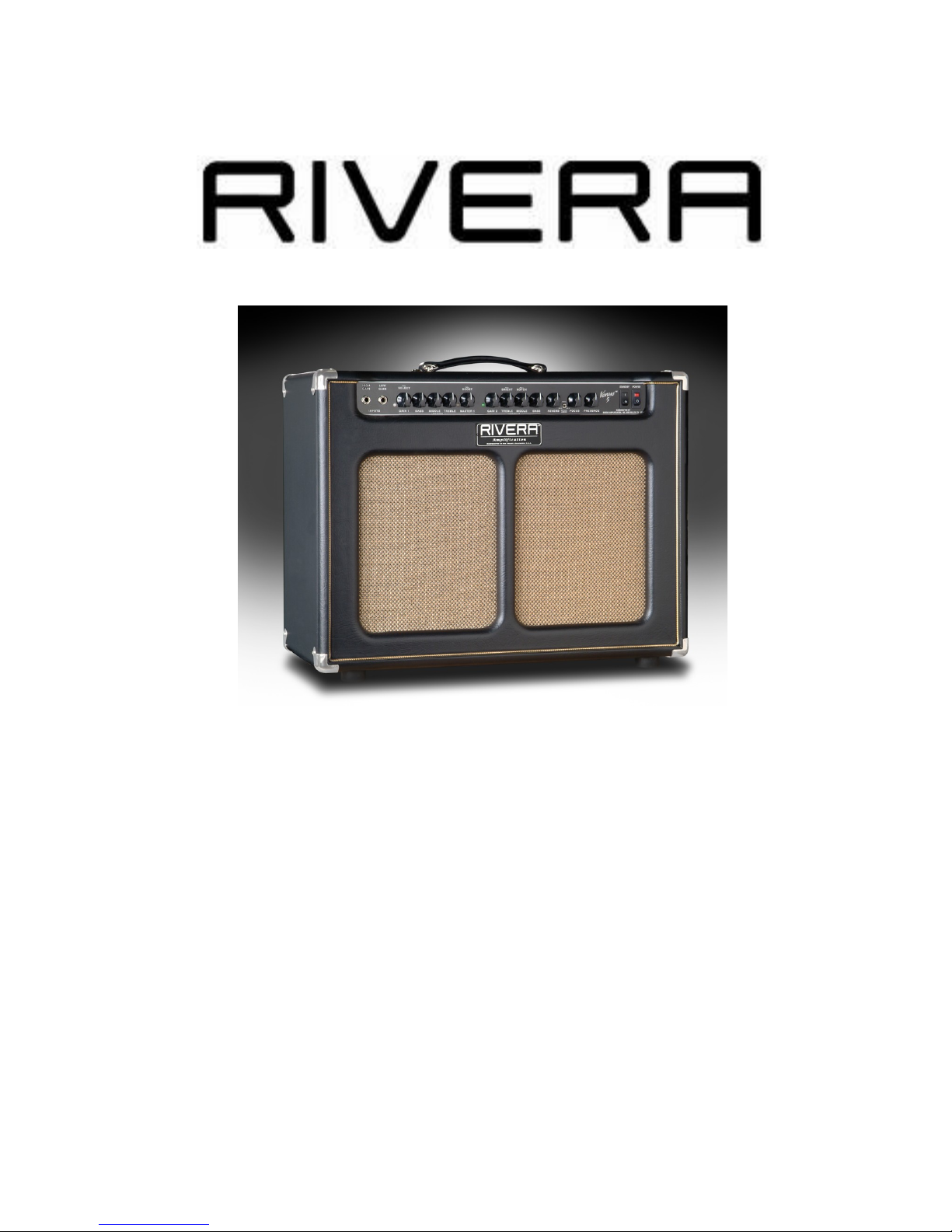
VENUS 5 OWNERS MANUAL
Version 1.0
October, 2010
Your Rivera Amp Is An Important Part Of Your Sound
Your sound is your signature, your mark, your voice. An amp only deserves to have your
guitar plugged into it if it can deliver the tone you want--and, of course, the dependability
you need. It's as simple as that. And it's exactly why you bought your IVE A amp. For
that, we thank you, and we're confident that you'll enjoy your amp for years to come.
Many factors go into creating a great amp--experience, an understanding of what guitarists
want, and a lot of hard work. You'll notice that tone isn't on any parts list. oadworthiness

isn't, either. And there's no law saying that an amp must sound good or be well-made. But
we dedicate ourselves to making the best-sounding, most reliable amplifiers anywhere.
That's why we use only the highest-quality components, regardless of price. Such features
as metal jacks, ultra-strong dadoed cabinet construction, and highest-quality electronic
components are part of our uncompromising approach. They're chosen for their precision,
strength, and ability to withstand the rigors of years of use--and occasional abuse--on the
stage and in the studio. No compromises are made because cutting any corners--no matter
how small--means settling for second best. This is the premise and promise by which we
make amps.
This requires dedication to you, the guitarist, and a belief that an amp is more than a
collection of parts. It's part of your sound.
Please fill in the following information for future reference:
Model Name:
Model Number:
Serial Number:
Dealer's Name:
Dealer's Address:
Date of Purchase:
Pac ing Information
Unpac ing
Before you plug in, inspect your Venus 5 amp for any damage. Your amp was inspected
and sound-tested before shipment, but transportation can sometimes be tough. Check that
the FS-7 Footswitch and power cord have been shipped with the amp. If parts are
missing, or if any damage has occurred, contact your dealer.
Pac ing Materials
We designed the original box and packing materials to protect your amp during shipment.
Save them. If you ever need to send your amp to us or to anyone else, the original box and
packing materials will ensure safe transit.
Safety Precautions
Warning: To avoid the risk of shock or fire, do not expose this amplifier to moisture. Do
not remove the chassis from its cabinet, or remove metal covers from chassis parts.
emoving the chassis from its cabinet exposes extremely dangerous high voltages. There
are no user-serviceable parts inside. Hazardous voltages are present inside the chassis.
efer all servicing to qualified personnel.
Caution: To avoid a fire hazard, always replace the fuses with the same type and rating.
Caution: Always replace the line cord (mains supply) with the proper type.

Caution: Always turn off the amplifier before making or unplugging any speaker
connections.
Always transport your amplifier securely, preferably in a suitable flight case or packing
carton. Before operating your amplifier, be sure the speakers used are properly connected.
For countries where 220 to 240 volts AC is encountered, make sure that you have the
correct power cord. Our 230-volt export unit can be used with any of these voltages. For
the United Kingdom, South Africa, Australia, and New Zealand, we build a special 250V
version able to handle higher Mains voltages. For Japan 100 VAC models, all instructions
for the 115 VAC models apply.
No Time To Read This Manual? At Least Read This Part Now!
Before you plug in:
Take a quick look inside the back of your amp. Make sure of the following--
1. The tubes are securely seated in their sockets.
2. Venus 5 amp: A speaker cord is plugged into the Speaker 1 output (this jack must always
be used first) from the internal speaker, or to a input jack on a speaker cabinet with a
minimum impedance of 4 ohms.
3. The impedance selector is set to match the cabinet's internal impedance (8 Ohms for
1x12, 16ohms for 2x12 combo). Check external cabinet if it’s a Venus 6 head.
4. The power cord is plugged in.
5. The FS-7 footswitch is plugged in (this is optional).
6. Check the back and see if the switch is on Vintage(25watts) or Modern(50watts). Start
with it on Modern.
Now loo at the front to ma e sure:
1. The Volume and Master controls are set at low levels (2 is a good starting point).
2. The Power switch is off (the lower half is pushed in).
3. The Standby switch is set to standby mode (the lower half is pushed in).
Plug in!
Now plug the amp into the wall, plug your guitar into either input jack, and set your
controls to one of the Quick Start settings outlined here. Then turn on the Power switch.
Wait for about a minute for the tubes to warm up. Turn on the Standby switch. Now it's
time to rock.
After you've played with your Venus 5 for a while, check out the rest of the manual for
some good tips on getting the most out of your amp.
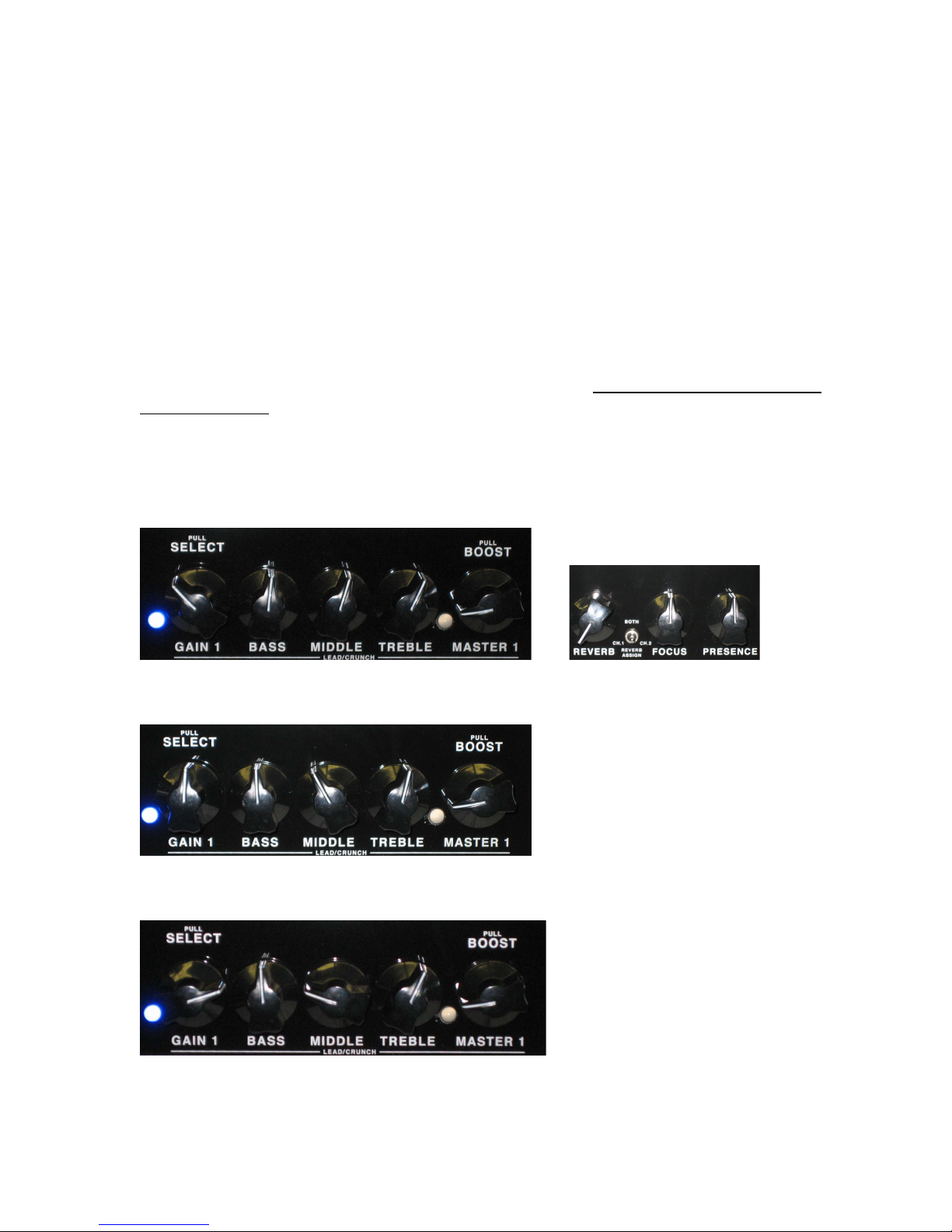
Quic Start Settings
If you're looking for a good starting point, try these settings. emember that every guitar
and speaker cabinet sounds different, so try both inputs, and adjust the Focus and Presence
to suit your taste.
Channel 1
Low gain blues
Medium Gain Blues-(Master not pulled)
Crunch

High gain shred-(Master pulled for boost)
Channel 2
Clean Jazz-(knobs are pushed in)
Span y clean, Reggae-(Treble Bright pulled)
Blac face tone-(Middle Notch pulled)
Blues-(Treble Bright pulled and switch on back to vintage)
Front Panel
High Gain input This is a high-sensitivity input. If your guitar has hot pickups, then
plugging into it makes it easy to overdrive the preamp section, creating harmonic
distortion. Guitars equipped with low-output pickups seem hotter than usual when plugged
into this input.

Low Gain input This is a low-sensitivity input. Guitars plugged into it have more
headroom before distortion sets in (meaning that you can crank up a channel's volume a
little louder before you experience Preamp distortion). This is a good choice for a clean
overall sound, and is especially well-suited to active pickups or guitars equipped with
Preamps.
Channel 1 Both channels are voiced differently. Channel 1 has an added gain stage which
gives it more gain than most of the other ivera models. It’s definitely geared toward
creating impressive crunch and thick textured lead tones while retaining a vintage feel
(think of as a great "British" tone). Grit, grunge, dirt, progressive--whatever you're looking
for in the distortion department is here, from sweet and singing to hard-driving to
maximum sustain. Note: Like the controls on all classic amps, the Treble, Middle, and Bass
interact, creating smooth, musical tone changes. All three controls operate with even
response throughout their ranges. This amp has so much potential gain and sustain, you
should not assume that the Volume controls should be set on a typical "10" to start with.
You might try 3-5 as a starting point.
Volume (with channel-select Pull-Switch) Although it's labeled "Volume," this control
does a lot more than determine how loud Channel 1 is. It regulates the Preamp's volume
and works with the Master to set the level and distortion amount. A simple rule of thumb is,
the higher the Volume is set, the more distortion you get. The push switch selects which
channel is active. Its circuitry is designed so that you don't hear a pop or click when the
channel is changed (The FS-7 footswitch also selects channels; the Volume's pull switch
can be activated with the FS-7 plugged in or not, but to control the amp from the
footswitch, keep the switch pushed in. ). See info on the FS-7 and its functions.)
Bass The "chunk" and support that form the backbone of your tone come from this control.
Its effect on your overall sound will be different at high and low volumes due to the
speaker's characteristics and how much distortion you use. The bass EQ curve has been
specially tailored to complement the maximum bass response of the IVE A cabinet.
Also, the internal speakers of the ivera Amplifiers have been chosen to complement the
circuitry and cabinet size.
Middle The midrange circuit provides the "meat" that fills out your sound. It has a slight
notch in the frequency spectrum at about 550 Hz, and turning the knob alters the depth of
that notch, letting you dramatically change the overall voicing of your tone.
Treble Whether you're looking for edge, slash, or just a little shimmer, this knob's for you.
Like the Bass control, the apparent effect of the Treble changes with the loudness and
distortion you dial in.
Master (with Pull Boost switch) Think of the Master as a sort of governor that sets the
maximum loudness for the channel. Also, think of it as the second half of what the Volume
knob does. With the Volume turned down and the Master up, there's less distortion than if
you crank up the Volume and set the Master lower. The Master control comes after all
distortion and tone-shaping on Channel 1, so its level doesn't have a bearing on your basic
tone. When you pull the Boost switch on Channel 1, it adds a whole range of harmonics,
and not just gain. This is easy to hear by playing a power chord and comparing its sound
with the switch pushed in and pulled out. With the switch activated, the tone blooms, going
from fat to ferocious.

Channel 2 Channel 2 is extremely flexible, with a flavor that brings to mind the great
classic American tones and textures. You can get some pretty impressive blues overdrive
distortion out of Channel 2 too, and as a rhythm channel it brings out every subtlety of your
playing. The range of tones can be anywhere from sparkling-clean to perfect for bluesy
rhythm--the kind of sound that has an attitude and gets meaner as you pick harder.
Volume The Volume knob regulates the Preamp's volume and works with the Master to set
the level and distortion amount. A simple rule of thumb is, the higher the Volume is set, the
more distortion you get.
Treble (with Pull Bright switch) This treble control is similar in operation to the one on
Channel 1. In addition, it has a built-in Pull Bright switch. When pulled out, it adds bright
highlights to the tone. As the Volume control is increased past about "5", the bright switch's
effectiveness will be decreased.
Middle (with Pull Notch switch) The midrange circuit has a slight notch in the frequency
spectrum at about 550 Hz, and turning the knob alters the depth of that notch. Its Pull
Notch switch shifts the frequency center of that notch down to about 250 Hz. (For
reference, most 1950s tweed amps as well as many British amps have their notch centered
at 550 Hz, while classic "blackface" American amps have theirs centered at 250 Hz.)
Experiment with this, especially if you're looking for a uniquely expressive rhythm
texture.Typically, a humbucking equipped guitar already has a lot o bass and midrange. If
you are seeking clean comping or rhythm tones, having the notch pulled out (250Hz) will
allow for more string definition and headroom. Conversely, a single coil equipped guitar
has less mids and may need the fat sound of the notch switch pushed in (550Hz).
Bass The "chunk" and support that form the backbone of your tone come from this control.
Also, when using a singled coil guitar for a jazz or bebop tone, this control will add the
needed fatness to the lower strings.
Reverb This control allows for the excellent "Hammond 6 Spring Long Pan" everb to be
enjoyed. This is a "Parallel" effect, and is adjustable for intensity up to 50%. Adjust to
taste. The everb is assignable and footswitchable.
Focus This control is another IVE A exclusive that actually lets you change the
speaker's response characteristics, from tight to loose. The effect can give closed-back
cabinets a sound more akin to an open one, and vice-versa, plus you can "custom blend" the
amount of hardness your final sound has. The Focus and Presence controls will also be
modified in their sweep, increasing their effectiveness.
Presence The Presence control is incorporated as a vital part of the power amp section.
Think of it as a final brightness control after all the EQ, distortion and effects.
Standby By turning the Power on and the Standby off (the down position, labeled with a
"0"), you can warm up the amplifier before applying full voltage to the Preamp and power
output tubes. This prolongs tube life. Using the Standby switch when you're taking a break
also helps to extend the tubes' life, plus it keeps the amp constantly at the ready. Just flip
the Standby switch to the up ("I") position, and you're ready to play.

Power This is your main power switch. The on position is indicated by the light being
illuminated. The off position is marked by the "0" on the switch. Before turning the amp
on, always check that a speaker is connected and that the power cord is firmly plugged into
the amp and the outlet.
Rear Panel
Mains Input
Your IVE A amp has a detachable power cord that connects to the chassis AC connector
labeled Mains Input. Always use this cord and, in the event that the power cord requires
replacement, replace it with the same type of power cord. Consult your IVE A dealer for
further information. Be sure to use a grounded electrical mains power supply socket
whenever possible. These outlets have a grounding pin in addition to the normal line and
neutral pin. The power cord supplied with your IVE A amp has a 3-pin plug. Do not cut
off or damage the ground pin. If the available electrical outlet is of the older 2-pin type, use
a suitable ground-lift adapter.
The U.S.A., Canada, and Japan share a common CSA/UL-style cord. Most of Europe and
Scandinavia utilize a Euro plug and have a SEMKO/VDE-style cord. Australia uses a
different type of plug, as does England, and South Africa as well.
Note: Avoid using long power extension cords. Long cords have sufficient resistance to
electrical current that the voltage arriving at your amp can be significantly reduced. This
can have a bad effect on your tone.
Mains Fuse
This AC line fuse protects your amplifier from damage due to shorts, momentary surges,
and defective power tubes. In the event of a fuse failure, always replace it with the same
type of fuse.
Note: Always turn the amp off and wait about five minutes before replacing a fuse. This
allows the parts to cool and high voltages to dissipate.
For 100VAC versions, the Mains Fuse is: 3 Amp, 250 Volt Slo-Blo type (size 3AG, or
MDL)
For 115VAC versions, the Mains Fuse is: 3 Amp, 250 Volt Slo-Blo type (size 3AG, or
MDL)
For 230/250VAC versions, the Mains Fuse is: T 1.6A (time-delay, 5mm x 20mm size)
HT Fuse
The power amplifier circuit has its own fuse for protecting the output section from short
circuits and transient current peaks that exceed the normal current draw. These conditions
are usually caused by a bad tube. When a short circuit or transient peak causes the fuse to
blow, the output tubes should be checked and replaced, if necessary.

For 100VAC and 115VAC versions, the HT Fuse is: 1/2 Amp, 250 Volt Slo-Blo type
(3AG, or MDL)
For 230/250 VAC versions, the HT Fuse is: T 500ma (time-delay, 5mm x 20mm size)
epeated blowing of this fuse is a clear indicator of a defective output tube. Always use the
correct fuse value when replacing the HT Fuse.
If the Mains Fuse or the HT Fuse repeatedly blows, refer your amp to your local IVE A
dealer or contact us at (818) 833-7066 for further service assistance.
Vintage-Modern switch
Switching amongst the two settings will produce a change of output power (from 50watts
in modern to 25watts in vintage) as well as harmonic balance. In Modern mode, the output
power amplifier operates in "Pentode" and will sound the cleanest, have the most
headroom, and sound bright, with odd harmonics (i.e.1,3,5,7, etc.) more noticeable.
Vintage mode brings the output tubes to work in "Triode" mode, halving the power
selected by the High-Low power switch, and lowering the odd harmonics while raising the
even (2,4,6,8, etc.) resulting in a sweeter, darker tone. Do not switch while playing. Best
way is to place the amp on standby first, then switch.
Spea er outputs
A speaker must always be connected to your Venus 5. The amp is designed to deliver at
least 50 watts to a 4-16 ohm speaker load (with the Impedance selector appropriately set to
match the given load). If it has to drive speaker loads lower than 2 ohms, its output
transformer or other components could be damaged. You can use 8- or 16-ohm extension
cabinets, either alone or in pairs (one into each speaker output). A 2-ohm speaker cabinet
alone or a pair of 4-ohm extension speaker cabinets together can be used, however, it is not
an optimum match, and the Impedance Selector Switch must be set at it's lowest setting, 4
ohms. The only time you may run the amp without a speaker connected is if you have a
proper "dummy" impedance load box plugged into the speaker output. Using a dummy
load protects the output transformer, but prolonged use shortens the life of the amp's output
tubes when the amp is operated at high levels.. Just because you cannot hear the amp does
not mean it is not working hard. Always use a heavy-gauge speaker cord. The larger the
diameter of the wire, the lesser of power to be lost. A shielded guitar cord can't handle the
power that your amp provides, and therefore won't sound right--plus it may actually harm
your amp. efer to the connection diagrams for further information.
Note: Never use a speaker output to connect directly to the input of a mixer, a tape
recorder, a slave amp, or headphones. For further information, refer to the hook-up
diagrams for proper connection with extension speaker cabinets.
Line Output
Your IVE A Venus 5 amp can drive another IVE A amp, power amp, or other guitar
amplifier. The Line Out is post-power amp, so every bit of tone from your Preamp, effects
(if used), and power-amp circuitry is sent from this jack. Use a shielded cord connected
between the amp's Line Out and the input of a second amplifier (check that amp's manual--

it may recommend a specific input). The Line Out can also be used to feed a signal to a
tape recorder or mixer. Although the recorder or mixer doesn't receive the tone that comes
from the speaker, it does receive all of the signal from every other stage of the amp, and for
live-performance recording it does an excellent job of isolating your guitar sound.
Note: Do not connect the Line Out to speakers or headphones. For further information,
refer to the hook-up diagrams for proper connection.
Impedance Selector
Set the Impedance Selector to match the impedance load of your internal speakers (8
Ohms), or a different setting when used with external cabinets Here's how:
4-ohm setting = One 4-ohm cabinet or two 8-ohm cabinets (one plugged into each speaker
output, like an internal 8 Ohm and an external 8 Ohm)). Use this setting if a 4 to 2 ohm
load is needed to drive.
8-ohm setting = One 8-ohm cabinet or two 16-ohm cabinets (one plugged into each speaker
output, or when using just the internal speakers, 8 Ohms).
16-ohm setting = One 16-ohm cabinet plugged into the Speaker 1 jack
Note:Loads that are not matched properly may harm your amp. If you aren't sure if your
speaker load is correct, contact your IVE A dealer, or call IVE A Customer Service. If
unequal speaker cabinets loads, i.e. a 4 ohm cabinet and an 8 ohm cabinet are used
together, unequal amounts of power may be distributed to these cabinets due to a non
symmetrical load.
Footswitch jac
This 8-pin DIN plug is designed to work specifically with the included FS-7 footswitch.
Your Venus 5 amp will function perfectly without a footswitch. However, the footswitch
provides a hands-free way to switch channels, select boost functions and effects loop on or
off. Its four switches control the following:
•Channel Select Channel 1/2
•Gain Boost for Channel 1
•everb on or off
Note: If you are using the FS-7 footswitch, all of the Front Panel switching functions
remain intact and can be selected by the respective controls pull-switch function. Also, the
switches and their LEDs are driven by the amplifier's power; there is no battery to replace
inside the FS-7 .
Effects Loop
Of course, you can use pedals and rack-mounted effects between your guitar and the amp.
In fact, that's where most wah-wahs and other pedals sound exceptionally good. However,
rack signal processors are often best suited to being placed after the Preamp's tone-shaping
circuitry. Your Venus's Effects Loop is designed to give you the best match between the
Questo manuale è adatto per i seguenti modelli
1
Indice
Altri manuali Rivera Amplificatore


