Robotis Comprehensive Kit Robot Series Manuale utente

v1.0
Closer to Real,
Bioloid QuickStart
Comprehensive Kit Robot Series
ROBOTIS CO.,LTD. www.robotis.com

Comprehensive Kit Robot Series
Contents
1. Starting Bioloid ························· 4
1-1. What is Bioloid? ······································· 5
1-2. Parts of Bioloid ········································ 6
1-3. Installing Bioloid Software··································· 8
1-3-1. The Contents of Bioloid’s CD ······················· 8
1-3-2. Installing Software····························· 8
1-4. How to Use Bioloid ······································ 9
2. Assembling Bioloid························ 11
2-1. Robot Assembling Orders ···································12
2-1-1. Assembling the Robots··························· 12
2-1-2. Downloading Robot Programs ······················· 13
2-1-3. Operating the Robots ··························· 17
2-2. Examples of Beginner Level ··································19
2-2-1. Crossing Gate ······························· 20
2-2-2. Universal Gauge ······························ 25
2-2-3. Sound-Level Meter ···························· 29
2-2-4. Crocodile Mouth ······························ 33
2-2-5. Pan Tilt ·································· 38
2-2-6. Parking Gate ······························· 43
2-2-7. Melody Car ································ 48
2-2-8. Robot Arm································· 53
2-2-9. Obstacle Detection Car ·························· 58
2-2-10. Greeting Penguin ···························· 63
2-2-11. Attacking Duck ····························· 69
2-2-12. Cliff Detection Car ···························· 74
2-2-13. Clapping Penguin ···························· 79
2-2-14. Walking Droid ······························ 85
2-3. Examples of intermediate Level ································91
2-3-1. Probing Robot ······························· 92
2-3-2. Excavator ································· 99
2-3-3. Robot Flower ······························ 105
2-3-4. Fawn ·································· 111
2-3-5. Turtle ·································· 118
2-3-6. Spider ································· 124
2-3-7. Gerwalk ································· 132
2-3-8. Battle Droid ······························· 139
2

Comprehensive Kit Robot Series
2-4. Examples of Advanced Level································· 146
2-4-1. Dinosaur ································ 147
2-4-2. Puppy ·································· 158
2-4-3. King Spider ······························· 169
2-4-4. Humanoid ································ 177
3. Bioloid Operation and Maintenance ··············· 192
3-1. Finding the Serial COM Port Number of the PC ························ 193
3-2. Charging CM-5 ······································· 194
3-3. Changing DYNAMIXEL’s ID ·································· 195
3-4. Exchanging Fuse ······································ 196
3-5. Comprehensive kit’s parts ································· 197
3

Comprehensive Kit Robot Series
1. Starting Bioloid
4

Comprehensive Kit Robot Series
1-1. What is Bioloid?
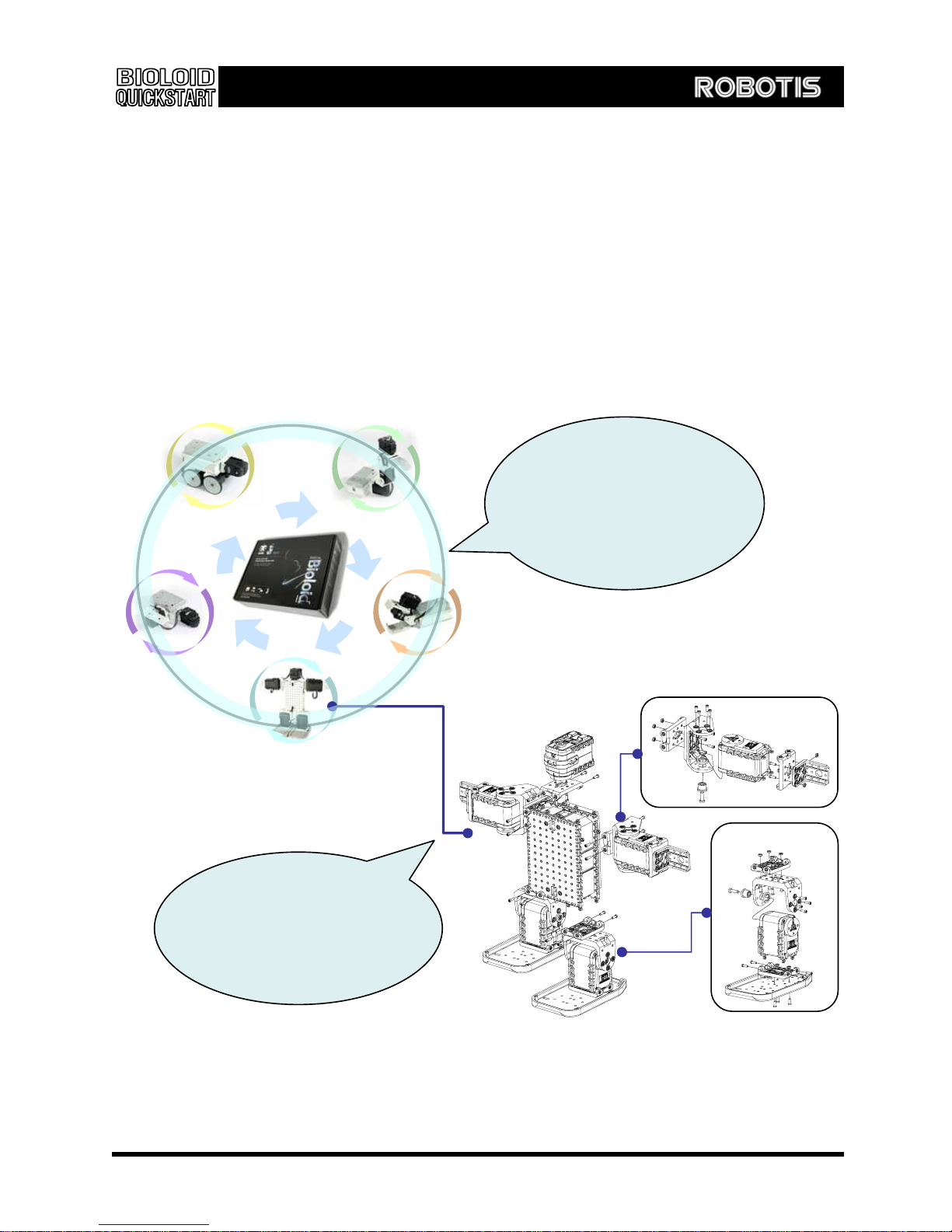
Bioloid is composed of block-shaped parts where users can assemble robots in various shapes
and functions - making it truly all-around robot kit. Furthermore, we provide software that enable
users to connect assembled robots to PC, allowing them to program the robots. With the
instruction guides that clearly explain the details of assembling the robots, and with the
downloadable materials that will further help users, the users can create the robots in any styles
they choose.
. QuickStart book explains
how to assemble various
robots step by step. Take
apart and assemble various
robots of your choosing
Users can easily assemble
various robots as it consists
of many blocks of different
shapes.
5

Comprehensive Kit Robot Series
1-2. Parts of Bioloid
◎ Main Parts of Bioloid
Main Controller CM-5
The main controller of Bioloid robot. Using parts,
you can set up the robots by connecting
Dynamixel(actuator module, sensor module) to a
CM-5.
■ CM-5
Robot Exclusive Actuator, Dynamixel AX-12
Actuator module that functions as joint of robot. It
is a two-way (Bilateral) communication servo
driven by network and has endless turn mode.
■ AX-12
Robot Exclusive Sensor Module: Dynamixel AX-S1
Dynamixel sensor module AX-S1 consists of three
pairs of sensors that detect distance ,brightness
and heat. It also has many other fuctions such as
sounds detector, remocon transceiver and sound
buzzer as well.
■ Frame ■ Cable
■ Bolt & Nut
Assembly Parts
Various frames, cables and bolts that connect CM-
5, AX-12 and AX-S1 to assemble robot.
■ AX-S1
6

Comprehensive Kit Robot Series
◎ Names of each part of AX-12 ( Acutator)
LED
Connector
ID
◎ Names of each part of AX-S1 (Sensor Module)
Sensor
ID
Connector
◎ Names of each part of CM-5
POWER
POWER JACK
Serial Cable Jack
ON OFF
START button
U button
MODE button
L button
D button
R button
7

Comprehensive Kit Robot Series
1-3. Installing Bioloid Software
1-3-1. The Contents of Bioloid’s CD
Many helpful materials and instruction are included in the CD.
: Programs that needs to be installed in PC in order to operate Bioloid robot.
Sofware
: QuickStart, User’s Guide and manuals for the Dynamixel (AX-12, AX-S1).
Manual
: Various programs and video clips for Bioloid robots
Applied Robots
: Robot program sources that are explained in the User’s Guide.
Examples
: Help documents and video clips that assist in operating Bioloid robots
Help Files
1-3-2. Installing Software
The CD will execute autorun when the users put the CD inside. If the automatic setup does not
initialize, go to “Software\Setup.exe” and setup the program manually. When the setup is
finished, Robot Terminal, Motion Editor, and Behavior Control Programmer will appear in the Start
Menu of Window
Å When software is installed
Robot Terminal Behavior Control Programmer
Motion Editor
8

Comprehensive Kit Robot Series
1-4. How to Use Bioloid
◎ Manuals
▷ QuickStart
QuickStart explains how to assemble and operate robots quick and easily,
and how to download a program. Printed QuickStart book is provided for your
convenience.
▷ User’s Guide
User’s Guide explains the operating principle and the program process of
Bioloid Robot in detail. Once mastered, the users can assemble robots in any
styles that they like. The User’s Guide (PDF document) is included in the CD.
.
▷ AX-12 Manual
This manual is generally referred by the experts in the field. If the users want to know the
advance functions of AX-12, they can check out this manual. It is a PDF document and it is
included in the CD.
▷ AX-S1 Manual
This manual is generally referred by the experts in the field. If the users want to know the
advance functions of AX-S1, they can check this manual. It is a PDF document and it is
included in the CD.
9

Comprehensive Kit Robot Series
◎ Robot examples and Bioloid Kit Series
Intermidiate Level Robots Robots with 8 and less joints that
can be assembled with Comprehensive kit. If you want to
assemble intermediate level robots with a Biegginer kit.You
need to purchas four Dynamixels(AX-12) additionally.
Beginner Level Robots
Beginner kit
Intermediate Level Robots
Advanced Level Robots
Beginner kit
AX-12, 4 pcs
Comprehensive kit
OR
Beginner kit
AX-12, 14 pcs
F
r
a
m
e
s
e
t
◈ In addition, you can assemble various robots in more creative ways.
Beginner Level Robots : Robots with 4 and less
joints that can be assembled with Beginner kit.
Advenced Level Robots:: Robot with 18 and less joints that
can be assembled with Comprehensive kit. If you want to
assemble advanced level with Biginner kit, You need to
purchas frame set and Dynamixels(AX-12) additionally
We also provide Expert Level kit that has systematic education process.
10
Indice
Altri manuali Robotis Robotica

Robotis
Robotis Beginner level robot series Manuale utente

Robotis
Robotis Dynamixel RX-64 Manuale utente

Robotis
Robotis STEM LEVEL1 Manuale utente

Robotis
Robotis OpenManipulator-X Manuale utente

Robotis
Robotis BIOLOID GP Manuale utente

Robotis
Robotis BIOLOID GP Manuale utente

Robotis
Robotis HAND RH-P12-RN-UR Manuale utente

Robotis
Robotis dynamixel AX-12 Manuale utente