
SanDisk Sansa Connect Manuale utente
User Guide
1

Table of Contents
Safety Instructions ................................................................................................................................................... 4
Disposal Instructions.......................................................................................................................................... 4
Introduction.............................................................................................................................................................. 5
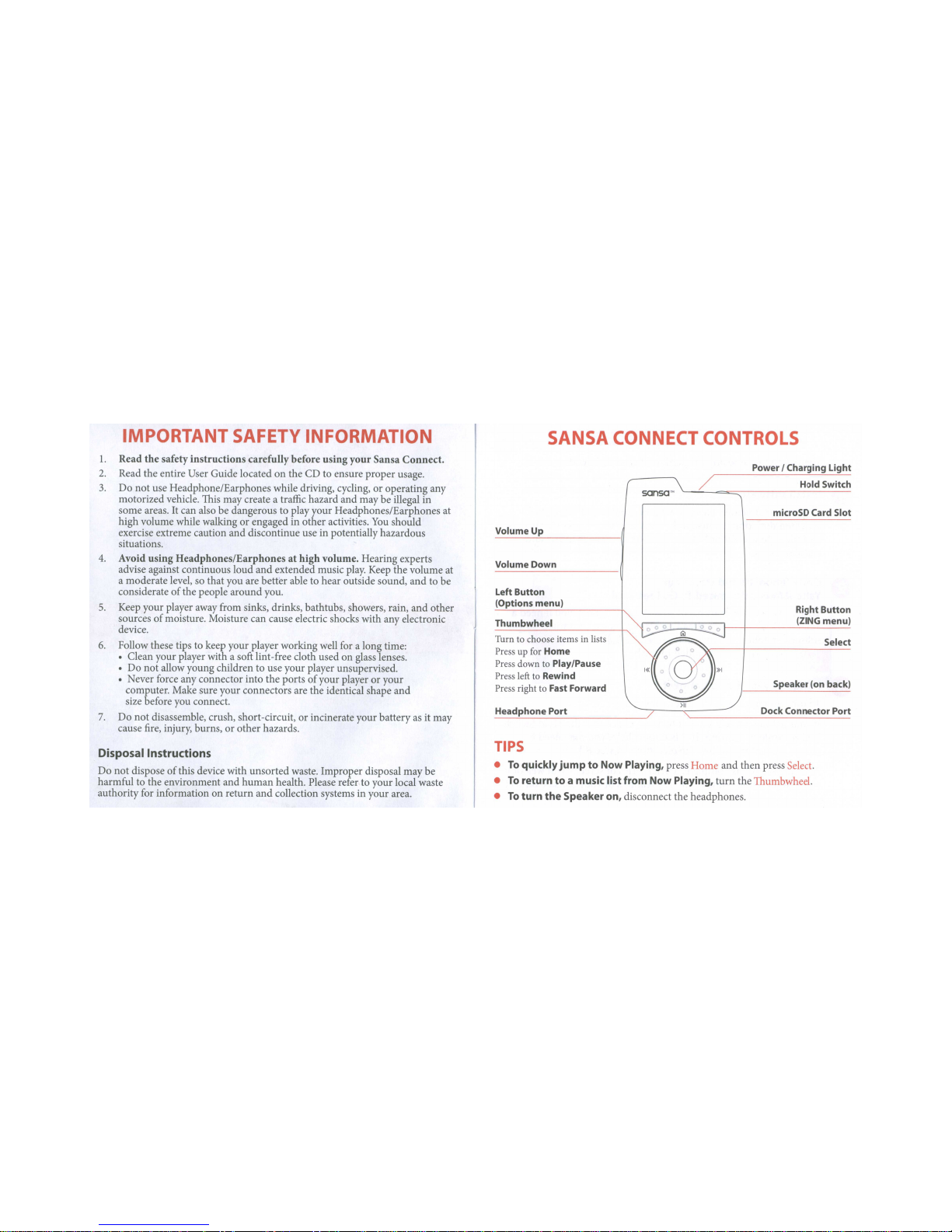
Your Sansa Connect’s Controls............................................................................................................................. 6
Usage Tips............................................................................................................................................................ 6
Getting Started ......................................................................................................................................................... 7
Package Contents ................................................................................................................................................ 7
Installing Software............................................................................................................................................... 7
Getting a Yahoo! ID and start your Y! Music Unlimited To Go Free Trial .............................................. 7
Powering On Your Sansa Connect................................................................................................................... 7
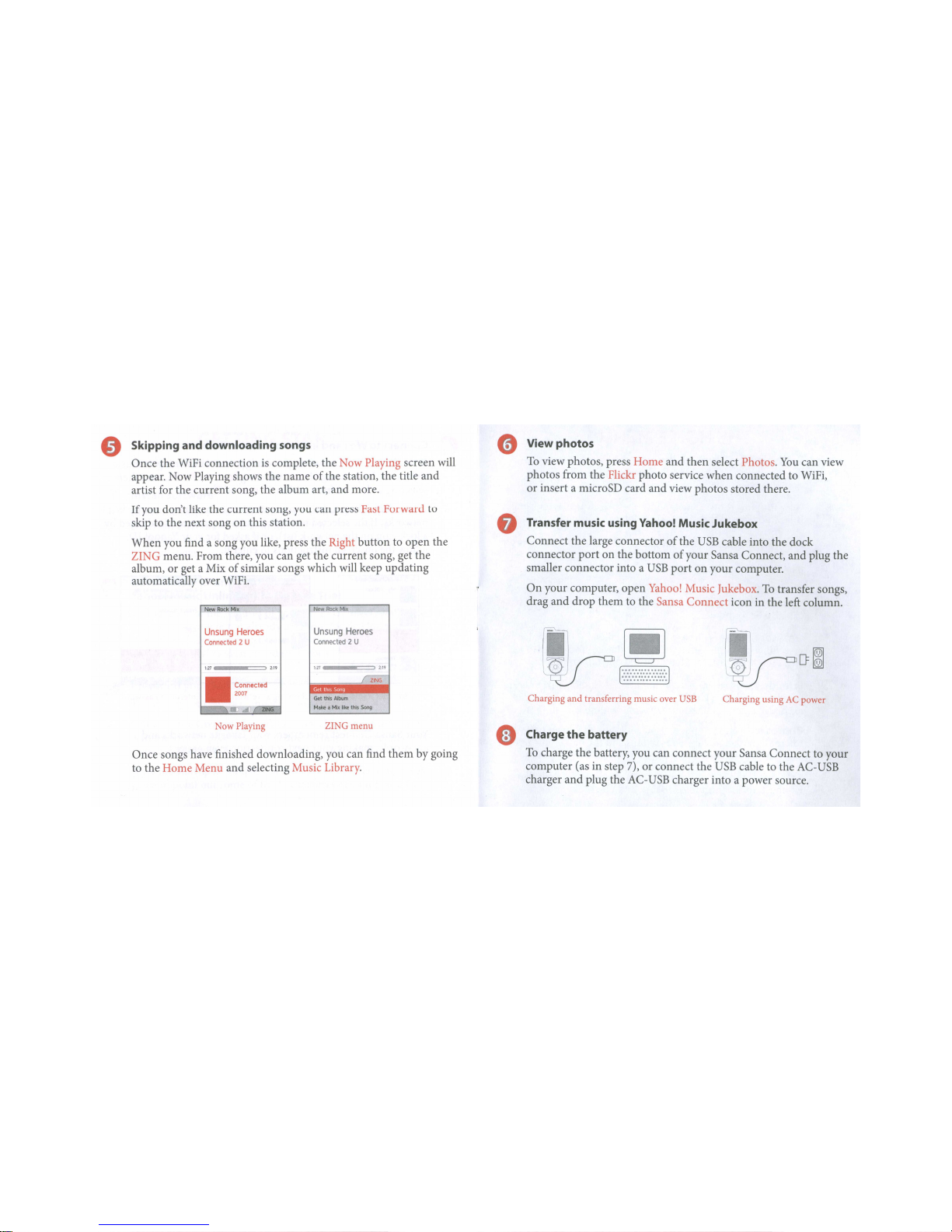
Charging Your Sansa Connect .......................................................................................................................... 8
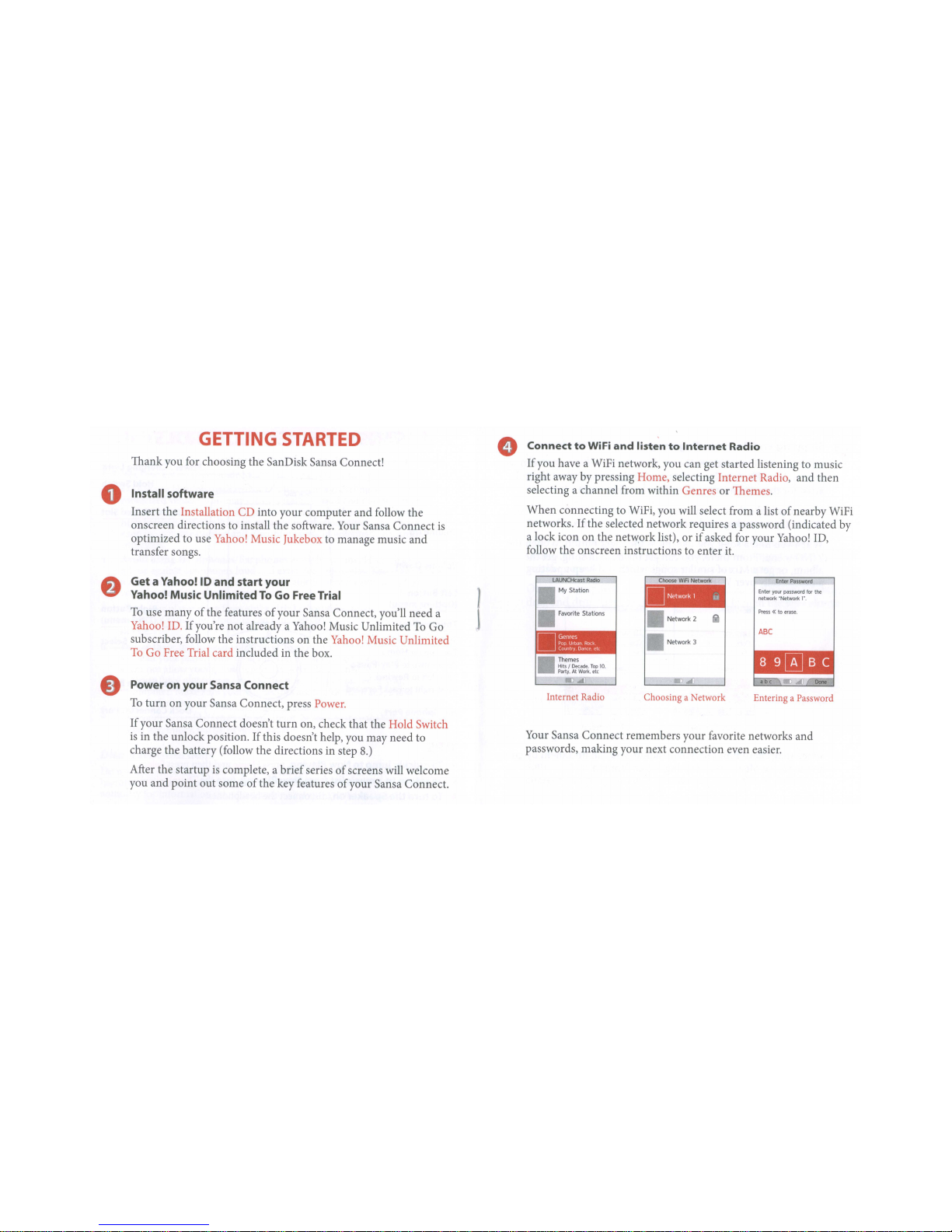
Connecting to WiFi ................................................................................................................................................. 9
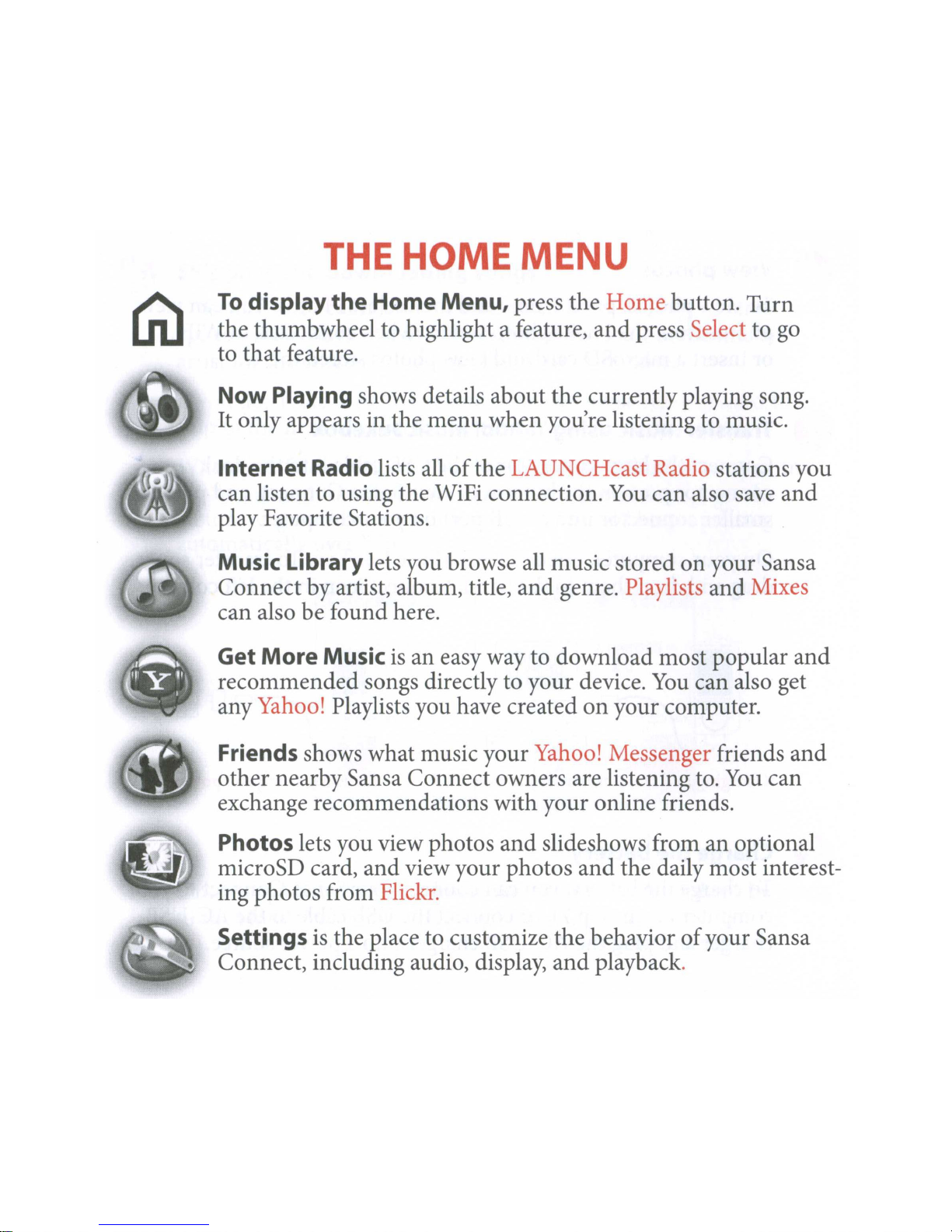
The Home Menu ................................................................................................................................................... 10
Now Playing ........................................................................................................................................................... 11
Playing and Pausing Music............................................................................................................................... 11
Skipping Songs................................................................................................................................................... 11
Rewinding and Fast Forwarding ..................................................................................................................... 11
Using the Options Menu.................................................................................................................................. 11
Using the ZING Menu..................................................................................................................................... 12
Internet Radio ........................................................................................................................................................ 13
Listening to LAUNCHcast stations ............................................................................................................... 13
Saving Favorite Stations ................................................................................................................................... 13
Customizing your My Station and Moods..................................................................................................... 13
Music Library.......................................................................................................................................................... 14
Playing all songs in random order................................................................................................................... 14
Playing Playlists and Mixes .............................................................................................................................. 14
Browsing your Music Library .......................................................................................................................... 14
Removing Songs................................................................................................................................................ 15
Checking the Status of Downloads ................................................................................................................ 15
Get More Music..................................................................................................................................................... 16
Getting your Yahoo! Playlists.......................................................................................................................... 16
Getting Popular Songs from Yahoo! Music.................................................................................................. 16
Getting Recommended Songs from Yahoo! Music .....................................................................................16
Friends..................................................................................................................................................................... 17
Viewing songs your Friends are listening to.................................................................................................. 17
Getting songs your Friends are listening to................................................................................................... 17
Recommending a song to a Friend................................................................................................................. 17
Viewing and playing song recommendations from Friends ....................................................................... 17
Photos...................................................................................................................................................................... 18
Viewing Photos from a microSD card........................................................................................................... 18
2

Viewing Photos from Flickr ............................................................................................................................ 18
Playing a Slideshow........................................................................................................................................... 18
Settings .................................................................................................................................................................... 19
Changing Audio Settings.................................................................................................................................. 19
Changing Display Settings ............................................................................................................................... 19
Changing Friends Settings................................................................................................................................ 19
View Info about your Sansa Connect ............................................................................................................ 20
Changing Music and Mixes Settings............................................................................................................... 20
Changing WiFi Settings .................................................................................................................................... 21
Resetting or Erasing your Sansa Connect...................................................................................................... 21
Using Yahoo! Music Jukebox............................................................................................................................... 22
Yahoo! Music Unlimited Free Trial................................................................................................................ 22
Getting Technical Support ................................................................................................................................... 23
Learn More......................................................................................................................................................... 23
Tips, FAQ, and Troubleshooting........................................................................................................................ 24
SanDisk Limited Warranty ................................................................................................................................... 26
User Notice............................................................................................................................................................. 27
End User License Agreement .............................................................................................................................. 28
SanDisk Corporation End User License Agreement................................................................................... 28
Federal Communication Commission Interference Statement....................................................................... 30
Open Source Licenses........................................................................................................................................... 31
3

Safety Instructions
1. Read the safety instructions carefully before using your Sansa®Connect™ MP3 Player.
2. Read this entire manual to ensure proper usage.
3. Keep this User Guide for future reference.
4. Do not use Headphones/Earphones while driving, cycling, or operating any motorized vehicle. This
may create a traffic hazard and may be illegal in some areas. It can also be dangerous to play your
music with Headphones/Earphones at high volume while walking, or engaged in other activities.
You should exercise extreme caution and discontinue use in potentially hazardous situations.
5. Avoid using Headphones/Earphones at high volume. Hearing experts advise against continuous
loud and extended music play. Keep the volume at a moderate level, so that you are better able to hear
outside sound, and to be considerate of the people around you.
6. Keep your player away from sinks, drinks, bathtubs, showers, rain, and other sources of moisture.
Moisture can cause electric shocks with any electronic device.
7. Follow these tips to keep your player working well for a long time:
xClean your player with a soft lint-free cloth used on glass lenses.
xDo not allow young children to use your player unsupervised.
xNever force any connector into the ports of your player or your computer. Make sure your
connectors are the identical shape and size before you connect.
8. Do not disassemble, crush, short-circuit, or incinerate battery as it may cause fire, injury, burns, or
other hazards.
Disposal Instructions
Do not dispose of this device with unsorted waste. Improper disposal may be harmful to the environment
and human health. Please refer to your local waste authority for information on return and collection
systems in your area.
4

Introduction
Thank you for choosing the SanDisk Sansa Connect!
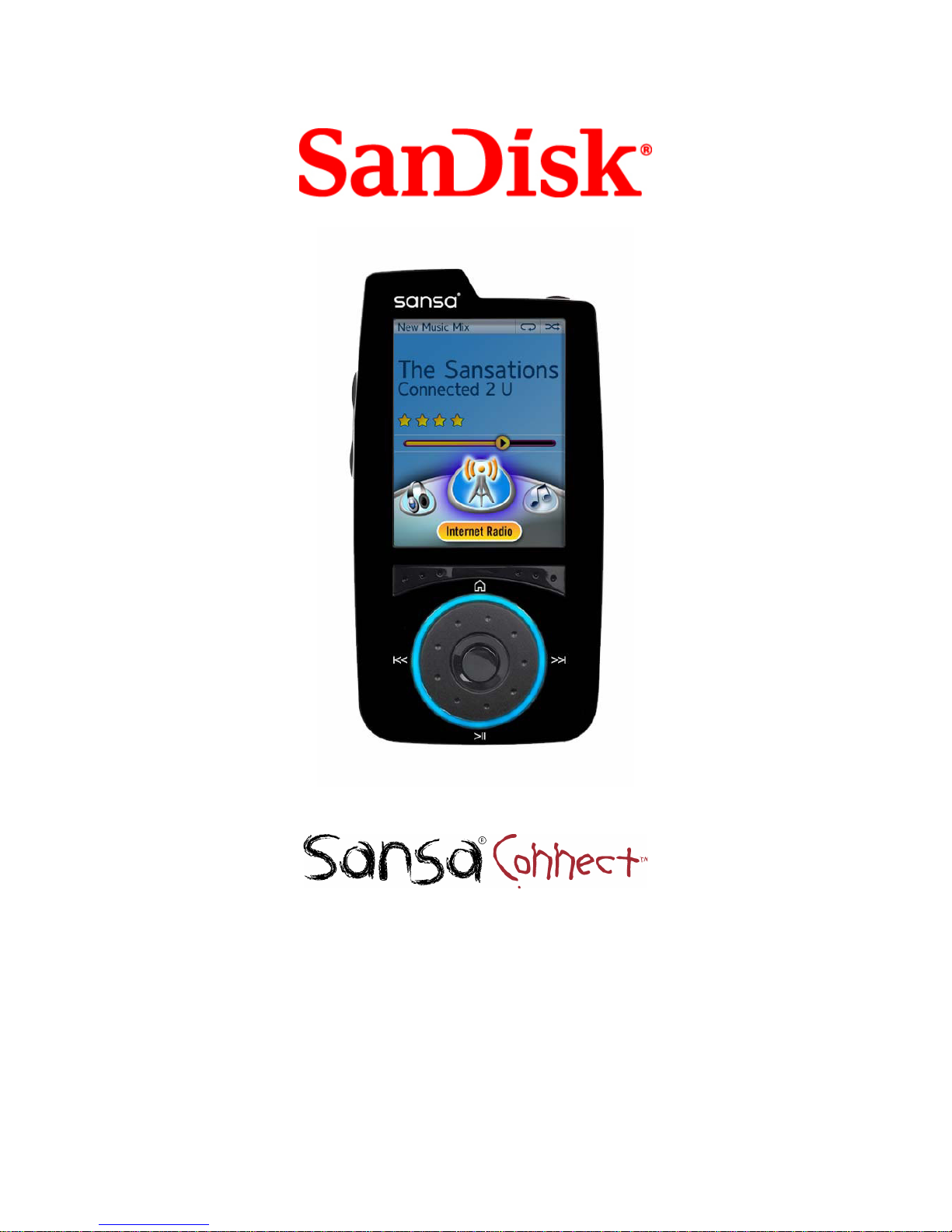
The Sansa Connect is a high performance portable WiFi enabled digital audio player with a large 2.2”
inch QVGA color screen, internal speaker, microSD™ card expansion slot, and rechargeable Lithium Ion
battery.
The Sansa Connect is optimized to work seamlessly with the Yahoo! Music Unlimited To Go
subscription service and the Yahoo! Music Jukebox music management software.
The Sansa Connect provides superior sound playback and enables users to play MP3, WMA, and secure
WMA audio files. This wireless device plays Yahoo! LAUNCHcast internet radio broadcasts (both FREE
and subscription-only stations.) It also supports Microsoft PlaysForSure™ subscription music.
The Sansa Connect displays photos via the microSD card. The image formats supported are: JPEG1and
PNG. It also enables viewing of online photos available through Flickr (user ID required to access
content). So enjoy your personal and web photos anywhere you go.
The Sansa Connect has a 4 gigabyte (GB) capacity, allowing for storing of up to 675 secure WMA songs
(45 hours of music content.)
Note: Approximation based on 4 minute songs at 192 kbps secure WMA (5,793,901 bytes/song.)
1 megabyte (MB) = 1 million bytes; 1 gigabyte (GB) = 1 billion bytes. Some of the listed capacity is
used for formatting and other functions, and thus is not available for data storage.
With your Sansa Connect, you can:
xBrowse and play digital music stored in the Music Library. MP3, WMA, and secure WMA audio
formats are supported.
xListen to LAUNCHcast internet radio using the built-in WiFi connection.2
xDownload music wirelessly to your Sansa Connect from Yahoo! Music Unlimited.3
xTransfer music from your PC with Yahoo! Music Jukebox.
xRecommend songs to your Yahoo! Messenger friends and other Sansa Connect owners. 2
xCreate automatically updating Mixes of music similar to songs and artists you like. 2
xGet recommendations and popular songs from Yahoo! Music Unlimited. 2
xUse the built-in speaker to enjoy music even without the headphones.
xInsert a microSD card to add more storage.
xView photos from the microSD card, or from the Flickr photo service. 1
Note: Yahoo! Music does not permit copying or transferring music files to other users. Share function
available only for subscribers to access another subscriber's Yahoo! Music Unlimited music files. A
valid subscription is required to access saved songs.
1JPEG2000 not supported
2Yahoo! ID and WiFi connection required
3Yahoo! Music Unlimited To Go subscription and WiFi connection required
5
Altri manuali per Sansa Connect
4
Indice
Altri manuali SanDisk Lettore multimediale portatile


