Sandstrom SHFTPPH10 Manuale utente

Instruction Manual
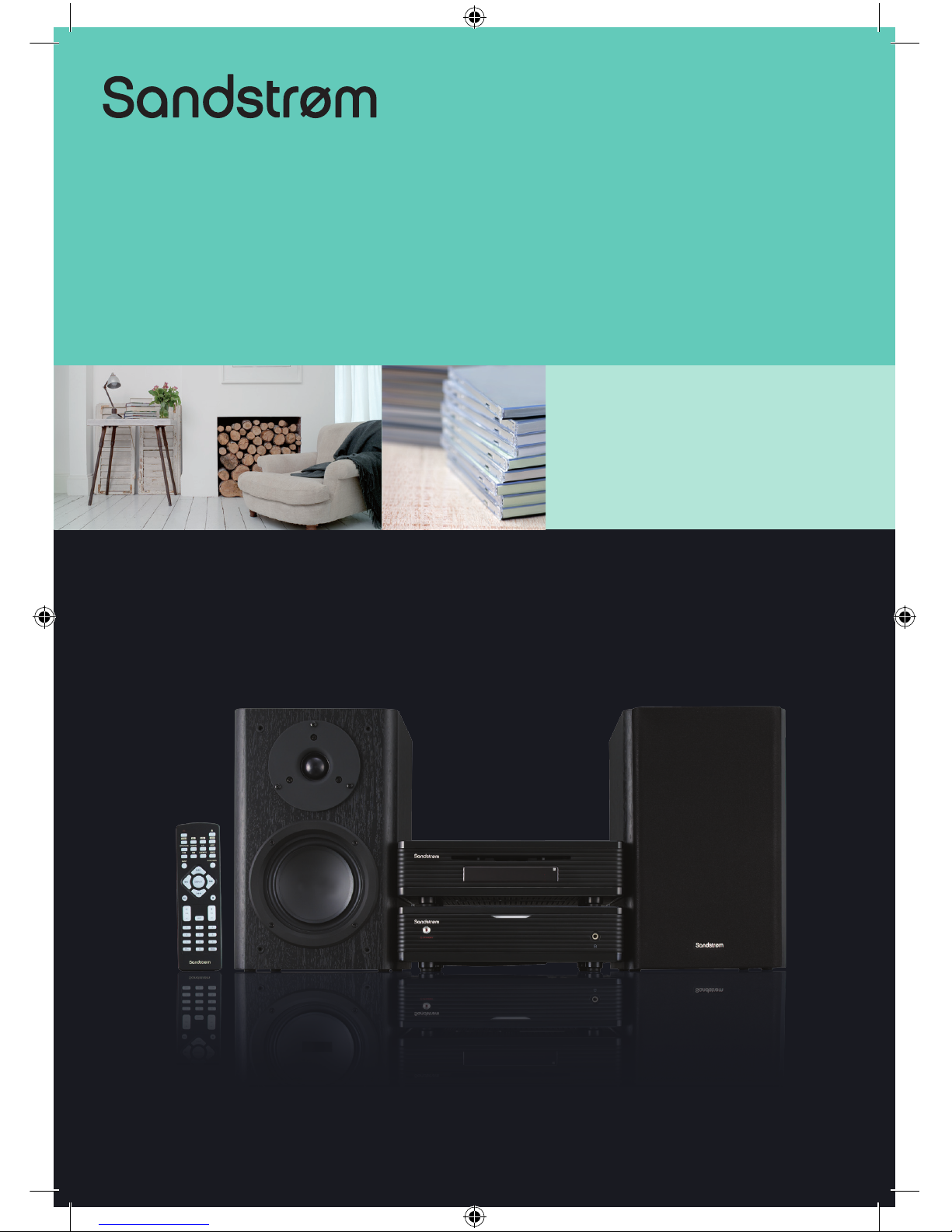
100 Watts Hi-Fi Component System
SHFTPPH10
SHFTPPH10_IB_final101208.indd 1 12/8/10 2:10 PM

SHFTPPH10_IB_final101208.indd 2 12/8/10 2:10 PM

SHFTPPH10_IB_final101208.indd 3 12/8/10 2:10 PM

Contents
Unpacking.............................................................................................................................6
Product Overview.................................................................................................................7
CD Player .........................................................................................................................................................7
Front View ..................................................................................................................................................7
Top View......................................................................................................................................................7
Rear View ....................................................................................................................................................7
The Amplier .................................................................................................................................................8
Front View ..................................................................................................................................................8
Rear View ....................................................................................................................................................8
Remote Control.............................................................................................................................................9
Remove the Insulating Strip from the Remote Control............................................................... 10
Battery Installation for the Remote Control..................................................................................... 10
Handling the Battery........................................................................................................................... 10
Handling the Remote Control.......................................................................................................... 11
Remote Control Operation Range....................................................................................................... 11
Connections ........................................................................................................................12
Connecting the DAB/FM Aerial............................................................................................................ 12
Speaker Connections............................................................................................................................... 12
Connecting Auxiliary Equipment ........................................................................................................ 12
Connecting Control Cable...................................................................................................................... 13
Connecting Headphones ....................................................................................................................... 13
Connecting to the Mains Supply......................................................................................................... 14
ECO-Power/Standby Features ...........................................................................................14
Setting the Clock ................................................................................................................14
Setting the Clock Manually.................................................................................................................... 14
Setting the Clock Automatically .......................................................................................................... 15
Display the Clock....................................................................................................................................... 15
Setting the Sleep Timer......................................................................................................15
To Conrm the Sleep Timer ................................................................................................................... 15
To Cancel the Sleep Timer...................................................................................................................... 15
Setting the Daily on Timer .................................................................................................16
To Cancel the Daily Timer....................................................................................................................... 16
Sound Quality .....................................................................................................................17
Adjusting the Volume ............................................................................................................................. 17
Mute .............................................................................................................................................................. 17
Adjusting the Super Bass........................................................................................................................ 17
Control the Loudness............................................................................................................................... 17
Preset Equalizer.......................................................................................................................................... 17
SHFTPPH10_IB_final101208.indd 4 12/8/10 2:10 PM

Other Function....................................................................................................................17
Changing the Display Darkness........................................................................................................... 17
DAB Operation....................................................................................................................18
Tuning to DAB for First Time.................................................................................................................. 18
Tuning in a Station.................................................................................................................................... 18
Re-scanning................................................................................................................................................. 18
Manual Tuning............................................................................................................................................ 18
Programming DAB Stations................................................................................................................... 19
Tuning to Preset DAB Stations.............................................................................................................. 19
DAB Information Display ........................................................................................................................ 19
Secondary Service..................................................................................................................................... 20
Resetting the unit...................................................................................................................................... 20
FM Operation ......................................................................................................................21
Tuning in a Station.................................................................................................................................... 21
Manual Tuning....................................................................................................................................... 21
Auto Tuning ............................................................................................................................................ 21
Preset Tuning (Possible only after presetting stations)........................................................... 21
Presetting Stations.................................................................................................................................... 22
Manual Preset ........................................................................................................................................ 22
Auto Preset ............................................................................................................................................. 22
To change the FM Reception Mode.................................................................................................... 22
RDS (Radio Data System) Reception .................................................................................23
CD Operation ......................................................................................................................24
Compatible Disc Types ............................................................................................................................ 24
CD Playing.................................................................................................................................................... 24
To Skip Search or Search and Play....................................................................................................... 24
Program Play............................................................................................................................................... 25
Random Play (CD and MP3 discs)........................................................................................................ 25
Playing the Beginning (Intro) of each Track..................................................................................... 25
Playing Repeatedly................................................................................................................................... 25
MP3 Disc Playing ................................................................................................................26
Playing Repeatedly................................................................................................................................... 26
Using the USB .....................................................................................................................27
AUX Input ............................................................................................................................27
Maintenance .......................................................................................................................28
Hints and Tips .....................................................................................................................29
Specications......................................................................................................................30
Safety Warnings..................................................................................................................31
SHFTPPH10_IB_final101208.indd 5 12/8/10 2:10 PM

GB-6
Speakers x 2AmplierCD Player
Instruction Manual
(P.N.: SHFTPPH10P0004-V2)
DAB/FM Aerial x 1
(P.N.: SHFTPPH10P0003)
Quick Start Guide
(P.N.: SHFTPPH10P0005)
Control Cable x 1
(P.N.: SHFTPPH10P0002)
Remote Control
(P.N.: SHFTPPH10P0001)
Unpacking
Remove all packaging from the unit. Retain the packaging. If you dispose of it please
do so according to local regulations.
The following items are included:
Thank you for purchasing your new Sandstrøm 100 Watts Hi-Fi
Component System.
We recommend that you spend some time reading this instruction manual in
order that you fully understand all the operational features it oers. You will
also nd some hints and tips to help you resolve any issues.
Read all the safety instructions carefully before use and keep this instruction
manual for future reference.
EQ DIM LOUDNESS S-BASS
INTRO/SCAN RANDOM A-B MODE
TUNER CD USB AUX
010+ PROG
87 9
54 6
21 3
MUTE
ALB VOL
DISPLAY
SLEEP/TIMERCLOCK
If items are missing or damaged, please contact Partmaster (UK only).
Tel: 0844 800 3456 for assistance.
SHFTPPH10_IB_final101208.indd 6 12/8/10 2:10 PM

GB-7
Rear View
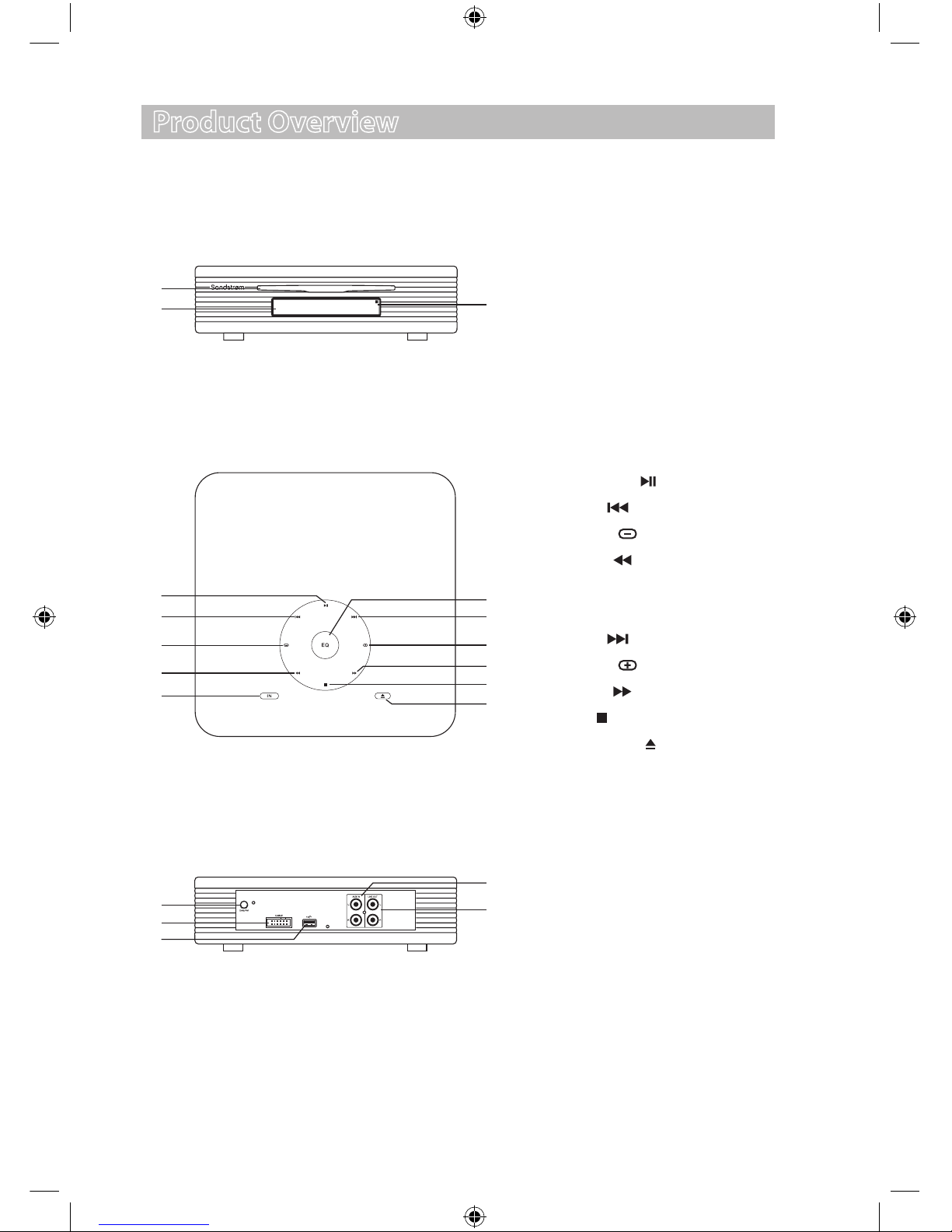
Top View
Product Overview
CD Player
Front View
1. Disc Door
2. Display
3. Remote Sensor
3
19
18
10
9
12
13
14
11
15
1
5
4
7
8
6
16
2
17
15. DAB/FM Aerial Socket
16. Control Cable Connector
17. USB Port
18. AUX Input Terminals (L&R)
19. Line Out Terminals (L&R)
4. Play/Pause Button
5. Preset Button
6. Volume Button
7. Tuning Button
8. Function Select IN Button
9. Preset Equalizer EQ Button
10. Preset Button
11. Volume Button
12. Tuning Button
13. Stop Button
14. Insert/Eject Button
SHFTPPH10_IB_final101208.indd 7 12/8/10 2:10 PM

GB-8
The Amplier
Front View
1. ON/STANDBY Button
2. Headphone Socket
2
5
1
3
3. Control Cable Connector
4. Mains Cable
5. Left & Right Speaker Output
Terminals
Rear View
4
SHFTPPH10_IB_final101208.indd 8 12/8/10 2:10 PM

GB-9
Remote Control
1. ON/STANDBY Button
2. CD Function Button
3. Tuner Function Button
4. RANDOM Button
5. INTRO/SCAN Button
6. Dimmer DIM Button
7. Preset Equalizer EQ Button
8. CLOCK Button
9. Preset Button
10. Tuning Button
11. Preset Button
12. Play/Pause Button
13. Album Up ALB+ Button
14. Album Down ALB– Button
15. MUTE Button
16. Number 0-9, 10+ Buttons
17. Insert/Eject Button
18. USB Function Button
19. AUX Function Button
20. Repeat A–B Button
21. MODE Button
22. LOUDNESS Button
23. Super Bass S–BASS Button
24. SLEEP/TIMER Button
25. DISPLAY Button
26. Tuning Button
27. Stop Button
28. VOL+ Button
29. VOL– Button
30. Program PROG Button
17
18
20
22
19
21
23
24
26
25
27
28
29
30
2
4
6
1
3
5
7
8
10
12
13
14
16 15
9
11
EQ DIM LOUDNESS S-BASS
INTRO/SCAN RANDOM A-B MODE
TUNER CD USB AUX
010+ PROG
87 9
54 6
21 3
MUTE
ALB VOL
DISPLAY
SLEEP/TIMERCLOCK
SHFTPPH10_IB_final101208.indd 9 12/8/10 2:10 PM

GB-10
Battery Installation for the Remote Control
1. Unwind the screw and slide open the battery
compartment of the remote control.
Remove the Insulating Strip from the Remote Control
Remove the insulating mylar strip from the battery if
the battery is being used for the rst time. It is located
at the bottom back side of the remote control.
3. Close the battery compartment cover and wind the
screw back on.
2. Remove the old battery, and place a new battery
(CR2025 Lithium Battery) in the holder.
Handling the Battery
• Improper or incorrect use of batteries may cause corrosion or battery leakage, which
could cause re, personal injury or damage to property.
• Install the battery correctly by following the polarity (+ and –) indications in the battery
compartment.
• When the battery is exhausted, the remote control will not function.
• Only use the battery type indicated in this manual.
• Do not dispose of the used battery as domestic waste. Dispose of it in accordance with
local regulations.
• Small button cell batteries such as the one used in the remote control are easily
swallowed by young children and this is dangerous. Keep loose button cells away from
young children and make sure that the battery holder tray is secure in the remote
control. Seek medical advice if you believe a cell has been swallowed.
SHFTPPH10_IB_final101208.indd 10 12/8/10 2:10 PM
Altri manuali per SHFTPPH10
1
Indice
Altri manuali Sandstrom Impianto stereo

Sandstrom
Sandstrom SDABTIP12 Manuale utente

Sandstrom
Sandstrom SHFUSB10 Manuale utente

Sandstrom
Sandstrom SHFGLC11 Manuale utente

Sandstrom
Sandstrom SHFTPPH10 Manuale utente

Sandstrom
Sandstrom SHLIDAB15 Manuale utente

Sandstrom
Sandstrom SHLIDAB14 Manuale utente

Sandstrom
Sandstrom S1MDABI11E Manuale utente

Sandstrom
Sandstrom Lifestyle DAB HiFi Manuale utente

Sandstrom
Sandstrom VALVE SHBRDAB14 Manuale utente

Sandstrom
Sandstrom S40IP13E Manuale utente