
SB Filters CT 2500 Manuale utente
This product has been manufactured with safety in mind. Warranty applies only when used as instructed. Failure to
comply with the warnings and precautions described in this document may cause personal injury and result in
warranty being voided. Please note that SB Fitness assumes no responsibility for any accidents resulting from use.
Table of Contents
Table of Contents
Hardware .............................................................................. 3
Product Overview ............................................................. 4
Assembly .......................................................................... 5-9
Directions for Use ..................................................... 10-12
Adjusting the Running Belt .................................. 13-15
Moving Your Treadmill ............................................ 16-17
How to Use Your Console ...................................... 18-20
Warranty ...................................................................... 21-22
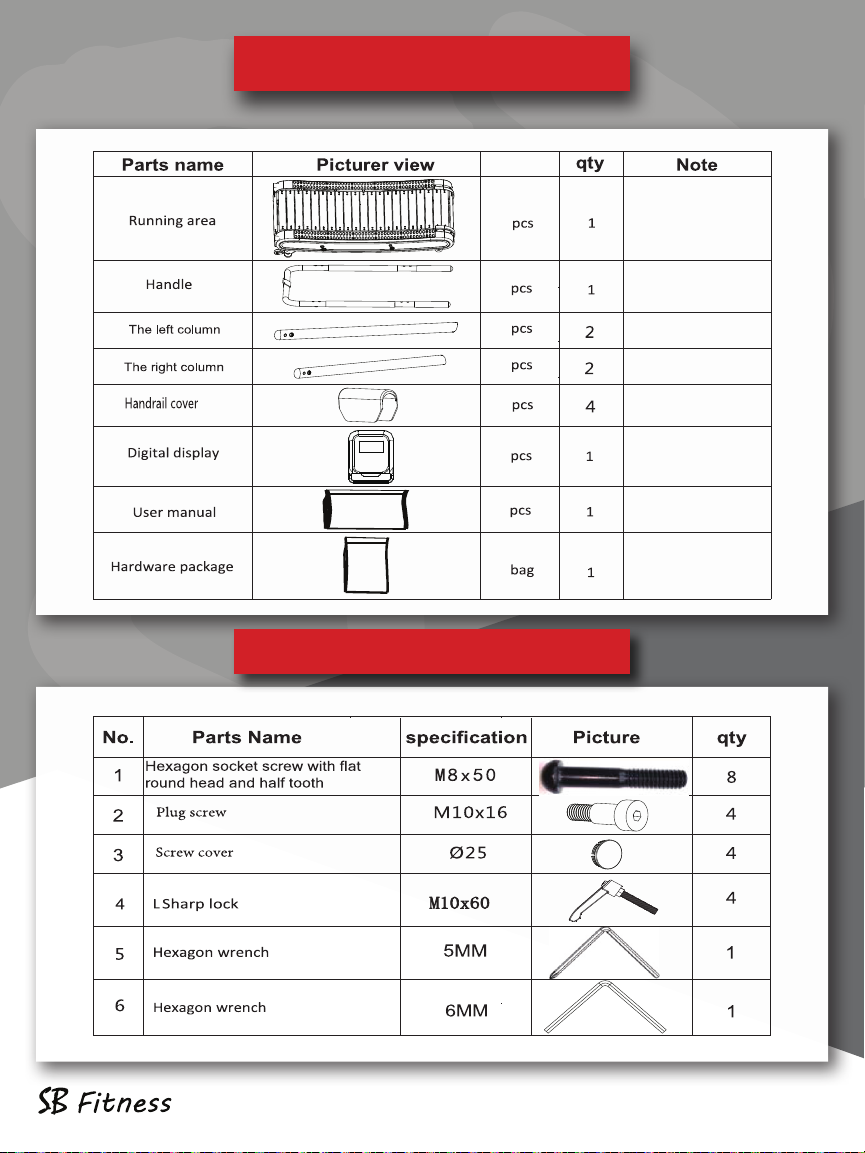
Packing List
Hardware
CT250 pg 3
Packing List
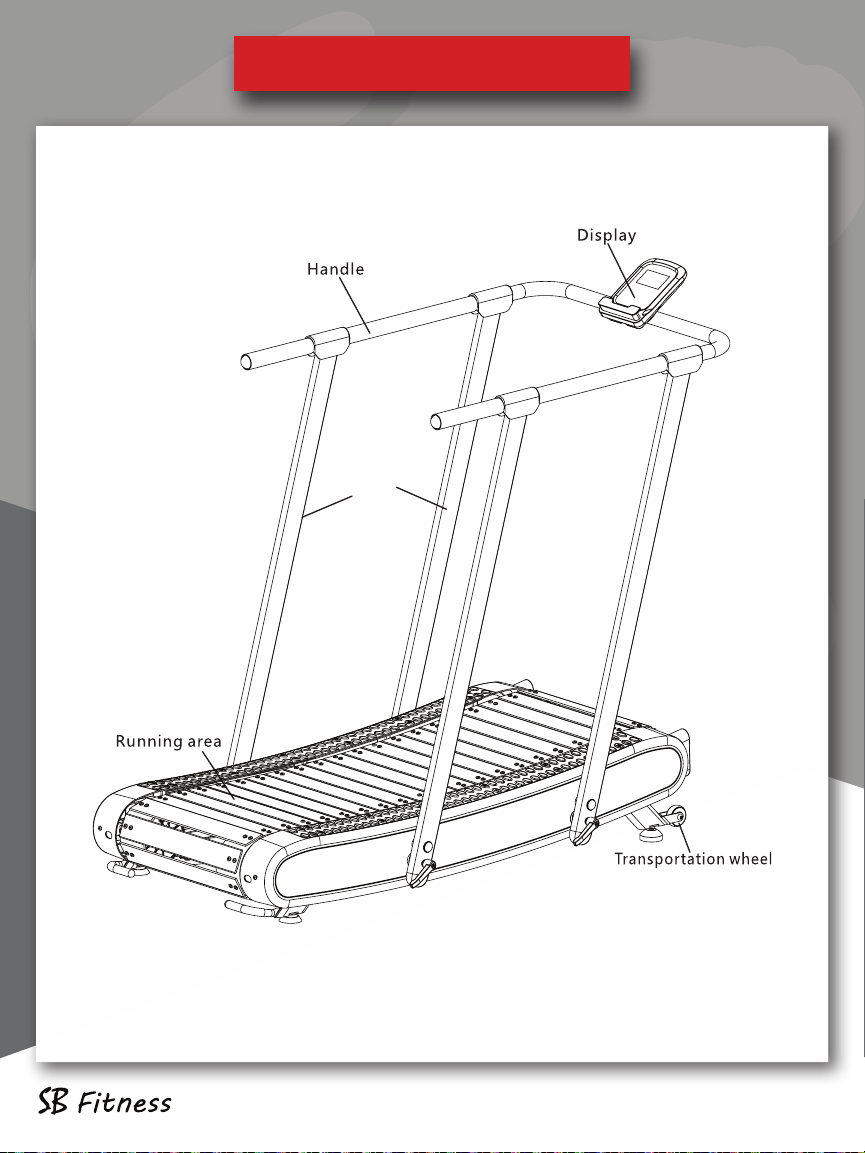
Column
Product Overview
Product Overview CT250 pg 4
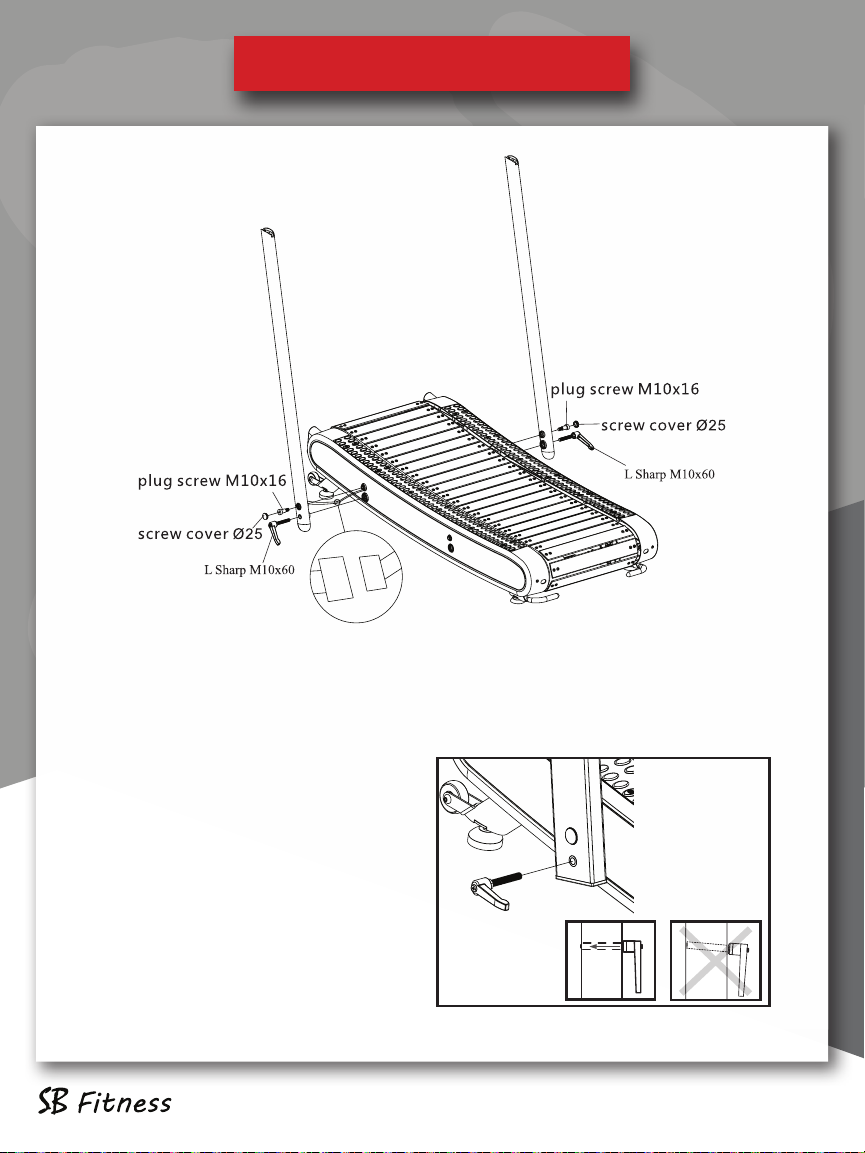
First, connect the data cable from the left column to the data cable ex-
tending from the treadmill, and then insert the data cable into the column
and the treadmill. Secondly, use the plug screw M10x16 to connect the
left and right columns to the tread-
mill, tighten, and then cover the
screw cover Ø25 on the column hole
where the plug screw is installed.
Finally, fasten the L-shaped knob on
the treadmill through the left and
right uprights, as shown in the figure.
Step 1:
Product Installation
Product Installation CT250 pg 5
Product Installation
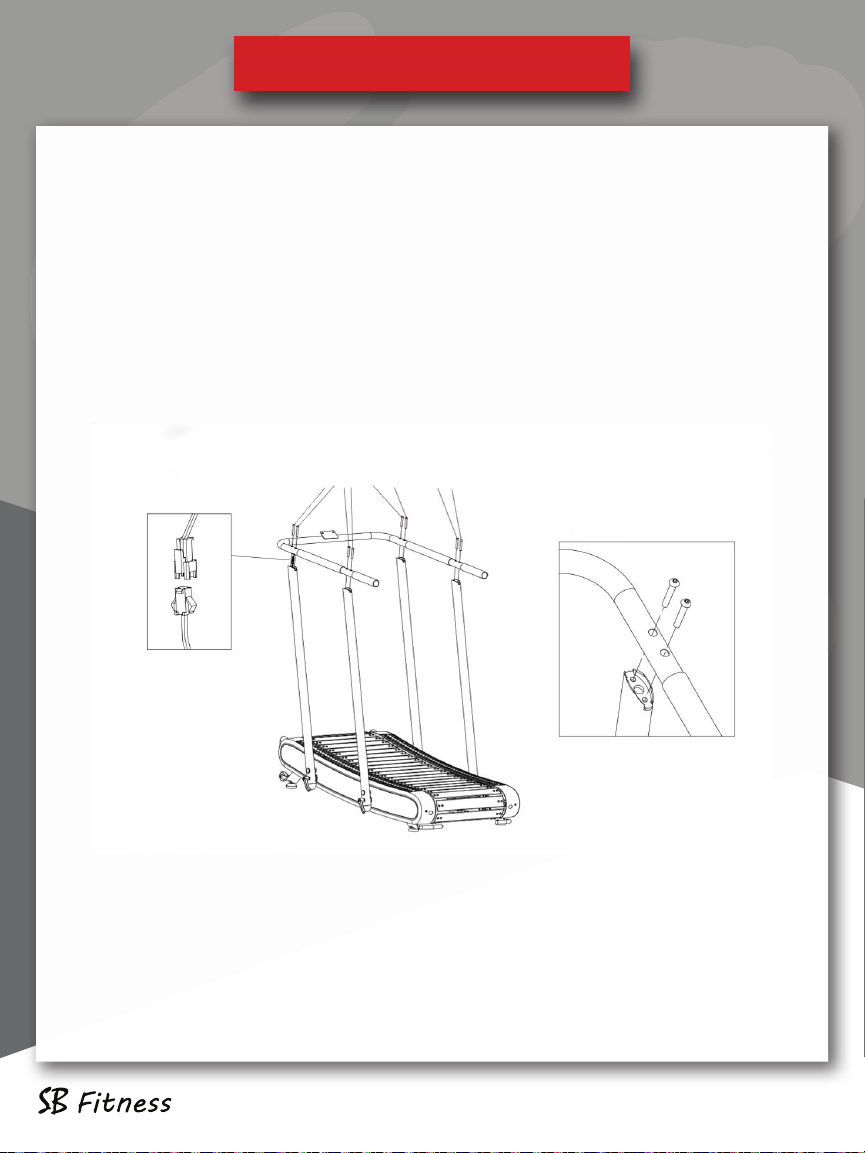
Step 2:
Fasten the rear left and right uprights on the treadmill as
shown in the figure.
Connect the data cable from the front left column to the data
cable coming out of the handlebar.
CT250 pg 6
Product Installation
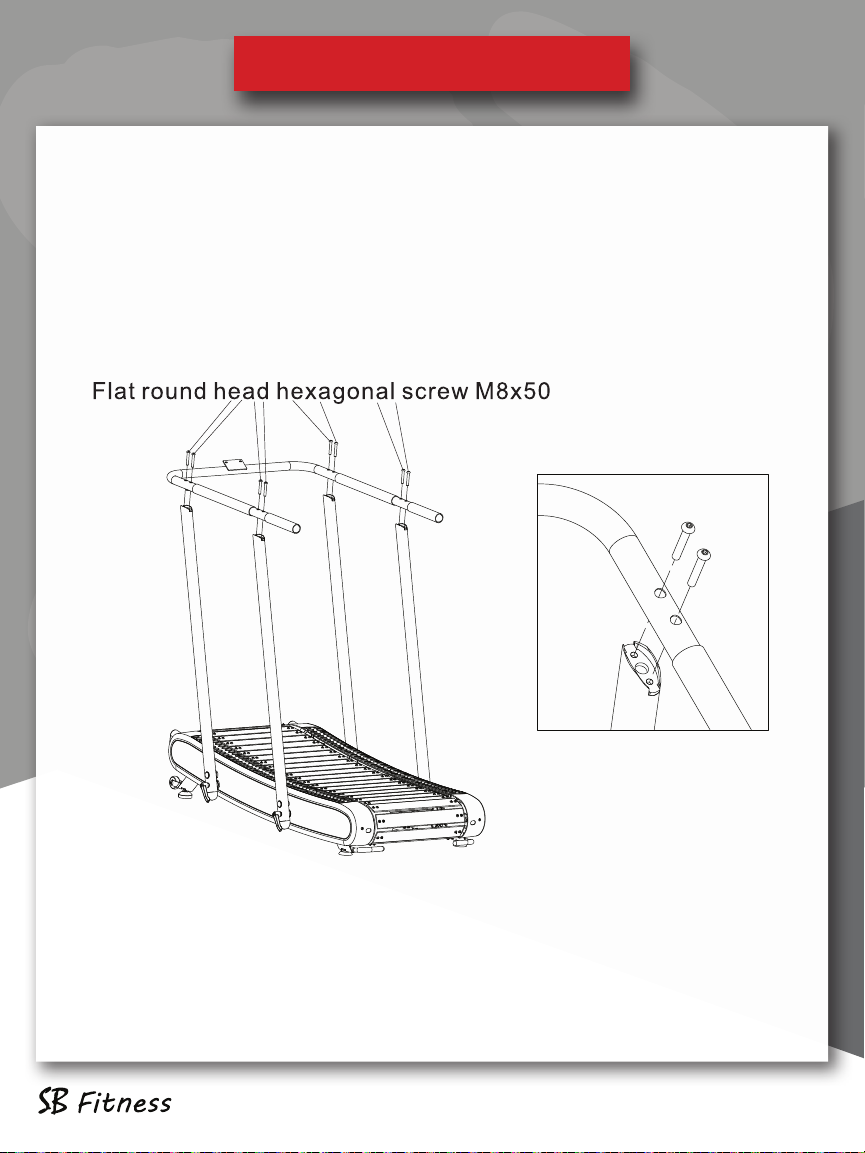
Step 3:
The handrail is fastened to the column with 8 flat round head
hexagonal screws M8x50,as shown in the figure.
Product Installation
CT250 pg 7
Product Installation
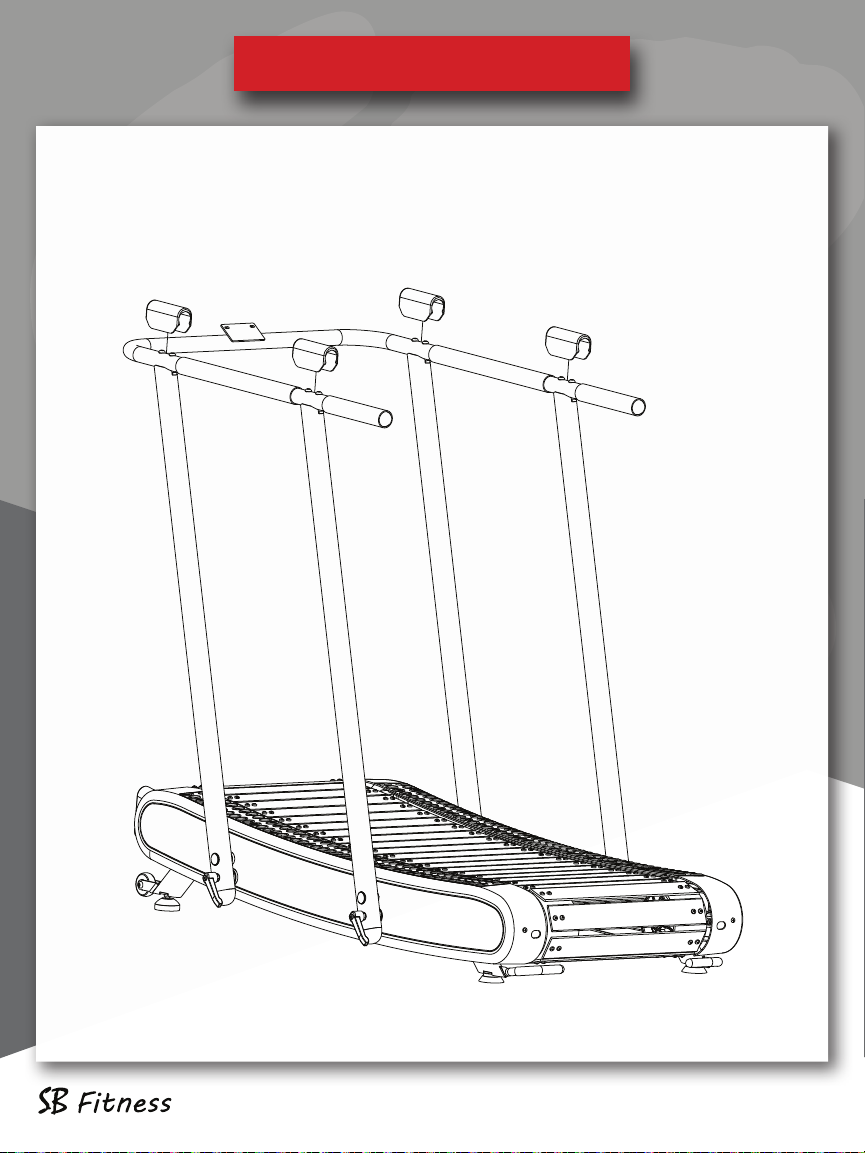
Step 4:
Install the 4 armrest covers using the 8 hexagon flat round head screws
M8x50, as shown in the figure.
Product Installation
CT250 pg 8
Product Installation
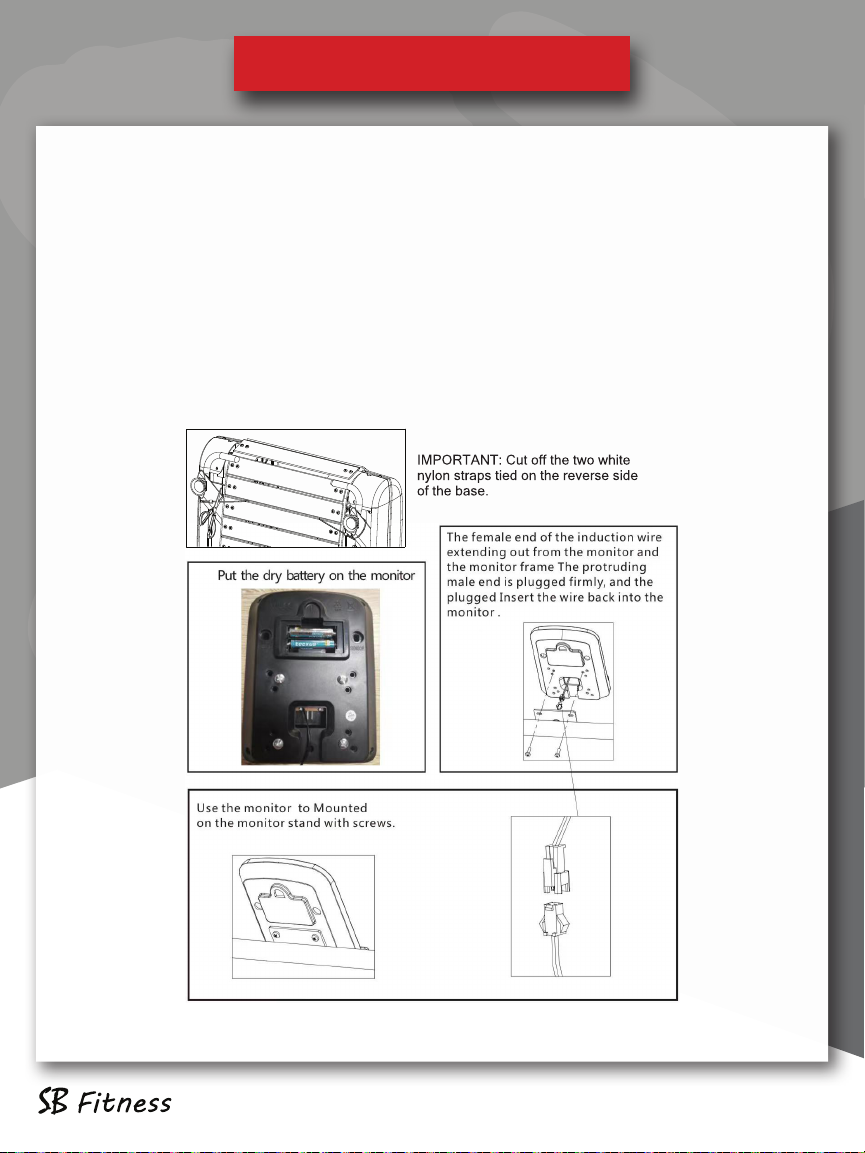
Step 5:
The console is connected to the treadmill with the two M5 x 15 screws. Be
sure to feed the data cable through the bottom opening of the console to
the rear part of the crossbar and connect to the data cable coming from
the cross bar/handlebar. Be careful to not let the data cable get pinched.
Place the monitor in the center of the stand and install it with screws.
Once you connect the data cable from the crossbar to the back of the
Console data cable, push all excess wire into the opening, provided in the
back of the console.
Product Installation
CT250 pg 9
Product Installation
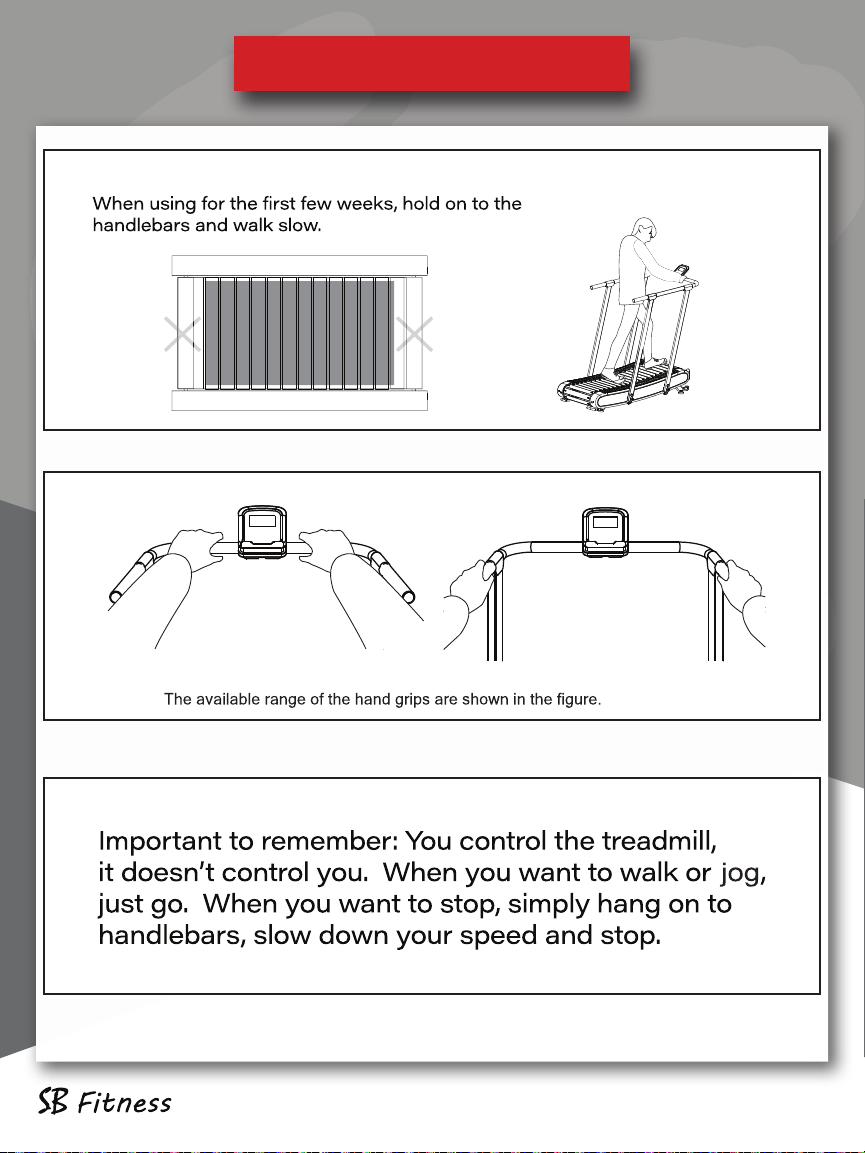
Directions for Use
Directions for Use CT250 pg 10
Indice
Altri manuali SB Filters Tapis roulant


