-7-
USING THE REMOTE CONTROL
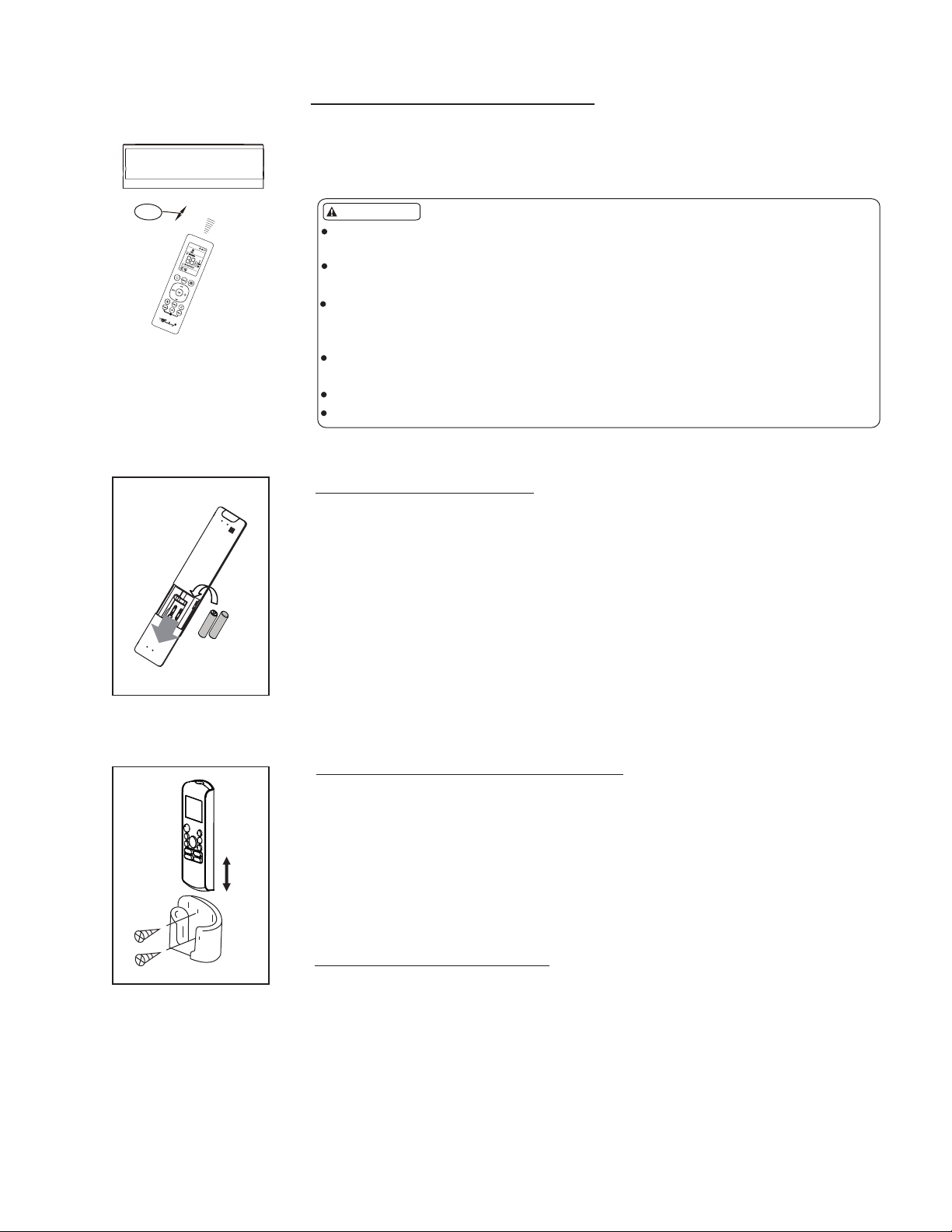
26 ft.
The remote control can be used from a distance up to 26 feet from the indoor unit.
When pressing a button on the remote, confirmation the command sent has been
received is when the unit beeps.
REPLACING THE BATTERIES
The remote control is powered by 2 AAA batteries (included) and housed in the
back of the remote control.
- Turn the remote over and remove the cover by pressing and sliding off.
- Remove the old batteries and insert new batteries in the same direction
as the old batteries came out.
- Replace the cover.
- When replacing batteries, do not mix old and new batteries or types of batteries.
- Remove batteries if the remote control will not be used for an extended time.
- Please dispose old batteries properly.
NOTE: When the batteries are removed, all programming is erased.
After installing new batteries the remote must be reprogrammed.
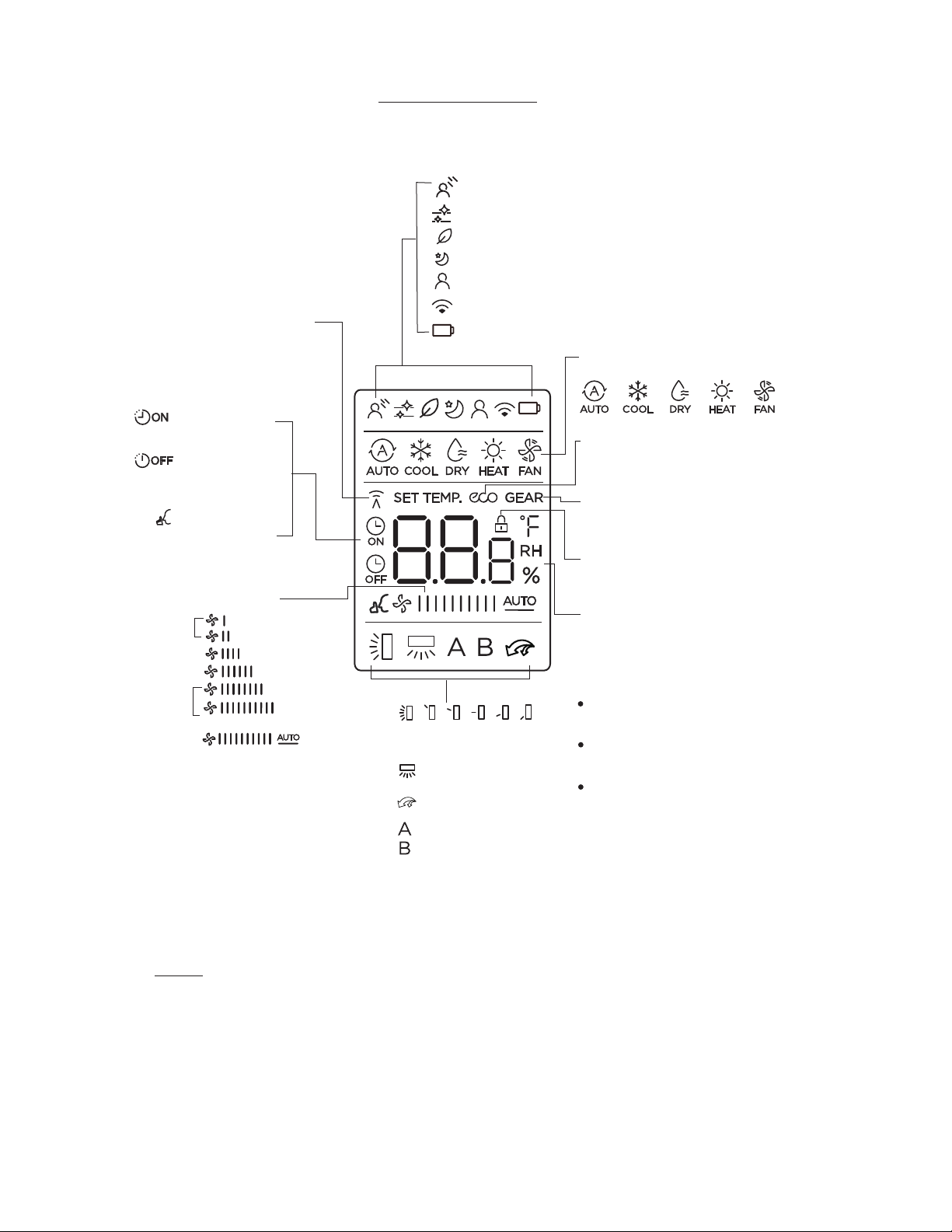
REMOTE CONTROL FEATURES
1. Operating mode: AUTO, COOL, DRY, HEAT and FAN.
2. 24 hour Timer On and Timer Off functions.
3. ENERGY SAVING function.
4. FOLLOW ME function.
5. Freeze Protection function.
6. CLEAN function.
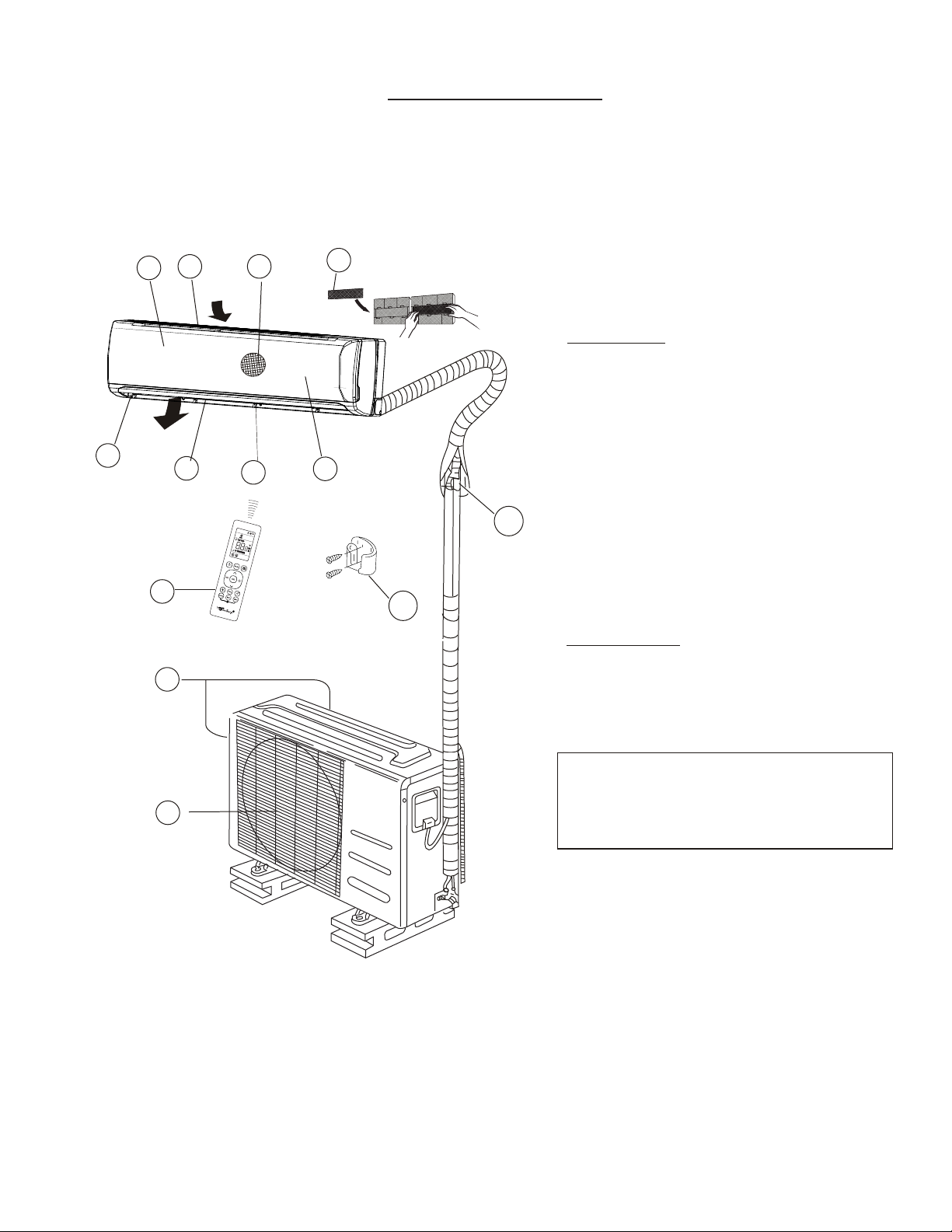
-The remote control can be attached to a wall or pillar by using a remote control
holder.
-Install the remote control holder with two (2) screws..
-For installing or removing the remote controller, move it up or down in the holder.
USING THE REMOTE CONTROL HOLDER
CAUTIONS
The air conditioner will not operate if curtains, doors or other materials block
the signals from the remote controller to the indoor unit.
Prevent any liquid from falling into the remote controller. Do not expose the
remote controller to direct sunlight or heat.
If the infrared signal receiver on the indoor unit is exposed to direct sunlight,
the air conditioner may not function properly. Use curtains to prevent the
sunlight from falling on the receiver.
If other electrical appliances react to the remote controller, either move these
appliances or consult your local dealer.
Do not drop the remote controller. Handle with care.
Do not place heavy objects on the remote controller, or step on it.