
Securesight VL1 Manuale utente
VL1
Security Video Light
Automatically record anyone who goes near your property

Page No. 1
©Securesight 2009 E&OE Issue 1.0
Product information
Product design and specifications are subject to change without notice.
This includes the main product specifications, software, software drives
and user’s manual. This User Manual is a general reference guide for the
product.
The product and accessories that come with your VL1 may be different
from those described in this manual. This is because some retailers
specify slightly different product versions and accessories to suit their
market requirements. Variations often include accessories such as
batteries, chargers, AC adaptors, memory cards, cables, carrying cases,
pouches and language support. Sometimes a retailer may specify a
unique colour, appearance or internal memory capacity. Please consult
your dealer for the exact product specification and included accessories.
The illustrations in this manual are for the purpose of explanation and
may differ from the actual design of your VL1. Any photographs shown
are for illustration purposes only and are not meant to represent the
quality that may be obtained by your product.
Securesight assumes no liability for any errors, omissions or
discrepancies in this user manual.
For user manual, firmware and driver updates please see our website.
©Securesight 2009 E&OE Issue 1.0
Page No. 2
Thank you for purchasing a Securesight VL1
This innovative self contained video and photo system will automatically
record images when movement is detected.
With its powerful 500W floodlight, the VL1 works day and night, giving
you peace of mind and protection for your property.
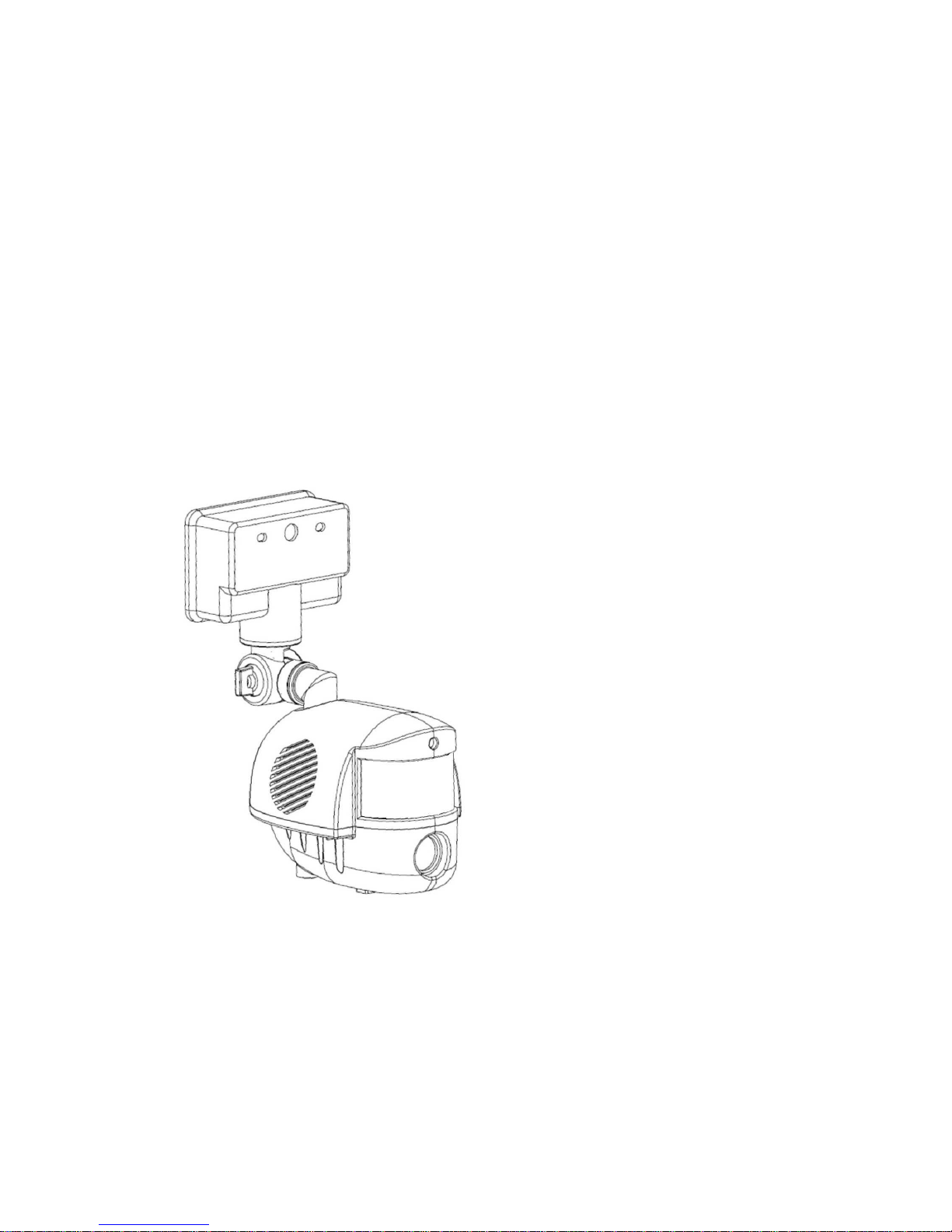
VL1 camera unit.
Shown without floodlight fitted.

Page No. 3
©Securesight 2009 E&OE Issue 1.0
Everything in the box?
Securesight VL1
Box contents
·VL1 Digital Security Video Light
·500w halogen bulb
·USB lead for PC connection
·SD memory card
·Mounting screws
·Warning sticker
If you are missing an item please contact your retailer.
IMPORTANT
The VL1 is designed for external use only
We recommend before installing your VL1 into position that you read the
full user guide to familiarise yourself with the controls, the operation
and settings before you mount the unit.
©Securesight 2009 E&OE Issue 1.0
Page No. 4
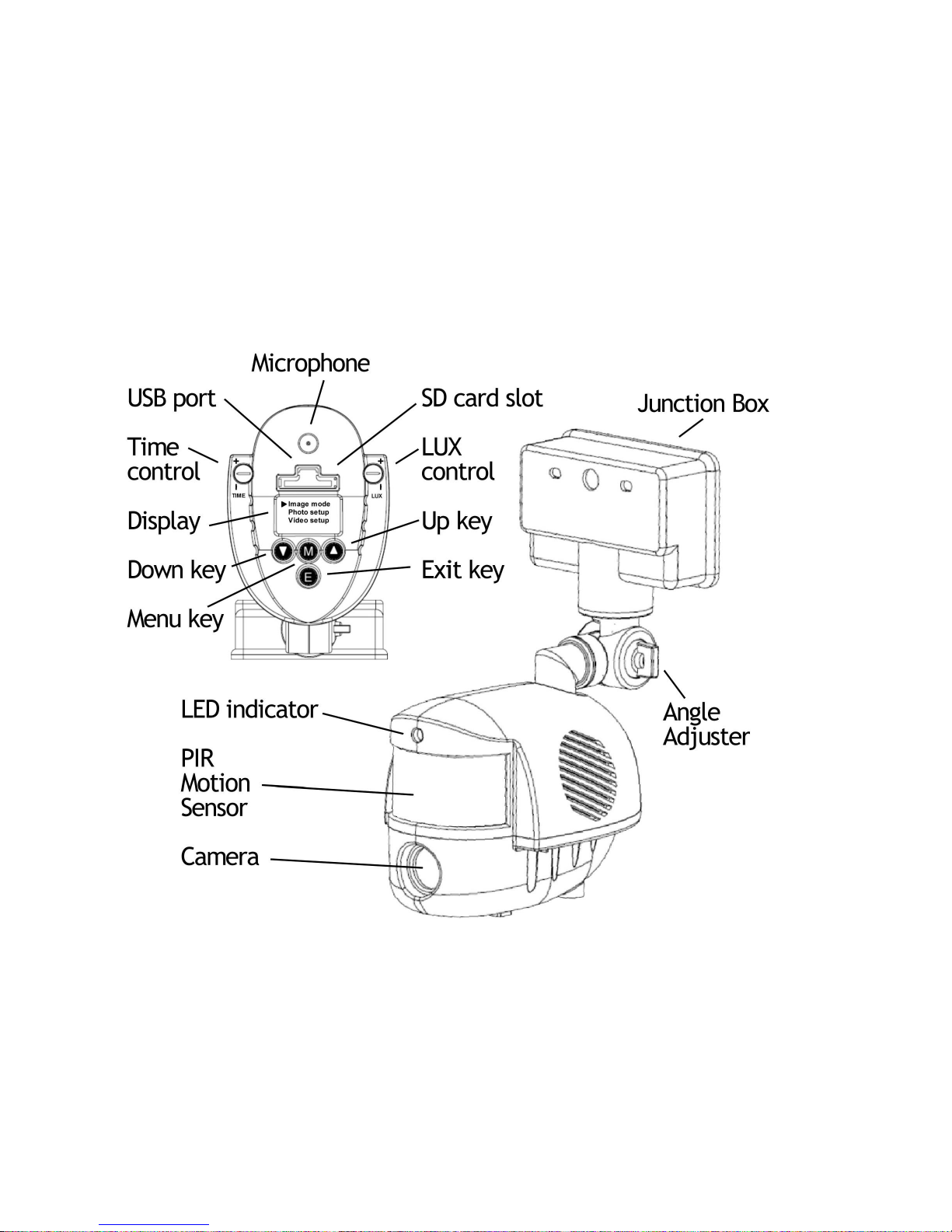
Get to know your equipment

Page No. 5
©Securesight 2009 E&OE Issue 1.0
Applications
The VL1 automatically records digital photos and videos when movement
is detected. It is a great way to protect your property and record
evidence of trespassers or unwanted visitors, day or night.
With a VL1 you can protect :-
·Cars and driveways
·Factories and offices
·Homes and gardens
·Sheds and garages
·Outbuildings
·Farms and yards
·Stables and livestock
·Building sites
·Remote locations
·Halls and club houses
Using the web cam feature, the VL1 can also be used for general
observation or for monitoring wildlife in your garden.
We trust our product will serve you well and are always pleased to
receive copies of your recordings, suggestions on how we can improve
our products and any new product ideas. For more information please
visit our web site at www.securesight.com

©Securesight 2009 E&OE Issue 1.0
Page No. 6
INDEX
VL1 Quick start guide 8
VL1 Full user guide
Understanding your VL1 15
How it works 16
Basic operation
SD Memory card 18
Recording format 19
Floodlight light level 20
Floodlight on time 21
Arming period 21
USB connection 22
VL1 mounting and the movement sensor 24
Advanced settings and functions 27
Menu structure –Main Setup 28
Menu structure –Image Setup 29
Main Setup Menu 30
Memory 31
Time / Date 32
Floodlight 34
Flicker 34
LED 35
PIR delay 35
USB 36
Default 37

Page No. 7
©Securesight 2009 E&OE Issue 1.0
INDEX
continued
Image Setup Menu
Image mode 38
Photo setup 39
Resolution 39
Burst Mode 39
Burst Delay 40
Video Setup 41
Duration 41
Audio 41
Versatile image capture options 42
Understanding digital images 43
Digital video 43
Digital photos 44
SD card speed 48
Photo burst 48
Using your VL1 with a PC 49
Camera driver 49
Recording and uploading to the web 50
Your suggestions 51
Other Securesight products 51
Features and specifications 52
General information and safety 53
CE, ROHS and WEEE 54
Product support Back cover
©Securesight 2009 E&OE Issue 1.0
Page No. 8
VL1 quick start guide
Your VL1 has been designed to be quick and easy to setup and operate
with factory settings that should suit most applications.
By default, when it detects movement, your VL1 will automatically
record 2 photographs followed by a 30 second video clip.
You can change these settings via the easy to use menu.
Please refer to the full guide for more information.
Basic setup is as easy as A,B,C.
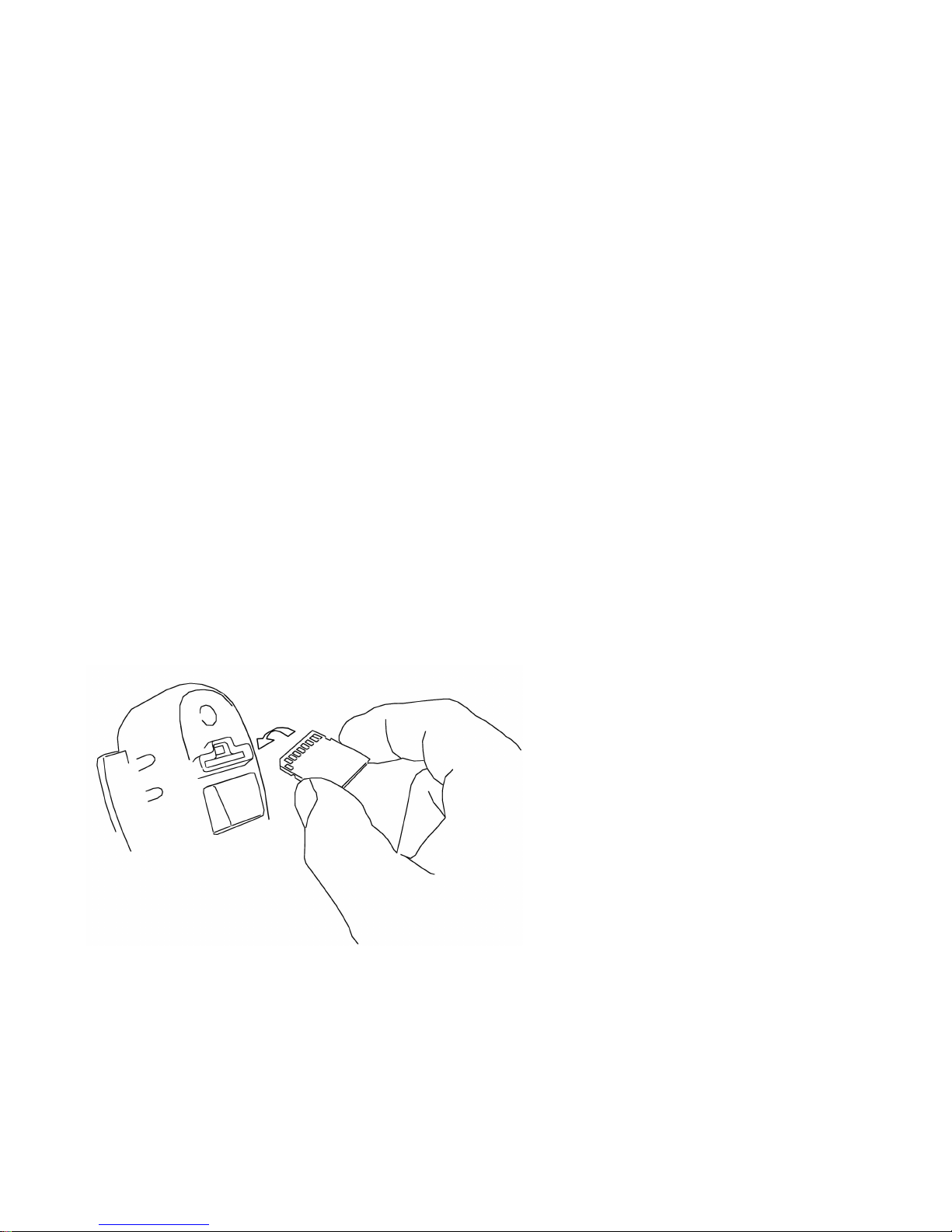
A. Fit the SD card and position the unit.
Fit the SD card into the slot
provided. Ensure you insert
the card with the metal
contact end in first and with
these contacts facing the
front (camera end) of the
unit.
The card should click into
place.

Page No. 9
©Securesight 2009 E&OE Issue 1.0
Carefully and without touching the glass of the bulb fit the halogen bulb
ensuring you secure the floodlight glass cover afterwards.
NOTE: Halogen bulbs get very hot and contamination from your skin can
cause the glass to break during operation.
We recommend positioning the unit between 3m and 4m on a sound wall
and angled towards the area of interest so that most traffic crosses the
PIR zones and triggers your VL1 to start recording.
Good results can also be obtained by positioning the VL1 higher and
facing down to the area of interest
See the section VL1 mounting and the movement sensor for details.
You can replace an existing outside light or undertake a new installation.
Altri manuali per VL1
1
Indice


