Seiko SLP100 Manuale utente

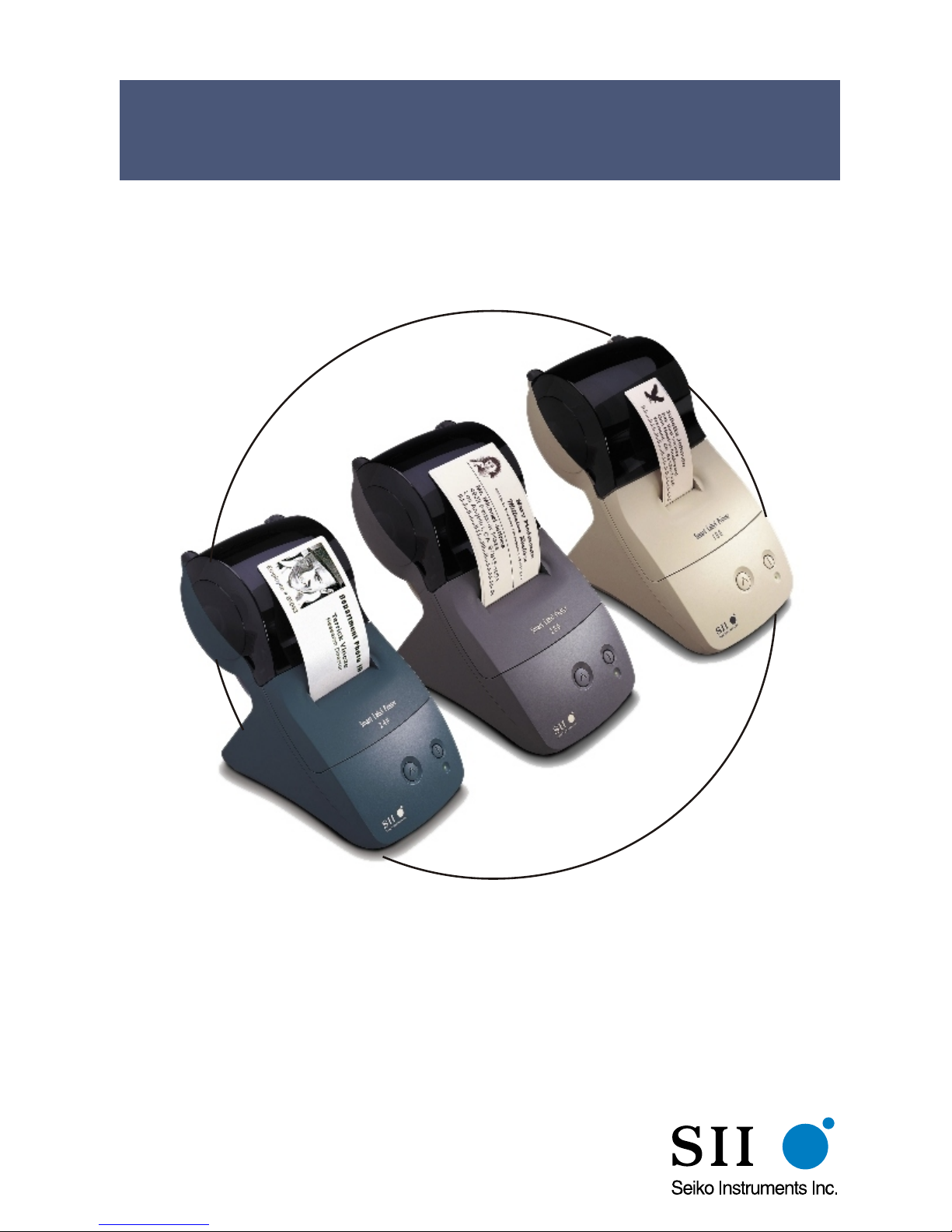
User Guide
®®
for Windows 95, 98,Windows NT 4.0
and Windows 2000
®
Models 100, 200 and 240
SMART LABEL PRINTERSMART LABEL PRINTER
®

FCC Compliance Statement
This equipment has been tested and found to comply with the limits for a Class B digital
device, pursuant to Part 15 of the FCC rules. These limits are designed to provide reasonable
protection against harmful interference in a residential application. This equipment generates,
uses and can radiate radio frequency energy and, if not installed and used in accordance with
the instructions, may cause harmful interference to radio communications. However, there is
no guarantee that interference will not occur in a particular installation. If this equipment does
cause harmful interference to radio or television reception, which can be determined by
turning the equipment off and on, the user is encouraged to try to correct the interference by
one or more of the following measures:
•Reorient or relocate the receiving antenna.
•Increase the separation between the equipment and receiver.
•Connect the equipment into an outlet on a circuit different from that to which the
receiver is connected.
•Consult the dealer or an experienced radio/TV technician for help.
Changes or modifications not expressly approved by Seiko Instruments could void the user's
authority to operate the equipment.
Applicable EC Directives and Standards
Directive Title
89/336/EEC EC Electromagnetic Compatibility Directive
73/28/EEC EC Low Voltage Directive
Standards Title
EMC EN55022(1998) class B
EN55024(1998), EN61000-3-2(1995), EN61000-3-3(1995)
LVD EN60950/1992 +A1/1993, +A2/1993, +A3/1995, +A4/1997,
+A11/1997
Copyright
All rights reserved. No parts of this publication may be reproduced, stored in a retrieval
system, or transmitted, in any form, or by any means, electronic, mechanical,
photocopying, recording, or otherwise without the prior written permission of Seiko
Instruments USA Inc. No patent liability is assumed with respect to the use of
information contained herein. While every precaution has been taken in the preparation
of this publication, Seiko Instruments USA Inc. assumes no responsibility for errors or
omissions. Nor is any liability assumed for damages resulting from the use of
information contained herein. Further, this publication and features described herein are
subject to change without notice. Copyright© 1989-2000 by Seiko Instruments USA
Inc. All rights reserved.
Smart Label Printer © 1992-2000 Print Things. All rights reserved.
Smart Label Printer 100/200/240 User Guide by Prestige Publications, Milpitas, CA
Manual Part Number: 22-84010-01 Printed in USA
Seiko Instruments USA Inc.
2990 West Lomita Blvd.
Torrance, CA 90505
100-200book.book Page 1 Thursday, July 13, 2000 12:14 AM

Trademark Information
IBM is a registered trademark of International Business Machines Corporation.
Microsoft and Windows are registered trademarks of Microsoft Corporation.
SII and the SII logo are registered trademarks of Seiko Instruments Inc.
Smart Label Printer is a registered trademark and SmartLabels, Smart Label Icons,
SmartCopy, SmartCapture and SmartCode are trademarks of Seiko Instruments USA Inc.
Other products mentioned in this guide are trademarks or registered trademarks of their
respective companies.
100-200book.book Page 2 Thursday, July 13, 2000 12:14 AM

Important Safety Instructions
The following symbols are used in this User Guide.
WARNING. Warning statements are used to indicate
actions that may result in risk of severe personal injury or
loss of life.
CAUTION. Caution statements are used to indicate
actions that may result in damage to the printer or other
property, or may result in risk of minor personal injury.
Warning
1 Use only the AC adapter provided with this printer, or an
AC adapter that has been approved by Seiko Instruments
for use with this printer. Use of an incorrect AC adapter
may cause risk of overheating or fire.
2 Do not bend or place a heavy object on the power cord
as it could damage the cord and result in risk of electric
shock or fire. Do not use the power cord if damaged or
frayed.
3 The thermal print head may become quite hot after print-
ing. Be careful when changing labels and cleaning the
thermal head.
Caution
1 Never insert objects of any kind into this printer as they
may touch dangerous voltage points or short out parts,
and may result in a risk of fire or electric shock. Never
spill liquid of any kind on the printer.
2 This printer contains no user-serviceable parts. Do not
attempt to service the printer yourself as this can expose
you to dangerous voltage points or other risks. Repair
service should be performed by a trained technician.
3 Do not use this printer near water or in extreme
humidity.
100-200book.book Page 4 Thursday, July 13, 2000 12:14 AM

4 Be sure to hold only the connector end of the power
cord or interface cable when disconnecting. Repeated
pulling on the cable could damage the cable.
5 If any of the following conditions occur, turn off the
printer and unplug the power cord from the power
outlet:
■The power cord is damaged or frayed.
■Liquid has been spilled into the printer or the printer
has been exposed to rain or water.
■The printer does not recover from an error or the
printer does not operate normally when the operating
instructions are followed.
■The printer exhibits a distinct change in performance,
such as emitting a strange noise, odor or smoke.
Installation
For best performance, we recommend that you install your
printer on a flat surface in a location that satisfies the
following environmental conditions:
■Not subject to vibration
■Not exposed to direct sunlight
■Dust-free
■Condensation-free
■Temperatures: 59 to 95°F (15 to 35°C)
■Humidity: 30% RH to 80% RH (non-condensing)
100-200book.book Page 5 Thursday, July 13, 2000 12:14 AM

User Guide i
About This Guide
As you‘ll soon realize, the Smart Label Printer®is easy to set
up and use. Chances are, once you’ve read what you need
to know in order to get going, you won’t have to use this
guide except as a quick reminder or a reference.
This guide will help you set up your SLP 100, 200 or 240
install the software, and use your SLP.
In writing this guide we assume that you are familiar with
common operations using Microsoft®Windows®95, 98,
Windows®NT 4.0 or Windows®2000 on an IBM®-
compatible PC.
The following conventions are used to convey information
in this guide:
■Commands you choose from the menus and items you
select appear in italics with initial capital letters.
Example: Choose Print from the File menu.
■Text we ask you to type appears in bold.
Example: Type A:\SETUP.
100-200book.book Page i Thursday, July 13, 2000 12:14 AM

ii Smart Label Printer Models 100, 200 and 240
This guide has three chapters and three appendices:
■Chapter 1, Introduction, provides some general informa-
tion about the SLP 100/200/240 and the Smart Label
program.
■Chapter 2, Getting Started, provides instructions for con-
necting the SLP 100/200/240 to an IBM-compatible PC,
loading labels into the printer, and installing the Smart
Label software. It also describes how to use on-line help.
■Chapter 3, Changing Labels and Printer Care, provides
information for replacing a label roll and taking care of
your SLP.
■Appendix A, Specifications, provides SLP 100/200/240
specifications.
■Appendix B, Commonly Asked Questions and Answers,
provides a list of questions and answers that can help
you resolve problems.
■Appendix C, Technical Support and Service, provides
technical support and service information.
■Appendix D, Ordering Labels and Parts, provides infor-
mation for ordering SmartLabels™and replacement parts
and accessories.
100-200book.book Page ii Thursday, July 13, 2000 12:14 AM

User Guide iii
Contents
Chapter 1 Introduction
About Your Smart Label Printer 1-2
Software Features 1-3
Chapter 2 Getting Started
What You Need 2-2
A Word About Labels 2-3
Caring for Labels 2-3
Installing the SLP 100, 200 or 240 2-4
Unpacking the SLP 2-4
Connecting the SLP to a Power Outlet 2-5
Connecting the SLP to an IBM-compatible PC 2-6
Loading a Roll of Labels 2-7
Testing the Printer 2-9
Installing the Smart Label Software 2-10
Using On-Line Help 2-11
Chapter 3 Changing Labels and Printer Care
Overview 3-2
Caring for Your Printer 3-2
Off Line and On Line Mode 3-3
Changing a Label Roll 3-3
Removing the Old Roll 3-3
Loading the New Roll 3-3
Adjusting the Position of Labels 3-4
Removing Stuck Labels 3-5
Appendix A Specifications
Smart Label Printer 100/200/240 Specifications A-2
Status Light Indicators A-3
Appendix B Commonly Asked Questions and
Answers B-1
Appendix C Technical Support and Service C-1
100-200book.book Page iii Thursday, July 13, 2000 12:14 AM

Contents
iv Smart Label Printer Models 100, 200 and 240
Appendix D Ordering Labels and Parts D-1
Ordering Labels D-2
Ordering Parts D-2
Index
100-200book.book Page iv Thursday, July 13, 2000 12:14 AM

Chapter 1
User Guide 1-1
Introduction
About Your Smart Label Printer 1-2
Software Features 1-3
100-200book.book Page 1 Thursday, July 13, 2000 12:14 AM
Altri manuali per SLP100
2
Questo manuale è adatto per i seguenti modelli
2
Indice
Altri manuali Seiko Etichettatrice