Seitz roundshot Manuale utente

Instruction Manual Seitz 6x17 Digital - version 2.0 - August 2008 -© by Seitz Phototechnik AG / Switzerland www.roundshot.ch page 0
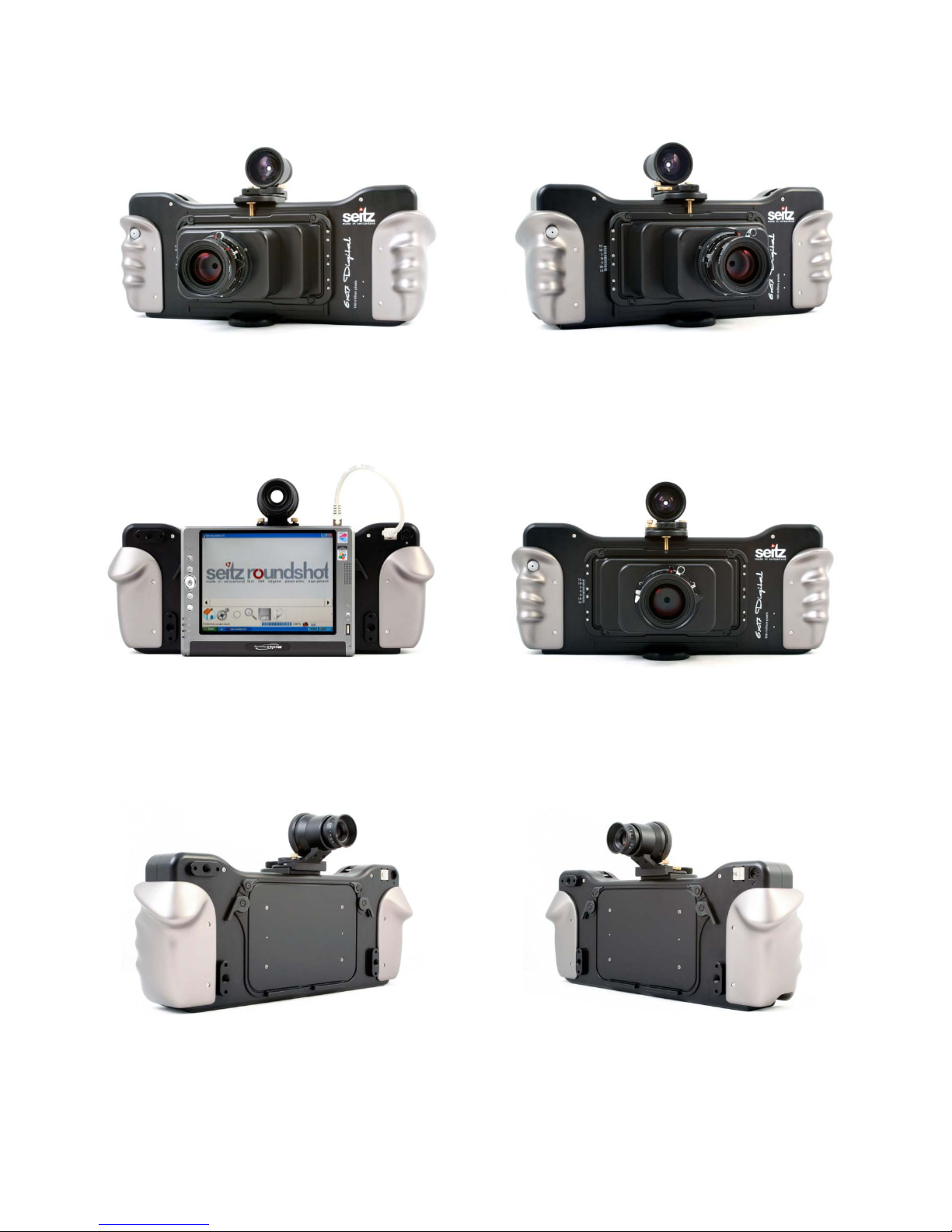
Seitz 6x17 Digital with Seitz D3 / D3-2500 Digital Scan Back
Software release: 4.05 (March 2013)
Instruction
Manual

Instruction Manual Seitz 6x17 Digital - version 2.0 - August 2008 -© by Seitz Phototechnik AG / Switzerland www.roundshot.ch page 1
Please note throughout the document that “Seitz D3 digital scan back” applies equally to the “Seitz D3 2500
digital scan back”. Differences between the two versions are mentioned wherever relevant and necessary.

CONTENTS
Page
1. System Overview
1.1 Seitz 6x17 Digital 4
1.2 Other compatible cameras 5
1.3 Computer / tablet PC 5
1.4 Accessories 6
2. How To Get Started
2.1 Step 1: Get the camera ready 8
2.2 Step 2: Get the computer ready 12
2.2.1 With tablet PC 12
2.2.2 With other computers 13
2.3 Step 3: Select shoot settings 19
2.4 Step 4: Adjust your settings 20
2.5 Step 5: Save the image 20
3. Seitz Roundshot D3 Software
3.1 Shoot menu 21
3.1.1 Shoot settings 24
3.1.2 Focusing Assistant 27
3.1.3 Zoom 28
3.1.4 Fit on screen 28
3.1.5 White balancing pipette 29
3.1.6 Load/save profile 29
3.1.7 Histogram 30
3.1.8 Start/stop 31
3.1.9 Save 31
3.2 Parameter menu 32
3.2.1 Colour 33
3.2.2 Save 34
3.2.3 Lens 35
3.2.4 Camera parameters 36
3.2.5 External devices 38
3.2.6 Scheduler 40
3.2.7 HDR 41
3.2.8 Custom 43
3.2.9 Info 44
Instruction Manual Seitz 6x17 Digital - version 4.05 -May 2013-© by Seitz Phototechnik AG / Switzerland www.roundshot.ch page 2

Page
4. Tips & resources (how to...)
4.1 … obtain the best sharpness 45
4.2 … control the exposure 47
4.3 … use variation with manual exposure 50
4.4 … compute the capture time 52
4.5 … minimise noise at image capture 52
4.6 … shift 53
4.7 . . . use a USB GPS device 54
4.8 . . . program the scheduler 56
4.9 . . . read + edit metadata 59
CONTENTS
7. Technical data 96
Impressum 98
5. Workflow
5.1 Introduction 64
5.2 RAW workflow: Seitz raw converter 65
5.3 RGB workflow 76
5.4 HDR workflow 78
5.5 Additional post production in Photoshop 85
6. Maintenance
6.1 Power supply: AC power adaptor and battery charger 88
6.2 Reset of scan back 89
6.3 Camera maintenance 90
6.4 “Club D3” 92
6.4.1 International warranty + product registration 92
6.4.2 Software + firmware updates 93
6.5 Return of equipment / recycling 95
Instruction Manual Seitz 6x17 Digital - version 4.05 -May 2013-© by Seitz Phototechnik AG / Switzerland www.roundshot.ch page 3

1. System Overview
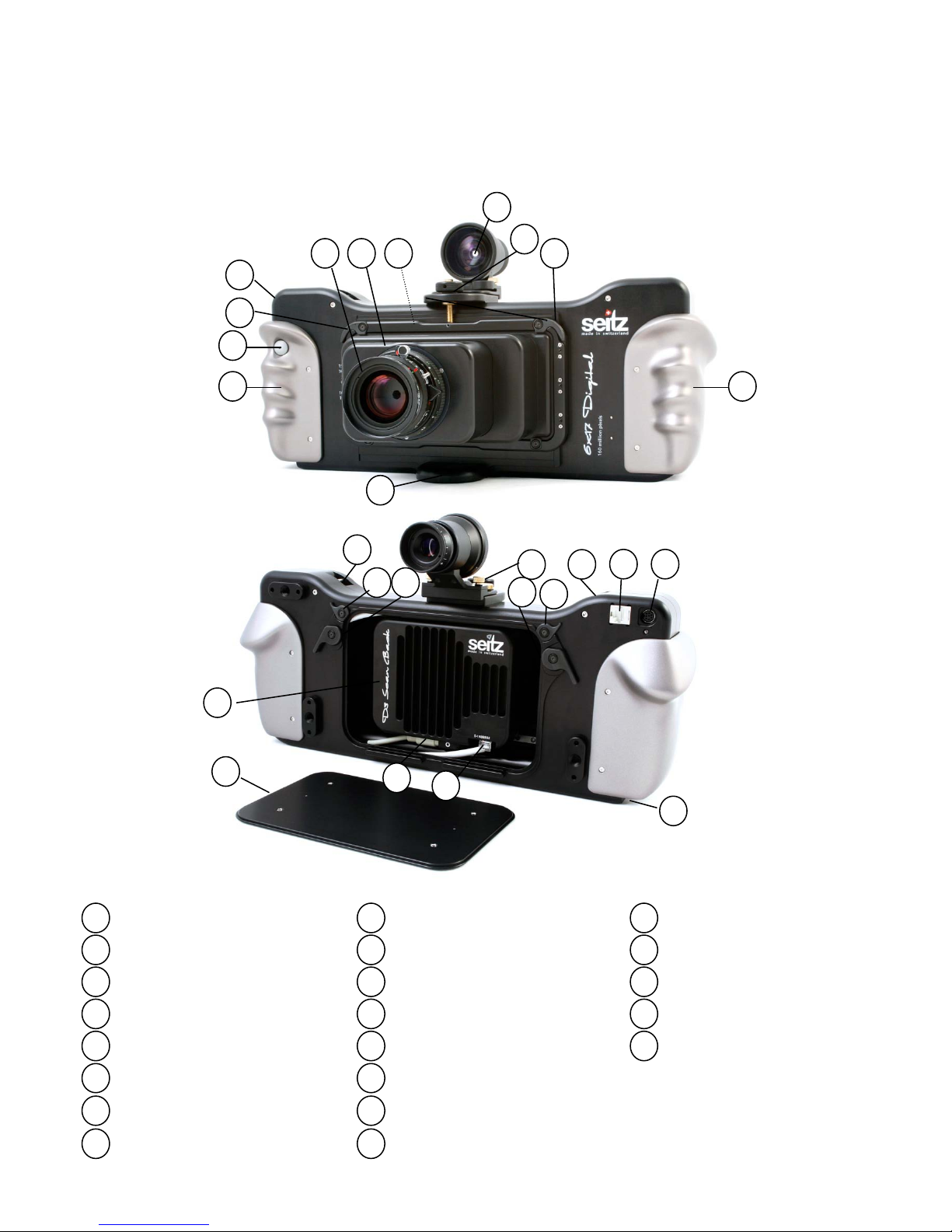
1.1 Seitz 6x17 Digital
1
2
3
4
5
6
Camera body
7
8
9
10
11
12
13
14
15
16
17
18
19
20
21
Lens
Lens tube
Lens adaptor*
Lens brackets
Viewfinder
Viewfinder release
Shift wheel
Hand grips
Release + on button
Tripod mount
Attachment for neck strap
Ethernet socket
Power socket
Loading gate brackets
Brackets to attach compact
computer
Loading gate
Digital scan back
Power cable/connector
Ethernet cable/connector
Battery + battery charger
socket
1
2 3 4 5
5
6
7
9 9
10
8
11
12 12
15
15
17
13 14
18
19 20
16 16
21
* For Linhof 617 and Fuji 617 lenses
Instruction Manual Seitz 6x17 Digital - version 4.05 -May 2013-© by Seitz Phototechnik AG / Switzerland www.roundshot.ch page 4

1.2 Other compatible cameras
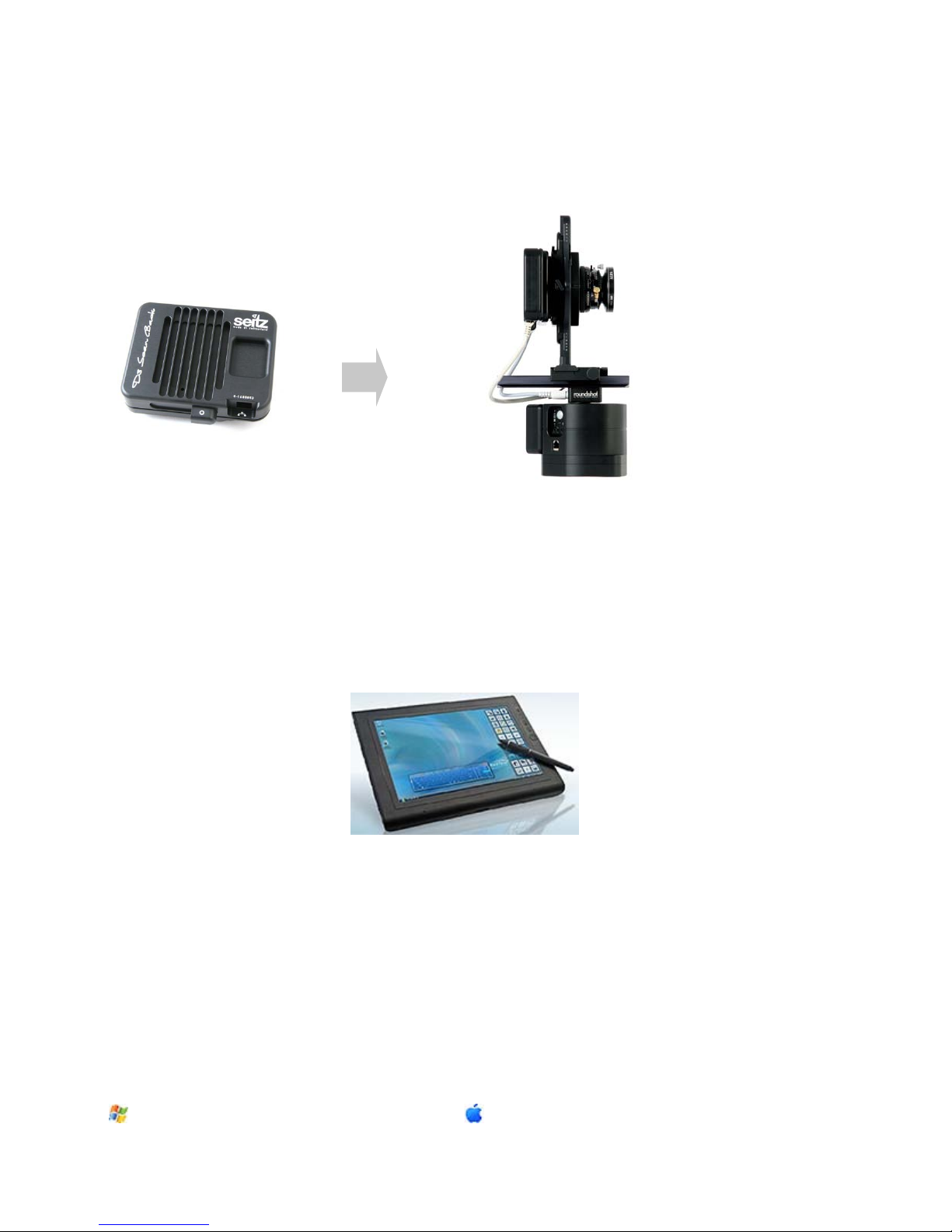
The Seitz D3 Digital Scan Back can be removed from the Seitz 6x17 Digital and attached
to other camera bodies. At the moment of release of this manual it can be used with:
Roundshot D3
The D3 software detects the attached camera and adapts its software parameters
automatically (for example, the image format).
1.3 Computer / tablet PC
The camera is controlled by a connected computer (tablet PC) which also serves to
visualise and store the images. For best convenience we recommend using a tablet PC
with touch screen, for example a Motion Tablet PC:
It is also possible to use the camera with other computers. Important factors when
selecting a suitable computer are:
- Speed of operating system (32-bit or 64-bit) – ideally 64-bit machines
- speed of the processing unit (dual core, quad core)
- available RAM,
- Gigabit Ethernet (for fast image transfer)
- size and speed of the hard disks (preferrably fast SSD drives for fast image saving)
Currently the following operating systems can be used (both 32-bit and 64-bit):
•Windows XP
•Windows VISTA
•Windows 7
With Intel processors only:
•Mac OS 10.5
•Mac OS 10.6
Instruction Manual Seitz 6x17 Digital - version 4.05 -May 2013-© by Seitz Phototechnik AG / Switzerland www.roundshot.ch page 5

1.4 Accessories
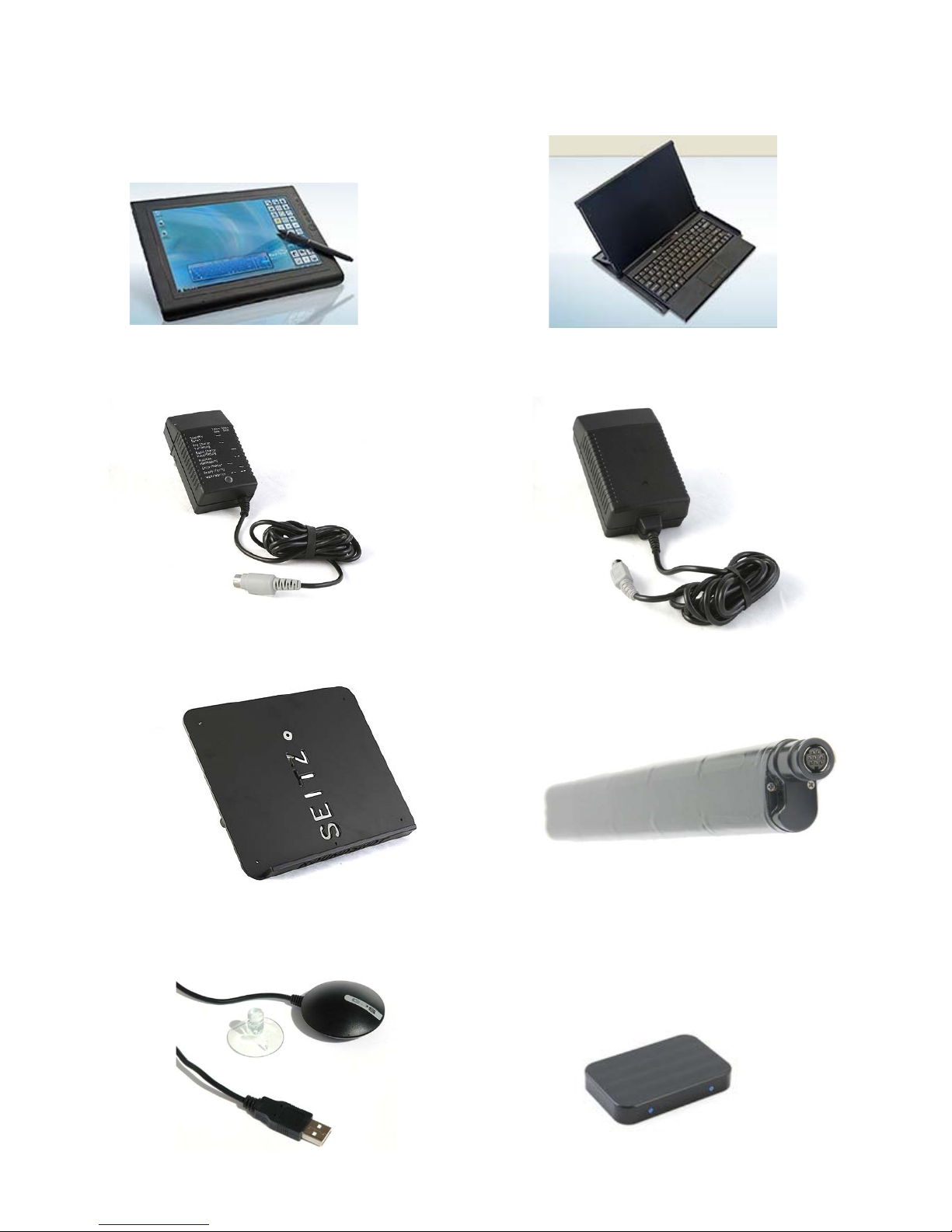
Battery charger Power supply (mains adaptor)
Laptop holder to attach on a tripod
Tablet PCs and accessories:
NiMh battery 12V 4.5A
USB GPS device: GlobalSat BU-353 USB
Front glass cover for the
Seitz D3 digital scan back
Mobile Keyboard for Motion J3400
Motion J3400
Instruction Manual Seitz 6x17 Digital - version 4.05 -May 2013-© by Seitz Phototechnik AG / Switzerland www.roundshot.ch page 6

1.4 Accessories (continued)
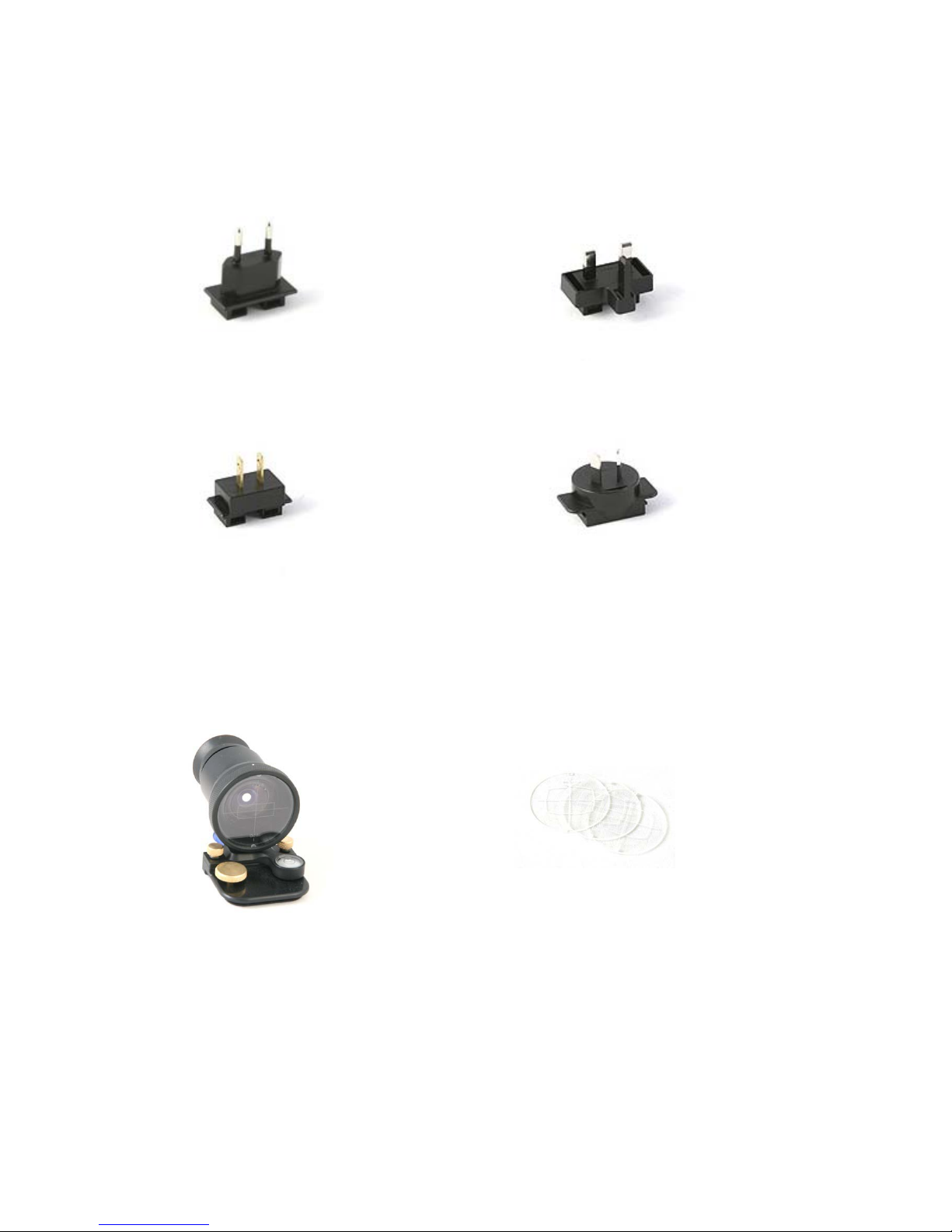
Power plugs for different countries:
Viewfinder:
Continental Europe United Kingdom
North America (USA,
Canada, Mexico) & Japan
Australia & New Zealand
Viewfinder masks:
(interchangeable for different lenses)
Instruction Manual Seitz 6x17 Digital - version 4.05 -May 2013-© by Seitz Phototechnik AG / Switzerland www.roundshot.ch page 7

2.1 Step 1: Get the camera ready
2. How To Get Started
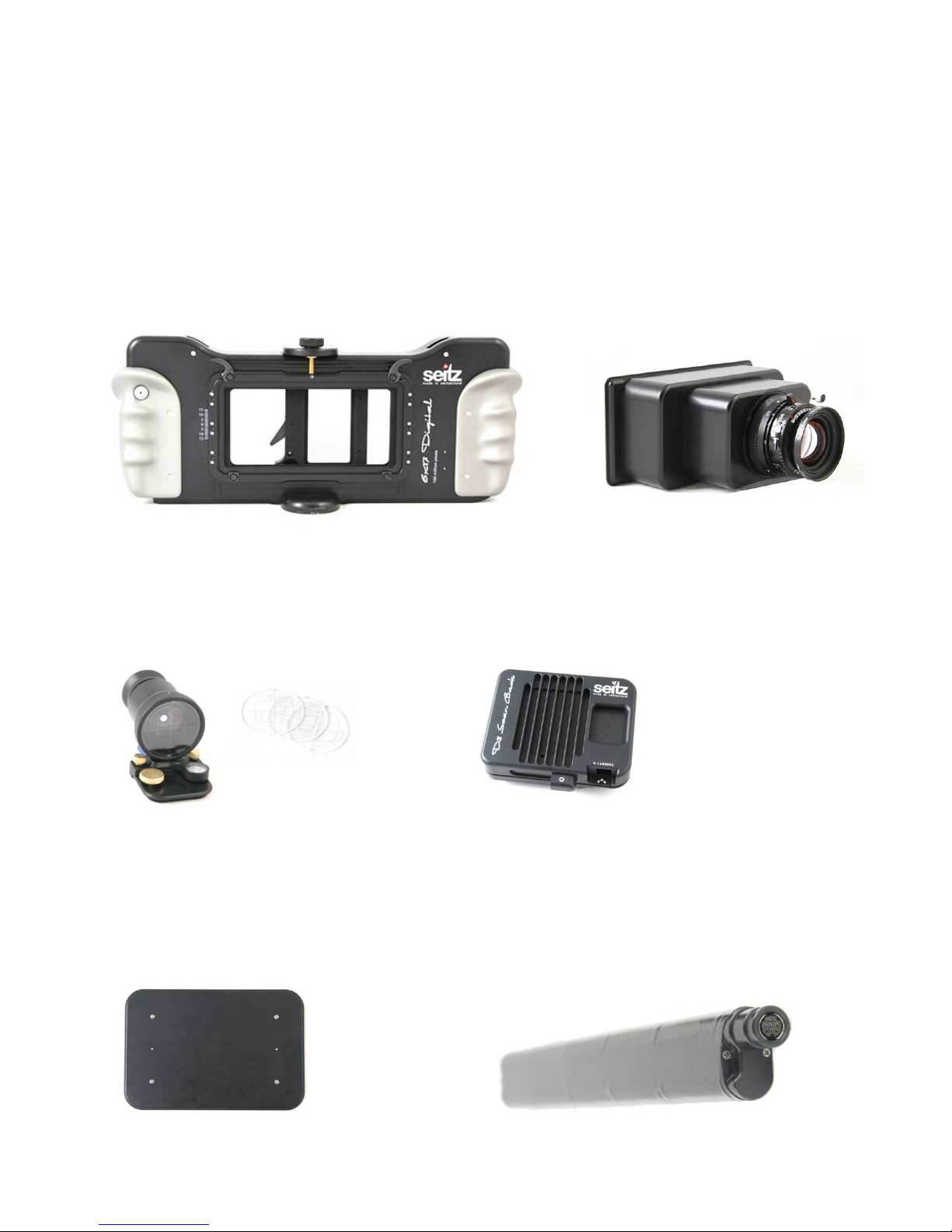
Camera body Lens / lens adaptor
Viewfinder and
viewfinder masks
(exchangeable)
Digital scan back
Loading gate Battery
Instruction Manual Seitz 6x17 Digital - version 4.05 -May 2013-© by Seitz Phototechnik AG / Switzerland www.roundshot.ch page 8

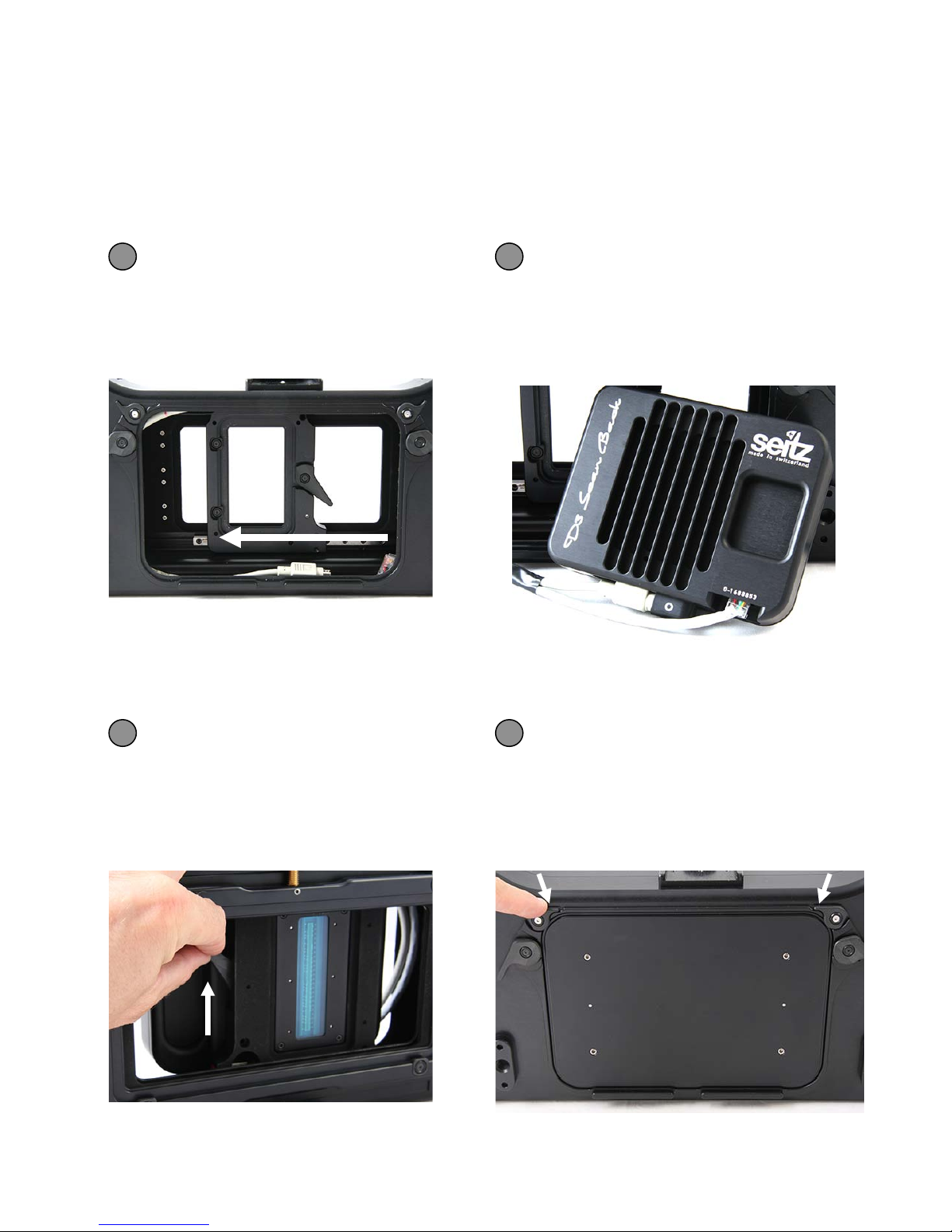
Slide the holder for the digital
scan back to the middle of the
camera body
Connect the ethernet and power
cables that are inside the camera
body with the digital scan back
1 2
2.1 Step 1: Get the camera ready (continued)
The Seitz 6x17 Digital camera is delivered fully assembled. When disassembled it can
be reassembled in the following way:
Insert the digital scan back into
the Seitz 6x17 Digital camera
body and attach it with the lever
Attach the loading gate and close it
with the loading gate brackets
3 4
Instruction Manual Seitz 6x17 Digital - version 4.05 -May 2013-© by Seitz Phototechnik AG / Switzerland www.roundshot.ch page 9
Questo manuale è adatto per i seguenti modelli
1
Indice
Altri manuali Seitz Macchina fotografica digitale