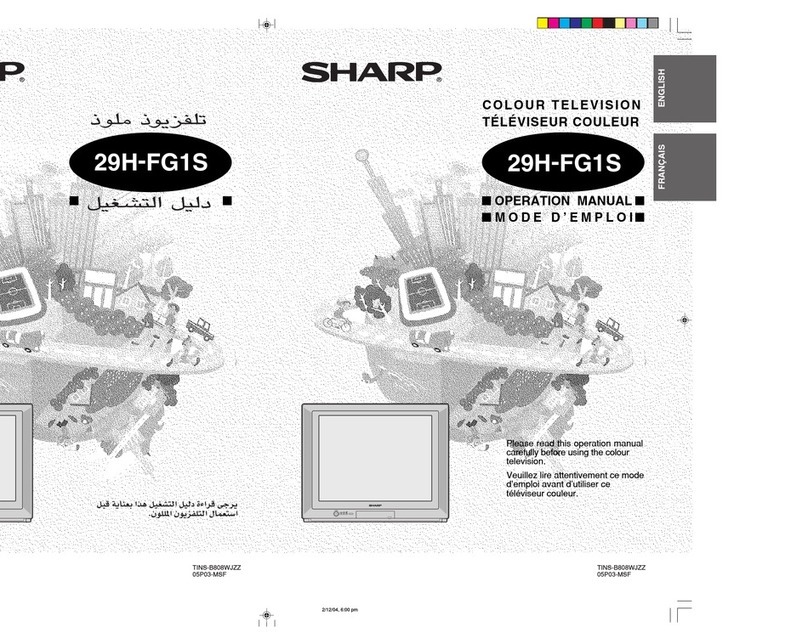
Sharp 21E-FG1S Manuale utente

ENGLISH
FRANÇAIS
TINS-B751WJZZ
05P02-MSF
TÉLÉVISEUR COULEUR
COLOUR TELEVISION
OPERATION MANUAL
MODE D’EMPLOI
Please read this operation manual
carefully before using the colour
television.
Veuillez lire attentivement ce mode
d’emploi avant d’utiliser ce
téléviseur couleur.
21E-FG1S
PULL-OPEN
TINS-B751WJZZ
05P02-MSF
21E-FG1S
PULL-OPEN

E 1
Contents
Preparation
Accessories ...................................................................................... 2
Easy setup ........................................................................................ 3
Safety precautions ............................................................................ 4
Part names ....................................................................................... 6
Installing batteries in the remote control unit .................................... 6
Watching TV
Watching a TV programme ............................................................... 8
Operating the TV buttons .................................................................. 9
Useful features
Channel/Timer display .................................................................... 10
Mute ............................................................................................... 10
Channel recall ................................................................................ 11
TV/Video selection ......................................................................... 11
Selecting menu items
Selecting a menu item .................................................................... 12
Settings and adjustments
On-screen display language selection ............................................ 13
Auto channel tuning ........................................................................ 14
Manual channel tuning ................................................................... 15
Channel setting .............................................................................. 16
Picture adjustment .......................................................................... 17
Sound adjustment .......................................................................... 18
Surround sound .............................................................................. 19
Blue screen .................................................................................... 20
Off timer .......................................................................................... 21
On timer .......................................................................................... 22
Reminder on-screen timer .............................................................. 23
Connections
Connecting to a DVD player ........................................................... 24
Watching DVD Playback ................................................................. 24
Connecting to an antenna .............................................................. 25
Connecting to an antenna via a VCR ............................................. 25
Connecting to video equipment ...................................................... 26
Troubleshooting
Troubleshooting .............................................................................. 27
Specifications
Specifications ................................................................................. 28

E 2
Dimension: 176 x 250 mm
FLE (M) Sdn. Bhd
21E-FG1S_01-06E
ENGLISH
Dear SHARP Customer
Thank you for buying SHARP's Colour
Television. We hope you will have many
years of enjoyment from this television
set. To ensure proper operation, please
read this manual carefully, and keep it in
a safe place for future reference.
Remote control Size-AA batteries Operation manual
The following accessories are included with this television.
Accessories
TINS-B751WJZZ
05P02-MSF
21E-FG1S
ENGLISH
FRANÇAIS
PULL-OPEN
21E-FG1S_01-06E 9/12/04, 5:34 pm2
Downloaded from: http://www.usersmanualguide.com/

E 3
Dimension: 176 x 250 mm
FLE (M) Sdn. Bhd
21E-FG1S_01-06E
Easy setup
To use your TV set, perform the easy setup procedure below.
The mark indicates the page numbers with more detailed information.
Connect the antenna.
• See
25
to connect the antenna.
Connect any video equipment.
• See
25
,
26
to connect video equipment.
• See the operation manual of your video equipment when
connecting to the TV set.
Insert the batteries into the remote
control.
• Use the two batteries included with the TV.
• See
6
.
Insert the AC plug to the power outlet.
• If you will not use the TV set for a considerable length of
time, as a safety precaution, unplug the cord from the
outlet.
Tune the channels.
• Use the buttons on the TV.
• See
14
,
15
.
21E-FG1S_01-06E 9/12/04, 5:34 pm3
Downloaded from: http://www.usersmanualguide.com/

E 4
Dimension: 176 x 250 mm
FLE (M) Sdn. Bhd
21E-FG1S_01-06E
ENGLISH
Safety precautions
Damage
Turn off the power and unplug the power cord from the wall
outlet immediately if the TV set begins to make any unusual
noises or gives off smoke or an unusual smell. Then call your
dealer for service.
Servicing
To reduce the risk of electric shock, do not remove the back of
the cabinet. This TV set contains dangerous voltage.
Unstable surface and shocks
Do not place this TV set on an unstable cart, stand, shelf, or
table. The TV set may fall, causing serious injury to a child or
adult, and serious damage to the set.
Sharp recommends securing the TV set to a stable surface or
wall to prevent the set from falling due to sudden shocks or
impact.
Water
To prevent fire or electrical shock, do not place the TV set near a
bathroom, swimming pool or other area where it may become wet.
Moisture
To prevent electrical shock, do not use the TV set in an
excessively damp place.
Power-cord protection
To prevent electrical shock, do not subject the AC power cord to
damage by bending or twisting it, or by placing heavy items on
top of it and do not place the AC power cord under the TV set. If
the AC power cord becomes damaged, unplug it from the wall
outlet immediately and call your dealer for service.
21E-FG1S_01-06E 9/12/04, 5:34 pm4
Downloaded from: http://www.usersmanualguide.com/

E 5
Dimension: 176 x 250 mm
FLE (M) Sdn. Bhd
21E-FG1S_01-06E
Safety precautions
Liquid entry
Do not place a flower vase or anything else containing liquid on
the TV set, as liquid spilt on the TV set can cause electrical
shock or failure.
Object entry
Never insert or drop any metallic or inflammable objects into the
ventilation openings of the TV set, as this can cause fire,
electrical shock, or electrical failure.
Ventilation
Do not place this TV set in a confined area, such as on a
bookshelf or in a built-in case. Leave adequate space behind the
TV for proper ventilation.
TV Set position
Do place the TV set onto an even stand, table or track which size
is bigger than the TV set.
If the TV set is put onto a smaller size or uneven stand, table or
track may cause the TV cabinet distort.
Do not put or insert anything between TV set and the stand, table
or track.
Uneven surface and excessive force
Television equipment and cart combination should be moved
with care. Quick stops, excessive force, and uneven surfaces
may cause the equipment and cart combination to overturn.
Fire prevention
To prevent fire, never place any type of candle or naked flames
on the top or near the TV set.
21E-FG1S_01-06E 9/12/04, 5:34 pm5
Downloaded from: http://www.usersmanualguide.com/

E 6
Dimension: 176 x 250 mm
FLE (M) Sdn. Bhd
21E-FG1S_01-06E
ENGLISH
Part names
• Be sure to match the battery j/kterminals with the j/kmarks inside the compartment.
• Remove the batteries if weak or if the unit is not in use for long periods.
• Do not mix old and new batteries.
• Incorrect installation of the batteries may damage the remote control.
With your thumbnail, pull
up at the slit to open the
battery cover.
Insert two batteries
(size AA).
Replace the battery cover.
Installing batteries in the remote control unit
Remote control
The mark indicates the page numbers with more detailed information.
TV/VIDEO
TV
0
SURROUND
LANGUAGE
NORMAL
MENU
1
4
7
2
5
8
3
6
9
CH
CH
8
11
19
10
10
13
11
8
17
12
8
8
8
Infrared transmitter window
Aim this window at the infrared
sensor window on your TV set.
Turns the TV on or to
Standby mode.
Returns to previously viewed
channel.
Adjusts the volume.
Used for MENU setup.
/
Mutes the sound and restores
sound to previous level.
Produces a more spacious sound.
Changes the on-screen
display language.
LANGUAGE
Number buttons
Switches between TV broadcasts
and A/V input programmes.
TV/VIDEO
Switches between one- or two-digit
mode channel selection.
Selects the channel.
Used for MENU setup.
CH
CH /
Calls the MENU screen.
MENU
Resets all settings.
NORMAL
Displays the channel and timer
settings on the screen.
SURROUND
21E-FG1S_01-06E 9/12/04, 5:34 pm6
Downloaded from: http://www.usersmanualguide.com/

E 7
Dimension: 176 x 250 mm
FLE (M) Sdn. Bhd
21E-FG1S_07-11E
PULL-OPEN
TV front
Behind the door
Power indicator
Power can be turned on by
the remote control when the
indicator is dimly.
Infrared sensor window
Receives the infrared wave
from the remote control.
8
6
POWER
POWER switch
Turns on and off the main power.
8
8
Channel up/down buttons
Selects the channels.
Tunes or sets the channels.
CH
CH /
Headphone jack
Use to listen to the
audio with headphone.
9
Audio input terminals
(AV-2)
Connects to a camcorder,
video game, etc.
26
Video input terminal (AV-2)
Connects to a camcorder,
video game, etc.
26
MENU/PRESET button
Tunes the channels.
Used for MENU setup.
12
MENU/PRESET
Volume up/down buttons
Adjusts the volume.
Makes adjustments in PRESET.
8
/
TV set
• When using headphone, see
9
.
Part names
21E-FG1S_07-11E 29/12/04, 9:24 am7
Downloaded from: http://www.usersmanualguide.com/

E 8
Dimension: 176 x 250 mm
FLE (M) Sdn. Bhd
21E-FG1S_07-11E
ENGLISH
Watching TV
1Turn on power.
• When the power indicator is off, press
POWER
.
• When the power indicator lights up dimly, press on the remote
control. The power indicator changes to bright and a picture appears.
Power indicator
POWER
TV Set
With CH / CH
• Press
CH
and channels change as shown below.
1 /2 / ... /98 /99 /AV1 (or COMPONENT) /AV2 /0 /1 /2 ...
• Press
CH
and channels change as shown below.
1 /0 /AV2 /AV1 (or COMPONENT) /99 /98 /... /2 /1 /0 ...
VOLUME 10
3Adjust volume using /
.
• The number of oval blocks “ ”
indicates the volume level.
The volume bar disappears
approximately three seconds after
the volume has been adjusted.
2Select channel.
With the number buttons (on remote control)
• To select a one-digit channel, such as 5, press
5
.
If “5-” is indicated, press to select one-digit input, and then
press
5
again.
• To select a two-digit channel, such as 15, press to select
the two-digit input. Press
1
, and then press
5
.
--
1-
15
PAL
B/G
• When the power indicator lights up dimly, either
CH
/
CH
on the TV can be pressed to turn on
the power.
• The channel number is displayed in green for channels tuned by auto tuning and displayed in yellow for
channels tuned using fine tuning.
• When the power indicator lights up dimly, the TV is in Standby mode and power is still supplied to the
TV. If you will not watch TV for a while, turn off the main power by pressing
POWER
on the TV set. Also,
if you will not be at home for a considerable length of time, unplug the cord from the outlet.
• The AV1 (or COMPONENT), AV2 input channels cannot be selected using
CH
/
CH
on the
remote control. Use
TV/VIDEO
to select these channel.
• Channels that have been skipped cannot be selected. See
16
.
• The on-screen displays in this manual may differ from their actual appearance.
CH
CH
Behind the door
Watching a TV programme
Simple operations for watching a TV programme
TV/VIDEO
TV
0
4
7
2
5
8
3
6
9
CH
CH
SURROUND
LANGUAGE
NORMAL
MENU
1
CH
CH
1
5
21E-FG1S_07-11E 29/12/04, 9:24 am8
Downloaded from: http://www.usersmanualguide.com/

E 9
Dimension: 176 x 250 mm
FLE (M) Sdn. Bhd
21E-FG1S_07-11E
• Select an appropriate volume so as not to injure your hearing.
• To avoid injuring your hearing, do not put on the headphone before plugging them into the headphone
jack and before the power is turned on.
• The proper impedance for the headphone is 32 ohms.
• Remove the headphone plug from the jack when not using the headphone.
Operating the TV buttons
Simple operation of the TV set
Using /
Press to increase volume.
Press to decrease volume.
CH
CH
VOLUME 10
5
PAL
B/G
Using
CH
/
CH
Press CH to increase channel
number.
Press CH to decrease channel
number.
Using headphone
Insert headphone plug into headphone jack to listen to audio with
headphone.
• The audio from the speakers is turned off.
Behind the door
Behind the door
Watching TV
21E-FG1S_07-11E 29/12/04, 9:24 am9
Downloaded from: http://www.usersmanualguide.com/
Altri manuali per 21E-FG1S
1
Indice
Altri manuali Sharp TV

Sharp
Sharp BI2EA Manuale utente

Sharp
Sharp Aquos LC-20S4E Manuale utente

Sharp
Sharp 37GQ-20H Manuale utente

Sharp
Sharp 20A1-RU Manuale utente

Sharp
Sharp 37GQ-20FP Manuale utente

Sharp
Sharp LC-26BD1 Manuale utente

Sharp
Sharp 19J-M100 Manuale utente

Sharp
Sharp CX34K3 Manuale utente

Sharp
Sharp CX68K5 Manuale utente

Sharp
Sharp 28LF-96EC Manuale utente

Sharp
Sharp SX66NF100 Manuale utente

Sharp
Sharp 8C221 Manuale utente

Sharp
Sharp 72FF-57E Manuale utente

Sharp
Sharp LC-13B6US Manuale utente

Sharp
Sharp CX68RF5 Manuale utente

Sharp
Sharp LC-13S1H Manuale utente

Sharp
Sharp Aquos Manuale utente

Sharp
Sharp 21B-FX8 Manuale utente

Sharp
Sharp 27SC260 Manuale utente

Sharp
Sharp 28LF-92H Manuale utente