EAN-HDMI-Input
© SightLine Applications, Inc. 7
7Camera Connection and Configuration Notes
See camera configuration tables for the complete list of supported cameras and configuration
settings.
IMPORTANT: Save parameters and reset the board when changing parameters. Cycle system
power when changing resolution.
If the video does not display, try saving and activating the settings again. Check the encoding
settings on the Compress tab and review the network addresses for the destination video.
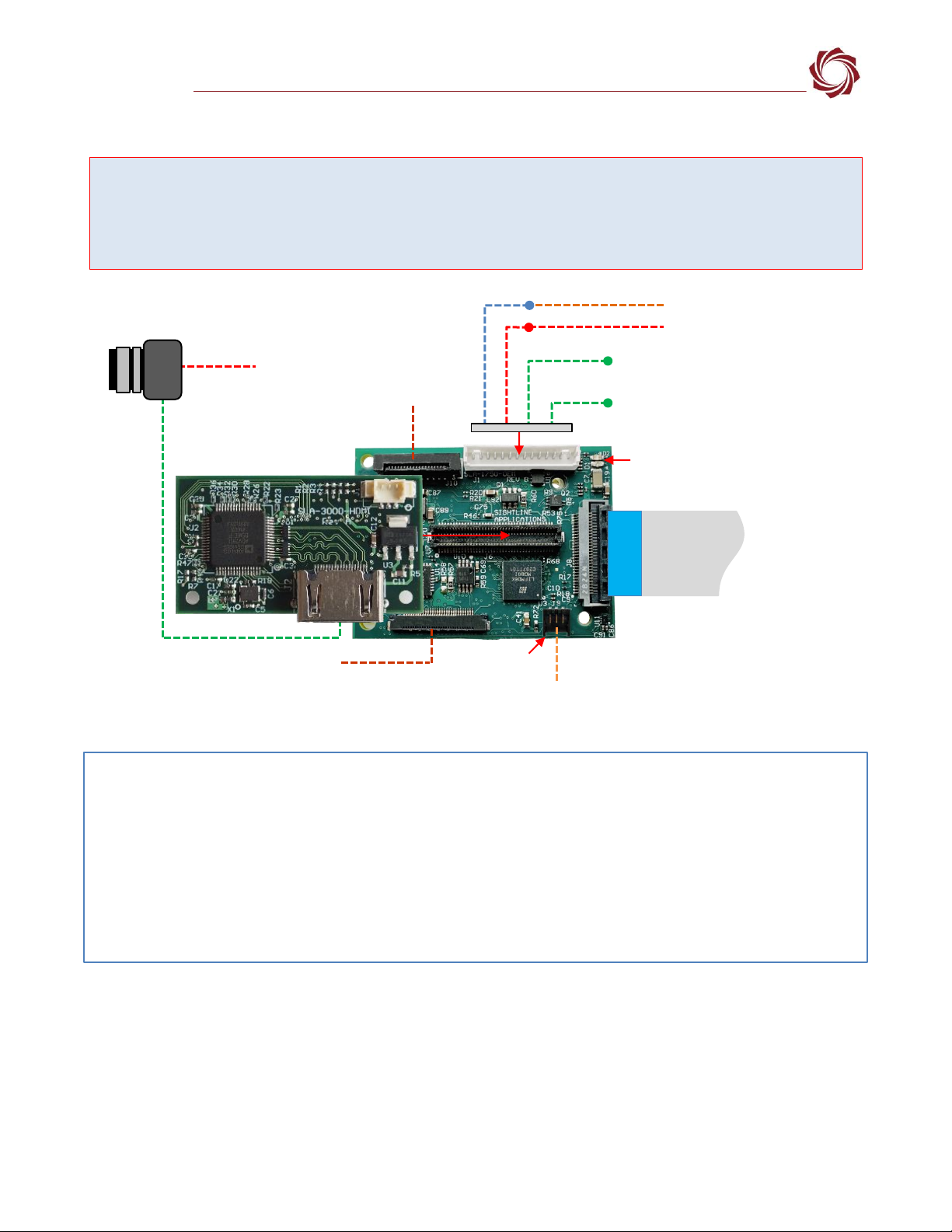
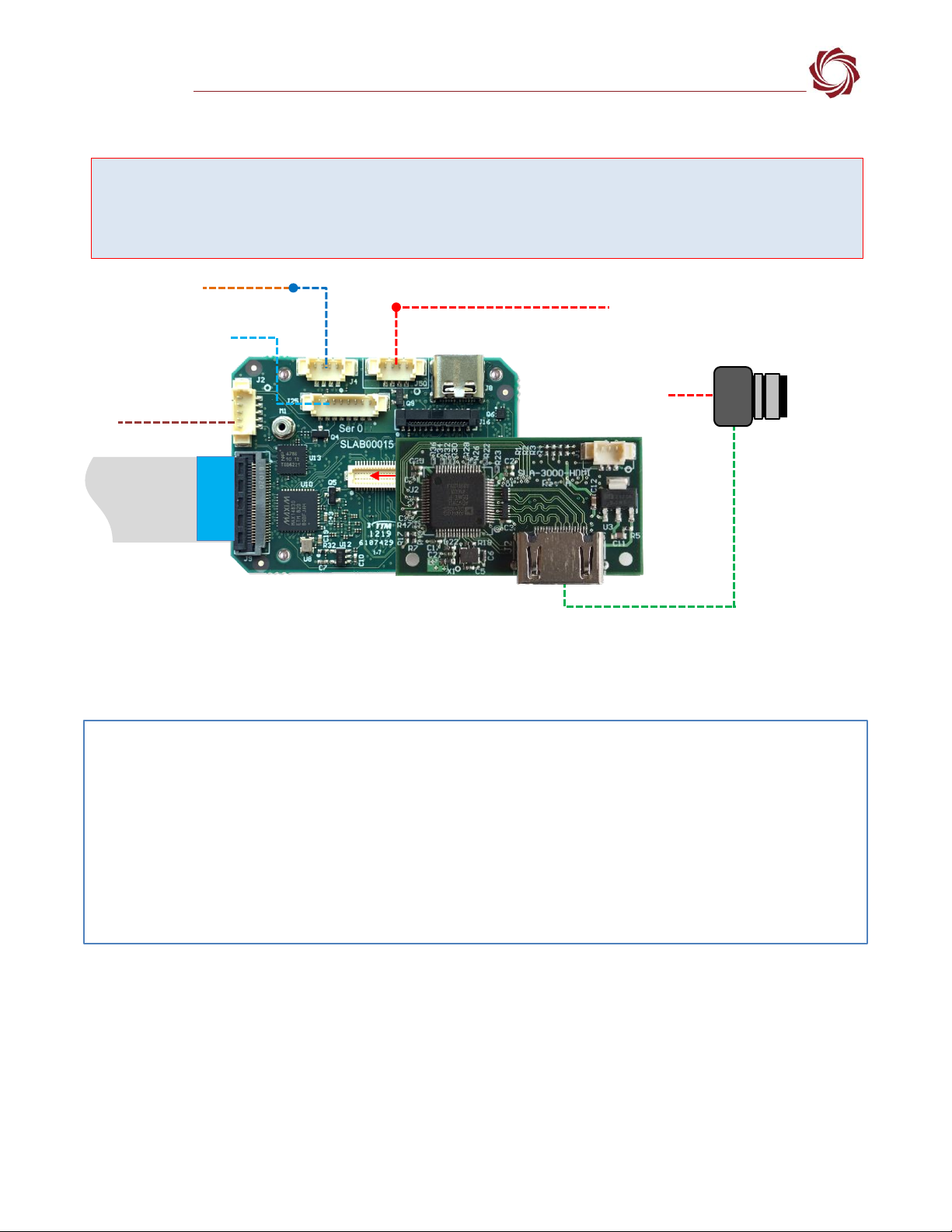
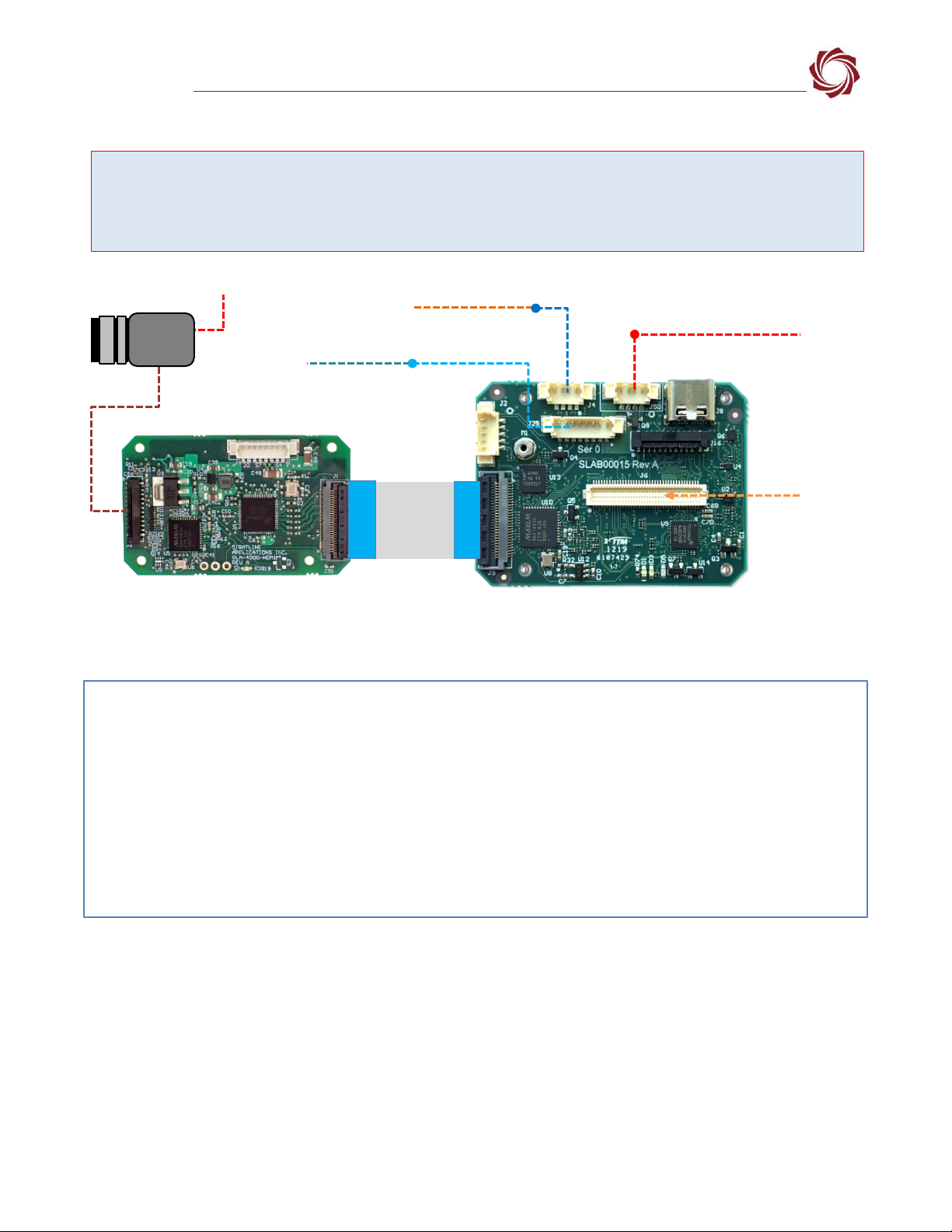
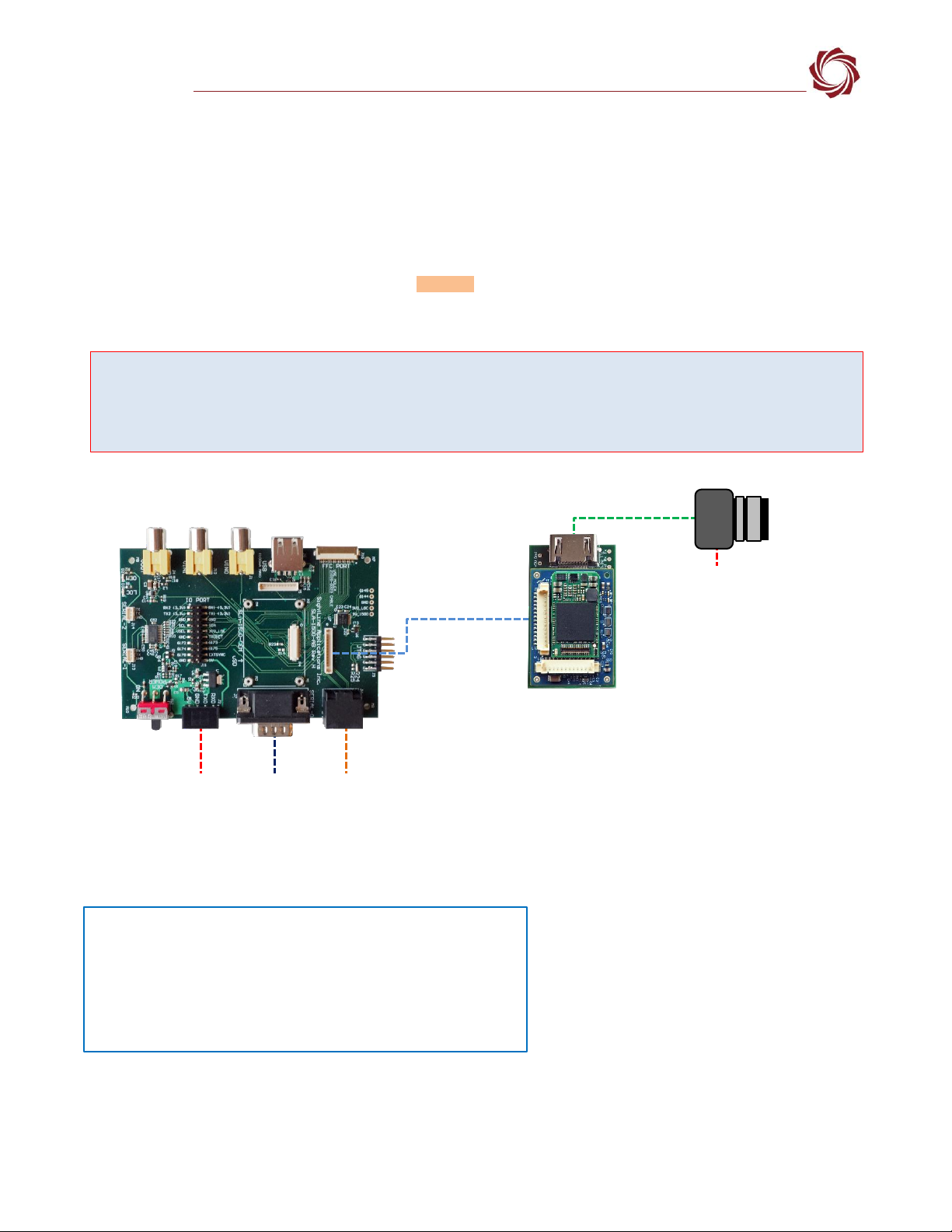
The 4K HDMI camera attached to the SLA-4000-HDMI is only available as CAM 1.
See EAN-Digital Video Configuration for supported HDMI input frame sizes and frame rates.
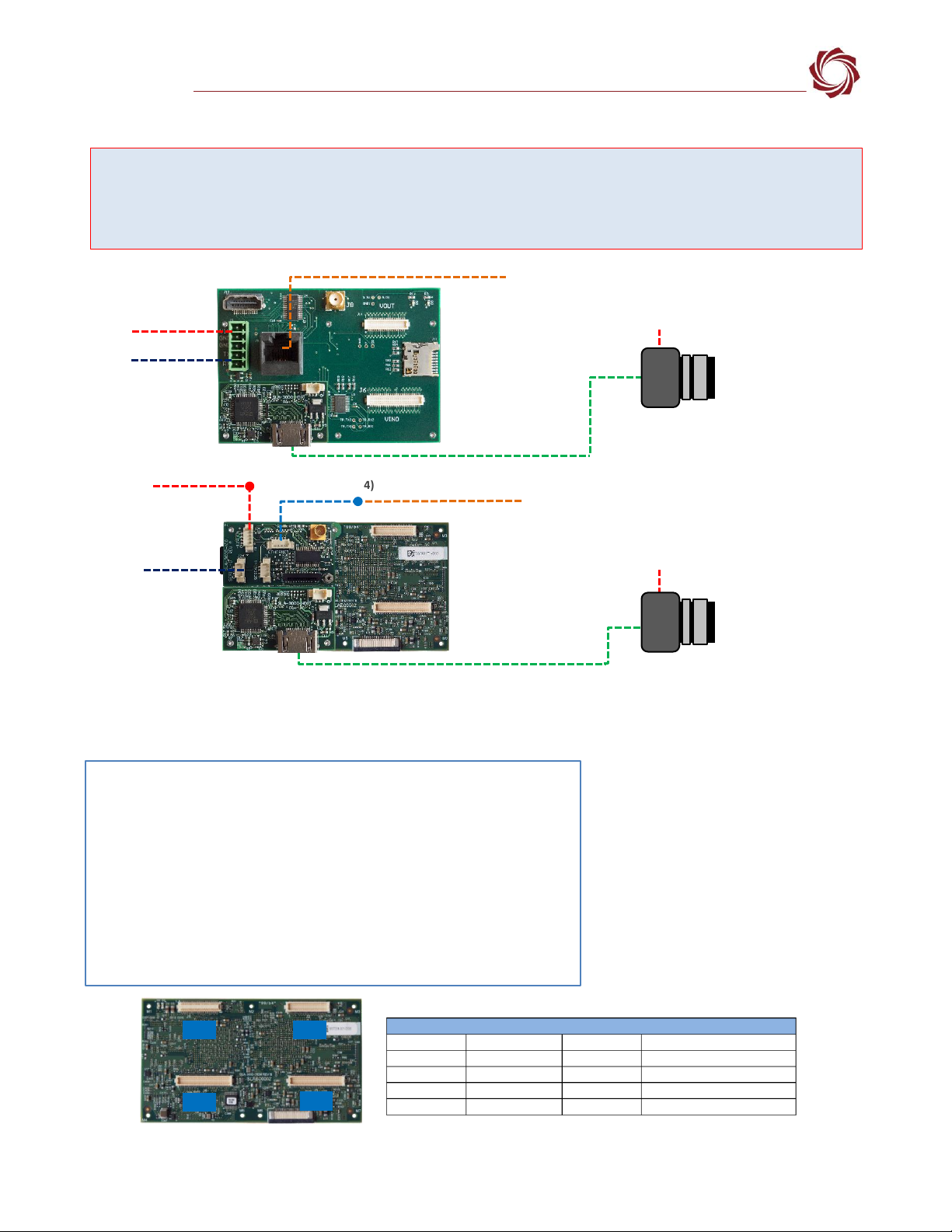
The HDMI input boards allow acquisition of HDMI video. Acquisition parameters are set up in the Panel
Plus application. Settings include 720P/1080P resolution and frame step. The SLA-4000-HDMI board
supports 4K resolutions.
At power up, the HDMI board reads the acquisition parameters and generates EDID data
corresponding to the user specified resolution. If the user selects 720P, the EDID data only contains
720P. If the user selects 1080P, the EDID data only contains 1080P. The board programs the HDMI
receiver chip with the corresponding EDID data.
There is no flash memory on the HDMI receiver chip. The EDID data is only programmed and available
after the board has fully booted. Booting can take 20 to 30 seconds from power up.
The HDMI HPD signal is a Hot Plug Detect (HPD). This tells the HDMI source (the camera) that it has
been plugged into an HDMI sink (monitor) and that the source can read EDID data from the sink. Both
HDMI boards have pull-ups to pull this line high.
When the HDMI boards program the EDID data into the HDMI receiver, they automatically pull the
HPD line low when starting to program the EDID, and then release it to high once the EDID data is valid.
This lets the HDMI source (camera) know that the EDID has been programmed and that it should
reconnect to the sink.
The HDMI board receives video with the resolution set up in the Acquisition Settings dialog window of
Panel Plus. It does not require that the EDID data be read, only that correct resolution HDMI video is
sent to the receiver chip.
The HDMI camera may do one of the following:
•If the camera is set in automatic mode and supports the resolution in the EDID data, it can send
video at the requested resolution.
•If the camera is in manual mode, it will remain in 720p or 1080p mode. If this mode does not match
the settings in the Acquisition Settings dialog window in Panel Plus, then no video will display or the
video will be misaligned.
•If the camera does not support the requested resolution in the EDID data, it can output a different
resolution.