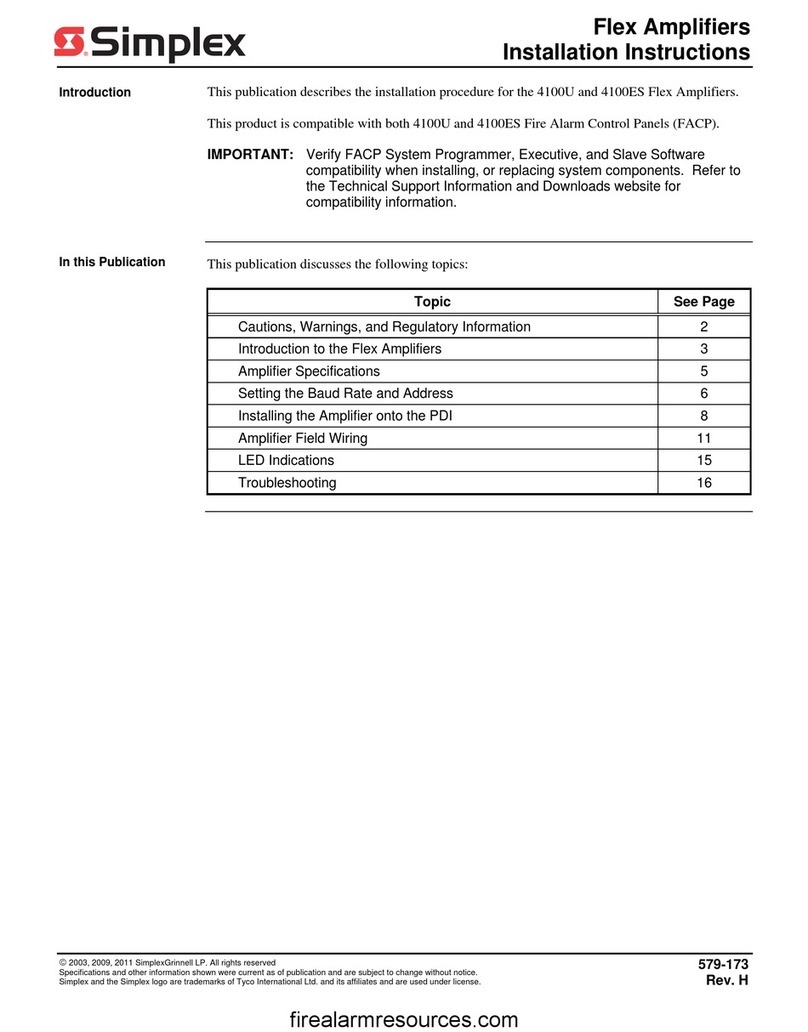
Simplex Flex Manuale utente

Cautions, Warnings, and Regulatory Information
READ AND SAVE THESE INSTRUCTIONS Follow the instructions in this installation manual. These instructions must be followed to avoid damage to
this product and associated equipment. Product operation and reliability depend upon proper installation.
DO NOT INSTALL ANY SIMPLEX™ PRODUCT THAT APPEARS DAMAGED Upon unpacking your Simplex product, inspect the contents
of the carton for shipping damage. If damage is apparent, immediately file a claim with the carrier and notify an authorized Simplex
product supplier.
ELECTRICAL HAZARD Disconnect electrical field power when making any internal adjustments or repairs. All repairs should be
performed by a representative or an authorized agent of your local Simplex product supplier.
STATIC HAZARD Static electricity can damage components. Handle as follows:
• Ground yourself before opening or installing components.
• Prior to installation, keep components wrapped in anti-static material at all times.
EYE SAFETY HAZARD Under certain fibreoptic application conditions, the optical output of this device may exceed eye safety limits. Do
not use magnification (such as a microscope or other focusing equipment) when viewing the output of this device.
FCC RULES AND REGULATIONS – PART 15. This equipment has been tested and found to comply with the limits for a Class A digital device,
pursuant to Part 15 of the FCC Rules. These limits are designed to provide reasonable protection against harmful interference when the equipment
is operated in a commercial environment. This equipment generates, uses, and can radiate radio frequency energy and, if not installed and used in
accordance with the instruction manual, may cause harmful interference to radio communications. Operation of this equipment in a residential area is
likely to cause harmful interference in which case the user will be required to correct the interference at his own expense.
SYSTEM REACCEPTANCE TEST AFTER SOFTWARE CHANGES To ensure proper system operation, this product must be tested in accordance with
NFPA72® after any programming operation or change in site-specific software. Reacceptance testing is required after any change, addition or deletion
of system components, or after any modification, repair or adjustment to system hardware or wiring.
All components, circuits, system operations, or software functions known to be affected by a change must be 100% tested. In addition, to ensure that
other operations are not inadvertently affected, at least 10% of initiating devices that are not directly affected by the change, up to a maximum of 50
devices, must also be tested and proper system operation verified.
NFPA 72® is a registered trademark of the National Fire Protection Association.
Introduction
This publication describes the installation procedure for the 4100U and 4100ES Flex Amplifiers. This product is compatible with both 4100U and
4100ES Fire Alarm Control Panels (FACP).
Important: Verify FACP System Programmer, Executive, and Slave Software compatibility when installing, or replacing system components. Refer to
the Technical Support Information and Downloads website for compatibility information.
579-173 Rev. Q
Flex Amplifiers Installation Instructions
*0579173Q*

Introduction to Flex amplifiers
Overview
The Flex amplifiers provide audio signals to system speaker circuits. The Flex Amplifier is offered in two versions, the Flex-35 and the Flex-50.
Functionally, both amplifiers behave identically but the Flex-50 is capable of supplying an additional 15W of power over the 35W version. The maximum
available output from the Flex-50 and Flex-35 is 50W and 35W, respectively. The load may be configured in any way so long as the maximum power
output limit is not exceeded. Both amplifiers provide dual-channel capability with internal backup functionality. (All Flex Amplifiers described in this
publication are listed in the next two sections.)
Flex Amplifiers not compatible with CSNAC Option
Note: The following Product IDs or PIDs (example: 4100-1212 4100-1261) are not compatible with the Constant Supervision Notification Appliance
Circuit (CSNAC) option.
• 4100-1212/4100-1261 1261 Analog Flex-50/Flex-35 Amp (25 VRMS)
• 4100-1213/4100-1262 Analog Flex-50/Flex-35 Amp (70 VRMS)
• 4100-1226/4100-1263 Digital Flex-50/Flex-35 Amp (25 VRMS)
• 4100-1227/4100-1264 Digital Flex-50/Flex-35 Amp (70 VRMS)
Figure 1: Flex Amplifier without CSNAC Compatibility
For LED descriptions, see the “LED Indications” section at the end of this document.
Flex Amplifiers Compatible with CSNAC Option
Note: The following PIDs (example: 4100-1312/ 4100-1361) are compatible with all options (including the CSNAC option) and 4100U Master Firmware
Revision 11.08 or later.
• 4100-1312/4100-1361 Analog Flex-50/Flex-35 Amp (25 VRMS)
• 4100-1313/4100-1362 Analog Flex-50/Flex-35 Amp (70 VRMS)
• 4100-1326/4100-1363 Digital Flex-50/Flex-35 Amp (25 VRMS)
• 4100-1327/4100-1364 Digital Flex-50/Flex-35 Amp (70 VRMS)
page 2 579-173 Rev. Q
Flex Amplifiers Installation Instructions

Figure 2: Flex Amplifier with CSNAC Compatibilty
For LED descriptions, see the "LED Indications" section at the end of this document.
page 3 579-173 Rev. Q
Flex Amplifiers Installation Instructions

Amplifier Specifications
Specifications
The specifications below apply to both analog and digital amplifiers.
Supply voltage: 19.7-31.1 VDC
Output voltage: 25 VRMS or 70.7 VRMS
Maximum output power: Flex-35 = 35 W; Flex-50 = 50 W
Flex-50
Alarm state: 5.55 A (signal) 74 mA (card)
Supervision state: 351 mA (signal) 74 mA (card)
Low power state (NACs in supervision, no power to
power stage):
0 A (signal) 85 mA (card)
Flex-35
Alarm state: 4.00 A (signal) 74 mA (card)
Supervision state: 351 mA (signal) 74 mA (card)
Low power state (NACs in supervision, no power to
power stage):
0 A (signal) 85 mA (card)
The equipment operates normally with ambient temperatures outside the cabinet from 32 °C to 120 °F (0 °C to 49 °C), inclusive.
The equipment operates normally under non-condensing humidity conditions up to 93% relative humidity at 90 °F (32 °C).
Setting the Baud Rate and Address
Overview
This section describes how to configure the amplifier’s baud rate and address using DIP switch SW1. Configuration is the same for analog and digital
amplifiers.
Using DIP Switch SW1
The device baud rate and address is set via DIP switch SW1, which is a bank of eight switches. From left to right (see Figure 3) these switches are
designated as SW1-1 through SW1-8. The function of these switches is as follows:
• SW1-1. This switch sets the baud rate for the internal communications line running between the card and the CPU. Set this switch to ON.
• SW1-2 through SW1-8. These switches set the card’s address within the FACP. Refer to Figure 4 for a complete list of the switch settings for all
of the possible card addresses.
Note:
• You must set these switches to the value assigned to the card by the Programmer.
• The SW1 setting applies to audio controller slaves, including audio input cards.
Figure 3: DIP Switch SW1
page 4 579-173 Rev. Q
Flex Amplifiers Installation Instructions

Figure 4: Card Addresses
page 5 579-173 Rev. Q
Flex Amplifiers Installation Instructions

Installing the Amplifier onto the PDI
Overview
The Flex amplifier assembly mounts on the PDI in an expansion bay. Up to two Flex Amplifiers may receive power from an ES Power Supply (XPS in
legacy systems). If two Flex Amplifiers receive power from one ES-PS, then the ES-PS is solely dedicated to providing power for the Flex Amplifiers and
cannot be used for supplying any other modules or I/O wiring off of the ES-PS I/O terminals.
If the ES-PS is providing power for one Flex Amplifier, see Figure 5 for mounting placement. If the ES-PS is providing power for two Flex Amplifiers, see
Figure 6 for mounting placement.
ES Power
Supply
(ES-PS)
Figure 5: Mounting Placement (One Flex Amplifier)
Block A Block C Slots 5 & 6 Slots 7 & 8
Flex Amp
Expansion
Power
Supply
(XPS)
Space
Not
Available
Flex Amp
I/O Wiring I/O Wiring I/O Wiring
Block B Block D
ES Power
Supply
(ES-PS)
Figure 6: Mounting Placement (Two Flex Amplifiers)
Mounting
page 6 579-173 Rev. Q
Flex Amplifiers Installation Instructions

Lower the amplifier into the bay by placing the two tabs on the back of the amplifier assembly into the two slots on the bottom of the bay. Then, use
the connector on the backside of the Flex module to connect to the PDI as shown in Figure 7 below.
Figure 7: Mounting onto the Power Distribution Interface
page 7 579-173 Rev. Q
Flex Amplifiers Installation Instructions

Amplifier Field Wiring
Overview
This section contains field wiring guidelines and illustrations for the amplifiers. These diagrams apply to both the Flex-35 and Flex-50. Wiring of optional
NAC Expansion, Class A, and Constant Supervision NAC (CSNAC) modules is also covered in this section, as well as speaker circuit wiring distances.
Since the Flex amplifiers allow self-backing operation, no wiring is required for configuring an amplifier for backup operation.
Note: TrueAlert ES speaker appliances have a maximum wire length. Refer to the Speaker Wiring Application. Guidelines in the ES Power Supply IDNAC
Card Installation Instructions, 579-1289 (for legacy EPS installations, see 579-1015 )
Note: “Applied Power” is the total amplifier power available to the speaker circuit. Applied power is consumed by speakers and wiring losses. “Actual
Power” is the speaker power available over the maximum distances designated for each wire size. Complying with the wire sizes and associated
distances specified will ensure no more than a 3dB wiring power loss to the end of the speaker circuit.
Table 1: Class A Speaker Circuit Wiring Distances for Flex Amplifiers*
Power (Watts) Distance to the Last Speaker (One Way) (Feet/Meters)VRMS
Applied Actual 12 AWG
(3.309 mm2)
14 AWG
(2.081 mm2)
16 AWG
(1.309 mm2)
18 AWG
(0.8231 mm2)
25 50 25 812 ft. (247 m) 510 ft. (155 m) 340 ft. (104 m) 200 ft. (61 m)
25 40 20 1,015 ft. (309 m) 640 ft. (195 m) 402 ft. (123 m) 252 ft. (77 m)
25 30 15 1,350 ft. (411 m) 850 ft. (259 m) 535 ft. (163 m) 337 ft. (103 m)
25 20 10 2,035 ft. (620 m) 1,250 ft. (381 m) 804 ft. (245 m) 505 ft. (154 m)
25 10 5 4,070 ft. (1,241 m) 2,600 ft. (792 m) 1,600 ft. (488 m) 1,012 ft. (308 m)
70 50 25 6,500 ft. (1,981 m) 4,096 ft. (1,248 m) 2,578 ft. (786 m) 1,620 ft. (494 m)
70 40 20 8,121 ft. (2,475 m) 5,108 ft. (1,557 m) 3,212 ft. (979 m) 2,020 ft. (616 m)
70 30 15 10,860 ft. (3,310 m) 6,800 ft. (2,073 m) 4,270 ft. (1,301 m) 2,689 ft. (820 m)
70 20 10 16,212 ft. (4,941 m) 10,190 ft. (3,106 m) 6,400 ft. (1,951 m) 4,030 ft. (1,228 m)
70 10 5 32,400 ft. (9,876 m) 20,000 ft. (6,096 m) 12,500 ft. (3,810 m) 8,000 ft. (2,438 m)
Table 2: Class B Speaker Circuit Wiring Distances for Flex Amplifiers*
Power (Watts) Distance to the Last Speaker (One Way) (Feet/Meters)VRMS
Applied Actual 12 AWG
(3.309 mm2)
14 AWG
(2.081 mm2)
16 AWG
(1.309 mm2)
18 AWG
(0.8231 mm2)
25 50 25 1,624 ft. (495 m) 1,021 ft. (311 m) 680 ft. (207 m) 400 ft. (122 m)
25 40 20 2,033 ft. (620 m) 1,279 ft. (390 m) 804 ft. (245 m) 505 ft. (154 m)
25 30 15 2,707 ft. (825 m) 1,704 ft. (519 m) 1,070 ft. (326 m) 673 ft. (205 m)
25 20 10 4,067 ft. (1,240 m) 2,558 ft. (780 m) 1,608 ft. (490 m) 1,011 ft. (308 m)
25 10 5 8,140 ft. (2,481 m) 5,120 ft. (1,561 m) 3,219 ft. (981 m) 2,024 ft. (617 m)
70 50 25 13,000 ft. (3,962 m) 8,197 ft. (2,498 m) 5,154 ft. (1,571 m) 3,241 ft. (988 m)
70 40 20 16,243 ft. (4,951 m) 10,216 ft. (3,114 m) 6,424 ft. (1,958 m) 4,040 ft. (1,231 m)
70 30 15 21,721 ft. (6,621 m) 13,602 ft. (4,146 m) 8,553 ft. (2,607 m) 5,379 ft. (1,640 m)
70 20 10 32,424 ft. (9,883 m) 20,394 ft. (6,216 m) 12,823 ft. (3,908 m) 8,065 ft. (2,458 m)
70 10 5 64,800 ft. (19,751 m) 40,000 ft. (12,192 m) 25,000 ft. (7,620 m) 16,000 ft. (4,877 m)
* Wiring distances affected by capacitance of speaker circuit wiring if using CSNAC. See notes Figure 10.
page 8 579-173 Rev. Q
Flex Amplifiers Installation Instructions

Class B Wiring
Note: For guidance regarding proper wiring practice when using TrueAlert ES speaker appliances, refer to the Speaker Wiring Application Guidelines in
the ES-Power supply IDNAC card installation instruction, 579-1289 (for legacy EPS installations, see 579-1015).
• Leave the 10 K, 1/2 W resistors (378-030; brown/black/orange) on the “B+” to “B-” terminals of unused circuits.
• All wiring is between 18 AWG (0.8231 mm2) and 12 AWG (3.309 mm2).
• Field wiring is supervised and power-limited.
• Total available Flex-50 power is 50 W (2A @ 25 VRMS, 0.707A @70.7 VRMS).
• Total available Flex-35 power is 35 W (1.4A @ 25VRMS, 0.5A @70.7 VRMS).
• NACs and power stages can be configured for any combination of circuits as long as the total output power does not exceed the maximum
specified rating.
Flex-35 Examples: 25 W to PS1 + 10 W to PS2, 0 W to PS1 + 35 W to PS2*
Flex-50 Examples: 25 W to PS1 + 25 W to PS2, 40 W to PS1 + 10 W to PS2
*This is an example of a self-backing configuration. PS1 is not loaded, but is saved for backup should PS2 fail.
Flex-35 Examples:
25 W to PS1 + 10 W to PS2
0 W to PS1 + 35 W to PS2*
Flex-50 Examples:
25 W to PS1 + 25 W to PS2
40 W to PS1 + 10 W to PS2
*This is an example of a self-backing configuration. PS1 is not loaded, but is saved for backup should PS2 fail.
Flex-35 Examples: 25 W to PS1 + 10 W to PS2, 0 W to PS1 + 35 W to PS2*
Flex-50 Examples: 25 W to PS1 + 25 W to PS2, 40 W to PS1 + 10 W to PS2
*This is an example of a self-backing configuration. PS1 is not loaded, but is saved for backup should PS2 fail.
• Terminal designations “+” and “-” are for the alarm state.
• Shields, when required, are normally connected to 0 V as shown. Alternate shield termination using Earth ground is provided on the amplifier
chassis.
page 9 579-173 Rev. Q
Flex Amplifiers Installation Instructions

B+ B- B+ B- B+ B-
SHLD SHLD
RED
RED
RED
BLACK
BLACK
BLACK
SHIELD- WHEN REQUIRED
LEAVE SHIELD AT THE END
OF LINE CAPPED BUT
UNCONNECTED
SHIELD
SHIELD
B+ B- SHLD B+ B- SHLD B+ B-
LED1 LED2 LED3NAC1 NAC2 NAC3
DIGITAL AUDIO DECODER MODULE
CLASS B EXPANDER
NAC1 NAC2 NAC3
NAC2 NAC3
SPEAKER
25/70.7 V
SPEAKER
25/70.7 V
NAC1 NAC2 NAC3
NAC2 NAC3
10K-1/2W E.O.L RESISTOR (733-894)
Figure 8: Class B Wiring
page 10 579-173 Rev. Q
Flex Amplifiers Installation Instructions
Indice
Altri manuali Simplex Amplificatore