
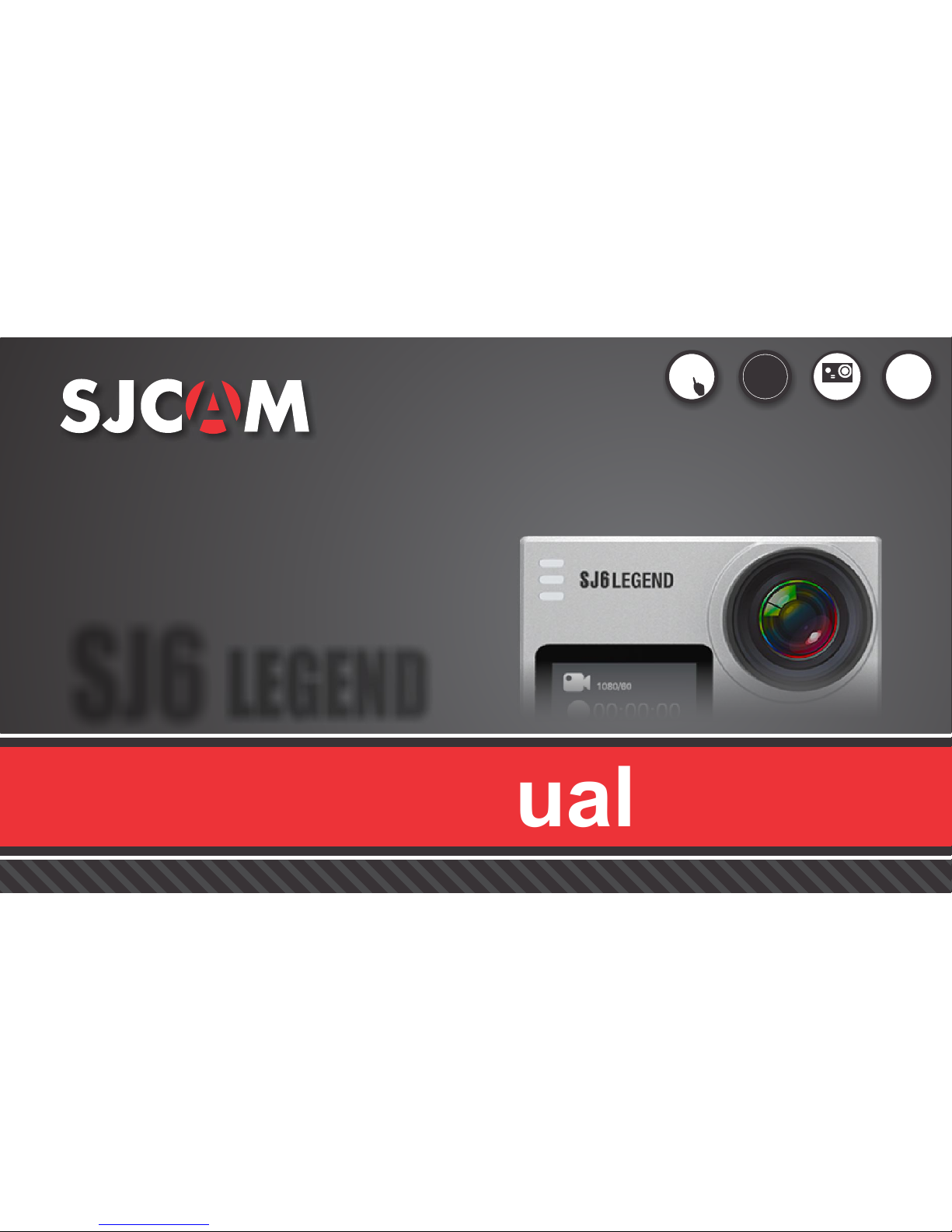
SJCAM SJ6Legend Manuale utente
ENGLISH
Firmware v1.4.6
Graphics, words, and layout: Troy Ferrer 2016 [email protected]
User’s Manual
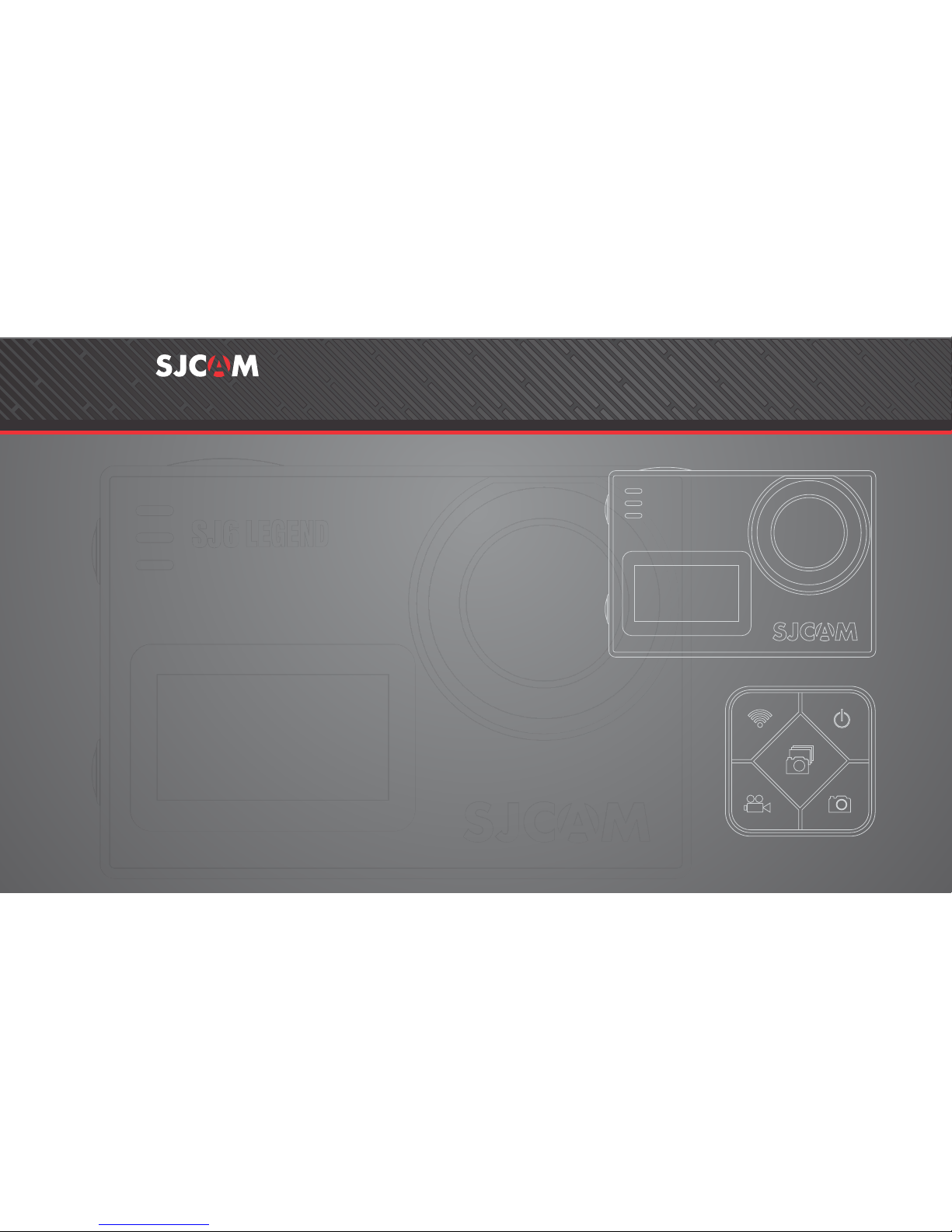
GYRO
ANTI-SHAKE
1 6 M P
2K
30 FPS
TOUCH
SCREEN
SJ6 SJ6 SJ6 LEGEND LEGEND LEGEND
We believe everyone has a dream. Our mission is to make you express yourself,
your vision and dreams in order to make them real, and share them with others.
In the last 10 years of experience in Research and Development and Commercialization,
we have gained world recognition from customers and retailers,
with the ambition to give people the possibility to create, explore and empower their dreams.
Having our own factory, controlling the whole production process, and a facility
with more than 500 employees, makes us more versatile and able to reach the market fast,
ensuring that the highest quality standards are met. It is all about dreams.
Dare to join the SJCAM Revolution.
-SJCAM CEO
INTRODUCTION
Congratulations on your new SJCAM Action Camera!
We know you’re excited to use your SJ6 LEGEND, please take time to read this
manual before doing anything with it. This is the very first touchscreen SJCAM, and there’s plenty
you can do, so you need to familiarize yourself with the features now to get the most out of it.
It is important to keep your camera’s firmware up to date. You may connect your camera via
WiFi to the SJCAM ZONE app to automatically download and install the latest firmware, or visit
www.sjcamhd.com/firmware.
1. This is a high-precision product. Do not drop.
2. Do not expose the unit to strong magnetic fields, such as magnets, electrical motors,
and machinery that use strong radio waves.
3. Never leave the unit in high temperature areas. Electronics and optics can be damaged
under prolonged exposure to heat.
4. Do not submerge the camera without putting it in the included waterproof case.
5. Avoid extended periods of battery charging. Keep it away from children and pets while
charging to avoid accidents.
All graphics, words, and layout by Troy Ferrer 2016 [email protected]
CAUTION!
Model: SJ6 LEGEND
Type: Sports Camera
Type of Camera: 4K (interpolated)
Chipset: LEGEND: Novatek 96660
Sensor: CMOS
Max External Card Supported: Micro SD 128G (not included)
Screen size: 2.0inch
Screen type: LTPS
Battery Type: Removable
Capacity: 1000mAh
Average Working Time: 110 minutes
166 degree wide angle lens
Decode Format: H.264
Video format: MOV,MP4
Video Resolution: 1080P(30fps),1080P(60fps),2K (30fps),4K (24fps),
720P (120fps),720P (30fps),720P (60fps),VGA (240fps)
Video Frame Rate: 120fps,25fps,30FPS,60FPS
Image Format : JPEG
Audio System: Built-in microphone/speaker
WIFI: Yes
Gravity sensor: Yes
Language: Czech,Danish,English,French,German,Hungarian,Italian,Japanese,Korean,
Polski,Portuguese,Romanian,Russian,Simplified Chinese,Slovak,Spanish,Traditional Chinese
50Hz,60Hz
Product size (L x W x H): 5.90 x 4.10 x 2.11 cm / 2.32 x 1.61 x 0.83 inches
Package size (L x W x H): 25.00 x 13.10 x 6.40 cm / 9.9 x 5.2 x 2.5 inches
Product weight: 0.082 kg
Package weight: 0.700 kg
All graphics, words, and layout by Troy Ferrer 2016 [email protected]
SJ6 LEGEND SPECIFICATIONS
LEGEND
SJ6
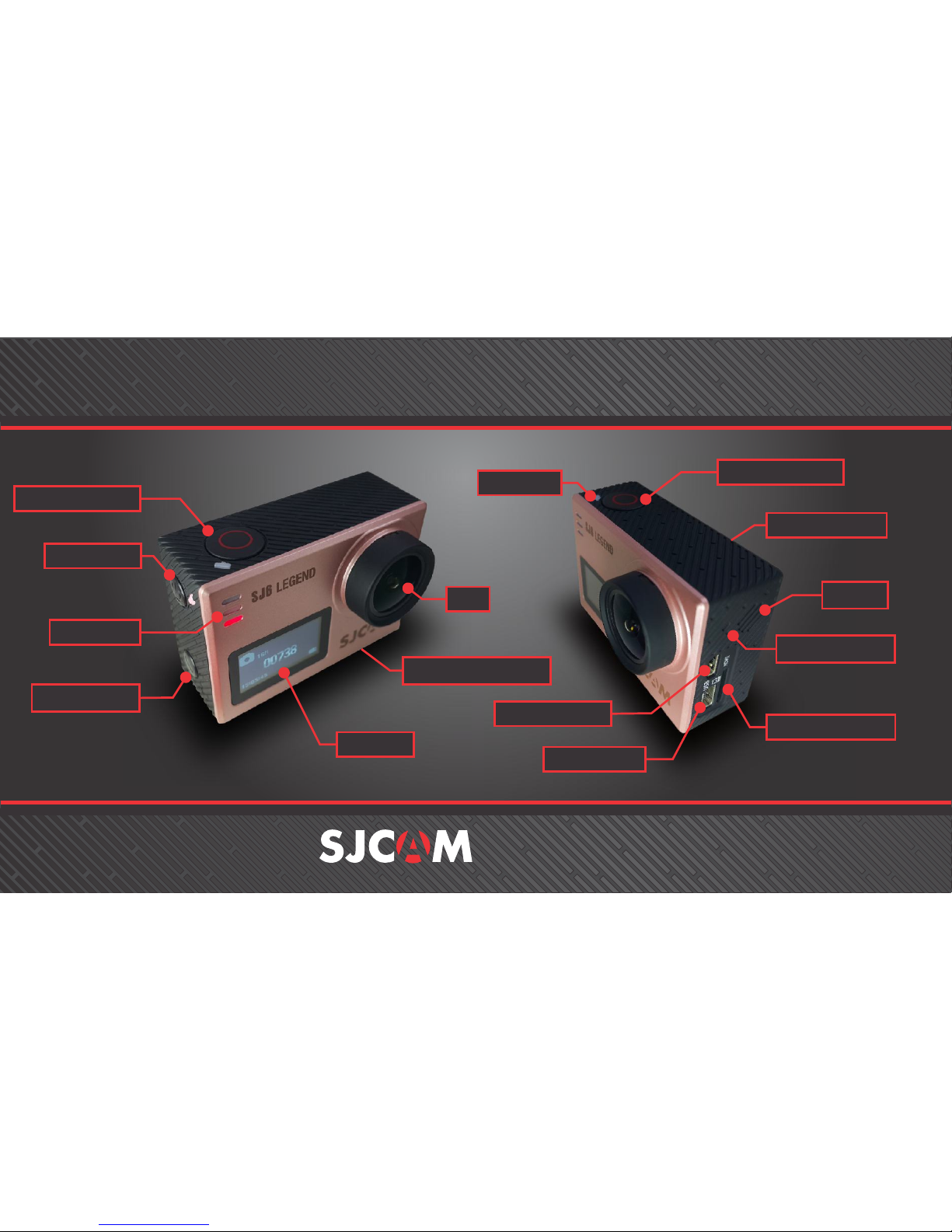
Settings Button
Status LEDs
Shutter/OK Button
Front LCD
Power Button
2.0” Touchscreen
Status LED
Micro HDMI Port
Microphone Hole
Speaker
MicroSD Card Slot
Mini-USB Port
Lens
Shutter/OK Button
PARTS OF YOUR CAMERA
SJ6 LEGEND
Battery Door (bottom)
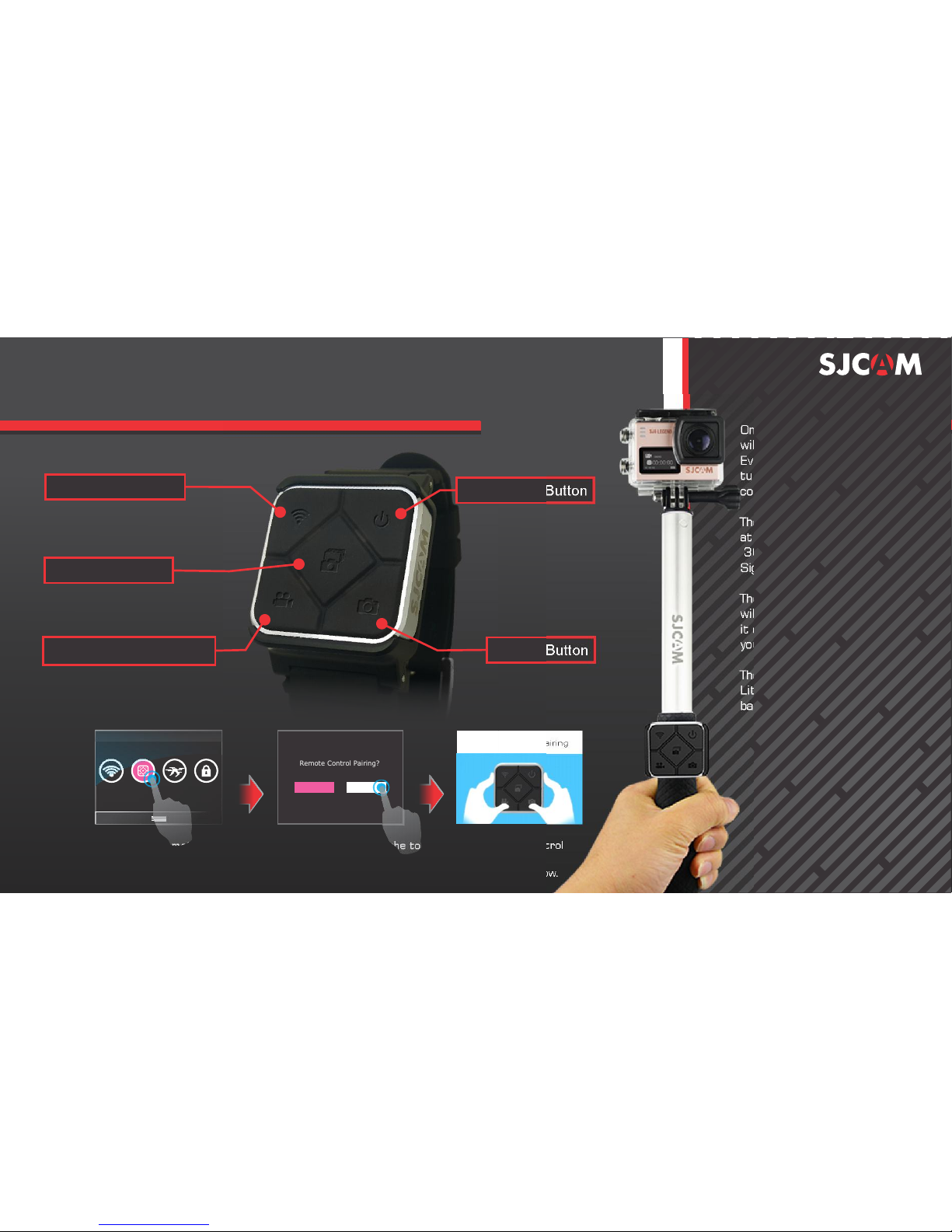
Once your Remote is paired,you
will never need to pair it again.
Everytime the SJ6 LEGEND is
turned on, your SJ Remote can
control your camera.
The Remote is tested to work
at a maximum distance of
30 feet, or 10 meters, Line-Of-
Sight.
The battery on your Remote
will last you a long time as
it only uses power when
you press any of the buttons.
The remote is powered with a
Lithium CR2032 button-cell
battery.
SJ SMART REMOTE (Optional)
Remote Control Pairing?
To pair your remote to your LEGEND: Swipe down from the top > Select Remote Control
choose “Remote Control Pairing”. A picture instruction will appear. Press the Video
and the Photo buttons on the Remote simultaneously. “Pairing Completion ID” will show.
NO YES
All graphics, words, and layout by Troy Ferrer 2016 [email protected]
WIFI On/Off Switch
Record Video Start/Stop
Camera-Off Button
Shutter Button
Burst Shot Button
Remote Control Pairing
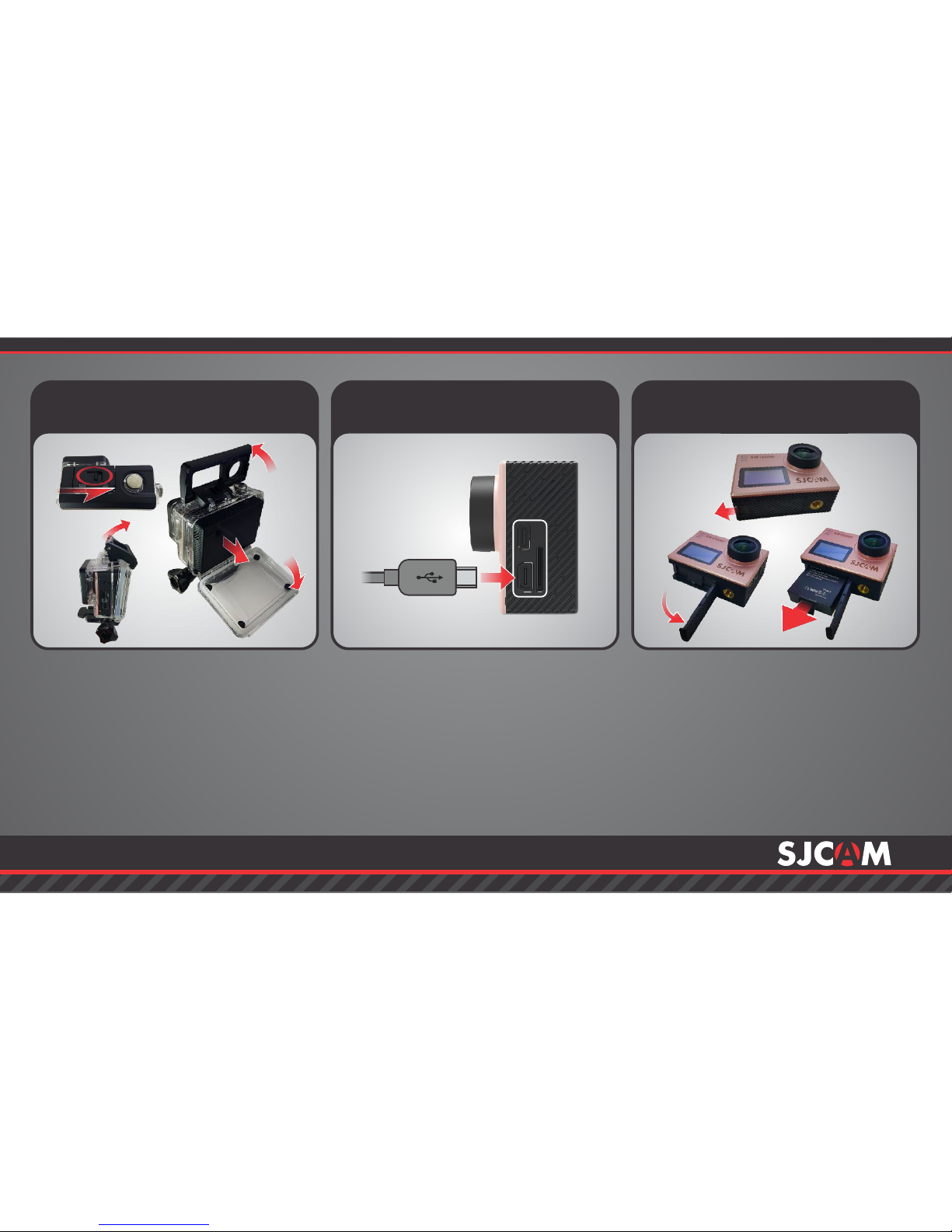
Remove the camera from the
waterproof case by lifting the clasp
from the front side of the case,
following the steps shown above.
Once free, swing the backdoor open,
then pull the camera out from the
waterproof case.
Plug the MiniUSB cable to the slot
on the side of the camera as
indicated above, and the other end
to a USB wall charger with an output
of 5V 1A, or plug it to a computer.
Remove your battery by sliding the
lock at the bottom of the camera to
release the compartment door.
Pull the battery out by the ap, plug it
to an External Dual Charger Accessory
(not shown, sold separately).
Removing the SJ6 from the
Waterproof Case.
Charging your camera using
the MiniUSB cable.
Removing the battery.
222
USB
HDMI
111
222
333
444
555333
All graphics, words, and layout by Troy Ferrer 2016 [email protected]
MiniUSB Cable
111
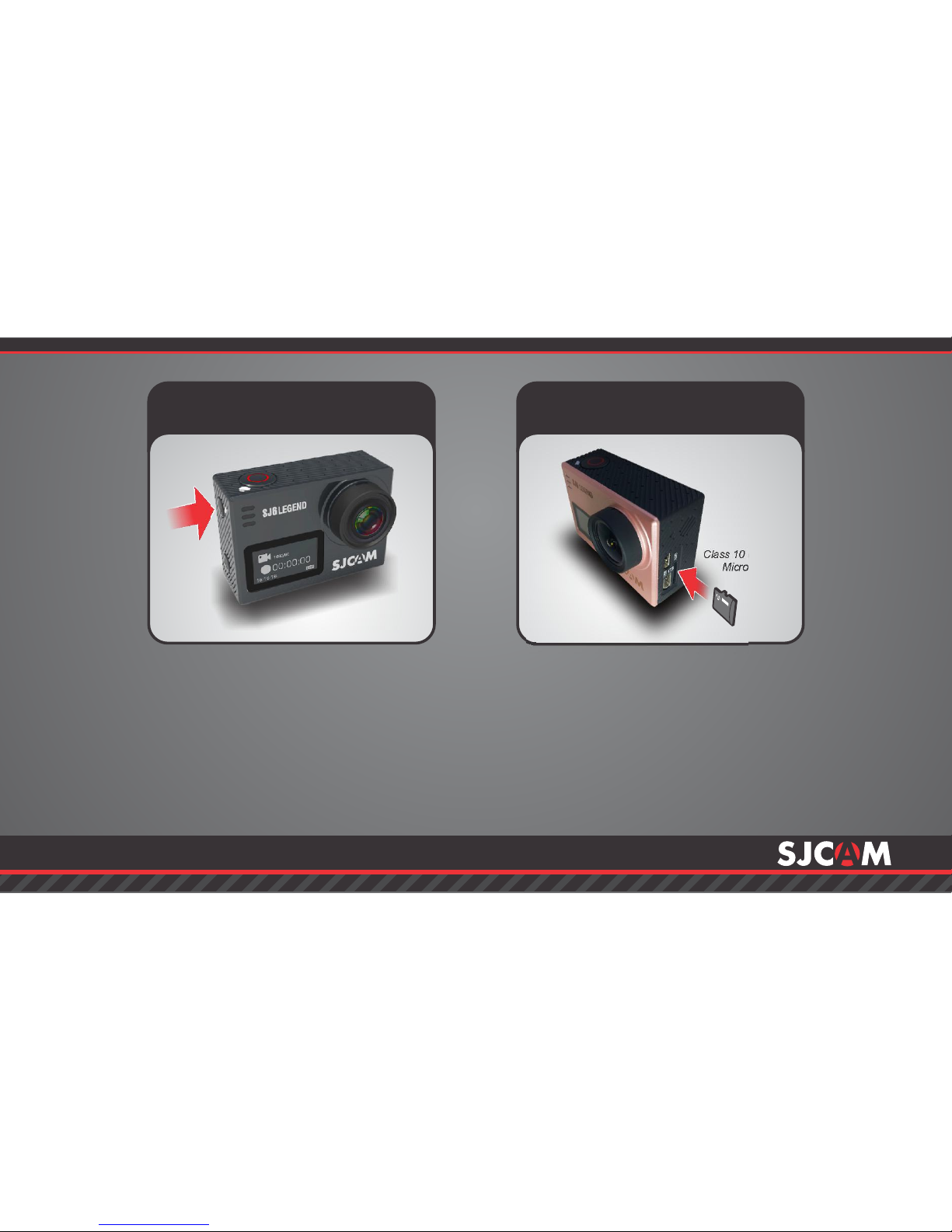
Press and hold the Power/Mode button
to turn your camera on.
You will hear a beep, indicator LEDs will
light up, and the screen will display the
SJCAM logo.
To turn off your camera, press the
Power button once.
Powering ON/OFF your SJ6 Inserting / Removing
Memory Cards
Insert a MicroSD card as shown in the
illustration above, with the label
facing the front of the SJ6, until it clicks
into place. To remove, just push it in
gently and the card will eject.
To make sure you do not lose any data, NOTE:
only remove or insert your card while the camera is
turned completely off.
Class 10 or higher
MicroSD card.
All graphics, words, and layout by Troy Ferrer 2016 [email protected]
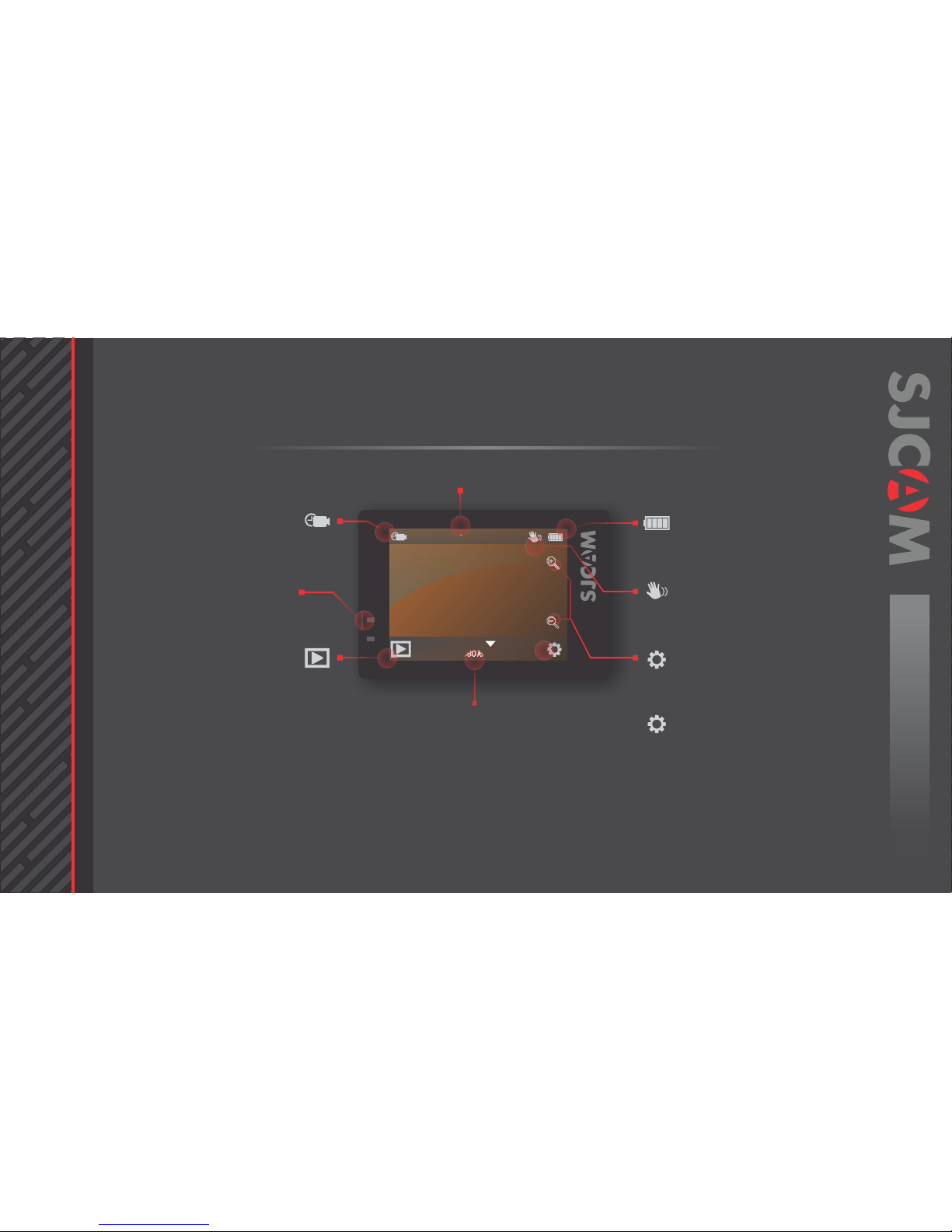
00:00:00 | 02:06:16
Video
1080/60/W
The Main Screen
Mode in use
Resolution/Framerate
Tap/Swipe Up to show other Mode options.
Battery Level Indicator
Gyro Stabilization (On)
Zoom Controls
Go to Settings
Current Mode Icon
Status Indicator Lights
Elapsed Time | Time left on Card
Go to Playback Mode
Icon will show what mode you are currently in.
The options will vary depending on the mode.
Red and Blue lights will indicate the status of
the camera operation.
Tap this icon to go to the camera’s gallery and
view the videos and photos you have recorded.
Tap the (+) or (-) magnifying glass icons to change
the digital zoom factor.
Tap this icon to make changes to the setting
for the selected mode, or for General options.
An indicator showing that the Gyro Sensor
is active. Will not show when turned off.
Displays approximate power left on the
battery. Battery blinks when almost empty.
The Main Screen has many nested menus
available by tapping or swiping.
You can also hide all the icons on screen
to use the viewfinder without the
onscreen icons and indicator labels by
tapping anywhere in the middle.
All graphics, words, and layout by Troy Ferrer 2016 [email protected]
NOTE:
The SJ6 LEGEND uses an LCD that is backlit.
The screen is only meant as a visual guide for
composition, and will not show exposure
configurations that you set.
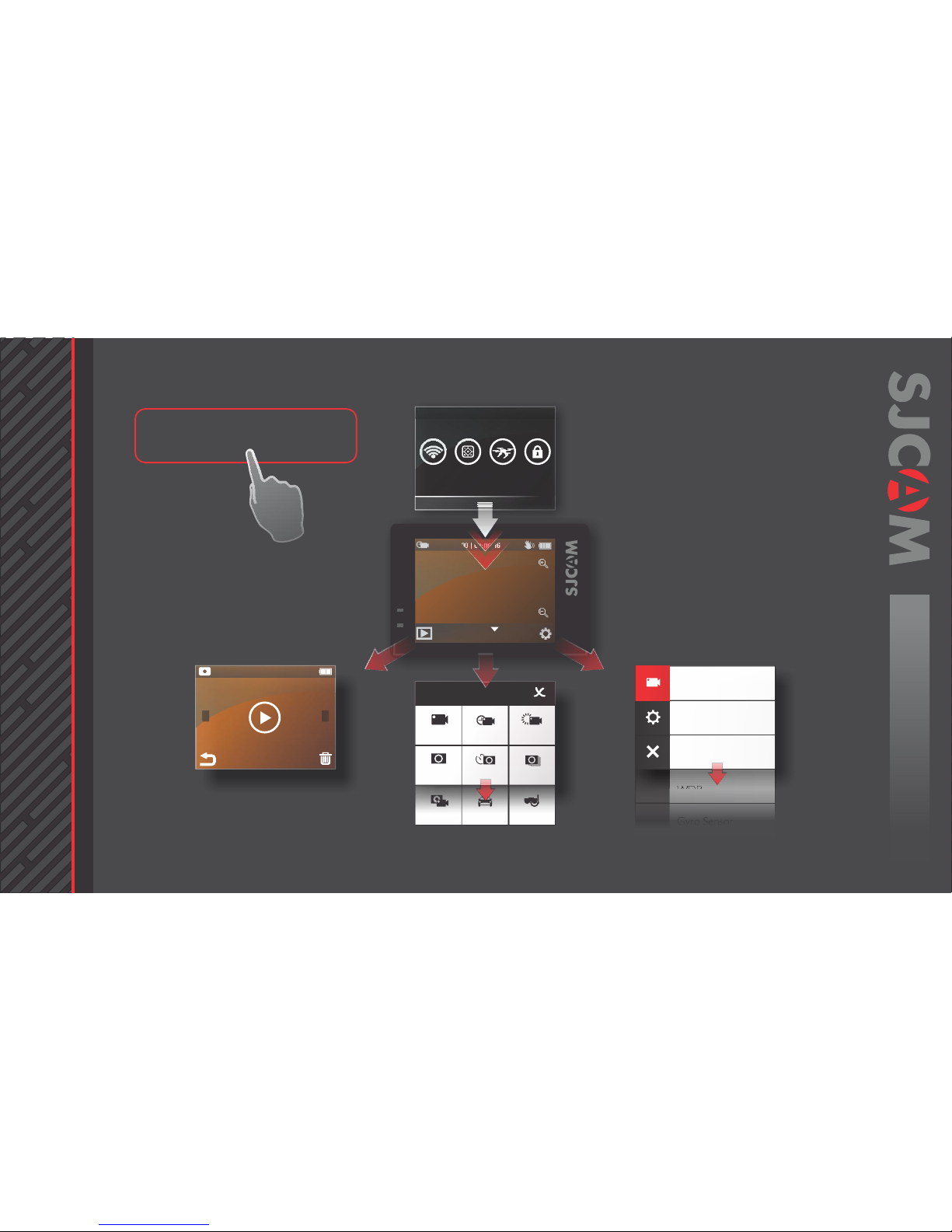
00:00:00 | 02:06:16
Video
1080/60/W
WDR
Resolution
Loop Recording
FOV
Video VideoLapse Slow Rec
Still PhotoLapse Burst Mode
Video+
photo Car Mode Underwater
Toggles Screen
Settings Screen
Playback Screen
Modes Screen
Main Screen
[ViewFinder]
>>>
>>>
1/576000
These are all the screens nested in the
Main Screen. You can tap or swipe to
access them.
All graphics, words, and layout by Troy Ferrer 2016 [email protected]
Indice
Altri manuali SJCAM Macchina fotografica digitale

SJCAM
SJCAM SJ4000 SERIES Manuale utente

SJCAM
SJCAM SJ5000 wifi Manuale utente

SJCAM
SJCAM FUNCAM Manuale utente

SJCAM
SJCAM SJ4000 Wifi Manuale utente

SJCAM
SJCAM SJ8 Series Manuale utente

SJCAM
SJCAM M10 Series Manuale utente

SJCAM
SJCAM SJ360 Series Manuale utente

SJCAM
SJCAM FUNCAM Manuale utente

SJCAM
SJCAM SJ6 LEGEND Manuale utente

SJCAM
SJCAM SJ7 STAR Manuale utente


